
C# 图片验证码简单例子
一、简述
记--使用PictureBox绘制验证码。
例子:外链:https://wwm.lanzouq.com/b0cafckej 密码:cxxn
二、效果
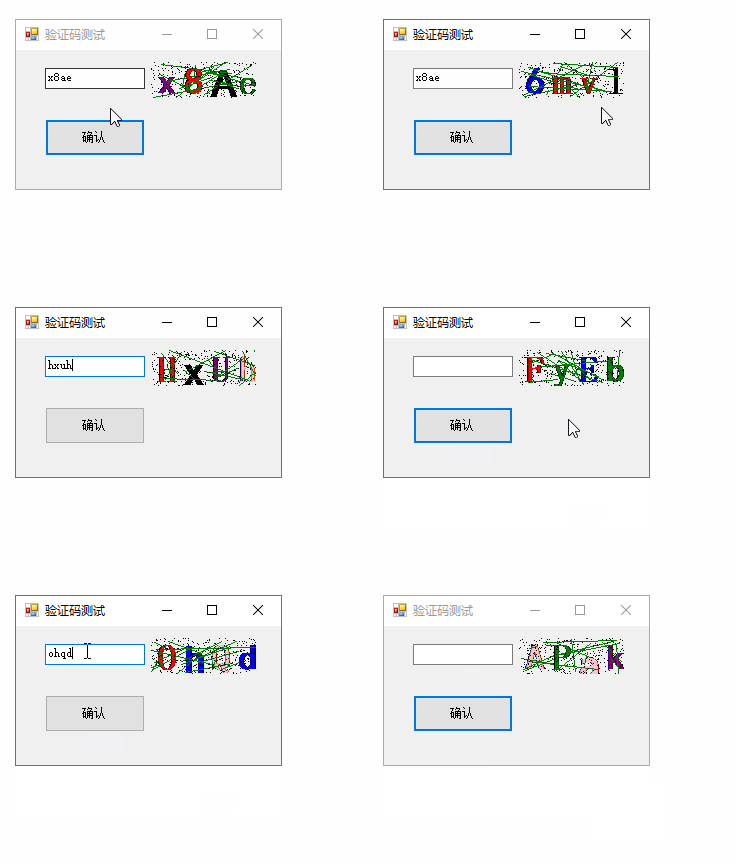
三、工程结构

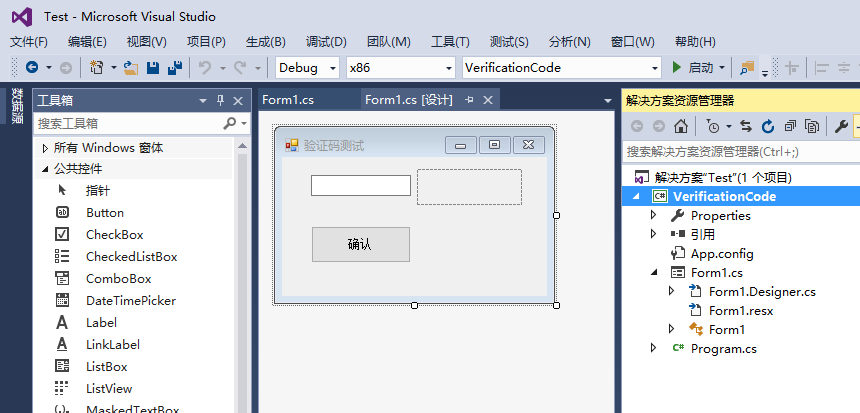
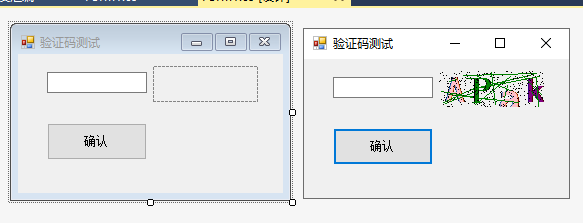
四、源文件
Form1.cs文件
using System; using System.Drawing; using System.Windows.Forms; namespace VerificationCode { public partial class Form1 : Form { const int mRandomCharCount = 4; string mVerificationCode = ""; public Form1() { InitializeComponent(); } private void RefreshVerificationCode() { mVerificationCode = ""; Random rdm = new Random(); string[] fonts = { "微软雅黑", "宋体", "黑体", "隶书", "仿宋" }; Color[] colors = { Color.Pink, Color.Blue, Color.Black, Color.Red, Color.Purple, Color.Green }; const string randomStr = "0abcdefghijklmnopqrstuvwxyzABCDEFGHIJKLMNOPQRSTUVWXYZ"; //随机生成4个字符 for (int i = 0; i < mRandomCharCount; i++) { mVerificationCode += randomStr[rdm.Next(0, randomStr.Length)].ToString(); } //4个字符按不同的字体颜色进行绘制 Bitmap bmp = new Bitmap(pictureBoxVerificationCode.Width, pictureBoxVerificationCode.Height); Graphics g = Graphics.FromImage(bmp); for (int i = 0; i < mRandomCharCount; i++) { Point p = new Point(i * 27, 0); g.DrawString(mVerificationCode[i].ToString(), new Font(fonts[rdm.Next(0, fonts.Length)], 28, FontStyle.Bold), new SolidBrush(colors[rdm.Next(0, colors.Length)]), p); } //绘制17条线条 for (int i = 0; i < 16; i++) { Point p1 = new Point(rdm.Next(0, bmp.Width), rdm.Next(0, bmp.Height)); Point p2 = new Point(rdm.Next(0, bmp.Width), rdm.Next(0, bmp.Height)); g.DrawLine(new Pen(Brushes.Green), p1, p2); } //绘制300个点 for (int i = 0; i < 300; i++) { Point p = new Point(rdm.Next(0, bmp.Width), rdm.Next(0, bmp.Height)); bmp.SetPixel(p.X, p.Y, Color.Black); } Console.WriteLine(mVerificationCode); //将图片镶嵌到PictureBox中 pictureBoxVerificationCode.Image = bmp; } private void pictureBoxVerificationCode_Click(object sender, EventArgs e) { //刷新验证码 RefreshVerificationCode(); } private void buttonSure_Click(object sender, EventArgs e) { //if (textBoxVerificationCode.Text == mVerificationCode) //区分大小写 if (textBoxVerificationCode.Text.Equals(mVerificationCode, StringComparison.OrdinalIgnoreCase)) //不s区分大小写 { MessageBox.Show("验证码正确!", "提示"); } else { MessageBox.Show("验证码错误!", "错误"); RefreshVerificationCode(); textBoxVerificationCode.Text = ""; } } private void Form1_Load(object sender, EventArgs e) { RefreshVerificationCode(); } } } 讯享网
版权声明:本文内容由互联网用户自发贡献,该文观点仅代表作者本人。本站仅提供信息存储空间服务,不拥有所有权,不承担相关法律责任。如发现本站有涉嫌侵权/违法违规的内容,请联系我们,一经查实,本站将立刻删除。
如需转载请保留出处:https://51itzy.com/kjqy/71472.html