
我们使用ckeditor5的时候会用到化学数学方程式的业务,如何构成呢?
官方文档:https://ckeditor.com/docs/ckeditor5/latest/features/math-equations.html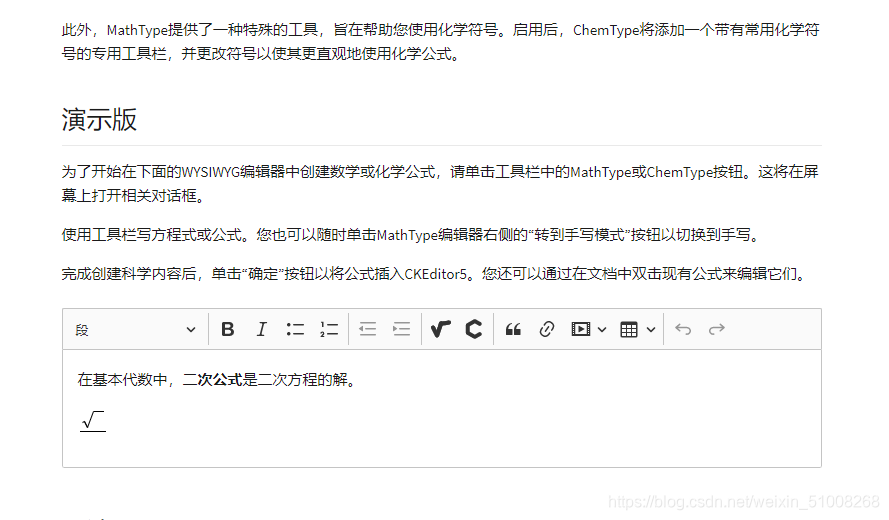
讯享网
其实官方文档我看了看配置这种数学和化学方程需要自定义配置编辑器,能力有限没看懂。
但是找到了一个快捷的方法:https://ckeditor.com/ckeditor-5/online-builder/,这是CKEditor 5在线生成器
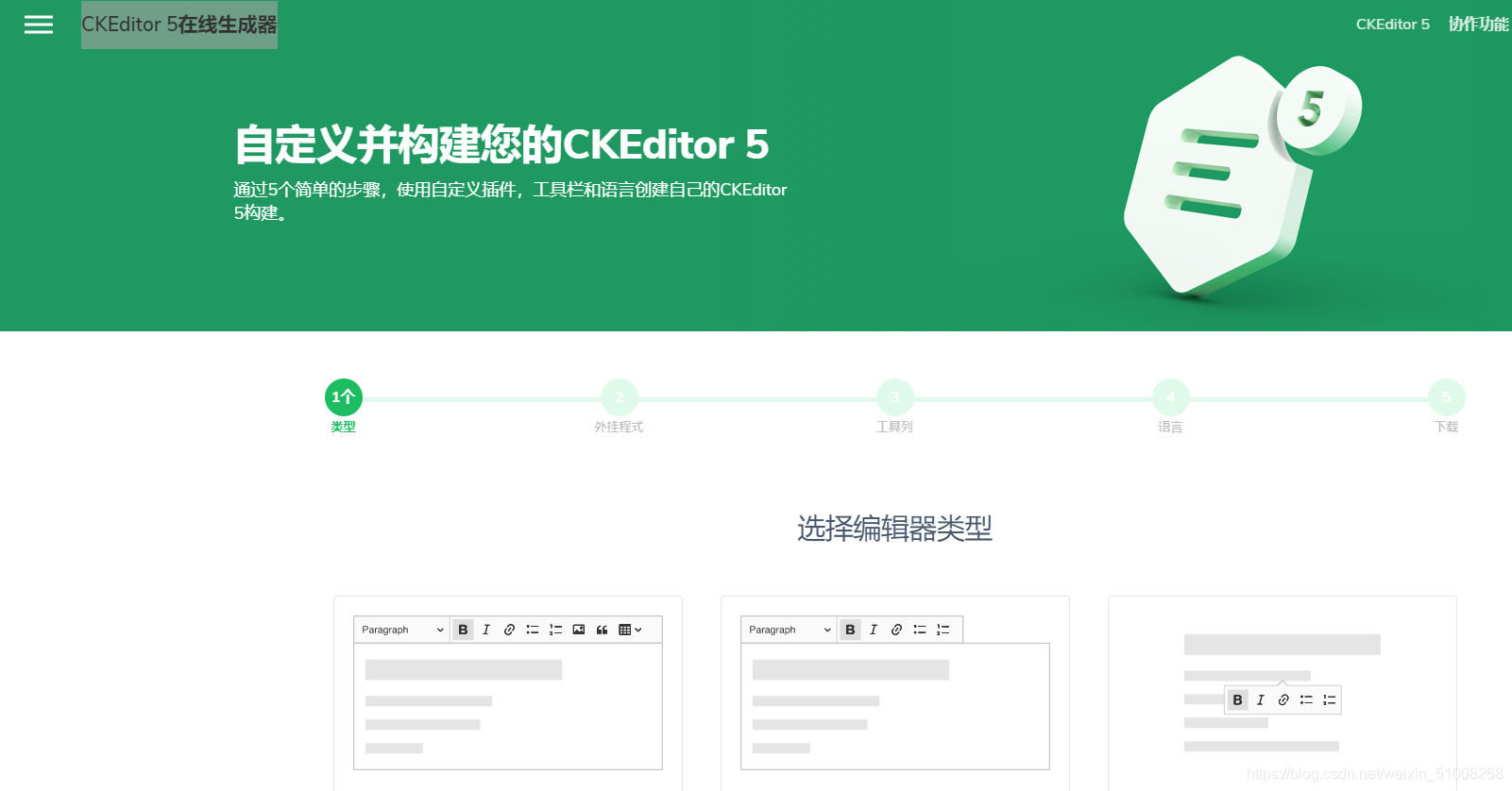
进入步骤了:1.打开https://ckeditor.com/ckeditor-5/online-builder/选择编辑器类型(我选择的经典)
2.进入了选择编辑器插件页面,我们在插件中寻找数学类型点击加按钮
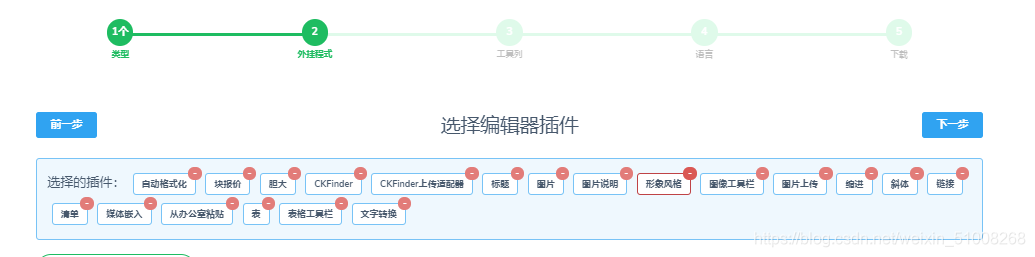

3.选择完毕点击下一步,此时别忘记把化学和数学方程式的图表放到工具栏的项目里

4.点击下一步:选择语言
5.点击下一步,下载
以上这部完成之后我们要应用到demo事例中和Vue项目中
首先把下载的文件解压放在一个文件夹里
一.demon事例中
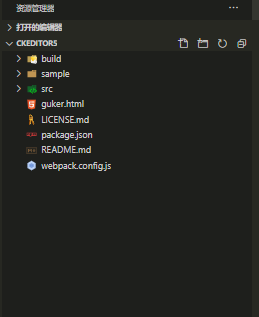
在文件夹中新建一个页面(guker.html)
<!DOCTYPE html>
<html lang="zh-CN">

<head>
  <meta charset="UTF-8">
  <meta name="viewport" content="width=device-width, initial-scale=1.0">
  <title>Document</title>
</head>
<script src="./build/ckeditor.js"></script>

<body>
  <div id="editor">
    <p>Here goes the initial content of the editor.</p>
  </div>
</body>
<script type="module">
  ClassicEditor
    .create(document.querySelector('#editor'), {
      toolbar: ['heading', '|', 'bold', 'italic', 'link', 'bulletedList', 'numberedList', "MediaEmbed", 'blockQuote', 'imageUpload', 'insertTable', '|', "alignment", "mathType", 'ChemType', 'outdent', 'indent', 'undo', 'redo'],
      heading: {
        options: [
          { model: 'paragraph', title: 'Paragraph', class: 'ck-heading_paragraph' },
          { model: 'heading1', view: 'h1', title: 'Heading 1', class: 'ck-heading_heading1' },
          { model: 'heading2', view: 'h2', title: 'Heading 2', class: 'ck-heading_heading2' }
        ]
      }
    })
    .then(editor => {
      console.log(editor);
    })
    .catch(error => {
      console.error(error);
    });
</script>
<style>

</style>

</html>```
讯享网
但注意:我们编辑运行要是用open with Live Server运行

二.VUE项目中使用
你可以先看一下官方文档:
https://ckeditor.com/docs/ckeditor5/latest/builds/guides/integration/frameworks/vuejs-v2.html
我们只需要把刚才demon文件夹下的bulid文件下的ckeditor.js文件拷贝一份就行
我把它放在Vue项目中的assets下面
在我们使用的组件中这样配置:
讯享网<template> <div id="editor"> <ckeditor ref="ckeditor" :editor="editor" v-model="editorData" :config="editorConfig" ></ckeditor> </div> </template> <script> import Vue from "vue"; import ClassicEditor from "../../assets/js/ckeditor.js"; import CKEditor from "@ckeditor/ckeditor5-vue2";//这个插件npm要装上 Vue.use(CKEditor); data(){
    editorData: "", editor: ClassicEditor, editorConfig: {
    // 编辑器的配置 toolbar: [ "heading", "|", "bold", "italic", "link", "bulletedList", "numberedList", "MediaEmbed", "blockQuote", "imageUpload", "insertTable", "|", "alignment", "mathType", "ChemType", "outdent", "indent", "undo", "redo", ], }, } </script>
其实老铁们,我这样的方法很笨,打包的时候会很慢,这个以自身带了一个bug就是图片按钮不能使用,我正在修正,如果那个大神能解决也欢迎留言。如果还有大神明白了ckeditor5的自定义配置这种数学化学方程式的,也希望发博客,请大家的博客写的详细明白一点谢谢(我的格言:我很菜但我还不想努力)
版权声明:本文内容由互联网用户自发贡献,该文观点仅代表作者本人。本站仅提供信息存储空间服务,不拥有所有权,不承担相关法律责任。如发现本站有涉嫌侵权/违法违规的内容,请联系我们,一经查实,本站将立刻删除。
如需转载请保留出处:https://51itzy.com/kjqy/124738.html