
服务器配置
进入微信公众号平台。找到 设置与开发=》开发(基本配置)
然后在右侧就有一些公众号的开发信息,其中appid和AppSecret会十分有用,还有服务器配置,这就是我们要配置的第一项。
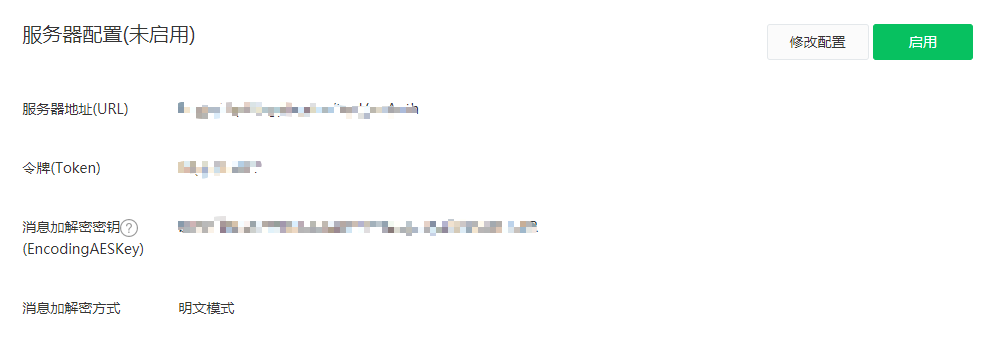
服务器地址就是要验证请求是不是来自微信服务器,token可以自己填写,后期是用来进行一些加密算法的。 在点击提交的时候会显示配置失败,那是需要后台的一些验证。
服务器验证接口
服务器配置填写完成后点击提交,这时会向你的服务器发送请求,同时会携带四个参数:
timestamp:时间戳
nonce:随机字符串
signature:签名
echostr:返回的字符串
后台接收这四个参数在配合token进行签名算法加密,然后和请求中的签名进行比对,如果一致就返回echostr,那么这个时候服务器就可以配置成功了。
签名算法:timestamp,nonce,token进行字典排序,把排序后的数据拼接成字符串然后使用sha1进行加密,就会得到签名。
var express = require('express'); var router = express.Router(); var sha1 = require('node-sha1'); router.get('/', (req, res, next) => { //接收参数 const { timestamp, nonce, signature, echostr } = req.query; //填写的token const token = "xxxxxxxxxxxx"; //参数排序后加密 const sha1Str = sha1([timestamp, nonce, token].sort().join('')); //比对成功后返回信息 if (sha1Str === signature) { res.set('Content-Type', 'text/plain') res.send(echostr) } else { res.send('err') } }) module.exports = router; 讯享网
这个时候点击提交,就会显示配置成功。
设置JS接口安全域名
设置与开发 => 公众号设置 => 功能设置
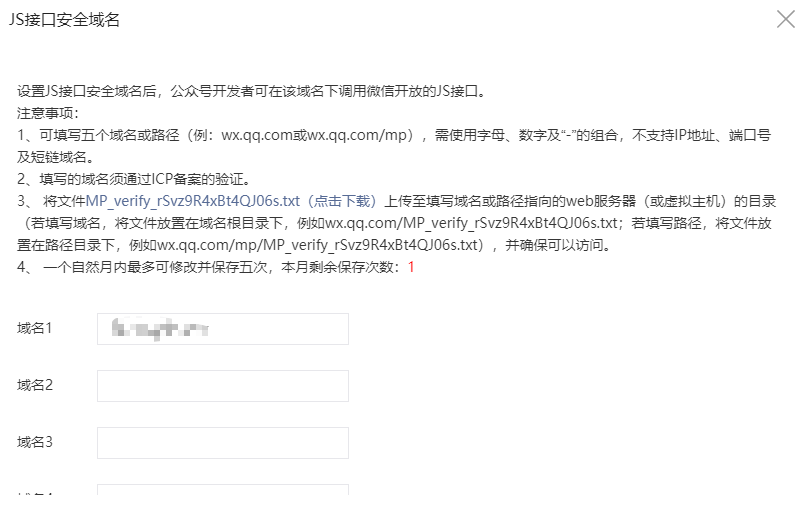
设置JS接口安全域名后,公众号开发者可在该域名下调用微信开放的JS接口。不一致无法调用微信接口
填入服务器域名,同时还需要把它指定的文件下载下来放到项目的根目录下。
使用微信SDK
微信config配置
要想使用微信的接口那么就需要引入微信提供的js文件,在项目开发中也提供了js-sdk。注入js-sdk则需要一些配置项,其中就需要后台返回的签名包。
1、获取access_token
2、根据access_token请求拿到ticket
3、创建数据对象包含jsapi_ticket,url,noncestr,timestamp
4、字段字典排序
5、拼接数据
6、sha1加密
讯享网var express = require('express'); var router = express.Router(); var sha1 = require('node-sha1'); var axios = require('axios'); let appid = 'xxxxxxxxxxxxxxxxxxx' let secret = 'xxxxxxxxxxxxxxxxxxx' router.get('/', async (req, res, next) => { let url = req.query.url if (!url) { res.status(300).json({ code: 300, msg: '参数错误' }) return } //获取token let tokenApi = 'https://api.weixin..com/cgi-bin/token?grant_type=client_credential&appid=' + appid + '&secret=' + secret let token_data = await axios.get(tokenApi) let token = token_data.data.access_token //获取jsapi_ticket let ticketUrl = `https://api.weixin..com/cgi-bin/ticket/getticket?access_token=${token}&type=jsapi` let ticket_data = await axios.get(ticketUrl); let jsapi_ticket = ticket_data.data.ticket //创建签名包 let obj = { jsapi_ticket, url, noncestr: Math.random().toString(36).substring(2, 15), timestamp: parseInt(new Date().getTime() / 1000) + '' } //排序 let keys = Object.keys(obj).sort(); let newObj = {}; keys.forEach(key => { newObj[key] = obj[key]; }) //拼接字符串 let str = ''; for (const k in newObj) { str += "&" + k + "=" + newObj[k] } //加密后得到签名 str = sha1(str.substr(1)) //返回签名包 res.status(200).json({ code:200, data:{ appId:appid, timestamp:obj.timestamp, nonceStr:obj.noncestr, signature:str }, msg:'成功' }) }) module.exports = router;
注意:在获取token的时候会失败,会提示ip不在白名单,根据它显示的ip去微信公众号添加白名单即可

使用微信SDK
微信sdk可以直接引入js文件,也可以使用npm下载npm i weixin-js-sdk
<script src="https://res2.wx..com/open/js/jweixin-1.6.0.js"></script> <script src="https://unpkg.com/axios/dist/axios.min.js"></script> axios.get('https://xx.xxx.xx/tool/wxConfig?url=' + location.href.split('#')[0]).then(res => { let { appId, timestamp, nonceStr, signature } = res.data.data wx.config({ debug: false, appId, timestamp, nonceStr, signature, jsApiList: ['checkJsApi', 'scanQRCode'] }); wx.ready(function () { wx.checkJsApi({ jsApiList: ['scanQRCode'], success: function (aaa) { console.log(aaa); } }); }) wx.error(function (err) { console.log(err); }) }) jsApiList:要使用的微信SDK都要放在这个数组里

wx.ready:这个函数是配置成功后调用的,如果有接口要直接执行,就需要放在这个函数里。
小技巧:在这个函数里可以使用wx.checkJsApi,这个接口是用来检查是否支持
使用接口
讯享网<button onclick="take()">扫一扫</button> function take() { wx.scanQRCode({ needResult: 0, scanType: ["qrCode", "barCode"], success: function (result) { console.log(result); } }); }
网页授权获取用户信息
因为个人公众号没有这个权限,但是官方提供测试号
微信公众平台
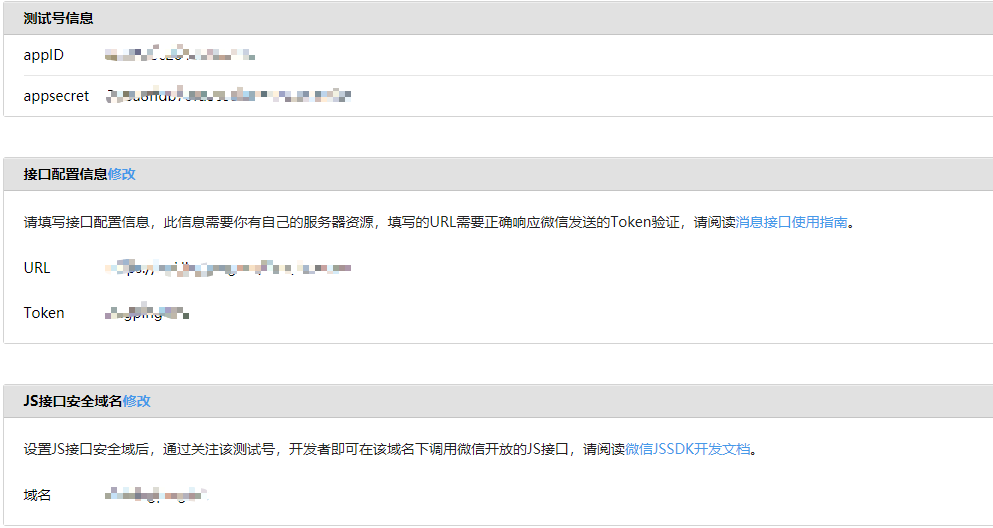
微信登录后会给你测试号。
信息配置
同样需要配置三个地方:接口配置信息、js接口安全域名
配置授权后的回调域名

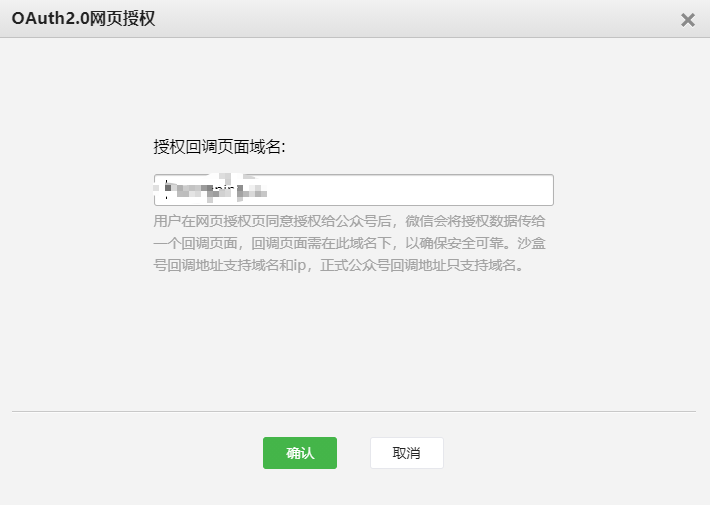
坑:这里填写的域名不要加http://或则https://,否则授权的时候会显示redirect_uri与后台配置的不一致。
只需要填入域名即可,回调的页面只要在这个域名下即可
同意授权获取code
首先要确认你的公众号有这个权限。
服务号获得高级接口后,默认拥有scope参数中的snsapi_base和snsapi_userinfo
snsapi_base:静默授权,没有授权页面,同时获取到用户的信息有限
snsapi_userinfo:非静默授权,会有授权页面,更多的用户信息
scope为snsapi_base
https://open.weixin..com/connect/oauth2/authorize?appid=wx520c15f&redirect_uri=https%3A%2F%2Fchong..com%2Fphp%2Findex.php%3Fd%3D%26c%3DwxAdapter%26m%3DmobileDeal%26showwxpaytitle%3D1%26vb2ctag%3D4_2030_5_1194_60&response_type=code&scope=snsapi_base&state=123#wechat_redirect
scope为snsapi_userinfo
https://open.weixin..com/connect/oauth2/authorize?appid=wxf0e81c3bee622d60&redirect_uri=http%3A%2F%2Fnba.bluewebgame.com%2Foauth_response.php&response_type=code&scope=snsapi_userinfo&state=STATE#wechat_redirect
尤其注意:跳转回调redirect_uri,应当使用https链接来确保授权code的安全性。
| 参数 | 是否必须 | 说明 |
|---|---|---|
| appid | 是 | 公众号的唯一标识 |
| redirect_uri | 是 | 授权后重定向的回调链接地址, 请使用 urlEncode 对链接进行处理 |
| response_type | 是 | 返回类型,请填写code |
| scope | 是 | 应用授权作用域,snsapi_base (不弹出授权页面,直接跳转,只能获取用户openid),snsapi_userinfo (弹出授权页面,可通过openid拿到昵称、性别、所在地。并且, 即使在未关注的情况下,只要用户授权,也能获取其信息 ) |
| state | 否 | 重定向后会带上state参数,开发者可以填写a-zA-Z0-9的参数值,最多128字节 |
| #wechat_redirect | 是 | 无论直接打开还是做页面302重定向时候,必须带此参数 |
<button @click="auth()">获取用户信息</button> auth() { window.location.href = "授权地址"; }, 通过code换取网页授权access_token
当授权成功后会跳转到自己定义的域名,同时会携带code,这个时候就需要通过这个code去换取access_token,这是个特殊的token
跳转回来的地址的数据:https://xxx.xxxx.com/?code=xxxx&state=xxx
获取code请求后端接口
讯享网var express = require('express'); var router = express.Router(); var axios = require('axios'); let appid = 'xxxxxxxx' let secret = 'xxxxxxxxxxx' router.get('/', async (req, res, next) => { let code = req.query.code if (!code) { res.status(300).json({ code: 300, msg: '参数错误' }) return } let tokenApi = ' https://api.weixin..com/sns/oauth2/access_token?appid=' + appid + '&secret=' + secret + '&code=' + code + '&grant_type=authorization_code' let token_data = await axios.get(tokenApi) let { access_token, openid } = token_data.data let userApi = 'https://api.weixin..com/sns/userinfo?access_token=' + access_token + '&openid=' + openid + '&lang=zh_CN' let user = await axios.get(userApi); res.status(200).json({ code: 200, data: user.data, msg: '成功' }) }) module.exports = router;
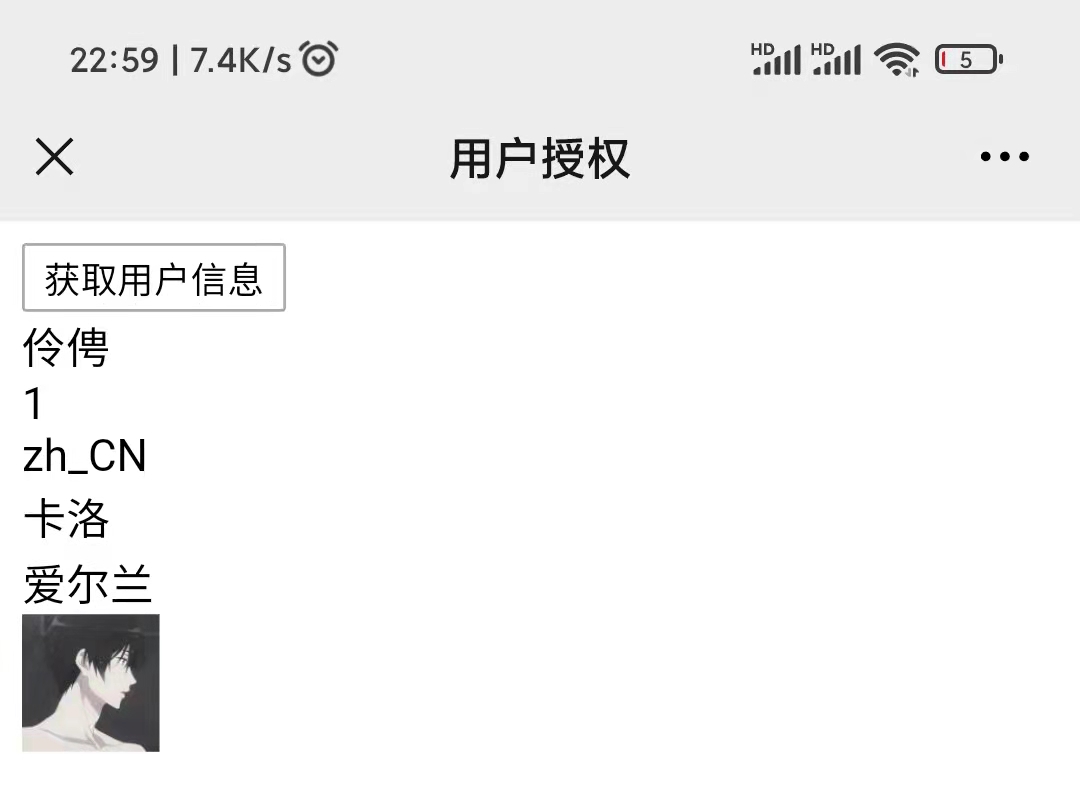
这样就获取到用户的信息了
window.onload = () => { let obj = {} let arr = location.search.substr(1).split("&"); arr.forEach((item) => { let newArr = item.split("="); obj[newArr[0]] = newArr[1] }); if(obj.code){ axios.get('https://xx.xx.xx/wxUser_test?code=' + obj.code).then(res=>{ let str = `<div>${res.data.data.nickname}</div> <div>${res.data.data.sex}</div> <div>${res.data.data.language}</div> <div>${res.data.data.city}</div> <div>${res.data.data.province}</div> <div>${res.data.data.country}</div> <div><img src="${res.data.data.headimgurl}" style="width:50px;height:50px" alt=""></div>` document.querySelector('#box').innerHTML = str }) } } 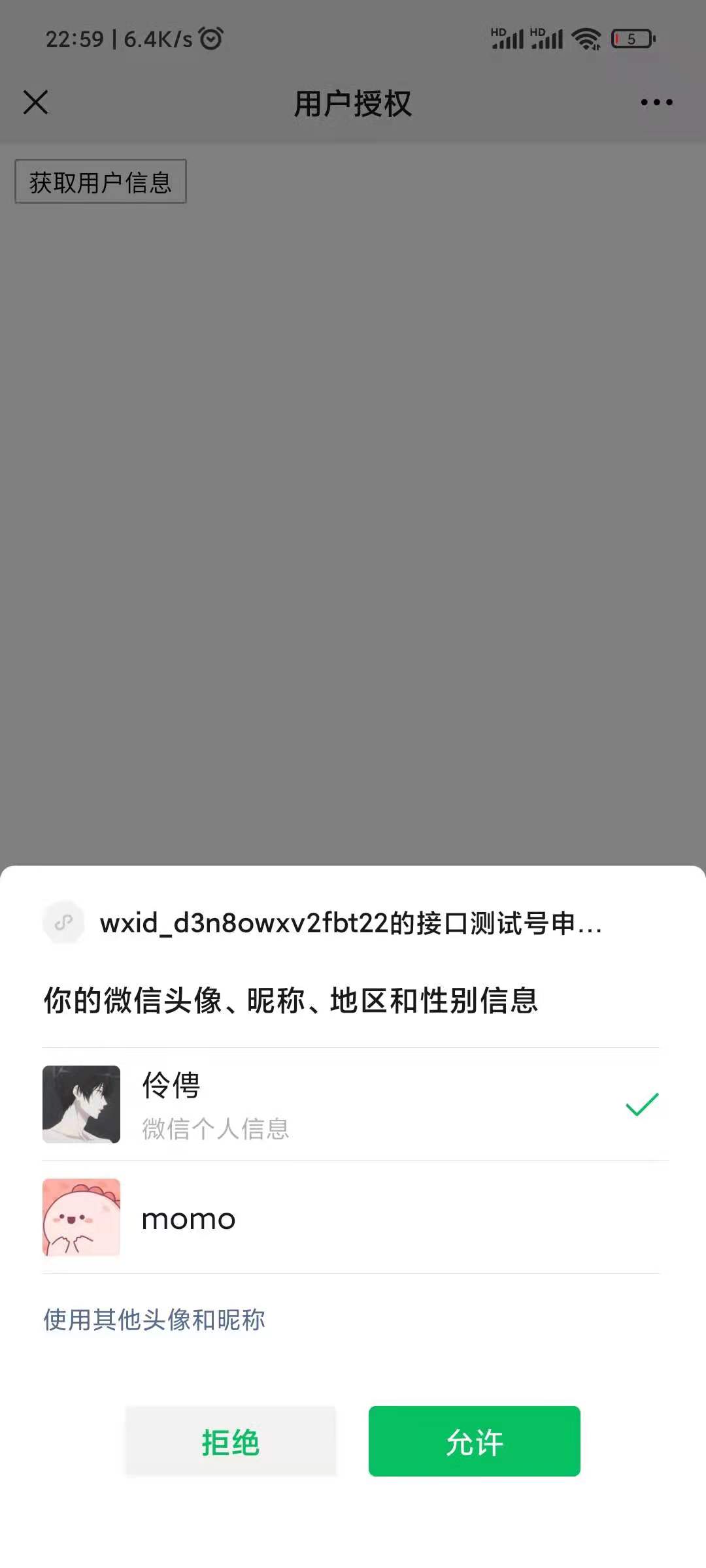
书洞笔记
版权声明:本文内容由互联网用户自发贡献,该文观点仅代表作者本人。本站仅提供信息存储空间服务,不拥有所有权,不承担相关法律责任。如发现本站有涉嫌侵权/违法违规的内容,请联系我们,一经查实,本站将立刻删除。
如需转载请保留出处:https://51itzy.com/kjqy/66045.html