
从源码编译 rocSolver
本人只操作过单个rocm版本的情景, ubuntu 22.04.01
1,卸载原先的rocm
https://docs.amd.com/en/docs-5.1.3/deploy/linux/os-native/uninstall.html
# Uninstall single-version ROCm packages sudo apt autoremove rocm-core # Uninstall Kernel-mode Driver sudo apt autoremove amdgpu-dkms # remove apt source sudo rm /etc/apt/sources.list.d/<rocm_repository-name>.list sudo rm /etc/apt/sources.list.d/<amdgpu_repository-name>.list sudo rm /etc/apt/sources.list.d/rocm.list sudo rm /etc/apt/sources.list.d/amdgpu.list sudo rm -rf /var/cache/apt/* sudo apt-get clean all sudo reboot讯享网
2,安装最新的rocm
讯享网sudo apt install "linux-headers-$(uname -r)" "linux-modules-extra-$(uname -r)" # See prerequisites. Adding current user to Video and Render groups sudo usermod -a -G render,video $LOGNAME wget https://repo.radeon.com/amdgpu-install/6.0.2/ubuntu/jammy/amdgpu-install_6.0.60002-1_all.deb sudo apt install ./amdgpu-install_6.0.60002-1_all.deb sudo apt update sudo apt install amdgpu-dkms sudo apt install rocm sudo reboot sudo amdgpu-install --usecase=graphics,rocm sudo reboot
3,安装依赖
sudo apt install libstdc++-12-dev4,示例

4.1 amd官方示例
讯享网$ git clone --recursive https://github.com/amd/rocm-examples.git $ cd HIP-Basic/device_query $ make $ ./hip_device_query
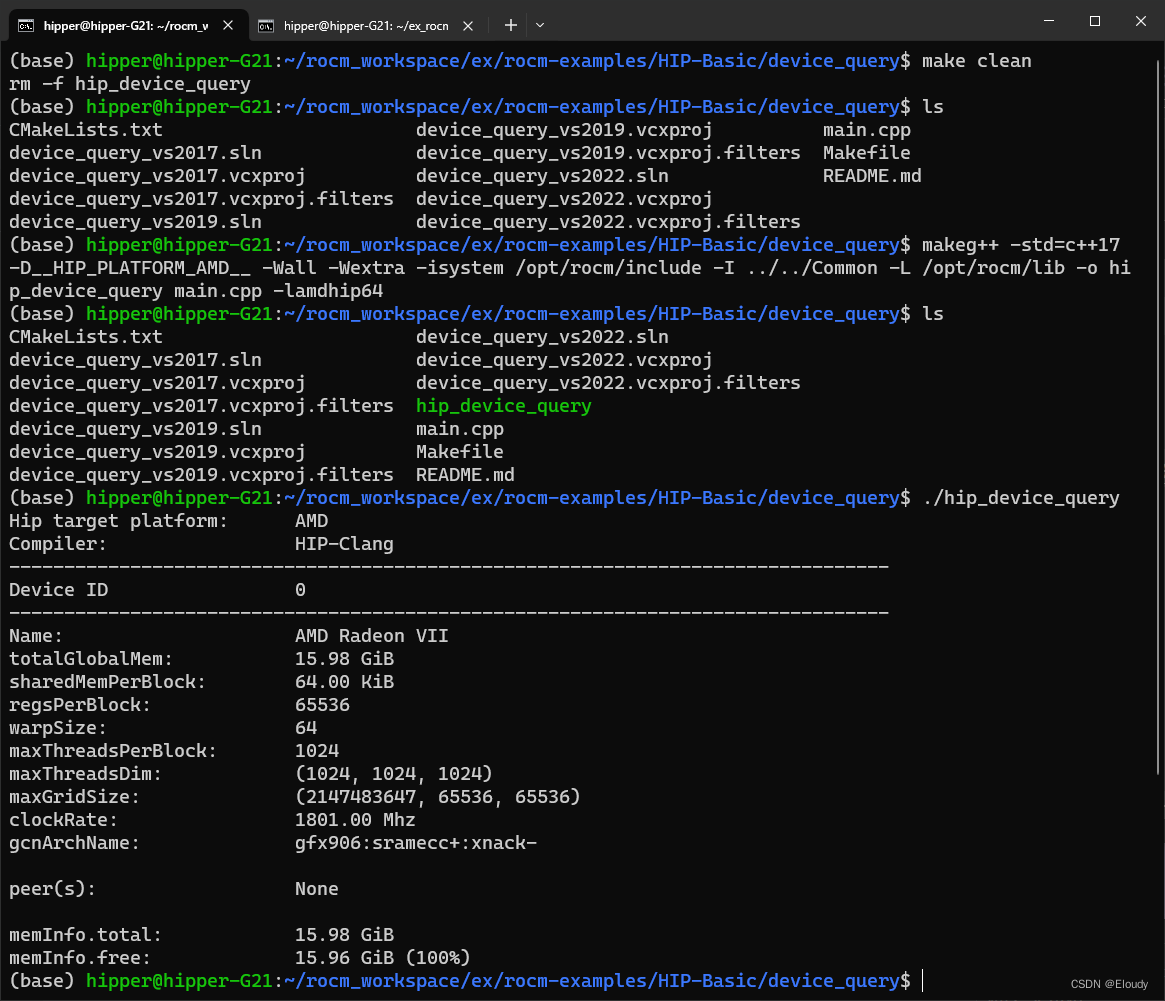
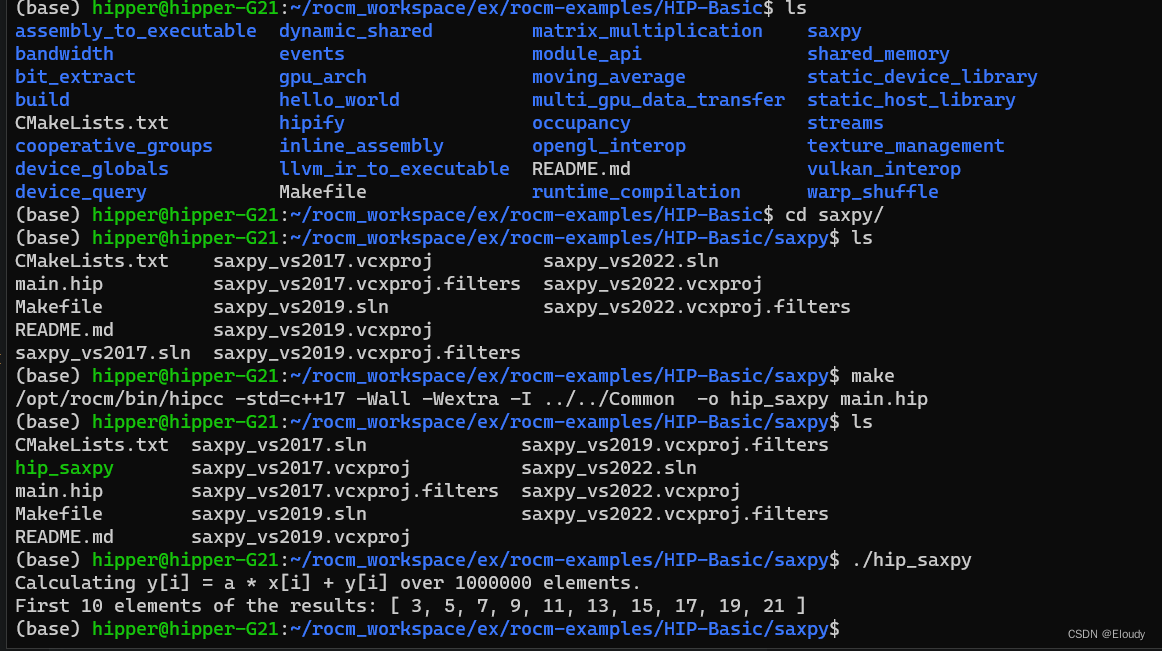
4.2 rocsolver_dgeqrf
ex_rocsolver_dgeqrf.cpp
/ // example.cpp source code // / #include <algorithm> // for std::min #include <stddef.h> // for size_t #include <stdio.h> #include <vector> #include <hip/hip_runtime_api.h> // for hip functions #include <rocsolver/rocsolver.h> // for all the rocsolver C interfaces and type declarations void init_vector(double* A, int n) { for(int i=0; i<n; i++) A[i] = (rand()%2000)/1000.0; } void print_matrix(double* A, int M, int N, int lda) { for(int i=0; i<M; i++) { for(int j=0; j<N; j++) { printf("%7.4f, ", A[i + j*lda]); } printf("\n"); } } int main() { rocblas_int M = 7; rocblas_int N = 7; rocblas_int lda = M; // here is where you would initialize M, N and lda with desired values rocblas_handle handle; rocblas_create_handle(&handle); size_t size_A = size_t(lda) * N; // the size of the array for the matrix size_t size_piv = size_t(std::min(M, N)); // the size of array for the Householder scalars std::vector<double> hA(size_A); // creates array for matrix in CPU std::vector<double> hIpiv(size_piv); // creates array for householder scalars in CPU init_vector(hA.data(), size_A); memset(hIpiv.data(), 0, size_piv*sizeof(double)); print_matrix(hA.data(), M, N, lda); double *dA, *dIpiv; hipMalloc(&dA, sizeof(double)*size_A); // allocates memory for matrix in GPU hipMalloc(&dIpiv, sizeof(double)*size_piv); // allocates memory for scalars in GPU // here is where you would initialize matrix A (array hA) with input data // note: matrices must be stored in column major format, // i.e. entry (i,j) should be accessed by hA[i + j*lda] // copy data to GPU hipMemcpy(dA, hA.data(), sizeof(double)*size_A, hipMemcpyHostToDevice); // compute the QR factorization on the GPU rocsolver_dgeqrf(handle, M, N, dA, lda, dIpiv); // copy the results back to CPU hipMemcpy(hA.data(), dA, sizeof(double)*size_A, hipMemcpyDeviceToHost); hipMemcpy(hIpiv.data(), dIpiv, sizeof(double)*size_piv, hipMemcpyDeviceToHost); printf("\nR =\n"); print_matrix(hA.data(), M, N, lda); printf("\ntau=\n"); print_matrix(hIpiv.data(), 1, N, 1); // the results are now in hA and hIpiv, so you can use them here hipFree(dA); // de-allocate GPU memory hipFree(dIpiv); rocblas_destroy_handle(handle); // destroy handle }Makefile:
讯享网EXE := ex_rocsolver_dgeqrf all: $(EXE) INC := -I /opt/rocm/include -D__HIP_PLATFORM_AMD__ LD_FLAGS := -L /opt/rocm/lib -lamdhip64 -lrocblas -lrocsolver ex_rocsolver_dgeqrf.o: ex_rocsolver_dgeqrf.cpp g++ $< $(INC) -c -o $@ ex_rocsolver_dgeqrf: ex_rocsolver_dgeqrf.o g++ $< $(LD_FLAGS) -o $@ .PHONY: clean clean: ${RM} *.o $(EXE)
运行效果:

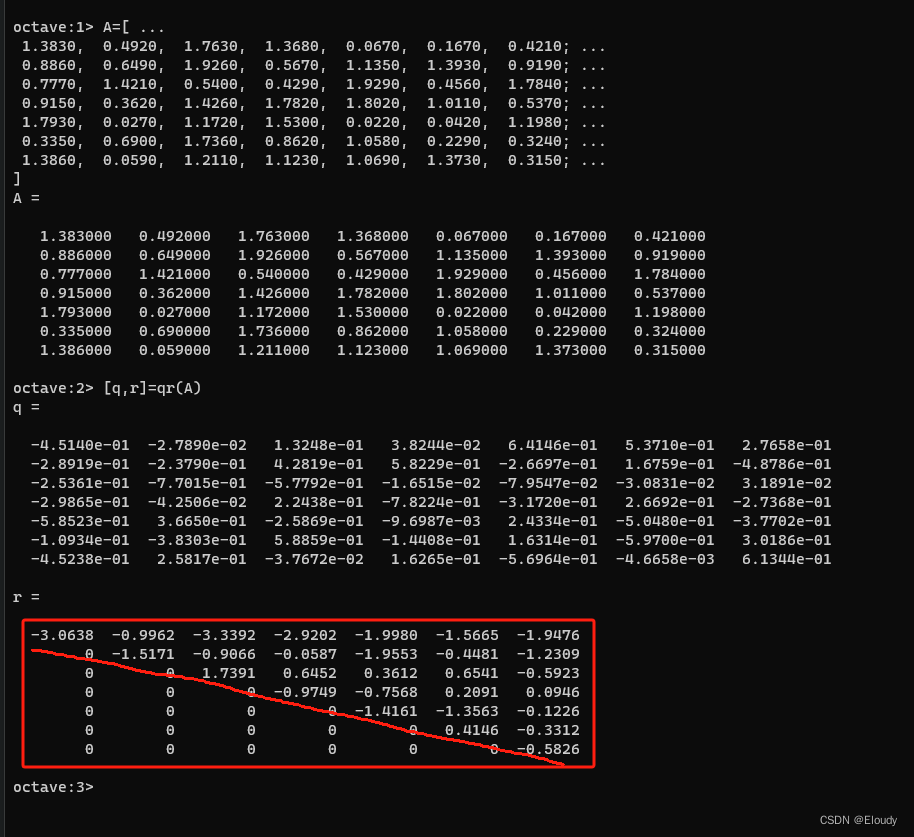
使用matlab对结果做验证:
版权声明:本文内容由互联网用户自发贡献,该文观点仅代表作者本人。本站仅提供信息存储空间服务,不拥有所有权,不承担相关法律责任。如发现本站有涉嫌侵权/违法违规的内容,请联系我们,一经查实,本站将立刻删除。
如需转载请保留出处:https://51itzy.com/kjqy/49972.html