
目录
前言
一、技术栈
二、系统功能介绍
三、核心代码
1、登录模块
2、文件上传模块
3、代码封装
前言
随着信息互联网购物的飞速发展,一般企业都去创建属于自己的电商平台以及购物管理系统。本文介绍了“衣依”服装销售平台的开发全过程。通过分析企业对于“衣依”服装销售平台的需求,创建了一个计算机管理“衣依”服装销售平台的方案。文章介绍了“衣依”服装销售平台的系统分析部分,包括可行性分析等,系统设计部分主要介绍了系统功能设计和数据库设计。
本“衣依”服装销售平台管理员功能有管理员和用户两个角色。管理员有个人中心,用户管理,商品分类管理,颜色管理,尺码管理,商品信息管理,订单评价管理,系统管理,订单管理。用户可以注册登录,登录后在前台首页可以查看商品信息,商品资讯,在个人中心可以修改个人资料,查看我的订单,我的地址,我的收藏等信息,后台管理可以查看自己的订单。因而具有一定的实用性。
本站是一个B/S模式系统,采用Spring Boot框架作为开发技术,MYSQL数据库设计开发,充分保证系统的稳定性。系统具有界面清晰、操作简单,功能齐全的特点,使得“衣依”服装销售平台管理工作系统化、规范化。
一、技术栈
末尾获取源码
SpringBoot+Vue+JS+ jQuery+Ajax...

二、系统功能介绍
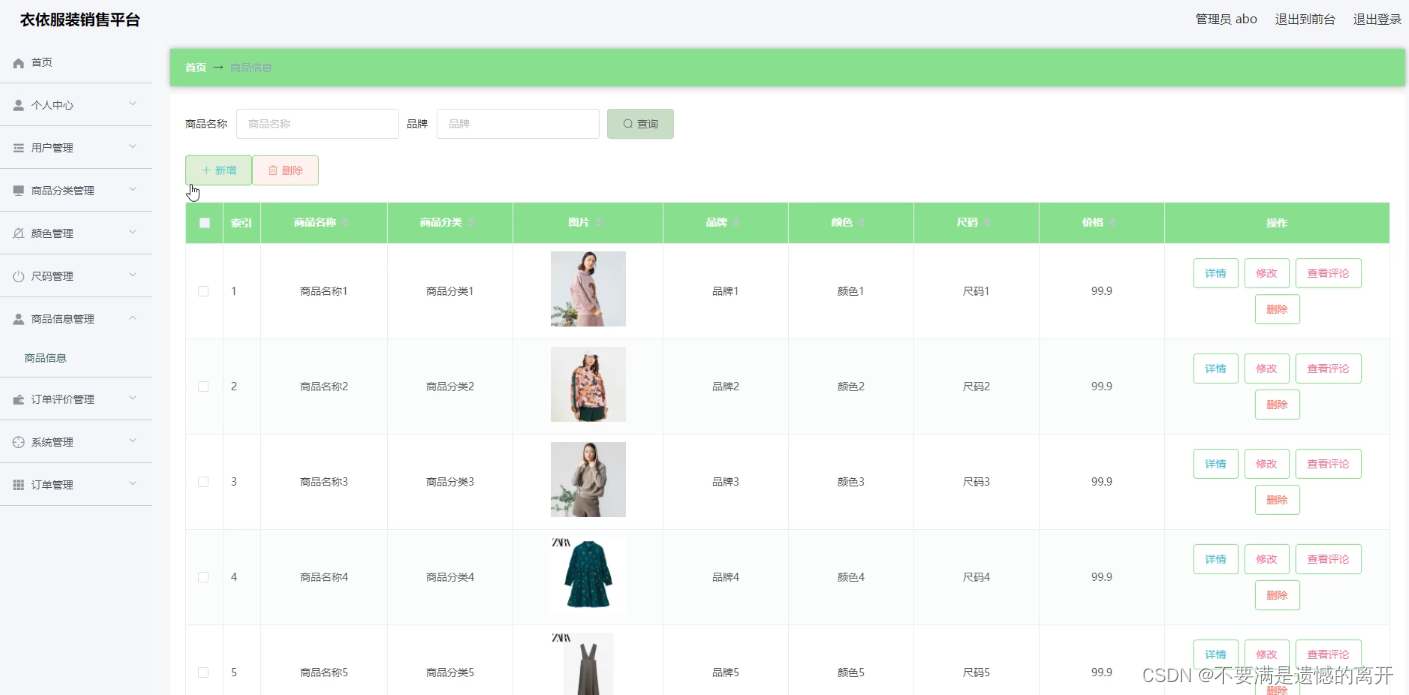
服装销售平台的系统管理员可以管理员商品,可以对商品信息添加修改删除操作。
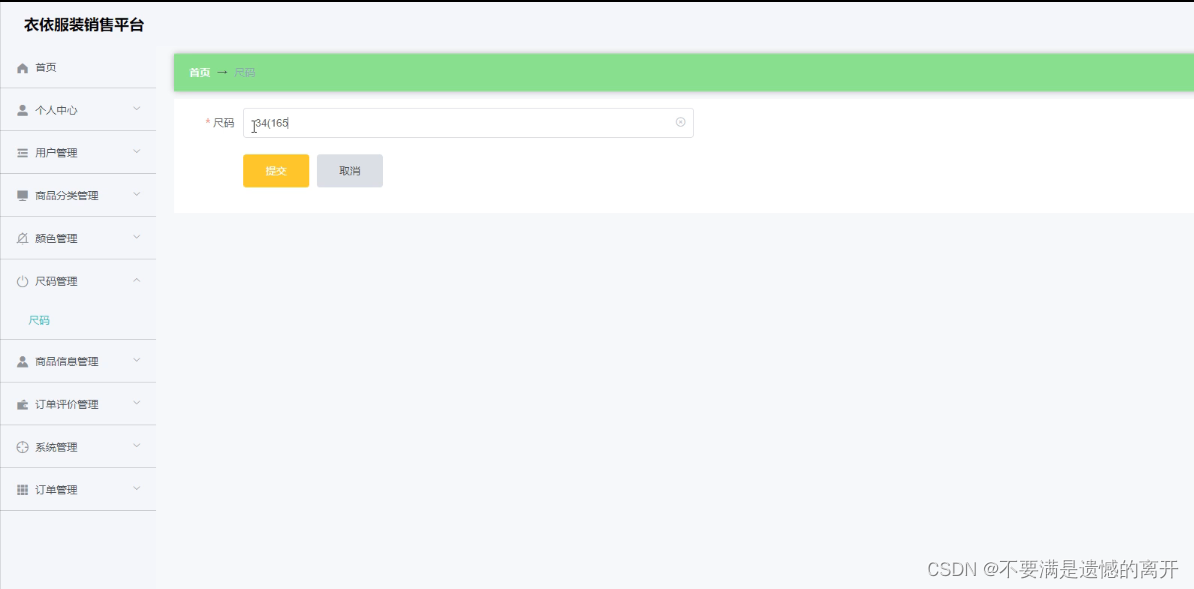
系统管理员可以对尺码进行添加,修改,删除操作。
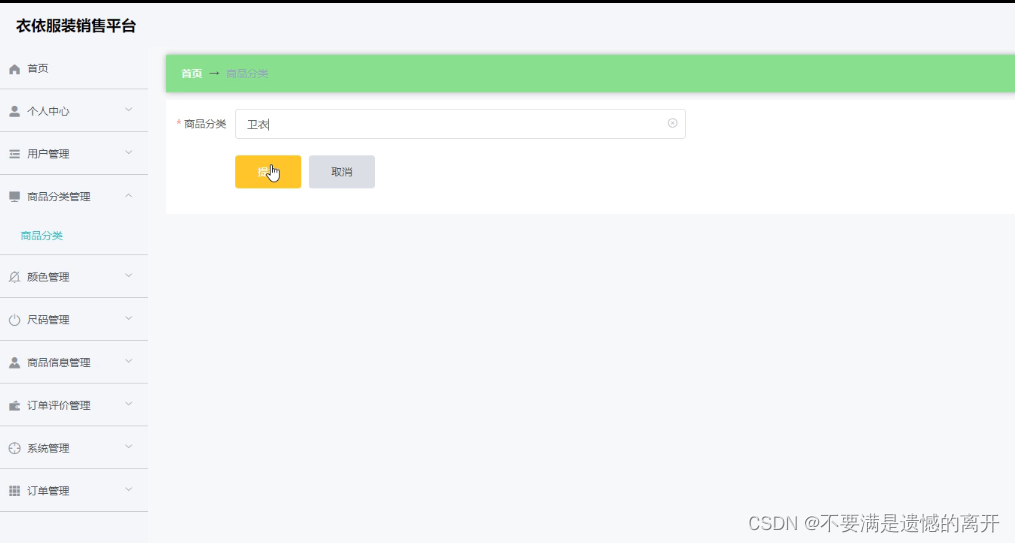
 系统管理员可以对商品分类进行添加,修改,删除操作。
用户登录后,可以查看首页,会显示商品新闻。
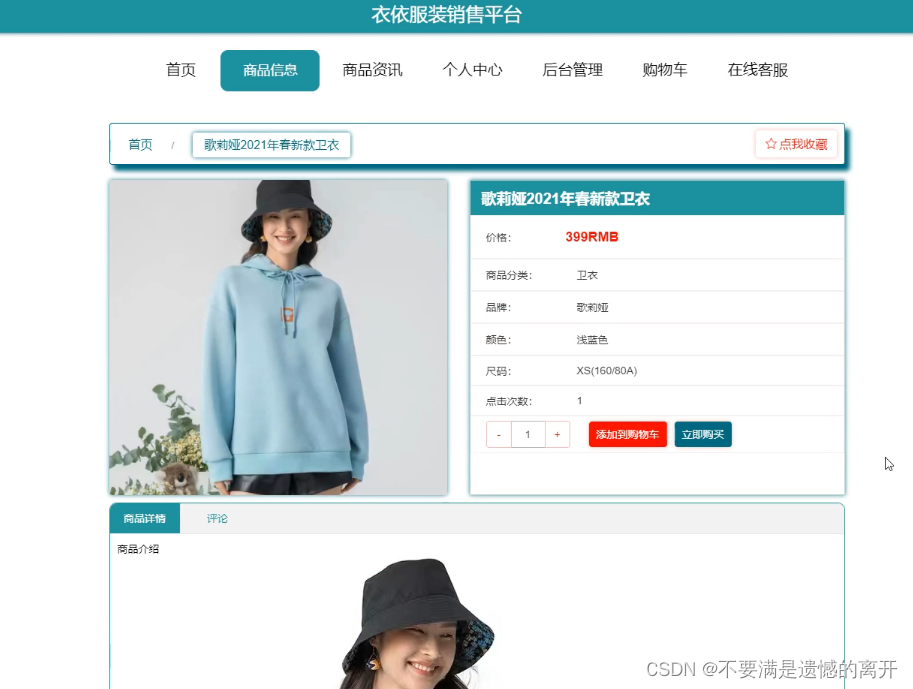
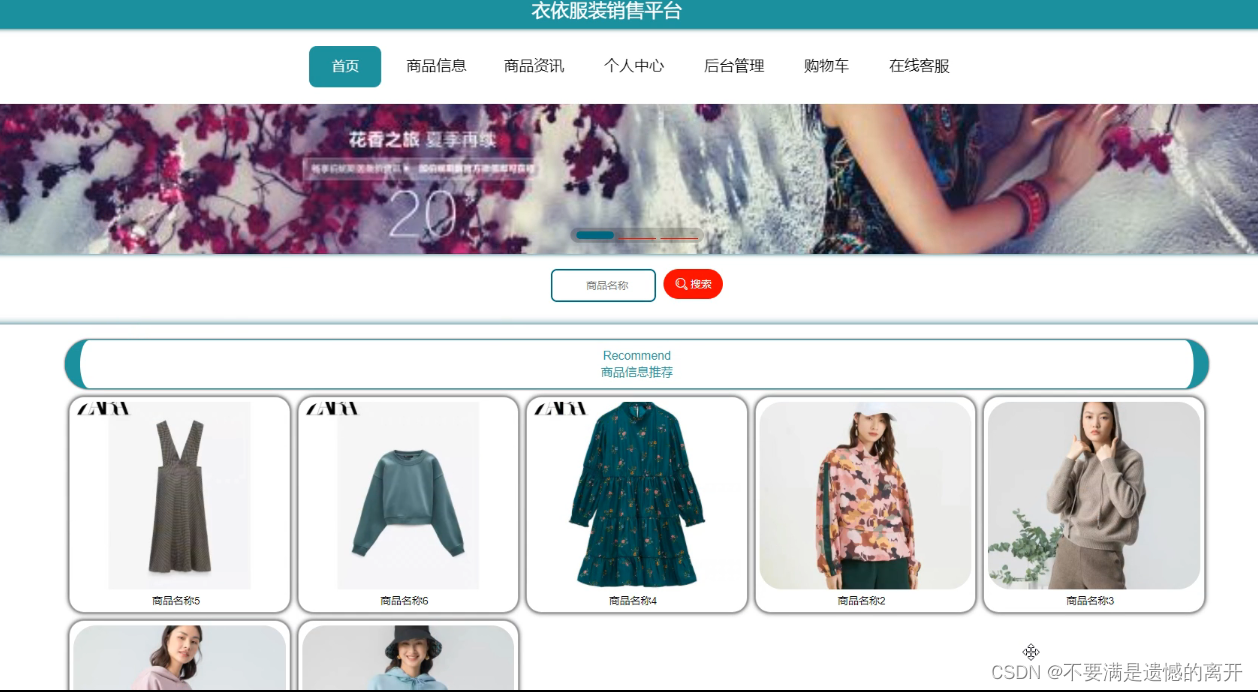 用户登录后,首页点击商品,可以查看商品信息并且可以购买操作。
用户登录后可以个人后台查看属于自己的购买商品订单管理。

三、核心代码
1、登录模块
package com.controller; import java.util.Arrays; import java.util.Calendar; import java.util.Date; import java.util.Map; import javax.servlet.http.HttpServletRequest; import org.springframework.beans.factory.annotation.Autowired; import org.springframework.stereotype.Controller; import org.springframework.web.bind.annotation.GetMapping; import org.springframework.web.bind.annotation.PathVariable; import org.springframework.web.bind.annotation.PostMapping; import org.springframework.web.bind.annotation.RequestBody; import org.springframework.web.bind.annotation.RequestMapping; import org.springframework.web.bind.annotation.RequestParam; import org.springframework.web.bind.annotation.ResponseBody; import org.springframework.web.bind.annotation.RestController; import com.annotation.IgnoreAuth; import com.baomidou.mybatisplus.mapper.EntityWrapper; import com.entity.TokenEntity; import com.entity.UserEntity; import com.service.TokenService; import com.service.UserService; import com.utils.CommonUtil; import com.utils.MD5Util; import com.utils.MPUtil; import com.utils.PageUtils; import com.utils.R; import com.utils.ValidatorUtils; / * 登录相关 */ @RequestMapping("users") @RestController public class UserController{ @Autowired private UserService userService; @Autowired private TokenService tokenService; / * 登录 */ @IgnoreAuth @PostMapping(value = "/login") public R login(String username, String password, String captcha, HttpServletRequest request) { UserEntity user = userService.selectOne(new EntityWrapper<UserEntity>().eq("username", username)); if(user==null || !user.getPassword().equals(password)) { return R.error("账号或密码不正确"); } String token = tokenService.generateToken(user.getId(),username, "users", user.getRole()); return R.ok().put("token", token); } / * 注册 */ @IgnoreAuth @PostMapping(value = "/register") public R register(@RequestBody UserEntity user){ // ValidatorUtils.validateEntity(user); if(userService.selectOne(new EntityWrapper<UserEntity>().eq("username", user.getUsername())) !=null) { return R.error("用户已存在"); } userService.insert(user); return R.ok(); } / * 退出 */ @GetMapping(value = "logout") public R logout(HttpServletRequest request) { request.getSession().invalidate(); return R.ok("退出成功"); } / * 密码重置 */ @IgnoreAuth @RequestMapping(value = "/resetPass") public R resetPass(String username, HttpServletRequest request){ UserEntity user = userService.selectOne(new EntityWrapper<UserEntity>().eq("username", username)); if(user==null) { return R.error("账号不存在"); } user.setPassword(""); userService.update(user,null); return R.ok("密码已重置为:"); } / * 列表 */ @RequestMapping("/page") public R page(@RequestParam Map<String, Object> params,UserEntity user){ EntityWrapper<UserEntity> ew = new EntityWrapper<UserEntity>(); PageUtils page = userService.queryPage(params, MPUtil.sort(MPUtil.between(MPUtil.allLike(ew, user), params), params)); return R.ok().put("data", page); } / * 列表 */ @RequestMapping("/list") public R list( UserEntity user){ EntityWrapper<UserEntity> ew = new EntityWrapper<UserEntity>(); ew.allEq(MPUtil.allEQMapPre( user, "user")); return R.ok().put("data", userService.selectListView(ew)); } / * 信息 */ @RequestMapping("/info/{id}") public R info(@PathVariable("id") String id){ UserEntity user = userService.selectById(id); return R.ok().put("data", user); } / * 获取用户的session用户信息 */ @RequestMapping("/session") public R getCurrUser(HttpServletRequest request){ Long id = (Long)request.getSession().getAttribute("userId"); UserEntity user = userService.selectById(id); return R.ok().put("data", user); } / * 保存 */ @PostMapping("/save") public R save(@RequestBody UserEntity user){ // ValidatorUtils.validateEntity(user); if(userService.selectOne(new EntityWrapper<UserEntity>().eq("username", user.getUsername())) !=null) { return R.error("用户已存在"); } userService.insert(user); return R.ok(); } / * 修改 */ @RequestMapping("/update") public R update(@RequestBody UserEntity user){ // ValidatorUtils.validateEntity(user); userService.updateById(user);//全部更新 return R.ok(); } / * 删除 */ @RequestMapping("/delete") public R delete(@RequestBody Long[] ids){ userService.deleteBatchIds(Arrays.asList(ids)); return R.ok(); } }讯享网
2、文件上传模块
讯享网package com.controller; import java.io.File; import java.io.FileNotFoundException; import java.io.IOException; import java.util.Arrays; import java.util.Date; import java.util.HashMap; import java.util.List; import java.util.Map; import java.util.Random; import java.util.UUID; import org.apache.commons.io.FileUtils; import org.apache.commons.lang3.StringUtils; import org.springframework.beans.factory.annotation.Autowired; import org.springframework.http.HttpHeaders; import org.springframework.http.HttpStatus; import org.springframework.http.MediaType; import org.springframework.http.ResponseEntity; import org.springframework.util.ResourceUtils; import org.springframework.web.bind.annotation.PathVariable; import org.springframework.web.bind.annotation.RequestBody; import org.springframework.web.bind.annotation.RequestMapping; import org.springframework.web.bind.annotation.RequestParam; import org.springframework.web.bind.annotation.RestController; import org.springframework.web.multipart.MultipartFile; import com.annotation.IgnoreAuth; import com.baomidou.mybatisplus.mapper.EntityWrapper; import com.entity.ConfigEntity; import com.entity.EIException; import com.service.ConfigService; import com.utils.R; / * 上传文件映射表 */ @RestController @RequestMapping("file") @SuppressWarnings({"unchecked","rawtypes"}) public class FileController{ @Autowired private ConfigService configService; / * 上传文件 */ @RequestMapping("/upload") public R upload(@RequestParam("file") MultipartFile file,String type) throws Exception { if (file.isEmpty()) { throw new EIException("上传文件不能为空"); } String fileExt = file.getOriginalFilename().substring(file.getOriginalFilename().lastIndexOf(".")+1); File path = new File(ResourceUtils.getURL("classpath:static").getPath()); if(!path.exists()) { path = new File(""); } File upload = new File(path.getAbsolutePath(),"/upload/"); if(!upload.exists()) { upload.mkdirs(); } String fileName = new Date().getTime()+"."+fileExt; File dest = new File(upload.getAbsolutePath()+"/"+fileName); file.transferTo(dest); FileUtils.copyFile(dest, new File("C:\\Users\\Desktop\\jiadian\\springbootl7own\\src\\main\\resources\\static\\upload"+"/"+fileName)); if(StringUtils.isNotBlank(type) && type.equals("1")) { ConfigEntity configEntity = configService.selectOne(new EntityWrapper<ConfigEntity>().eq("name", "faceFile")); if(configEntity==null) { configEntity = new ConfigEntity(); configEntity.setName("faceFile"); configEntity.setValue(fileName); } else { configEntity.setValue(fileName); } configService.insertOrUpdate(configEntity); } return R.ok().put("file", fileName); } / * 下载文件 */ @IgnoreAuth @RequestMapping("/download") public ResponseEntity<byte[]> download(@RequestParam String fileName) { try { File path = new File(ResourceUtils.getURL("classpath:static").getPath()); if(!path.exists()) { path = new File(""); } File upload = new File(path.getAbsolutePath(),"/upload/"); if(!upload.exists()) { upload.mkdirs(); } File file = new File(upload.getAbsolutePath()+"/"+fileName); if(file.exists()){ /*if(!fileService.canRead(file, SessionManager.getSessionUser())){ getResponse().sendError(403); }*/ HttpHeaders headers = new HttpHeaders(); headers.setContentType(MediaType.APPLICATION_OCTET_STREAM); headers.setContentDispositionFormData("attachment", fileName); return new ResponseEntity<byte[]>(FileUtils.readFileToByteArray(file),headers, HttpStatus.CREATED); } } catch (IOException e) { e.printStackTrace(); } return new ResponseEntity<byte[]>(HttpStatus.INTERNAL_SERVER_ERROR); } }
3、代码封装
package com.utils; import java.util.HashMap; import java.util.Map; / * 返回数据 */ public class R extends HashMap<String, Object> { private static final long serialVersionUID = 1L; public R() { put("code", 0); } public static R error() { return error(500, "未知异常,请联系管理员"); } public static R error(String msg) { return error(500, msg); } public static R error(int code, String msg) { R r = new R(); r.put("code", code); r.put("msg", msg); return r; } public static R ok(String msg) { R r = new R(); r.put("msg", msg); return r; } public static R ok(Map<String, Object> map) { R r = new R(); r.putAll(map); return r; } public static R ok() { return new R(); } public R put(String key, Object value) { super.put(key, value); return this; } }
版权声明:本文内容由互联网用户自发贡献,该文观点仅代表作者本人。本站仅提供信息存储空间服务,不拥有所有权,不承担相关法律责任。如发现本站有涉嫌侵权/违法违规的内容,请联系我们,一经查实,本站将立刻删除。
如需转载请保留出处:https://51itzy.com/kjqy/22656.html