

标题
启动 jwebserver.➜ bin ./jwebserverBinding to loopback by default. For all interfaces use “-b 0.0.0.0” or “-b ::”.Serving /Users/darcy/develop/jdk-18.jdk/Contents/Home/bin and subdirectories on 127.0.0.1 port 8000URL http://127.0.0.1:8000/1234浏览器访问:有请求时会在控制台输出请求信息:127.0.0.1 - - [26/3月/2022:16:53:30 +0800] “GET /favicon.ico HTTP/1.1” 404 -127.0.0.1 - - [26/3月/2022:16:55:13 +0800] “GET / HTTP/1.1” 200 -12通过 help 参数可以查看 jwebserver 支持的参数。➜ bin ./jwebserver --helpUsage: jwebserver [-b bind address] [-p port] [-d directory] [-o none|info|verbose] [-h to show options] [-version to show version information]Options:-b, --bind-address - 绑定地址. Default: 127.0.0.1 (loopback). For all interfaces use “-b 0.0.0.0” or “-b ::”.-d, --directory - 指定目录. Default: current directory.-o, --output - Output format. none|info|verbose. Default: info.-p, --port - 绑定端口. Default: 8000.-h, -?, --help - Prints this help message and exits.-version, --version - Prints version information and exits.To stop the server, press Ctrl + C.、Javadoc 中支持代码片段在 Java 18 之前,已经支持在 Javadoc 中引入代码片段,这样可以在某些场景下更好的展示描述信息,但是之前的支持功能有限,比如我想高亮代码片段中的某一段代码是无能为力的。现在 Java 18 优化了这个问题,增加了 @snippet 来引入更高级的代码片段。在 Java 18 之前,使用{@code …}
讯享网 来引入代码片段。 / * 时间工具类 * Java 18 之前引入代码片段: *
讯享网{@code * public static String timeStamp() { * long time = System.currentTimeMillis(); * return String.valueOf(time / 1000); * } * } *
/11生成 Javadoc 之后,效果如下:3.1、高亮代码片段从 Java 18 开始,可以使用 @snippet 来生成注释,且可以高亮某个代码片段。/* * 在 Java 18 之后可以使用新的方式 * 下面的代码演示如何使用 {@code Optional.isPresent}: * {@snippet : * if (v.isPresent()) { * System.out.println(“v: " + v.get()); * } * } * * 高亮显示 println * * {@snippet : * class HelloWorld { * public static void main(String… args) { * System.out.println(“Hello World!”); // @highlight substring=“println” * } * } * } *
/效果如下,更直观,效果更好。3.2、正则高亮代码片段甚至可以使用正则来高亮某一段中的某些关键词:/* * 正则高亮:
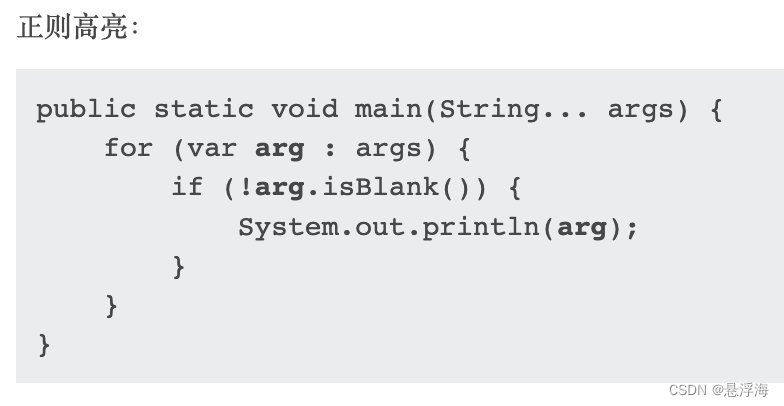 * {@snippet : * public static void main(String… args) { * for (var arg : args) { // @highlight region regex = “\barg\b” * if (!arg.isBlank()) { * System.out.println(arg); * } * } // @end * } * }
/生成的 Javadoc 效果如下:3.3、替换代码片段可以使用正则表达式来替换某一段代码。 /* * 正则替换: * {@snippet : * class HelloWorld { * public static void main(String… args) { * System.out.println(“Hello World!”); // @replace regex=’”.*"’ replacement="…" * } * } * } */这段注释会生成如下 Javadoc 效果。class HelloWorld { public static void main(String… args) { System.out.println(…); }}.4、附:Javadoc 生成方式# 使用 javadoc 命令生成 Javadoc 文档➜ bin ./javadoc -public -sourcepath ./src -subpackages com -encoding utf-8 -charset utf-8 -d ./javadocout# 使用 Java 18 的 jwebserver 把生成的 Javadoc 发布测试➜ bin ./jwebserver -d /Users/darcy/develop/javadocout1234访问测试:4、使用方法句柄重新实现反射核心功能Java 18 改进了 java.lang.reflect.Method、Constructor 的实现逻辑,使之性能更好,速度更快。这项改动不会改动相关 API ,这意味着开发中不需要改动反射相关代码,就可以体验到性能更好反射。OpenJDK 官方给出了新老实现的反射性能基准测试结果。Java 18 之前:Benchmark Mode Cnt Score Error UnitsReflectionSpeedBenchmark.constructorConst avgt 10 68.049 ± 0.872 ns/opReflectionSpeedBenchmark.constructorPoly avgt 10 94.132 ± 1.805 ns/opReflectionSpeedBenchmark.constructorVar avgt 10 64.543 ± 0.799 ns/opReflectionSpeedBenchmark.instanceFieldConst avgt 10 35.361 ± 0.492 ns/opReflectionSpeedBenchmark.instanceFieldPoly avgt 10 67.089 ± 3.288 ns/opReflectionSpeedBenchmark.instanceFieldVar avgt 10 35.745 ± 0.554 ns/opReflectionSpeedBenchmark.instanceMethodConst avgt 10 77.925 ± 2.026 ns/opReflectionSpeedBenchmark.instanceMethodPoly avgt 10 96.094 ± 2.269 ns/opReflectionSpeedBenchmark.instanceMethodVar avgt 10 80.002 ± 4.267 ns/opReflectionSpeedBenchmark.staticFieldConst avgt 10 33.442 ± 2.659 ns/opReflectionSpeedBenchmark.staticFieldPoly avgt 10 51.918 ± 1.522 ns/opReflectionSpeedBenchmark.staticFieldVar avgt 10 33.967 ± 0.451 ns/opReflectionSpeedBenchmark.staticMethodConst avgt 10 75.380 ± 1.660 ns/opReflectionSpeedBenchmark.staticMethodPoly avgt 10 93.553 ± 1.037 ns/opReflectionSpeedBenchmark.staticMethodVar avgt 10 76.728 ± 1.614 ns/op6Java 18 的新实现:Benchmark Mode Cnt Score Error UnitsReflectionSpeedBenchmark.constructorConst avgt 10 32.392 ± 0.473 ns/opReflectionSpeedBenchmark.constructorPoly avgt 10 113.947 ± 1.205 ns/opReflectionSpeedBenchmark.constructorVar avgt 10 76.885 ± 1.128 ns/opReflectionSpeedBenchmark.instanceFieldConst avgt 10 18.569 ± 0.161 ns/opReflectionSpeedBenchmark.instanceFieldPoly avgt 10 98.671 ± 2.015 ns/opReflectionSpeedBenchmark.instanceFieldVar avgt 10 54.193 ± 3.510 ns/opReflectionSpeedBenchmark.instanceMethodConst avgt 10 33.421 ± 0.406 ns/opReflectionSpeedBenchmark.instanceMethodPoly avgt 10 109.129 ± 1.959 ns/opReflectionSpeedBenchmark.instanceMethodVar avgt 10 90.420 ± 2.187 ns/opReflectionSpeedBenchmark.staticFieldConst avgt 10 19.080 ± 0.179 ns/opReflectionSpeedBenchmark.staticFieldPoly avgt 10 92.130 ± 2.729 ns/opReflectionSpeedBenchmark.staticFieldVar avgt 10 53.899 ± 1.051 ns/opReflectionSpeedBenchmark.staticMethodConst avgt 10 35.907 ± 0.456 ns/opReflectionSpeedBenchmark.staticMethodPoly avgt 10 102.895 ± 1.604 ns/opReflectionSpeedBenchmark.staticMethodVar avgt 10 82.123 ± 0.629 ns/op6可以看到在某些场景下性能稍微好些。5、Vector API(三次孵化)在 Java 16 中引入一个新的 API 来进行向量计算,它可以在运行时可靠的编译为支持的 CPU 架构,从而实现更优的计算能力。在 Java 17 中改进了 Vector API 性能,增强了例如对字符的操作、字节向量与布尔数组之间的相互转换等功能。现在在 JDK 18 中将继续优化其性能。6、互联网地址解析 SPI对于互联网地址解析 SPI,为主机地址和域名地址解析定义一个 SPI,以便 java.net.InetAddress 可以使用平台内置解析器以外的解析器。InetAddress inetAddress = InetAddress.getByName(“www.wdbyte.com”);System.out.println(inetAddress.getHostAddress());// 输出// 106.14.229.、Foreign Function & Memory API (第二次孵化)新的 API 允许 Java 开发者与 JVM 之外的代码和数据进行交互,通过调用外部函数,可以在不使用 JNI 的情况下调用本地库。这是一个孵化功能;需要添加 --add-modules jdk.incubator.foreign 来编译和运行 Java 代码,Java 18 改进了相关 API ,使之更加简单易用。历史Java 14 JEP 370 (opens new window) (opens new window)引入了外部内存访问 API(孵化器)。Java 15 JEP 383 (opens new window) (opens new window)引入了外部内存访问 API(第二孵化器)。Java 16 JEP 389 (opens new window) (opens new window)引入了外部链接器 API(孵化器)。Java 16 JEP 393 (opens new window) (opens new window)引入了外部内存访问 API(第三孵化器)。Java 17 JEP 412 (opens new window) (opens new window)引入了外部函数和内存 API(孵化器)。8、switch 表达式(二次孵化)从 Java 17 开始,对于 Switch 的改进就已经在进行了,Java 17 的 JEP 406 已经对 Switch 表达式进行了增强,使之可以减少代码量。下面是几个例子:// JDK 17 以前static String formatter(Object o) { String formatted = “unknown”; if (o instanceof Integer i) { formatted = String.format(“int %d”, i); } else if (o instanceof Long l) { formatted = String.format(“long %d”, l); } else if (o instanceof Double d) { formatted = String.format(“double %f”, d); } else if (o instanceof String s) { formatted = String.format(“String %s”, s); } return formatted;}而在 Java 17 之后,可以通过下面的写法进行改进:// JDK 17 之后static String formatterPatternSwitch(Object o) { return switch (o) { case Integer i -> String.format(“int %d”, i); case Long l -> String.format(“long %d”, l); case Double d -> String.format(“double %f”, d); case String s -> String.format(“String %s”, s); default -> o.toString(); };}switch 可以和 null 进行结合判断:static void testFooBar(String s) { switch (s) { case null -> System.out.println(“Oops”); case “Foo”, “Bar” -> System.out.println(“Great”); default -> System.out.println(“Ok”); }}case 时可以加入复杂表达式:static void testTriangle(Shape s) { switch (s) { case Triangle t && (t.calculateArea() > 100) -> System.out.println(“Large triangle”); default -> System.out.println(“A shape, possibly a small triangle”); }}case 时可以进行类型判断:sealed interface S permits A, B, C {}final class A implements S {}final class B implements S {}record C(int i) implements S {} // Implicitly finalstatic int testSealedExhaustive(S s) { return switch (s) { case A a -> 1; case B b -> 2; case C c -> 3; };}1112扩展:JEP 406:Switch 的类型匹配9、弃用删除相关在未来将删除 Finalization,目前 Finalization 仍默认保持启用状态,但是已经可以手动禁用;在未来的版本中,将会默认禁用;在以后的版本中,它将被删除。需要进行资源管理可以尝试 try-with-resources 或者 java.lang.ref.Cleaner。
* {@snippet : * public static void main(String… args) { * for (var arg : args) { // @highlight region regex = “\barg\b” * if (!arg.isBlank()) { * System.out.println(arg); * } * } // @end * } * }
/生成的 Javadoc 效果如下:3.3、替换代码片段可以使用正则表达式来替换某一段代码。 /* * 正则替换: * {@snippet : * class HelloWorld { * public static void main(String… args) { * System.out.println(“Hello World!”); // @replace regex=’”.*"’ replacement="…" * } * } * } */这段注释会生成如下 Javadoc 效果。class HelloWorld { public static void main(String… args) { System.out.println(…); }}.4、附:Javadoc 生成方式# 使用 javadoc 命令生成 Javadoc 文档➜ bin ./javadoc -public -sourcepath ./src -subpackages com -encoding utf-8 -charset utf-8 -d ./javadocout# 使用 Java 18 的 jwebserver 把生成的 Javadoc 发布测试➜ bin ./jwebserver -d /Users/darcy/develop/javadocout1234访问测试:4、使用方法句柄重新实现反射核心功能Java 18 改进了 java.lang.reflect.Method、Constructor 的实现逻辑,使之性能更好,速度更快。这项改动不会改动相关 API ,这意味着开发中不需要改动反射相关代码,就可以体验到性能更好反射。OpenJDK 官方给出了新老实现的反射性能基准测试结果。Java 18 之前:Benchmark Mode Cnt Score Error UnitsReflectionSpeedBenchmark.constructorConst avgt 10 68.049 ± 0.872 ns/opReflectionSpeedBenchmark.constructorPoly avgt 10 94.132 ± 1.805 ns/opReflectionSpeedBenchmark.constructorVar avgt 10 64.543 ± 0.799 ns/opReflectionSpeedBenchmark.instanceFieldConst avgt 10 35.361 ± 0.492 ns/opReflectionSpeedBenchmark.instanceFieldPoly avgt 10 67.089 ± 3.288 ns/opReflectionSpeedBenchmark.instanceFieldVar avgt 10 35.745 ± 0.554 ns/opReflectionSpeedBenchmark.instanceMethodConst avgt 10 77.925 ± 2.026 ns/opReflectionSpeedBenchmark.instanceMethodPoly avgt 10 96.094 ± 2.269 ns/opReflectionSpeedBenchmark.instanceMethodVar avgt 10 80.002 ± 4.267 ns/opReflectionSpeedBenchmark.staticFieldConst avgt 10 33.442 ± 2.659 ns/opReflectionSpeedBenchmark.staticFieldPoly avgt 10 51.918 ± 1.522 ns/opReflectionSpeedBenchmark.staticFieldVar avgt 10 33.967 ± 0.451 ns/opReflectionSpeedBenchmark.staticMethodConst avgt 10 75.380 ± 1.660 ns/opReflectionSpeedBenchmark.staticMethodPoly avgt 10 93.553 ± 1.037 ns/opReflectionSpeedBenchmark.staticMethodVar avgt 10 76.728 ± 1.614 ns/op6Java 18 的新实现:Benchmark Mode Cnt Score Error UnitsReflectionSpeedBenchmark.constructorConst avgt 10 32.392 ± 0.473 ns/opReflectionSpeedBenchmark.constructorPoly avgt 10 113.947 ± 1.205 ns/opReflectionSpeedBenchmark.constructorVar avgt 10 76.885 ± 1.128 ns/opReflectionSpeedBenchmark.instanceFieldConst avgt 10 18.569 ± 0.161 ns/opReflectionSpeedBenchmark.instanceFieldPoly avgt 10 98.671 ± 2.015 ns/opReflectionSpeedBenchmark.instanceFieldVar avgt 10 54.193 ± 3.510 ns/opReflectionSpeedBenchmark.instanceMethodConst avgt 10 33.421 ± 0.406 ns/opReflectionSpeedBenchmark.instanceMethodPoly avgt 10 109.129 ± 1.959 ns/opReflectionSpeedBenchmark.instanceMethodVar avgt 10 90.420 ± 2.187 ns/opReflectionSpeedBenchmark.staticFieldConst avgt 10 19.080 ± 0.179 ns/opReflectionSpeedBenchmark.staticFieldPoly avgt 10 92.130 ± 2.729 ns/opReflectionSpeedBenchmark.staticFieldVar avgt 10 53.899 ± 1.051 ns/opReflectionSpeedBenchmark.staticMethodConst avgt 10 35.907 ± 0.456 ns/opReflectionSpeedBenchmark.staticMethodPoly avgt 10 102.895 ± 1.604 ns/opReflectionSpeedBenchmark.staticMethodVar avgt 10 82.123 ± 0.629 ns/op6可以看到在某些场景下性能稍微好些。5、Vector API(三次孵化)在 Java 16 中引入一个新的 API 来进行向量计算,它可以在运行时可靠的编译为支持的 CPU 架构,从而实现更优的计算能力。在 Java 17 中改进了 Vector API 性能,增强了例如对字符的操作、字节向量与布尔数组之间的相互转换等功能。现在在 JDK 18 中将继续优化其性能。6、互联网地址解析 SPI对于互联网地址解析 SPI,为主机地址和域名地址解析定义一个 SPI,以便 java.net.InetAddress 可以使用平台内置解析器以外的解析器。InetAddress inetAddress = InetAddress.getByName(“www.wdbyte.com”);System.out.println(inetAddress.getHostAddress());// 输出// 106.14.229.、Foreign Function & Memory API (第二次孵化)新的 API 允许 Java 开发者与 JVM 之外的代码和数据进行交互,通过调用外部函数,可以在不使用 JNI 的情况下调用本地库。这是一个孵化功能;需要添加 --add-modules jdk.incubator.foreign 来编译和运行 Java 代码,Java 18 改进了相关 API ,使之更加简单易用。历史Java 14 JEP 370 (opens new window) (opens new window)引入了外部内存访问 API(孵化器)。Java 15 JEP 383 (opens new window) (opens new window)引入了外部内存访问 API(第二孵化器)。Java 16 JEP 389 (opens new window) (opens new window)引入了外部链接器 API(孵化器)。Java 16 JEP 393 (opens new window) (opens new window)引入了外部内存访问 API(第三孵化器)。Java 17 JEP 412 (opens new window) (opens new window)引入了外部函数和内存 API(孵化器)。8、switch 表达式(二次孵化)从 Java 17 开始,对于 Switch 的改进就已经在进行了,Java 17 的 JEP 406 已经对 Switch 表达式进行了增强,使之可以减少代码量。下面是几个例子:// JDK 17 以前static String formatter(Object o) { String formatted = “unknown”; if (o instanceof Integer i) { formatted = String.format(“int %d”, i); } else if (o instanceof Long l) { formatted = String.format(“long %d”, l); } else if (o instanceof Double d) { formatted = String.format(“double %f”, d); } else if (o instanceof String s) { formatted = String.format(“String %s”, s); } return formatted;}而在 Java 17 之后,可以通过下面的写法进行改进:// JDK 17 之后static String formatterPatternSwitch(Object o) { return switch (o) { case Integer i -> String.format(“int %d”, i); case Long l -> String.format(“long %d”, l); case Double d -> String.format(“double %f”, d); case String s -> String.format(“String %s”, s); default -> o.toString(); };}switch 可以和 null 进行结合判断:static void testFooBar(String s) { switch (s) { case null -> System.out.println(“Oops”); case “Foo”, “Bar” -> System.out.println(“Great”); default -> System.out.println(“Ok”); }}case 时可以加入复杂表达式:static void testTriangle(Shape s) { switch (s) { case Triangle t && (t.calculateArea() > 100) -> System.out.println(“Large triangle”); default -> System.out.println(“A shape, possibly a small triangle”); }}case 时可以进行类型判断:sealed interface S permits A, B, C {}final class A implements S {}final class B implements S {}record C(int i) implements S {} // Implicitly finalstatic int testSealedExhaustive(S s) { return switch (s) { case A a -> 1; case B b -> 2; case C c -> 3; };}1112扩展:JEP 406:Switch 的类型匹配9、弃用删除相关在未来将删除 Finalization,目前 Finalization 仍默认保持启用状态,但是已经可以手动禁用;在未来的版本中,将会默认禁用;在以后的版本中,它将被删除。需要进行资源管理可以尝试 try-with-resources 或者 java.lang.ref.Cleaner。
版权声明:本文内容由互联网用户自发贡献,该文观点仅代表作者本人。本站仅提供信息存储空间服务,不拥有所有权,不承担相关法律责任。如发现本站有涉嫌侵权/违法违规的内容,请联系我们,一经查实,本站将立刻删除。
如需转载请保留出处:https://51itzy.com/kjqy/118732.html