
目录
1:基础的小球运动
1:下落的小球
2:上下弹动的小球
3:上下左右弹动的小球
4:控制速度
2:函数包装的小球运动
1:代码重构
1:数值在函数间的传递
2:光标移动函数
2:显示边框
3:显示移动的挡板
4:反弹小球
5:消除砖块
3:小结
1:基础的小球运动
1:下落的小球
要实现下落的小球,即改变小球的位置,即坐标变量,让小球的竖直坐标y增加即可,结合清屏函数system(”cls"),每一次输出y都增加一次,即可实现小球的下落运动。
#include <stdio.h> #include <stdlib.h> //清屏函数头文件 int main() { int i,j; int x=5; int y=10; int hight=20; int velocity=1; while(1) { x=x+velocity; system("cls"); for(i=1;i<x;i++) { printf("\n"); } for(j=1;j<y;j++) { printf(" "); } printf("o"); printf("\n"); } return 0; }讯享网
这样就得到了一个竖直下落的小球。
2:上下弹动的小球
上面写出了竖直下落的小球,当小球下落刀边界时,改变位移改变值的正负。
讯享网#include <stdio.h> #include <stdlib.h> int main() { int i,j; int x=5; int y=10; int hight=20; int velocity=1; while(1) { x=x+velocity; system("cls"); for(i=1;i<x;i++) { printf("\n"); } for(j=1;j<y;j++) { printf(" "); } printf("o"); printf("\n"); if(x==hight) //当小球到达边界时,改变位移改变值的方向。 { velocity=-velocity; } if(x==0) { velocity=-velocity; } } return 0; }
3:上下左右弹动的小球
有了上面竖直弹动的小球,在水平上增加一个运动变量,提供位移改变值信息,即可实现小球的水平碰撞,效果和竖直的相同,都是通过改变正负号,依葫芦画瓢即可。
#include <stdio.h> #include <stdlib.h> int main() { int i,j; int x=5; int y=10; int velocity_x=1; int velocity_y=1; int top=0; int botton=10; int left=0; int right=20; while(1) { x=x+velocity_x; y=y+velocity_y; system("cls"); for(i=1;i<x;i++) { printf("\n"); } for(j=1;j<y;j++) { printf(" "); } printf("o"); printf("\n"); if((x==top)||(x==botton)) { velocity_x=-velocity_x; } if((y==left)||(y==right)) { velocity_y=-velocity_y; } } return 0; }4:控制速度
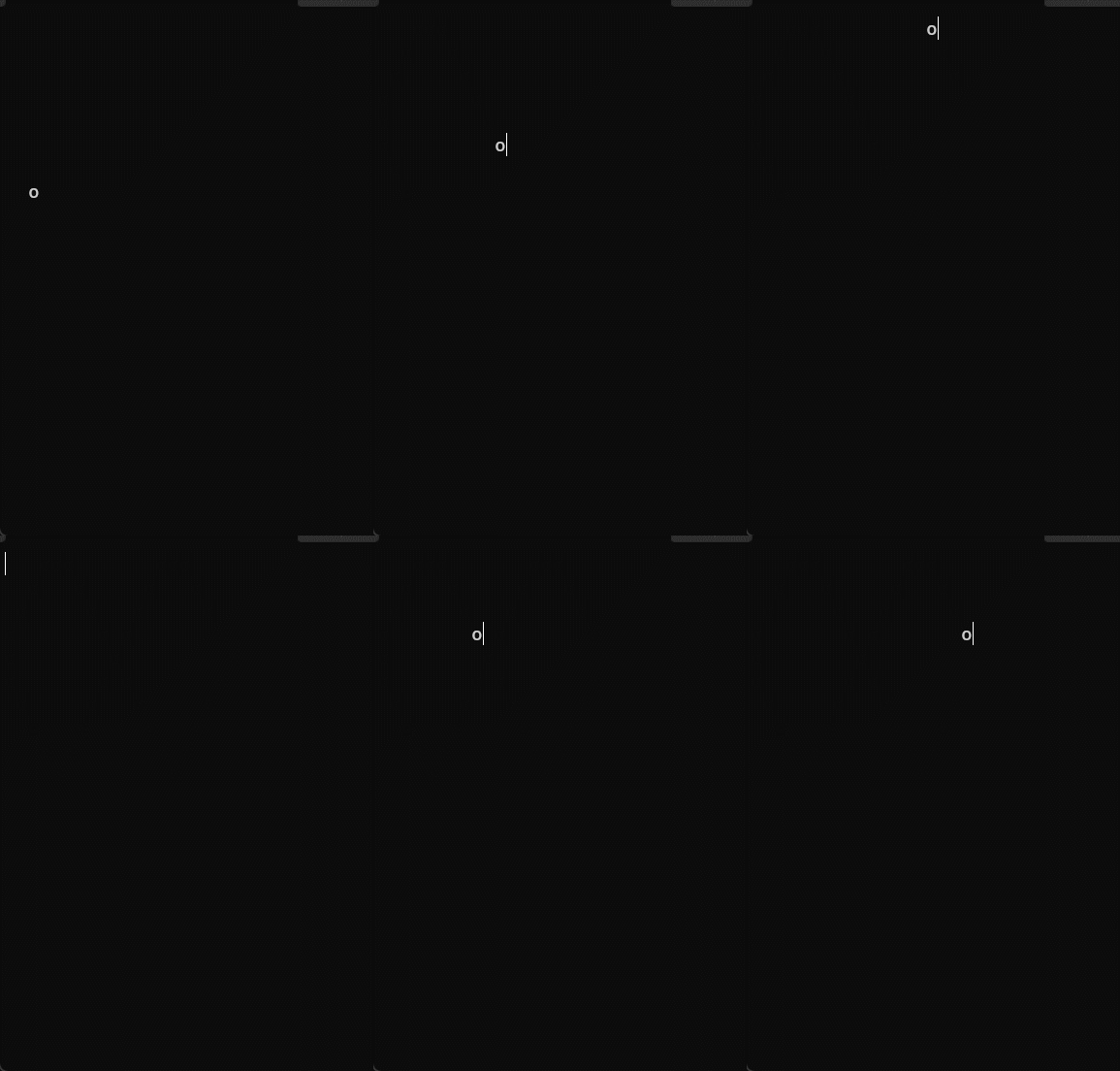
以上代码运行的时候小球运动过快,无法看清楚具体行踪,我们可以用Sleep函数(头文件#include <windows.h>)。比如Sleep(50)表示在此处暂停50毫秒。
讯享网printf("0"); Sleep(50); //暂停50ms
2:函数包装的小球运动
1:代码重构
首先对第一大步的程序重构,分成不同的函数部分,如基础信息,与用户无关的变量,与用户有关的变量等等。
#include <stdio.h> #include <Windows.h> #include <stdlib.h> #include <conio.h> int x,y; //全局变量的定义 int velocity_x,velocity_y; int high,width; void gotoxy(int x,int y) //光标移动到原点,以下重画屏幕 { HANDLE handle = GetStdHandle(STD_OUTPUT_HANDLE); COORD pos; pos.X=x; pos.Y=y; SetConsoleCursorPosition(handle,pos); } void startup() //定义初始变量 { high=20; width=15; velocity_x=1; velocity_y=1; x=0; y=high/2; } void show() //输出到屏幕上的信息 { gotoxy(0,0); int i,j; for(i=0;i<high;i++) { for(j=0;j<width;j++) { if((y==i)&&(x==j)) printf("0"); else printf(" "); } printf("\n"); } } void updatewithoutinput() //与用户无关的变量 { x=x+velocity_x; y=y+velocity_y; if((x==0)||(x==width-1)) velocity_x=-velocity_x; if((y==0)||(y==high-1)) velocity_y=-velocity_y; Sleep(50); } void updatewithinput() //与用户有关的变量 { } int main() { startup(); while(1) { show(); updatewithoutinput(); updatewithinput(); } return 0; }1:数值在函数间的传递
1:值传递

2:地址传递
3:全局变量传递
以上的代码就是运用了全局变量传递方式,这样定义的变量可以通过不同函数改变。
2:光标移动函数
该函数即代码里的gotoxy()函数,如gotoxy(45,8),那么这个程序的首先输入就会出现在终端的(45,8)的这个位置。其余的信息自行百度。
2:显示边框
通过在右边界和下边界输出 “ | ” 和 “ - ” 来实现边界。
即在判断坐标(x,y)该输出什么,若x,y==小球的坐标,则输出小球,等于边界的坐标,就输出边界|,什么都不等于的话,就输出空格。
则在show()函数里的改变为:
讯享网void show() { gotoxy(0,0); int i,j; for(i=0;i<=high;i++) { for(j=0;j<=width;j++) { if((y==i)&&(x==j)) printf("0"); else if(j==width) printf("|"); else if(i==high) printf("-"); else printf(" "); } printf("\n"); } }
通过if....else 判断是否到达了该输入的坐标。
输出结果为:
| | | | | | | | | | | | 0 | | | | | | | | ---------------|宽度有点少了,同志们自行修改自己的数据即可。
3:显示移动的挡板
既然要做挡板游戏,当然要有挡板的移动。上面提到边界 的输出是判断这个坐标是否到达了输出条件,输出挡板也不例外,到达了这一片范围就输出,其余的为空格。
这个需要两处改动,一是show()函数中判断坐标并输出挡板,二是挡板的移动,通过定义当班的宽度,挡板左右坐标变量,并通过改变左右坐标变量的大小达到移动挡板的效果。
一:
讯享网void show() { gotoxy(0,0); int i,j; for(i=0;i<=high+1;i++) { for(j=0;j<=width;j++) { if((y==i)&&(x==j)) printf("0"); else if(j==width) printf("|"); else if(i==high+1) printf("-"); else if((i==high)&&(j>=left)&&(j<=right)) printf("*"); //输出挡板 else printf(" "); } printf("\n"); } }
二:
void updatewithinput() { char input; if(kbhit()) { input=getch(); if(input=='a') { post_x--; left=post_x-R; right=post_x+R; } if(input=='d') { post_x++; left=post_x-R; right=post_x+R; } } }其中的知识同志们自行百度吧,kbhit()函数,getch()等。
输出效果:
讯享网 | | | | 0 | | | | | | | | | | | * | --------------------|
4:反弹小球
上面的代码中小球只要到达了下边界就会反弹,不管是不是到了挡板上,下面就要增加信息,使其判断如果打到了挡板就反弹,并记录反弹次数,没打到就结束。增加了一个新的记录小球反弹次数的变量ball_number。
int high,width; int velocity_x,velocity_y; int x,y; int R; //挡板半径 int left,right; //挡板左右两边 int post_x,post_y; int ball_number; //小球弹动的次数以及判断小球是否到达挡板的判定机制。
讯享网void updatewithoutinput() { if(y==high-1) { if((x>=left)&&(x<=right)) //判定是否打到了挡板 { ball_number++; printf("\a"); } else { printf("游戏失败\n"); system("pause"); //程序暂停 exit(0); //正确运行程序并退出 } } x=x+velocity_x; y=y+velocity_y; if((x==0)||(x==width-1)) velocity_x=-velocity_x; if((y==0)||(y==high-1)) velocity_y=-velocity_y; Sleep(50); }
5:消除砖块
最后一步,在屏幕指定位置输出一个字符B充当砖块,打到了消失一下重新输出并记录分数。
这里又定义了三个全局变量用来储存砖块的位置和积分。
int high,width; int velocity_x,velocity_y; int x,y; int R; //挡板半径 int left,right; //挡板左右两边 int post_x,post_y; int ball_number; int block_x,block_y; //砖块位置信息 int score; //得分变量同样在show()函数里添加了判断输出砖块的条件
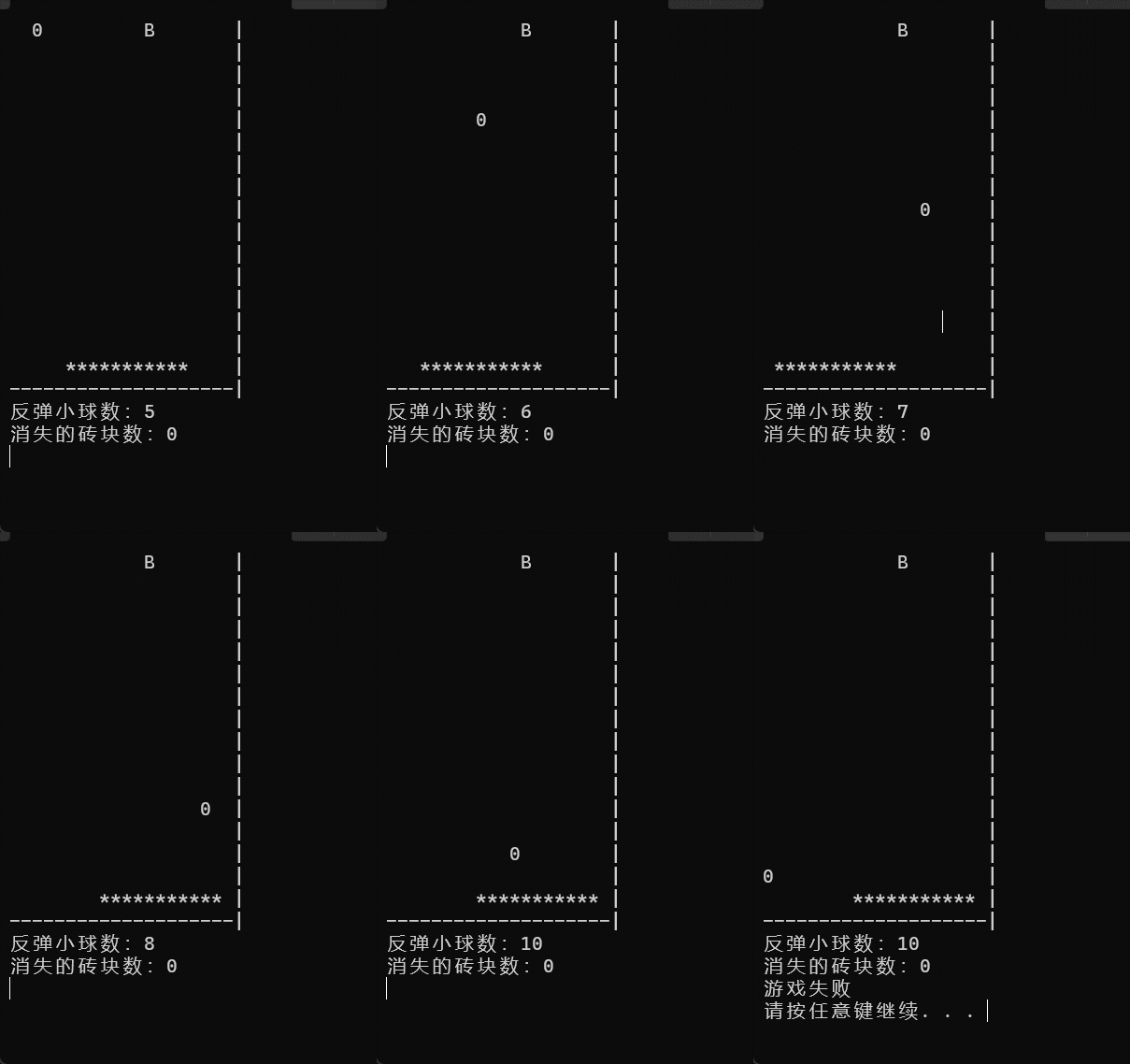
讯享网void show() { gotoxy(0,0); int i,j; for(i=0;i<=high+1;i++) { for(j=0;j<=width;j++) { if((y==i)&&(x==j)) printf("0"); else if(j==width) printf("|"); else if(i==high+1) printf("-"); else if((i==high)&&(j>=left)&&(j<=right)) printf("*"); //输出挡板 else if((i==block_y)&&(j==block_x)) printf("B"); else printf(" "); } printf("\n"); } printf("反弹小球数:%d\n",ball_number); printf("消失的砖块数:%d\n",score); }
还是比较一目了然的。当然还在与用户输入无关的函数updatewithoutinput()里添加了关于砖块的信息。
void updatewithoutinput() { if(y==high-1) { if((x>=left)&&(x<=right)) { ball_number++; printf("\a"); } else { printf("游戏失败\n"); system("pause"); exit(0); } if((x==block_x)&&(y==block_y)) //判断砖块是否被打到 { score++; block_x=rand()%width; } } x=x+velocity_x; y=y+velocity_y; if((x==0)||(x==width-1)) velocity_x=-velocity_x; if((y==0)||(y==high-1)) velocity_y=-velocity_y; Sleep(50); }3:小结
讯享网#include <stdio.h> #include <Windows.h> #include <stdlib.h> #include <conio.h> int high,width; int velocity_x,velocity_y; int x,y; int R; //挡板半径 int left,right; //挡板左右两边 int post_x,post_y; int ball_number; int block_x,block_y; int score; //int i,j; void gotoxy(int x,int y) //光标移动到原点,以下重画屏幕 { HANDLE handle = GetStdHandle(STD_OUTPUT_HANDLE); COORD pos; pos.X=x; pos.Y=y; SetConsoleCursorPosition(handle,pos); } void startup() //定义初始变量 { high=15; width=20; y=0; velocity_y=1; velocity_x=1; x=width/2; R=5; post_x=width/2; post_y=high; left=post_x-R; right=post_x+R; ball_number=0; block_y=0; block_x=width/2+2; score=0; } void show() { gotoxy(0,0); int i,j; for(i=0;i<=high+1;i++) { for(j=0;j<=width;j++) { if((y==i)&&(x==j)) printf("0"); else if(j==width) printf("|"); else if(i==high+1) printf("-"); else if((i==high)&&(j>=left)&&(j<=right)) printf("*"); //输出挡板 else if((i==block_y)&&(j==block_x)) printf("B"); else printf(" "); } printf("\n"); } printf("反弹小球数:%d\n",ball_number); printf("消失的砖块数:%d\n",score); } void updatewithoutinput() { if(y==high-1) { if((x>=left)&&(x<=right)) { ball_number++; printf("\a"); } else { printf("游戏失败\n"); system("pause"); exit(0); } if((x==block_x)&&(y==block_y)) { score++; block_x=rand()%width; } } x=x+velocity_x; y=y+velocity_y; if((x==0)||(x==width-1)) velocity_x=-velocity_x; if((y==0)||(y==high-1)) velocity_y=-velocity_y; Sleep(50); } void updatewithinput() { char input; if(kbhit()) { input=getch(); if(input=='a') { post_x--; left=post_x-R; right=post_x+R; } if(input=='d') { post_x++; left=post_x-R; right=post_x+R; } } } int main() { startup(); while(1) { show(); updatewithoutinput(); updatewithinput(); } return 0; }
完结。。。。。
版权声明:本文内容由互联网用户自发贡献,该文观点仅代表作者本人。本站仅提供信息存储空间服务,不拥有所有权,不承担相关法律责任。如发现本站有涉嫌侵权/违法违规的内容,请联系我们,一经查实,本站将立刻删除。
如需转载请保留出处:https://51itzy.com/kjqy/80960.html