
Example 1: 项目实践
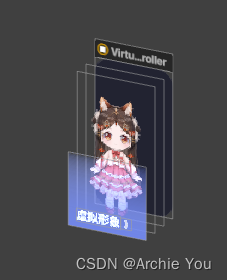
01 - View hierarchy
Native:
view.addSubview(backgroundImageView) view.addSubview(screenshotImageView) screenshotImageView.addSubview(maskView) view.addSubview(titleLabel) view.addSubview(arrowImageView) 讯享网
Stevia:
讯享网view.subviews {
    backgroundImageView screenshotImageView.subviews {
    maskView } titleLabel arrowImageView }
02 - Layout
Masonry:
if let maker = backgroundImageView.mas_makeConstraints() {
    maker.leading.trailing().bottom().top().offset()(0) maker.install() } if let maker = screenshotImageView.mas_makeConstraints() {
    maker.leading.trailing().bottom().top().offset()(0) maker.install() } if let maker = maskView.mas_makeConstraints() {
    maker.leading.trailing().bottom().offset()(0) maker.top.equalTo()(screenshotImageView.mas_centerY) maker.install() } if let maker = titleLabel.mas_makeConstraints() {
    maker.bottom.offset()(-16) maker.centerX.equalTo()(view) maker.install() } if let maker = arrowImageView.mas_makeConstraints() {
    maker.left.equalTo()(titleLabel.mas_right) maker.centerY.equalTo()(titleLabel) maker.size.equalTo()(CGSize(width: 12, height: 12)) maker.install() }
Stevia:
讯享网backgroundImageView.fillContainer() screenshotImageView.fillContainer() maskView.bottom(0).fillHorizontally() maskView.Top == view.CenterY titleLabel.bottom(16).centerHorizontally() arrowImageView.Left == titleLabel.Right arrowImageView.CenterY == titleLabel.CenterY arrowImageView.size(12)
Example2:官方demo
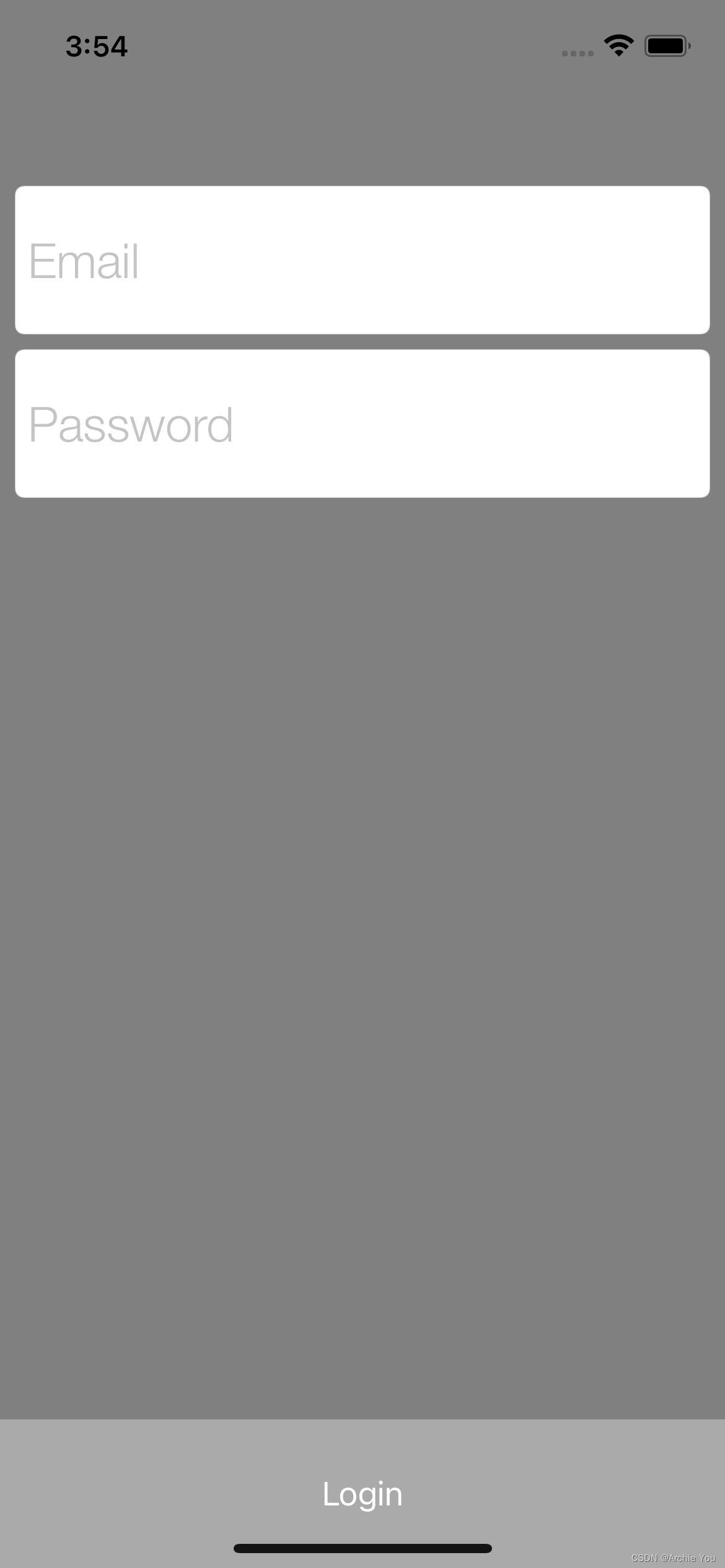

Native:
// 01 - View Hieararchy email.translatesAutoresizingMaskIntoConstraints = false password.translatesAutoresizingMaskIntoConstraints = false login.translatesAutoresizingMaskIntoConstraints = false addSubview(email) addSubview(password) addSubview(login) // 02 - Layout (using latest layoutAnchors) email.topAnchor.constraint(equalTo: topAnchor, constant: 100).isActive = true email.leftAnchor.constraint(equalTo: leftAnchor, constant: 8).isActive = true email.rightAnchor.constraint(equalTo: rightAnchor, constant: -8).isActive = true email.heightAnchor.constraint(equalToConstant: 80).isActive = true password.topAnchor.constraint(equalTo: email.bottomAnchor, constant: 8).isActive = true password.leftAnchor.constraint(equalTo: leftAnchor, constant: 8).isActive = true password.rightAnchor.constraint(equalTo: rightAnchor, constant: -8).isActive = true password.heightAnchor.constraint(equalToConstant: 80).isActive = true login.topAnchor.constraint(lessThanOrEqualTo: password.bottomAnchor, constant: 20).isActive = true login.bottomAnchor.constraint(equalTo: bottomAnchor, constant: 0).isActive = true login.leftAnchor.constraint(equalTo: leftAnchor).isActive = true login.rightAnchor.constraint(equalTo: rightAnchor).isActive = true login.heightAnchor.constraint(equalToConstant: 80).isActive = true Stevia:
讯享网subviews {
    email password login } layout {
    100 |-email-| ~ 80 8 |-password-| ~ 80 >=20 |login| ~ 80 0 }
相比之下,Stevia更加简洁,可读性更强。简洁的代码可以显著降低维护成本。
https://github.com/freshOS/Stevia
版权声明:本文内容由互联网用户自发贡献,该文观点仅代表作者本人。本站仅提供信息存储空间服务,不拥有所有权,不承担相关法律责任。如发现本站有涉嫌侵权/违法违规的内容,请联系我们,一经查实,本站将立刻删除。
如需转载请保留出处:https://51itzy.com/kjqy/74111.html