
说明
看到公众号iMeta使用R语言复刻了2022年10月13日刊登在iMeta上的Gut microbiota composition in the sympatric and diet-sharing Drosophila simulans and Dicranocephalus wallichii bowringi shaped largely by community assembly processes rather than regional species pool- iMeta | 扬州大学杜予州团队揭示同域内同食物的两种昆虫肠道微生物群落装配机制中的配图Figure 1E:
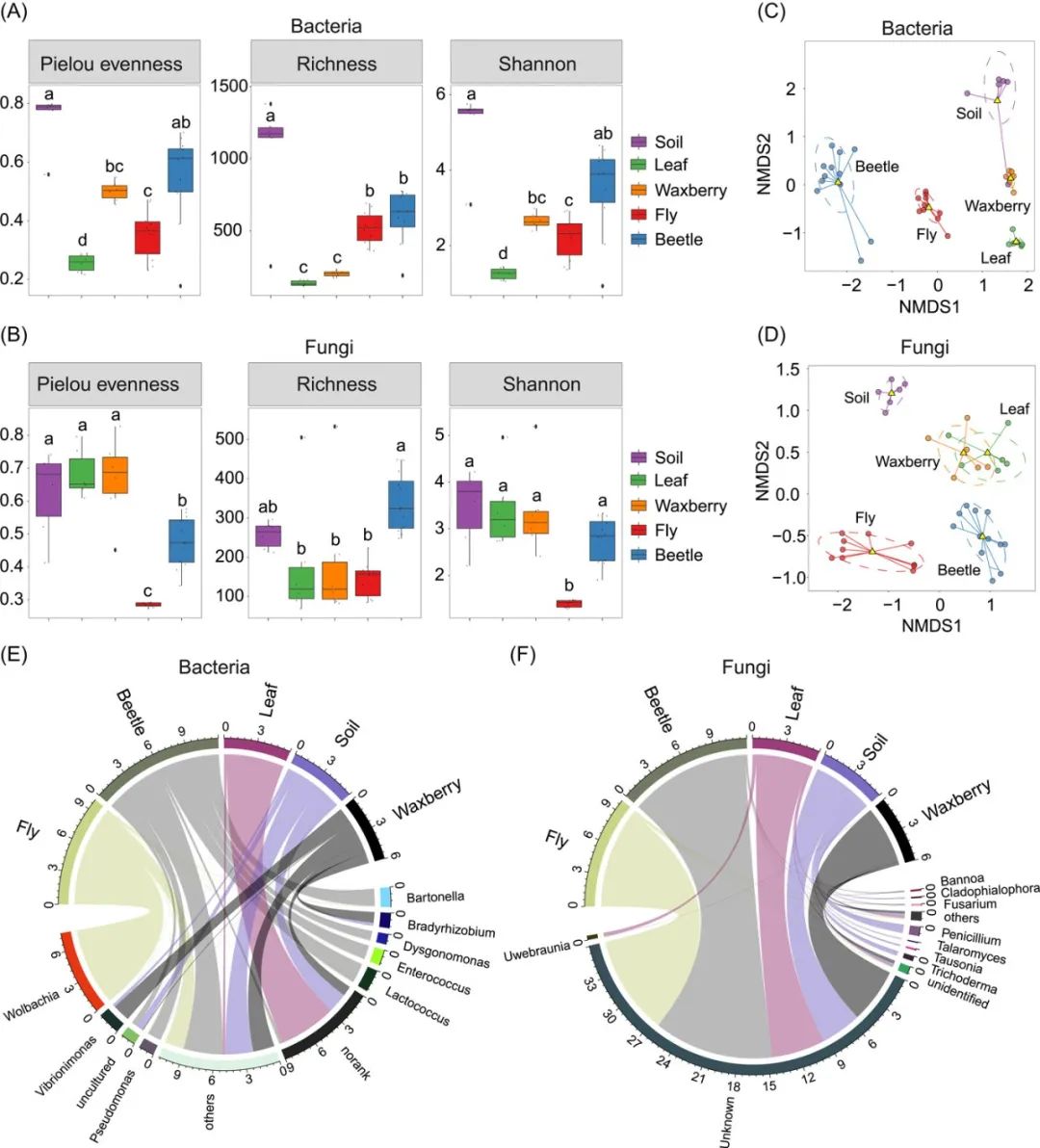
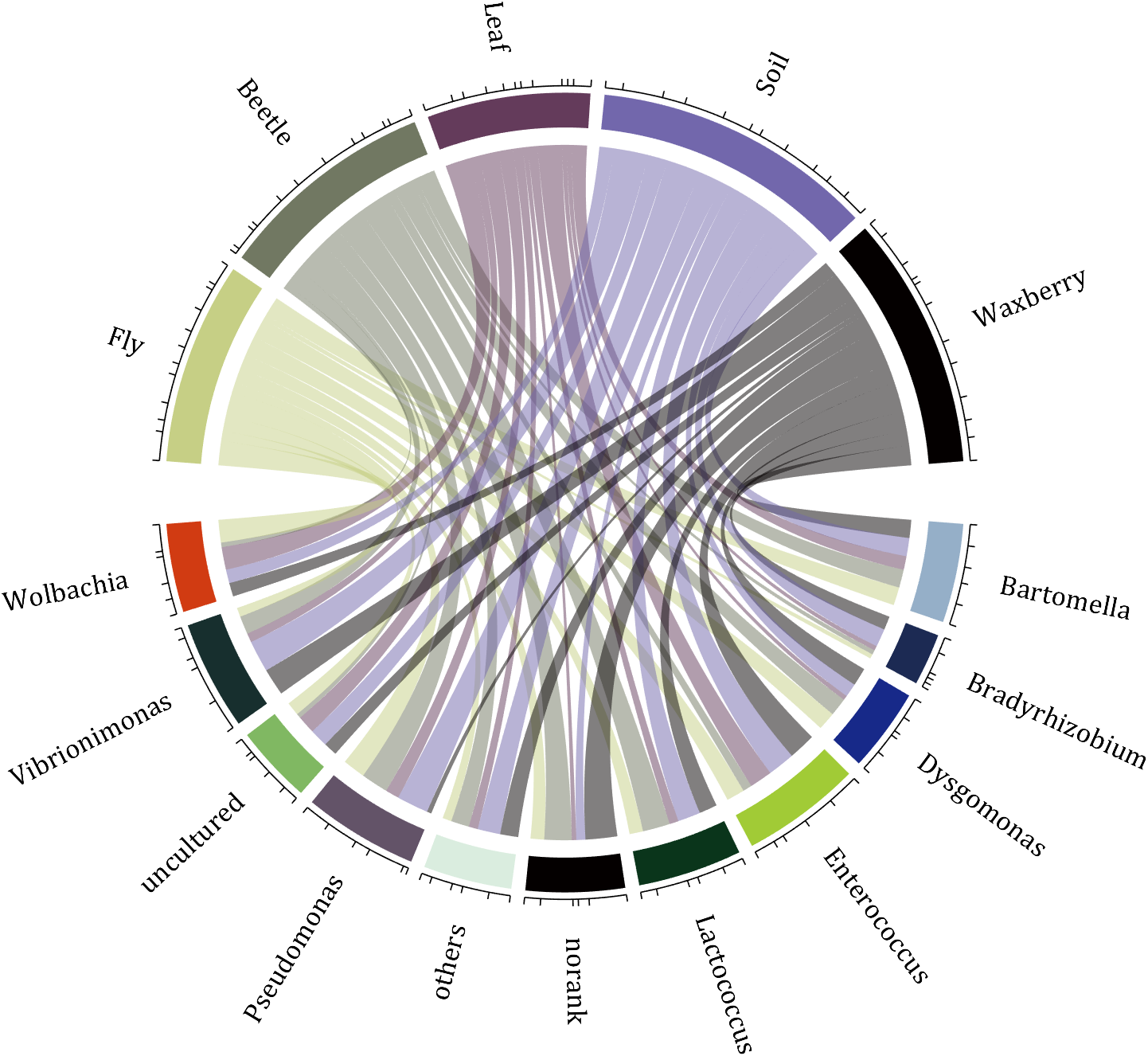
我基于我自己写的MATLAB工具函数对其进行复刻(使用1.6.0版本)
Zhaoxu Liu (2022). chord chart 弦图 (https://www.mathworks.com/matlabcentral/fileexchange/-chord-chart), MATLAB Central File Exchange. 检索来源 2022/11/10.近期我又对其进行了微调,请自行下载查看其中demo3该工具函数详细使用方法请见:
https://slandarer.blog.csdn.net/article/details/
我的绘图效果:
完整步骤
0 数据准备
这里没有获取其原始数据,直接随机生成了一些数据值:
% 随机生成数据 dataMat=randi([1,7],[11,5]); % 标签名称 colName={
   'Fly','Beetle','Leaf','Soil','Waxberry'}; rowName={
'Bartomella','Bradyrhizobium','Dysgomonas','Enterococcus',... 'Lactococcus','norank','others','Pseudomonas','uncultured',... 'Vibrionimonas','Wolbachia'}; 1 基础绘图
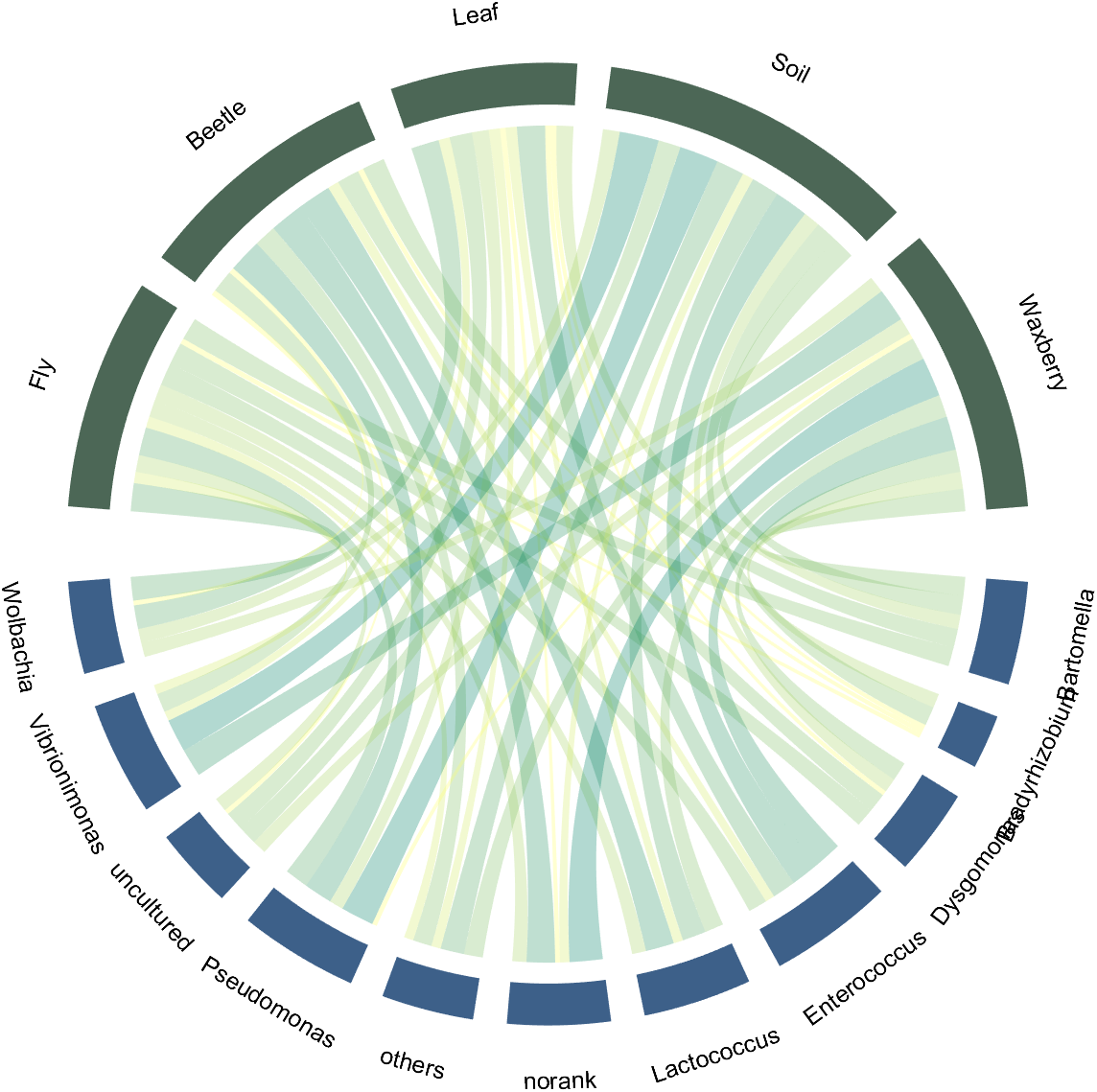
准备好上述数据后,使用slandarer开发的工具函数两行代码绘制完成:
讯享网CC=chordChart(dataMat,'rowName',rowName,'colName',colName); CC=CC.draw();
2 调整间隙
使用1.6.0版本进行绘图可使用Sep属性减小间隙,默认值为1/40这里设置为1/80:
CC=chordChart(dataMat,'rowName',rowName,'colName',colName,'Sep',1/80); CC=CC.draw(); 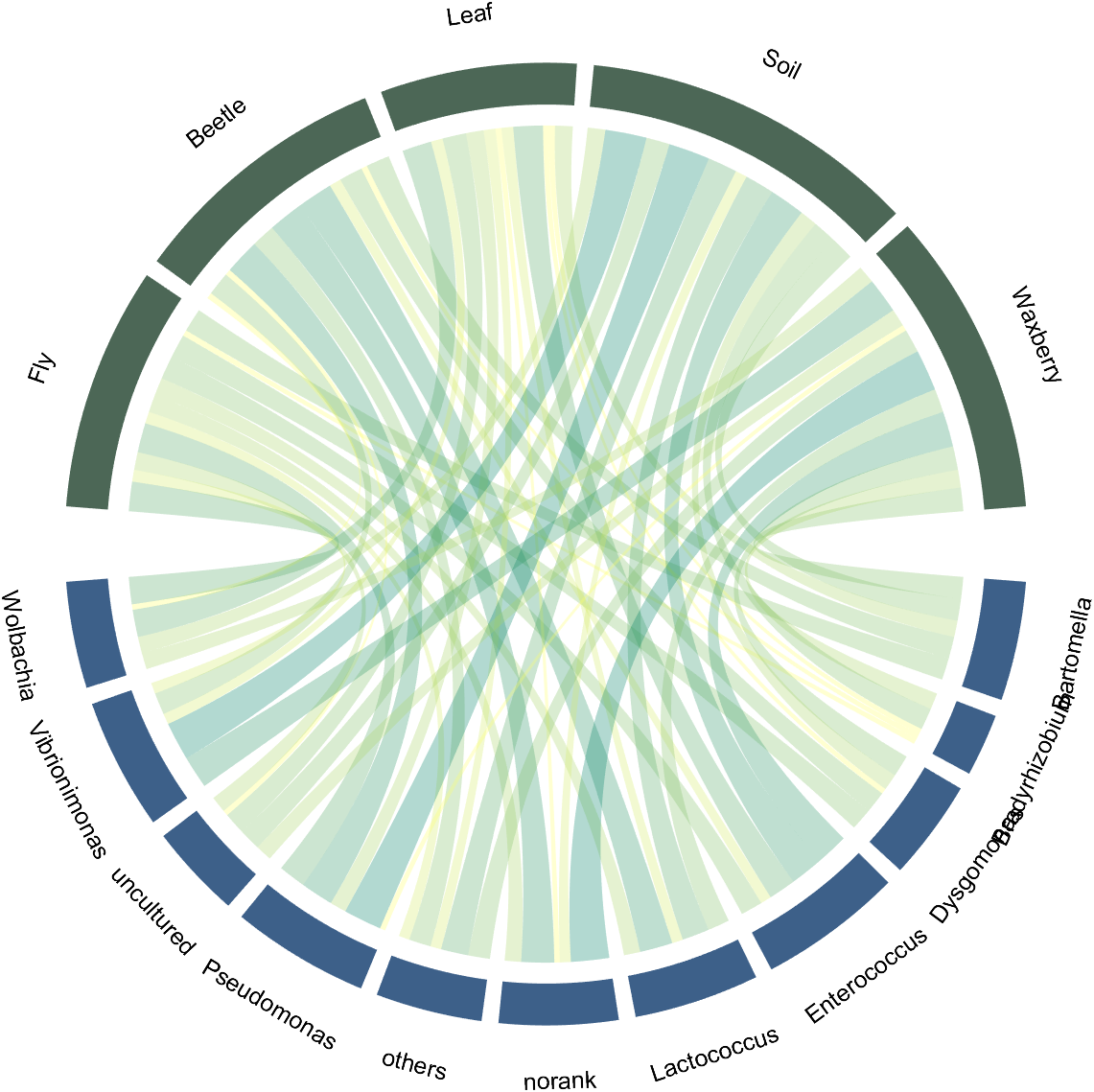
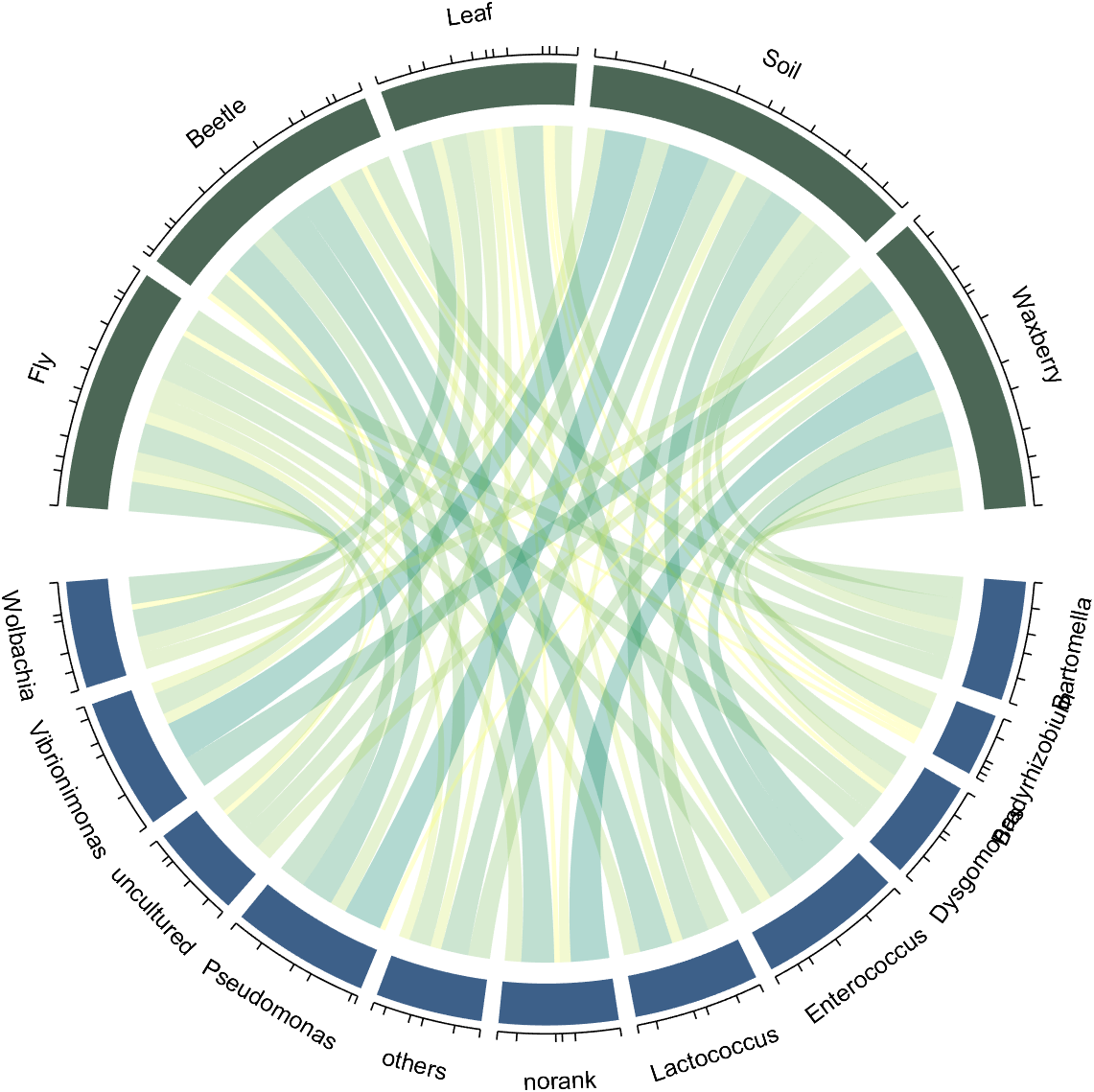
3 显示刻度
讯享网% 开启刻度 CC.tickState('on')
4 调整方块颜色
颜色RGB值获取可以通过很多方法,例如PPT或者自带的颜色提取器或者这篇所提到的图片颜色提取器《MATLAB | 自制色卡、更改绘图配色、图像修饰》
就使用
- setSquareT_N
- setSquareF_N
循环调整颜色即可,例如调整上方颜色:

% 修改上方方块颜色 CListT=[0.7765 0.8118 0.5216;0.4431 0.4706 0.3843;0.5804 0.2275 0.4549; 0.4471 0.4039 0.6745;0.0157 0 0 ]; for i=1:5 CC.setSquareT_N(i,'FaceColor',CListT(i,:)) end 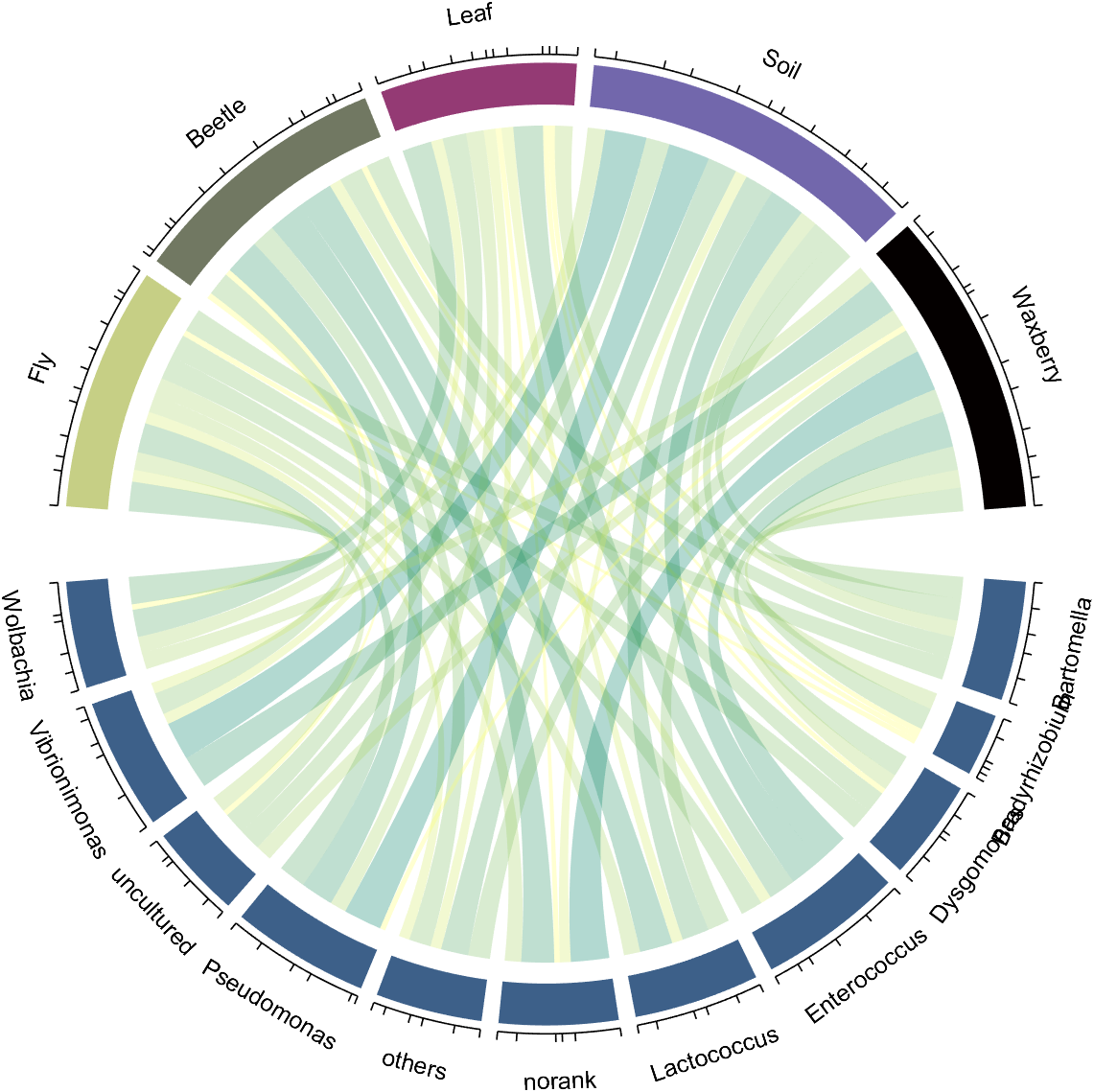
调整下方颜色:
% 修改下方方块颜色 CListF=[0.5843 0.6863 0.7843;0.1098 0.1647 0.3255;0.0902 0.1608 0.5373; 0.6314 0.7961 0.2118;0.0392 0.2078 0.1059;0.0157 0 0 ; 0.8549 0.9294 0.8745;0.3882 0.3255 0.4078;0.5020 0.7216 0.3843; 0.0902 0.1843 0.1804;0.8196 0.2314 0.0706]; for i=1:11 CC.setSquareF_N(i,'FaceColor',CListF(i,:)) end 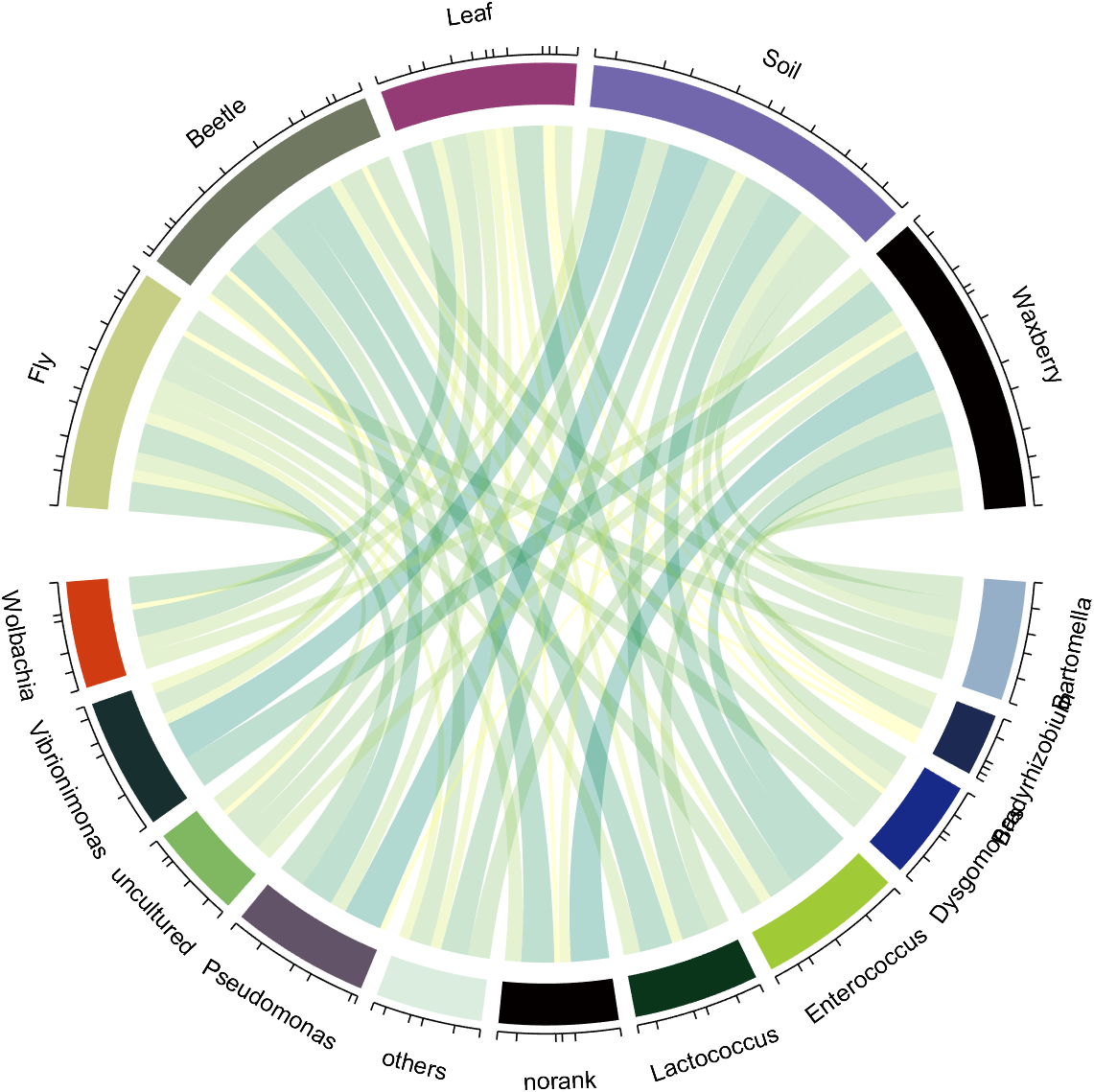
5 调整弦颜色
使用
- CC.setChordMN
循环调整颜色:
% 修改弦颜色 for i=1:5 for j=1:11 CC.setChordMN(j,i,'FaceColor',CListT(i,:),'FaceAlpha',.5) end end 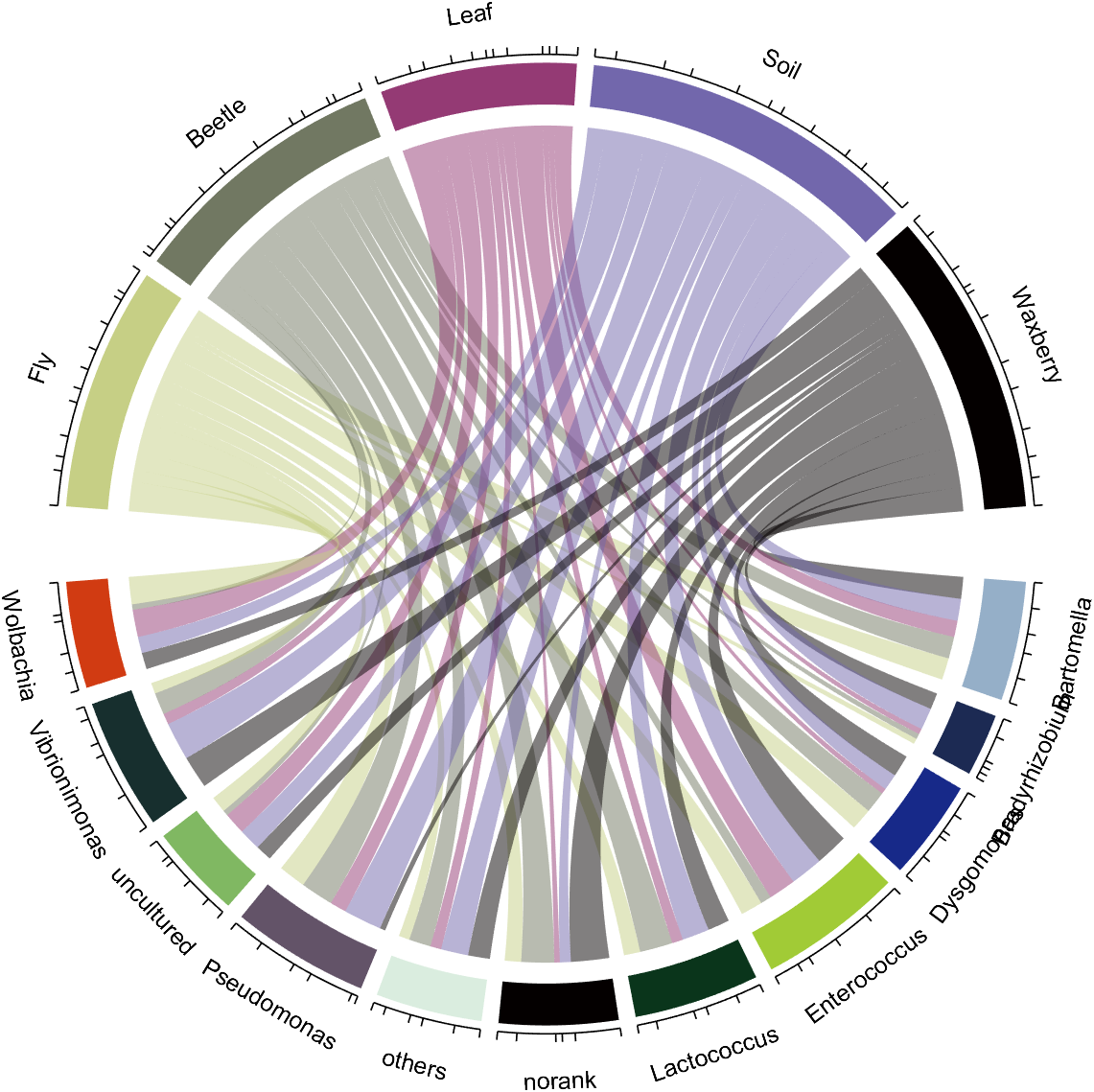
6 旋转标签并调整字体
我们发现有的标签挤在一起,因此需要旋转90度,懒得将该功能集成进工具函数了,请将以下代码加入文末实现标签旋转:
% 以下代码用来旋转标签 % The following code is used to rotate the label textHdl=findobj(gca,'Type','Text'); for i=1:length(textHdl) if textHdl(i).Rotation<-90 textHdl(i).Rotation=textHdl(i).Rotation+180; end switch true case textHdl(i).Rotation<0&&textHdl(i).Position(2)>0 textHdl(i).Rotation=textHdl(i).Rotation+90; textHdl(i).HorizontalAlignment='left'; case textHdl(i).Rotation>0&&textHdl(i).Position(2)>0 textHdl(i).Rotation=textHdl(i).Rotation-90; textHdl(i).HorizontalAlignment='right'; case textHdl(i).Rotation<0&&textHdl(i).Position(2)<0 textHdl(i).Rotation=textHdl(i).Rotation+90; textHdl(i).HorizontalAlignment='right'; case textHdl(i).Rotation>0&&textHdl(i).Position(2)<0 textHdl(i).Rotation=textHdl(i).Rotation-90; textHdl(i).HorizontalAlignment='left'; end end 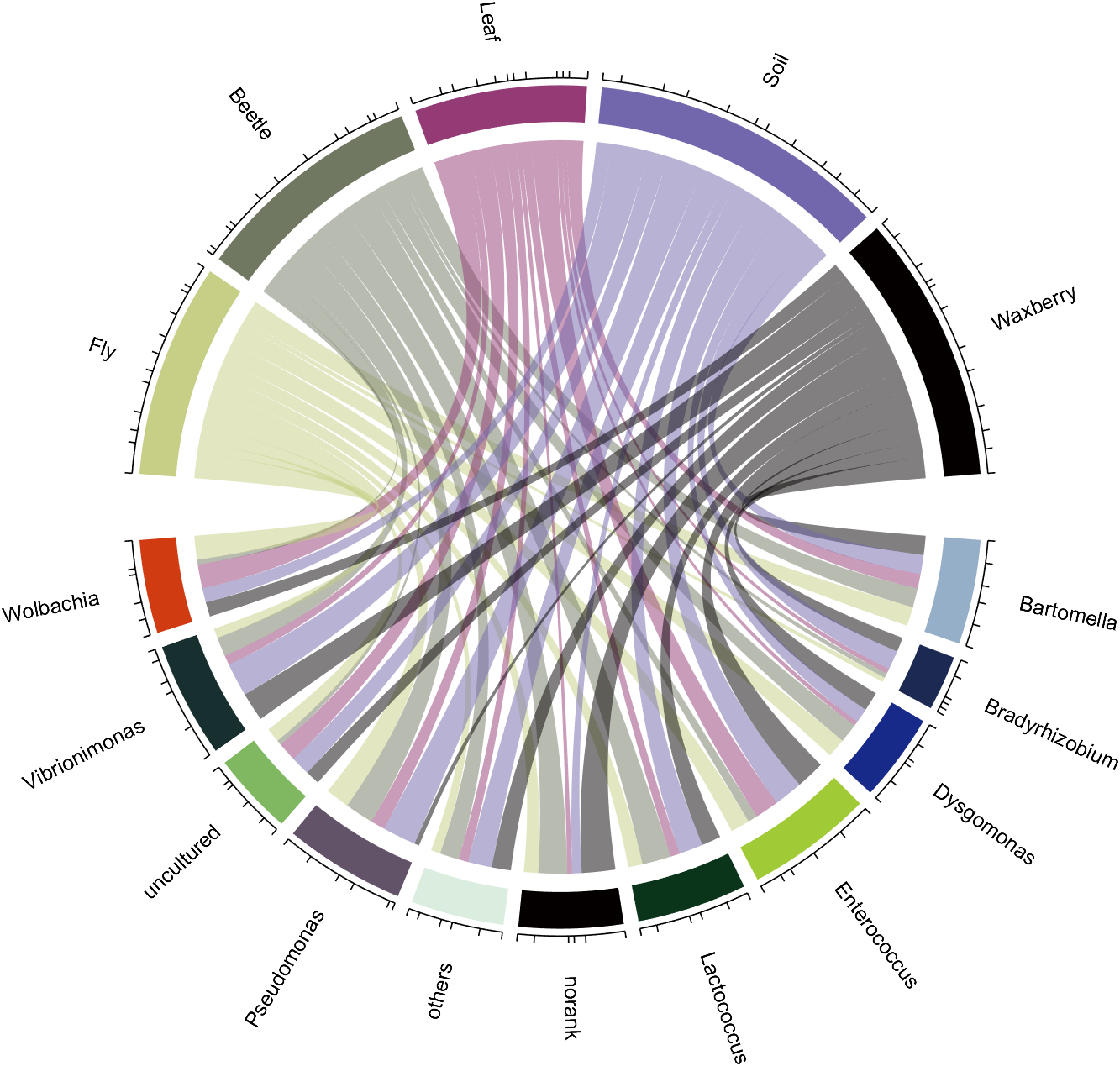
使用setFont调整字号和字体:
CC.setFont('FontSize',17,'FontName','Cambria') -1 完整代码
% chord demo rng(2) dataMat=randi([1,7],[11,5]); colName={
   'Fly','Beetle','Leaf','Soil','Waxberry'}; rowName={
   'Bartomella','Bradyrhizobium','Dysgomonas','Enterococcus',... 'Lactococcus','norank','others','Pseudomonas','uncultured',... 'Vibrionimonas','Wolbachia'}; CC=chordChart(dataMat,'rowName',rowName,'colName',colName,'Sep',1/80); CC=CC.draw(); % 开启刻度 CC.tickState('on') % 修改上方方块颜色 CListT=[0.7765 0.8118 0.5216;0.4431 0.4706 0.3843;0.5804 0.2275 0.4549; 0.4471 0.4039 0.6745;0.0157 0 0 ]; for i=1:5 CC.setSquareT_N(i,'FaceColor',CListT(i,:)) end % 修改下方方块颜色 CListF=[0.5843 0.6863 0.7843;0.1098 0.1647 0.3255;0.0902 0.1608 0.5373; 0.6314 0.7961 0.2118;0.0392 0.2078 0.1059;0.0157 0 0 ; 0.8549 0.9294 0.8745;0.3882 0.3255 0.4078;0.5020 0.7216 0.3843; 0.0902 0.1843 0.1804;0.8196 0.2314 0.0706]; for i=1:11 CC.setSquareF_N(i,'FaceColor',CListF(i,:)) end % 修改弦颜色 for i=1:5 for j=1:11 CC.setChordMN(j,i,'FaceColor',CListT(i,:),'FaceAlpha',.5) end end % 以下代码用来旋转标签 % The following code is used to rotate the label textHdl=findobj(gca,'Type','Text'); for i=1:length(textHdl) if textHdl(i).Rotation<-90 textHdl(i).Rotation=textHdl(i).Rotation+180; end switch true case textHdl(i).Rotation<0&&textHdl(i).Position(2)>0 textHdl(i).Rotation=textHdl(i).Rotation+90; textHdl(i).HorizontalAlignment='left'; case textHdl(i).Rotation>0&&textHdl(i).Position(2)>0 textHdl(i).Rotation=textHdl(i).Rotation-90; textHdl(i).HorizontalAlignment='right'; case textHdl(i).Rotation<0&&textHdl(i).Position(2)<0 textHdl(i).Rotation=textHdl(i).Rotation+90; textHdl(i).HorizontalAlignment='right'; case textHdl(i).Rotation>0&&textHdl(i).Position(2)<0 textHdl(i).Rotation=textHdl(i).Rotation-90; textHdl(i).HorizontalAlignment='left'; end end CC.setFont('FontSize',17,'FontName','Cambria')
完
未经允许本代码请勿作商业用途,引用的话可以引用我file exchange上的链接,可使用如下格式:
Zhaoxu Liu (2022). chord chart 弦图 (https://www.mathworks.com/matlabcentral/fileexchange/-chord-chart), MATLAB Central File Exchange. 检索来源 2022/11/10.
若转载请保留以上file exchange链接及本文链接!!!
本文中全部代码:
版权声明:本文内容由互联网用户自发贡献,该文观点仅代表作者本人。本站仅提供信息存储空间服务,不拥有所有权,不承担相关法律责任。如发现本站有涉嫌侵权/违法违规的内容,请联系我们,一经查实,本站将立刻删除。
如需转载请保留出处:https://51itzy.com/kjqy/63366.html