
预制体修改可以放入场景中修改再应用
1.transform.Find()的用法
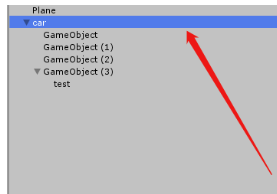
transform.Find 只能找到所在物体的子物体
讯享网
脚本挂在car游戏物体上
Debug.Log(transform.Find(“test”)); 讯享网
讯享网Debug.Log(transform.Find(“GameObject (3)/test”));
即可找到。
2.初始化子弹,并控制子弹移动
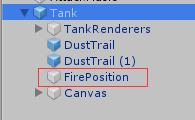
创建一个空物体GameObject改为FirePosition,并放在Tank下,作为初始化子弹发射的位置,
Instantiate(物体,位置,方向)
public class TankAttack : MonoBehaviour {
    public GameObject shell;//声明子弹的引用 public KeyCode fireKey=KeyCode.Space;//声明KeyCode按键,默认空格键为子弹发射键,另一个玩家可以在外部修改发射按键 private Transform firePosition;//声明初始化子弹的位置引用,通过上图的FirePosition物体赋值 void Start() {
    firePosition = transform.Find("FirePosition");//transform.Find查找当前物体的子物体 } if(Input.GetKeyDown(fireKey)) {
    GameObject go=Instantiate(shell, firePosition.position, firePosition.rotation);//实例化子弹,确定位置、旋转 go.GetComponent<Rigidbody>().velocity = go.transform.forward * shellSpeed;//刚体移动 } }
3.触发器碰撞检测,销毁物体
讯享网 /*脚本在子弹上*/ public class Shell : MonoBehaviour {
    public GameObject ShellExplosion;//定义子弹爆炸效果引用 private void OnTriggerEnter(Collider other)//检测函数 {
    //子弹一碰到其他任何物体就产生爆炸效果,并销毁子弹 Instantiate(ShellExplosion,transform.position,transform.rotation);//初始化子弹爆炸效果 Destroy(gameObject);//销毁子弹 if (collider.tag =="Tank")//子弹碰到坦克 {
    collider.SendMessage("TankDamage");//执行TankDamage方法 } } }
/*脚本在子弹爆炸效果上*/ public class ShellExplosionDestory : MonoBehaviour {
    public float _time;//爆炸效果持续时间,外部赋值 void Start() {
Destroy(gameObject, _time);//爆炸效果持续时间一过,销毁爆炸效果 } } 讯享网/*脚本在Tank上*/ public class TankAttack : MonoBehaviour {
private void TankDamage() {
if (hp <= 0) return; hp -= 10;//坦克减少血量10(设置100血量) hpSlider.value = (float)hp / 100;//改变血条 if (hp<=0) {
Instantiate(TankExplosion,transform .position + Vector3.up , transform.rotation);//实例化爆炸效果 Destroy(gameObject);//销毁坦克游戏物体 } } }
子弹碰到任何物体,都会产生子弹爆炸效果并销毁子弹,实例化子弹爆炸效果后会销毁(子弹爆炸效果物体上挂有销毁脚本)。如果子弹碰到Tank,执行TankDamage();
圆形血条制作
1.在画布上添加slider
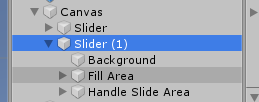
2.删除Handle Slide Area
3.更改Source Image
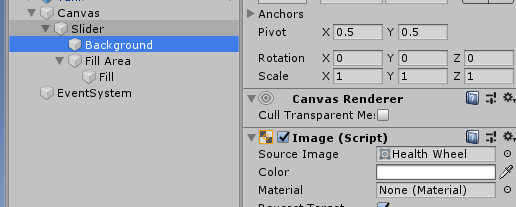
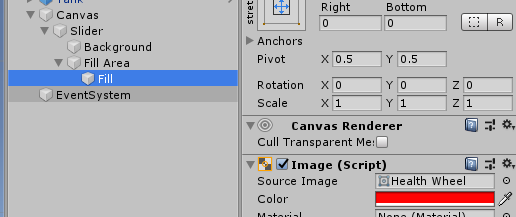
4.Background,Fill上下左右拉伸
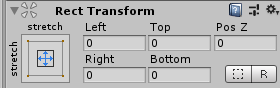
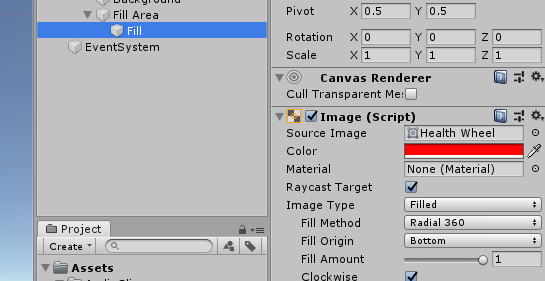
Image Type选择Filled,Canvas的Render Mode(渲染模式)设为Word Space
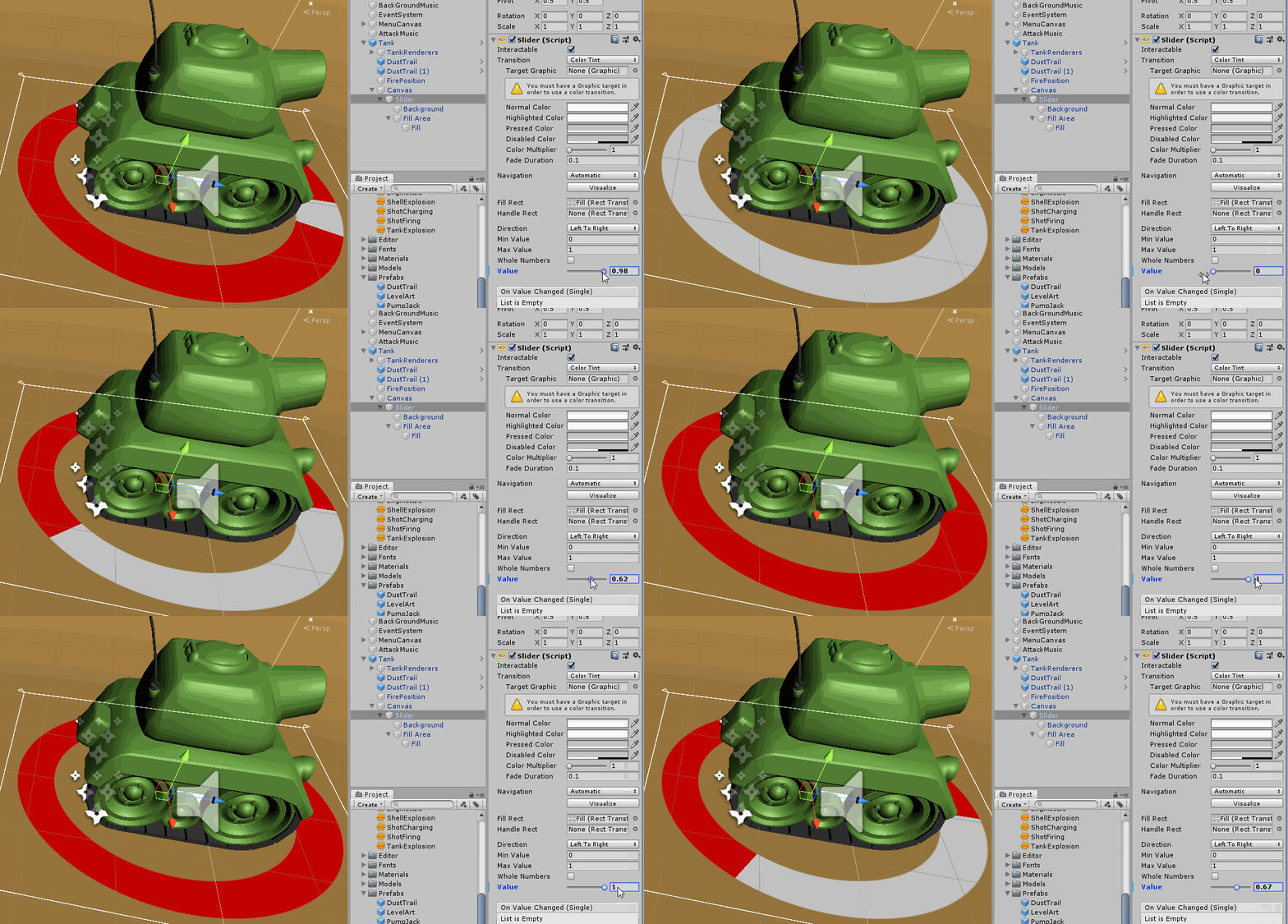
修改Value值可以修改血条
public Slider hpSlider;//声明Slider 组件引用 hpSlider.value = (float)hp / 100;//改变血条 4.如何控制两个玩家
讯享网/*脚本挂在Tank上*/ public class TankMove : MonoBehaviour {
    public int playerNumber=1;//定义玩家1,2 void FixedUpdate() {
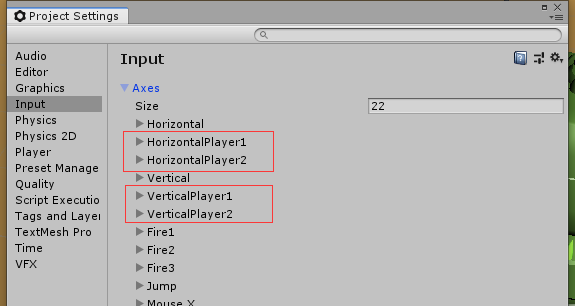
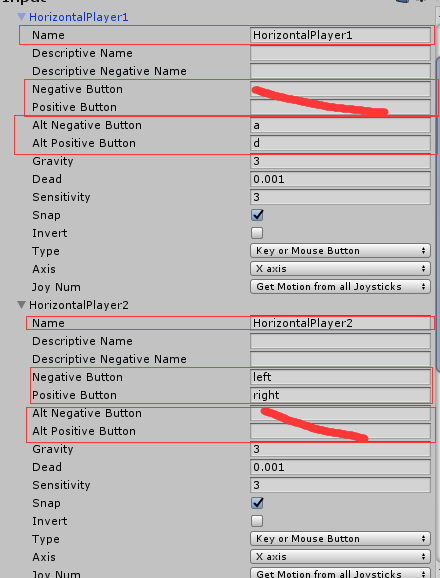
    float v = Input.GetAxisRaw("VerticalPlayer"+ playerNumber);//在Input面板设置两个Player的控制键 rig.velocity = transform.forward * v* speed;//刚体的运动速度 float h= Input.GetAxisRaw("HorizontalPlayer"+playerNumber); rig.angularVelocity = transform.up * h * rotationSpeed ;//刚体的旋转速度 } }
设置两个玩家,Ctrl+D复制两个Vertical与两个Horizontal进行修改设置
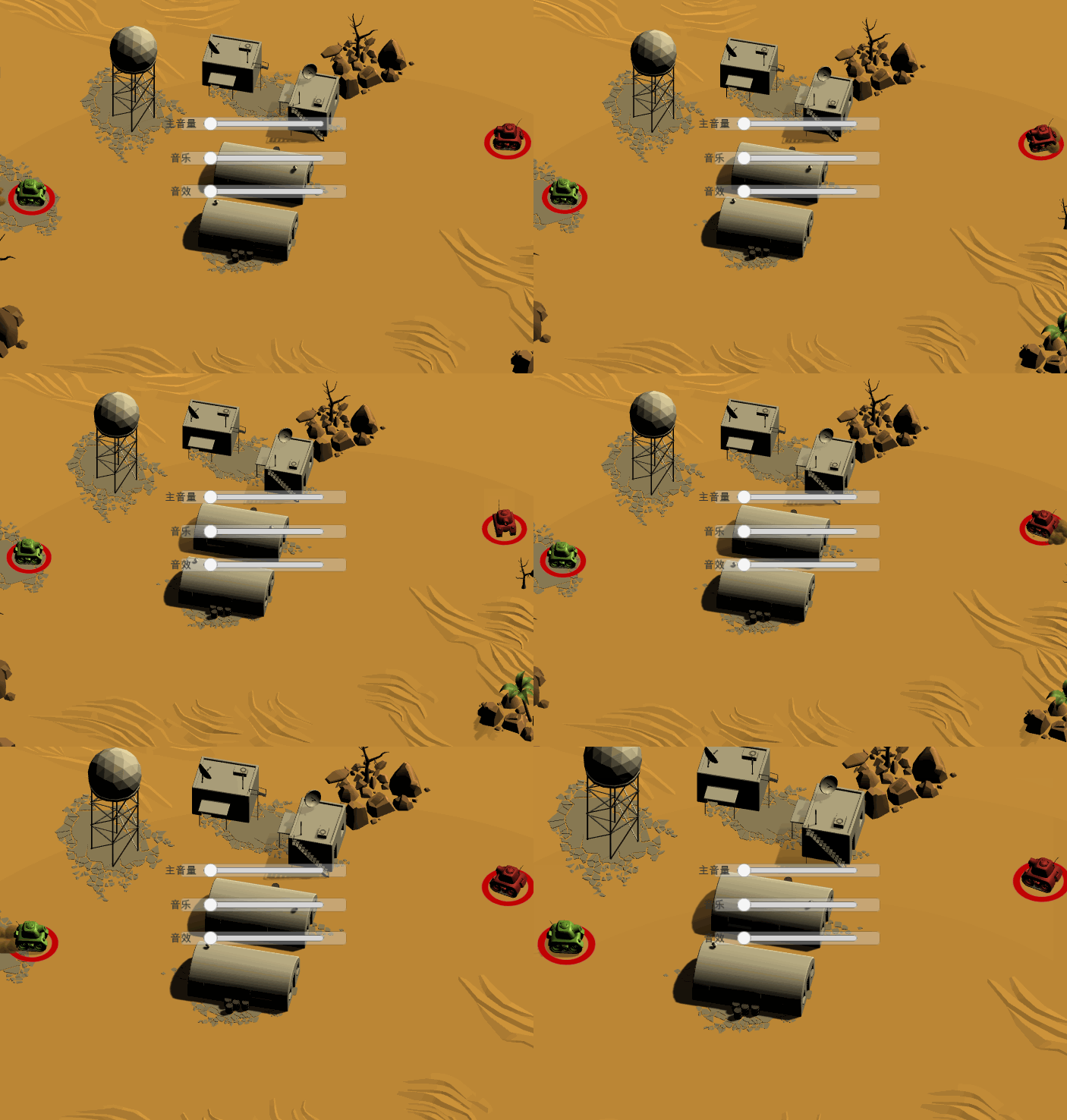
5.相机跟随两个物体
/*脚本挂在相机上*/ using UnityEngine; public class FollowTarget : MonoBehaviour {
    public Transform player1;//直接声明Transform组件,拖拽游戏物体赋值,Unity自动查询游戏物体上的Transform组件 public Transform player2; private Vector3 offset; void Start() {
    offset = transform.position - (player1.position + player2.position) / 2;//获取相机最初的偏移量 } void Update() {
    if (player1 == null || player2 == null) return;//一方坦克摧毁则停止跟随 float size= Vector3.Distance(player1.position, player2.position) * 0.73f;//测算a,b之间的距离 transform.position=offset + (player1.position + player2.position) / 2;//跟新相机位置 if (size >= 10) {
    GetComponent<Camera>().orthographicSize = Vector3.Distance(player1.position, player2.position) * 0.73f; } } }
版权声明:本文内容由互联网用户自发贡献,该文观点仅代表作者本人。本站仅提供信息存储空间服务,不拥有所有权,不承担相关法律责任。如发现本站有涉嫌侵权/违法违规的内容,请联系我们,一经查实,本站将立刻删除。
如需转载请保留出处:https://51itzy.com/kjqy/32195.html