
父子通信的重点知识
1、子组件通过props属性监听从父组件中传过来的值(值)
2、子组件通过$emit('方法名‘)来向父组件发出请求(方法)
3、学习vue必须要知道属性只要绑定好后就是动态的模式(我个人理解),就只需要接收和请求就行了,不需要做其他的监听操作
话不多说,上代码
一、页面部分
<!DOCTYPE html> <html lang="en"> <head> <meta charset="UTF-8"> <title>Time</title> <link href="../css/index_css.css" rel="stylesheet">//采用外部连接的格式 </head> <body> <div id="content" class="content"> <div id="over" @click="show()" :style="o_style">{
   {
   o_style.value}}</div> <clock :cur_time="current_time" @get_hour="getHours()" @get_minute="getMinutes()" @get_second="getSeconds()" :hour_s="hour_style" :minute_s="minute_style" :second_s="second_style" :com_s="o_style"> </clock> </div> //模板部分 <template id="time_template"> <div class="root"> <span :style="{color:com_s.isNight==true?'white':'black'}">12</span> <span :style="{color:com_s.isNight==true?'white':'black'}">3</span> <span :style="{color:com_s.isNight==true?'white':'black'}">6</span> <span :style="{color:com_s.isNight==true?'white':'black'}">9</span> <span class="over-point"></span> <div id="hour" :style="hour_s"></div> <div id="minute" :style="minute_s"></div> <div id="second" :style="second_s"></div> <div id="show_time">{
   {
   cur_time.hour}}:{
   {
   cur_time.minute}}:{
   {
   cur_time.second}}</div> </div> </template> <script src="../external_lib/vue.js"></script>//这里是vue.js包的导入 <script src="../js/index_js.js"></script>//采用外部连接的格式 <script src="../js/pageControl.js"></script>//采用外部连接的格式 </body> </html>
讯享网
二、CSS部分
讯享网*{
    margin:0px; padding:0px; } body{
    display: flex; justify-content: center; align-items: center; align-content: center; background:skyblue; overflow: hidden; } #content{
    position:relative; width:100%; height:100vh; display:flex ; justify-content: center; align-content: center; align-items: center; } .root{
    width:500px; height:500px; border-radius: 50%; border:2px solid grey; position:relative; top:50px; background: url("../img/day.jpg") -170px; background-size:cover; overflow: hidden; box-shadow: 0px 0px 15px gray; } .root>span,.root>div{
    position:absolute; font-size:20px;/*内部的每一个文字的大小*/ } span:first-child{
    left:240px;/*十二这个数字的x偏移量=(500/2)-(20/2)*/ top:10px; z-index:10; } span:nth-child(2){
    left:480px;/*3的x偏移量=(500-10)*/ top:240px;/*(500/2)-(20/2)*/ z-index:10; } span:nth-child(3){
    left:250px;/*6*/ top:470px; z-index:10; } span:nth-child(4){
    left:10px;/*9*/ top:240px; z-index:10; } span:nth-child(5){
   /*时钟中间的骨架*/ left:225px;/*(500/2)-(50/2)*/ top:225px;/*(500/2)-(50/2)*/ display: inline-block; width:50px; height:50px; line-height:50px; text-align: center; font-weight:bolder; border-radius: 50%; background:cadetblue; box-shadow: 0px 0px 18px #5f9ea0,inset 0px 0px 10px #4faee0; z-index:12; } #hour{
    width:20px; height:120px; border-radius:12px; background:white; top:136px; left:242px; opacity:88%; box-shadow: 0 0 18px whitesmoke; z-index:11; } #minute{
    width:15px; height:160px; border-radius:12px; background:dodgerblue; top:90px; left:243px; opacity: 0.85; box-shadow: 0 0 18px deepskyblue; z-index:11; } #second{
    width:10px; height:200px; border-radius:12px; background:gray; top:50px; left:250px; opacity:0.8; box-shadow: 0 0 18px snow; z-index:11; } #show_time{
    width:100px; height:50px; background:black; opacity:0.6; left:200px; top:300px; color:white; text-align: center; line-height:50px; z-index:10; } #over{
    position:absolute; width:100%; height:100vh; color:white; background:black; opacity: 0.8; transition:1s; z-index:10; }
三、JS部分(重点部分)
父子通信

 /子组件 * 子组件的时针、分针、秒针都是通过父组件传过来的值来设置它的偏移量 */ let clock={
    template:'#time_template', data(){
    return{
    interval:'',//定时器对象 } }, props:{
   //监听从父组件中传过来的对象 cur_time: '', com_s:{
   }, hour_s:{
   }, minute_s:{
   }, second_s:{
   }, }, methods:{
    display(){
    this.interval=setInterval((e)=>{
    this.setHours(); this.setMinutes(); this.setSeconds(); },1000); }, setHours(){
    this.$emit('get_hour'); }, setMinutes(){
    this.$emit('get_minute'); }, setSeconds(){
    this.$emit('get_second'); }, }, created(){
   //让方法在一开始就自动调用,一般适用于有定时器的方法 this.display(); } }; / * 父组件 */ let fatherComponent=new Vue({
    el:'#content', data:{
    date:new Date(), current_time:{
   //表示当前时间的对象 hour:'', minute:'', second:'', }, //需要传给子组件的对象 hour_style: {
   }, minute_style:{
   }, second_style:{
   }, //页面样式的初始化属性 o_style:{
    left:'97%', isNight:false,//监听是白天还是黑夜,默认是白天 value:'N-M', }, }, //通过子组件向父组件发起请求的方法 methods:{
    getHours(){
    this.date=new Date(); this.current_time.hour=this.date.getHours()>=10?this.date.getHours():'0'+this.date.getHours(); let hour=this.date.getHours()%12+(this.date.getMinutes()+(this.date.getSeconds()/60)/60); this.hour_style={
    transformOrigin:'bottom center', transform:'rotate('+this.date.getHours()*30+'deg)', } }, getMinutes(){
    this.date=new Date(); this.current_time.minute=this.date.getMinutes()>=10?this.date.getMinutes():'0'+this.date.getMinutes(); let m=this.date.getMinutes(); this.minute_style={
    transformOrigin:'bottom center', transform:'rotate('+(m*6)+'deg)',//分为六十等分,每份为一分钟 } }, getSeconds(){
    this.date=new Date(); this.current_time.second=this.date.getSeconds()>=10?this.date.getSeconds():'0'+this.date.getSeconds(); this.second_style={
    transformOrigin:'bottom center', transform:'rotate('+this.date.getSeconds()*6+'deg)',//将圆分为六十份,每份为一秒钟。 } }, //对页面对象的属性进行修改 show(){
    if(this.o_style.isNight){
    this.o_style.left='97%'; this.o_style.isNight=false; this.o_style.value='N-M' }else{
    this.o_style.left='0%'; this.o_style.isNight=true; this.o_style.value='D-M' } } }, //在父组件内声明子组件,这是必须的 components:{
    clock } });
四、效果图
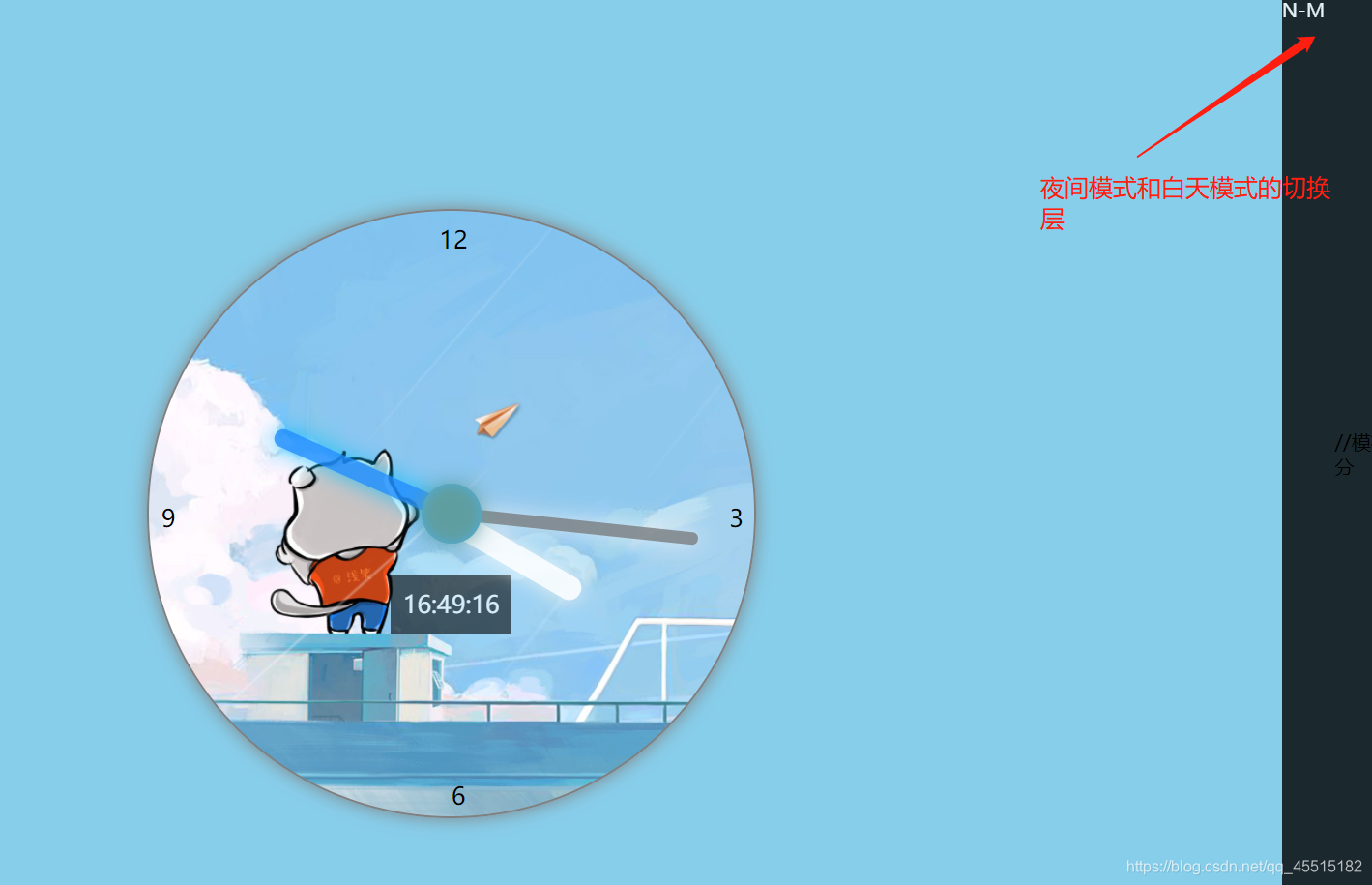
白天模式:
在白天模式中,单击N-M层就能变成夜间模式
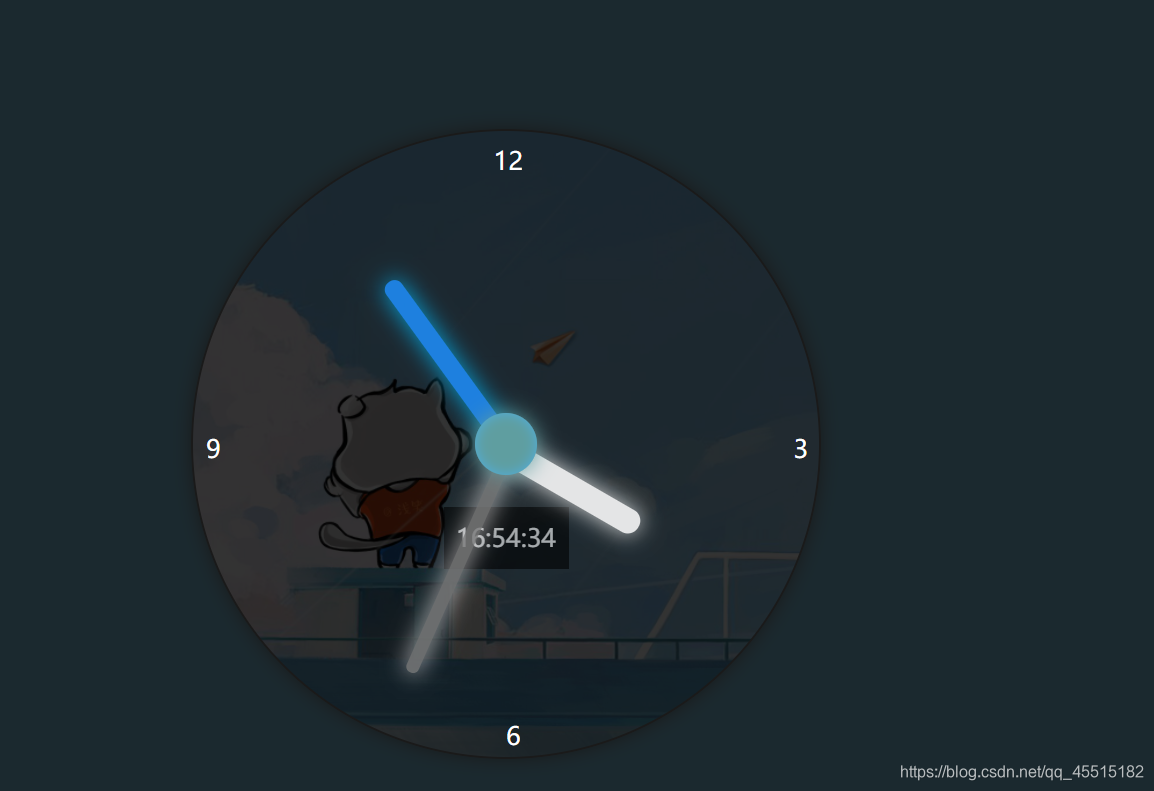
夜晚模式:
版权声明:本文内容由互联网用户自发贡献,该文观点仅代表作者本人。本站仅提供信息存储空间服务,不拥有所有权,不承担相关法律责任。如发现本站有涉嫌侵权/违法违规的内容,请联系我们,一经查实,本站将立刻删除。
如需转载请保留出处:https://51itzy.com/kjqy/27754.html