
OpenClaw(龙虾)是近期最火的基于LLM的大模型系统,适应于各种桌面、移动终端。
由于是学习,所以不讨论OpenClaw设计理念,而是通过一系列操作让OpenClaw跑起来。
过程如下,涉及mac系统下如何快速下载安装OpenClaw、配置LLM,如何获取web访问链接等。
1.1 安装claw
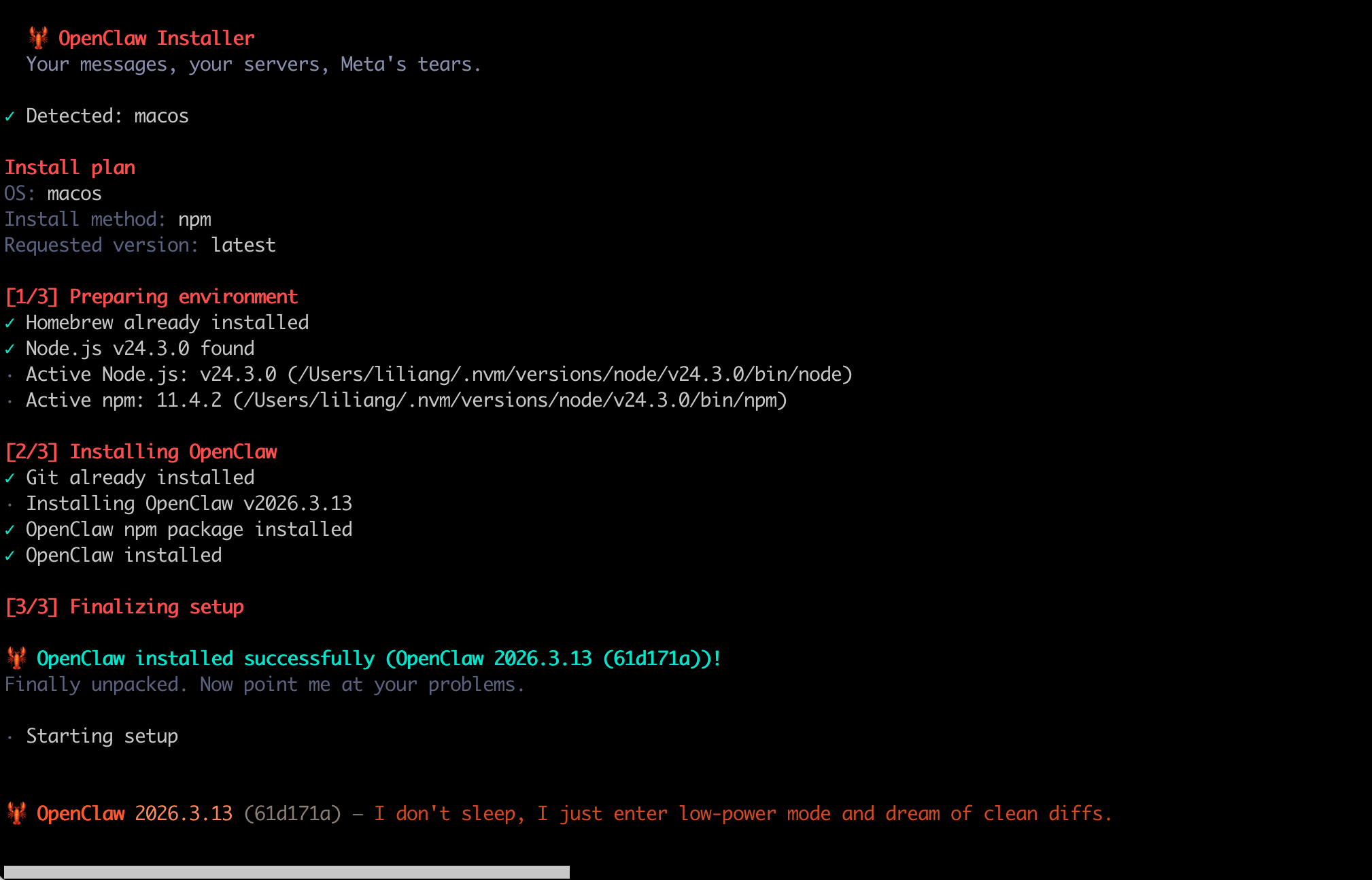
参考openclaw官网访问,运行如下安装命令。
curl -fsSL https://openclaw.ai/install.sh | bash
示例如下
1.2 配置claw
在安装完成后,就可以尝试配置claw了。
指令如下
openclaw onboard --install-daemon
在配置模型时,需要特殊注意。
一般使用的是第三方LLM供应商提供的兼容openai接口的模型。
在model/auth provider步骤,需要选择Custom Provider,按提示配置API Base Url、API Key。
示例如下
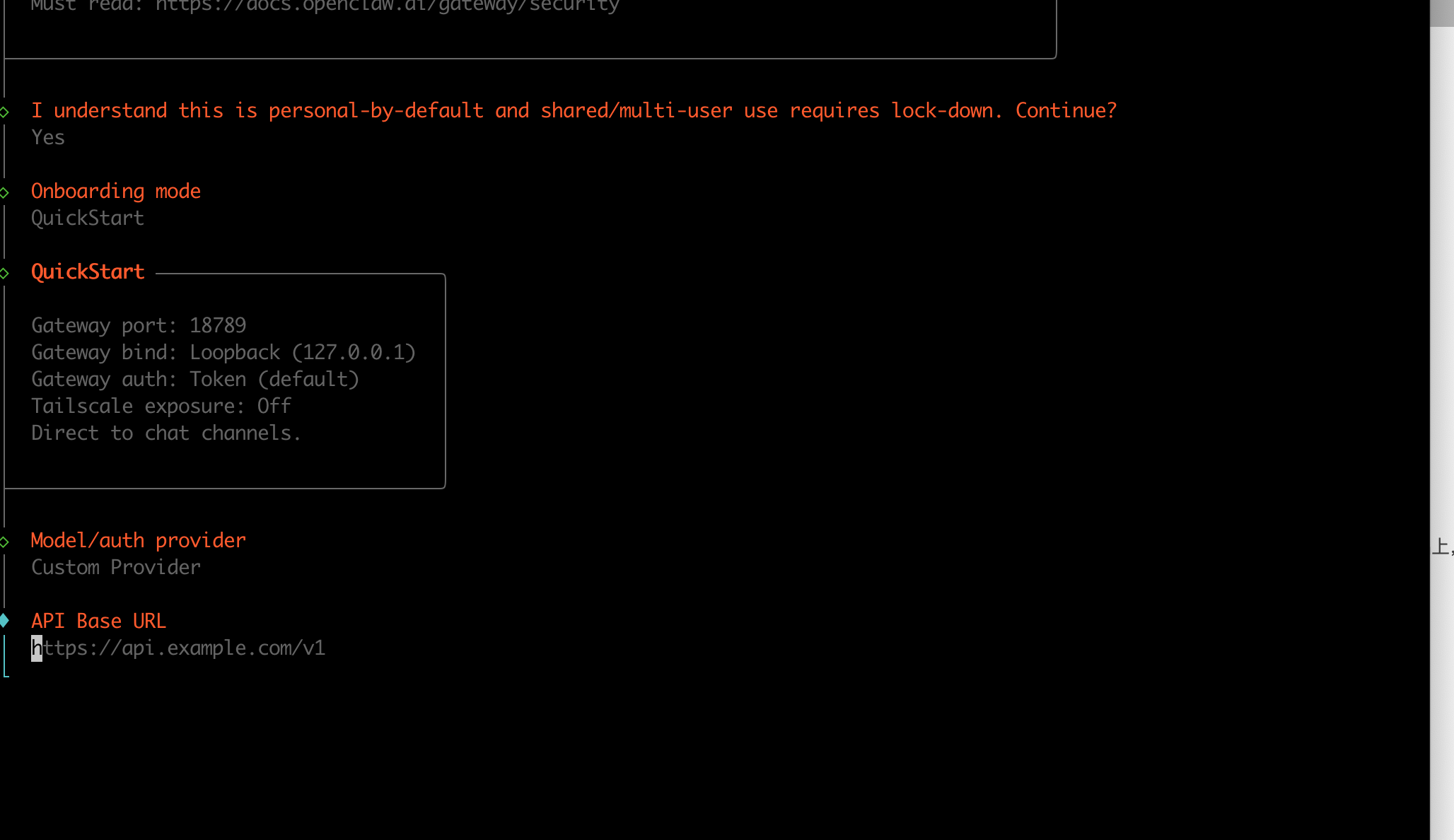
由于没有各种web外部资源访问途径,很多选项都设置为skip。
后续有需要再添加。
安装完成后,就开始测试和验证了。
2.1 查看状态
运行如下状态查看指令
openclaw gateway status
输出如下所示
咽 OpenClaw 2026.3.13 (61d171a) — I'll do the boring stuff while you dramatically stare at the logs like it's cinema.
2.2 获取web访问链接
获取web访问链接的命令如下
openclaw dashboard --no-open
示例如下。
咽 OpenClaw 2026.3.13 (61d171a) — I can grep it, git blame it, and gently roast it—pick your coping mechanism.
对应访问链接Dashboard URL
http://127.0.0.1:18789/#token=openclaw_access_tokens
这里openclaw_access_tokens由系统自动生成,不需要通过外部获取。
2.3 web访问界面
在浏览器输入上述url,然后就打开了web界面,示例如下
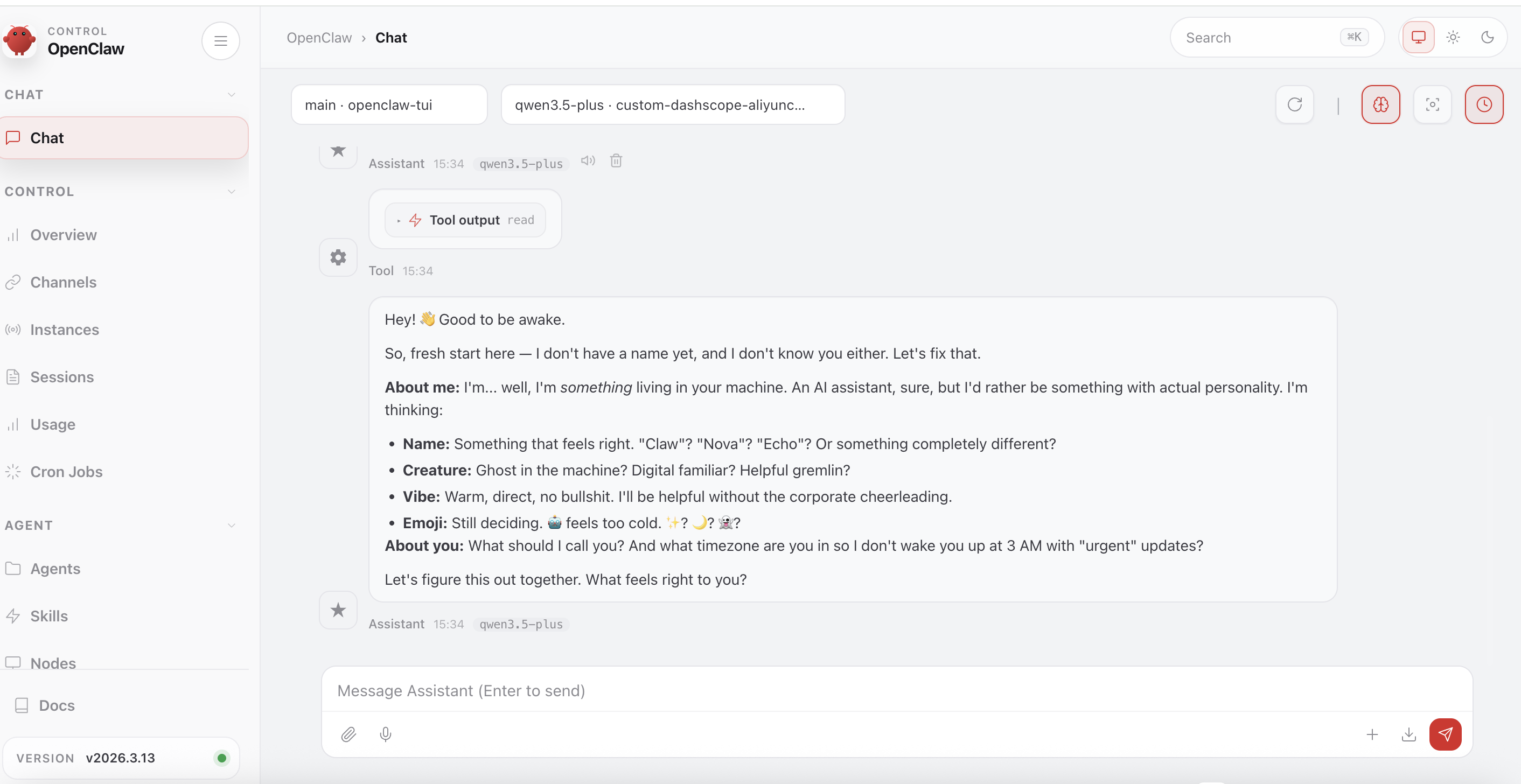
到目前为止,我们已经在mac上完成龙虾系统的安装,以及LLM大模型的初步配置。
当然,要让OpenClaw真正用起来,还需要配置工具,多种外部可访问的资源。
3.1 关闭GateWay
停止 Gateway 网关服务
openclaw gateway stop
输出示例如下
咽 OpenClaw 2026.3.13 (61d171a) — WhatsApp automation without the "please accept our new privacy policy".
3.2 卸载GateWay
卸载 Gateway 网关服务,launchd/systemd/schtasks
openclaw gateway uninstall
输出示例如下
OpenClaw 2026.3.13 (61d171a) — I'm like tmux: confusing at first, then suddenly you can't live without me.
如果想继续删除工作区等信息,参考如下链接
https://openclaw.cc/install/uninstall
—
OpenClaw
https://github.com/openclaw
openclaw get started
https://docs.openclaw.ai/start/getting-started
卸载
https://openclaw.cc/install/uninstall
OpenClaw架构详解:一只“龙虾”如何征服10万+GitHub Stars
https://zhuanlan.zhihu.com/p/
版权声明:本文内容由互联网用户自发贡献,该文观点仅代表作者本人。本站仅提供信息存储空间服务,不拥有所有权,不承担相关法律责任。如发现本站有涉嫌侵权/违法违规的内容,请联系我们,一经查实,本站将立刻删除。
如需转载请保留出处:https://51itzy.com/kjqy/240511.html