
问题一:报错 disconnected (1008): unauthorized: gateway token missing (open a tokenized dashboard URL or paste token in Control UI settings) 解决办法:
- 第一步:以管理员权限打开cmd,运行如下程序,查看是否存在gatewat token
GPT plus 代充 只需 145
- 第二步:如果没有,执行如下功能获取
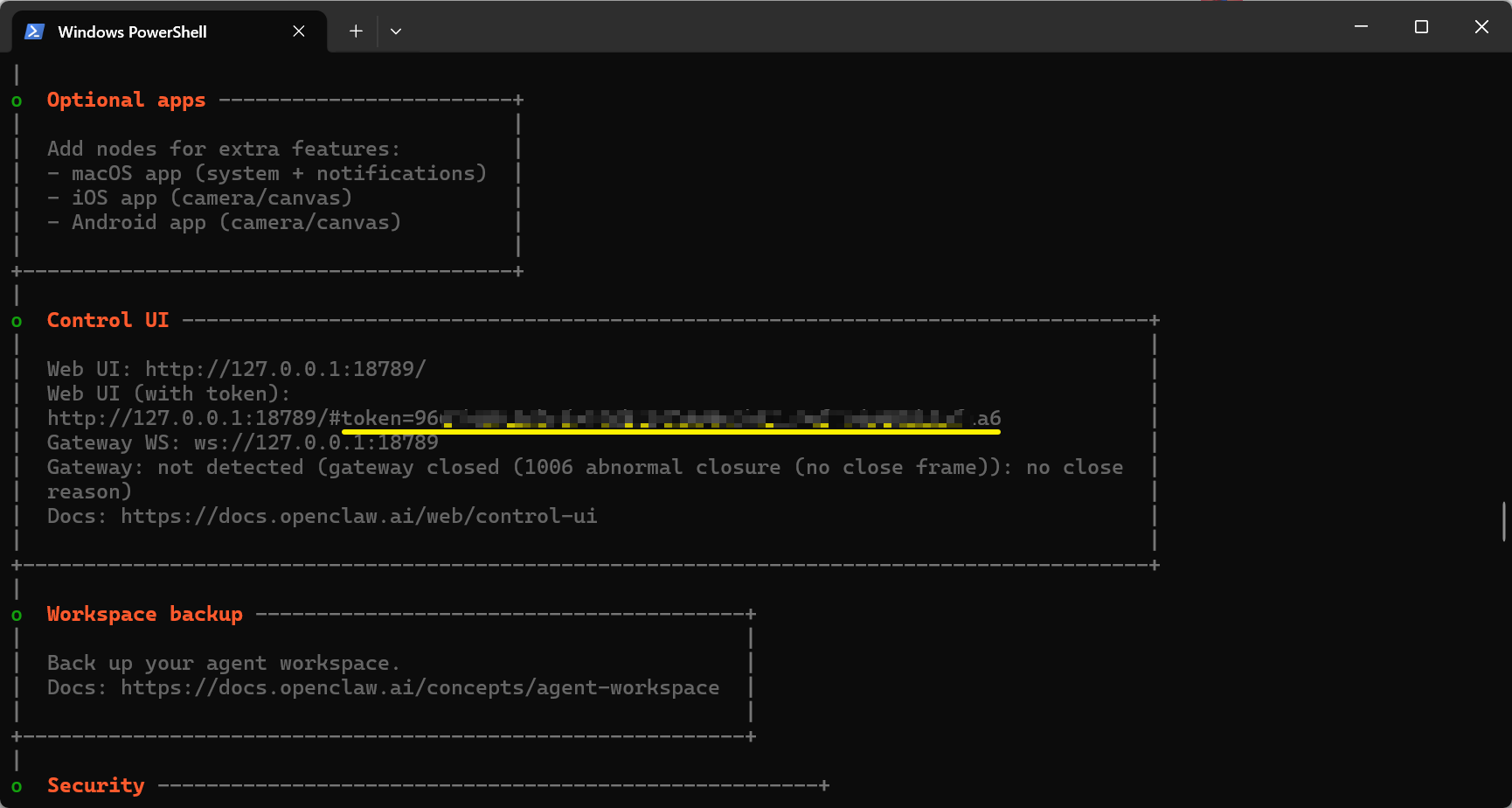
- 第三步:复制控制台安装后的中的token那串数字(token=[复制这里])

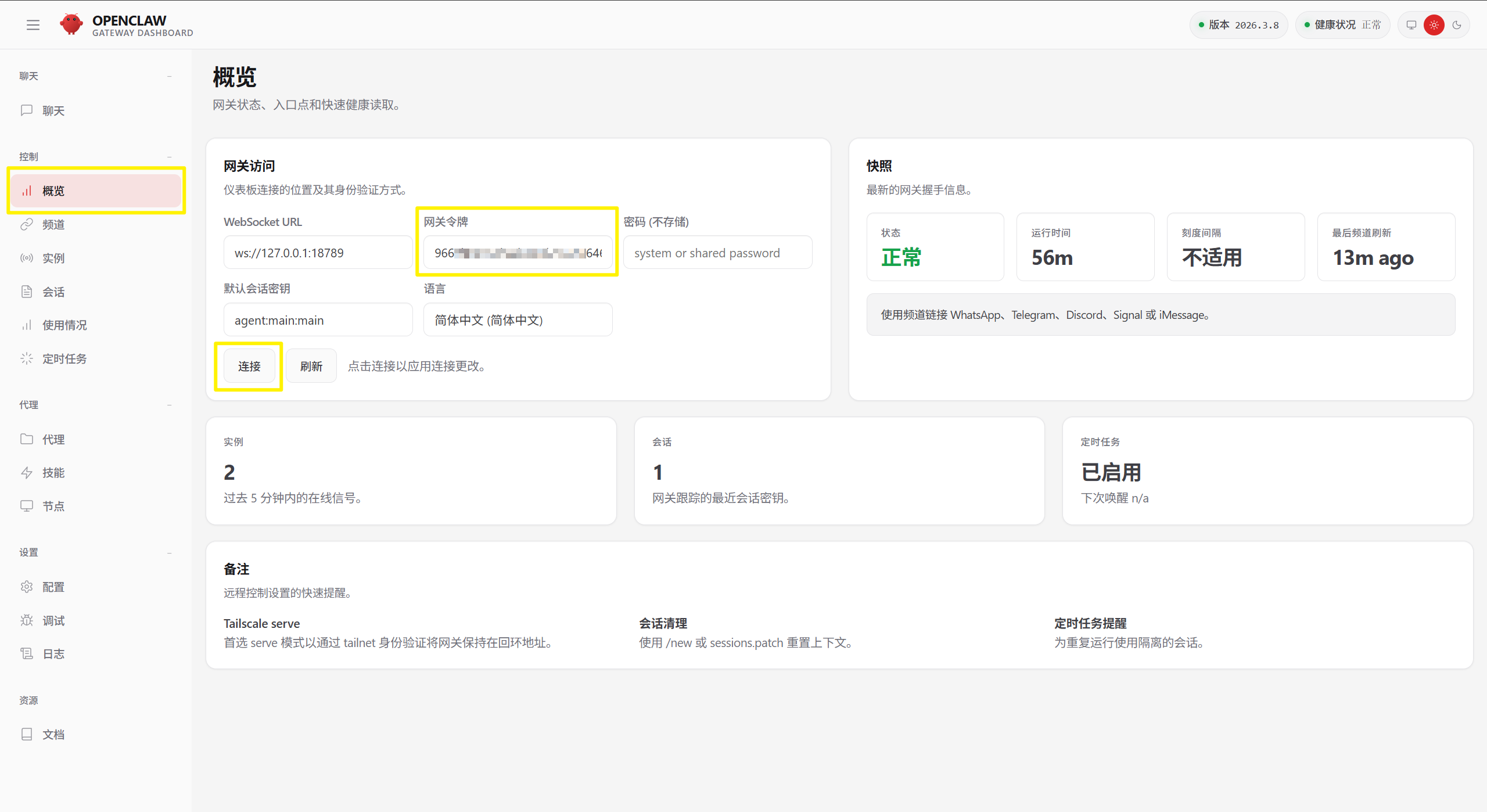
- 第四步:粘贴到->,并点击
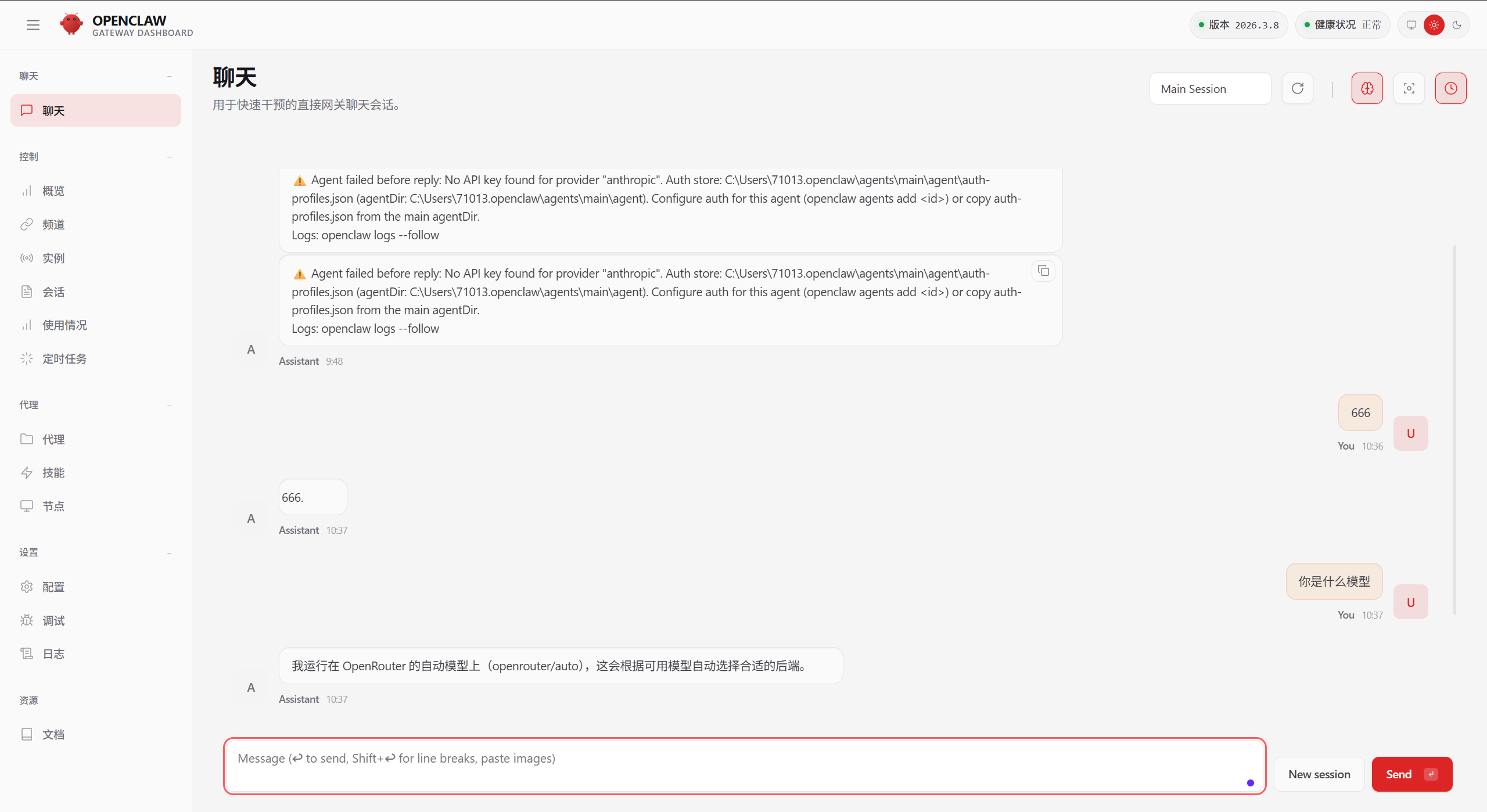
问题二:回复消息聊天报错:⚠️ Agent failed before reply: No API key found for provider “anthropic”. Auth store: C:Users71013.openclawagentsmainagentauth-profiles.json (agentDir: C:Users71013.openclawagentsmainagent). Configure auth for this agent (openclaw agents add ) or copy auth-profiles.json from the main agentDir.
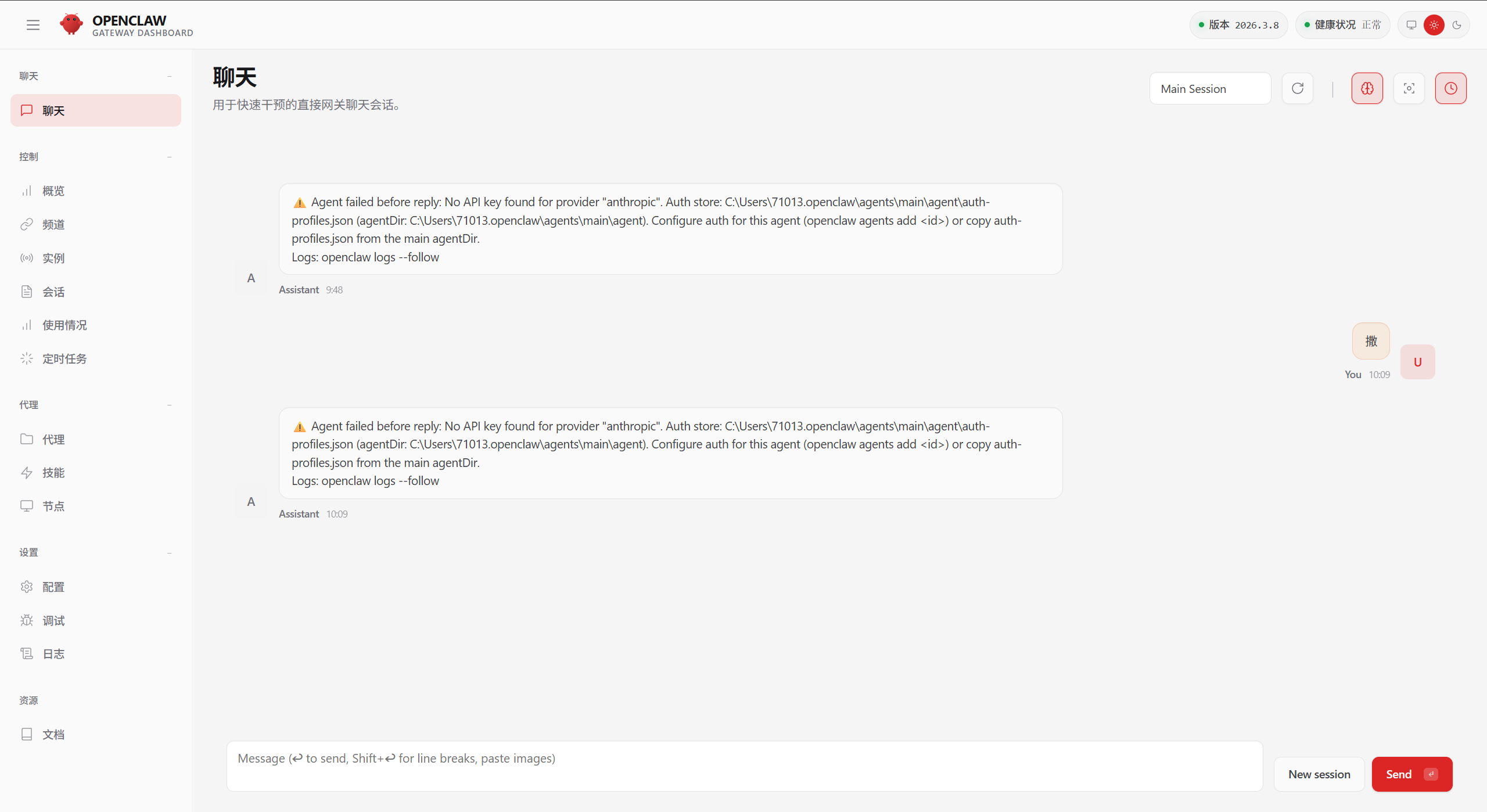
原因分析:安装时,你选择的模型,与现在使用的模型不一致。或未配置模型。
解决办法:
- 第一步:以管理员权限运行PowerShell,输入如下命令,重新配置模型,并切换为你的模型
GPT plus 代充 只需 145
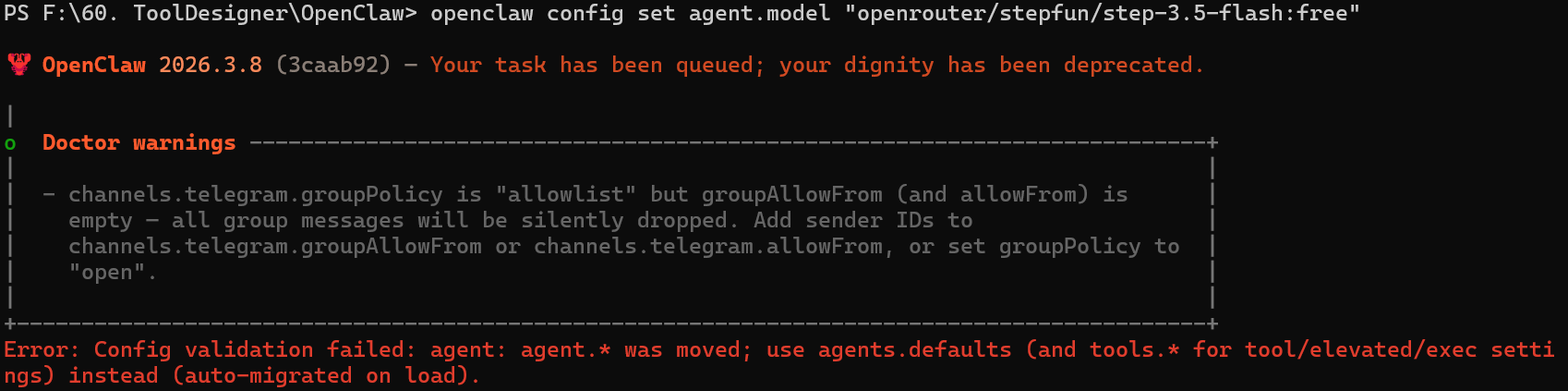
- 第二步:运行如下命令, 为 agent 设置 OpenRouter API Key
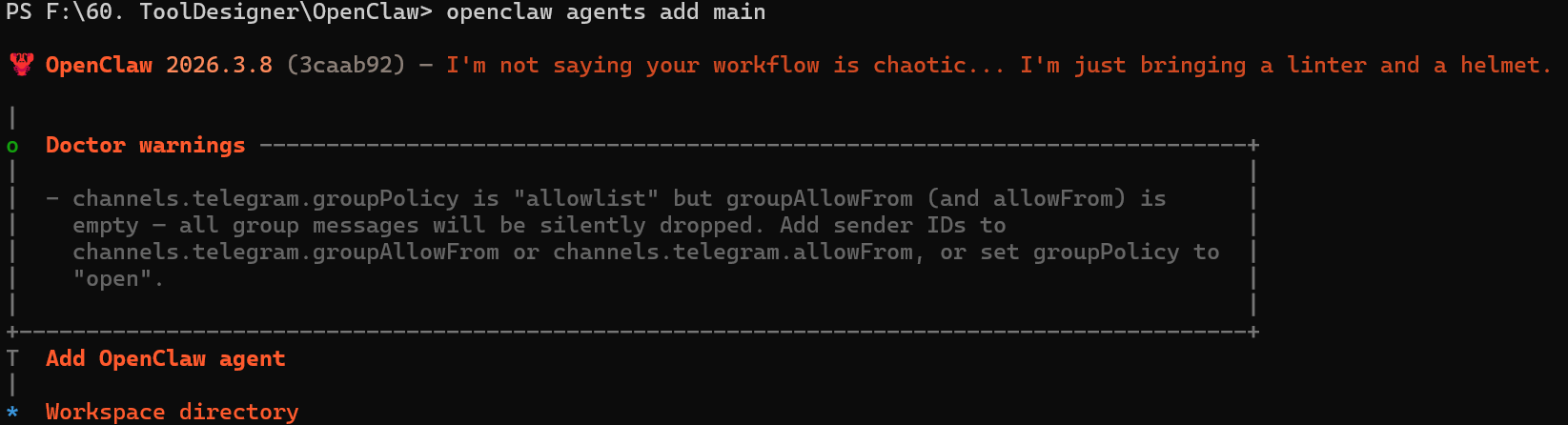
然后按照提示输入:
GPT plus 代充 只需 145
- 第三步:刷新OpenClaw页面,在页面中输入,可正常聊天
版权声明:本文内容由互联网用户自发贡献,该文观点仅代表作者本人。本站仅提供信息存储空间服务,不拥有所有权,不承担相关法律责任。如发现本站有涉嫌侵权/违法违规的内容,请联系我们,一经查实,本站将立刻删除。
如需转载请保留出处:https://51itzy.com/kjqy/238038.html