
1.前言
最近有个朋友想要爬取一些关于中医药的信息,问我能不能帮忙。虽然之前没接触过爬虫,但python基础还是有的,学起来应该也不是非常困难。所谓技多不压身,花点时间学个爬虫还是可以的。我用了一天学了点基础,便能够爬取一些简单的信息跟图片,在此记录一下。需要爬取的页面是这个样子的。
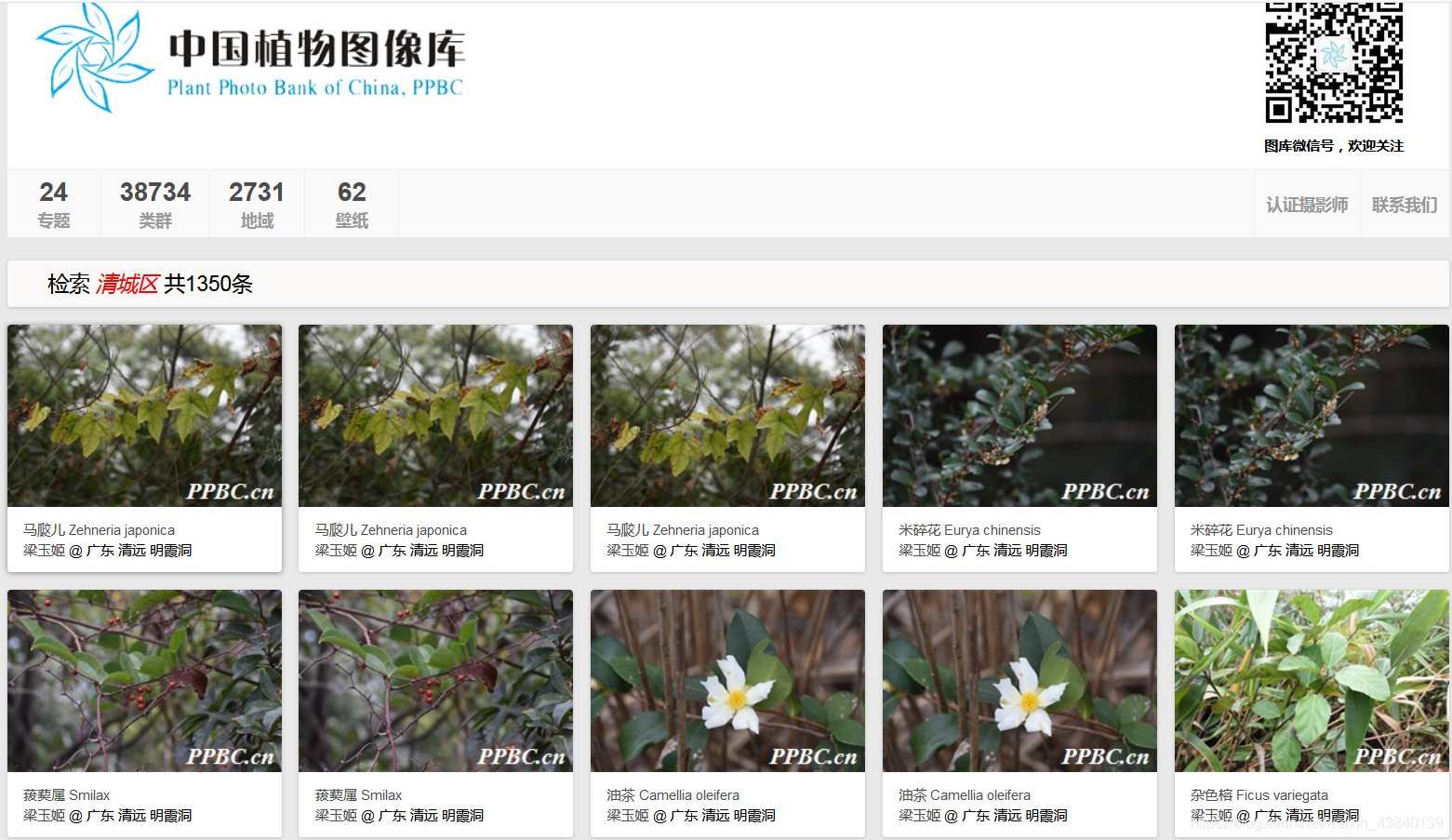
讯享网
点进去会弹出另外的网页,我们要爬取的就是红框里的信息。
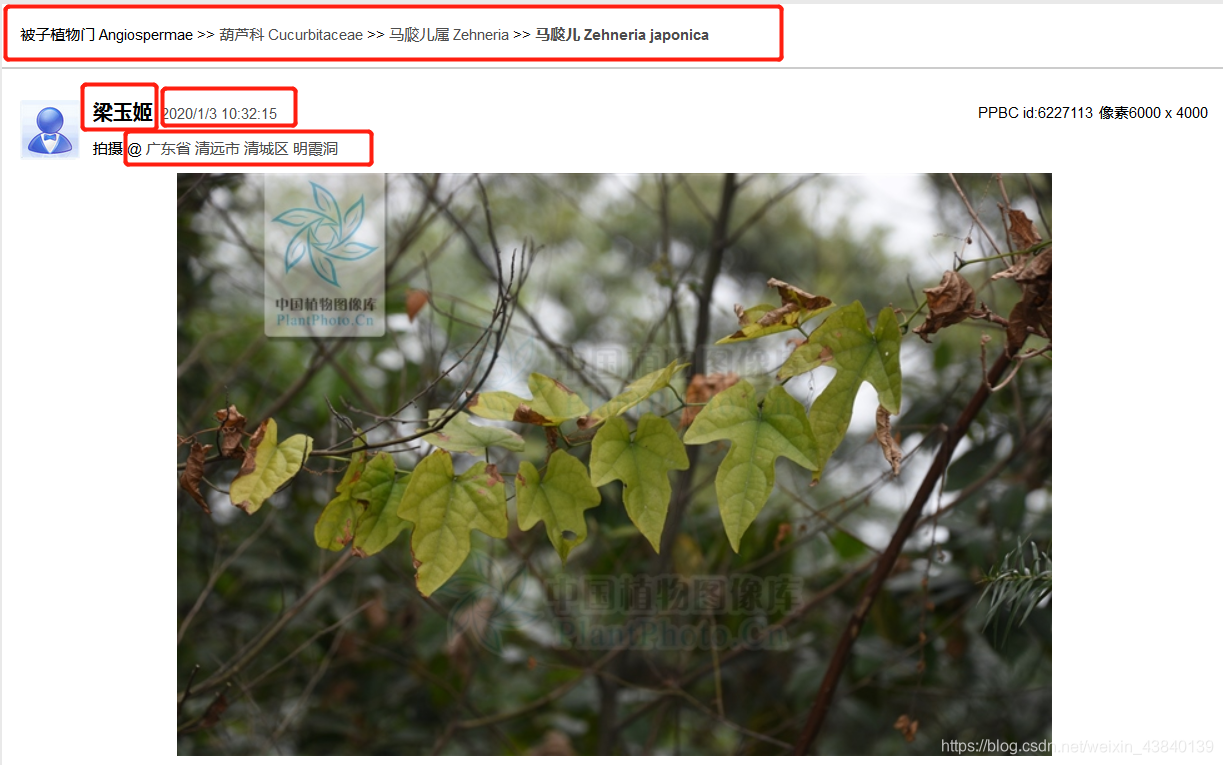
2.准备
1.Python3
2. selenium+Phantomjs。一开始选择的是requests去爬取,发现网站只返回一个html模板,没有我要的信息。查了网上的资料,要等页面js执行完毕才可以,因此换了这两个模块。Phantomjs需要自己下载,下载地址:https://phantomjs.org/download.html,下载完解压(装哪里都行,路径后面会插入到代码里)。selenium安装直接pip install selenium。
3. beautifulsoup。安装直接pip install bs4。用来处理html文档。
4. xlwt。安装直接pip install xlwt,用来读写excel文件。

3.爬虫代码
from lxml import etree from selenium import webdriver import time from bs4 import BeautifulSoup import xlwt def getHTMLText(url): driver = webdriver.PhantomJS(executable_path='D:\\phantomjs-2.1.1-windows\\bin\\phantomjs') # phantomjs的绝对路径 time.sleep(2) driver.get(url) # 获取网页 time.sleep(2) return driver.page_source def getHtmlByXpath(html_str,xpath):
        strhtml = etree.HTML(html_str) strResult = strhtml.xpath(xpath) return strResult def url_analyze(url):
    strhtml = getHTMLText(url) # 获取HTML bs = BeautifulSoup(strhtml, "html.parser") name = bs.find_all("span", id="txtuser")[0].text.strip() time = bs.find_all("span", id="txtphototime")[0].text.strip() place_list = bs.find_all("div", id="txtgeo")[0].find_all("a") place_info = [i.text.strip() for i in place_list] place = "" for i in place_info: place += i txt_class = bs.find_all("div", id="txt_classsys")[0].find_all(["a"]) txt_class_info = [i.text.strip().split(" ")[0] for i in txt_class] txt_class_info.append(" ") txt_class_info.append(" ") txt_class_info.append(" ") xls_info = [time, place, txt_class_info[0], txt_class_info[1], txt_class_info[2], name] return xls_info def url_analyze(url):
    strhtml = getHTMLText(url) #获取HTML bs = BeautifulSoup(strhtml, "html.parser") name = bs.find_all("span", id="txtuser")[0].text.strip() time = bs.find_all("span", id="txtphototime")[0].text.strip() place_list = bs.find_all("div",id="txtgeo")[0].find_all("a") place_info = [i.text.strip() for i in place_list] place = "" for i in place_info: place += i txt_class = bs.find_all("div", id="txt_classsys")[0].find_all(["a"]) txt_class_info = [i.text.strip().split(" ")[0] for i in txt_class] txt_class_info.append(" ") txt_class_info.append(" ") txt_class_info.append(" ") xls_info = [time,place,txt_class_info[0],txt_class_info[1],txt_class_info[2],name] return xls_info def main(): workbook = xlwt.Workbook(encoding="utf-8") worksheet = workbook.add_sheet("sheet1") title = ("索引", "时间", "地点", "科名", "属名", "种名", "拍摄者") for row in range(len(title)): worksheet.write(0, row, title[row]) urls = ["http://ppbc.iplant.cn/list2?words=%E6%B8%85%E5%9F%8E%E5%8C%BA"] urls += ["http://ppbc.iplant.cn/list2?page={}&words=%e6%b8%85%e5%9f%8e%e5%8c%ba".format(i) for i in range(1,15)] col = 1 for url in urls:
        strhtml = getHTMLText(url) #获取HTML bs = BeautifulSoup(strhtml, "html.parser") # print(bs) t_list = bs.find_all("div", class_="item_t") for i in t_list: single_url = i.find_all("a", target="_blank")[0].get("href") index = single_url.split("/")[-1] single_info = url_analyze(single_url) single_info.insert(0, index) for row in range(len(single_info)): worksheet.write(col, row, single_info[row]) print("完成对{}份样本的处理".format(col)) col += 1 workbook.save('test.xls') if __name__ == '__main__': main()
讯享网
4.结尾
虽然这个代码简单,但麻雀虽小五脏俱全,总算把爬虫的整个流程给走了一遍。以后如果自己想要爬取另外的什么东西,上手就会熟练很多,这也是我觉得可以花这么一两天学一些爬虫基础的原因。回到代码本身,还是有一点点的问题。
首先是时间问题,爬取这么点信息花了我几个小时,主要原因是要等页面js执行完毕才返回html,所以设置了time.sleep(2)。这个过程长得出乎我的意料,想着要是出了问题就处理成多线程的,不然爬取一次太长时间了。没想到一次性就搞定了,多线程的代码也就没整上去。
其次是图片问题。我本来写了个代码想把图片给一起下载下来的,发现了一个神奇的现象。图片在网页能正常显示,但是一复制图片地址在另外的窗口打开就是另外的图片,下载出来也不是我要的。比如http://ppbc.iplant.cn/tu/
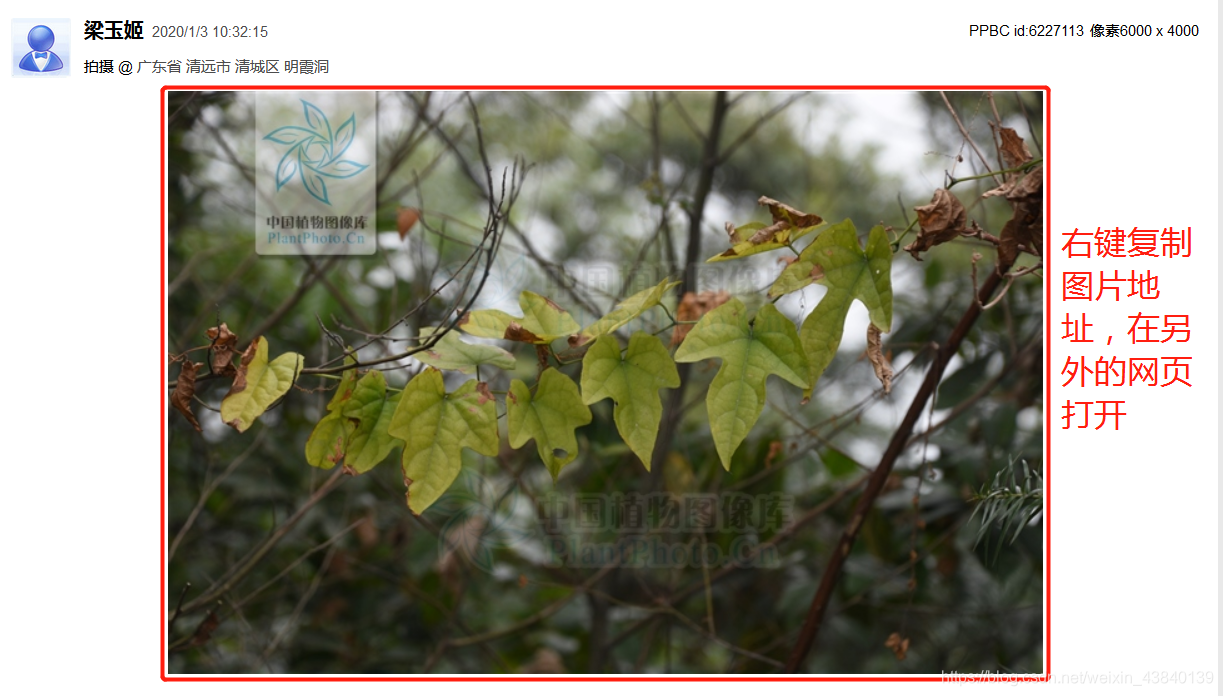
打开之后就是另外的图片:

不知道是什么原因,有什么加密机制在里面吗?知道的小伙伴可以跟我说一下,感激不尽。
版权声明:本文内容由互联网用户自发贡献,该文观点仅代表作者本人。本站仅提供信息存储空间服务,不拥有所有权,不承担相关法律责任。如发现本站有涉嫌侵权/违法违规的内容,请联系我们,一经查实,本站将立刻删除。
如需转载请保留出处:https://51itzy.com/kjqy/23437.html