
直接可以在cursor或Pycharm中点击右键点击,然后就可以跳转到另一个应用的对应位置了
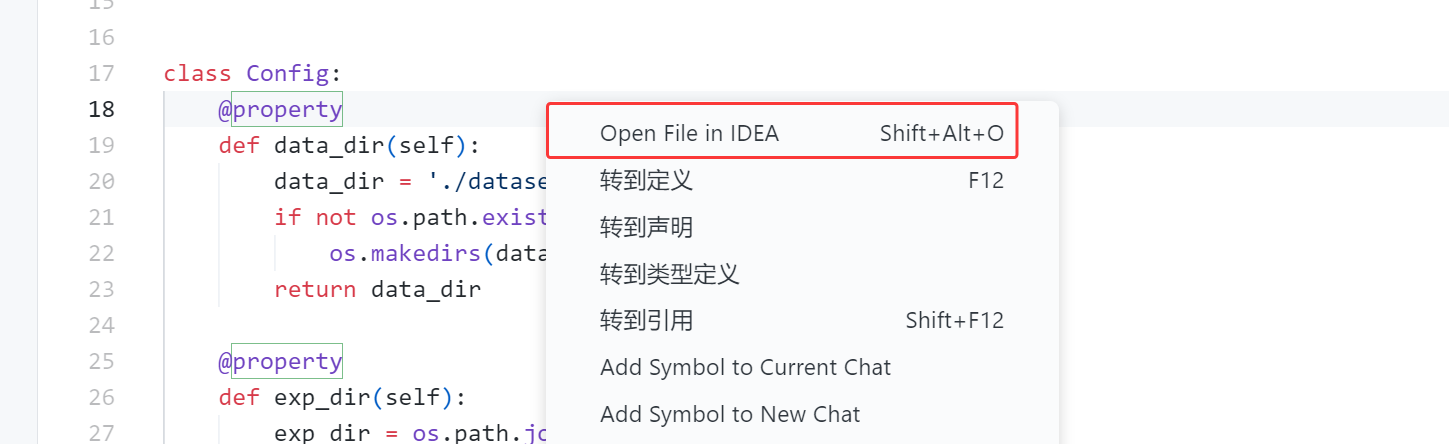
分别在两个应用中安装插件【Switch2Cursor + Switch2IDEA,这两个插件分别安装在 IDEA 和 Cursor 中】:
- Switch2Cursor:GitHub - qczone/switch2cursor: A JetBrains IDE plugin that enables smooth switching between JetBrains IDE and Cursor, with automatic cursor position sync. Features keyboard shortcuts, context menu integration, and tools menu access. Supports all JetBrains IDEs.
- Switch2IDEA:GitHub - qczone/switch2idea: A Cursor extension enabling smooth switching between Cursor and IDEA, with automatic cursor position sync and convenient shortcuts. Supports multiple JetBrains IDEs and enhances development workflow efficiency.
cursor需要配置pycharm中的执行路径,pycharm同理:
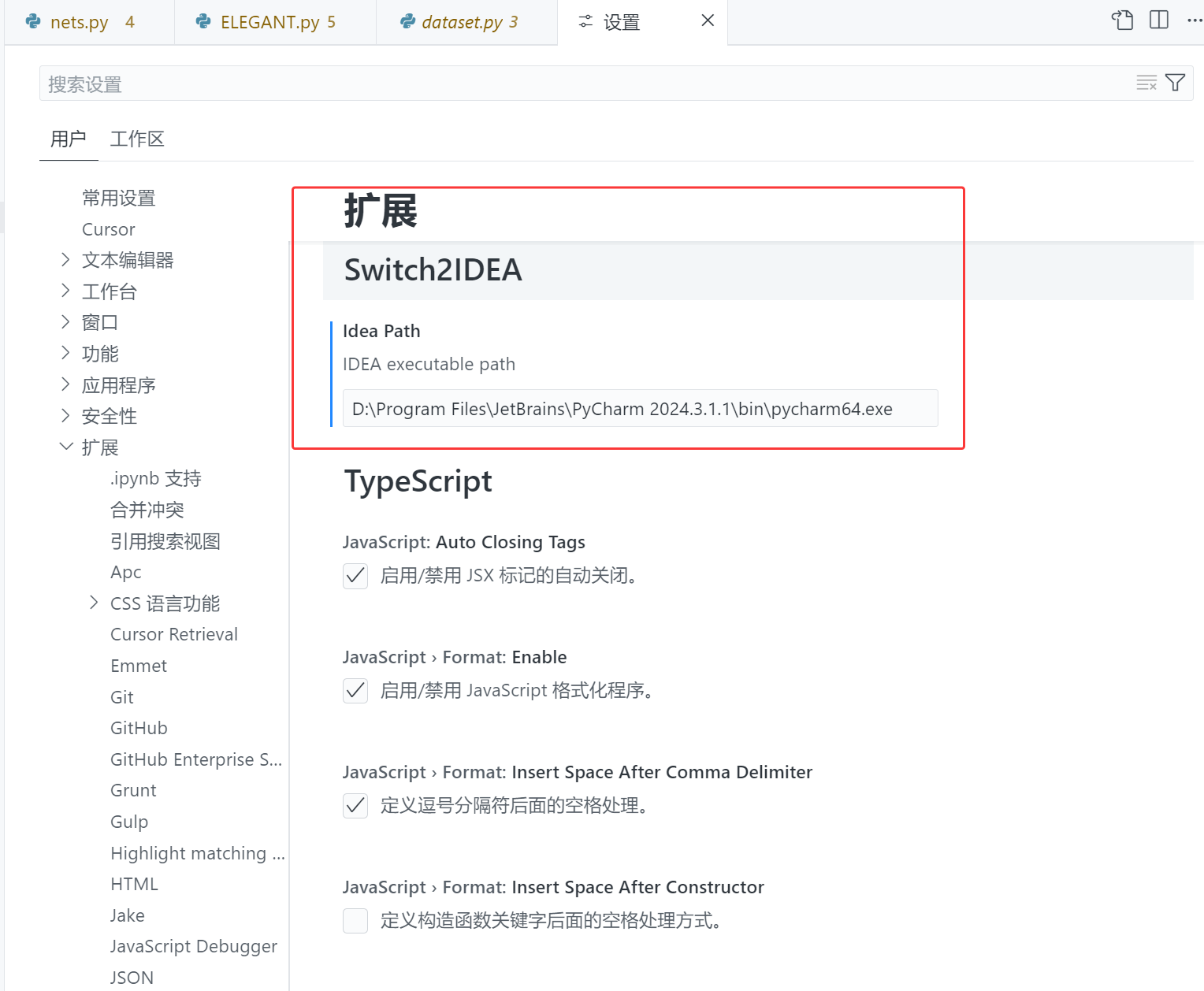
Alt+Shift+O
版权声明:本文内容由互联网用户自发贡献,该文观点仅代表作者本人。本站仅提供信息存储空间服务,不拥有所有权,不承担相关法律责任。如发现本站有涉嫌侵权/违法违规的内容,请联系我们,一经查实,本站将立刻删除。
如需转载请保留出处:https://51itzy.com/kjqy/227946.html