
推送服务对于现在的应用并不陌生,前有挡在墙外的GCM,和在墙内的Jpush,功能上大家大同小异,近几年大大小小的推送sdk层出不穷(比如:XG Push,华为推送,阿里云推送)到底哪个才能成为未来的官方认证的推送一直没有答案。之前谷歌推出的GCM一直因为 某堵墙 的原因一直不能稳定的使用,不过随着2016 Google开发者大会 的召开,以及google 推出的中文开发者网站,都预示着Google 的新推送方案——FCM 即将到来。
FCM的到来希望能更好的整合现在推送sdk 混乱的生态环境。本文简单的讲述如何把FCM集成到你的app中.
首先登录到Firebase网站:https://firebase.google.com
然后登陆自己的账户,点击右上角的:“转到控制台”
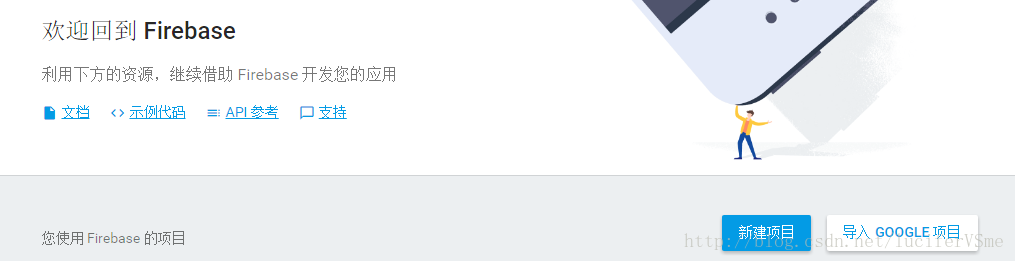
之后就会看到firebase 控制台页面
讯享网
点击新建项目创建一个firebase项目
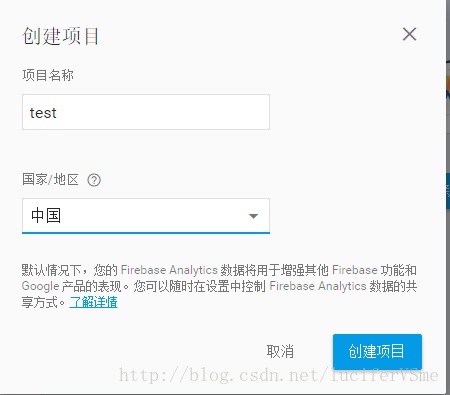
创建完成firebase项目之后可以看到项目的操作界面:
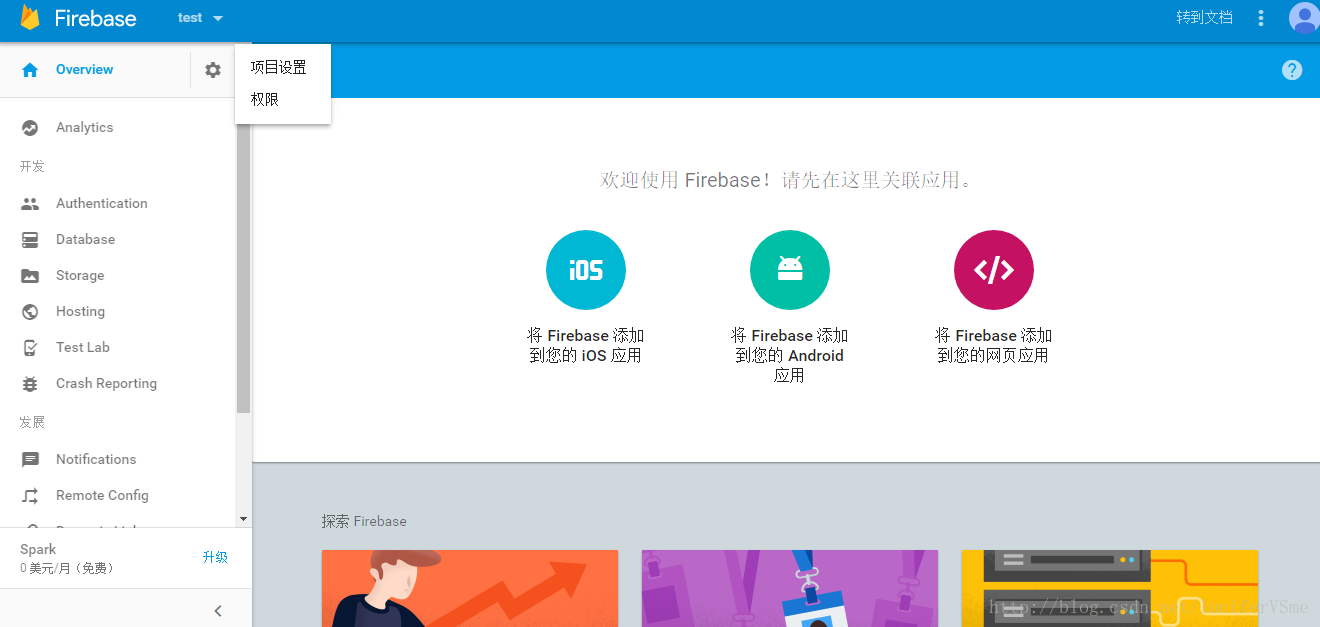
之后就可以选择添加你的ios /Android/ web 应用了。因为我们前面说过说要将fcm集成进Android app中 所以我们选择中间的“将firebase添加到您的Android应用“
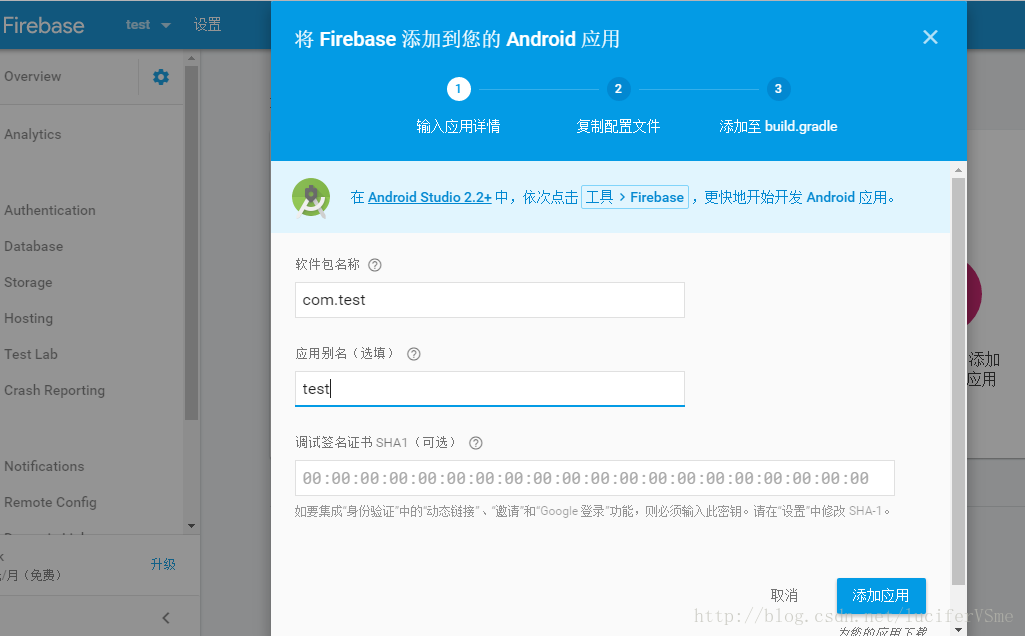
之后的步骤会引导你填写应用的详细信息,还会帮你下载一个.json的配置文件,以及如何在你的Android项目中配置
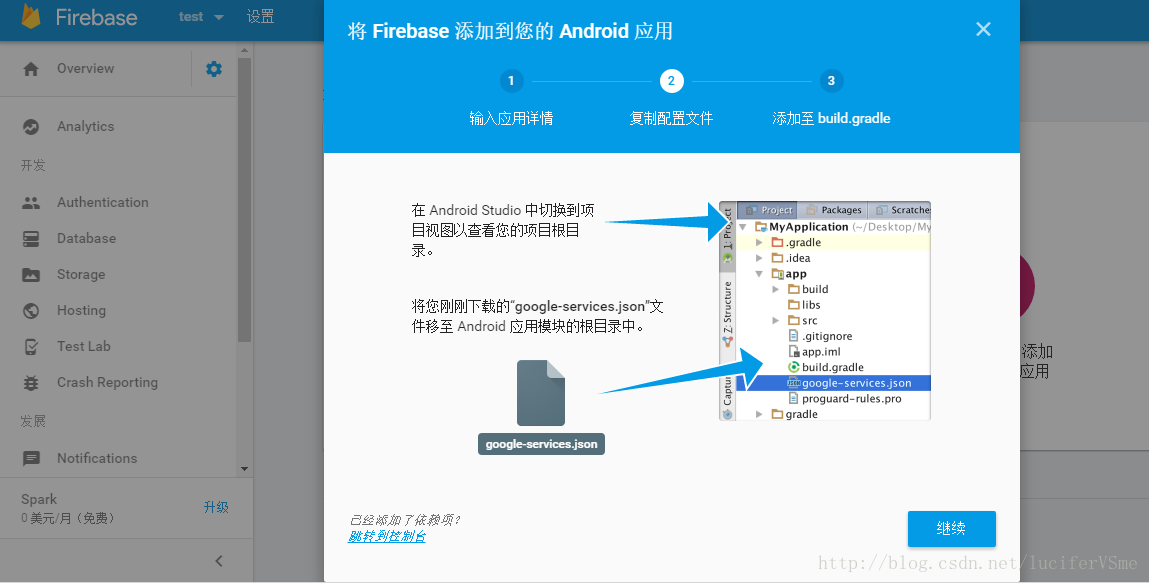
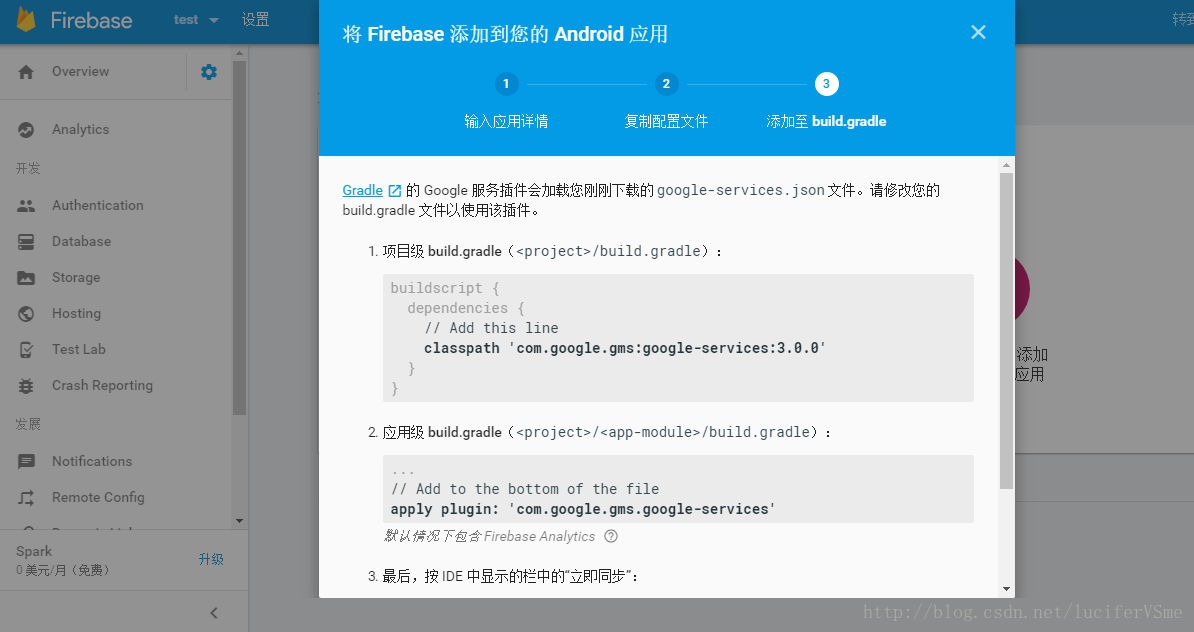
最后 一切都完成之后我们会在“设置” 下的 “云消息传递”看到服务器端所使用的秘钥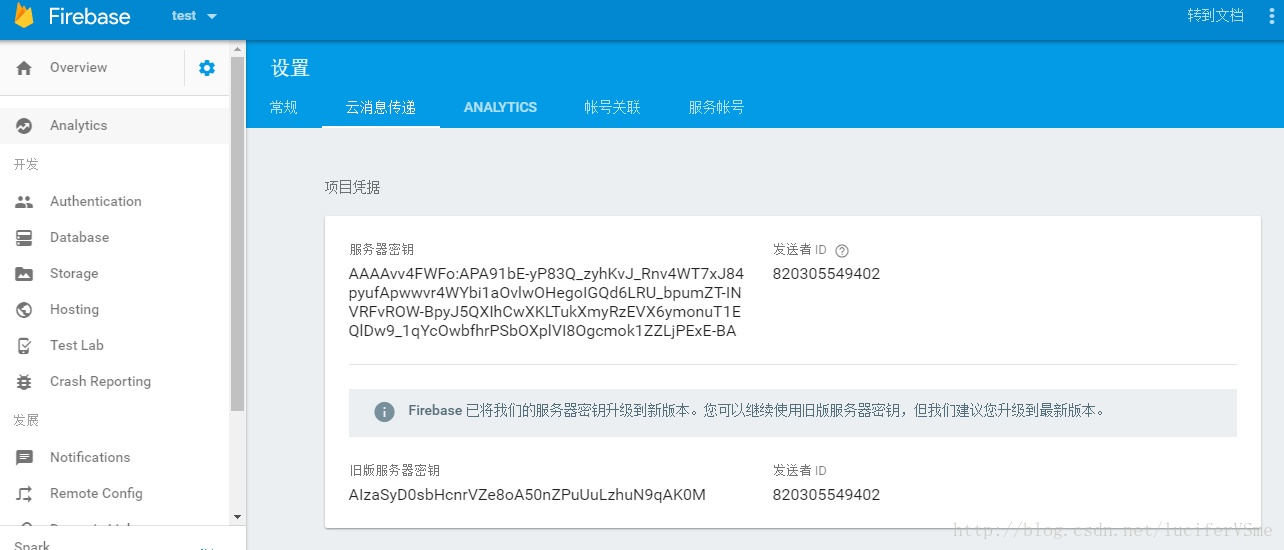
至此我们的准备工作 做的就差不多了
下面开始集成并编写 代码,以确保手机端能收到推送
在 Android Studio 中,将 FCM 依赖项添加至您的应用级 build.gradle 文件:
dependencies { compile 'com.google.firebase:firebase-messaging:9.6.1' }讯享网
将以下内容添加至您应用的清单中:
一项可以扩展 FirebaseMessagingService
的服务。如果您希望在后台进行接收应用通知之外的任何消息处理,则必须添加此服务。要在前台应用中接收通知、接收数据负载以及发送上游消息等,您必须扩展此服务。
一项可以扩展 FirebaseInstanceIdService
的服务,用于处理注册令牌的创建、轮转和更新。如果要发送至特定设备或者创建设备群组,则必须添加此服务。 如果FCM对于 Android
应用的功能至关重要,应确保在清单中设置 android:minSdkVersion=”8” 或更高版本。这可确保 Android
应用无法安装在其不能正常运行的环境中

也就是在AndroidManifest.xml 下添加如下代码:
讯享网<service android:name=".MyFirebaseMessagingService"> <intent-filter> <action android:name="com.google.firebase.MESSAGING_EVENT"/> </intent-filter> </service> ... <service android:name=".MyFirebaseInstanceIDService"> <intent-filter> <action android:name="com.google.firebase.INSTANCE_ID_EVENT"/> </intent-filter> </service>
剩下的呢就需要自己写了 ,首先是 写一个service 继承FirebaseInstanceIdService,这个service是用来刷新token的,我们要做的就是把新的token发送给后台。
token可以使用FirebaseInstanceId.getInstance().getToken()方法来获取
public class FCMInstanceIDService extends FirebaseInstanceIdService{
@Override public void onTokenRefresh() { super.onTokenRefresh(); String refreshedToken = FirebaseInstanceId.getInstance().getToken(); Log.v("FCM----", refreshedToken); sendRefreshToken(refreshedToken); } public void sendRefreshToken(String refreshedToken){ //这里是往自己app应用的后台发送刷新refreshedToken的api } }讯享网public class FCMMessagingService extends FirebaseMessagingService {
Context context = this; @Override public void onMessageReceived(RemoteMessage remoteMessage) { super.onMessageReceived(remoteMessage); notification(context, getString(R.string.app_name), remoteMessage.getNotification().getBody()); } @Override public void onDeletedMessages() { super.onDeletedMessages(); } @Override public void onMessageSent(String s) { super.onMessageSent(s); } @Override public void onSendError(String s, Exception e) { super.onSendError(s, e); } protected void notification(Context iContext, String iTitle, String iMessage) { NotificationManager notificationManager = (NotificationManager) iContext.getSystemService(Context.NOTIFICATION_SERVICE); Notification.Builder builder = new Notification.Builder(getApplicationContext()); int notificationIcon = R.drawable.icon; CharSequence notificationTitle = iTitle; long when = System.currentTimeMillis(); Intent intent = new Intent(this, PinLockedActivity.class); intent.setAction(Intent.ACTION_MAIN); intent.addCategory(Intent.CATEGORY_LAUNCHER); int requestCode, notificationId; final Random random = new Random(System.currentTimeMillis()); requestCode = random.nextInt(); notificationId = random.nextInt(); PendingIntent contentIntent = PendingIntent.getActivity(iContext, requestCode, intent, PendingIntent.FLAG_UPDATE_CURRENT); builder.setContentIntent(contentIntent) .setSmallIcon(notificationIcon).setTicker(notificationTitle) .setContentTitle(notificationTitle) .setContentText(iMessage) .setWhen(when).setAutoCancel(true); Notification notification = builder.getNotification(); notification.defaults = Notification.DEFAULT_ALL; notificationManager.notify(notificationId, notification); } }
至此我们的FCM集成进Android应用已经完成了。可以同过firebase 控制台的“ notification”进行推送测试。
注意几点问题:
1,
build.gradle 中所有依赖的谷歌的服务版本必须都一样,
举个栗子
compile 'com.google.android.gms:play-services-identity:9.6.1' compile 'com.google.android.gms:play-servicesanalytics:9.6.1' compile 'com.google.firebase:firebase-core:9.6.1' compile 'com.google.firebase:firebase-messaging:9.6.1'版本必须统一都是9.6.1,如果一个版本改成10.0.0其他的也要相应的更新
版权声明:本文内容由互联网用户自发贡献,该文观点仅代表作者本人。本站仅提供信息存储空间服务,不拥有所有权,不承担相关法律责任。如发现本站有涉嫌侵权/违法违规的内容,请联系我们,一经查实,本站将立刻删除。
如需转载请保留出处:https://51itzy.com/kjqy/21485.html