
最近几个月,没想到整个AI最火爆的是一只小龙虾。
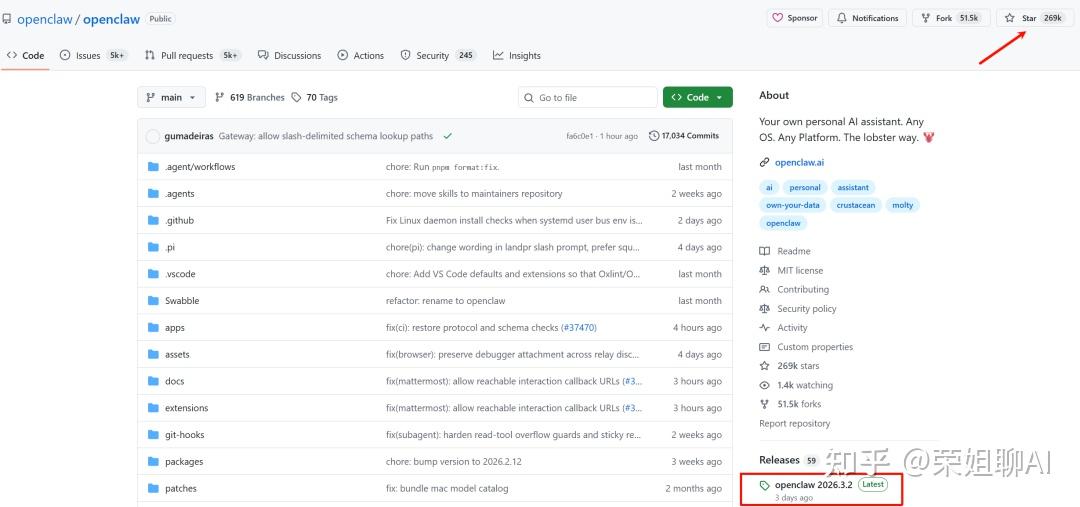
现在Github上Star已经26.9万个,由奥地利开发者Peter Steinberger开发。3月3日OpenClaw超越React,作者也是很兴奋的发了一条消息。这可是上线4个月的成绩,实在是太强悍了。
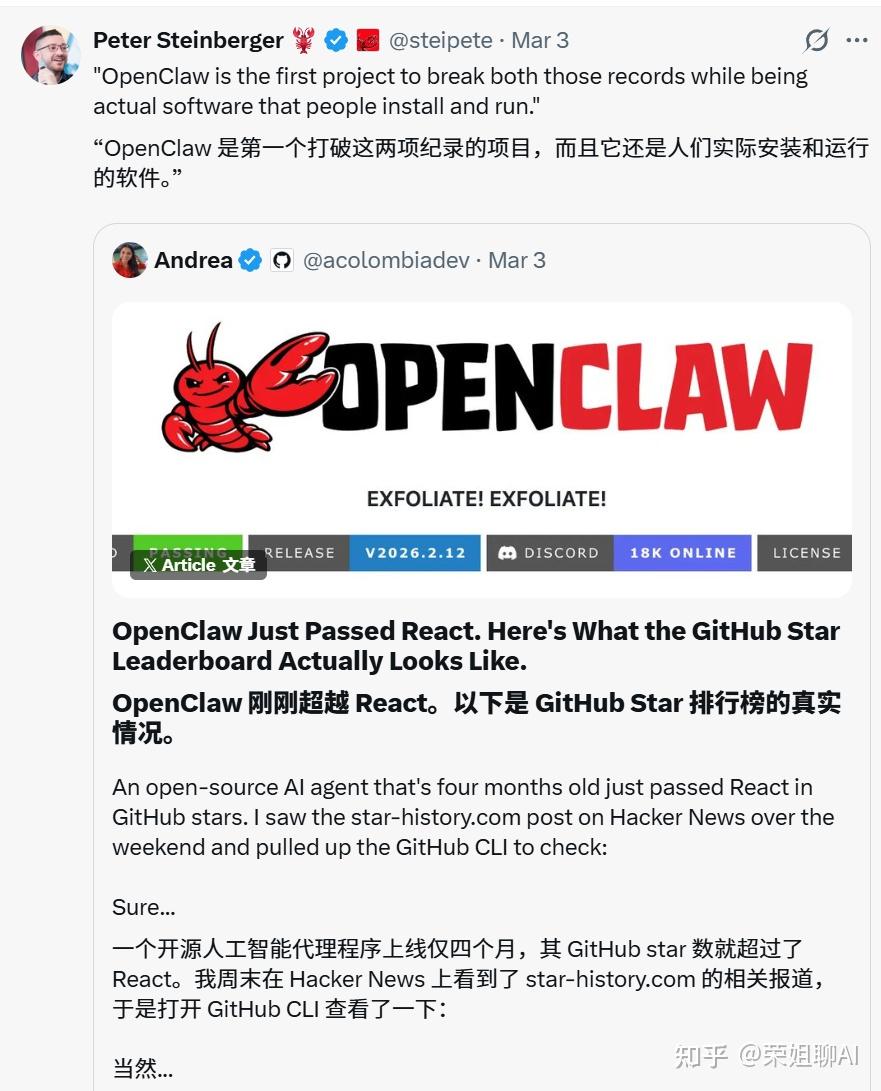
我记得第一版小龙虾Clawdbot是2025年11月25日才上线,那时候并没有引起广泛关注。2026年1月突然走红,由于收到 Anthropic 的律师函,在1月27日项目紧急更名为 Moltbot,后又改名为OpenClaw。
在版本的更新迭代中,v2026.1.29是一个比较重要的分水岭,从这个版本开始强制启用 Token 认证,修复高危漏洞,禁止无鉴权访问。以前的版本相当于在互联网上裸奔了,也爆出了很多安全问题。
虽然现在有各种云端部署方式,我觉的还是在本地部署用起来更舒服一点。当然,不要用你的工作机,找个闲置的机器就好了。
基于大部分人都是用的Windows系统,今天就用这个来举例怎么部署及入门使用。
部署其实各个平台都大差不差,安装命令不同,配置的步骤都一样。
如果是云端部署,各个厂家都已经封装好了,都是一键傻瓜式安装。
官网地址:https://openclaw.ai/
GitHub 仓库:https://github.com/openclaw/openclaw
文档中心:https://docs.openclaw.ai/
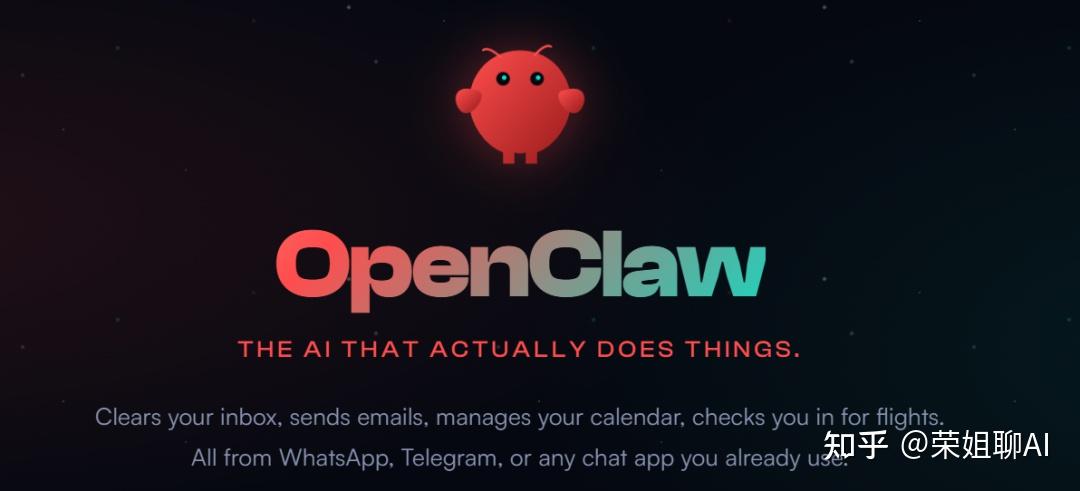
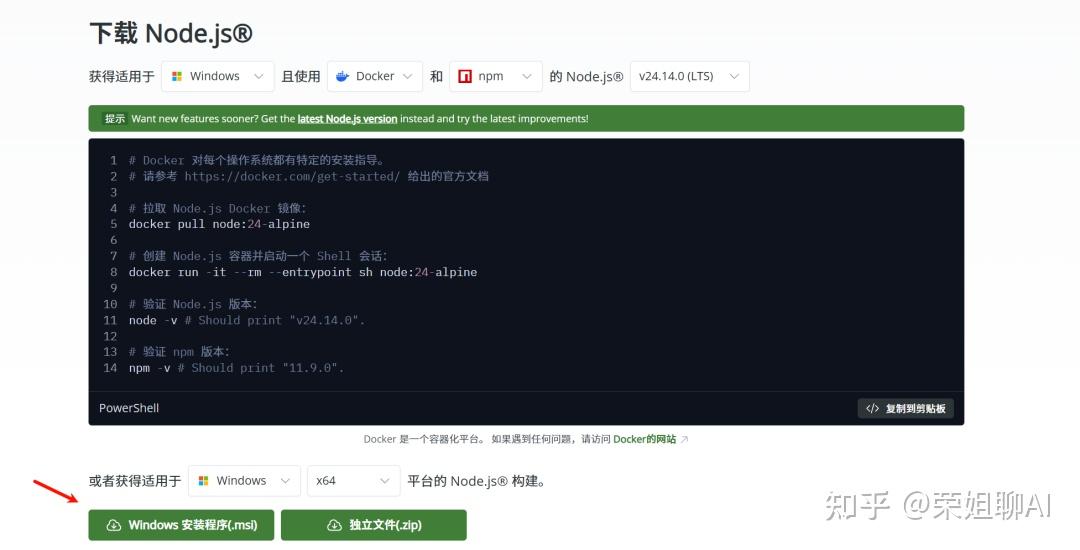
1、安装Node.js。
打开官网地址:https://nodejs.org/zh-cn/download
默认安装即可。
2、以管理员身份打开Powershell,执行下面命令。
iwr -useb https://openclaw.ai/install.ps1 | iex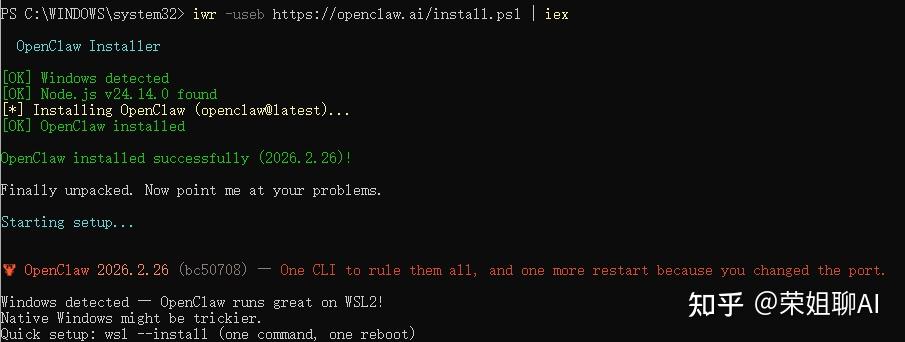
90% 的 Windows 新手直接运行这行代码都会触发红字报错(因为系统禁止运行脚本)。建议在这一步加上:
避坑提示:Windows 默认禁止运行外部脚本。在执行安装命令前,请先在 PowerShell 中执行以下命令解除限制: Set-ExecutionPolicy RemoteSigned -Scope CurrentUser 然后再输入 Y 确认即可。
安装后可以执行openclaw –version来查看当前版本,验证是否成功
执行下面命令启动交互式配置向导。
GPT plus 代充 只需 145openclaw onboard –install-daemon
1、忽略安全警告,可以看到显示一堆安全警告,选择Yes。
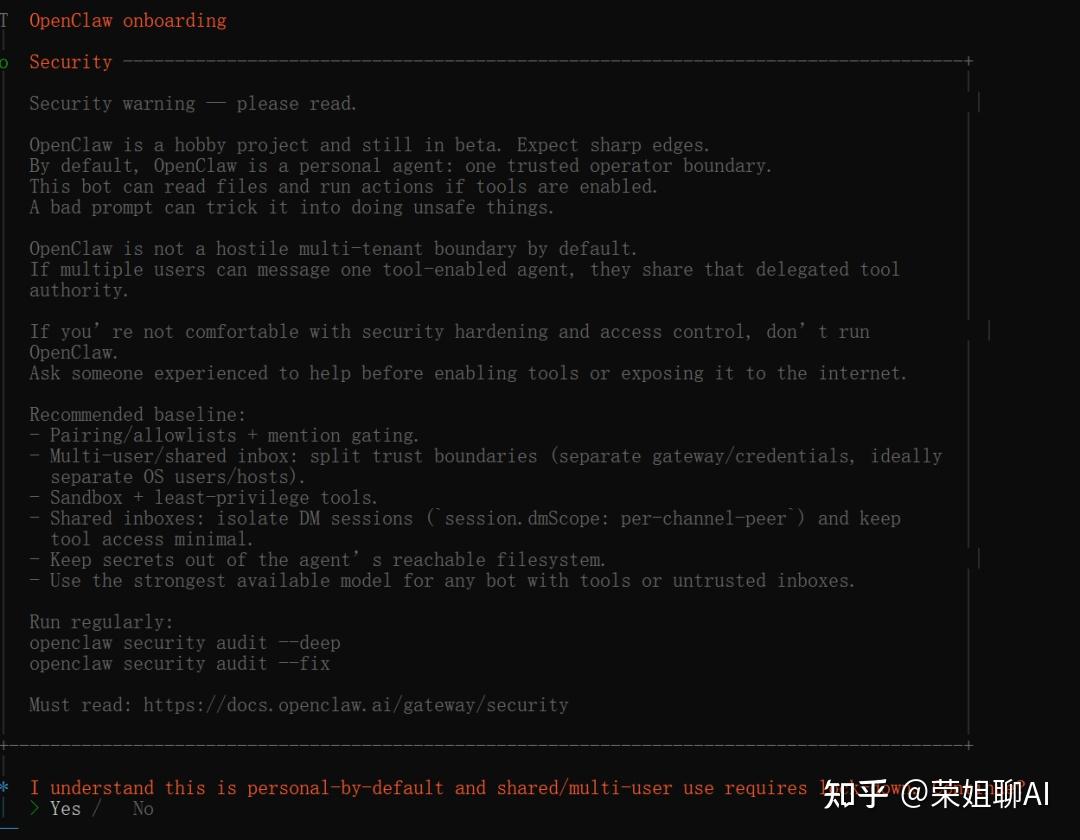
2、选择配置模式,这里选择快速启动

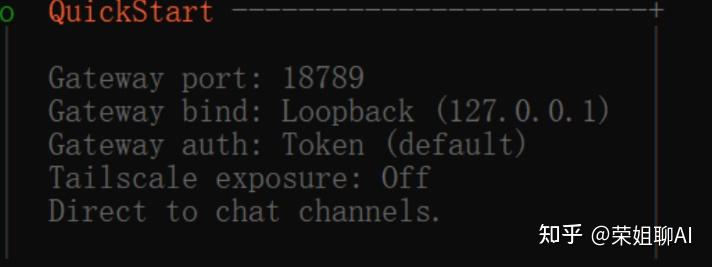
直接按回车,可以看到自动生成下面的配置。
可以看到现在已经默认只有本机可以访问,并开启了token认证。
Gateway port: 18789:这是 OpenClaw 网关的通信端口。
Gateway bind: Loopback (127.0.0.1):这意味着目前网关仅允许你的这台电脑访问。这是最安全的状态,可以防止局域网内的其他设备未经授权连接你的 AI。
Gateway auth: Token (default):强制开启 Token 认证。系统会自动为你生成一个专属密钥,没有它,谁也无法调用你的 AI。
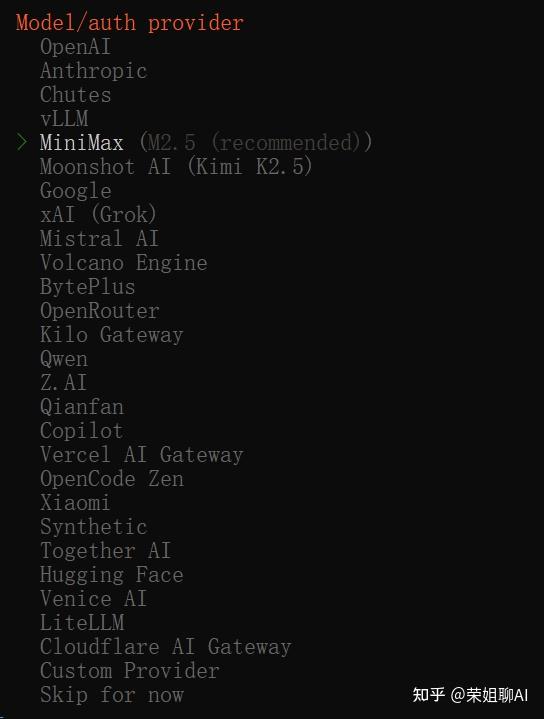
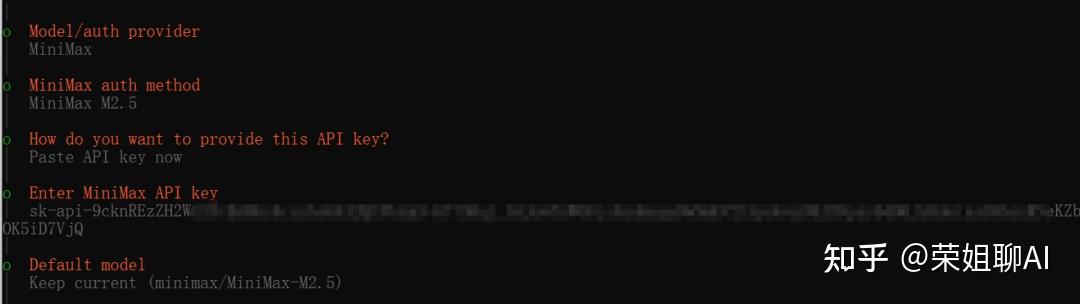
3、选择模型供应商,我这里以MiniMax举例:
4、填写API Key
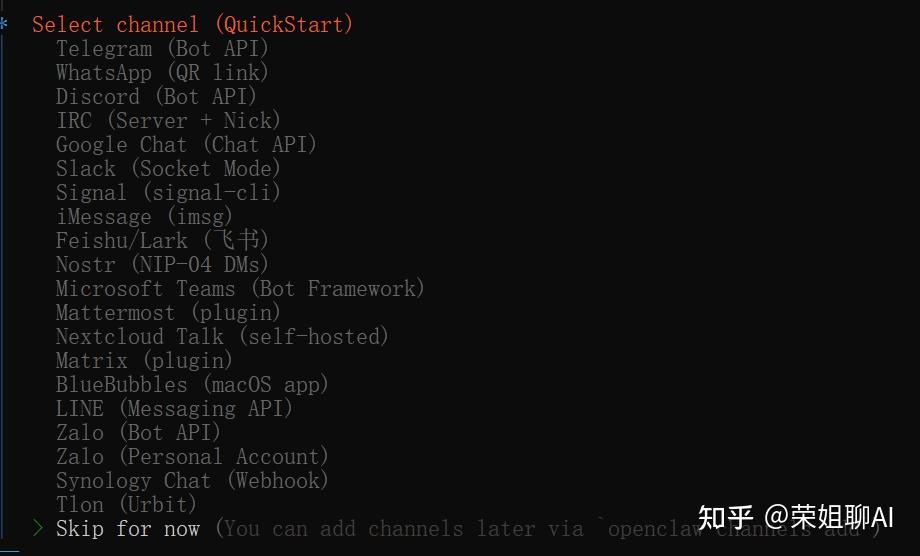
5、选择通信通道,这里先选跳过,默认都是国外的。
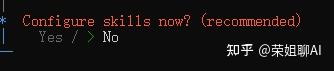
6、配置Skills,先跳过
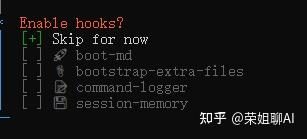
7、Hooks,也可以先跳过
8、网关服务运行

9、选择对话方式,本地部署可以选择在Web中打开。
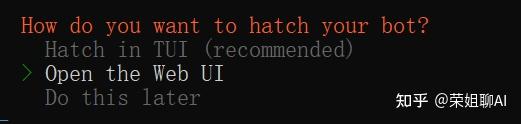
可以看到自动在浏览器中打开了小龙虾的界面。
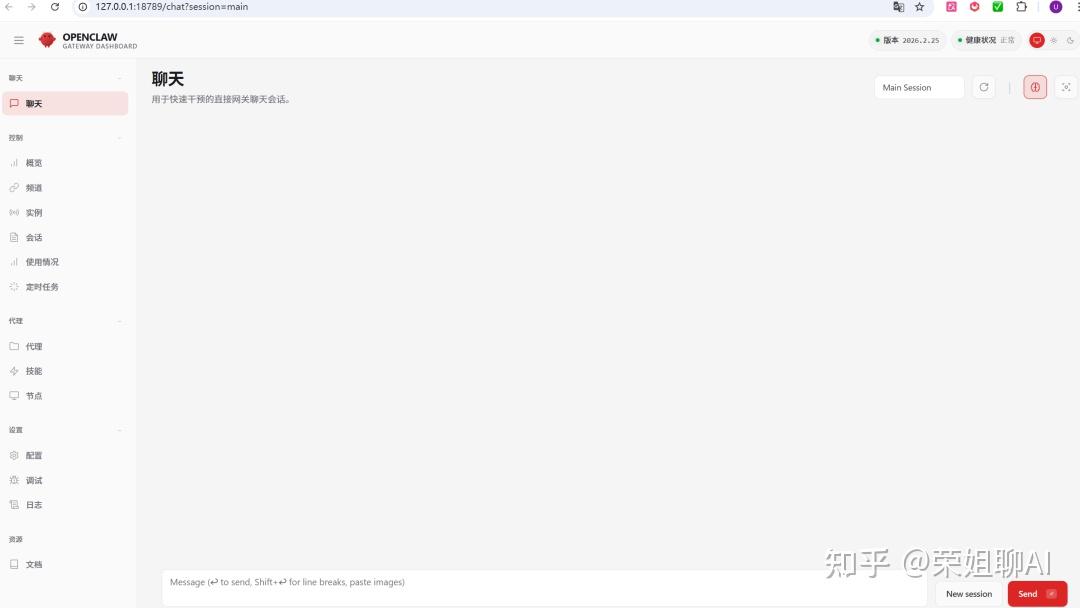
如果没有打开,使用命令openclaw dashboard打开,其实可以看到自动生成了一个带token的URL地址。

默认的配置文件路径:C:\Users\Tiger.openclaw\openclaw.json
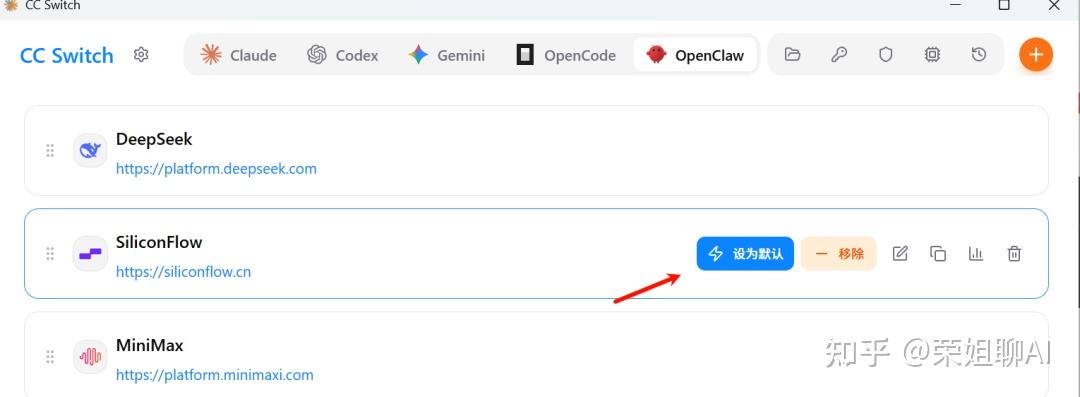
建议可以安装CC Switch,切换模型更方便。比如我选择SiliconFlow,选择设为默认,就可以切换模型了。
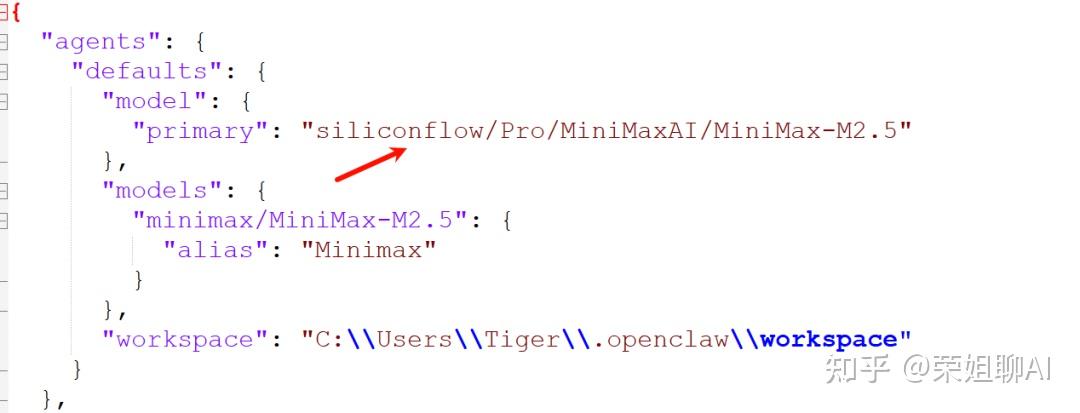
openclaw.json的模型已经切换了。
我们在浏览器中就可以直接和OpenClaw对话了。
比如写一个贪吃蛇的游戏。
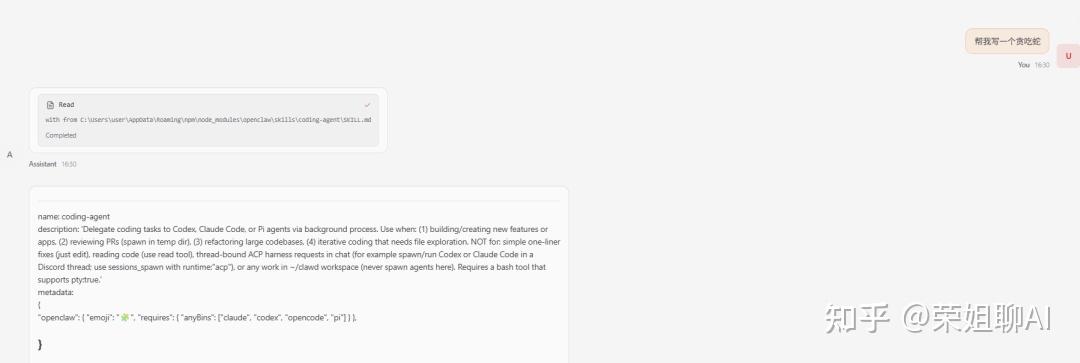

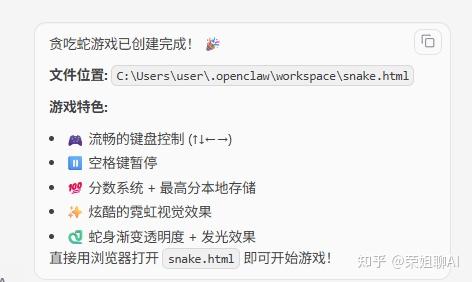
可以接入Telegram、WhatsApp、Discord等。
现在也可以接入国内的飞书、企业微信去创建机器人。
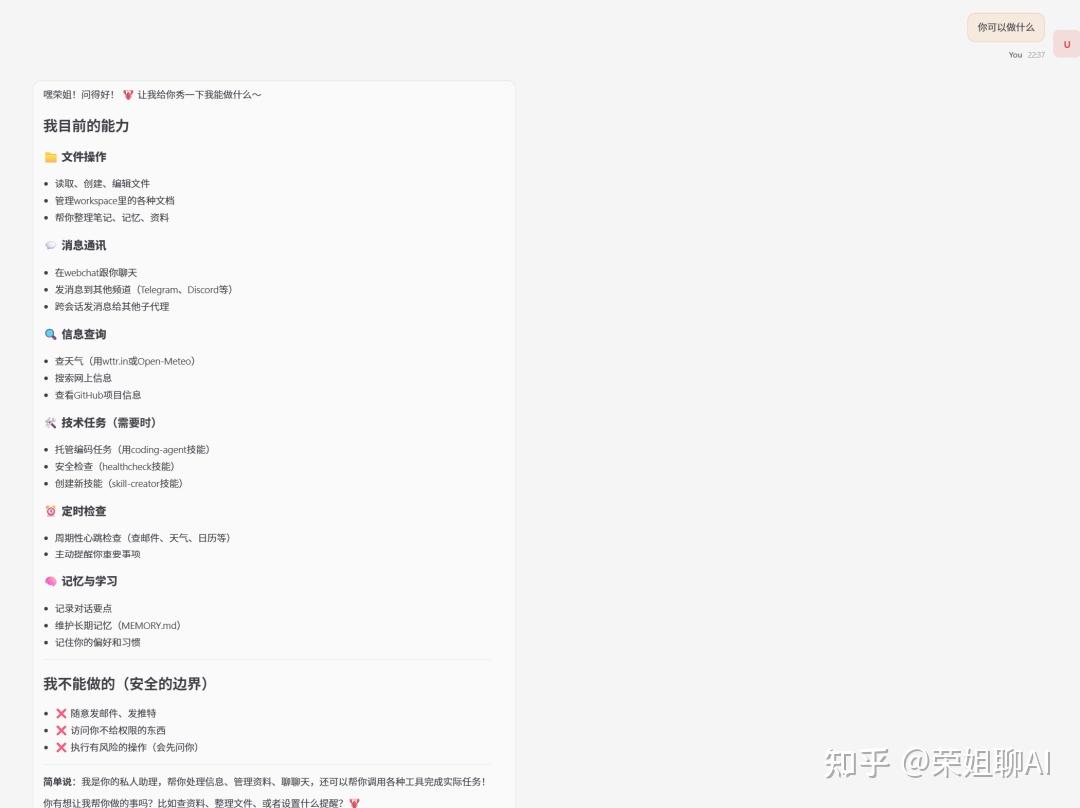
你可以问一下小龙虾,OpenClaw到底能做什么?
文件操作、消息通讯、信息查询、技术任务、定时检查、记忆与学习,如果有什么不懂的就直接在这里问他就行。
你知道这个openclaw –help,其实就知道所有的命令了。
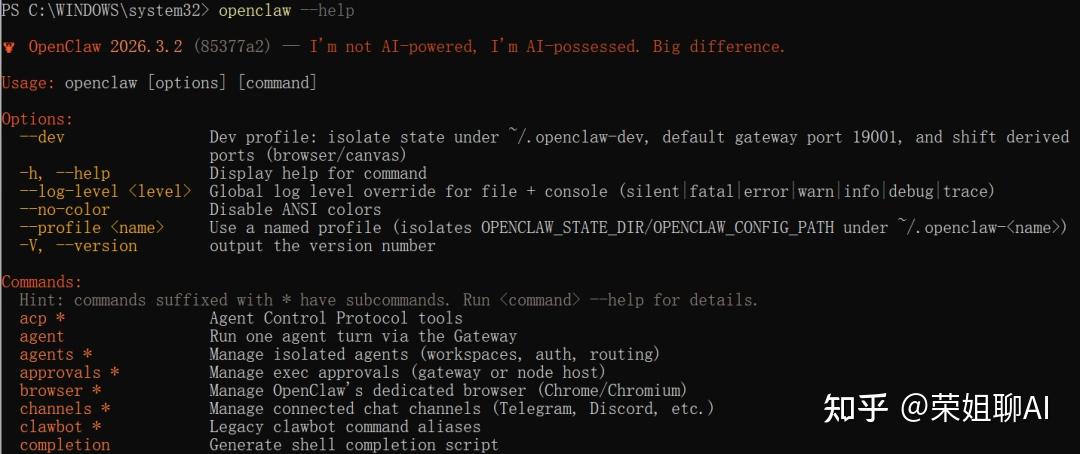
下面介绍几个常用的命令。
- openclaw dashboard:启动可视化界面
- openclaw gateway run:启动AI网关
- openclaw gateway stop:停止网关
- openclaw gateway restart:重启网关服务
- openclaw status:查询状态
- openclaw uninstall:卸载网关服务
下面是完整的命令列表
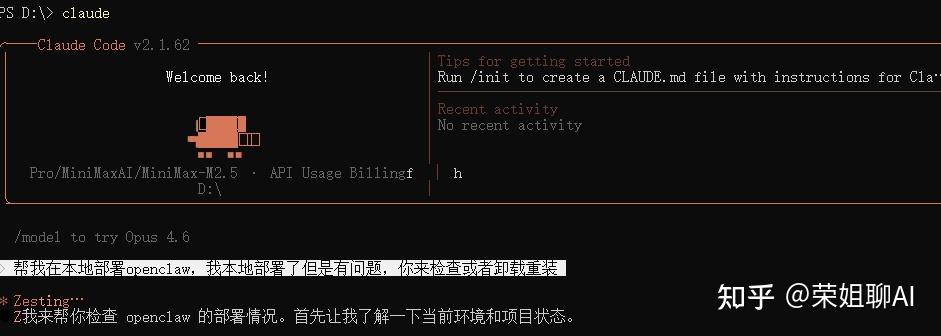
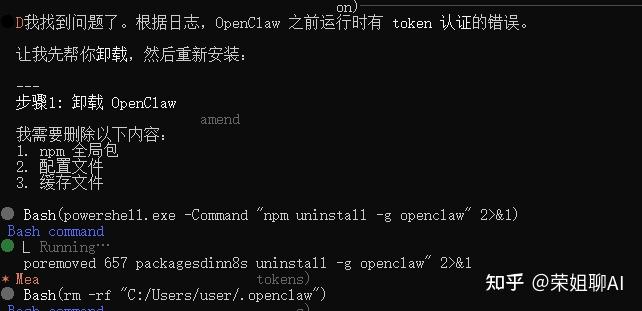
acp * Agent Control Protocol tools agent Run one agent turn via the Gateway agents * Manage isolated agents (workspaces, auth, routing) approvals * Manage exec approvals (gateway or node host) browser * Manage OpenClaw‘s dedicated browser (Chrome/Chromium) channels * Manage connected chat channels (Telegram, Discord, etc.) clawbot * Legacy clawbot command aliases completion Generate shell completion script config * Non-interactive config helpers (get/set/unset/file/validate). Default: starts setup wizard. configure Interactive setup wizard for credentials, channels, gateway, and agent defaults cron * Manage cron jobs via the Gateway scheduler daemon * Gateway service (legacy alias) dashboard Open the Control UI with your current token devices * Device pairing + token management directory * Lookup contact and group IDs (self, peers, groups) for supported chat channels dns * DNS helpers for wide-area discovery (Tailscale + CoreDNS) docs Search the live OpenClaw docs doctor Health checks + quick fixes for the gateway and channels gateway * Run, inspect, and query the WebSocket Gateway health Fetch health from the running gateway help Display help for command hooks * Manage internal agent hooks logs Tail gateway file logs via RPC memory * Search and reindex memory files message * Send, read, and manage messages models * Discover, scan, and configure models node * Run and manage the headless node host service nodes * Manage gateway-owned node pairing and node commands onboard Interactive onboarding wizard for gateway, workspace, and skills pairing * Secure DM pairing (approve inbound requests) plugins * Manage OpenClaw plugins and extensions qr Generate iOS pairing QR/setup code reset Reset local config/state (keeps the CLI installed) sandbox * Manage sandbox containers for agent isolation secrets * Secrets runtime reload controls security * Security tools and local config audits sessions * List stored conversation sessions setup Initialize local config and agent workspace skills * List and inspect available skills status Show channel health and recent session recipients system * System events, heartbeat, and presence tui Open a terminal UI connected to the Gateway uninstall Uninstall the gateway service + local data (CLI remains) update * Update OpenClaw and inspect update channel status webhooks * Webhook helpers and integrations其实非常推荐大家本地安装个claude code,如果你本地部署或者配置有任何问题,都可以让claude code来自动操作。我之前有个测试机器有点问题,最开始安装对这些配置也不太懂,就让claude自己搞。
Claude Code安装教程(附适配国内模型方法)
最后不得不感慨一句,这只红色的小龙虾最近真的太火了!
现在不管是刷视频号还是看技术直播,满屏全是一只红彤彤的龙虾图标在跳动,大家都在兴致勃勃地秀自己的专属 Agent 今天又帮忙处理了什么奇葩任务、写了什么有趣的代码。
不过还是建议先从本地部署学起,这才是最省钱的玩法!
版权声明:本文内容由互联网用户自发贡献,该文观点仅代表作者本人。本站仅提供信息存储空间服务,不拥有所有权,不承担相关法律责任。如发现本站有涉嫌侵权/违法违规的内容,请联系我们,一经查实,本站将立刻删除。
如需转载请保留出处:https://51itzy.com/kjqy/214113.html