
环境:Navisworks 2016、Navisworks 2016 SDK、Microsoft Visual Studio 2013。
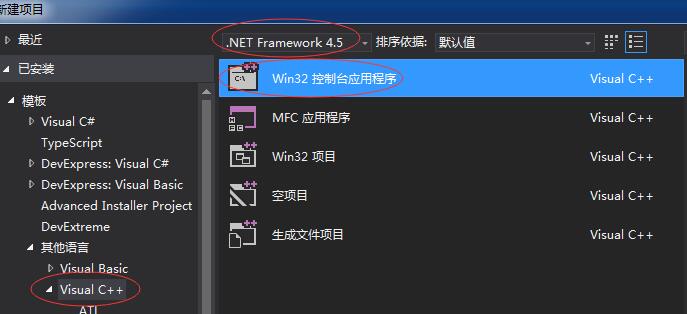
1、创建应用程序,选择默认设置,点击完成。
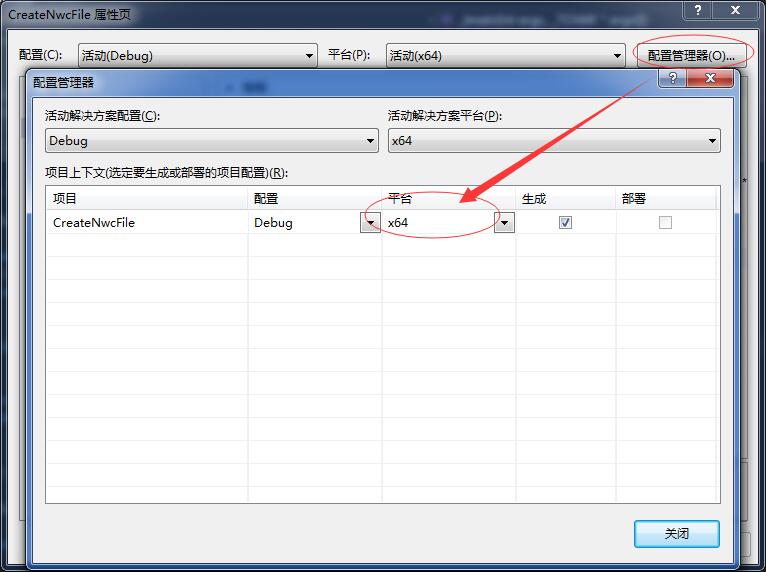
2、在新建项目右键“属性“,设置平台为x64。
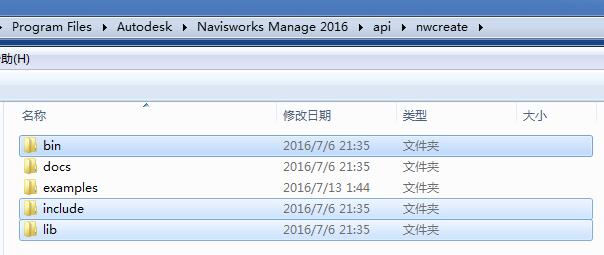
3、安装了SDK之后,在安装目录会多出一个api文件夹,这里只介绍nwcreate
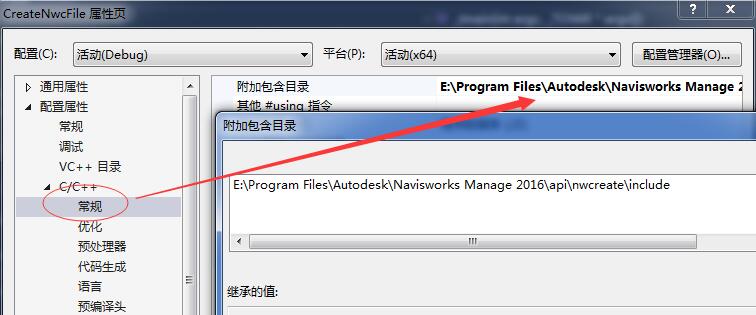
4、设置附加包含目录(include)。
5、设置附加依赖项(nwcreate.lib、lcodpnwcreate.lib)。

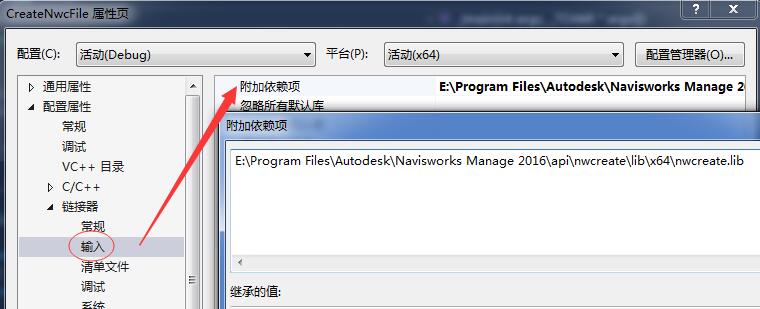
这里做的是单独的exe,只需包含nwcreate.lib即可。
6、copy指定文件到指定目录。
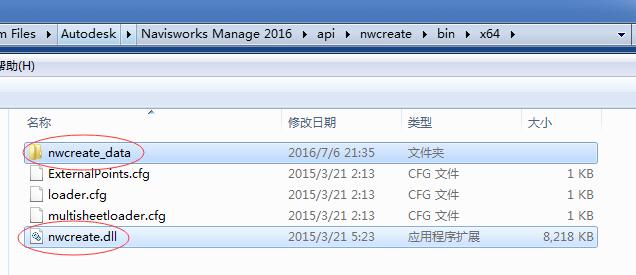
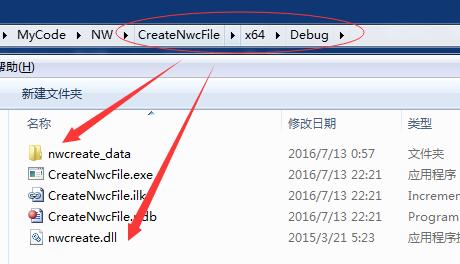
7、不多说了,直接上代码。
#include "nwcreate\LiNwcAll.h" void doExport(); int _tmain(int argc, _TCHAR* argv[]) { LiNwcApiErrorInitialise(); switch (LiNwcApiInitialise()) { case LI_NWC_API_OK: doExport(); break; case LI_NWC_API_NOT_LICENSED: printf("Not Licensed\n"); return 1; case LI_NWC_API_INTERNAL_ERROR: default: printf("Internal Error\n"); return 1; } LiNwcApiTerminate(); return 0; } void doExport() { LtWideString wfilename = L"D:\\test.nwc"; LtNwcScene scene = LiNwcSceneCreate(); LtNwcGeometry geom = LiNwcGeometryCreate(); LtNwcGeometryStream stream = LiNwcGeometryOpenStream(geom); //open geometry stream, draw a triangle, close stream stream = LiNwcGeometryOpenStream(geom); LiNwcGeometryStreamBegin(stream, 0); LiNwcGeometryStreamTriangleVertex(stream, 1, 0, 0); LiNwcGeometryStreamTriangleVertex(stream, 2, 0, 10); LiNwcGeometryStreamTriangleVertex(stream, 3, 10, 10); LiNwcGeometryStreamEnd(stream); LiNwcGeometryCloseStream(geom, stream); //add the geometry to the scene and cleanup geom LiNwcSceneAddNode(scene, geom); LiNwcGeometryDestroy(geom); //write out the NWC file LiNwcSceneWriteCacheEx(scene, wfilename, wfilename, 0, 0); }讯享网
8、运行程序,在D盘会生成test.nwc,在Navisworks中打开查看。
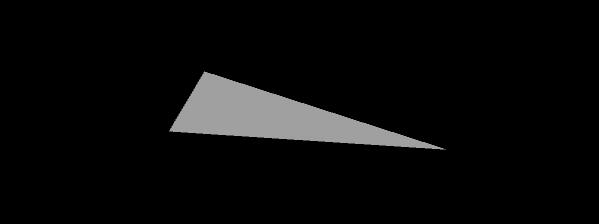
刚开始研究,有兴趣的朋友可以加我一起学习。
:,备注:NwCreate
版权声明:本文内容由互联网用户自发贡献,该文观点仅代表作者本人。本站仅提供信息存储空间服务,不拥有所有权,不承担相关法律责任。如发现本站有涉嫌侵权/违法违规的内容,请联系我们,一经查实,本站将立刻删除。
如需转载请保留出处:https://51itzy.com/kjqy/14245.html