
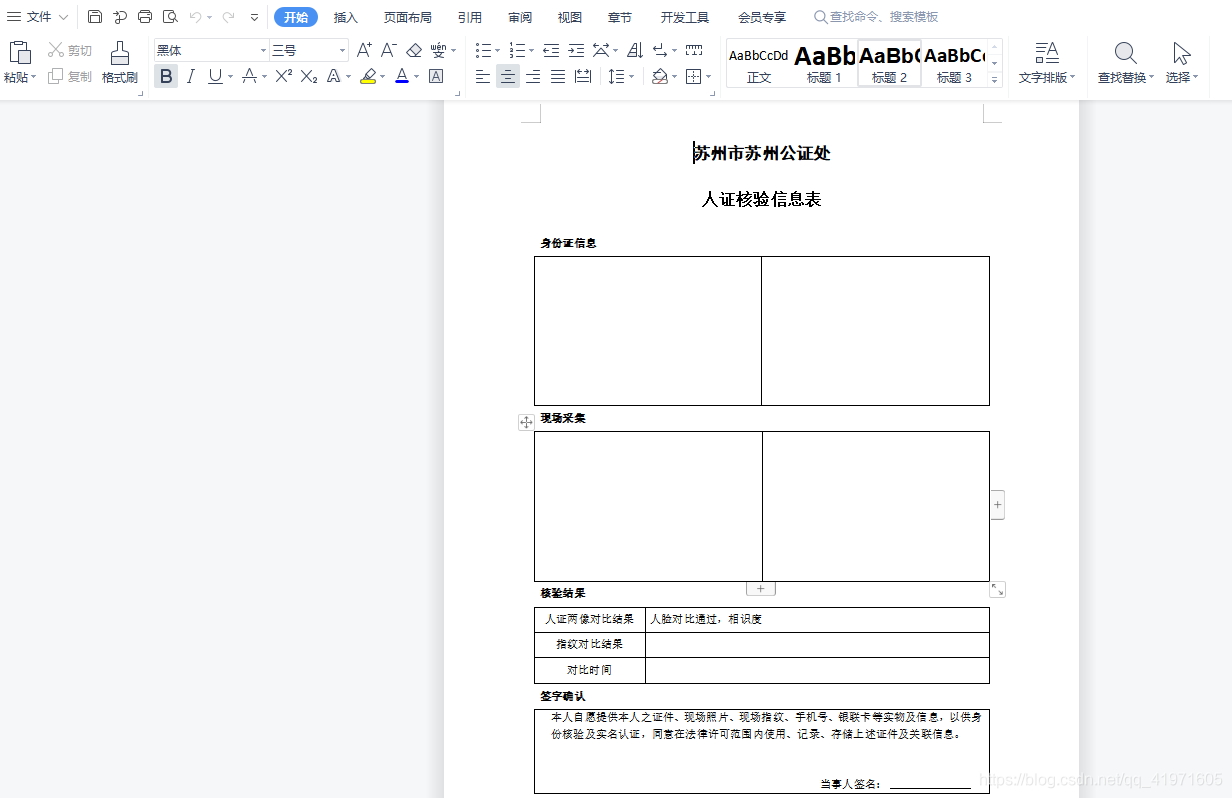
1.利用word生成一个文档转成pdf
讯享网
说明:转换成pdf格式
1.Abobe Acrobat DC图解
利用Abobe Acrobat DC打开pdf
步骤:文件 ---->创建------>创建表单----->选择文件(你转换成pdf文件)
图解
这里是所要增加的文本域、图片域等功能按钮
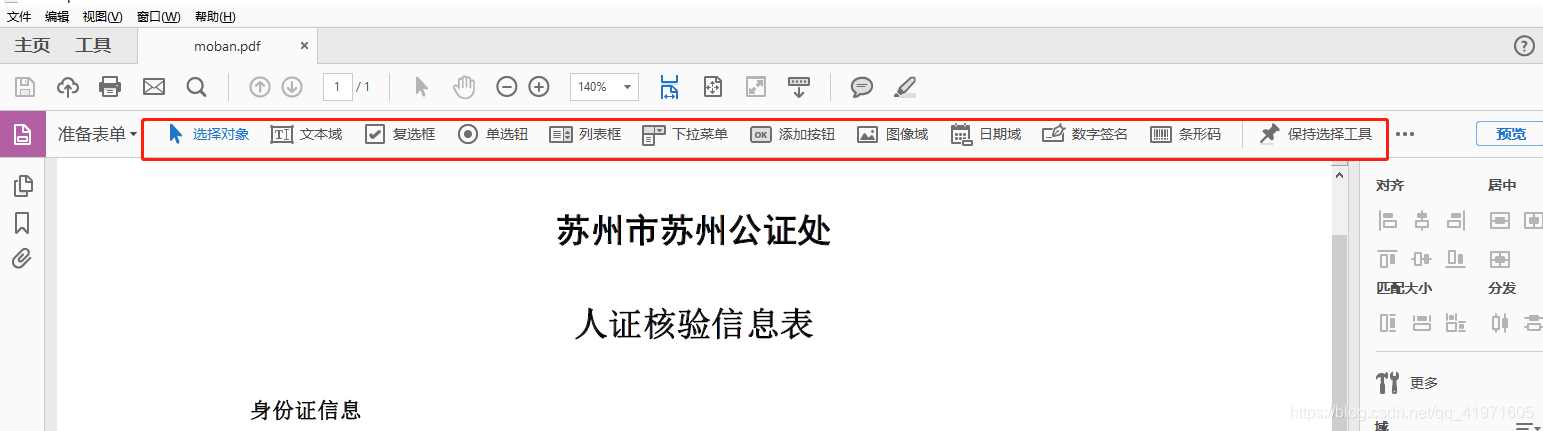
在你需要的位置增加你说要的功能完成之后进行保存
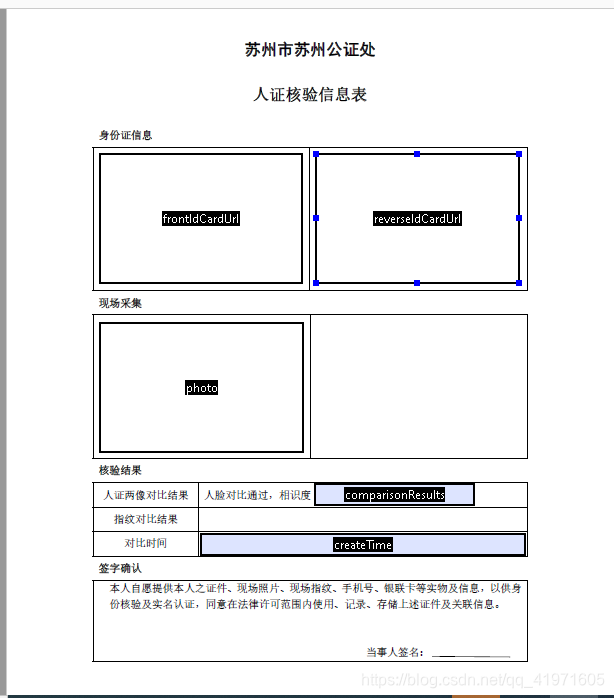

3.java后台代码
环境maven
<dependency> <groupId>com.itextpdf</groupId> <artifactId>itext7-core</artifactId> <version>7.1.13</version> <type>pom</type> </dependency> 讯享网
生成的模板文件放到适当的位置
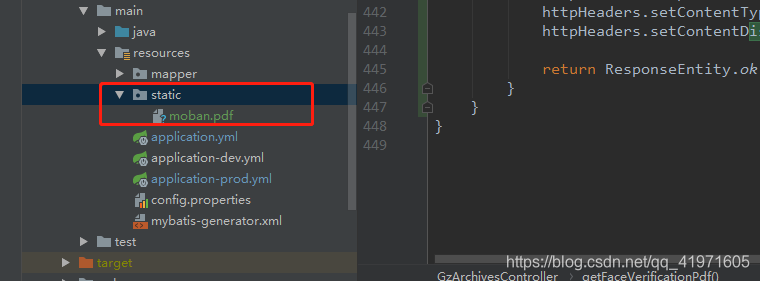
所需要生成新的pdf代码
讯享网 public @ResponseBody Object getFaceVerificationPdf(GzFaceVerification gzFaceVerification, HttpServletRequest request) throws IOException { try (ByteArrayOutputStream outputStream = new ByteArrayOutputStream()) { try (PdfDocument document = new PdfDocument(new PdfReader( new ClassPathResource("static/moban.pdf").getInputStream()), new PdfWriter(outputStream))) { PdfAcroForm pdfAcroForm = PdfAcroForm.getAcroForm(document, true); //对图片进行处理(如果不处理在模板中显示不出图片) PdfFormField pdfFormField = pdfAcroForm.getField("frontIdCardUrl"); InputStream is = new FileInputStream(new File(gzFaceVerification.getFrontIdCardUrl())); String str = Base64.encodeBytes(StreamUtil.inputStreamToArray(is)); pdfFormField.setValue(str); pdfAcroForm.addField(pdfFormField); PdfFormField pdfFormField1 = pdfAcroForm.getField("reverseIdCardUrl"); InputStream is1 = new FileInputStream(new File(gzFaceVerification.getReverseIdCardUrl())); String str1 = Base64.encodeBytes(StreamUtil.inputStreamToArray(is1)); pdfFormField1.setValue(str1); pdfAcroForm.addField(pdfFormField1); PdfFormField pdfFormField2 = pdfAcroForm.getField("photo"); InputStream is2 = new FileInputStream(new File(gzFaceVerification.getPhoto())); String str2 = Base64.encodeBytes(StreamUtil.inputStreamToArray(is2)); pdfFormField2.setValue(str2); pdfAcroForm.addField(pdfFormField2); pdfAcroForm.getField("frontIdCardUrl").setValue(gzFaceVerification.getFrontIdCardUrl()); pdfAcroForm.getField("reverseIdCardUrl").setValue(gzFaceVerification.getReverseIdCardUrl()); pdfAcroForm.getField("photo").setValue(gzFaceVerification.getPhoto()); pdfAcroForm.getField("comparisonResults").setValue(gzFaceVerification.getComparisonResults()); pdfAcroForm.getField("createTime").setValue(gzFaceVerification.getCreateTime()); pdfAcroForm.flattenFields(); } HttpHeaders httpHeaders = new HttpHeaders(); httpHeaders.setContentType(MediaType.APPLICATION_PDF); httpHeaders.setContentDispositionFormData("attachment", "test.pdf", Charset.forName("UTF-8")); return ResponseEntity.ok().headers(httpHeaders).body(outputStream.toByteArray()); } }
版权声明:本文内容由互联网用户自发贡献,该文观点仅代表作者本人。本站仅提供信息存储空间服务,不拥有所有权,不承担相关法律责任。如发现本站有涉嫌侵权/违法违规的内容,请联系我们,一经查实,本站将立刻删除。
如需转载请保留出处:https://51itzy.com/kjqy/129288.html