
重要:本文最后更新于2018-01-22 12:56:12,某些文章具有时效性,若有错误或已失效,请在下方留言或联系代码狗。
由于以前在写程序的时候条件太宽松,基本上都可以在json和xml中选择一种作为数据传输的格式,这也导致我一直都不会解析xml,毕竟java解析json比xml简单多了。前段时间在写一个网站直链采集的时候出现了xml文件,当时就懵逼了,今天在这里记录下xml的解析方式。(这个网址是不是很熟悉。嘿嘿…….)
额….不能放视频地址,不然代码狗博客会将其显示为视频,我去掉后缀,大家自己加上.mp4就好。xml代码如下:
http://caoporn.pink/media/player/logo/logosmall.png
http://c33.1024cao.com:81/flv/b45609edaa1ee408afc82091/58a8547c/flv/
http://caoporn.pink/media/videos/tmb//default.jpg
lighttpd
lighttpd
false
uniform
3
0x000000
0xcccccc
0xff0090
http://caoporn.pink/media/player/jw4player_skin.swf
CAO****.COM - Free Porn Everyday
本地浏览如下图:
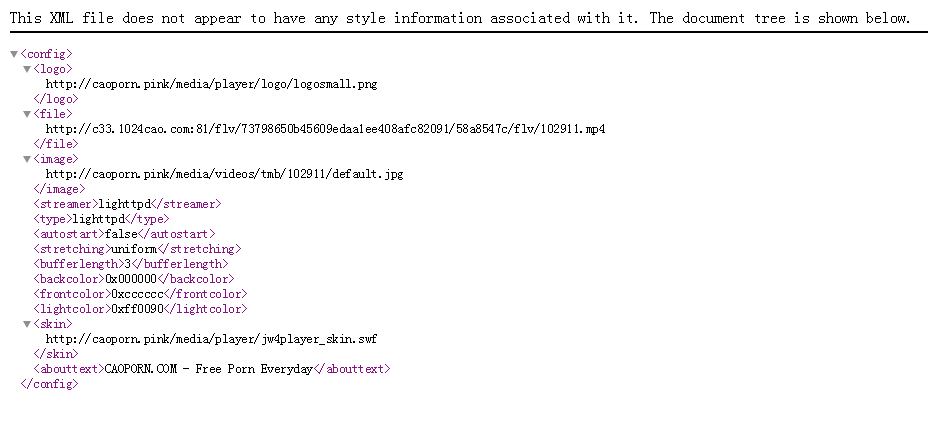
咱们要取其中的标签中的视频直链地址,这里只举一个例,取多个参数自己写就好了。注意:解析xml需要的是输入流不是字节集。代码如下:
public class xmljx {
/
* @param args
*/
public static void main(String[] args) {
// TODO Auto-generated method stub
String urla="http://127.0.0.1/config.xml";
System.out.println(getlj(getxml(urla)));
}
public static String getlj(InputStream ins) {
String zldz=null;
//url="http://caoporn.pink/media/player/cpconfig.php?vkey=953fb693bc207a";
DocumentBuilderFactory dbf = DocumentBuilderFactory.newInstance();
try {
// step 2:获得具体的dom解析器
DocumentBuilder db = dbf.newDocumentBuilder();
// step 3:解析一个xml文档,获得Document对象(根节点)
// 此文档放在项目目录下即可
Document document = db.parse(ins);
// 根据标签名访问节点
NodeList list = document.getElementsByTagName("config");
//System.out.println("list length: " + list.getLength());
for (int i = 0; i < list.getLength(); i++) {

Element element = (Element) list.item(i);
NodeList lists =element.getElementsByTagName("file");
for (int j = 0; j < lists.getLength(); j++) {
Element elements =(Element) lists.item(i);
zldz=element.getElementsByTagName("file").item(i).getFirstChild().getNodeValue();
}
}
} catch (ParserConfigurationException e) {
// TODO Auto-generated catch block
e.printStackTrace();
} catch (SAXException e) {
// TODO Auto-generated catch block
e.printStackTrace();
} catch (IOException e) {
// TODO Auto-generated catch block
e.printStackTrace();
}
return zldz;
}
public static InputStream getxml(String url) {
InputStream inputStream=null;
try {
URL url2=new URL(url);
HttpURLConnection httpcConnection=(HttpURLConnection) url2.openConnection();
httpcConnection.setDoInput(true);
httpcConnection.setConnectTimeout(3000);
httpcConnection.setRequestMethod("GET");
if (httpcConnection.getResponseCode()==200) {
inputStream=httpcConnection.getInputStream();
}
} catch (MalformedURLException e) {
// TODO Auto-generated catch block
e.printStackTrace();
} catch (IOException e) {
// TODO Auto-generated catch block
e.printStackTrace();
}
return inputStream;
}
}
效果如下图: 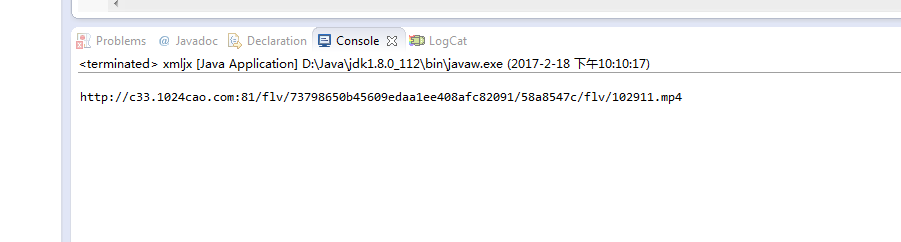
版权声明:本文内容由互联网用户自发贡献,该文观点仅代表作者本人。本站仅提供信息存储空间服务,不拥有所有权,不承担相关法律责任。如发现本站有涉嫌侵权/违法违规的内容,请联系我们,一经查实,本站将立刻删除。
如需转载请保留出处:https://51itzy.com/kjqy/128870.html