
正常的卸载方法,这里不再讨论,可以往前看我写的几篇关于流氓软件清理的文章。
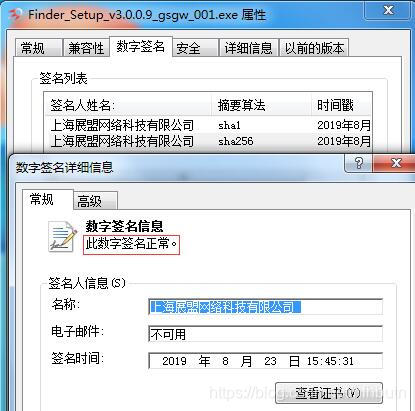
软件数签
讯享网
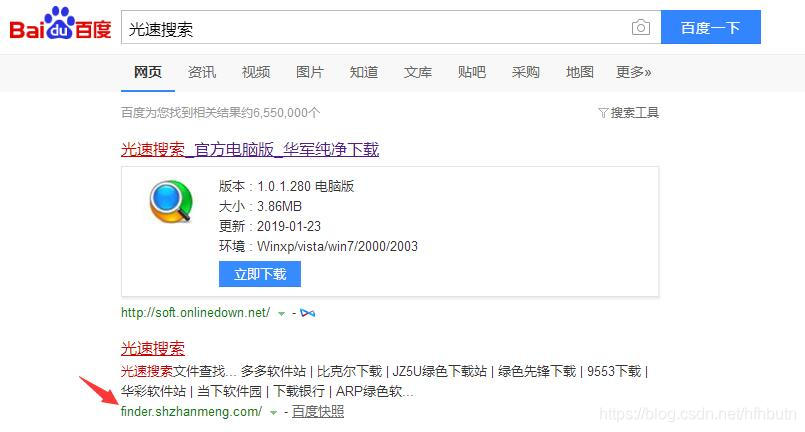
官网
下面介绍删除方法:
方法1
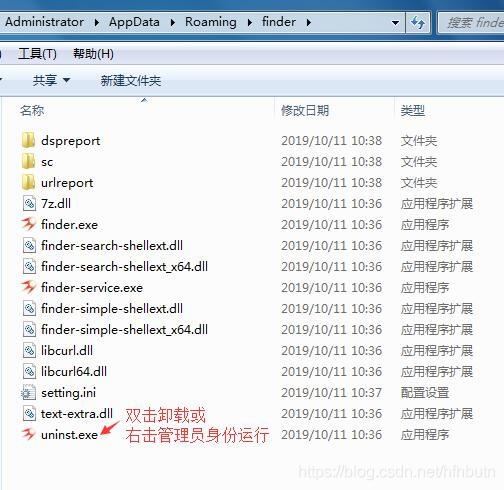
反安装程序卸载,打开软件目录双击uninst.exe卸载。不知道目录的,可以用软件Everything搜索。
方法2
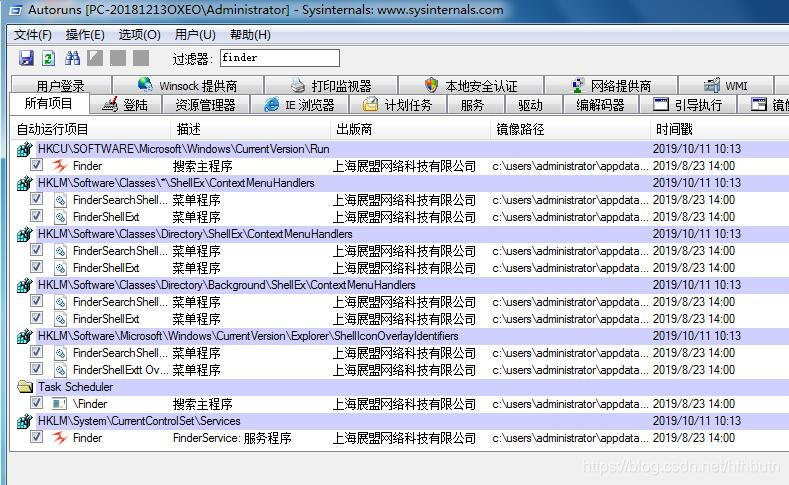
Autoruns禁止软件启动,重启后删除相关文件。
过滤器填finder,取消勾选或删除相关项
重启后,要删除的文件(地址栏粘贴打开)
%userprofile%\AppData\Roaming\finder %userprofile%\AppData\Roaming\Microsoft\Windows\Start Menu\光速搜索 %userprofile%\AppData\Roaming\zm %userprofile%\desktop\光速搜索.lnk 讯享网
有时候软件目录可能不在上面位置,自己参考上面路径文件夹名,用Everything软件搜索具体所在路径。
最后用注册表清理工具清理残留,国产的管家卫士都有这功能。
方法3
使用方法前,请设置显示文件扩展名,具体百度。
新建文本文档,粘贴下面内容:

讯享网sc stop Finder sc delete Finder taskkill /f /im finder.exe taskkill /f /im GSscreensaver.exe taskkill /f /im explorer.exe rd /s /q "%userprofile%\AppData\Roaming\finder" rd /s /q "%userprofile%\AppData\Roaming\Microsoft\Windows\Start Menu\光速搜索" rd /s /q "%userprofile%\AppData\Roaming\zm" del /f /q "%userprofile%\desktop\光速搜索.lnk" SchTasks /delete /TN "Finder" /f start explorer.exe pause
保存后,改txt后缀为bat,双击运行,或者右击管理员身份运行。
软件如果不在相同路径,文件残留需要自己找到并删除。
某些电脑删除文件时出现拒绝访问情况
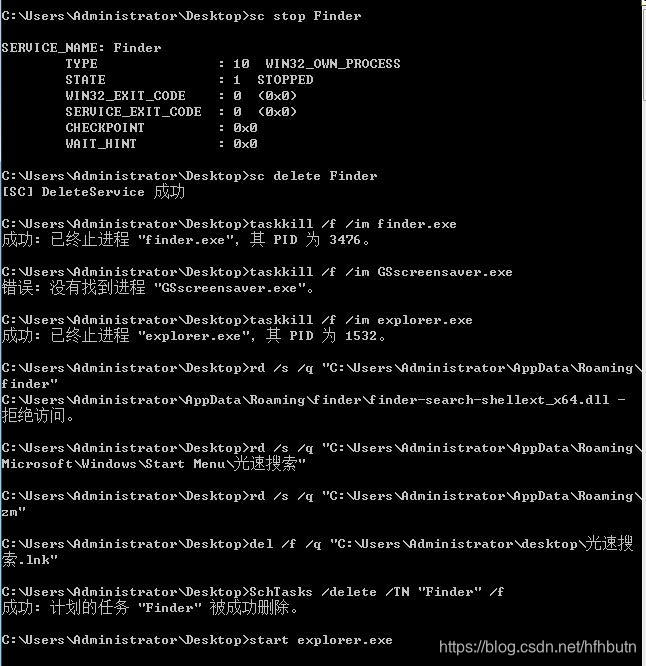
可能某个进程加载了软件的dll,由于不知道具体哪些进程,建议按下面说的,删除注册表后重启,再次运行bat。
删除注册表项。新建文本文档,粘贴下面内容:
Windows Registry Editor Version 5.00 [-HKEY_LOCAL_MACHINE\SOFTWARE\Classes\*\shellex\ContextMenuHandlers\FinderSearchShellExt] [-HKEY_LOCAL_MACHINE\SOFTWARE\Classes\*\shellex\ContextMenuHandlers\FinderShellExt] [-HKEY_LOCAL_MACHINE\SOFTWARE\Classes\CLSID\{
   030CEB59-F907-4447-B4AD-2735A3EEEC1C}] [-HKEY_LOCAL_MACHINE\SOFTWARE\Classes\CLSID\{
   837D1802-8D23-4B61-86CB-A7D186E0E22E}] [-HKEY_LOCAL_MACHINE\SOFTWARE\Classes\DesktopBackground\Background] [-HKEY_LOCAL_MACHINE\SOFTWARE\Classes\DesktopBackground\shellex\ContextMenuHandlers\FinderSearchShellExt] [-HKEY_LOCAL_MACHINE\SOFTWARE\Classes\DesktopBackground\shellex\ContextMenuHandlers\FinderShellExt] [-HKEY_LOCAL_MACHINE\SOFTWARE\Classes\Directory\Background\shellex\ContextMenuHandlers\FinderSearchShellExt] [-HKEY_LOCAL_MACHINE\SOFTWARE\Classes\Directory\Background\shellex\ContextMenuHandlers\FinderShellExt] [-HKEY_LOCAL_MACHINE\SOFTWARE\Classes\Directory\shellex\ContextMenuHandlers\FinderSearchShellExt] [-HKEY_LOCAL_MACHINE\SOFTWARE\Classes\Directory\shellex\ContextMenuHandlers\FinderShellExt] [-HKEY_LOCAL_MACHINE\SOFTWARE\Classes\Interface\{
   4C77CCE7-55F4-4AED-A411-D7DDCDFBB990}] [-HKEY_LOCAL_MACHINE\SOFTWARE\Classes\Interface\{
   EE1BBD5F-AA03-4276-9C13-1AAFD433DA5D}] [-HKEY_LOCAL_MACHINE\SOFTWARE\Classes\TypeLib\{
   2D84C5B8-1DC1-445C-8C3A-6C4C10A72D36}] [-HKEY_LOCAL_MACHINE\SOFTWARE\Classes\TypeLib\{
   -6945-459C-8B28-7DEC013F6D4D}] [-HKEY_LOCAL_MACHINE\SOFTWARE\Classes\Wow6432Node\Interface\{
   4C77CCE7-55F4-4AED-A411-D7DDCDFBB990}] [-HKEY_LOCAL_MACHINE\SOFTWARE\Classes\Wow6432Node\Interface\{
   EE1BBD5F-AA03-4276-9C13-1AAFD433DA5D}] [-HKEY_LOCAL_MACHINE\SOFTWARE\Microsoft\Windows\CurrentVersion\Explorer\ShellIconOverlayIdentifiers\FinderSearchShellExt Overlay] [-HKEY_LOCAL_MACHINE\SOFTWARE\Microsoft\Windows\CurrentVersion\Explorer\ShellIconOverlayIdentifiers\FinderShellExtt Overlay] [-HKEY_LOCAL_MACHINE\SOFTWARE\Microsoft\Windows\CurrentVersion\Extensions] [-HKEY_LOCAL_MACHINE\SOFTWARE\Microsoft\Windows\CurrentVersion\Shell] [-HKEY_LOCAL_MACHINE\SOFTWARE\Wow6432Node\Microsoft\Windows\CurrentVersion\explorer\ShellIconOverlayIdentifiers\ .Finder] [-HKEY_LOCAL_MACHINE\SOFTWARE\Wow6432Node\Microsoft\Windows\CurrentVersion\explorer\ShellIconOverlayIdentifiers\ .FinderS] [-HKEY_LOCAL_MACHINE\SOFTWARE\Wow6432Node\Microsoft\Windows\CurrentVersion\Uninstall\finder] [-HKEY_LOCAL_MACHINE\SYSTEM\CurrentControlSet\services\Finder] [HKEY_CURRENT_USER\Software\Microsoft\Windows\CurrentVersion\Run] "Finder"=- [-HKEY_CURRENT_USER\Software\ZM]
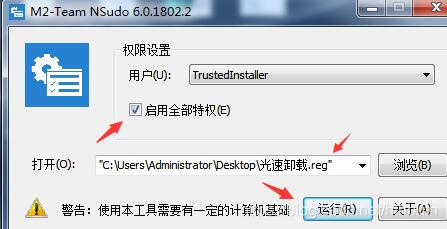
保存后,改txt后缀为reg,双击导入,win10可能需要nsudo软件启用全部特权运行reg文件。
方法4
用我的软件SoftCnKiller一键解决流氓软件启动项
参考我的文章——SoftCnKiller高速下载器捆绑软件杀手
同下载页还有对应软件的反安装reg,导入后清除剩余注册表项残留。
至此,光速搜索彻底从电脑上删掉了。
版权声明:本文内容由互联网用户自发贡献,该文观点仅代表作者本人。本站仅提供信息存储空间服务,不拥有所有权,不承担相关法律责任。如发现本站有涉嫌侵权/违法违规的内容,请联系我们,一经查实,本站将立刻删除。
如需转载请保留出处:https://51itzy.com/kjqy/128457.html