
什么是版心?
“版心”(可视区)是指网页中主体内容所在的区域。一般在浏览器窗口水平居中显示,常见的宽度值为960px、980px、1000px、1200px等。
布局流程
为了提高网页制作的效率,布局时通常需要遵守一定的布局流程。具体如下:
- 确定页面的版心(可视区)
- 分析页面的行模块,以及每个行模块中的列模块。
- 制作html结构
- css初始化,然后开始运用盒子模型的原理,通过DIV+CSS布局来控制网页的各个模块。
常用布局
一列固定宽度且居中(最普通、最为常用的结构)
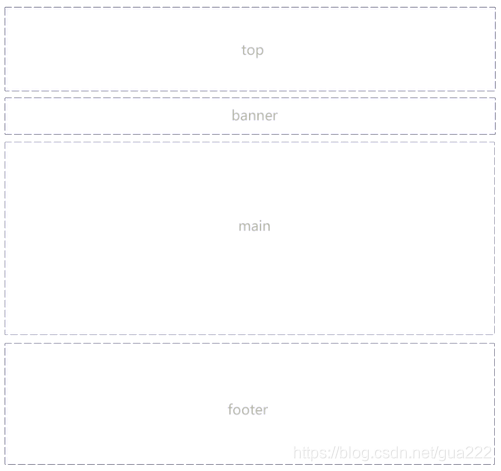
<!DOCTYPE html> <html lang="en"> <head> <meta charset="UTF-8"> <title>Document</title> <style> .header,.banner,.main,.footer{
    width: 960px;/*版心*/ background-color: #; border:1px dashed #c1c1c1; margin:0 auto; /*块级元素水平居中*/ text-align: center; } .header{
    height: 90px; } .banner{
    height: 200px; margin:5px auto; } .main{
    height: 500px; } .footer{
    height: 90px; margin:5px auto 0; } </style> </head> <body> <div class="header">header</div> <div class="banner">banner</div> <div class="main">main</div> <div class="footer">footer</div> </body> </html>
讯享网
效果图
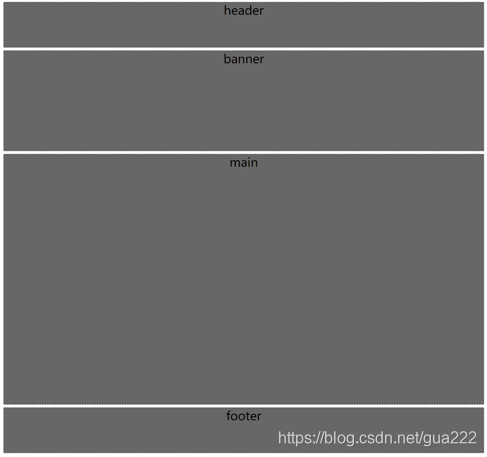

- 能共用的尽量共用,使代码看起来精简一些。
- 行间距使用margin-top或者margin-bottom时,考虑已有的margin:0 auto,避免冲突,尽量写进一个margin属性里。
两列左窄右宽型结构(比如小米官网)
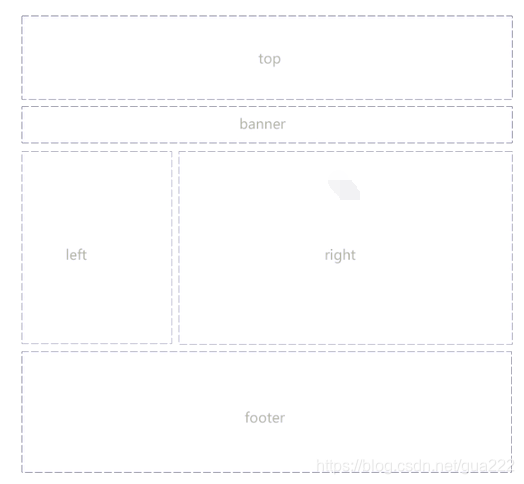
讯享网<!DOCTYPE html> <html lang="en"> <head> <meta charset="UTF-8"> <title>Document</title> <style> .top{
    width: 960px;/*版心*/ height: 90px; background-color: #000; margin:0 auto;/*块级元素水平居中*/ text-align: center;/*文字水平居中*/ color: #fff; } .banner{
    width: 960px;/*版心*/ height: 200px; background-color: grey; margin:0 auto;/*块级元素水平居中*/ text-align: center;/*文字水平居中*/ color: #fff; } .main{
    width: 960px;/*版心*/ height: 500px; background-color: #fff; margin:0 auto;/*块级元素水平居中*/ text-align: center;/*文字水平居中*/ color: #fff; } .left{
    width: 350px; height: 500px;/*子元素不继承高度,所以要给个height值*/ background-color: #c1c1c1; float: left; } .right{
    width: 600px; height: 500px;/*子元素不继承高度,所以要给个height值*/ background-color: #; float: right; } .footer{
    width: 960px;/*版心*/ height: 90px; background-color: #000; margin:0 auto;/*块级元素水平居中*/ text-align: center;/*文字水平居中*/ color: #fff; } </style> </head> <body> <div class="top">TOP</div> <div class="banner">BANNER</div> <div class="main"> <div class="left">LEFT</div> <div class="right">RIGHT</div> </div> <div class="footer">FOOTER</div> </body> </html>
效果图
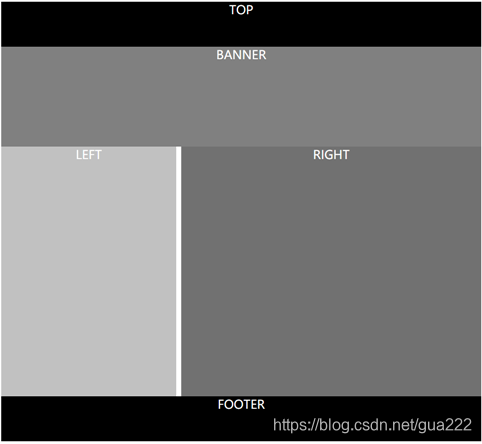
- 左右设置宽度之后,在调整间距边框等样式时,需要考虑到margin、border、padding等导致的盒子宽度变大,一方被挤下去的情况。确保两者之和在父元素的宽度范围内。
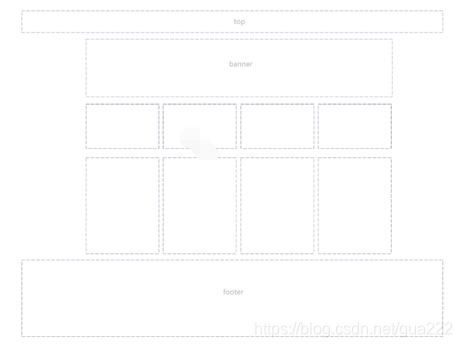
通栏平均分布型
<!DOCTYPE html> <html lang="en"> <head> <meta charset="UTF-8"> <title>Document</title> <style> *{
    margin:0; padding: 0; } .top{
    /*width: 960px;*/ height: 90px; background-color: #000; /*margin:0 auto;*/ color: #fff } .inner{
    width: 960px; height: 90px; margin:0 auto; background-color: #1b1b1b; } .banner{
    width: 960px; height: 200px; background-color: grey; margin:0 auto; } .main{
    width: 960px; height: 500px; background-color: #fff; margin:0 auto; } .footer{
    /*width: 960px;*/ height: 90px; background-color: #000; color: #fff; /*margin:0 auto;*/ } .left{
    width: 200px; height: 500px; background-color: #c1c1c1; float: left; } .right{
    width: 700px; height: 500px; background-color: #; float: right; } .banner li{
    float: left; height: 200px; list-style: none; width:calc( (100% - 30px)/4); } .one{
    background-color: red; } .two{
    background-color: yellow; margin:0 10px; } .three{
    background-color: skyblue; margin-right: 10px; } .four{
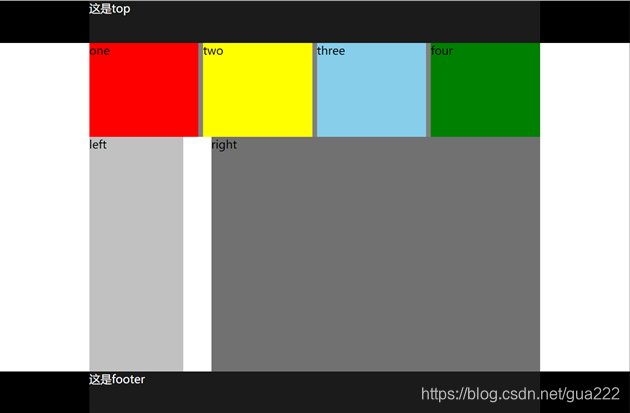
    background-color: green; } </style> </head> <body> <!-- 在左右分布型的基础上可以改为通栏平均分布型 --> <div class="top"><div class="inner">这是top</div></div> <div class="banner"> <ul> <li class="one">one</li> <li class="two">two</li> <li class="three">three</li> <li class="four">four</li> </ul> </div> <div class="main"> <div class="left">left</div> <div class="right">right</div> </div> <div class="footer"><div class="inner">这是footer</div></div> </body> </html>
效果图
版权声明:本文内容由互联网用户自发贡献,该文观点仅代表作者本人。本站仅提供信息存储空间服务,不拥有所有权,不承担相关法律责任。如发现本站有涉嫌侵权/违法违规的内容,请联系我们,一经查实,本站将立刻删除。
如需转载请保留出处:https://51itzy.com/kjqy/126543.html