
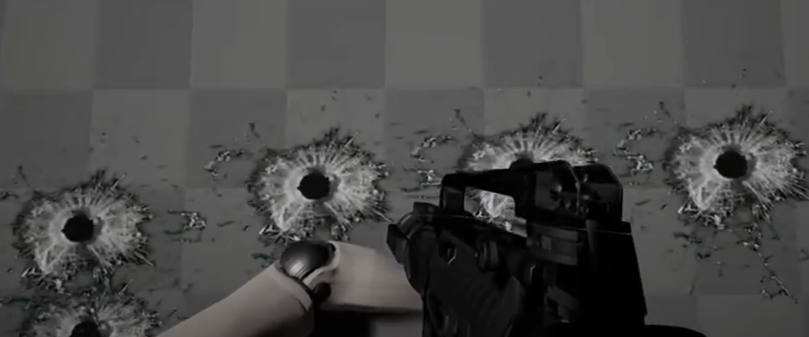
Decal 是游戏中常见的一个东西,经常被用在 显示弹痕,地面叠加花纹等。
Decal 绘制流程
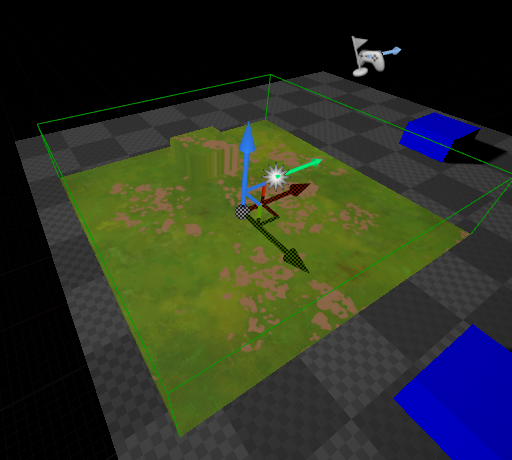
Decal可以认为是,将一个面的画面沿Decal的Box的X轴方向投影到物体表面。
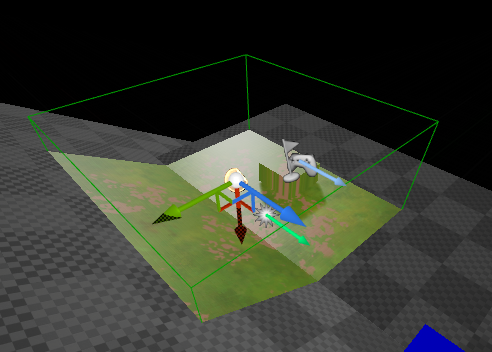
Decal的绘制实际只有一个Box绘制。

RHICmdList.DrawIndexedPrimitive(GetUnitCubeIndexBuffer(), 0, 0, 8, 0, UE_ARRAY_COUNT(GCubeIndices) / 3, 1); 讯享网
为什么不用一个平面来绘制呢?这样做主要是为了,覆盖不同视角,裁剪也变得简单。
Decal Pass是在Base Pass之后,Translucency Pass之前,Decal只能投射在非透明物体上。
Vertex过程
讯享网// from component to clip space (for decal frustum) float4x4 FrustumComponentToClip; // decal vertex shader void MainVS( in float4 InPosition : ATTRIBUTE0, out float4 OutPosition : SV_POSITION ) { OutPosition = mul(InPosition, FrustumComponentToClip); }
Vertex Shader只是乘以FrustumComponentToClip变换矩阵,变换到Clip空间。
FMatrix FDecalRendering::ComputeComponentToClipMatrix(const FViewInfo& View, const FMatrix& DecalComponentToWorld) { FMatrix ComponentToWorldMatrixTrans = DecalComponentToWorld.ConcatTranslation(View.ViewMatrices.GetPreViewTranslation()); return ComponentToWorldMatrixTrans * View.ViewMatrices.GetTranslatedViewProjectionMatrix(); } FrustumComponentToClip实际就是WorldViewProjection 组合变换矩阵(包含了DecalSize)
讯享网 FTransform GetTransformIncludingDecalSize() const {
    FTransform Ret = GetComponentToWorld(); Ret.SetScale3D(Ret.GetScale3D()
版权声明:本文内容由互联网用户自发贡献,该文观点仅代表作者本人。本站仅提供信息存储空间服务,不拥有所有权,不承担相关法律责任。如发现本站有涉嫌侵权/违法违规的内容,请联系我们,一经查实,本站将立刻删除。
如需转载请保留出处:https://51itzy.com/kjqy/125468.html