
需要把一个Schema下的对象和数据转移到另外一个Schema下,新Schema名:GAOL,旧Schema名:scott
1.首先创建需要存放导出文件的目录(我的oracle安装在window,所以创建了一个新的文件夹D:\dmp)
2.以sys身份登陆Oracle数据库,执行创建目录语句并授权
create directory 目录名 as 创建的路径 create directory scott_dmp as 'd:/dmp' 讯享网
通过sql查看目录映射关系是否创建成功
讯享网select * from dba_directories
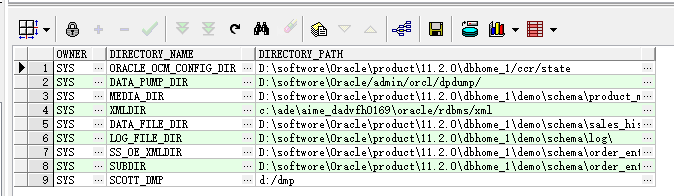
执行授权语句,让GAOL和SCOTT有对该目录的read,write权限
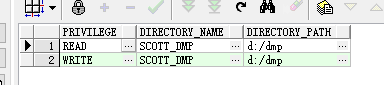
grant read,write on directory scott_dmp to GAOL grant read,write on directory scott_dmp to scott 查看是否授权成功
讯享网 select privilege, directory_name, DIRECTORY_PATH FROM user_tab_privs t, all_directories WHERE t.table_name(+) = d.directory_name ORDER BY 2, 1;

3.在命令行执行导出语句(window打开CMD)
expdp scott/tiger@GL schemas=scott directory=scott_dmp dumpfile =expdp_test1.dmp logfile=expdp_test1.log scott/tiger@GL:连接oracle的用户/密码@连接串
schemas=scott:需要导出的schema
directory:oracle创建的目录
dumpfile/logfile:导出的dmp文件和日志文件的文件名
这里需要注意一点是语句最后不需要加分号“;”,加了分号会默认为文件名,即如果最后是…logfile=expdp_test1.log;,那我们生成的文件名是有分号的

接下来执行语句


可以看到D:\dmp目录下生成了对应的文件,接着我们执行导入语句
讯享网IMPDP GAOL/GAOL@GL DIRECTORY=scott_dmp schemas=scott dumpfile=EXPDP_TEST1.DMP logfile=expdp_test1.log REMAP_SCHEMA=scott:GAOL
REMAP_SCHEMA:需要指定我们schema的映射关系,即scott对应加载到GAOL
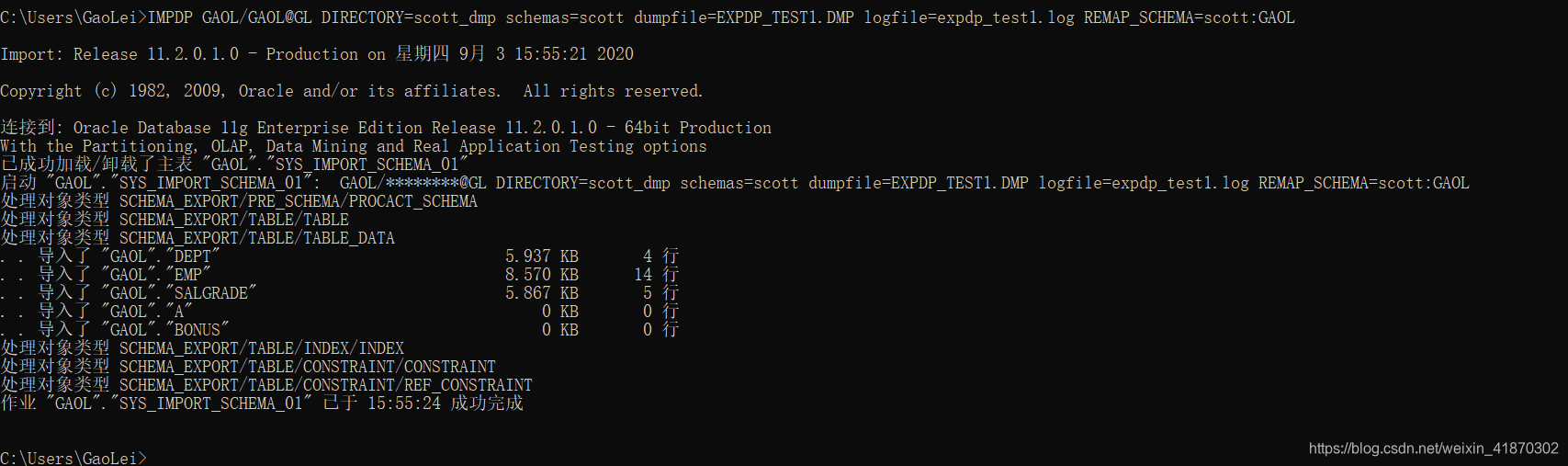
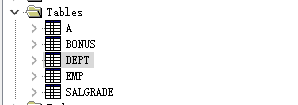
看到已经导入成功,我们去数据库查看,可以看到是否正确

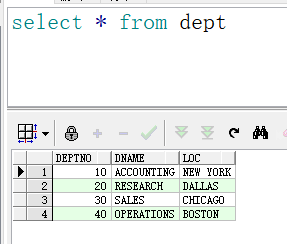
这是个小测试,expdp/impdp的导出导入模式还有很多,可以参考以下博客
https://blog.csdn.net/zhaogang1993/article/details/
https://blog.csdn.net/zhaogang1993/article/details/
https://blog.csdn.net/zhongguomao/article/details/
版权声明:本文内容由互联网用户自发贡献,该文观点仅代表作者本人。本站仅提供信息存储空间服务,不拥有所有权,不承担相关法律责任。如发现本站有涉嫌侵权/违法违规的内容,请联系我们,一经查实,本站将立刻删除。
如需转载请保留出处:https://51itzy.com/kjqy/124355.html