
- Click

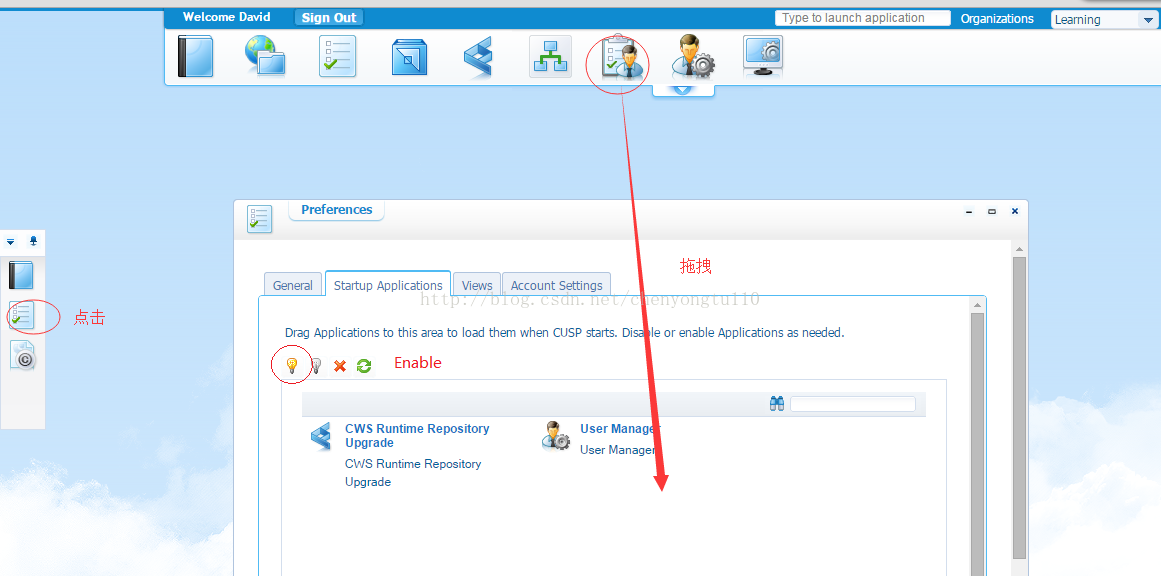
讯享网 in the Shortcut Bar. The CUSP - Preferences App Palette appears. The App Palette comprises the General, Startup Applications, Views and Account Settingstabs.- The General tab displays options that can be used to customize the Process Platform display.
- The Startup Applications tab displays applications that are configured to open in CUSP at startup.
- The Views tab displays available App Palettes. This includes the default App Palette and personalized views that you create. In this tab, you can specify the App Palettes and views to display in CUSP.
- The Account Settings tab displays the user account details.

2. Drag an application from any App Palette on CUSP (such as the My Applications App Palette) to add it to the Startup Applications tab.
操作步骤 如图:

重现 Resh tab,可以看到成果了 。
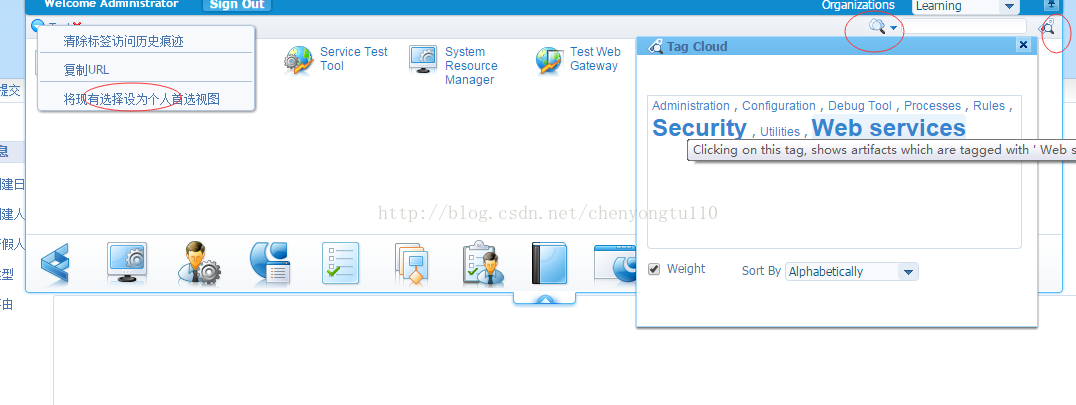
View 是指你自定义 的 Palettes ,如图
版权声明:本文内容由互联网用户自发贡献,该文观点仅代表作者本人。本站仅提供信息存储空间服务,不拥有所有权,不承担相关法律责任。如发现本站有涉嫌侵权/违法违规的内容,请联系我们,一经查实,本站将立刻删除。
如需转载请保留出处:https://51itzy.com/kjqy/122851.html