
在操作app的时候,我们操作得最多的是定位元素,然后直接对元素进行操作,但有的时候需要滑动屏幕,此时就要用到swip了
一、屏幕坐标介绍
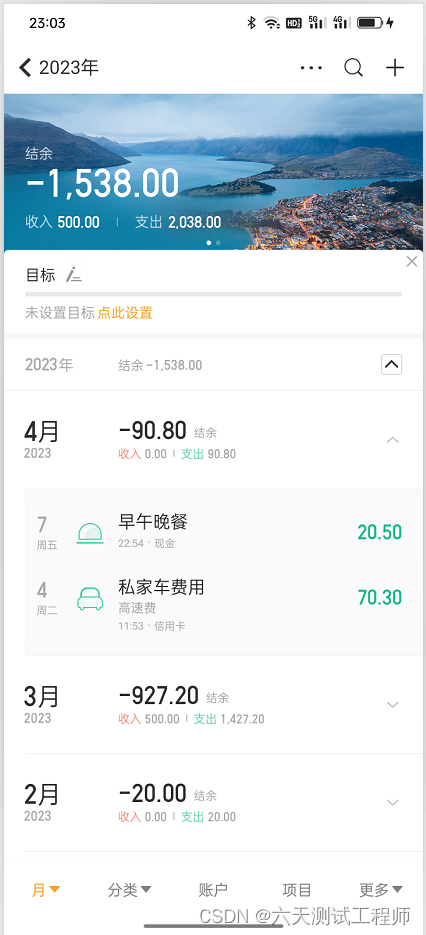
如上图,最左上角的坐标为(0,0),而右下角是(x,y),x和y具体是多少我们不知道,需要用driver.get_window_size()活动宽和高,然后再进行移动

二、滑动实现代码
直接上代码,已经封装好的滑动屏幕代码
''' 实现屏幕的滑动 1、首先要活动屏幕宽和高的坐标 2、根据X或Y轴的移动实现屏幕滑动''' from common.ComLog import LOGGER class SwipeClass: """屏幕滑动""" def __init__(self,driver): """屏幕滑动_ Args: driver (_type_): Appium 的 WebDriver对象 """ self.driver = driver #获取屏幕的宽和高 size = self.driver.get_window_size() LOGGER.info(size) print(size) self.width = size["width"] self.height = size["height"] def swipe_up(self): """向上移动 """ LOGGER.info("向上移动") #x轴保持不变,y轴从0.75(下方)移动到0.25(上方),实现屏幕向上滑动 start_x = self.width * 0.5 start_y = self.height * 0.75 end_x = self.width * 0.5 end_y = self.height * 0.25 self.driver.swip(start_x, start_y, end_x, end_y, 1000) def swipe_down(self): """向下移动 """ LOGGER.info("向下移动") #x轴保持不变,y轴从0.25(上方)移动到0.75(下方),实现屏幕向下滑动 start_x = self.width * 0.5 start_y = self.height * 0.25 end_x = self.width * 0.5 end_y = self.height * 0.75 self.driver.swip(start_x, start_y, end_x, end_y, 1000) def swipe_left(self): """向左移动 """ LOGGER.info("向左移动") #Y轴保持不变,X轴从0.75(右侧)移动到0.25(左侧),实现屏幕向左滑动 start_x = self.width * 0.75 start_y = self.height * 0.5 end_x = self.width * 0.25 end_y = self.height * 0.5 self.driver.swip(start_x, start_y, end_x, end_y, 1000) def swipe_right(self): """向右移动 """ LOGGER.info("向右移动") #Y轴保持不变,X轴从0.25(左侧)移动到0.75(右侧),实现屏幕向右滑动 start_x = self.width * 0.25 start_y = self.height * 0.5 end_x = self.width * 0.75 end_y = self.height * 0.5 self.driver.swip(start_x, start_y, end_x, end_y, 1000) def swipe_by_director(self,director): """滑动屏幕,根据传入的方向实现不同方向滑动 Args: director (str): 滑动方向 """ if director == "up": self.swipe_up() elif director == "down": self.swipe_down() elif director == "left": self.swipe_left() elif director == "right": self.swipe_right() else: LOGGER.warning("{} 该方向移动不支持".format(director)) return False讯享网
版权声明:本文内容由互联网用户自发贡献,该文观点仅代表作者本人。本站仅提供信息存储空间服务,不拥有所有权,不承担相关法律责任。如发现本站有涉嫌侵权/违法违规的内容,请联系我们,一经查实,本站将立刻删除。
如需转载请保留出处:https://51itzy.com/kjqy/12230.html