
0,开源电商网站学习
1,关于电子商务项目osCommerce
使用PHP进行开发的。osCommerce算是比较老的项目了。
不妨碍进行学习,有说是GPL开源的。
但是看到项目代码说的是 MIT 开源的。
https://github.com/osCommerce/oscommerce2/releases/tag/v2.3.4
新的代码也比较大了。
2,使用docker-compose进行环境搭建
启动命令: docker-compose up -d -f docker-compose-mysql.yml version: "3" services: mysql 数据库 5.7 版本 mysql-osc: restart: always image: mysql:5.7 container_name: mysql-osc ports: - "3306:3306" volumes: - "./data/mysql/data:/var/lib/mysql" - "./mysql/mysql.cnf:/etc/mysql/conf.d/mysql.cnf" #- "./mysql/init.sql:/docker-entrypoint-initdb.d/init.sql" - "./mysql/connDB.sh:/connDB.sh" environment: MYSQL_ROOT_PASSWORD: mysqlosc MYSQL_DATABASE: osc TZ: Asia/Shanghai command: [ '--character-set-server=utf8mb4', '--collation-server=utf8mb4_general_ci', '--max_connections=3000' ] # 使用 php:5-fpm 版本 # php-fpm: restart: always image: php:5-fpm container_name: php-fpm ports: - "9000:9000" volumes: - "./oscommerce2-2.3.4/catalog:/var/www/html" - "./php/php-fpm.conf:/usr/local/etc/php-fpm.conf" links: - mysql-osc:mysql-osc # 使用 nginx 版本 # nginx-osc: restart: always image: nginx:latest container_name: nginx-osc ports: - "8080:8080" volumes: - "./oscommerce2-2.3.4/catalog:/var/www/html" - "./data/nginx/logs:/data/logs" - "./nginx/nginx.conf:/etc/nginx/conf.d/default.conf" links: - php-fpm:php-fpm 讯享网
遇到的错误:
讯享网2023/10/05 13:19:41 [error] 30#30: *4 FastCGI sent in stderr: "Primary script unknown" while reading response header from upstream, client: 172.27.0.1, server: localhost, request: "GET /info.php HTTP/1.1", upstream: "fastcgi://172.27.0.3:9000", host: "127.0.0.1:8080"
和页面中的 404 就是路径的配置问题
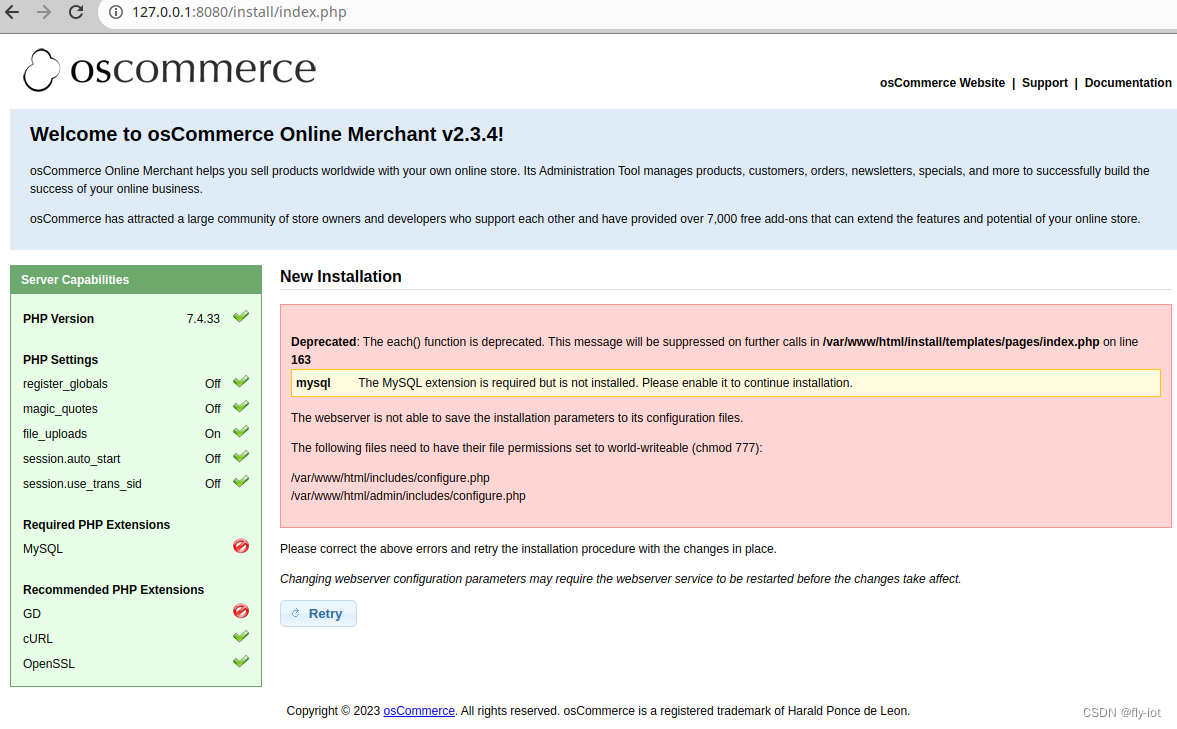
3,配置成功,安装 gd 和 mysql 扩展
需要注意,这里必须使用 php5 的版本。
讯享网
登陆容器执行:
docker exec -it php-fpm bash
sed -i "s/deb.debian.org/mirrors.aliyun.com/g" /etc/apt/sources.list apt update apt -y install wget libwebp-dev libjpeg-dev libpng-dev libfreetype6-dev libc-client-dev libkrb5-dev libzip-dev docker-php-ext-configure gd --with-jpeg=/usr/include --with-freetype=/usr/include/ docker-php-ext-install gd docker-php-ext-enable gd # install mysqli docker-php-ext-install mysqli docker-php-ext-enable mysqli 然后安装完成,再重启容器:docker restart php-fpm
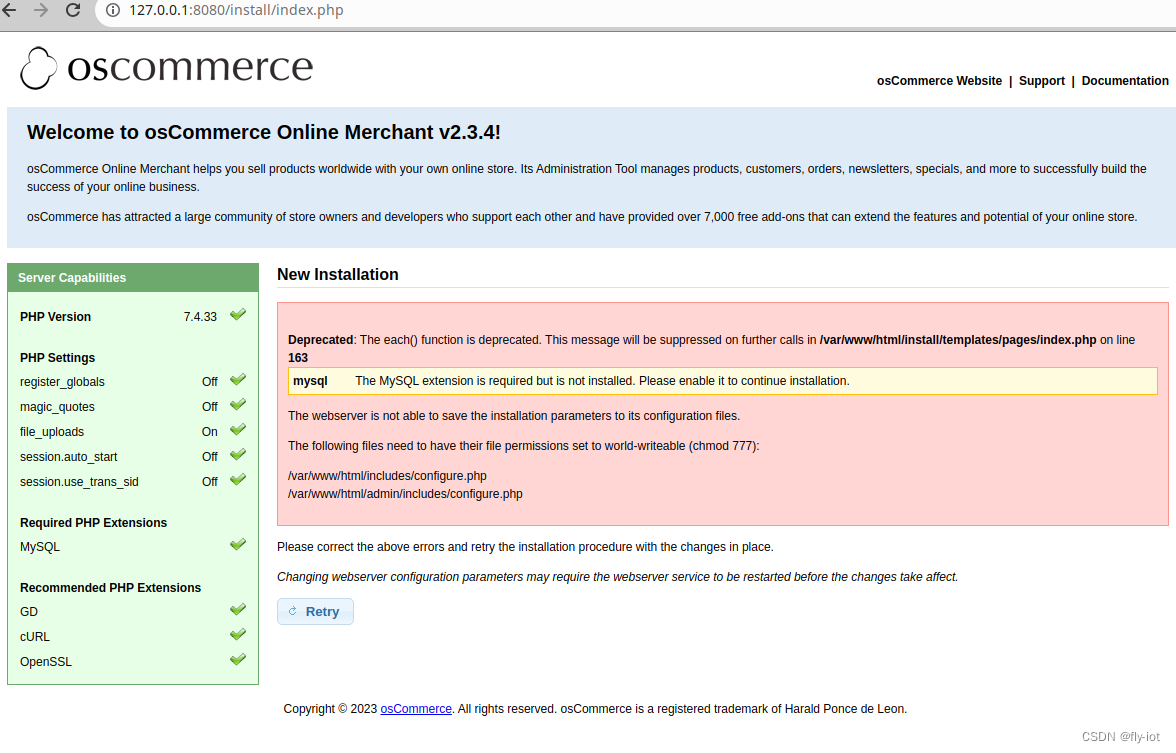
再设置文件读权限:
讯享网chmod 777 /var/www/html/includes/configure.php
chmod 777 /var/www/html/admin/includes/configure.php
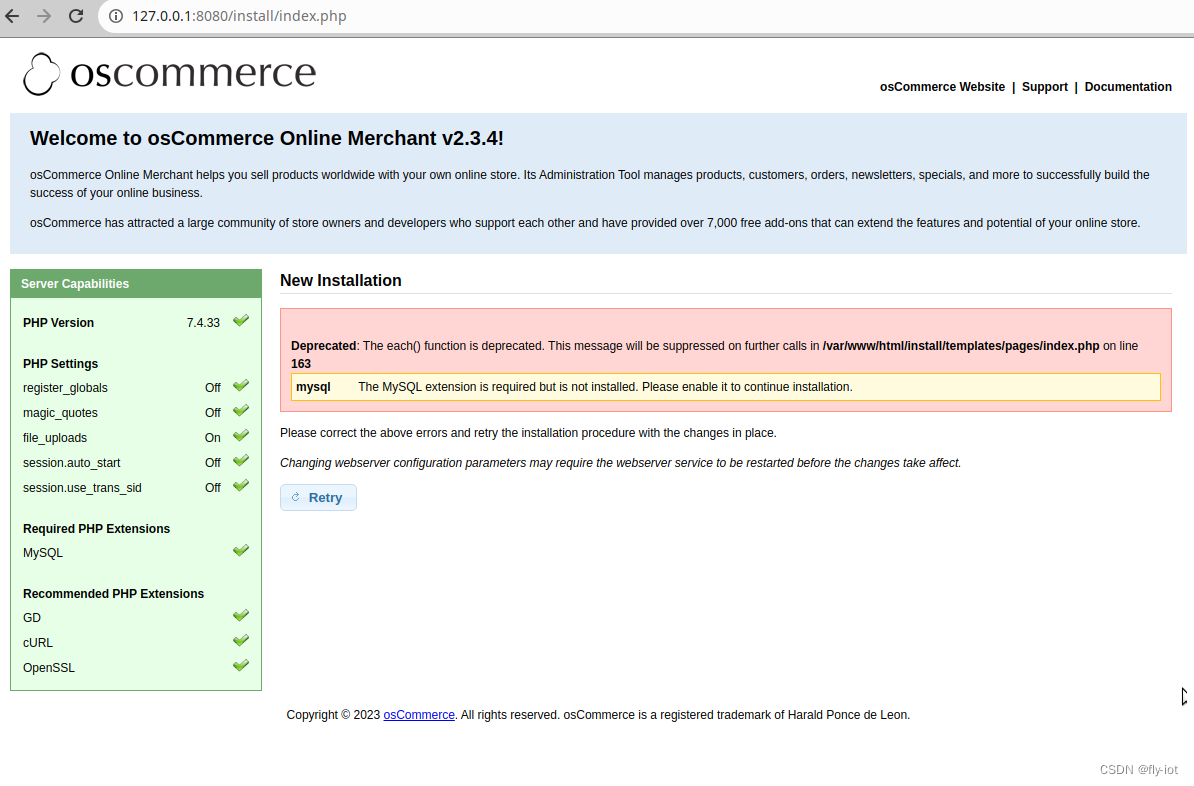
特别奇怪,明明都已经安装完成了。
直接修改代码 mysql 修改成 mysqli 。没有 mysql的插件,都叫 mysqli 了。
#/install/templates/pages/index.php 163 把插件修改成 mysqli if (!extension_loaded('mysqli')) {
    $warning_array['mysql'] = 'The MySQL extension is required but is not installed. Please enable it to continue installation.'; }
4,可以通过了,进入安装界面了
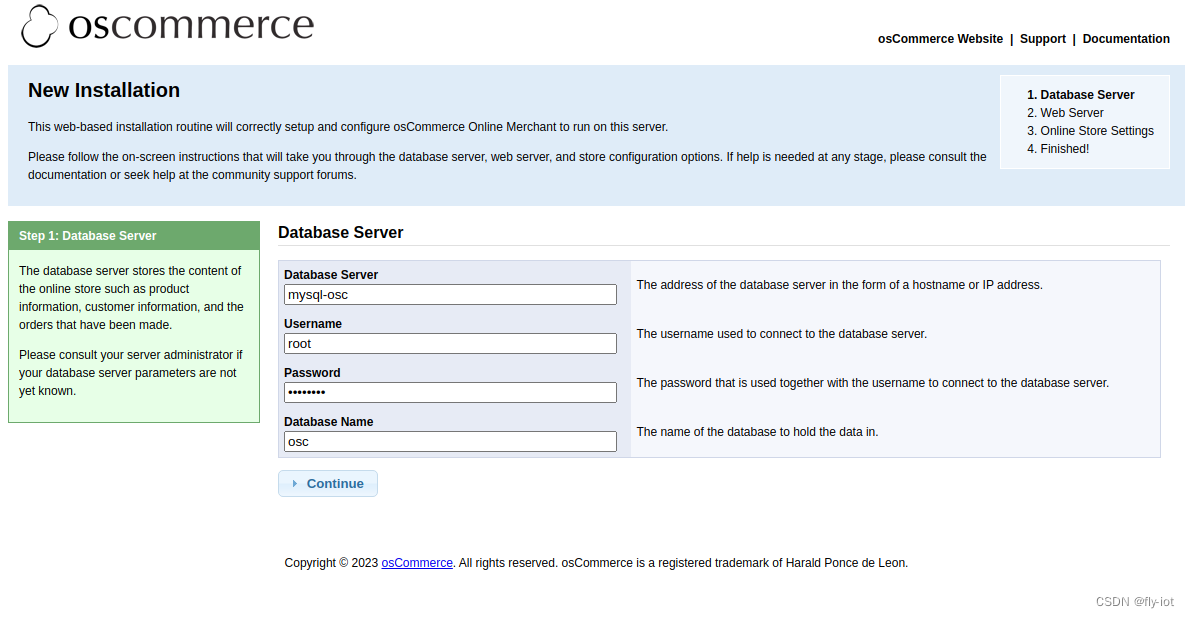
数据库插入表错误,去掉 DEFAULT ‘0000-00-00 00:00:00’ 配置,
讯享网CREATE TABLE customers ( customers_id int NOT NULL auto_increment, customers_gender char(1), customers_firstname varchar(255) NOT NULL, customers_lastname varchar(255) NOT NULL, customers_dob datetime DEFAULT '0000-00-00 00:00:00' NOT NULL, customers_email_address varchar(255) NOT NULL, customers_default_address_id int, customers_telephone varchar(255) NOT NULL, customers_fax varchar(255), customers_password varchar(60) NOT NULL, customers_newsletter char(1), PRIMARY KEY (customers_id), KEY idx_customers_email_address (customers_email_address) ) CHARACTER SET utf8 COLLATE utf8_unicode_ci; 去掉 DEFAULT '0000-00-00 00:00:00' 配置
或者设置mysql 模式:

sql_mode=ONLY_FULL_GROUP_BY,ERROR_FOR_DIVISION_BY_ZERO,NO_AUTO_CREATE_USER,NO_ENGINE_SUBSTITUTION 然后配置数据库,直接是docker-compose 地址:
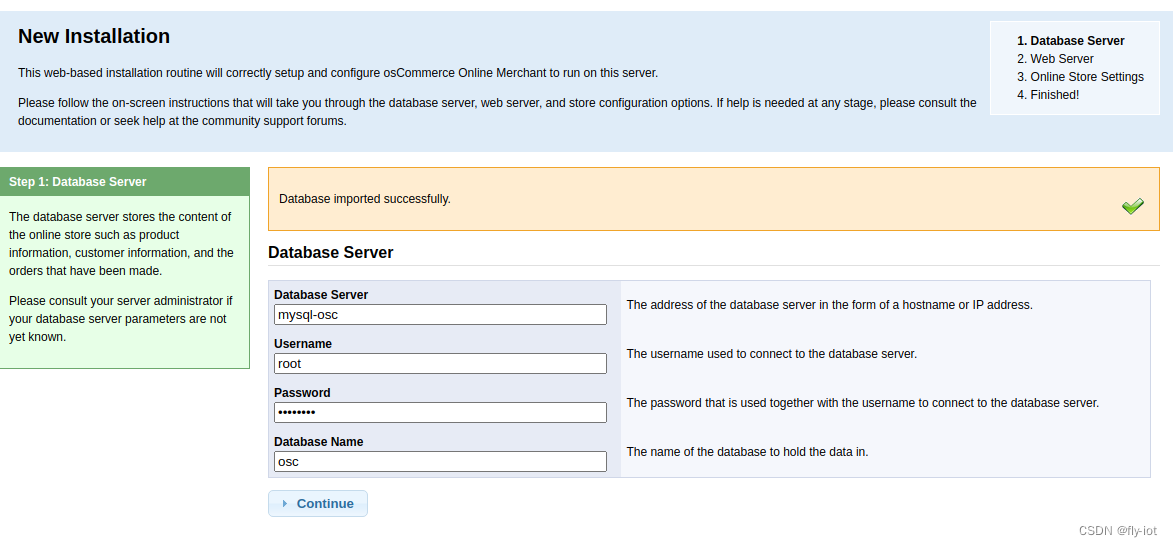
设置网站地址:
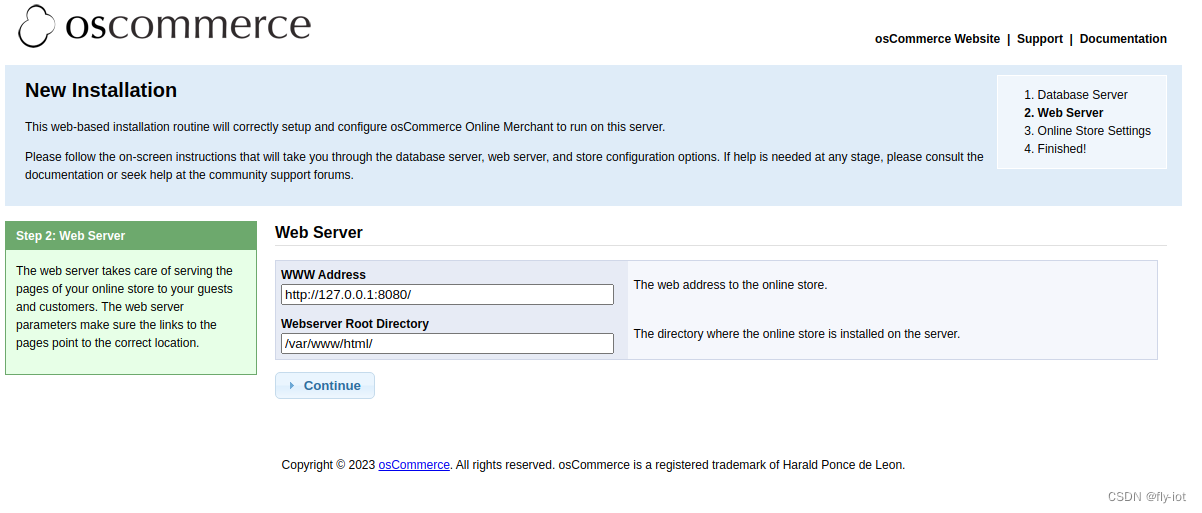
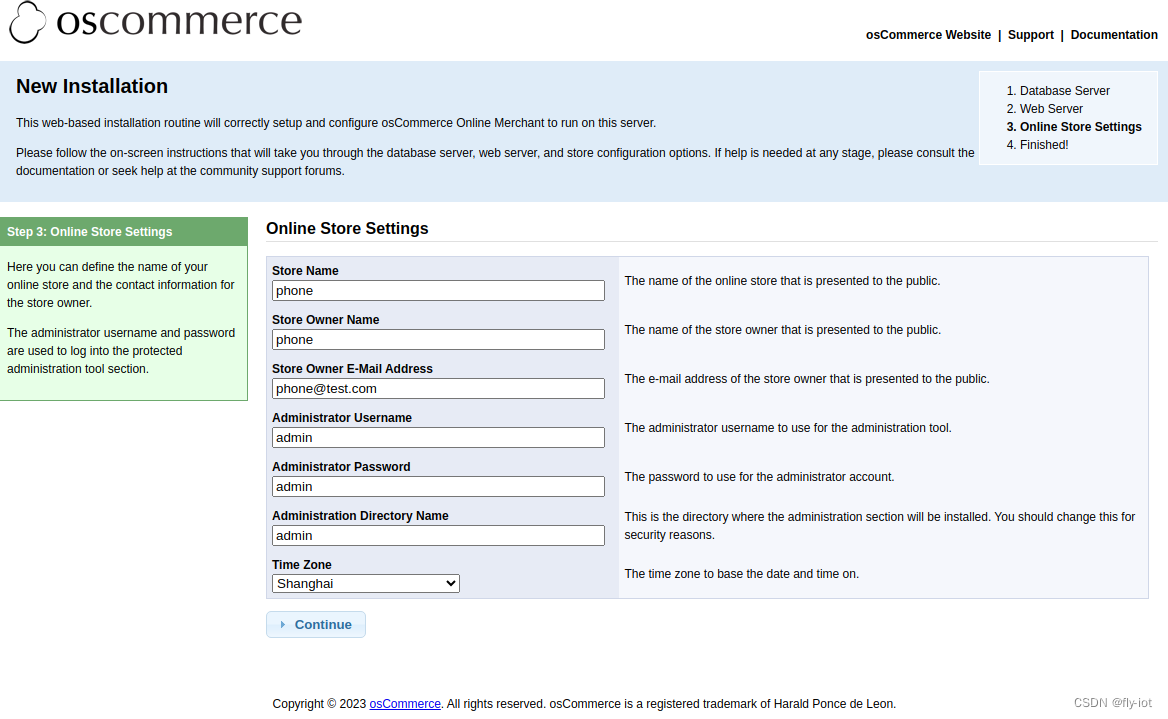
设置网站名称和管理员密码:都是 admin
安装成功!
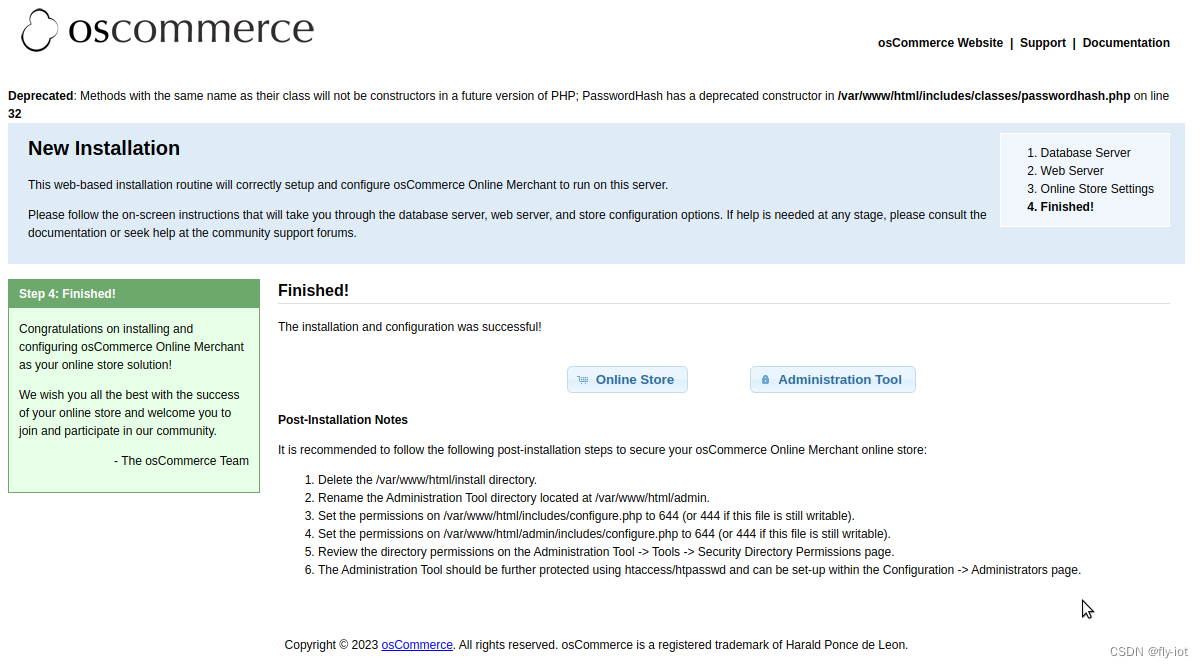
5,使用php7访问失败,切换到php5 可以,或者关闭告警
php7 里面有很多函数不支持,使用了很多老的函数呢。
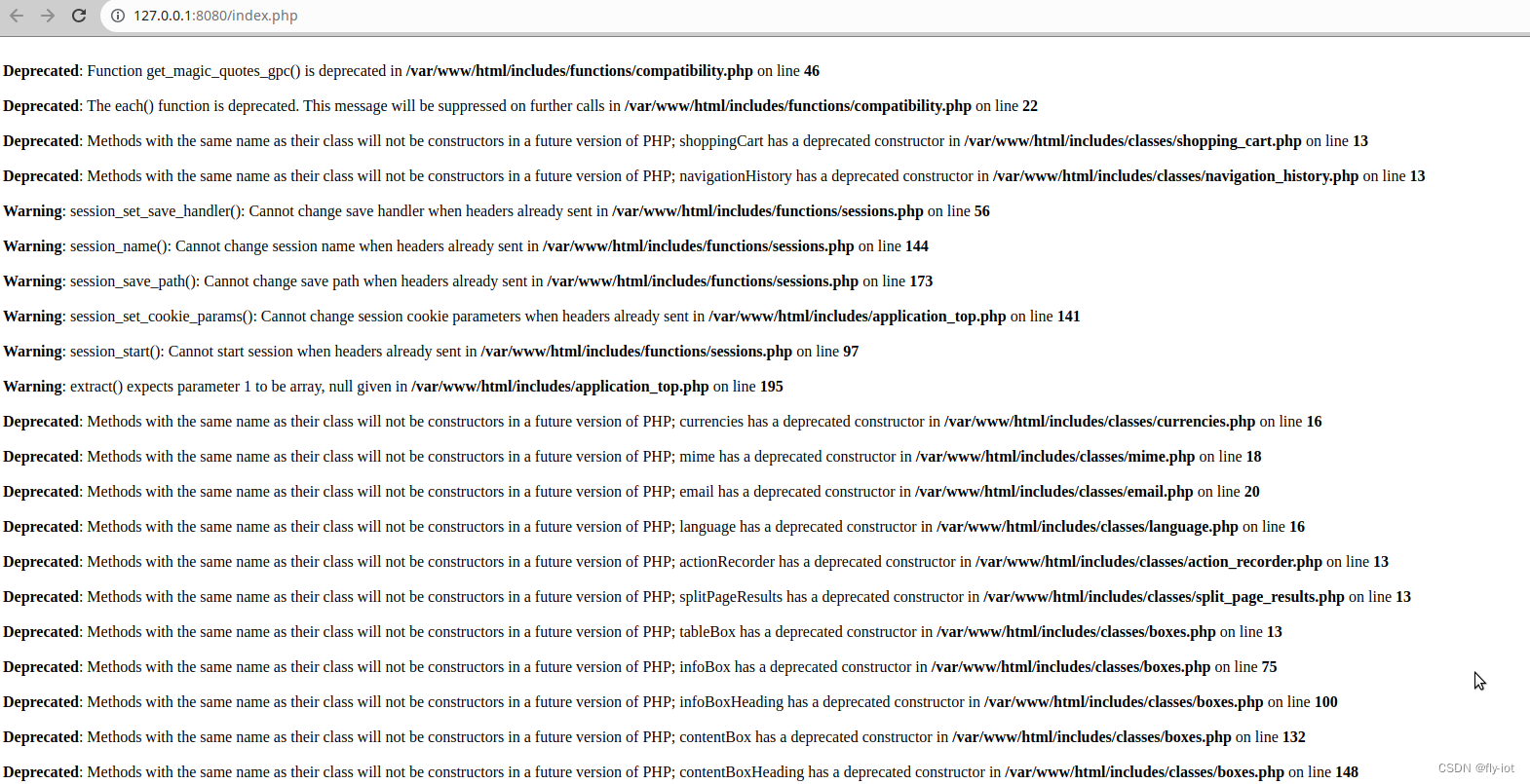
切换到 php5 可以执行,但报错:

解决方法:
在mysql的配置文件中加入以下配置即可(加入后建议关闭phpstudy进行重启系统)
sql_mode=NO_ENGINE_SUBSTITUTION,STRICT_TRANS_TABLES
解决了。
或者修改 php-fpm 的配置:
讯享网Deprecated: Function get_magic_quotes_gpc() is deprecated in /var/www/html/includes/functions/compatibility.php on line 46 Deprecated: The each() function is deprecated. This message will be suppressed on further calls in /var/www/html/includes/functions/compatibility.php on line 22 Deprecated: Methods with the same name as their class will not be constructors in a future version of PHP; shoppingCart has a deprecated constructor in /var/www/html/includes/classes/shopping_cart.php on line 13 Deprecated: Methods with the same name as their class will not be constructors in a future version of PHP; navigationHistory has a deprecated constructor in /var/www/html/includes/classes/navigation_history.php on line 13
修改配置隐藏错误警告信息即可:
php_flag[display_errors] = off 6,安装完成,可以正常显示首页内容了,还有测试数据
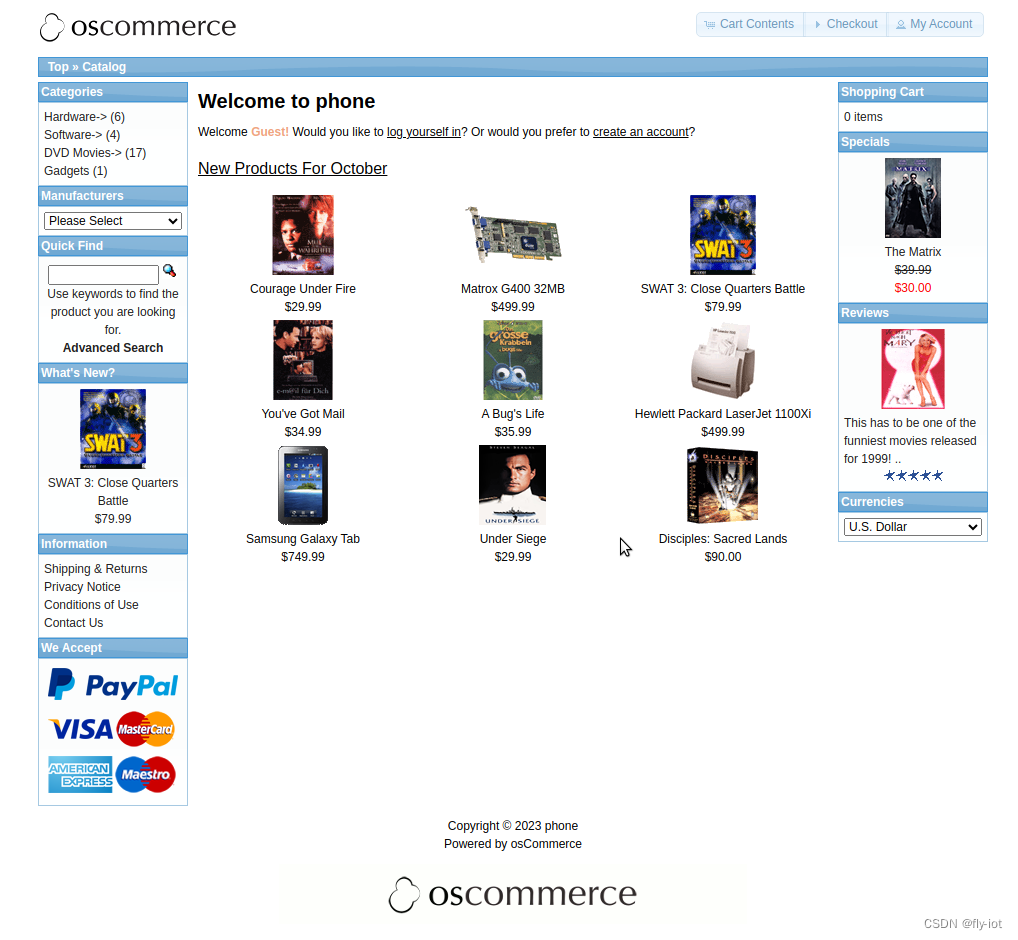
也可以登陆管理后台:
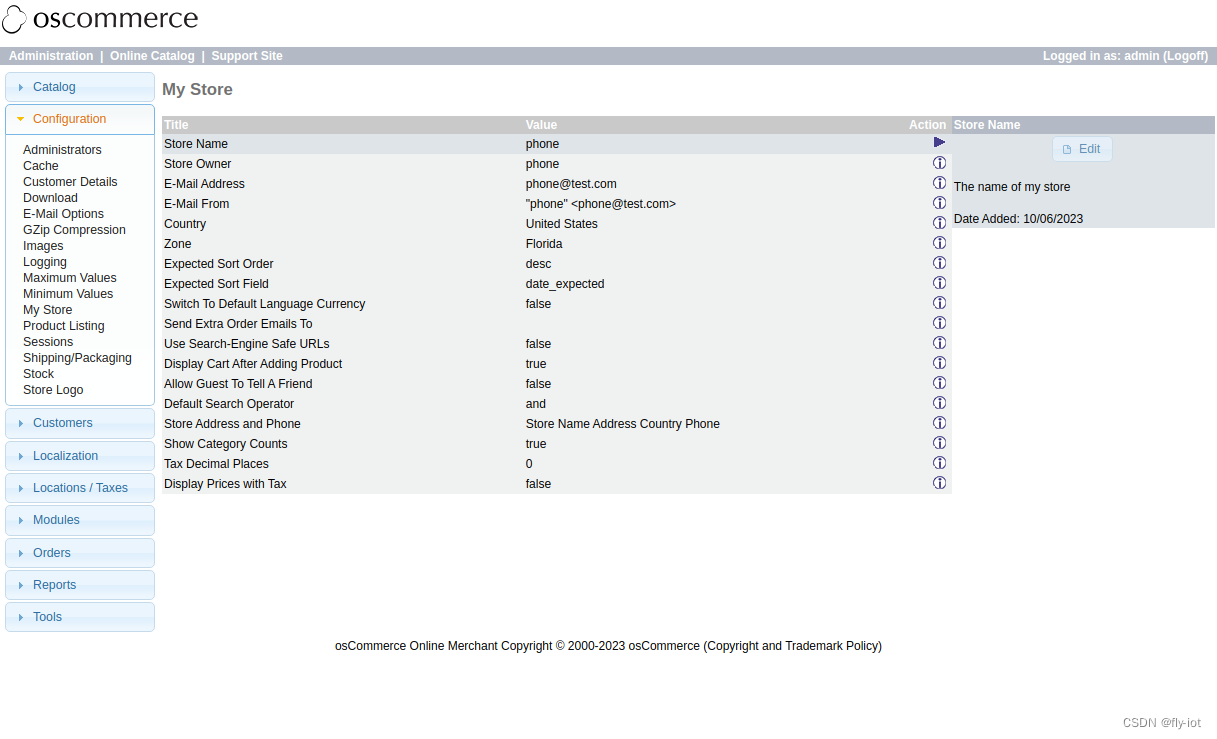
功能还是非常的复杂的。有很多的配置展示,都是英文版本的。
数据库一共有 50 张表。
7,项目总结
经过几天的研究,终于弄明白了php的环境如何配置成功了。
这个是很古老的开源项目了,数据库比较少,同时源代码都放到文件里面了。
最新的osCommerce4,文件大很多,而且GPL的开源协议。
但是 osCommerce2,因为比较老的项目了所以是MIT开源的。
https://github.com/osCommerce/oscommerce2/blob/master/LICENSE.md
版权声明:本文内容由互联网用户自发贡献,该文观点仅代表作者本人。本站仅提供信息存储空间服务,不拥有所有权,不承担相关法律责任。如发现本站有涉嫌侵权/违法违规的内容,请联系我们,一经查实,本站将立刻删除。
如需转载请保留出处:https://51itzy.com/kjqy/116628.html