
笔者对嵌入的几种文件进行简单介绍。
1. bin文件
bin文件是比较简单的文件,没什么格式,就是一个二进制文件(软件会显示用十六进制显示,方便阅读)。用户可以按照自己的方式写入,然后再自己读取并解析数据。可以看到下载bin文件时,需要指定下载地址。而hex文件则不需要。
比如一个bin的数据文件,下载到芯片中(比如通过链接脚本指定代码段),然后芯片运行的时候,在指定地址按照自定义方式去取数据并解析。比如下面这个帧格式的数据,按照既定方式解析即可(超过一个字节的数据,基本都是小端模式)。


2. hex文件
hex文件格式认识
hex格式当中 数据类型有两种编码:
02:段地址:真实地址=线性地址<<4 + offset
04:线性地址:真实地址=线性地址<<16 + offset
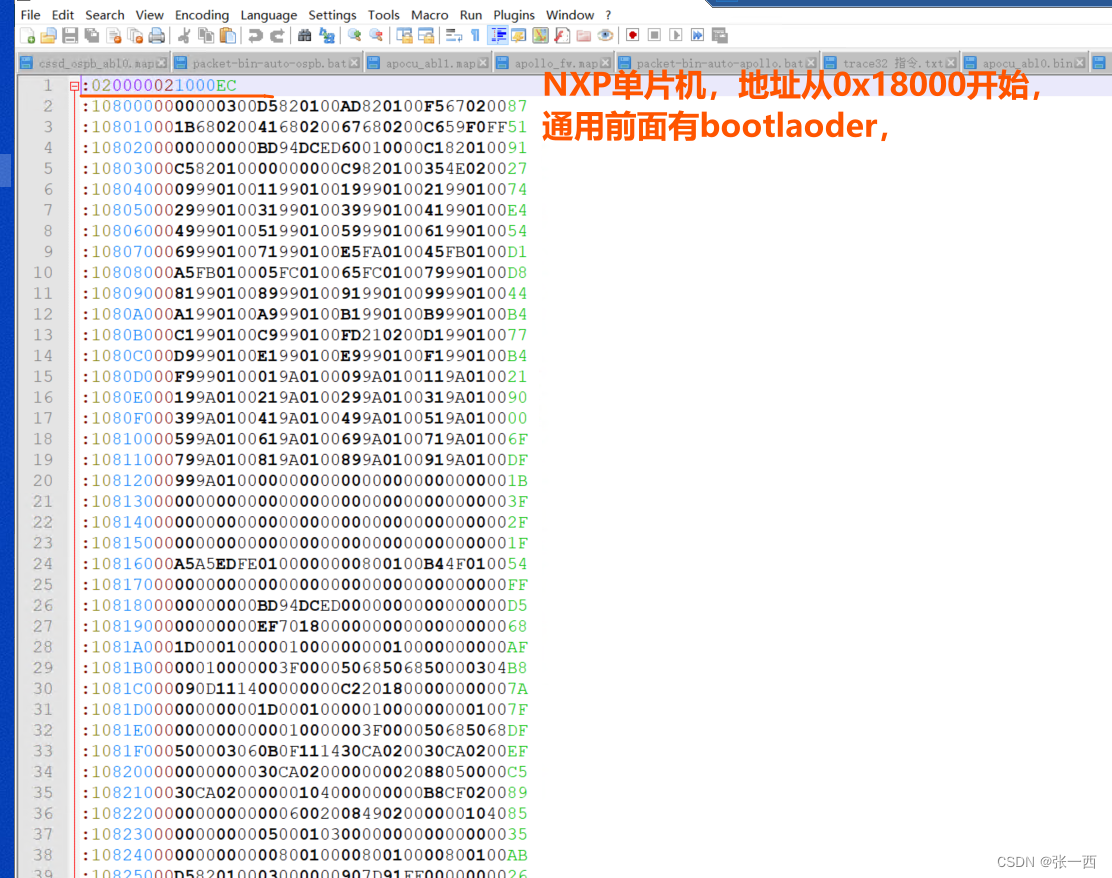
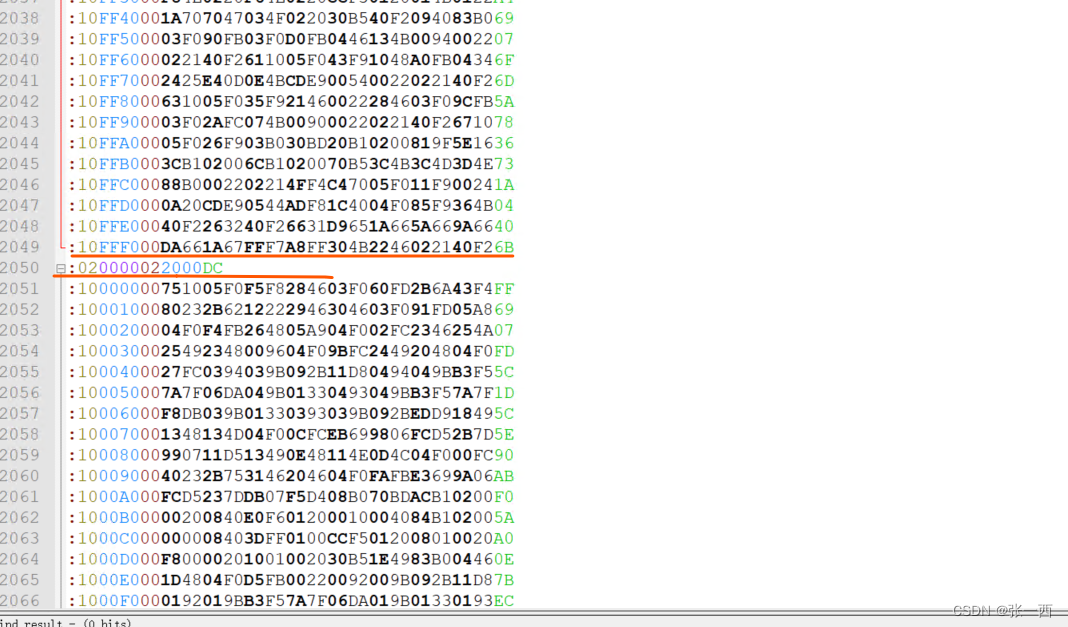
02:段地址:nxp的hex文件,使用了段地址,真实地址=段地址<<4 + offset = 0x18000,同样最大是0xFFFF,如果超过,需要重新定义起始地址,真实地址 = 0x20000。
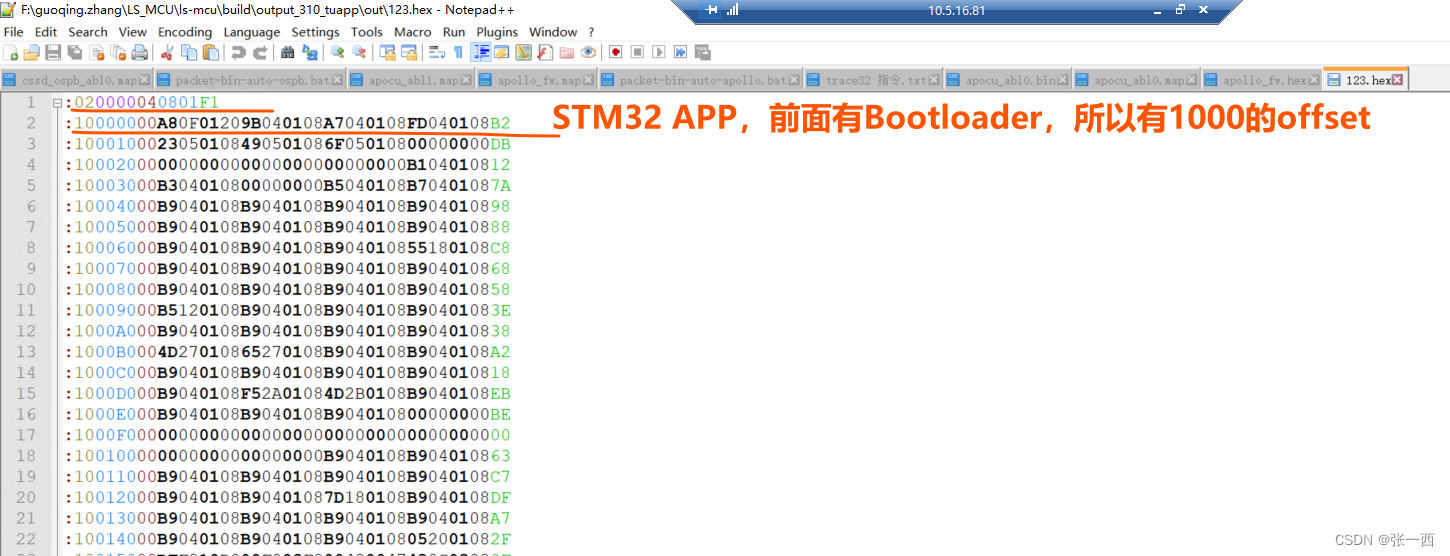
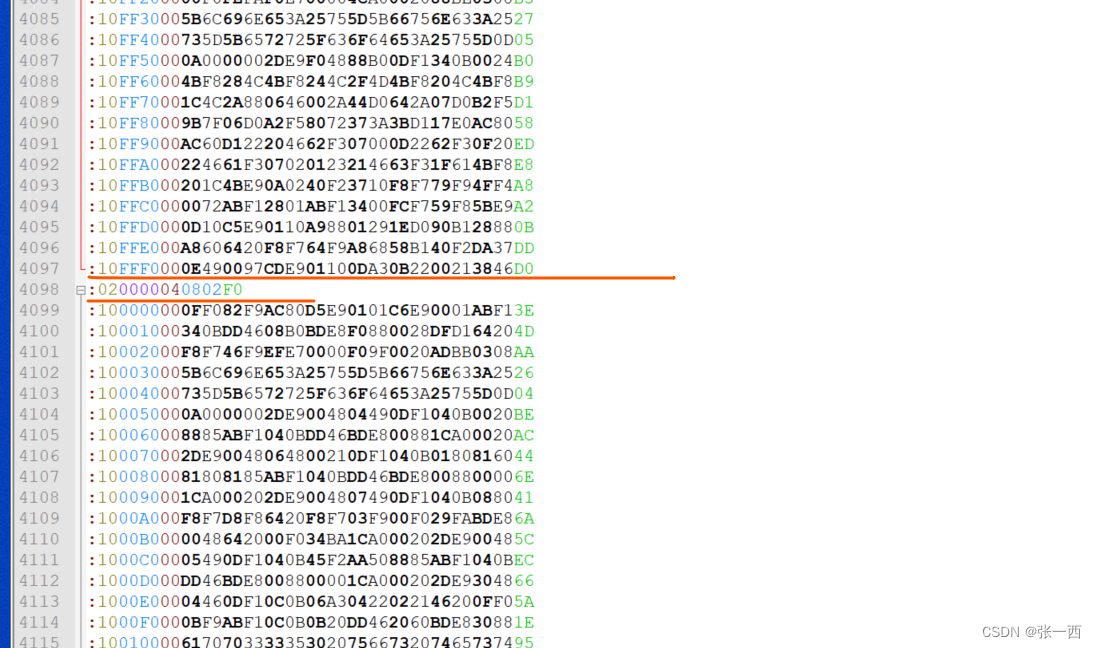
04地址,stm32的hex文件,使用了线性地址,真实地址起始位置=0801<<16 = 0x0,这样最大就是64KB,所以每超过64K,需要重新定义线性地址,真实地址从0x0开始。

3. axf文件
axf是arm excutable file (ARM可执行文件)的缩写,由ARM编译器产生,还附加调试信息等,主要由以下几个段:

头部信息、向量表(中断 跳转)、Boot(bootload代码)、Code((text + RO))、DATA(代码段 RW +ZI(bss段))、Stack、Heap、Debug(调试段)和Symbol(symbol 符号)
通过readelf指令可以解析axf文件,看到里面的各个段信息,readelf 指令如下:
Usage: readelf <option(s)> elf-file(s) Display information about the contents of ELF format files Options are: -a --all Equivalent to: -h -l -S -s -r -d -V -A -I -h --file-header Display the ELF file header -l --program-headers Display the program headers --segments An alias for --program-headers -S --section-headers Display the sections' header --sections An alias for --section-headers -g --section-groups Display the section groups -t --section-details Display the section details -e --headers Equivalent to: -h -l -S -s --syms Display the symbol table --symbols An alias for --syms --dyn-syms Display the dynamic symbol table -n --notes Display the core notes (if present) -r --relocs Display the relocations (if present) -u --unwind Display the unwind info (if present) -d --dynamic Display the dynamic section (if present) -V --version-info Display the version sections (if present) -A --arch-specific Display architecture specific information (if any) -c --archive-index Display the symbol/file index in an archive -D --use-dynamic Use the dynamic section info when displaying symbols -x --hex-dump=<number|name> Dump the contents of section <number|name> as bytes -p --string-dump=<number|name> Dump the contents of section <number|name> as strings -R --relocated-dump=<number|name> Dump the contents of section <number|name> as relocated bytes -z --decompress Decompress section before dumping it -w[lLiaprmfFsoRtUuTgAckK] or --debug-dump[=rawline,=decodedline,=info,=abbrev,=pubnames,=aranges,=macro,=frames, =frames-interp,=str,=loc,=Ranges,=pubtypes, =gdb_index,=trace_info,=trace_abbrev,=trace_aranges, =addr,=cu_index,=links,=follow-links] Display the contents of DWARF debug sections --dwarf-depth=N Do not display DIEs at depth N or greater --dwarf-start=N Display DIEs starting with N, at the same depth or deeper --ctf=<number|name> Display CTF info from section <number|name> --ctf-parent=<number|name> Use section <number|name> as the CTF parent --ctf-symbols=<number|name> Use section <number|name> as the CTF external symtab --ctf-strings=<number|name> Use section <number|name> as the CTF external strtab -I --histogram Display histogram of bucket list lengths -W --wide Allow output width to exceed 80 characters @<file> Read options from <file> -H --help Display this information -v --version Display the version number of readelf 讯享网
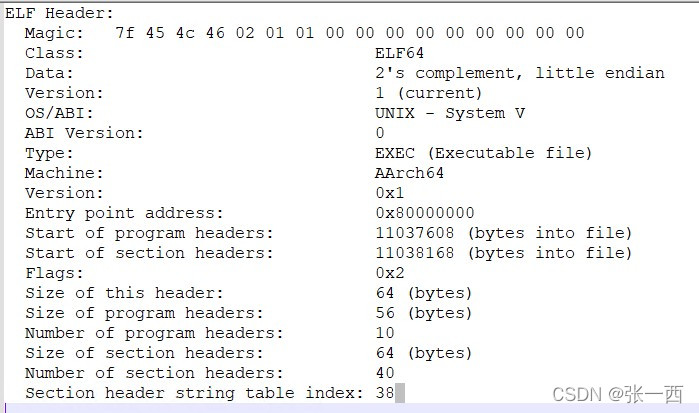
Header信息。
- DATA:数据是二进制补码,
- Type:EXEC,可执行文件
- Machine:AArch64,ARM64位架构,
- Entry point address:起始地址,0x
- size of this header,头部信息大小,64Byte
- Number of section header:40个section。
Section段信息。
可以看到有40个section,还有调试信息,debug段,这些section一般是通过链接脚本里面指定的,同时也会有size和align对齐等信息。
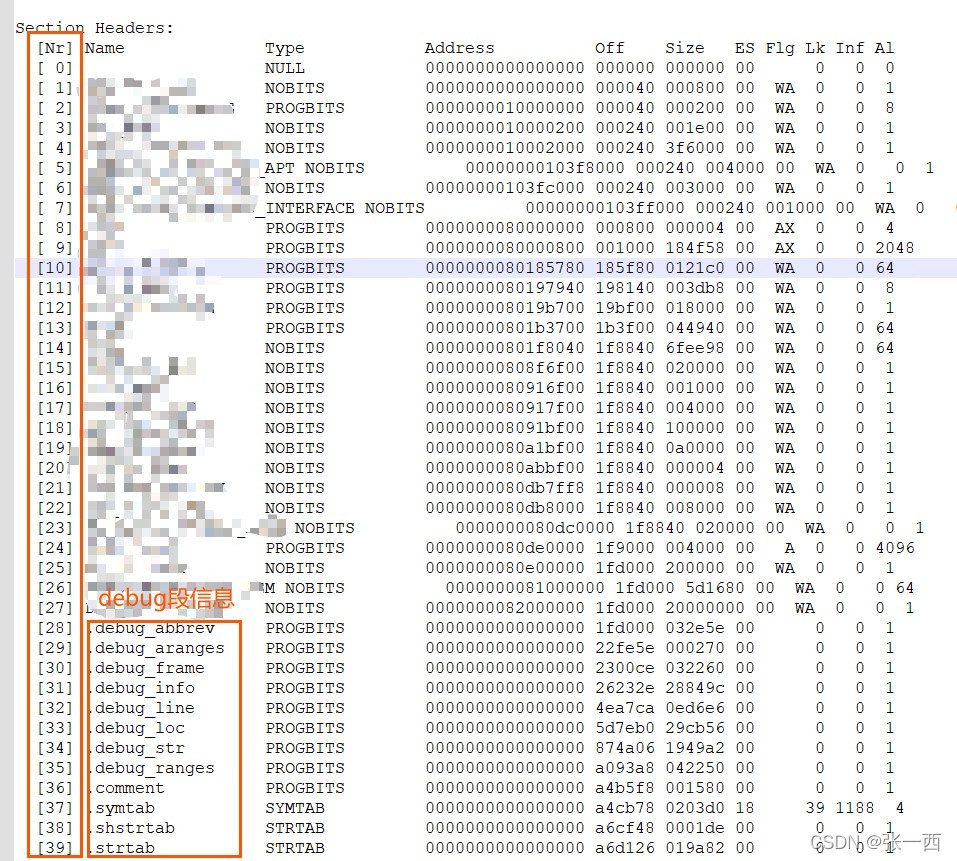
看到上面的第19和第18个section,就是堆和栈的大小size(160K与1M)。

还有Symbol符号表信息。
可以看到有5502的symbo符号,包括一些段symbol。

debug段调试信息
它就比较复杂了,包含debug frame、debug_line、debug_loc、debug_str等,需要知道其存储的格式,然后按照其方式去定位,addr2line就是这样解析和定位的。

4. elf文件
elf 文件是Linux OS下的可执行文件,格式与axf文件很像,同样可以使用Readelf指令去解析,但是稍有区别,ARM编译器编出axf文件,比如GCC会编译生成elf文件。
1、链接的可重定位文件
2、共享目标文件,
3、可执行文件。
版权声明:本文内容由互联网用户自发贡献,该文观点仅代表作者本人。本站仅提供信息存储空间服务,不拥有所有权,不承担相关法律责任。如发现本站有涉嫌侵权/违法违规的内容,请联系我们,一经查实,本站将立刻删除。
如需转载请保留出处:https://51itzy.com/kjqy/89093.html