
利用cocos creator认识向量在游戏中的作用
题目
1.利用cocos creator的graphics组件画一个圆(不使用circle方法)。
2.以此圆的圆心为原点制作一个60°的扇形。
3.假设圆心的原点为敌人,步骤二所制作的扇形为敌人的技能攻击范围。以鼠标在游戏内的坐标点为玩家所在位置,求任意时刻鼠标是否处在敌人攻击范围内(通过扇形颜**分)
思考
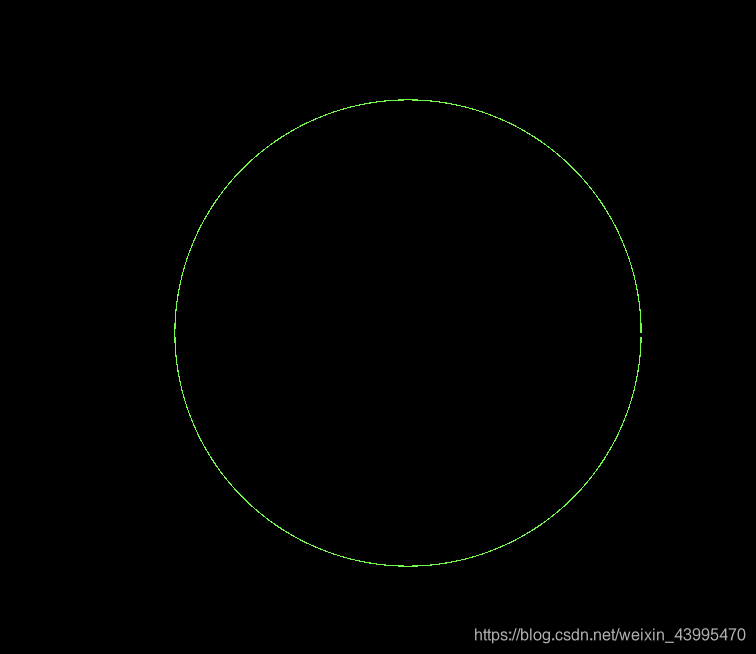
1.首先我们以(0,0)点为原点,以r为半径,每隔1°画一个点,之后将这些点连接,便组成一个圆。
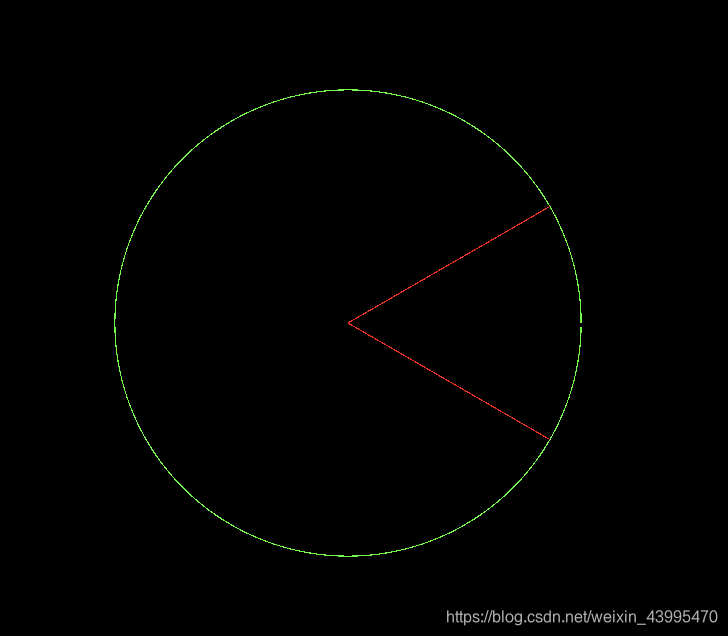
2.以(0,0)点为原点,以r为半径±30°画两个点,之后连接两个点便组成一个扇形。
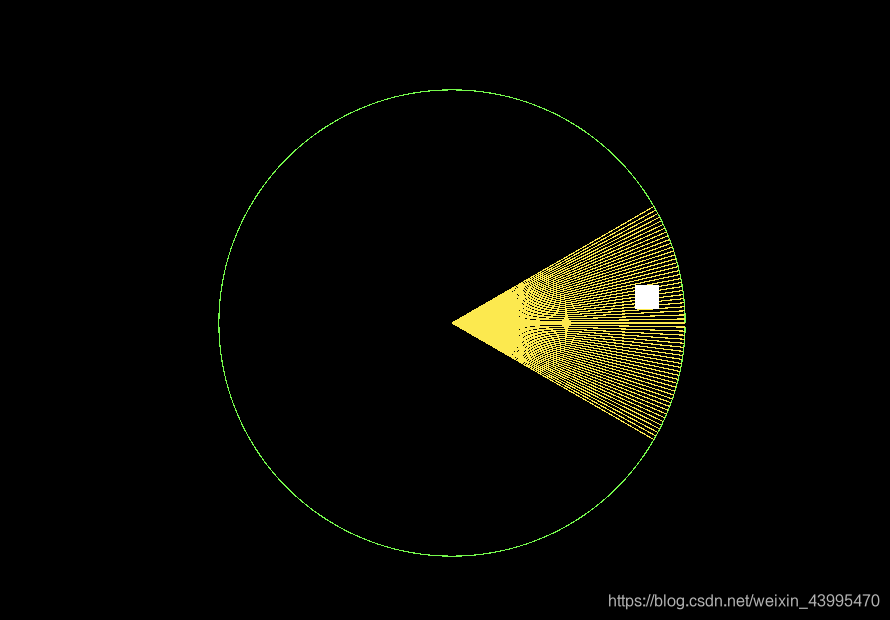
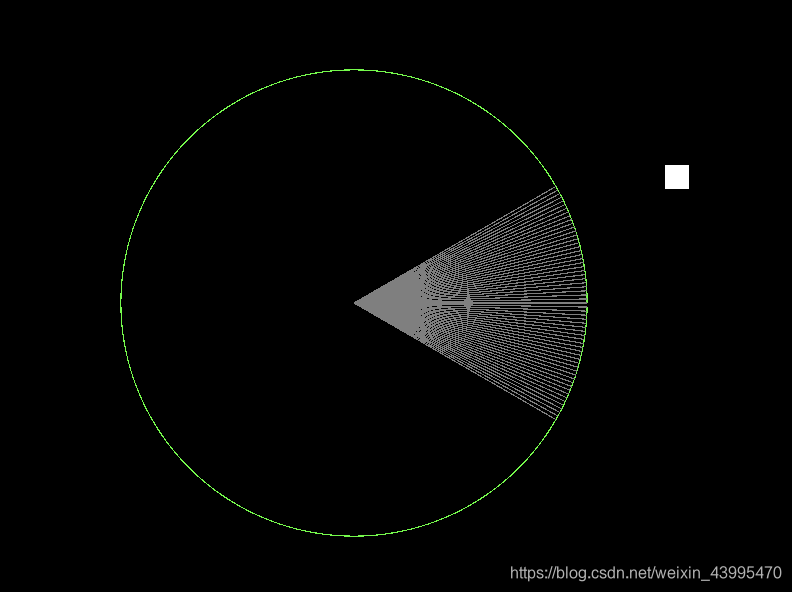
3.首先获取鼠标当前坐标点并转换为游戏节点内坐标,其次根据向量的叉积以及当前点与原点距离判断点是否在扇形内。
实践
1.首先我们以(0,0)点为原点,以r为半径,每隔1°画一个点,之后将这些点连接,便组成一个圆。
 drawCircle () {
    let line = this.circle; //设置线条宽度 line.lineWidth = 1; //设置线条颜色 line.strokeColor = cc.Color.GREEN; let lastPos; for (let i = 0; i <= 360; i += 1) {
    let pos = this.createPoint(i); if (i === 0) {
    //创建线条起始点 line.moveTo(pos.x, pos.y); } else {
    //与前一段线条相连 line.lineTo(lastPos.x, lastPos.y); } lastPos = pos } line.stroke(); }, createPoint (angle) {
    //将x转换为弧度 // let result = this.amplitude * Math.sin(this.cycle * x * Math.PI / 180 + this.offsetX) + this.offsetY; let x = this.pointO.x + this.redium * Math.cos(angle * Math.PI / 180); let y = this.pointO.y + this.redium * Math.sin(angle * Math.PI / 180); let pos = cc.v2(x, y); return pos; },
讯享网
效果:
讯享网
2.以(0,0)点为原点,以r为半径±30°画两个点,之后连接两个点便组成一个扇形。

讯享网 //根据angle的范围从圆心画两条直线 drawLine () {
    let line = this.tip; line.lineWidth = 1; line.strokeColor = cc.Color.RED; this.pos1 = this.createPoint(this.angle); this.pos2 = this.createPoint(-this.angle); line.moveTo(0, 0); line.lineTo(this.pos1.x, this.pos1.y); line.stroke(); line.moveTo(0, 0); line.lineTo(this.pos2.x, this.pos2.y); line.stroke(); },
效果
3.首先获取鼠标当前坐标点并转换为游戏节点内坐标,其次根据向量的叉积以及当前点与原点距离判断点是否在扇形内。
 onLoad () {
    this.node.on('touchstart', function (event) {
    //转换为本地坐标 this.target.position = this.node.convertToNodeSpaceAR(event.getLocation()); //判断鼠标是否在扇形范围内 this.judgeTargetIsFront(); }, this); }, judgeTargetIsFront () {
    if (!this.target) {
    return; } this.tip.clear(); //判断当前目标与扇形圆心的方向向量 //在-angle点处的顺时针方向 在angle点处的逆时针方向 if ((this.pos1.sub(this.pointO).cross(this.target.position.sub(this.pointO)) * this.pos2.sub(this.pointO).cross(this.target.position.sub(this.pointO))) <= 0 && this.checkPointInCircle()) {
    let line = this.tip; //设置线条宽度 line.lineWidth = 1; //设置线条颜色 line.strokeColor = cc.Color.YELLOW; for (let i = -this.angle; i <= this.angle; i += 1) {
    let pos = this.createPoint(i); //创建线条起始点 line.moveTo(this.pointO.x, this.pointO.y); //与前一段线条相连 line.lineTo(pos.x, pos.y); } line.stroke(); } else {
    let line = this.lineNode.getComponent(cc.Graphics); //设置线条宽度 line.lineWidth = 1; //设置线条颜色 line.strokeColor = cc.Color.GRAY; for (let i = -this.angle; i <= this.angle; i += 1) {
    let pos = this.createPoint(i); //创建线条起始点 line.moveTo(this.pointO.x, this.pointO.y); //与前一段线条相连 line.lineTo(pos.x, pos.y); } line.stroke(); } }, checkPointInCircle () {
    if (this.pointO.sub(this.target.position).mag() <= this.redium) {
    return true; } return false; },
效果:
完整代码:
讯享网cc.Class({
    extends: cc.Component, properties: {
    lineNode: cc.Node, redium: 0, angle: 0, pointO: cc.Vec2, target: cc.Node, tip: cc.Graphics, line: cc.Graphics, circle: cc.Graphics, }, // LIFE-CYCLE CALLBACKS: onLoad () {
    this.drawCircle(); //通过画线分解成扇形 (攻击范围) this.drawLine(); this.node.on('touchstart', function (event) {
    this.target.position = this.node.convertToNodeSpaceAR(event.getLocation()); this.judgeTargetIsFront(); }, this); }, judgeTargetIsFront () {
    if (!this.target) {
    return; } this.tip.clear(); //判断当前目标与扇形圆心的方向向量 //在-angle点处的顺时针方向 在angle点处的逆时针方向 if ((this.pos1.sub(this.pointO).cross(this.target.position.sub(this.pointO)) * this.pos2.sub(this.pointO).cross(this.target.position.sub(this.pointO))) <= 0 && this.checkPointInCircle()) {
    let line = this.tip; //设置线条宽度 line.lineWidth = 1; //设置线条颜色 line.strokeColor = cc.Color.YELLOW; for (let i = -this.angle; i <= this.angle; i += 1) {
    let pos = this.createPoint(i); //创建线条起始点 line.moveTo(this.pointO.x, this.pointO.y); //与前一段线条相连 line.lineTo(pos.x, pos.y); } line.stroke(); } else {
    let line = this.lineNode.getComponent(cc.Graphics); //设置线条宽度 line.lineWidth = 1; //设置线条颜色 line.strokeColor = cc.Color.GRAY; for (let i = -this.angle; i <= this.angle; i += 1) {
    let pos = this.createPoint(i); //创建线条起始点 line.moveTo(this.pointO.x, this.pointO.y); //与前一段线条相连 line.lineTo(pos.x, pos.y); } line.stroke(); } }, //根据angle的范围从圆心画两条直线 drawLine () {
    let line = this.tip; line.lineWidth = 1; line.strokeColor = cc.Color.RED; this.pos1 = this.createPoint(this.angle); this.pos2 = this.createPoint(-this.angle); line.moveTo(0, 0); line.lineTo(this.pos1.x, this.pos1.y); line.stroke(); line.moveTo(0, 0); line.lineTo(this.pos2.x, this.pos2.y); line.stroke(); }, drawCircle () {
    let line = this.circle; //设置线条宽度 line.lineWidth = 1; //设置线条颜色 line.strokeColor = cc.Color.GREEN; let lastPos; for (let i = 0; i <= 360; i += 1) {
    let pos = this.createPoint(i); if (i === 0) {
    //创建线条起始点 line.moveTo(pos.x, pos.y); } else {
    //与前一段线条相连 line.lineTo(lastPos.x, lastPos.y); } lastPos = pos } line.stroke(); }, createPoint (angle) {
    //将x转换为弧度 // let result = this.amplitude * Math.sin(this.cycle * x * Math.PI / 180 + this.offsetX) + this.offsetY; let x = this.pointO.x + this.redium * Math.cos(angle * Math.PI / 180); let y = this.pointO.y + this.redium * Math.sin(angle * Math.PI / 180); let pos = cc.v2(x, y); return pos; }, checkPointInCircle () {
    if (this.pointO.sub(this.target.position).mag() <= this.redium) {
    return true; } return false; }, start () {
    }, update (dt) {
    }, });
节点摆放
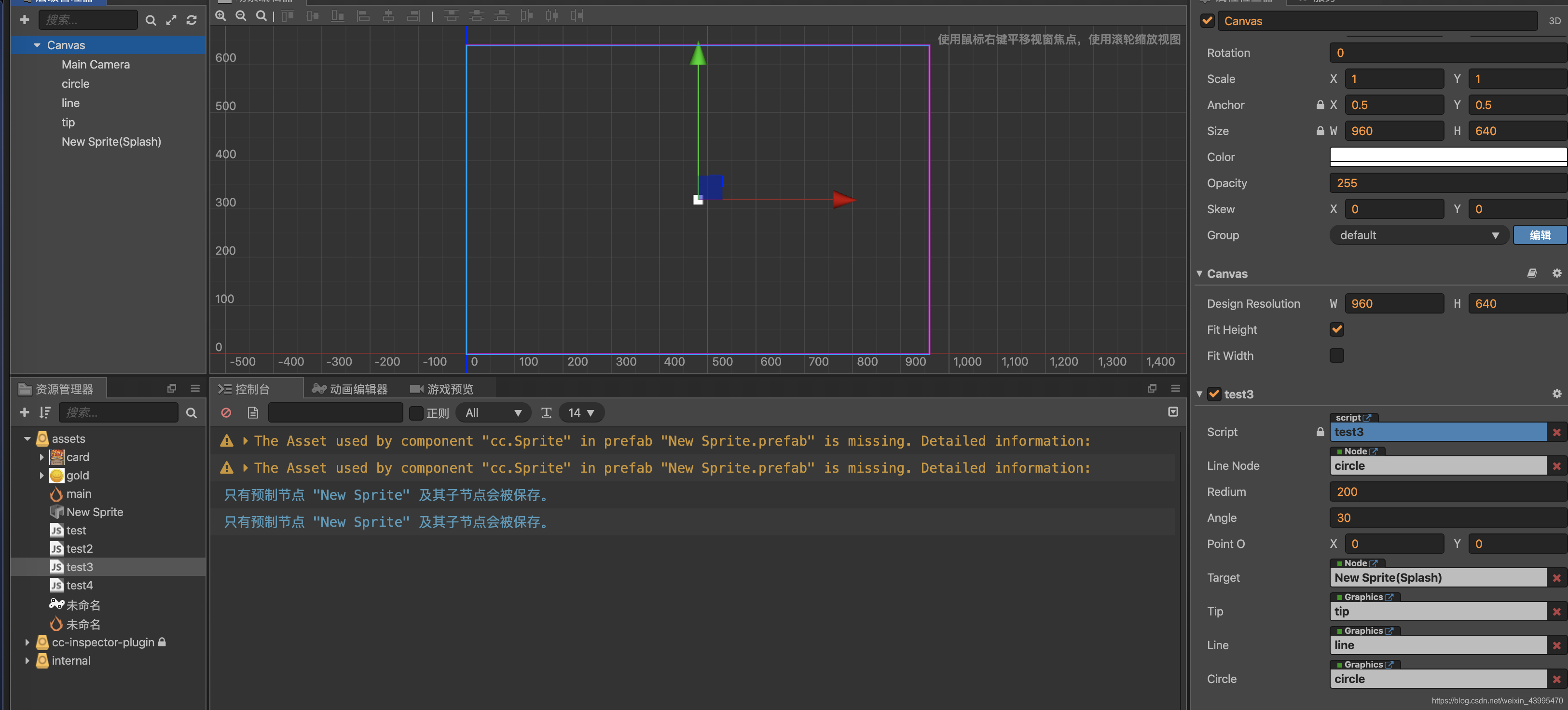
其中circle tip line上均挂一个graphics组件。
版权声明:本文内容由互联网用户自发贡献,该文观点仅代表作者本人。本站仅提供信息存储空间服务,不拥有所有权,不承担相关法律责任。如发现本站有涉嫌侵权/违法违规的内容,请联系我们,一经查实,本站将立刻删除。
如需转载请保留出处:https://51itzy.com/kjqy/84841.html