
前言
本文基于
- “vue-cli”: “^5.0.8”
1.安装依赖
stylelint
yarn add stylelint --dev 讯享网
规则配置插件
讯享网yarn add stylelint-config-standard --dev
CSS属性自定义排序插件
yarn add stylelint-order --dev 项目使用的是less(scss请使用postcss-scss,后续less部分都要替换)
讯享网yarn add postcss-less --dev
处理 .vue 文件内的style标签样式
yarn add postcss-html --dev 2.在项目根目录创建 .stylelintrc.js 文件
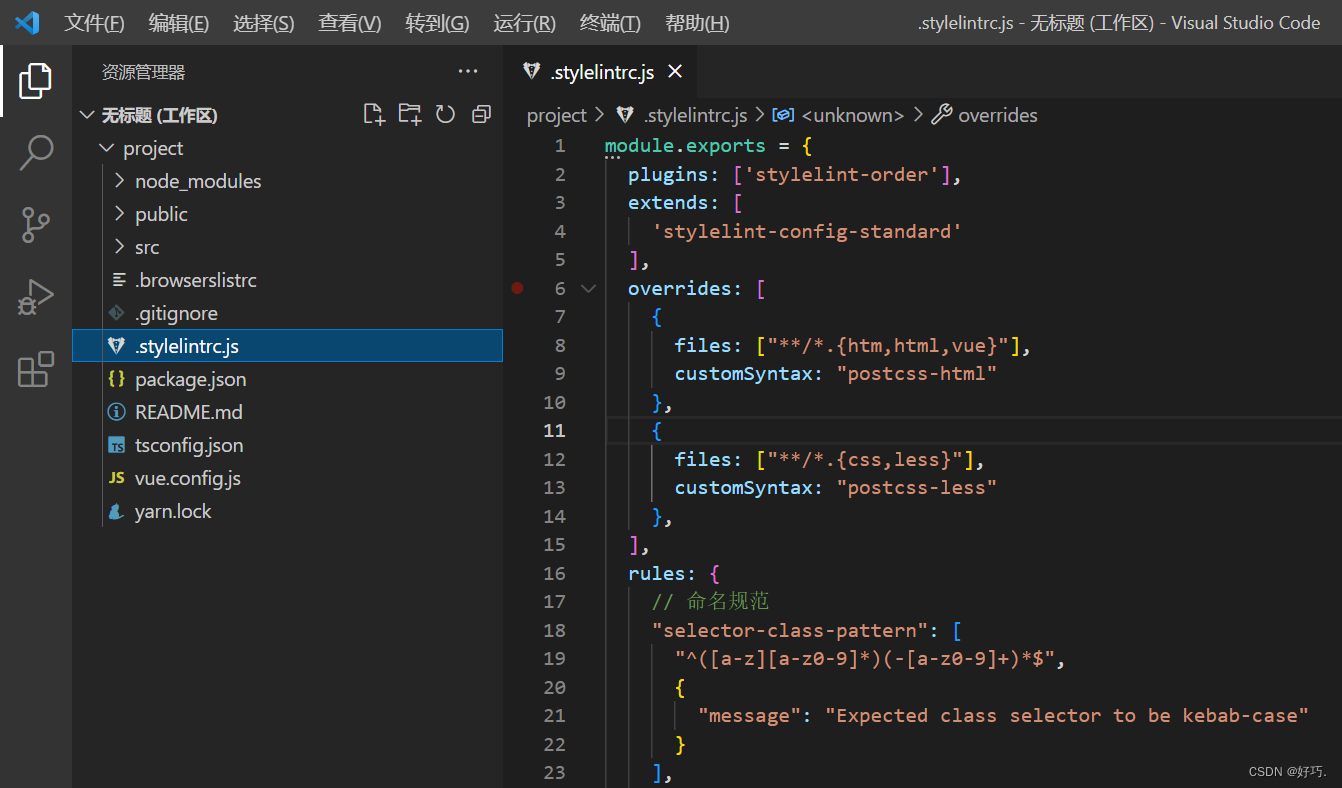
配置如下:
使用airbnb或prettier规范的话,将extends里的stylelint-config-standard替换即可,参考第一步中的规则配置插件部分。

更多规则配置请查看 stylelint 中文文档。
讯享网module.exports = {
    plugins: ['stylelint-order'], extends: [ 'stylelint-config-standard' ], overrides: [ {
    files: ["/*.{htm,html,vue}"], customSyntax: "postcss-html" }, {
    files: ["/*.{css,less}"], customSyntax: "postcss-less" }, ], rules: {
    // 命名规范 "selector-class-pattern": [ "^([a-z][a-z0-9]*)(-[a-z0-9]+)*$", {
    "message": "Expected class selector to be kebab-case" } ], 'string-quotes': 'single', // 单引号 'at-rule-empty-line-before': null, 'at-rule-no-unknown': null, 'at-rule-name-case': 'lower', // 指定@规则名的大小写 'length-zero-no-unit': true, // 禁止零长度的单位(可自动修复) 'shorthand-property-no-redundant-values': true, // 简写属性 'number-leading-zero': 'never', // 小数不带0 'declaration-block-no-duplicate-properties': null, // 禁止声明快重复属性 'no-descending-specificity': null, // 禁止在具有较高优先级的选择器后出现被其覆盖的较低优先级的选择器。 'selector-max-id': 3, // 限制一个选择器中 ID 选择器的数量 'max-nesting-depth': 4, 'indentation': [2, {
    // 指定缩进 warning 提醒 'severity': 'warning' }], // 规则顺序 'order/properties-order': [ 'position', 'top', 'right', 'bottom', 'left', 'z-index', 'display', 'float', 'width', 'height', 'max-width', 'max-height', 'min-width', 'min-height', 'padding', 'padding-top', 'padding-right', 'padding-bottom', 'padding-left', 'margin', 'margin-top', 'margin-right', 'margin-bottom', 'margin-left', 'margin-collapse', 'margin-top-collapse', 'margin-right-collapse', 'margin-bottom-collapse', 'margin-left-collapse', 'overflow', 'overflow-x', 'overflow-y', 'clip', 'clear', 'font', 'font-family', 'font-size', 'font-smoothing', 'osx-font-smoothing', 'font-style', 'font-weight', 'line-height', 'letter-spacing', 'word-spacing', 'color', 'text-align', 'text-decoration', 'text-indent', 'text-overflow', 'text-rendering', 'text-size-adjust', 'text-shadow', 'text-transform', 'word-break', 'word-wrap', 'white-space', 'vertical-align', 'list-style', 'list-style-type', 'list-style-position', 'list-style-image', 'pointer-events', 'cursor', 'background', 'background-color', 'border', 'border-radius', 'content', 'outline', 'outline-offset', 'opacity', 'filter', 'visibility', 'size', 'transform' ] } };
3.vue-config.js配置
安装依赖
yarn add stylelint-webpack-plugin --dev 具体配置项可自行查看 StylelintWebpackPlugin
讯享网const path = require('path'); const StylelintPlugin = require('stylelint-webpack-plugin'); module.exports = {
    configureWebpack: () => {
    return {
    plugins: [ new StylelintPlugin({
    configFile: path.resolve(__dirname, './.stylelintrc.js'), // 加载配置文件 files: ['/*.{html,vue,css,less}'], // 要检查的扩展名 lintDirtyModulesOnly: false, // 仅检查有变化的文件 fix: false, // 是否自动修复 cache: false, // 是否缓存 emitWarning: true, // 开发运行时抛出Warning提示 emitErrors: true // 开发运行时抛出Error提示 }) ] } } };
4.启动项目
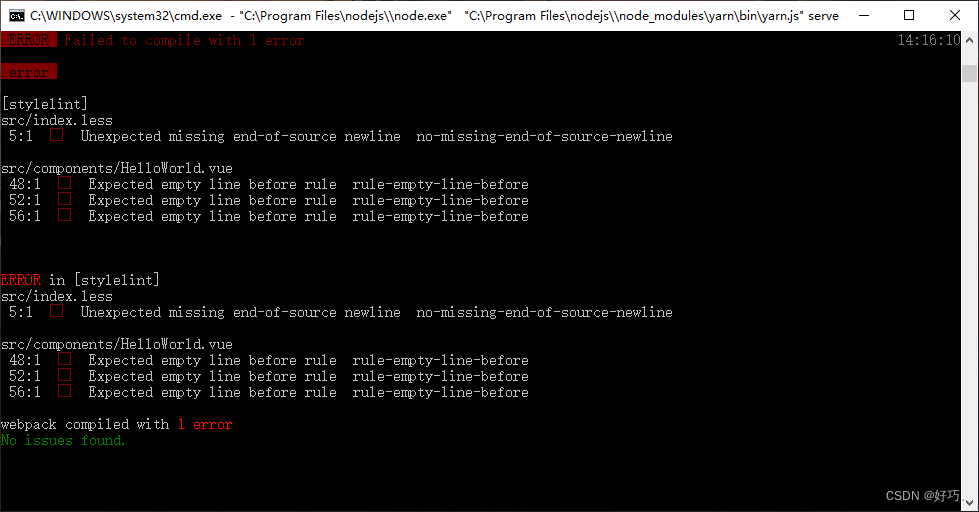
可以看见不管是 .less 还是 .vue 文件都检测出了不符合规范的样式
5.package.json 配置一键修复
"script": {
    "lint:css": "stylelint /*.{html,vue,css,less} --fix" }
6.可以创建 .stylelintignore 忽略某些文件的检查
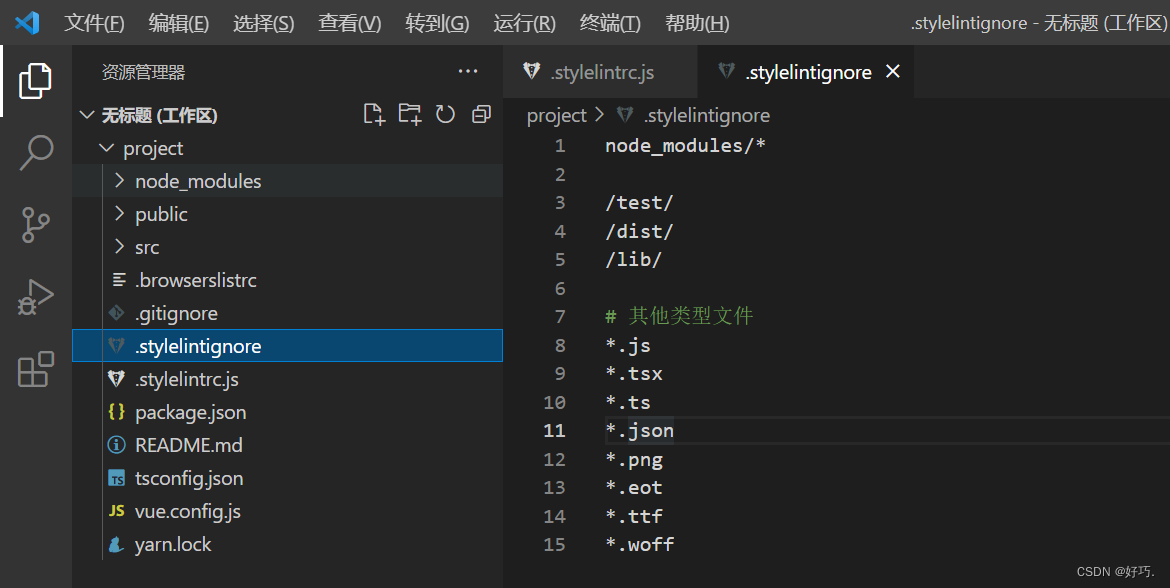
讯享网node_modules/* /test/ /dist/ /lib/ # 其他类型文件 *.js *.tsx *.ts *.json *.png *.eot *.ttf *.woff
如果本篇文章对你有帮助的话,很高兴能够帮助上你。
当然,如果你觉得文章有什么让你觉得不合理、或者有更简单的实现方法又或者有理解不来的地方,希望你在看到之后能够在评论里指出来,我会在看到之后尽快的回复你。
版权声明:本文内容由互联网用户自发贡献,该文观点仅代表作者本人。本站仅提供信息存储空间服务,不拥有所有权,不承担相关法律责任。如发现本站有涉嫌侵权/违法违规的内容,请联系我们,一经查实,本站将立刻删除。
如需转载请保留出处:https://51itzy.com/kjqy/82954.html