
简介
机器人导航中传统的navigation效果不好,尝试teb_local_planner后,机器人导航效果比较好,介绍一下如何源码安装。
安装步骤
- 检查依赖项,通过下面指令或者可以查看源码里面的package.xml 和 CMakeLists.txt 文件,里面都有列出来:
rosdep check teb_local_planner 讯享网

讯享网如果都安装了会这样显示,如果没有,则需要下面指令安装缺少的依赖:
讯享网rosdep install teb_local_planner
如果运行了出现这种错误:
ERROR: Rosdep cannot find all required resources to answer your query Missing resource teb_local_planner ROS path [0]=/opt/ros/noetic/share/ros ROS path [1]=/opt/ros/noetic/share 
那就需要下载好代码(先下代码!!),然后在workspace文件夹下运行以下指令:
讯享网rosdep install --from-paths src --ignore-src --rosdistro=noetic -y
- 去github下载源码:(记得选择对应的ROS版本分支)
cd ~/catkin_ws/src git clone https://github.com/rst-tu-dortmund/teb_local_planner git checkout <your_ros_version_branch> - 下载好之后编译,因为我们只想对这个包进行编译,则需要在catkin_make后面加限定编译功能包的参数:
讯享网catkin_make -DCATKIN_WHITELIST_PACKAGES="teb_local_planner" (src文件夹下面你下载的teb功能包文件夹名字)
- 查看teb_local_planner是否安装完成:
rospack plugins --attrib=plugin nav_core 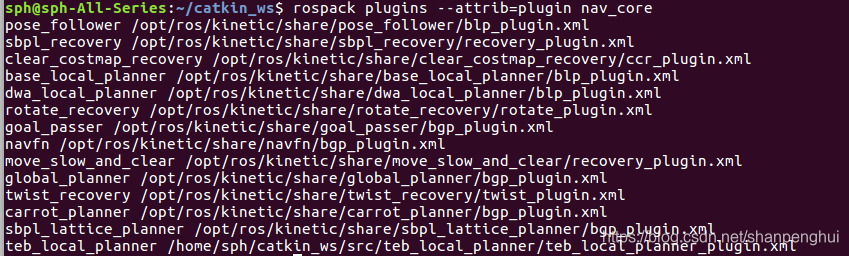
在列表中如果找到teb_local_planner的话就表示安装成功了,如果没有,大概率是你没运行source devel/setup.bash这个指令,记得啊!
- 运行
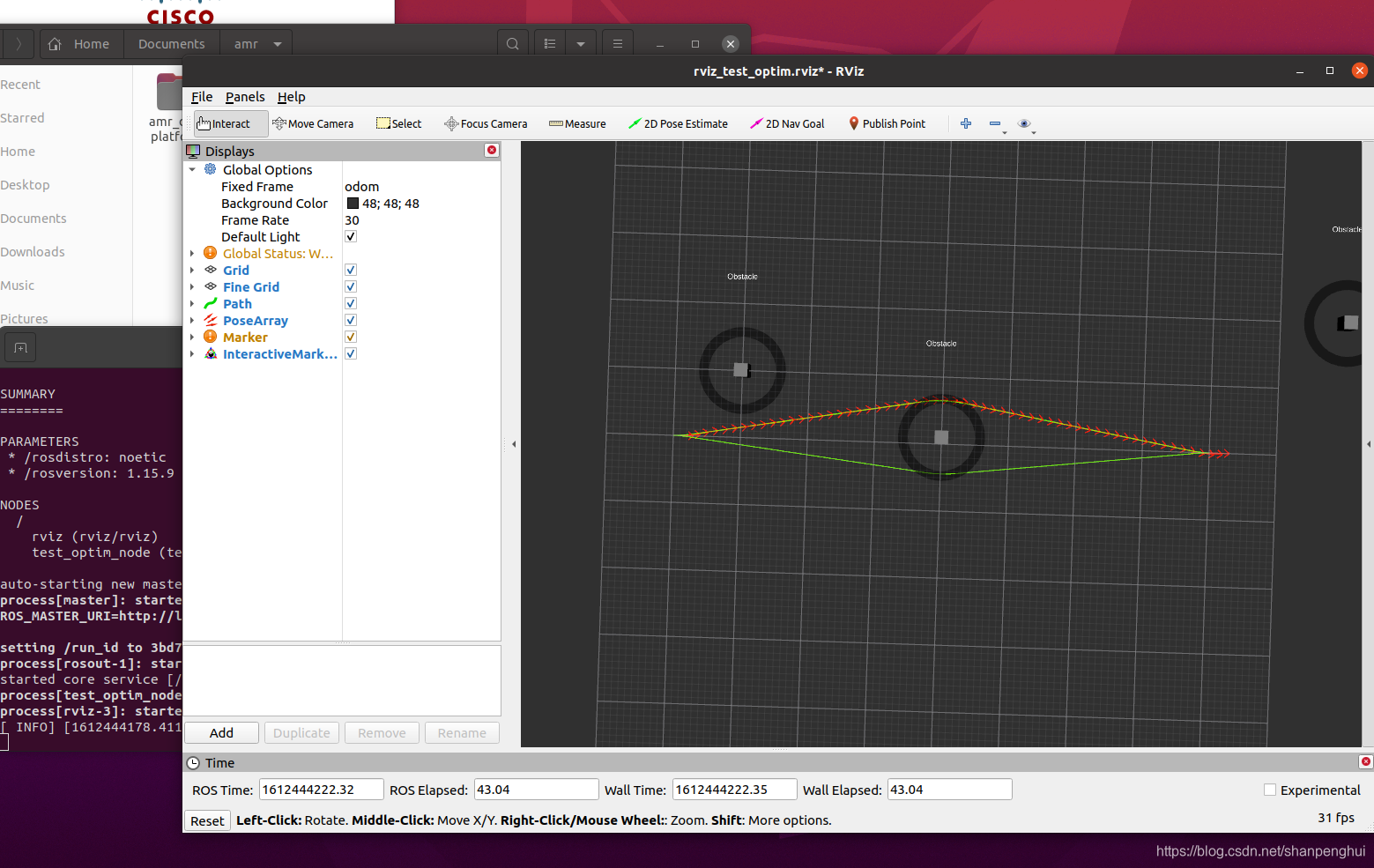
- 安装teb_local_planner_tutorials
讯享网git clone https://github.com/rst-tu-dortmund/teb_local_planner_tutorials.git git checkout <your_ros_version_branch> rosdep install --from-paths src --ignore-src --rosdistro=noetic -y catkin_make
- python问题
Ubuntu20运行的话,大概率会出现下面问题:
Command 'python' not found, did you mean: command 'python3' from deb python3 command 'python' from deb python-is-python3 导致启动teb_local_planner_tutorials出现下面错误:
讯享网[robot_1/Mover-7] process has died [pid , exit code 127, cmd /home/shenz/Documents/amr/teb_ws/src/teb_local_planner_tutorials/scripts/move_obstacle.py __name:=Mover __log:=/home/shenz/.ros/log/228a5704-66ea-11eb-8088-8168a230ba56/robot_1-Mover-7.log]. log file: /home/shenz/.ros/log/228a5704-66ea-11eb-8088-8168a230ba56/robot_1-Mover-7*.log [robot_1/visualize_obstacle_velocity_profile-8] process has died [pid , exit code 127, cmd /home/shenz/Documents/amr/teb_ws/src/teb_local_planner_tutorials/scripts/visualize_obstacle_velocity_profile.py __name:=visualize_obstacle_velocity_profile __log:=/home/shenz/.ros/log/228a5704-66ea-11eb-8088-8168a230ba56/robot_1-visualize_obstacle_velocity_profile-8.log]. log file: /home/shenz/.ros/log/228a5704-66ea-11eb-8088-8168a230ba56/robot_1-visualize_obstacle_velocity_profile-8*.log
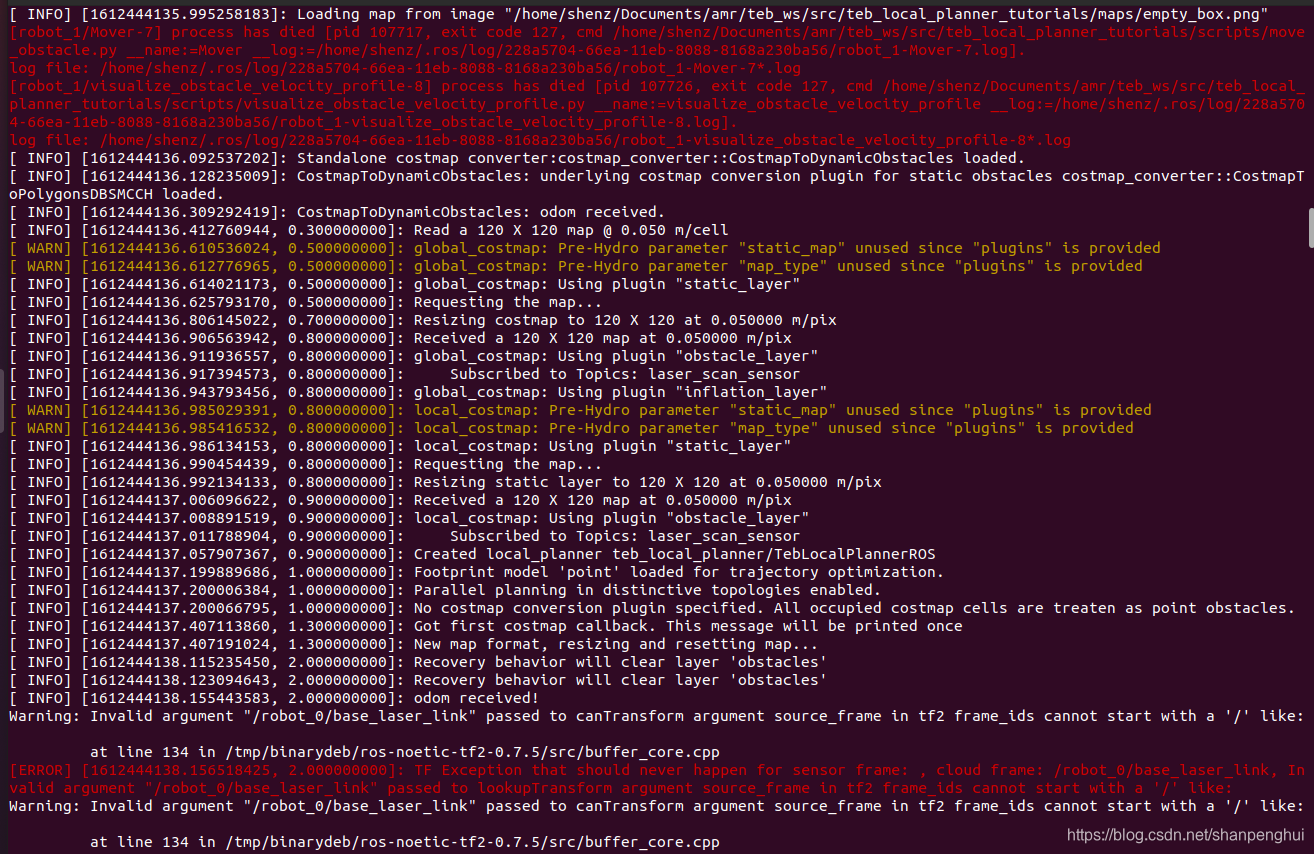
解决办法就是:
sudo apt install python-is-python3 安装完成之后,运行可能又会出现下面问题:
讯享网running rosparam delete /robot_0/move_base/ ERROR: parameter [/robot_0/move_base] is not set
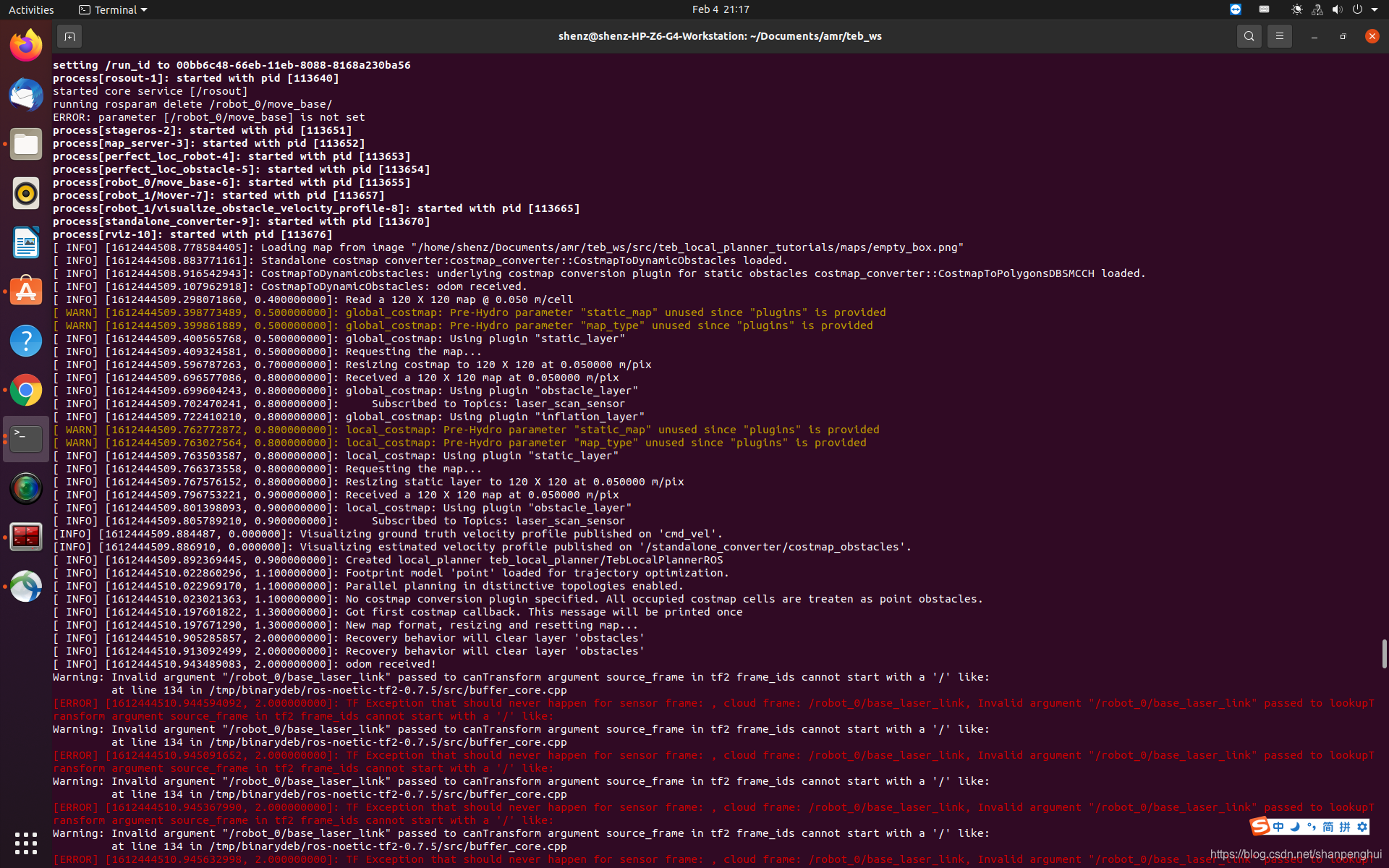
原因是stage_ros的格式在前面加了个/,而正常是没有的,需要重新修改源码并替换掉该库。有2种方式,一是直接替换系统的库,二是另外编译stage_ros的源码,然后source,这样不会对系统的更改,比较好,推荐。

git clone https://github.com/shanpenghui/stage_ros.git 主要改动:
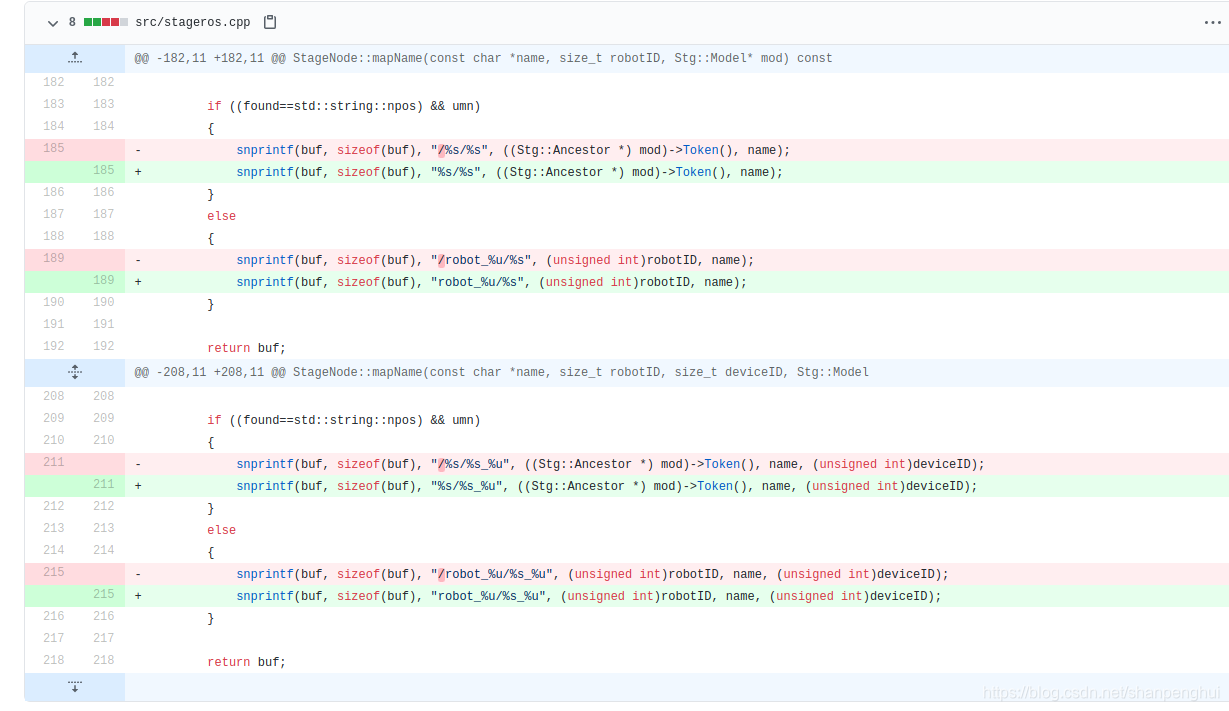
2.编译stage_ros
讯享网source /opt/ros/noetic/setup.bash catkin_make -j4
3.把编译好的stage_ros配置入系统环境,非常重要的一步
source devel/setup.bash 4.重新编译teb_local_planner和teb_local_planner_tutorials,注意不要在新的终端启动,而是要在运行了上面指令的终端下继续编译,否则还是会用到系统的stage_ros,而不是自己编译的stage_ros
讯享网cd teb_ws rm -rf build devel catkin_make -j4 source devel/setup.bash
5.运行
roslaunch teb_local_planner_tutorials dyn_obst_corridor_scenario.launch 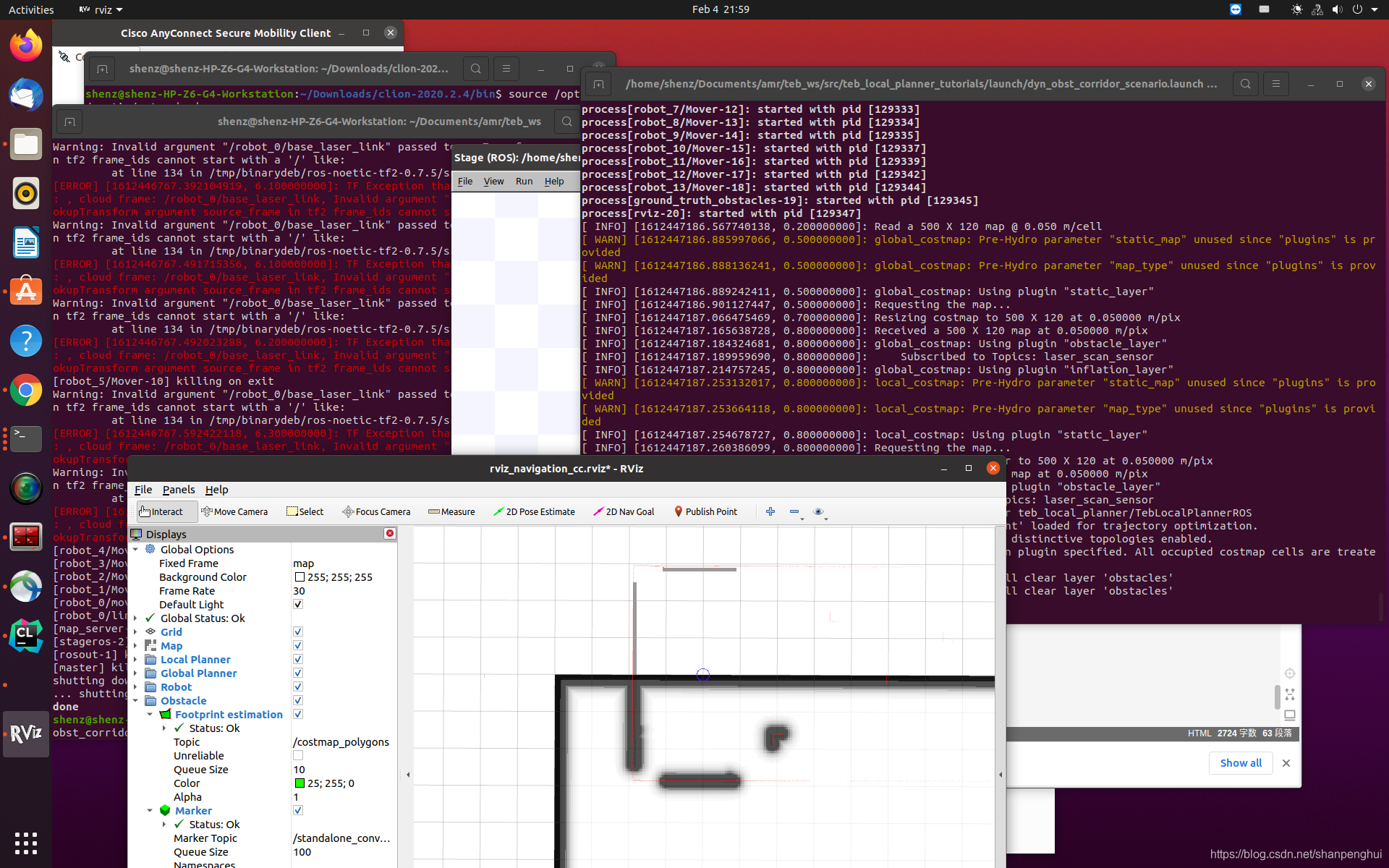
或者
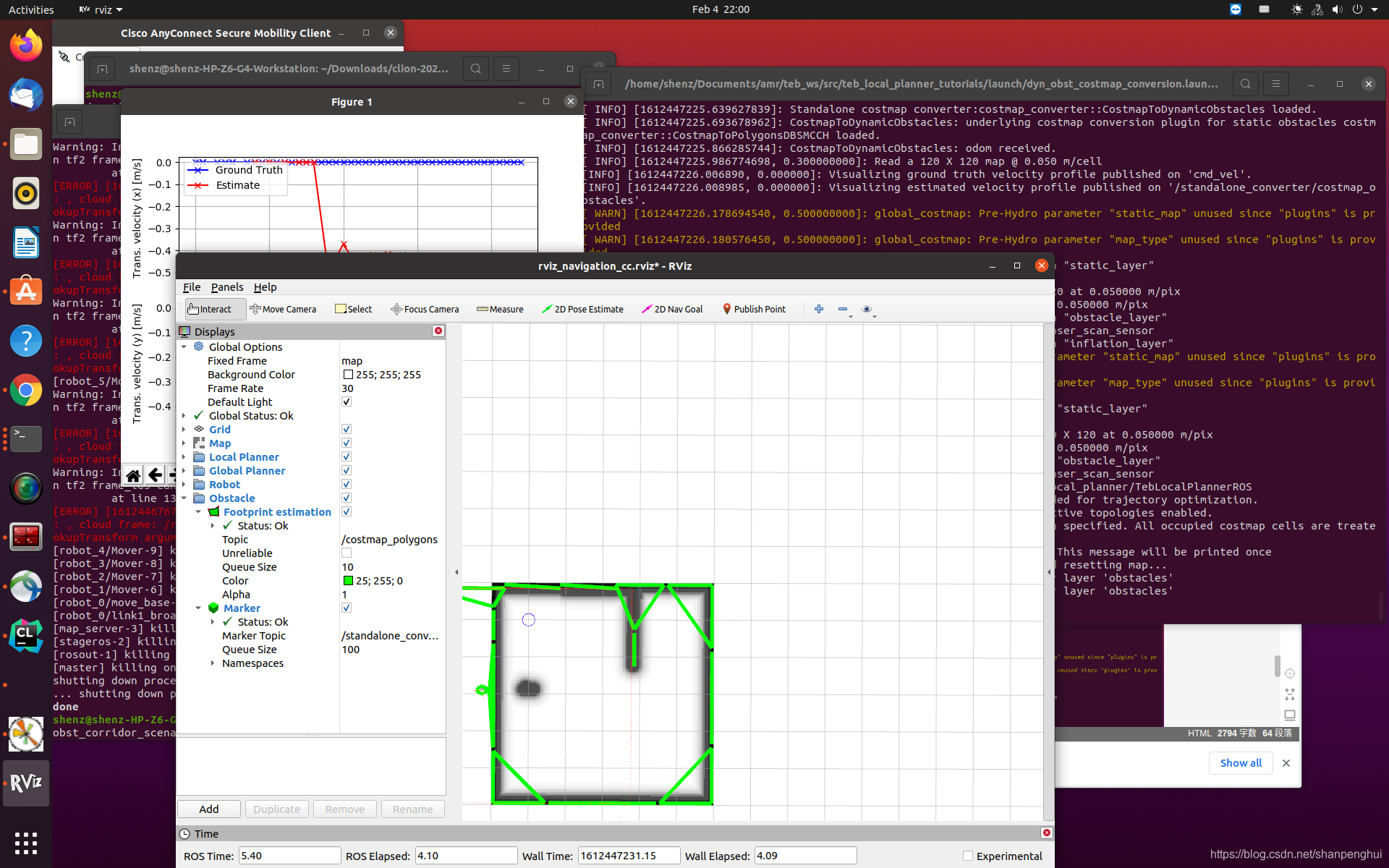
讯享网roslaunch teb_local_planner_tutorials dyn_obst_costmap_conversion.launch
版权声明:本文内容由互联网用户自发贡献,该文观点仅代表作者本人。本站仅提供信息存储空间服务,不拥有所有权,不承担相关法律责任。如发现本站有涉嫌侵权/违法违规的内容,请联系我们,一经查实,本站将立刻删除。
如需转载请保留出处:https://51itzy.com/kjqy/76262.html