
步骤
- 首先在
/etc/systemd/system建立一个后缀为.service的文件 - 编写service文件
- enable这个service
配置文件
简化配置
[Unit] Description=My_Service # 在这个服务启动后才会开始启动 After=network.target [Service] # 这里就是执行的命令,到时候会直接跑这个命令 ExecStart=/opt/custom_service # 重试策略 Restart=on-failure RestartSec=15s [Install] # 哪些用户需要 WantedBy=multi-user.target ~ 讯享网
enable后service文件会去你配置的wants的文件夹下面,这个文件夹就在刚才的目录中
配置说明
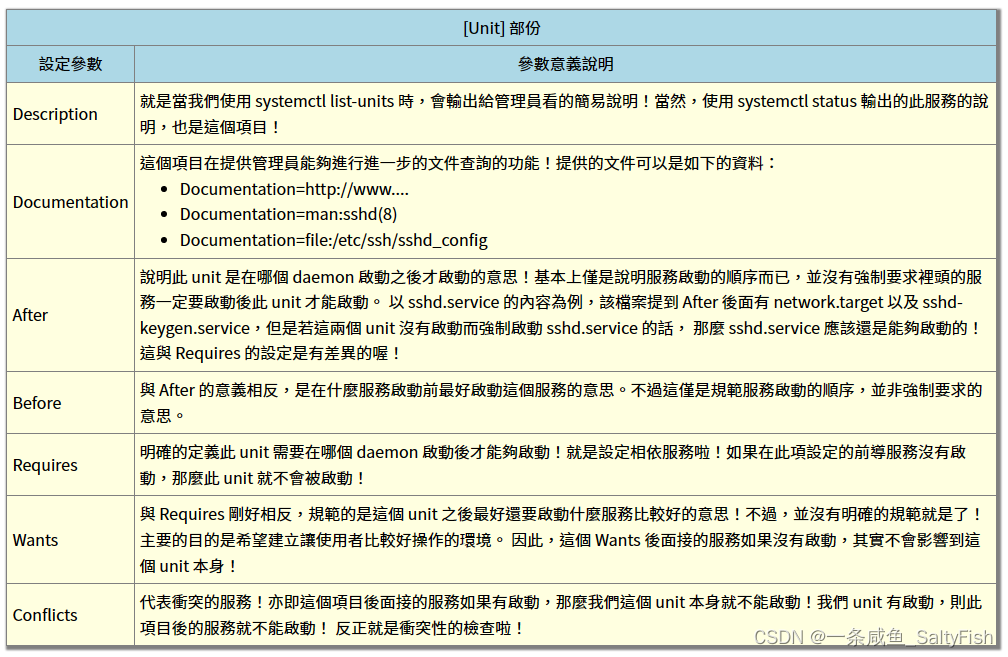
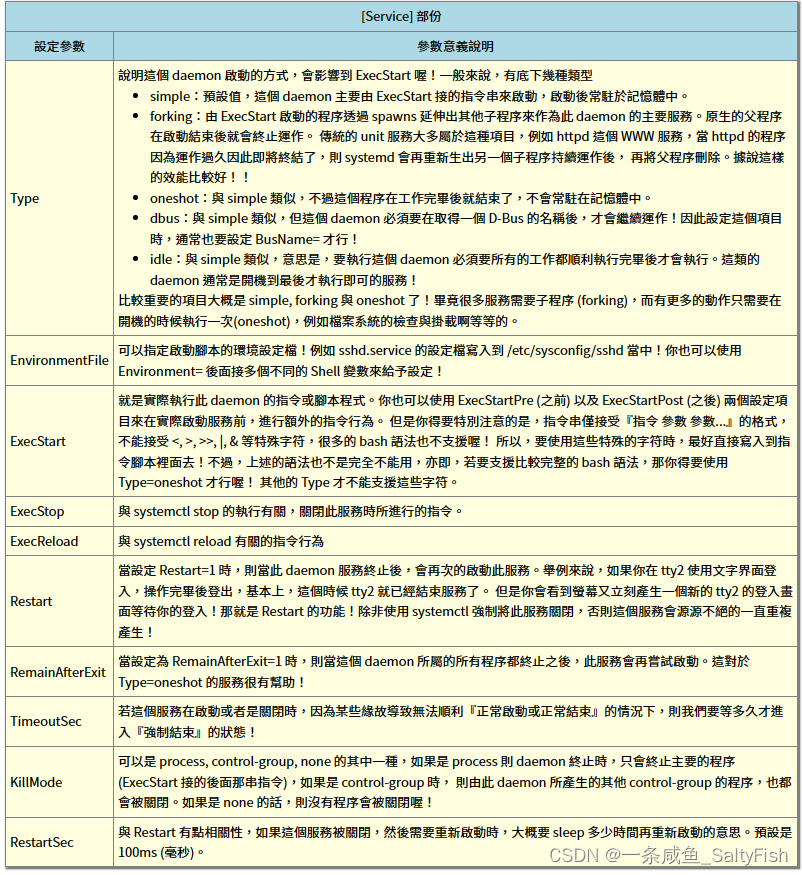
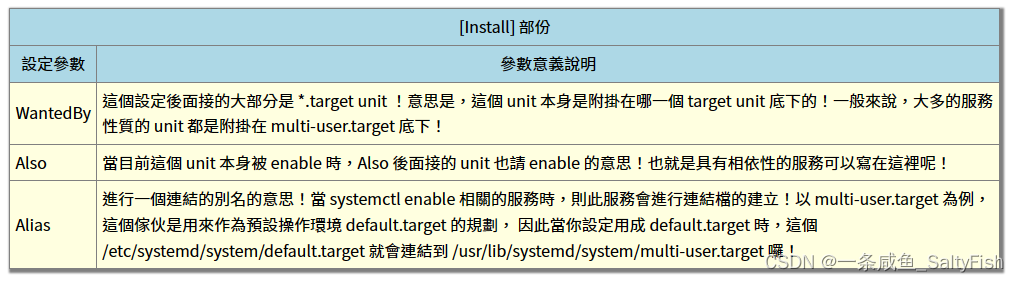

常用命令
讯享网# 启动一个服务 sudo systemctl start servicename.service # 重启一个服务 sudo systemctl restart servicename.service # 停止一个服务 sudo systemctl stop servicename.service # 设置一个服务开机自启动 sudo systemctl enable servicename.service # 关闭一个服务的开机自启动 sudo systemctl disable servicename.service # 查看所有服务的状态 sudo systemctl list-units --type=service
注意启停都要通过systemctl,最好不要混用kill,可能会导致systemctl监控异常
In order for systemd to function properly, the service must be started or stopped through the systemd system to maintain the correct process to unit grouping. Any operation that takes external action results in the necessary cgroup structure not being created. This happens because systemd is not aware of the special nature of the processes being started.
版权声明:本文内容由互联网用户自发贡献,该文观点仅代表作者本人。本站仅提供信息存储空间服务,不拥有所有权,不承担相关法律责任。如发现本站有涉嫌侵权/违法违规的内容,请联系我们,一经查实,本站将立刻删除。
如需转载请保留出处:https://51itzy.com/kjqy/72074.html