
查安装位置:
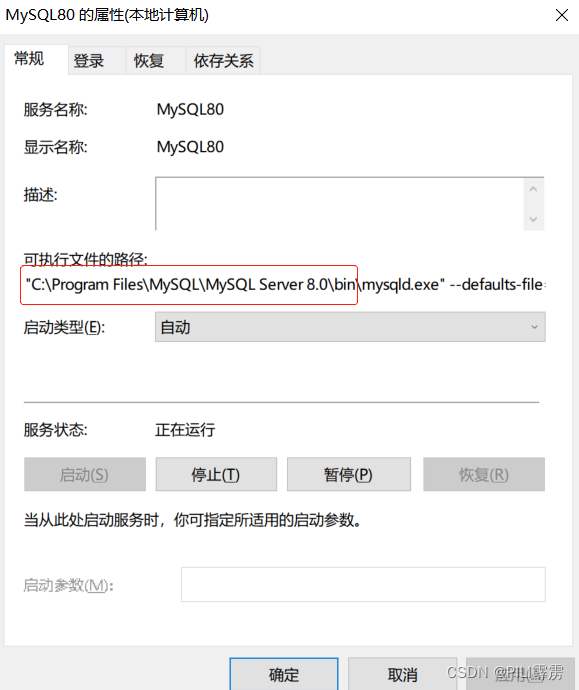
电脑底部栏右键——任务管理器——服务——打开服务

找到mysql,右键——属性——找到安装位置
修改密码:
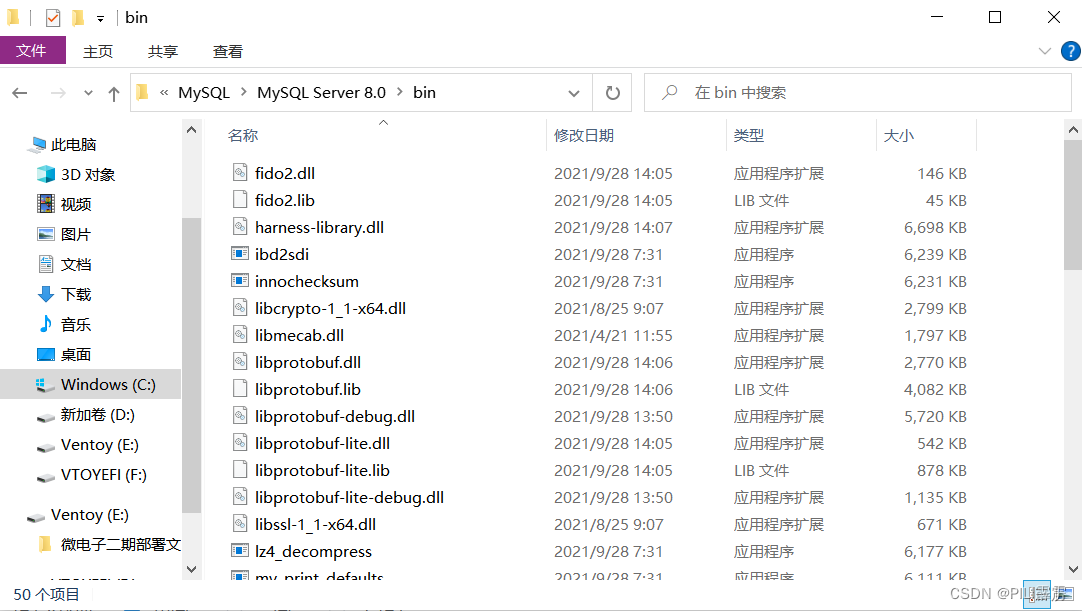
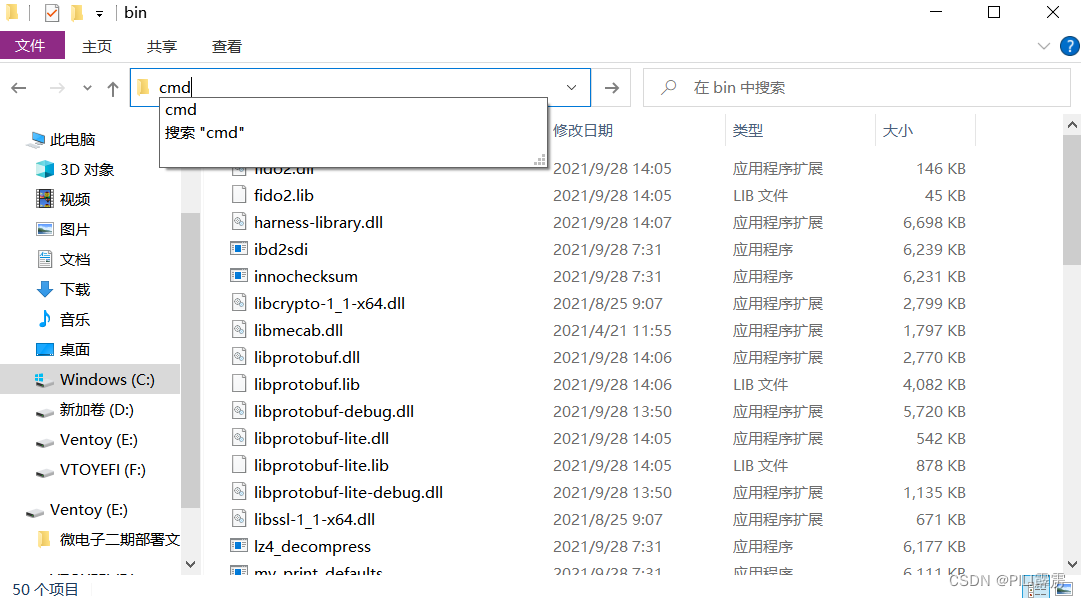
打开刚刚找到的安装位置文件夹,在地址栏输入cmd,回车——即打开该文件夹对应的cmd(在bin文件夹下打开)
输入 mysql -uroot -p 回车,输入原密码,回车,进入数据库;
输入命令 alter user 'root'@'localhost' identified with mysql_native_password by ' ';
修改密码——可能会报错;
注:原因为MySql 8.0.11 换了新的身份验证插件(caching_sha2_password), 原来的身份验证插件为(mysql_native_password)。而客户端工具Navicat Premium12 中找不到新的身份验证插件(caching_sha2_password),对此,我们将mysql用户使用的 登录密码加密规则 还原成 mysql_native_password,即可登陆成功:
1.登录mysql

C:\Program Files\MySQL\MySQL Server 8.0\bin>mysql -uroot -p Enter password: Welcome to the MySQL monitor. Commands end with ; or \g. Your MySQL connection id is 19 Server version: 8.0.27 MySQL Community Server - GPL Copyright (c) 2000, 2021, Oracle and/or its affiliates. Oracle is a registered trademark of Oracle Corporation and/or its affiliates. Other names may be trademarks of their respective owners. Type 'help;' or '\h' for help. Type '\c' to clear the current input statement.讯享网
2.use mysql;
讯享网mysql> use mysql Database changed
3. 查看,此时加密规则已还原成mysql_native_password
mysql> select user,plugin from user where user='root'; +------+-----------------------+ | user | plugin | +------+-----------------------+ | root | mysql_native_password | +------+-----------------------+ 1 row in set (0.00 sec)4. mysql> select user,host from user;
讯享网+------+-----------------------+ | user | plugin | +------+-----------------------+ | root | mysql_native_password | +------+-----------------------+ 1 row in set (0.00 sec) mysql> select user,host from user; +------------------+-----------+ | user | host | +------------------+-----------+ | root | % | | mysql.infoschema | localhost | | mysql.session | localhost | | mysql.sys | localhost | +------------------+-----------+
注意root,host是'%'
输入命令 alter user 'root'@'%' identified with mysql_native_password by '';
修改成功。

版权声明:本文内容由互联网用户自发贡献,该文观点仅代表作者本人。本站仅提供信息存储空间服务,不拥有所有权,不承担相关法律责任。如发现本站有涉嫌侵权/违法违规的内容,请联系我们,一经查实,本站将立刻删除。
如需转载请保留出处:https://51itzy.com/kjqy/64212.html