
定位:将元素在页面重新排列
1.静态定位:static,文档流定位,流动布局
2.相对定位:relative,元素仍在文档流,只是相对它原来的位置发生偏移
4.绝对定位:absolute,元素脱离文档流,相对于离他最近的,具有定位属性的父亲元素进行定位
4.固定定位:fixed,始终相对于浏览器的窗口进行定位,body/html
相对定位
<div class="parent"> <div class="box1">1</div> <div class="box2">2</div> <div class="box3">3</div> <div class="box4">4</div> <div class="box5">5</div> </div> 讯享网
css

讯享网.box1 {
    width: 150px; height: 150px; background-color: lightblue; } .box2 {
    width: 150px; height: 150px; background-color: lightgray; } .box3 {
    width: 150px; height: 150px; background-color: lightgreen; } .box4 {
    width: 150px; height: 150px; background-color: lightcoral; } .box5 {
    width: 150px; height: 150px; background-color: lightseagreen; } /* 相对定位 */ .box1 {
    position: relative; left: 150px; top: 0; } .box2 {
    /* 不要移动 */ } .box3 {
    position: relative; left: 300px; top: -150px; } .box4 {
    position: relative; left: 150px; top: -300px; } .box5 {
    position: relative; left: 150px; top: -300px; }
显示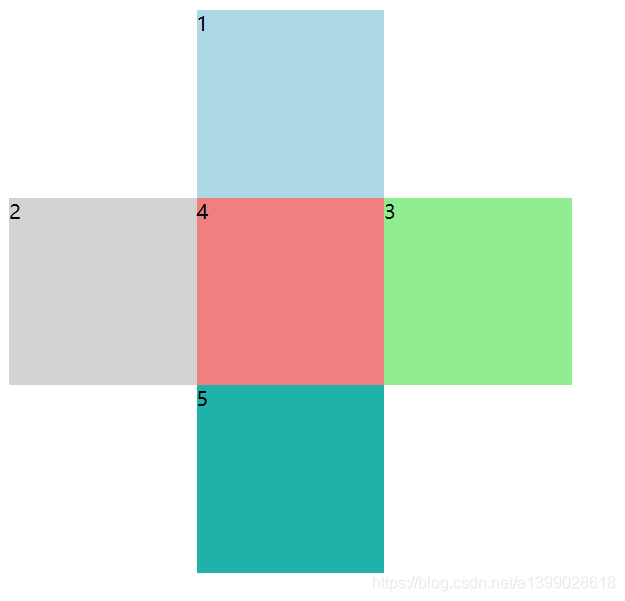
css利用绝对定位
/* 使用绝对定位来实现十字架 */ .parent {
    /* 设置定位父级的定位属性 */ position: relative; border: 1px dashed gray; width: 450px; height: 450px; } .box1 {
    width: 150px; height: 150px; background-color: lightblue; } .box2 {
    width: 150px; height: 150px; background-color: lightgray; } .box3 {
    width: 150px; height: 150px; background-color: lightgreen; } .box4 {
    width: 150px; height: 150px; background-color: lightcoral; } .box5 {
    width: 150px; height: 150px; background-color: lightseagreen; } /* 绝对定位 */ .box1 {
    position: absolute; left: 150px; } .box2 {
    position: absolute; top: 150px; } .box3 {
    position: absolute; left: 150px; top: 150px; } .box4 {
    position: absolute; left: 300px; top: 150px; } .box5 {
    position: absolute; left: 150px; top: 300px; }
效果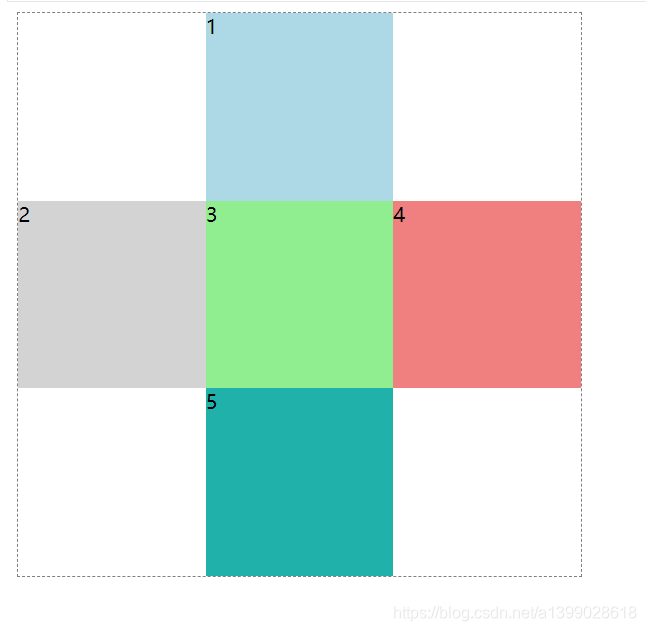
版权声明:本文内容由互联网用户自发贡献,该文观点仅代表作者本人。本站仅提供信息存储空间服务,不拥有所有权,不承担相关法律责任。如发现本站有涉嫌侵权/违法违规的内容,请联系我们,一经查实,本站将立刻删除。
如需转载请保留出处:https://51itzy.com/kjqy/54814.html