
前言
Flappy Bird是一款休闲类小游戏,相信大家都有玩过或者听说过,曾经在中国也是风靡一时的小游戏。今天我要给大家介绍的是用c语言编写这款小游戏,我会讲述一些我自己的思路,有任何不妥之处请浏览到此篇的大佬指正。当然,这款游戏的可创新空间很大,也欢迎读者伙伴们分享自己的设计思路与创新玩法。
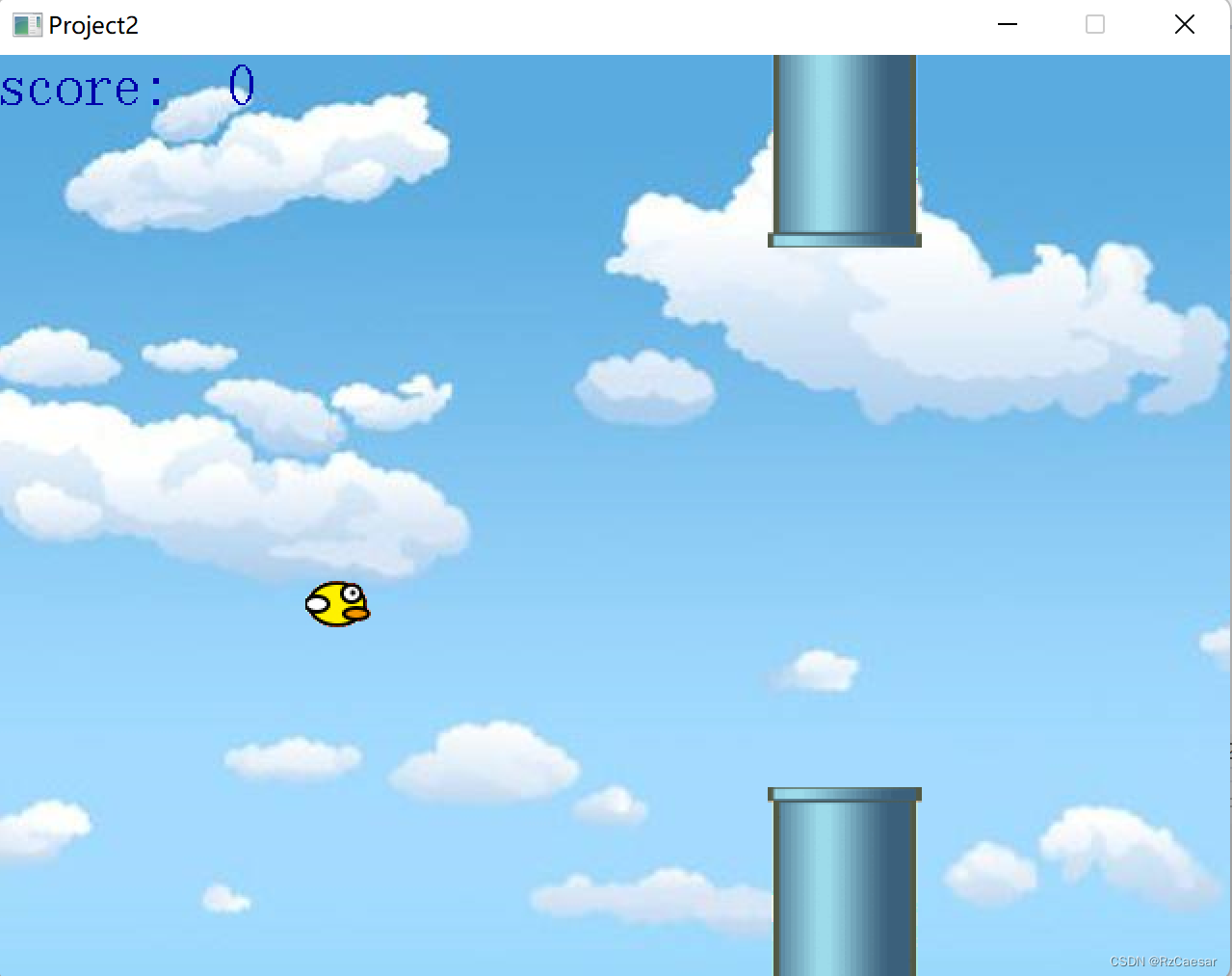
代码效果

讯享网

开发工具
这里我使用的是Visual Studio 2022,版本要求应该不是太严格,2021、2020、2019等版本也都可以。需要安装easyx库(直接上官网EasyX Graphics Library for C++下载即可),如下图:
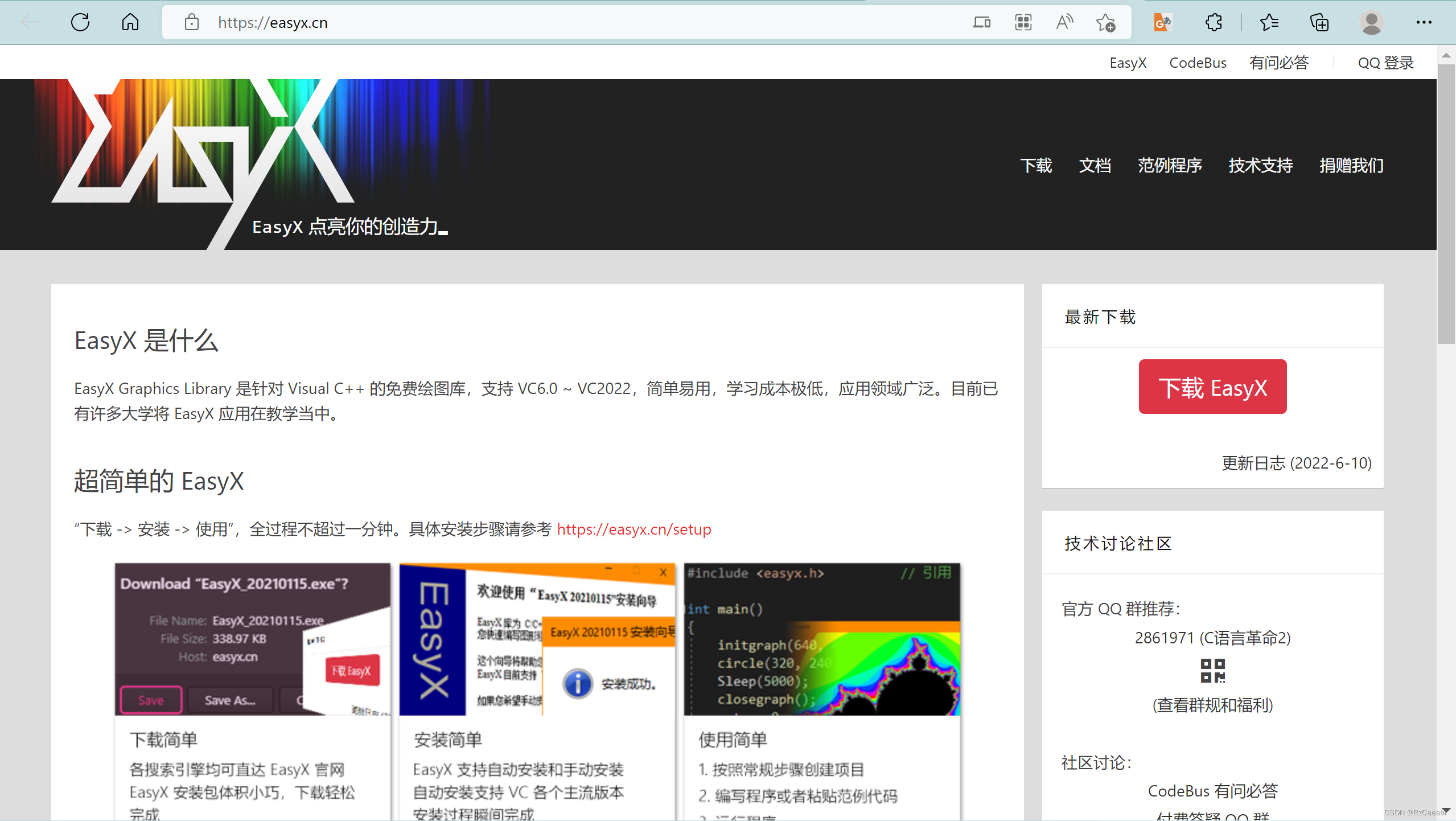
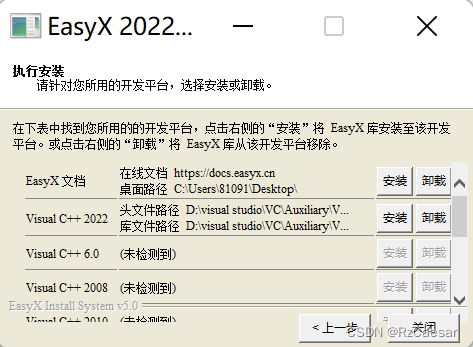
安装时会自动检测你的VS版本,选择你使用的版本即可,easyx文档也建议安装,便于查找一些实用而不太熟悉的函数的用法。
程序设计思路
首先要分析清这个画面的动态运行规则:小鸟在屏幕的位置横坐标是固定的,纵向有一个重力加速度,每次按空格键将会给小鸟提供一个向上的速度,而障碍物(后面我用方块形容)会有随机恒定的速度向左边移动。
由于我的画面与动画效果做得较为粗糙,所以不过多赘述,小伙伴们可以自己选取自己喜欢的图片代替我使用的图片。(注意导入的图片需要与你的Project在同一个文件夹里,否则导入图片时的代码要写图片的完整路径哦)
主体运动系统代码
小鸟与障碍物的运动参数初始化
void initialcircle() { gravity = 0.6; // 重力加速度 radius = 20; // 小鸟半径 bird_x = Width / 4; // 小鸟x位置 bird_y = High/2; // 小鸟y位置 bird_vy = 0; // 小鸟初始y速度为0 } void initialrec() { rect_height = 100; // 方块高度 rect_width = 80; // 方块宽度 rect_left_x = Width - rect_width; // 方块左边x坐标 rect_top_y = High - rect_height; // 方块顶部y坐标 rect_vx = -2; //方块速度 }讯享网
当按下空格键时重置小鸟速度并播放音效
讯享网 if (_kbhit()) { input = _getch(); if (input == ' ') { bird_vy = -10; mciSendString(_T("close jump"), NULL, 0, NULL); mciSendString(_T("open Jump.mp3 alias jump"), NULL, 0, NULL); mciSendString(_T("play jump"), NULL, 0, NULL); } }
小鸟的运动状态更新及得分与失败判定
其实没什么难点,关键在于随机高度与随机速度的设置
bird_vy = bird_vy + gravity; //根据重力加速度更新小鸟y方向速度 bird_y = bird_y + bird_vy; // 根据小鸟y方向速度更新其y坐标 if (bird_y > High - radius) //如果小鸟落到地面 { bird_vy = 0; // y速度为0 bird_y = High - radius; //避免落到地面下 break; } if (bird_y < radius) //如果小鸟超出屏幕 { bird_vy = 0; bird_y = radius; //避免超出屏幕 } //障碍物移动 rect_left_x = rect_left_x + rect_vx; if (rect_left_x + rect_width <= 0) // 如果方块跑到最左边 { rect_left_x = Width; // 在最右边重新出现 rect_height = rand() % int(High / 8) + High / 4; // 设置方块随机高度 rect_vx = rand() / float(RAND_MAX) * 4 - 7; // 设置随机速度 score += 1; } if ((rect_left_x <= bird_x + radius) && (rect_left_x + rect_width >= bird_x - radius) && (High - rect_height+20 <= bird_y + radius) || (rect_left_x <= bird_x + radius) && (rect_left_x + rect_width >= bird_x - radius) && (bird_y - radius <= rect_height - 20)) // 如果小鸟碰到方块 { break; }一些处理画面需要注意的细节
这里需要注意小鸟图形不是直接导入图片并应用
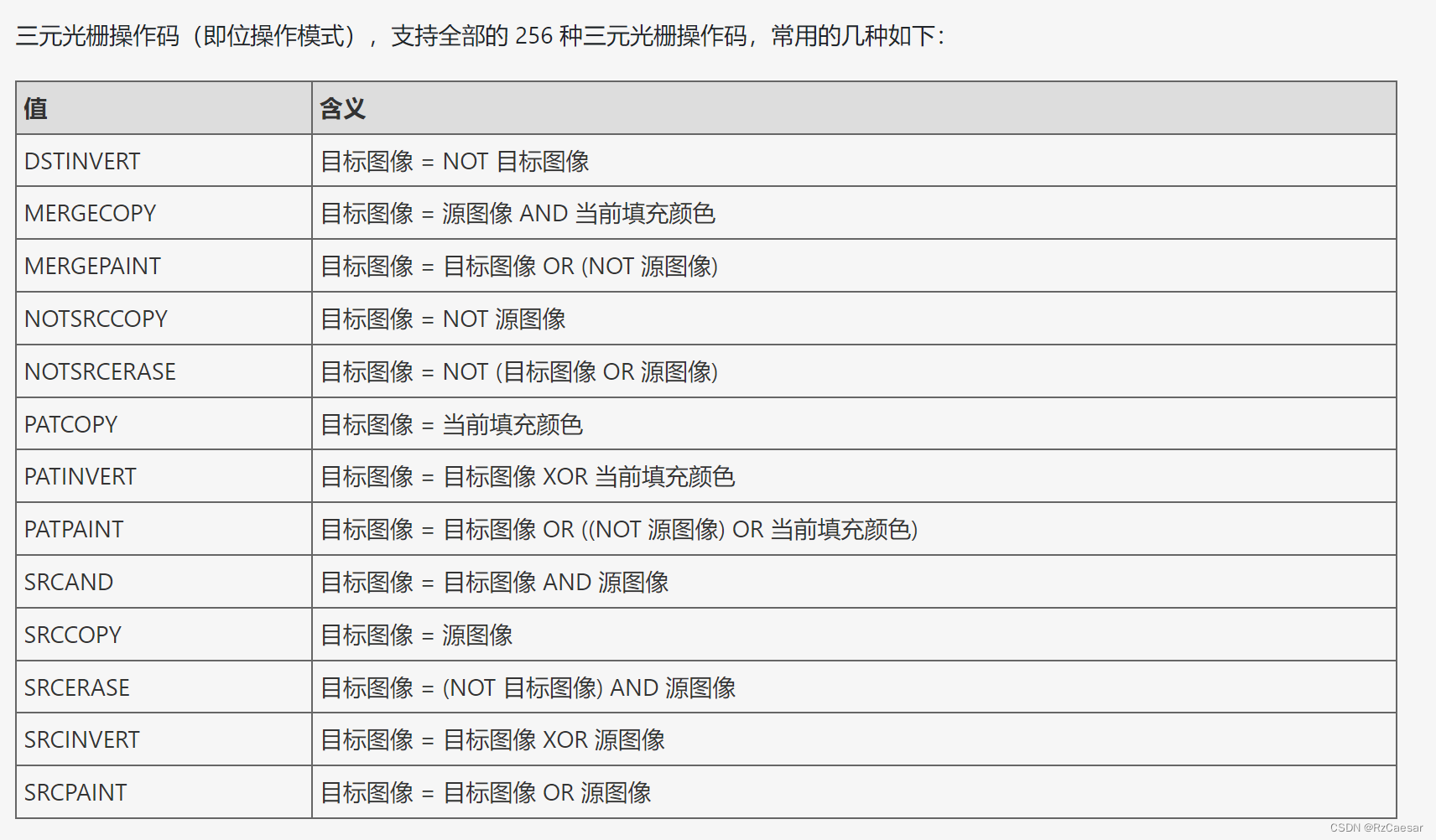
讯享网 //小鸟图形 loadimage(&img_bird1, _T("bird1.jpg")); putimage(bird_x, bird_y, &img_bird1, NOTSRCERASE); loadimage(&img_bird2, _T("bird2.jpg")); putimage(bird_x, bird_y, &img_bird2, SRCINVERT);


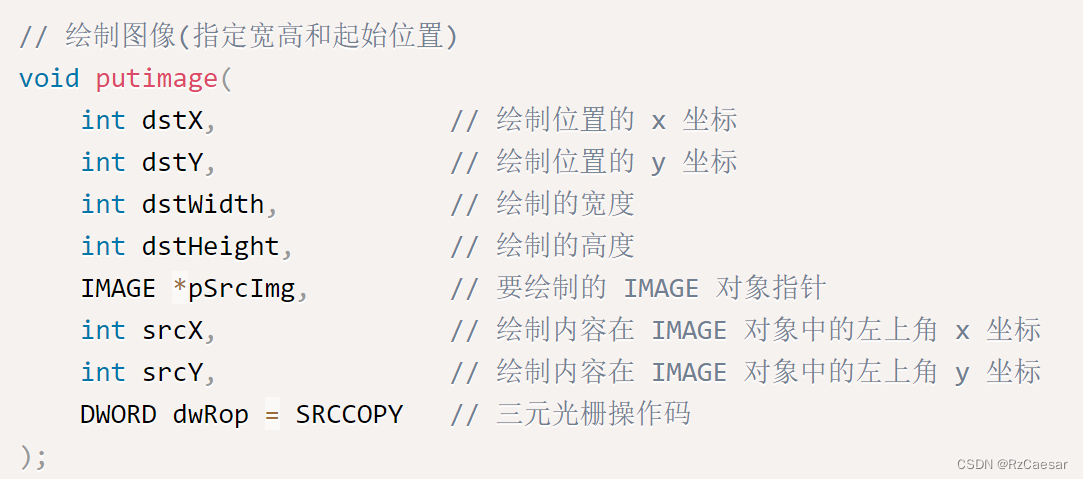
我们正常的图片是像上述左图一样,是矩形的,而我们要放在画面内的图片是只有以小鸟为边界的部分,所以我们可以用p图软件(推荐photoshop)获得小鸟的边框、查找easyx库的说明,根据putimage函数的参数“三元光栅操作码”,进行简单的逻辑运算,就能够在画布上显示出较为自然的小鸟图样了。
完整代码
我个人比较喜欢用函数,这样使得我的主函数部分极其简洁,并且能够清晰地认识到自己每一个板块在写什么,但这样也有一些缺点,就是当你顺着主函数读代码的时候需要来回翻阅,比较麻烦。
#include<stdio.h> #include<conio.h> #include<graphics.h> #include<windows.h> #pragma comment(lib,"Winmm.lib") #define Width 640 #define High 480 float rect_left_x, rect_top_y, rect_width, rect_height, rect_vx, gravity; float bird_x, bird_y, bird_vy, radius; int score = 0; int main() { void welcome(); void initialcircle(); void initialrec(); void operate(); void bkmusic(); initgraph(Width, High); //欢迎界面 welcome(); _getch(); //初始化 initialcircle(); initialrec(); //背景音乐 bkmusic(); //小鸟运动与操作系统 operate(); _getch(); return 0; } void welcome() { setbkcolor(WHITE); cleardevice(); TCHAR s1[] = _T("Flappy Bird"); settextcolor(BLUE); settextstyle(50, 25, s1); outtextxy(180, 80, s1); TCHAR s2[] = _T("操作说明:按空格键飞翔"); settextstyle(30, 15, s2); outtextxy(170, 240, s2); TCHAR s3[] = _T("按任意键开始游戏"); settextstyle(30, 15, s3); outtextxy(200, 340, s3); } void initialcircle() { gravity = 0.6; // 重力加速度 radius = 20; // 小鸟半径 bird_x = Width / 4; // 小鸟x位置 bird_y = High/2; // 小鸟y位置 bird_vy = 0; // 小鸟初始y速度为0 } void initialrec() { rect_height = 100; // 方块高度 rect_width = 80; // 方块宽度 rect_left_x = Width - rect_width; // 方块左边x坐标 rect_top_y = High - rect_height; // 方块顶部y坐标 rect_vx = -2; //方块速度 } void operate() { void display_score(); void losewindow(); char input; BeginBatchDraw(); while (1) //动画的实行需要用到死循环 { IMAGE img_bk; loadimage(&img_bk, _T("BKJPG.jpg")); putimage(0, 0, &img_bk); display_score(); if (_kbhit()) { input = _getch(); if (input == ' ') { bird_vy = -10; mciSendString(_T("close jump"), NULL, 0, NULL); mciSendString(_T("open Jump.mp3 alias jump"), NULL, 0, NULL); mciSendString(_T("play jump"), NULL, 0, NULL); } } IMAGE img_bird1, img_bird2, img_barup1, img_barup2, img_bardown1, img_bardown2; //小鸟 loadimage(&img_bird1, _T("bird1.jpg")); putimage(bird_x, bird_y, &img_bird1, NOTSRCERASE); loadimage(&img_bird2, _T("bird2.jpg")); putimage(bird_x, bird_y, &img_bird2, SRCINVERT); //上柱 loadimage(&img_barup1, _T("bar_up1.gif"), rect_width,rect_height); putimage(rect_left_x, 0, &img_barup1, NOTSRCERASE); loadimage(&img_barup2, _T("bar_up2.gif"), rect_width, rect_height); putimage(rect_left_x, 0, &img_barup2, SRCINVERT); //下柱 loadimage(&img_bardown1, _T("bar_down1.gif"), rect_width, rect_height); putimage(rect_left_x, High-rect_height, &img_bardown1, NOTSRCERASE); loadimage(&img_bardown2, _T("bar_down2.gif"), rect_width, rect_height); putimage(rect_left_x, High-rect_height, &img_bardown2, SRCINVERT); FlushBatchDraw(); cleardevice; bird_vy = bird_vy + gravity; //根据重力加速度更新小鸟y方向速度 bird_y = bird_y + bird_vy; // 根据小鸟y方向速度更新其y坐标 if (bird_y > High - radius) //如果小鸟落到地面 { bird_vy = 0; // y速度为0 bird_y = High - radius; //避免落到地面下 break; } if (bird_y < radius) //如果小鸟超出屏幕 { bird_vy = 0; bird_y = radius; //避免超出屏幕 } //障碍物移动 rect_left_x = rect_left_x + rect_vx; if (rect_left_x + rect_width <= 0) // 如果方块跑到最左边 { rect_left_x = Width; // 在最右边重新出现 rect_height = rand() % int(High / 8) + High / 4; // 设置方块随机高度 rect_vx = rand() / float(RAND_MAX) * 4 - 7; // 设置随机速度 score += 1; } if ((rect_left_x <= bird_x + radius) && (rect_left_x + rect_width >= bird_x - radius) && (High - rect_height+20 <= bird_y + radius) || (rect_left_x <= bird_x + radius) && (rect_left_x + rect_width >= bird_x - radius) && (bird_y - radius <= rect_height - 20)) // 如果小鸟碰到方块 { break; } Sleep(10); cleardevice(); } losewindow(); _getch(); EndBatchDraw(); } void losewindow() { setbkmode(TRANSPARENT); IMAGE img_baiban; loadimage(&img_baiban, _T("baiban.jpg"),300,300); putimage(Width/2-150, High/2-150, &img_baiban); TCHAR s5[] = _T("游戏结束"); settextcolor(BLACK); outtextxy(Width / 2 - 60, High / 2 - 50, s5); TCHAR s6[20]; wsprintf(s6, _T("你的得分是%d"), score); settextcolor(0x2176EE); outtextxy(Width / 2 - 80, High / 2, s6); } void display_score() { setbkmode(TRANSPARENT); TCHAR s[20]; wsprintf(s, _T("score:%3d"), score); outtextxy(0, 0, s); } void bkmusic() { mciSendString(_T("open background.mp3 alias bgm"), NULL, 0, NULL); mciSendString(_T("play bgm repeat"), NULL, 0, NULL); } 最后感谢大家的阅读!
版权声明:本文内容由互联网用户自发贡献,该文观点仅代表作者本人。本站仅提供信息存储空间服务,不拥有所有权,不承担相关法律责任。如发现本站有涉嫌侵权/违法违规的内容,请联系我们,一经查实,本站将立刻删除。
如需转载请保留出处:https://51itzy.com/kjqy/52816.html