
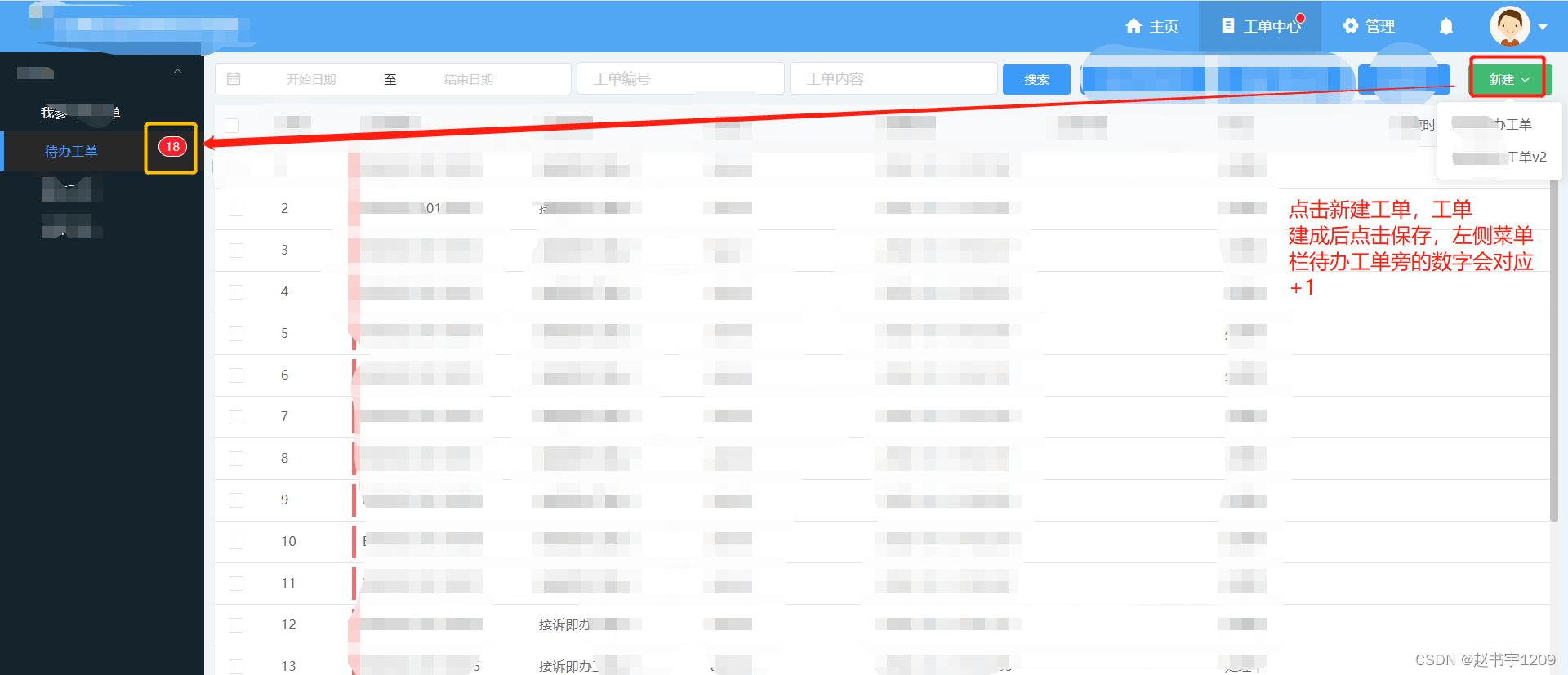

一、待办工单数目的显示
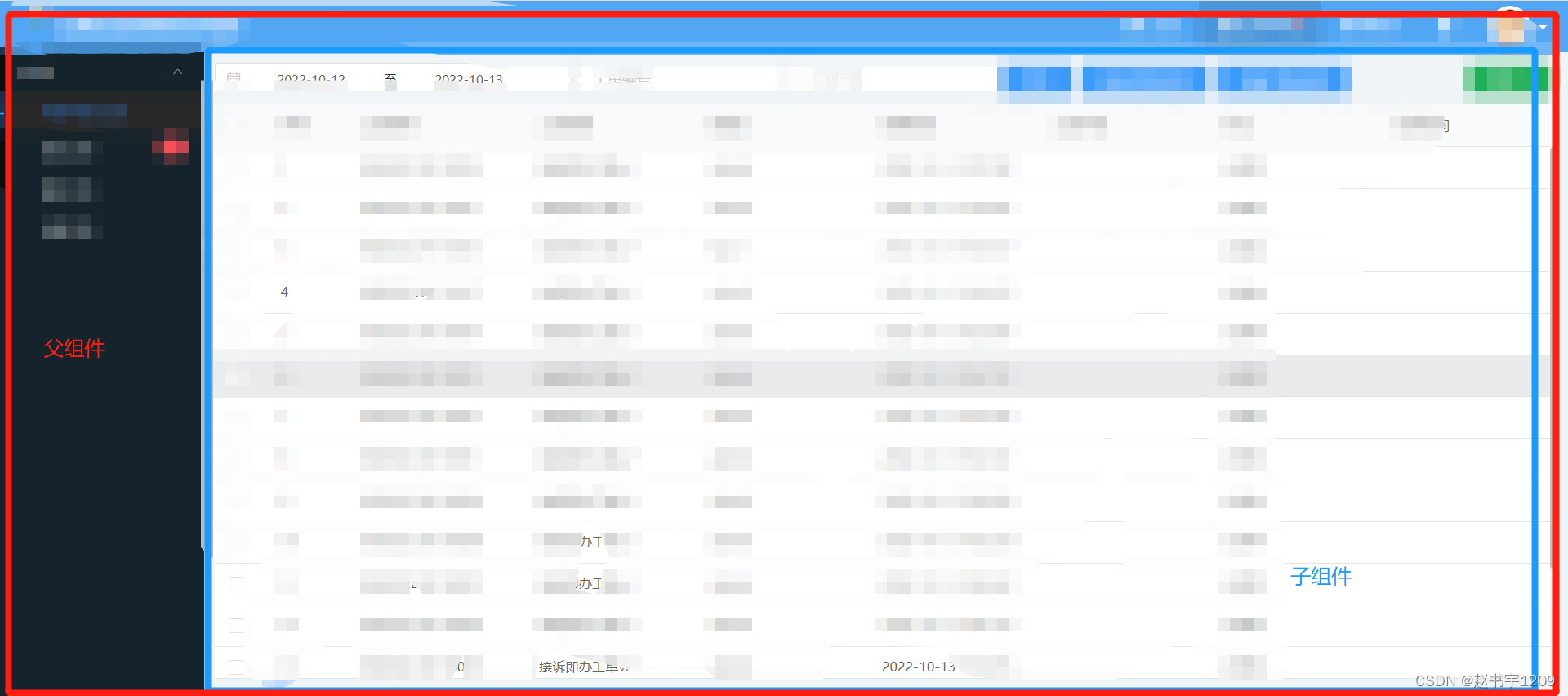
1、vue动态组件

拓展:此处用到了vue中的“动态组件”vue动态组件,通过动态组件进行父子组件的传参
父组件 <div class="wrapper"> <component :is="nowActive" 传参 :todo-num="todoNum" @notice-todo-num="noticeTodoNum" :is-show-oper="false" ></component> </div>讯享网
讯享网父组件 import MyWorkorder from '@/pages/workorder/MyWorkorder.vue' import TodoWorkorder from '@/pages/workorder/TodoWorkorder.vue' components: { MyWorkorder, TodoWorkorder, TempWorkorder, WorkOrderInstance, HandWorkorder }, data () { return { todoNum: 0, //动态组件 nowActive: 'MyWorkorder' } }, mounted () { this.getTodoNum() }, methods: { onMenuSelect (index, indexPath) { this.nowActive = index }, noticeTodoNum (num) { this.todoNum = num }, getTodoNum () { // 这个接口返回的数据中有待办工单的总数 let url = this.$apiUrl('workorderTodoWork001') + '?startDate=&endDate=&no=&content=&page=0&size=100' this.$http .get(url) .then((response) => { this.todoNum = response.data.data.length }) .catch((response) => { this.$message.error(response.message) }) } }
子组件 props: { todoNum: { type: Number, required: false, default: 0 } }, data () { return { todoNumChild: 0, } }, mounted () { this.todoNumChild = this.todoNum }, // 在子组件页面在此调用一下父组件中的接口,重新设置一下待办工单总数,并通知父组件去修改数据 getTableList () { if (!this.permissions.read) { this.$message.warning('您无查询待办工单权限') return } let startDate = '' let endDate = '' if (this.searchForm.dateFilter !== null && this.searchForm.dateFilter !== '' && this.searchForm.dateFilter.length !== 0) { startDate = this.searchForm.dateFilter[0] endDate = this.searchForm.dateFilter[1] } let url = this.$apiUrl('workorderTodoWork001') + '?startDate=' + startDate + '&endDate=' + endDate url += '&no=' + this.searchForm.no + '&content=' + this.searchForm.content + '&page=' + (this.pagination.currentPage - 1) url += '&size=' + this.pagination.pageSize this.$http.get(url).then((response) => { // 重新设置总页数 this.pagination.total = response.data.total this.todoList = [] let data = response.data.data this.todoNumChild = response.data.total this.$emit('notice-todo-num', this.todoNumChild) for (let i = 0; i < data.length; i++) { this.todoList.push({ index: i + 1, ...data[i], className: this.tableRowClassName(data[i].etc) }) } }).catch((response) => { this.$message.error(response.message) }) },二、新工单到达的提示音
1、在最外层盒子页设置的
讯享网Root.vue data() { return { isShowAudio: 0, worderOrderNumber: 0, audio: null, }; }, // 监听工单数量是否发生变化 watch: { worderOrderNumber: { immediate: false, handler(n, o) { if (n && n !== o && this.isShowAudio > 1) { this.audio = new Audio( require('../../public/static/wav/weixixSound.mp3') ); this.audio.play(); window.setTimeout(() => { this.audio = null; }, 2000); } }, }, }, created() { // 设置定时查询待办工单 this.getTodoWorkOrderNum(); this.intervalId = window.setInterval( () => this.getTodoWorkOrderNum(), 30 * 1000 ); }, getTodoWorkOrderNum() { let url = this.$apiUrl('workorderTodoWork001') + '?page=0&size=100'; this.$http .get(url) .then((response) => { let todoNum = response.data.data.length; if (todoNum > 0) { console.log('新工单是否到达', this.audio); this.worderOrderNumber = response.data.total; this.isShowAudio += 1; this.setHasToDoWorkOrder(true); } else { this.setHasToDoWorkOrder(false); } }) .catch((error) => { if ( error && error.response && error.response.status >= 400 && error.response.status <= 500 ) { window.clearInterval(this.intervalId); } }); },
版权声明:本文内容由互联网用户自发贡献,该文观点仅代表作者本人。本站仅提供信息存储空间服务,不拥有所有权,不承担相关法律责任。如发现本站有涉嫌侵权/违法违规的内容,请联系我们,一经查实,本站将立刻删除。
如需转载请保留出处:https://51itzy.com/kjqy/50083.html