
目录
认识bundle库
压缩程序
解压缩程序
如何使用bundle库
认识bundle库
bundle是一个压缩库,可以直接嵌入到代码中,直接进行使用,支持23种压缩算法和2种存档格式,使用的时候只需要加入两个文件bundle.h和bundle.cpp即可。
压缩和解压缩接口
T pack( unsigned Q, T );//按照Q的方式对T中的数据进行解压缩 T unpack( T ); //将T中的数据进行解压缩,unpack会根据压缩类型来进行解压缩 //示例 string s="hello world" //将s字符串的数据以LZIP的方式进行压缩,将压缩的结果返回给packed string packed=pack(bundle::LZIP,s); //将packed中的数据进行解压,并将解压的结果返回给unpacked string unpacked=unpack(packed); 讯享网
压缩的方式有如下这些:

压缩程序
实现一个压缩程序,对原始文件进行压缩,产生一个新的压缩文件。
思路:
- 打开原始文件,并将原始文件中的数据读取到body中
- 用bundle库中的pack对body数据进行压缩,并将压缩结果返回给packed中
- 在打开一个新文件,将packed中的数据写入到新文件中,形成压缩文件
讯享网#include<iostream> #include<string> #include<fstream> #include"bundle.h" using std::endl; using std::cout; int main(int argc,char* argv[]){ if(argc<3){ cout<<"package 原始文件路径名称 压缩包名"<<endl; return -1; } std::string ifilename=argv[1]; std::string ofilename=argv[2]; std::ifstream ifs;//定义一个ifstream变量 //以二进制的方式将文件与ifstream对象关联起来 ifs.open(ifilename,std::ios::binary); //获取文件大小 ifs.seekg(0,std::ios::end);//跳转到文件末尾 size_t fsize=ifs.tellg();//获取当前位置到文件开始的偏移量 ifs.seekg(0,std::ios::beg);//在跳转到文件开始 std::string body; body.resize(fsize); ifs.read(&body[0],fsize); //对body的数据进行压缩,压缩后将数据放进packed中 //以LZIP格式压缩文件数据 std::string packed=bundle::pack(bundle::LZIP,body); //打开一个新文件 std::ofstream ofs; //以而二进制的方式将ofstream文件关联起来 ofs.open(ofilename,std::ios::binary); //将压缩文件中的数据导入到ofstream流中 ofs.write(&packed[0],packed.size()); ifs.close(); ofs.close(); }
编译生成packed文件,并将bundle.cpp文件压缩bundle.cpp.lz文件
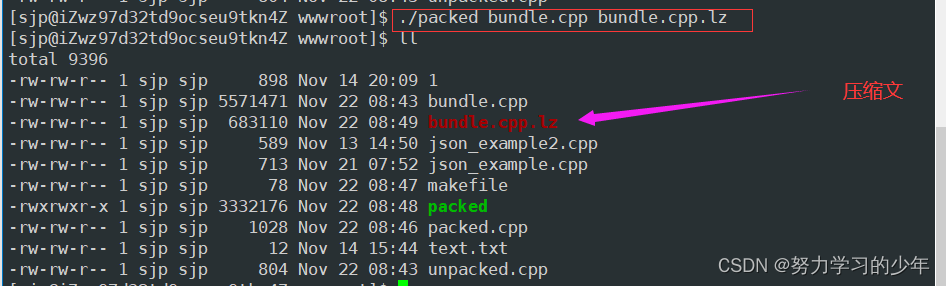
解压缩程序
实现一个解压缩程序,对压缩文件进行解压,形成解压缩文件
思路:
- 将压缩文件中的数据读取到packed中
- 利用unpack进行解压缩,并将解压缩的结果返回给body
- 在打开一个新文件,将body数据写入到新文件中,形成解压缩文件
#include<iostream> #include<fstream> #include<string> #include"bundle.h" int main(int argc,char* argv[]){ if(argc<3){ return -1; } std::string ifilename=argv[1];//压缩文件名 std::string ofilename=argv[2];//解压缩文件名 std::ifstream ifs; ifs.open(ifilename,std::ios::binary); //获取文件大小 ifs.seekg(0,std::ios::end); size_t fsize=ifs.tellg();//获取压缩文件大小 //重新定位到文件的第一个字符 ifs.seekg(0,std::ios::beg); std::string body; body.resize(fsize); //将文件数据读取到body中 ifs.read(&body[0],fsize); //进行压缩 std::string unpacked=bundle::unpack(body); std::ofstream ofs; ofs.open(ofilename,std::ios::binary); //将压缩数据压缩到压缩文件中 ofs.write(&unpacked[0],unpacked.size()); ofs.close(); ifs.close(); } 运行结果:
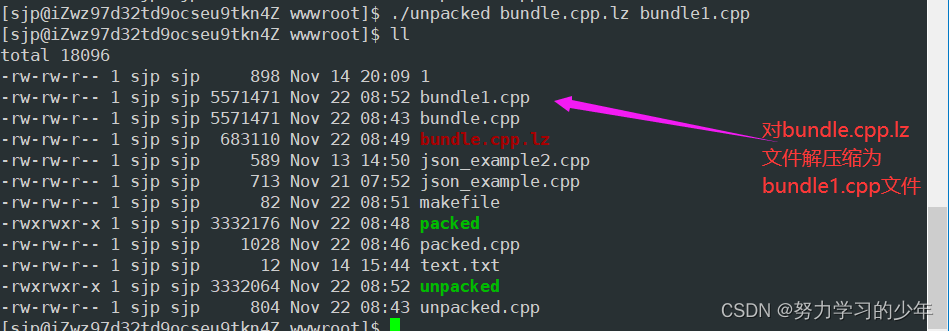
l利用md5sum检验bundle1.cpp和bundle.cpp文件的内容是否一样:

md5sum利用某种特定的算法对文件内容进行了计算,如果文件内容的完全一致,则生成一个完全相同的字符串,如果文件内容不完全相同,则生成字符串的结果是不一致的。
如何使用bundle库
安装bundle库
打开github页面

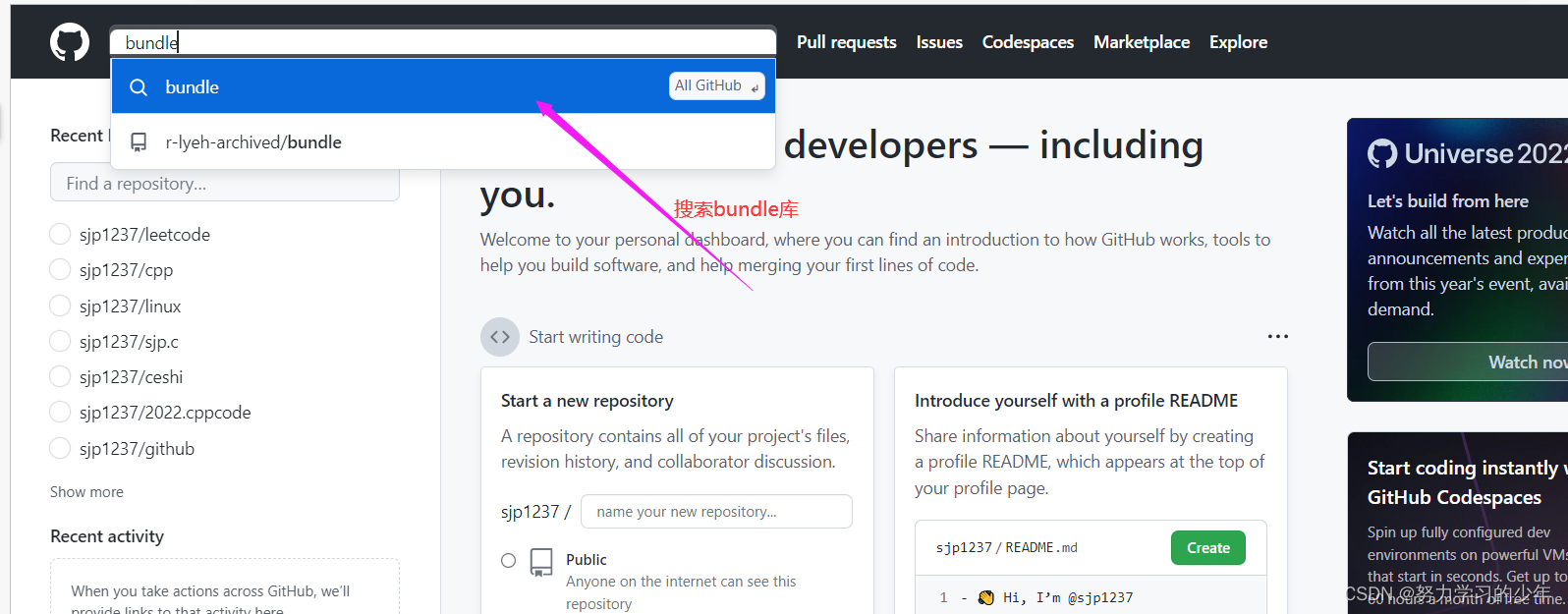
点击r-lyeh-archived/bundle
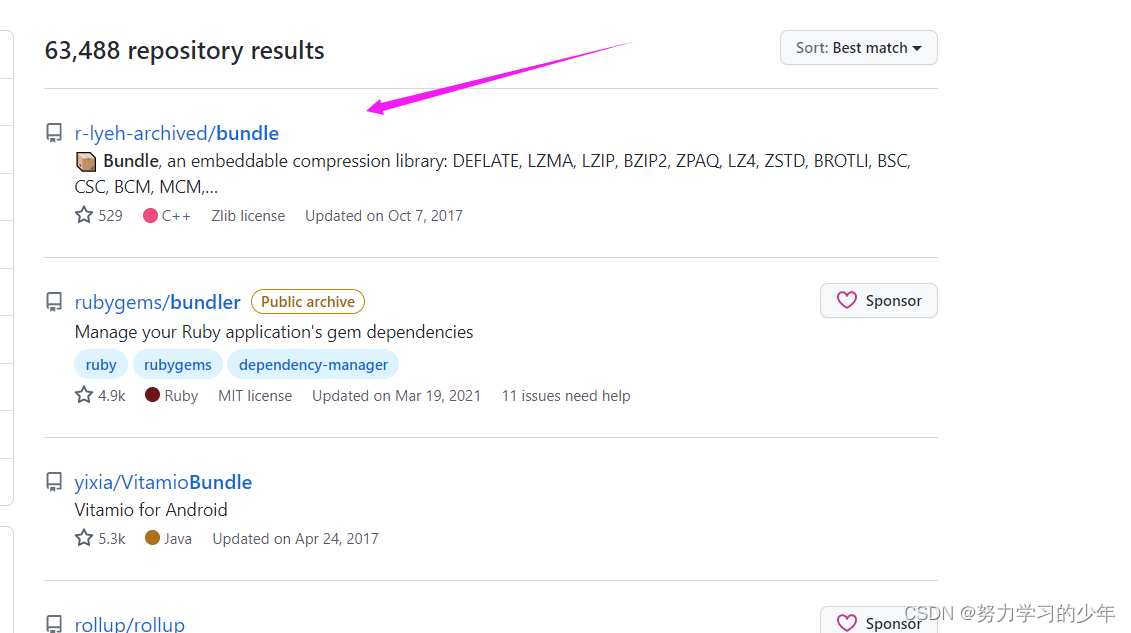
在浏览器上下载bundle库


如果传输失败,那么很可能没有下载rz命令,所以需要yum install lrzsz进行下载。
安装成功后
2.用unzip 解压bundle-master.zip文件生成bundle-master文件

3.将bundle-master库中的bundle.cpp和bundle.h文件到.cpp文件的当前路径下。

4.在.cpp文件中包含bundle.h文件
#include"bundle.h"
5.编译的时候需要跟bunle.cpp文件一起编译,同时需要链接pthread库,如下:
g++ unpacked.cpp bundle.cpp -o unpacked -lpthread
版权声明:本文内容由互联网用户自发贡献,该文观点仅代表作者本人。本站仅提供信息存储空间服务,不拥有所有权,不承担相关法律责任。如发现本站有涉嫌侵权/违法违规的内容,请联系我们,一经查实,本站将立刻删除。
如需转载请保留出处:https://51itzy.com/kjqy/44996.html