
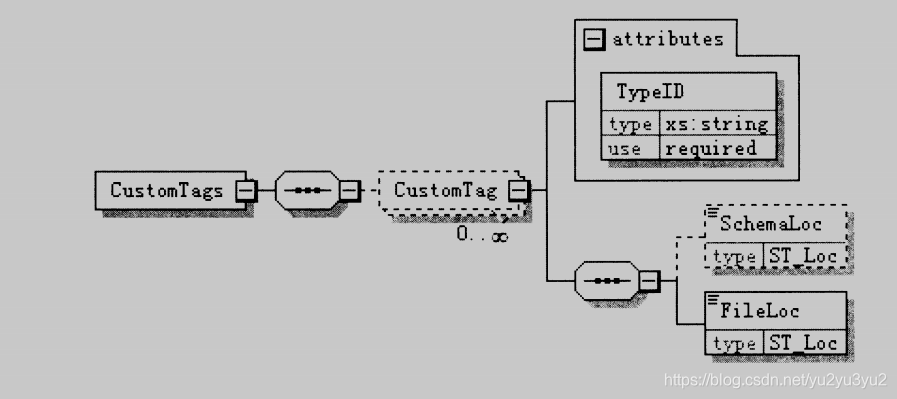
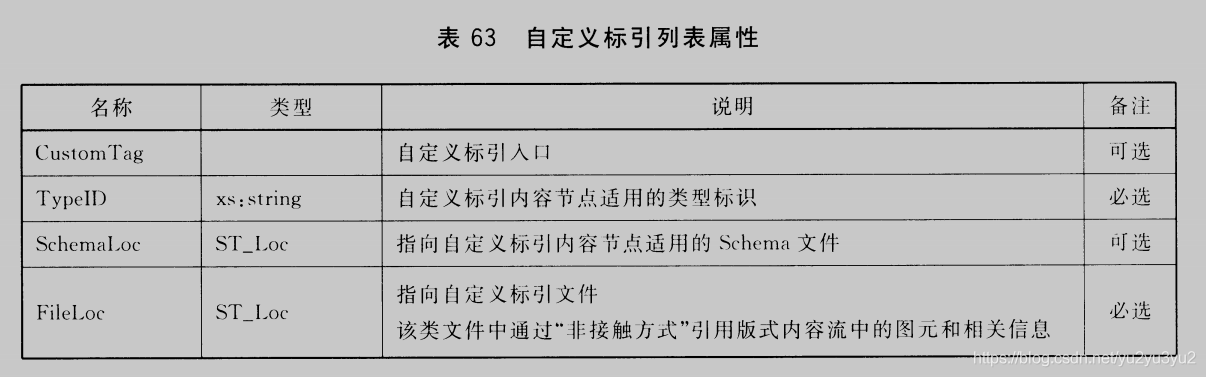
自定义标引: 外部系统或者用户可以自定义的标记和信息,从而达到与其他系统、数据进行交互的目的并扩展应用。一个文档可以带有多个自定义标引。
自定义标列表入口在7.5文档根节点中定义。
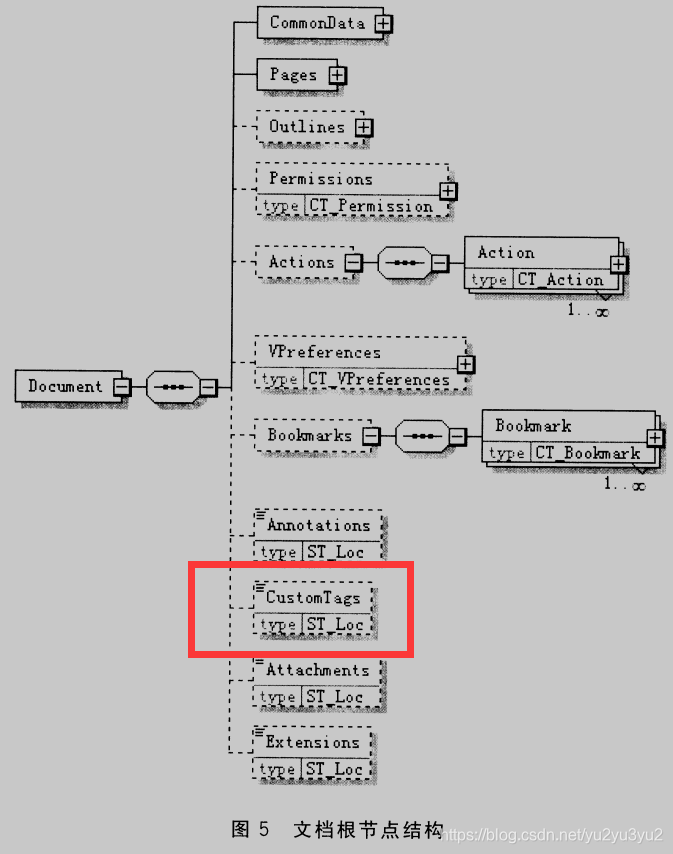
以上为GB/T 3390-2016原文描述。
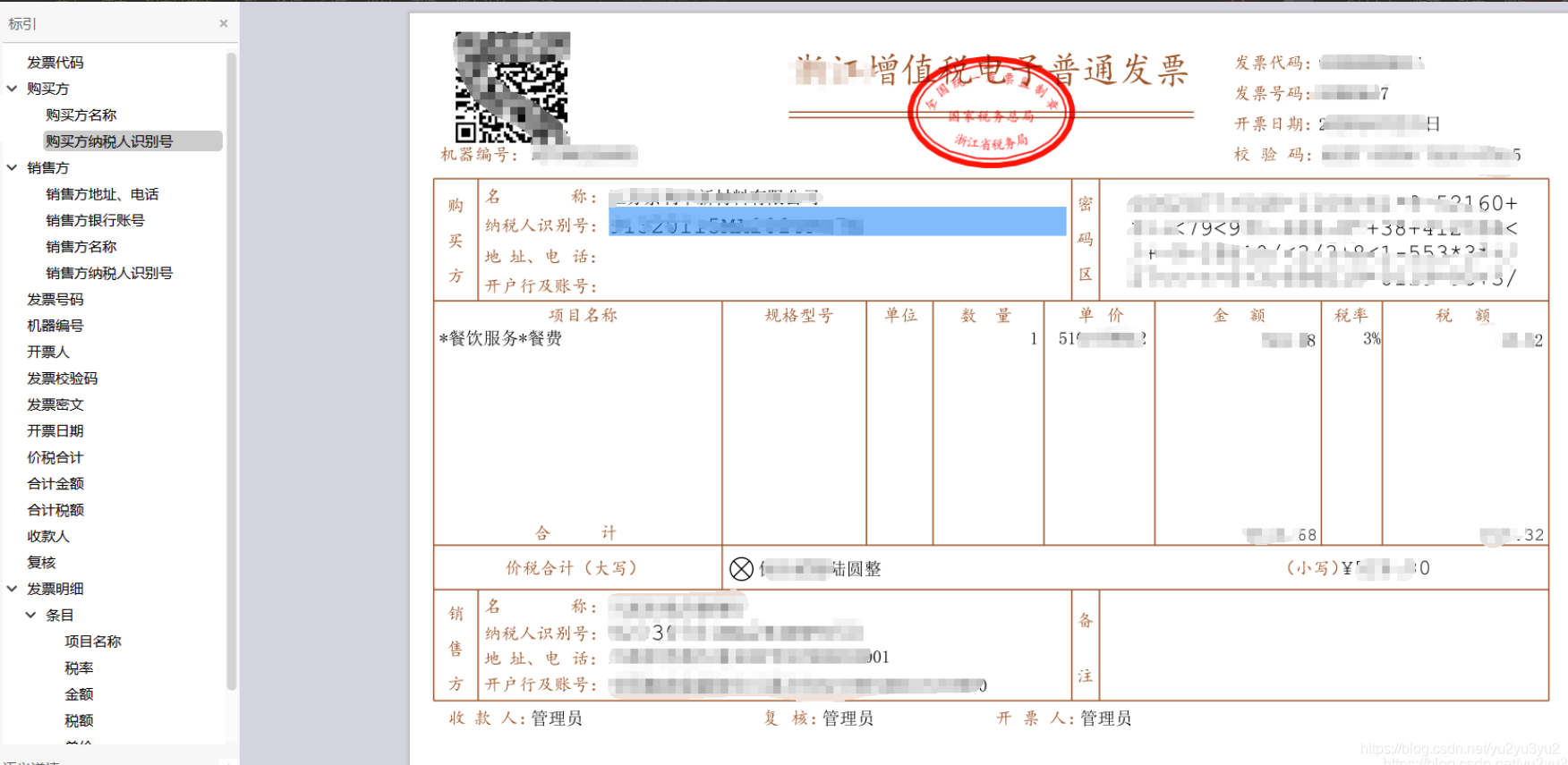
下面开始就一个OFD发票文件解析。标引效果类似与大纲。不同的是当单击具体标引时不但会跳转到标引指示的位置,还会将指示的内容还有该标引的子项的内容用蓝底显示出来。

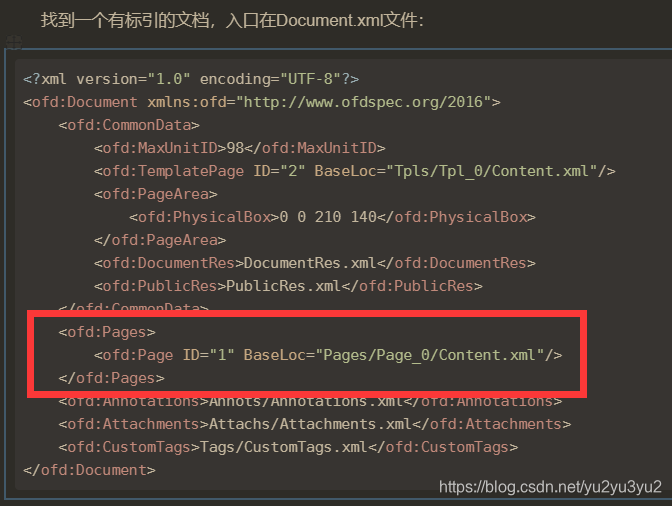
找到一个有标引的文档,入口在Document.xml文件:
<?xml version="1.0" encoding="UTF-8"?> <ofd:Document xmlns:ofd="http://www.ofdspec.org/2016"> <ofd:CommonData> <ofd:MaxUnitID>98</ofd:MaxUnitID> <ofd:TemplatePage ID="2" BaseLoc="Tpls/Tpl_0/Content.xml"/> <ofd:PageArea> <ofd:PhysicalBox>0 0 210 140</ofd:PhysicalBox> </ofd:PageArea> <ofd:DocumentRes>DocumentRes.xml</ofd:DocumentRes> <ofd:PublicRes>PublicRes.xml</ofd:PublicRes> </ofd:CommonData> <ofd:Pages> <ofd:Page ID="1" BaseLoc="Pages/Page_0/Content.xml"/> </ofd:Pages> <ofd:Annotations>Annots/Annotations.xml</ofd:Annotations> <ofd:Attachments>Attachs/Attachments.xml</ofd:Attachments> <ofd:CustomTags>Tags/CustomTags.xml</ofd:CustomTags> </ofd:Document> 讯享网
继续向下,Tags/CustomTags.xml文件
讯享网<?xml version="1.0" encoding="UTF-8"?> <ofd:CustomTags xmlns:ofd="http://www.ofdspec.org/2016"> <ofd:CustomTag TypeID=""> <ofd:FileLoc>CustomTag.xml</ofd:FileLoc> </ofd:CustomTag> </ofd:CustomTags>
CustomTag.xml文件。
<?xml version="1.0" encoding="UTF-8"?> <:eInvoice xmlns:=""> <InvoiceCode> <ofd:ObjectRef PageRef="1">64</ofd:ObjectRef> </InvoiceCode> <Buyer> <BuyerName> <ofd:ObjectRef PageRef="1">65</ofd:ObjectRef> </BuyerName> <BuyerTaxID> <ofd:ObjectRef PageRef="1">67</ofd:ObjectRef> </BuyerTaxID> </Buyer> <Seller> <SellerAddrTel> <ofd:ObjectRef PageRef="1">68</ofd:ObjectRef> </SellerAddrTel> <SellerFinancialAccount> <ofd:ObjectRef PageRef="1">69</ofd:ObjectRef> </SellerFinancialAccount> <SellerName> <ofd:ObjectRef PageRef="1">73</ofd:ObjectRef> </SellerName> <SellerTaxID> <ofd:ObjectRef PageRef="1">76</ofd:ObjectRef> </SellerTaxID> </Seller> <InvoiceNo> <ofd:ObjectRef PageRef="1">70</ofd:ObjectRef> </InvoiceNo> <MachineNo> <ofd:ObjectRef PageRef="1">71</ofd:ObjectRef> </MachineNo> <InvoiceClerk> <ofd:ObjectRef PageRef="1">72</ofd:ObjectRef> </InvoiceClerk> <InvoiceCheckCode> <ofd:ObjectRef PageRef="1">74</ofd:ObjectRef> </InvoiceCheckCode> <TaxControlCode> <ofd:ObjectRef PageRef="1">75</ofd:ObjectRef> </TaxControlCode> <IssueDate> <ofd:ObjectRef PageRef="1">77</ofd:ObjectRef> </IssueDate> <TaxInclusiveTotalAmount> <ofd:ObjectRef PageRef="1">82</ofd:ObjectRef> <ofd:ObjectRef PageRef="1">83</ofd:ObjectRef> </TaxInclusiveTotalAmount> <TaxExclusiveTotalAmount> <ofd:ObjectRef PageRef="1">84</ofd:ObjectRef> <ofd:ObjectRef PageRef="1">85</ofd:ObjectRef> </TaxExclusiveTotalAmount> <TaxTotalAmount> <ofd:ObjectRef PageRef="1">86</ofd:ObjectRef> <ofd:ObjectRef PageRef="1">87</ofd:ObjectRef> </TaxTotalAmount> <Payee> <ofd:ObjectRef PageRef="1">88</ofd:ObjectRef> </Payee> <Checker> <ofd:ObjectRef PageRef="1">89</ofd:ObjectRef> </Checker> <GoodsInfos> <GoodsInfo> <Item> <ofd:ObjectRef PageRef="1">92</ofd:ObjectRef> </Item> <TaxScheme> <ofd:ObjectRef PageRef="1">93</ofd:ObjectRef> </TaxScheme> <Amount> <ofd:ObjectRef PageRef="1">94</ofd:ObjectRef> </Amount> <TaxAmount> <ofd:ObjectRef PageRef="1">95</ofd:ObjectRef> </TaxAmount> <Price> <ofd:ObjectRef PageRef="1">96</ofd:ObjectRef> </Price> <Quantity> <ofd:ObjectRef PageRef="1">97</ofd:ObjectRef> </Quantity> </GoodsInfo> </GoodsInfos> </:eInvoice> 到这里自定义标引部分解析就完成了。
接着通过ofd:ObjectRef的PageRef属性(页面ID)找到标引指示内容所在页面,可以在Document.xml中找到。
通过ofd:ObjectRef的值可以找到标引指示内容的ID。
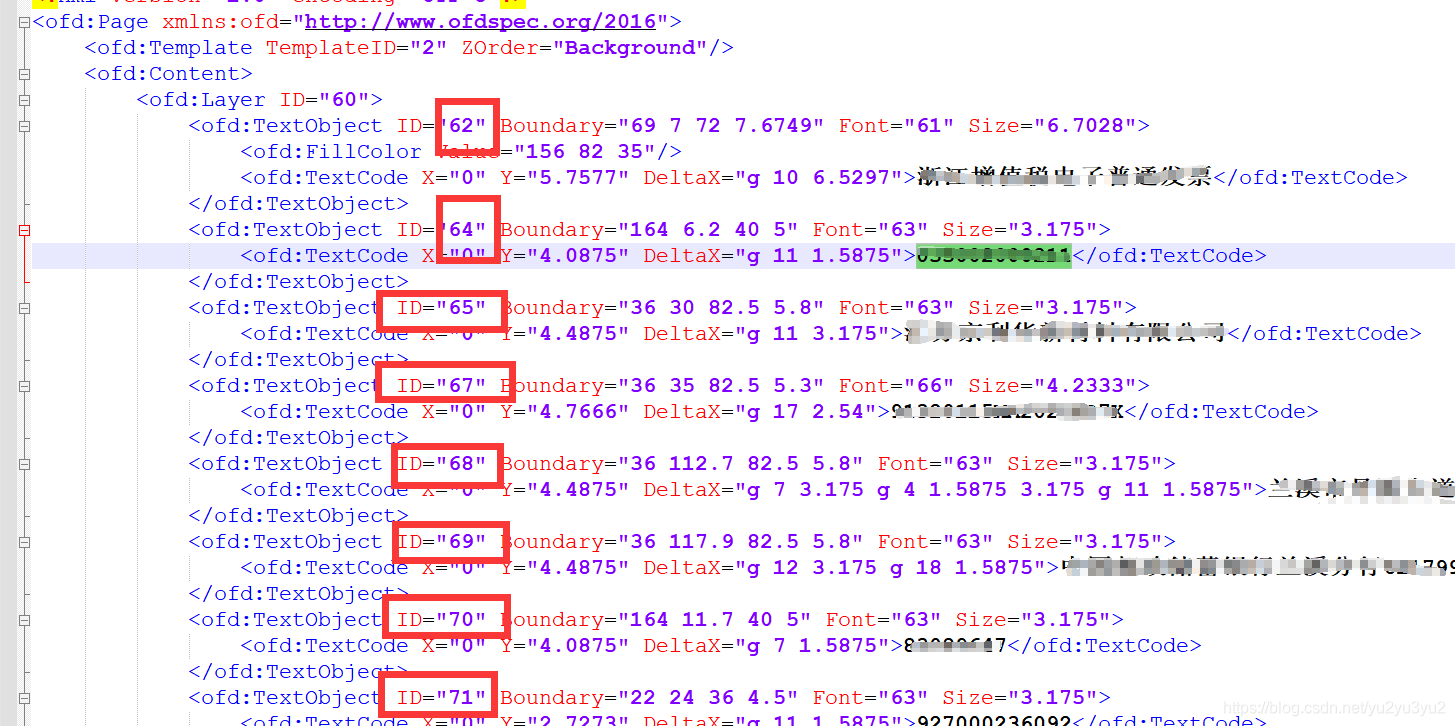
通过ofd:TextObject 的Boundary属性就可以知道要标蓝的区域。
版权声明:本文内容由互联网用户自发贡献,该文观点仅代表作者本人。本站仅提供信息存储空间服务,不拥有所有权,不承担相关法律责任。如发现本站有涉嫌侵权/违法违规的内容,请联系我们,一经查实,本站将立刻删除。
如需转载请保留出处:https://51itzy.com/kjqy/42579.html