
拓扑
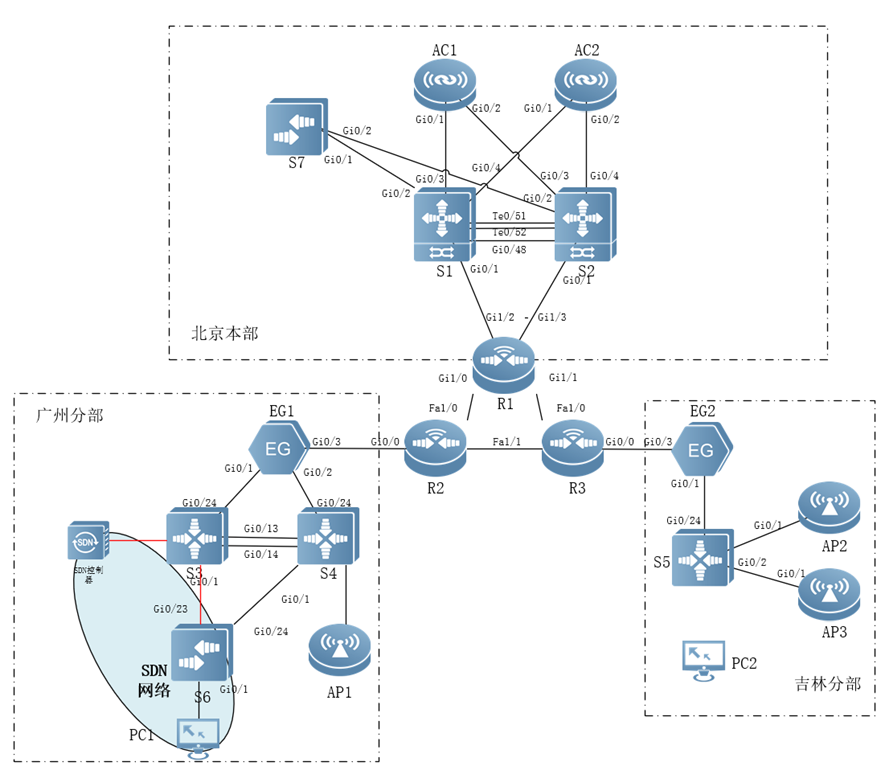
环境说明
- SDN控制连接S3的G0/10口
- PC1接入VLAN30网段
- PC2连接JL无线网络
- 最终效果需要做到PC1无法ping通PC2
ONC服务器信息
- url:192.168.65.101:8089/onc
- 用户和密码:admin:ruijie123
- ip:192.168.65.101
实验结果
- PC1无法ping通PC2,其余连通信不影响
操作步骤
- 检查被纳管设备和ONC平台的连通信
- 被纳管设备开启SNMP
- 被纳管设备开启SSH
- 被纳管设备开启openflow
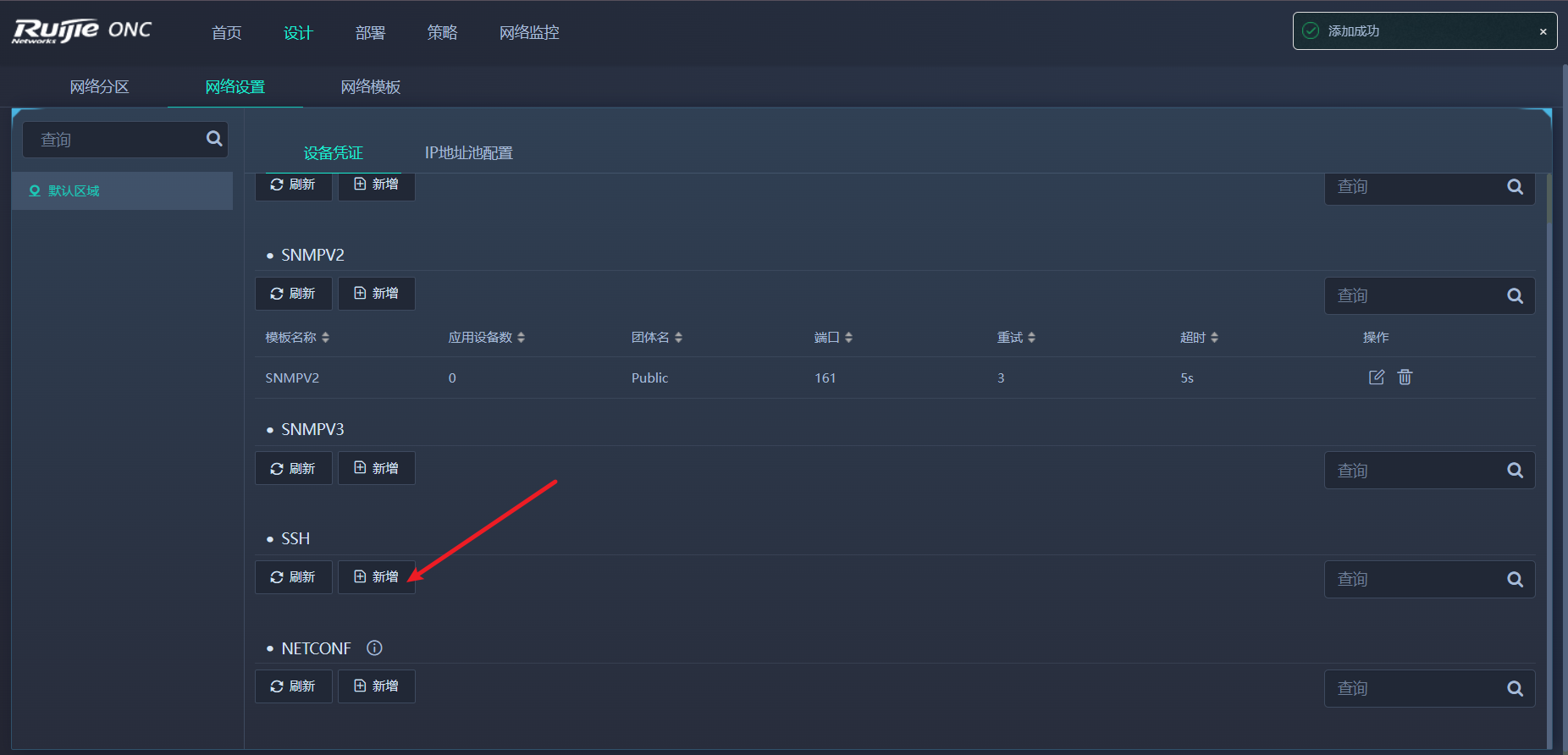
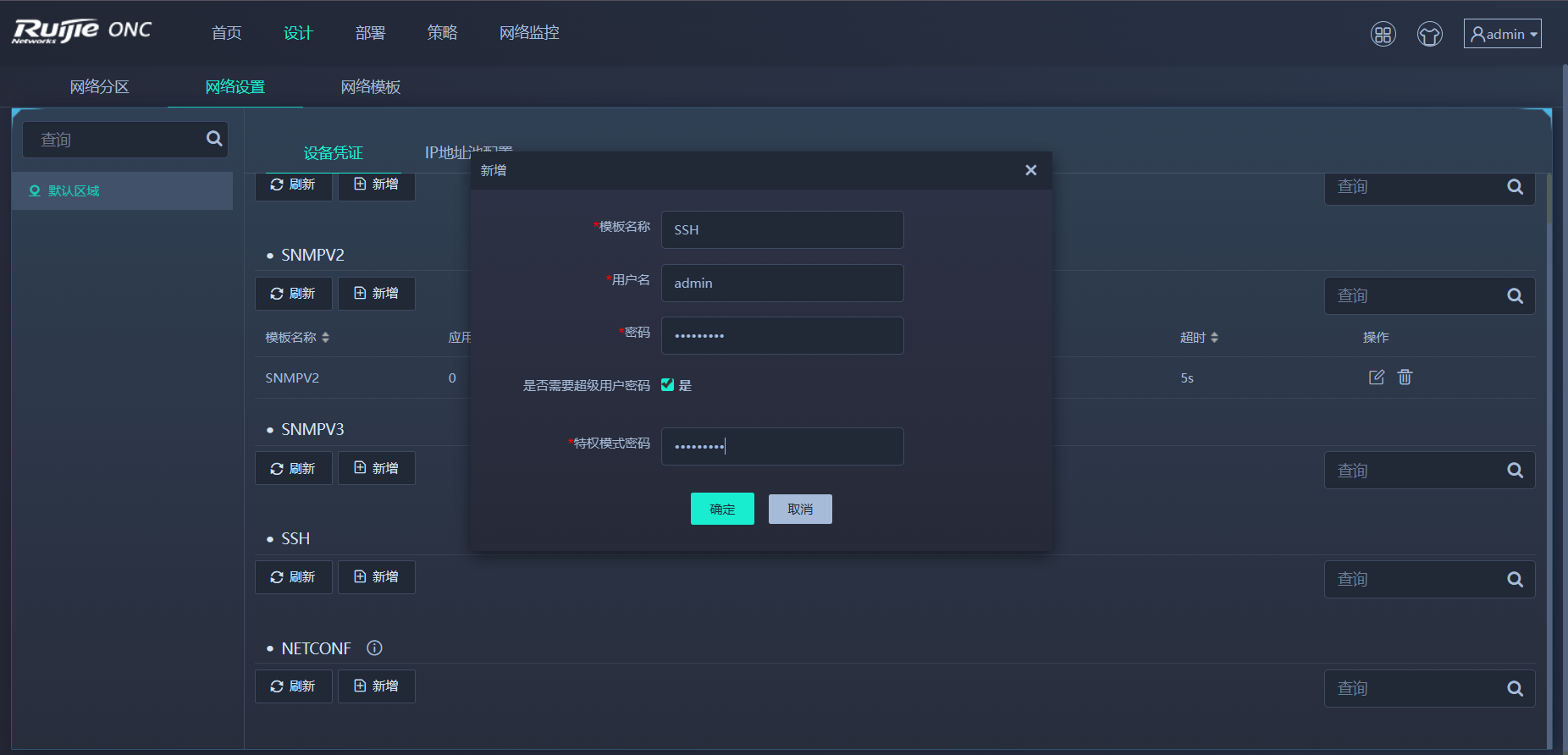
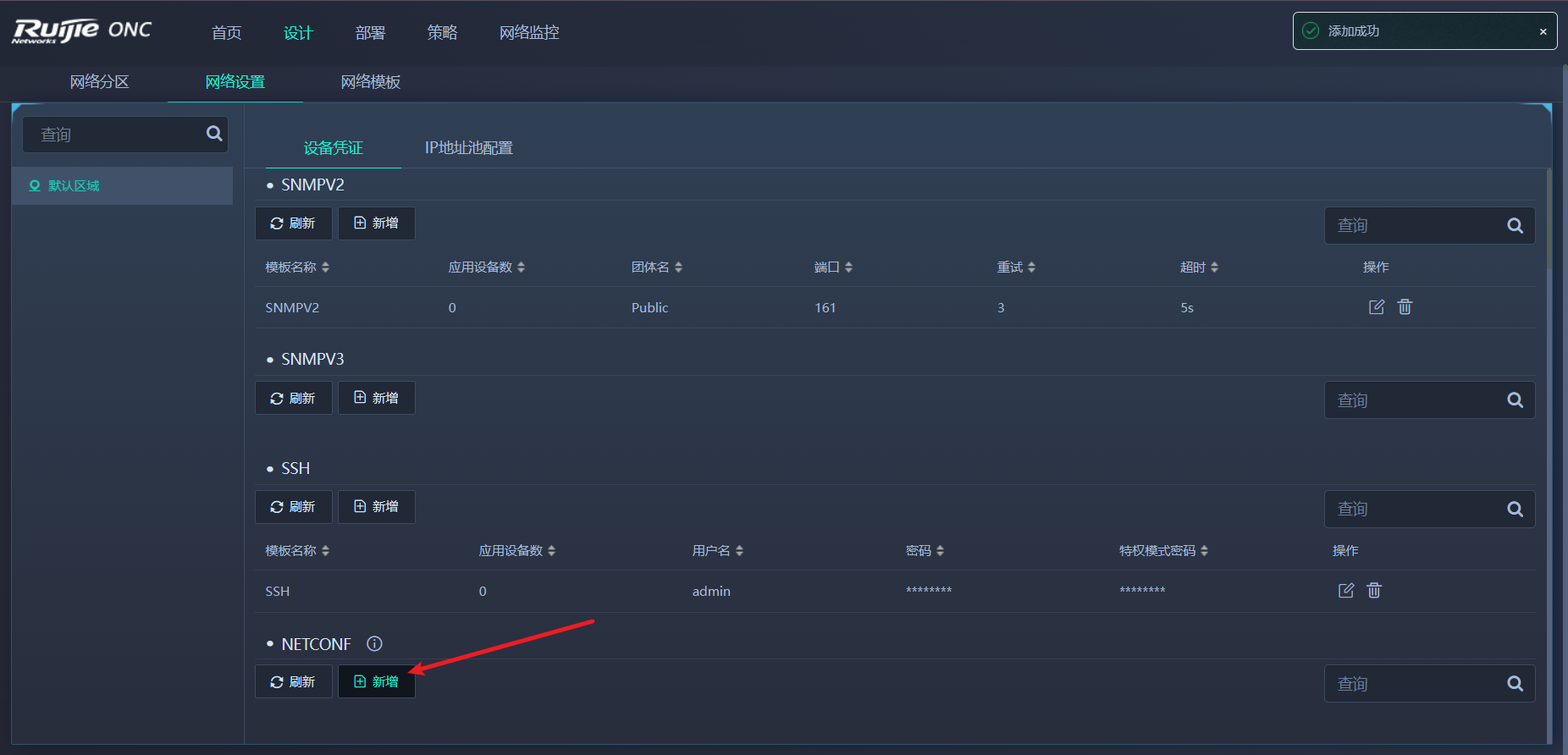
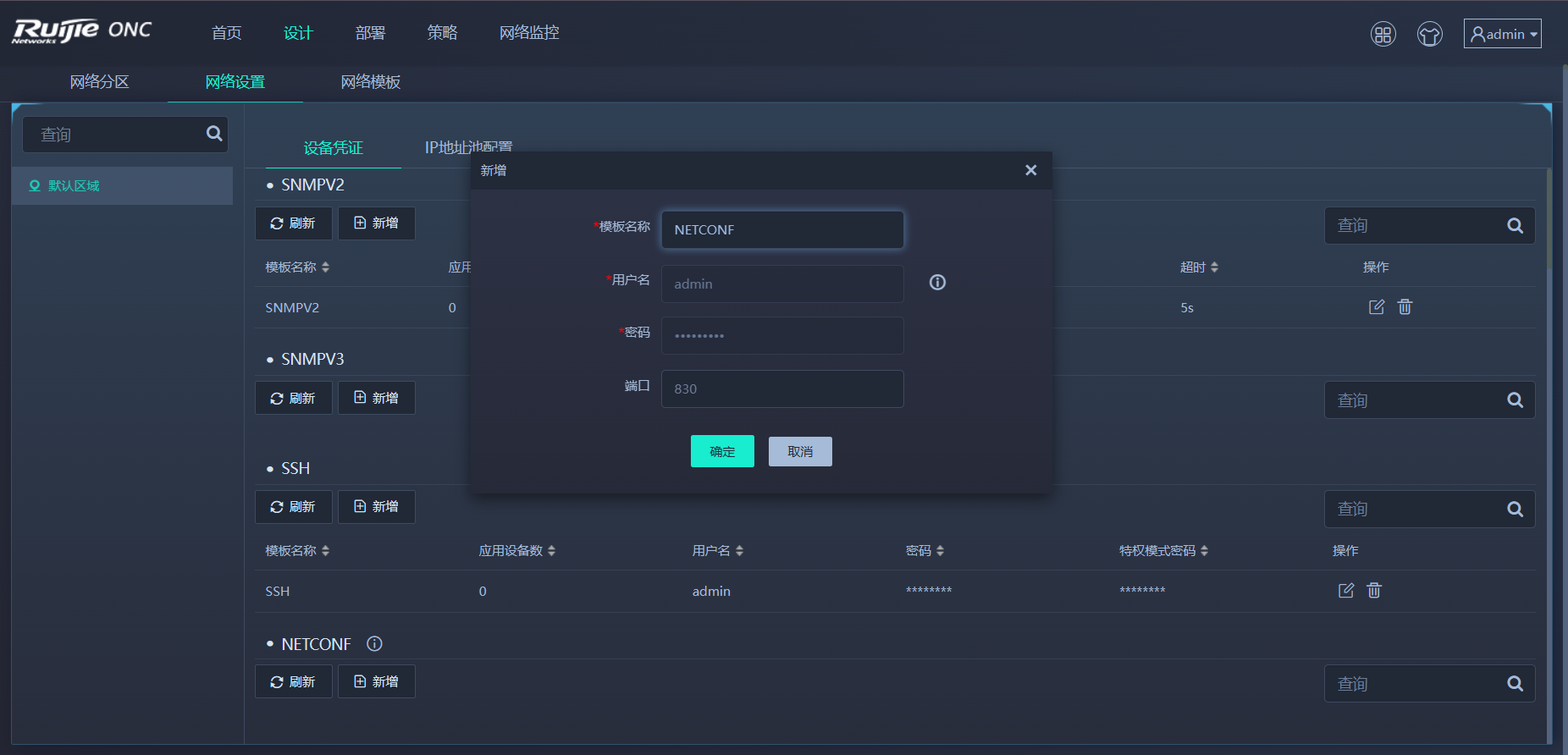
- ONC平台网络设置
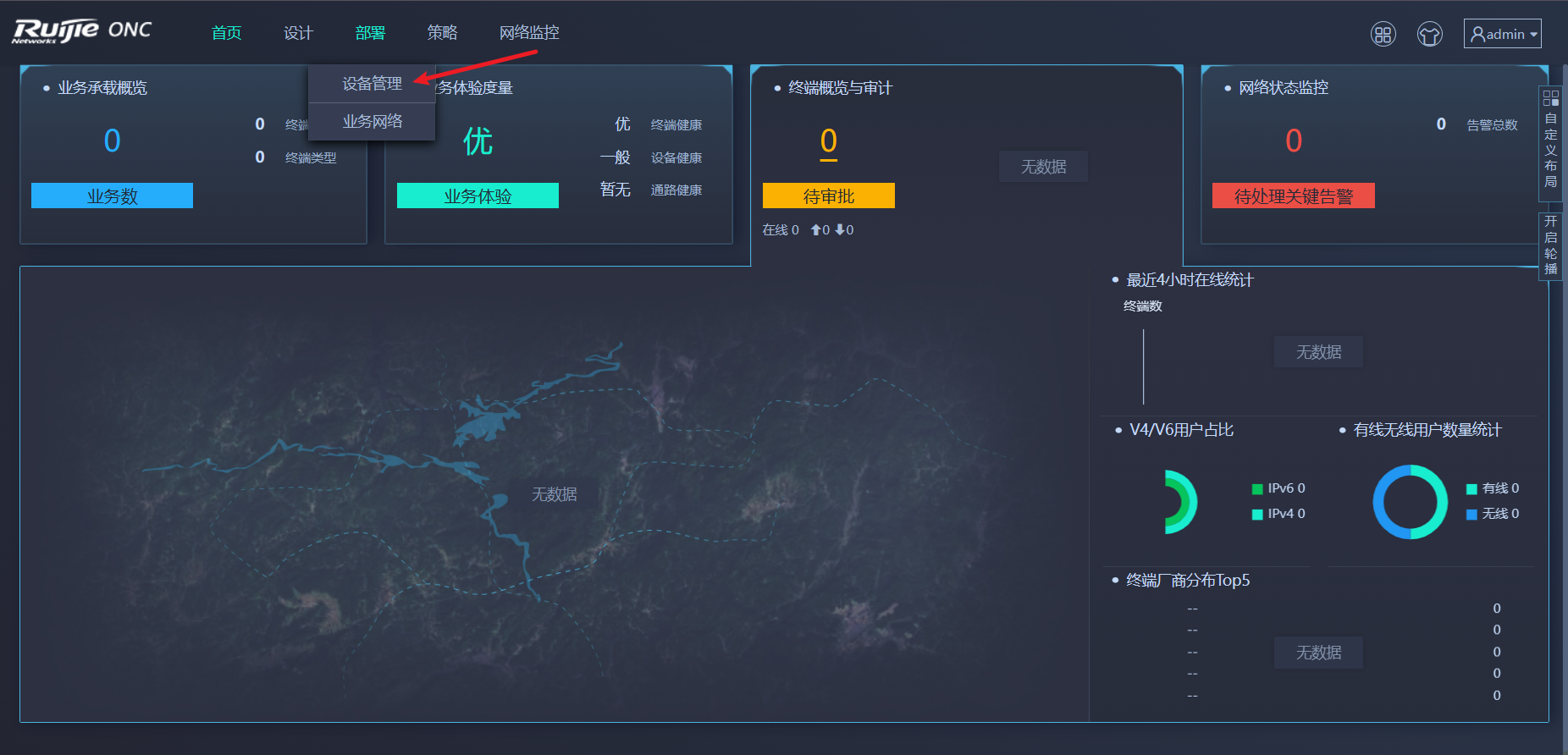
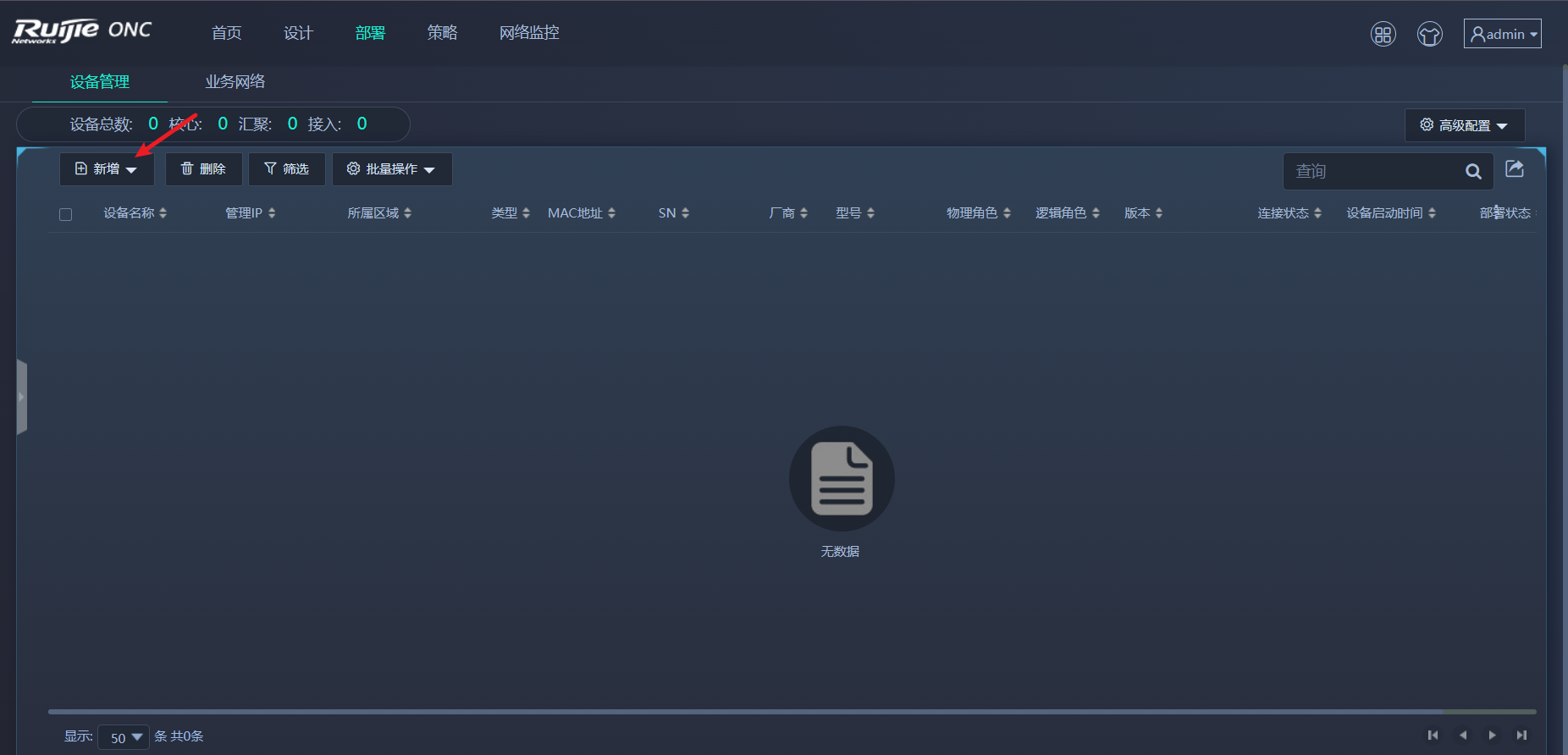
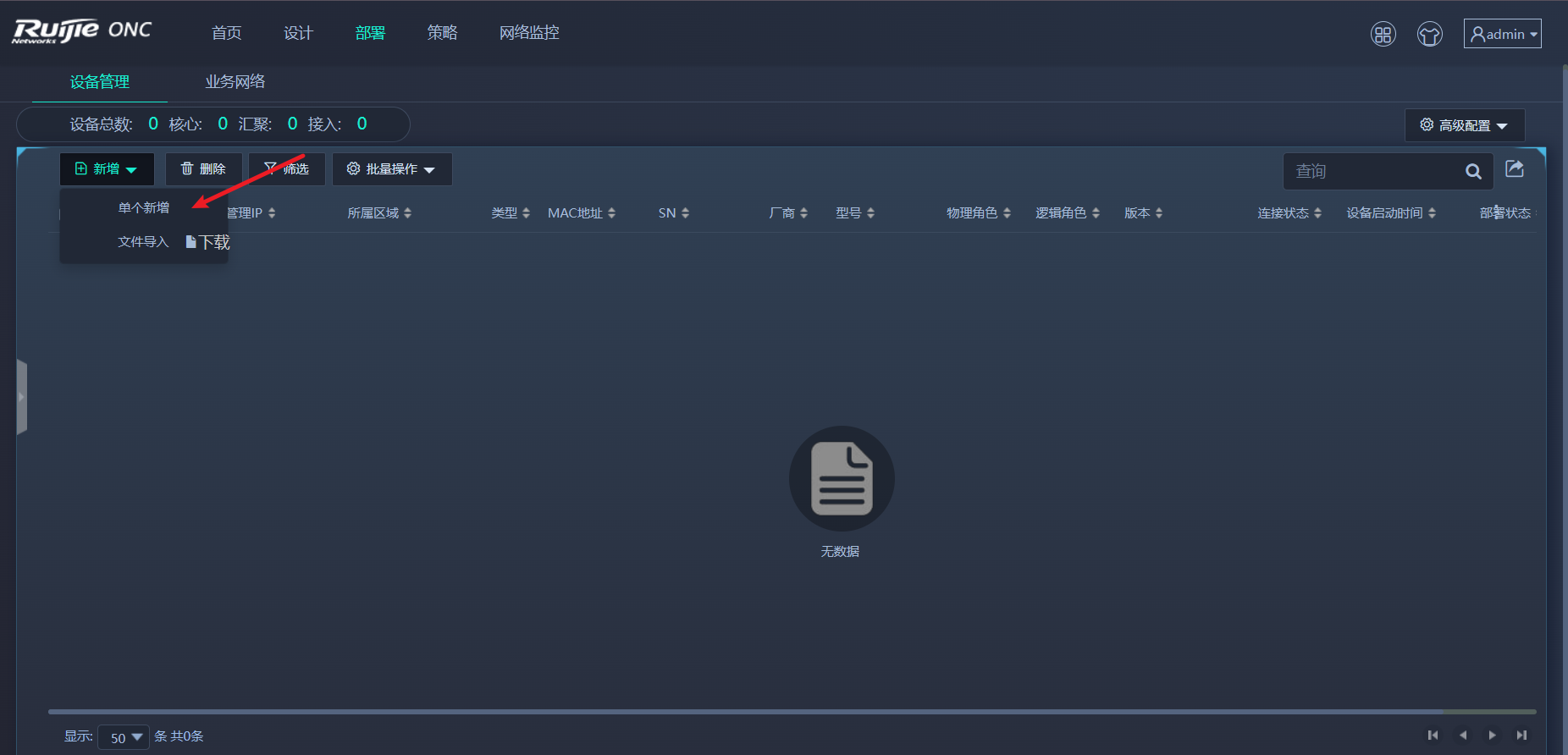
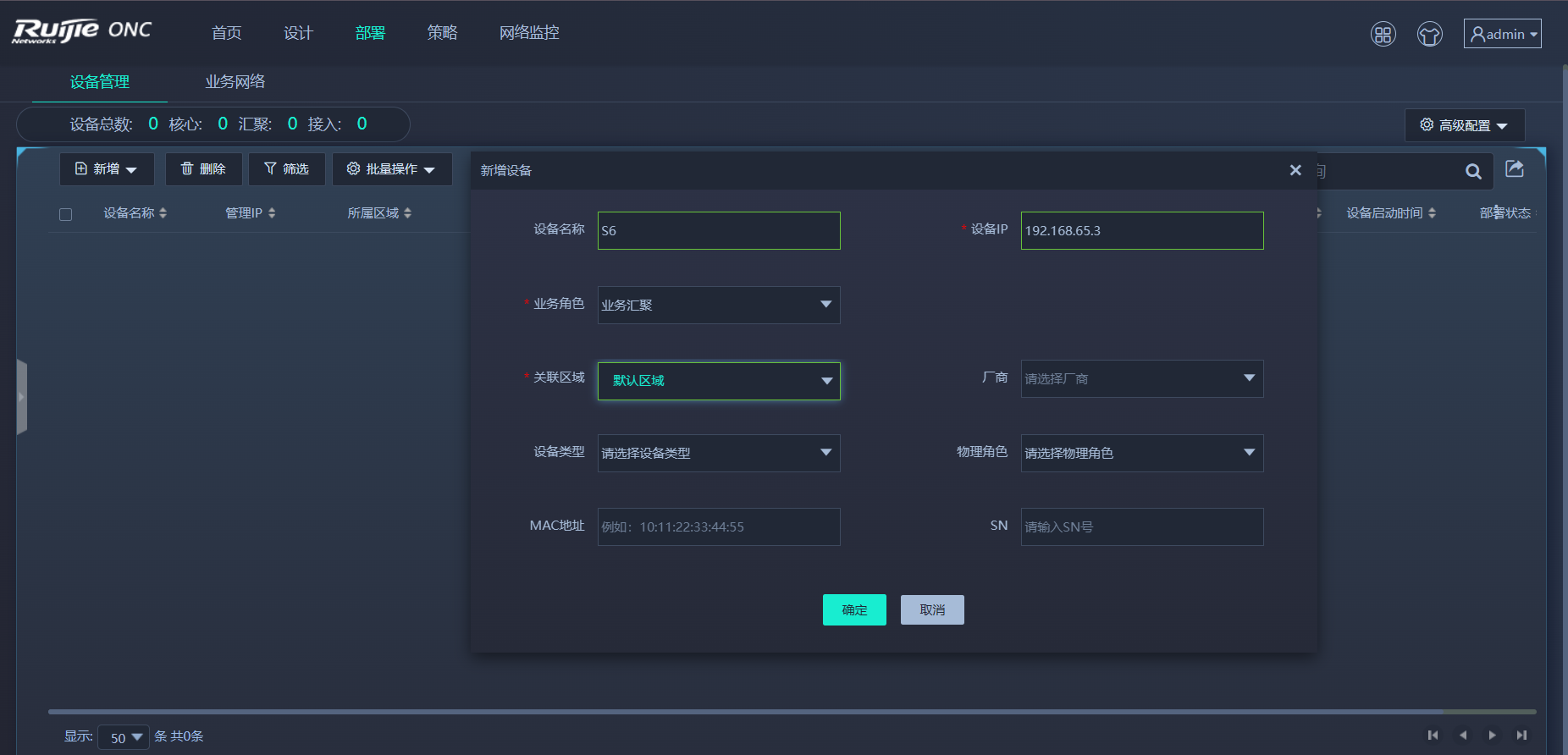
- ONC平台设备管理
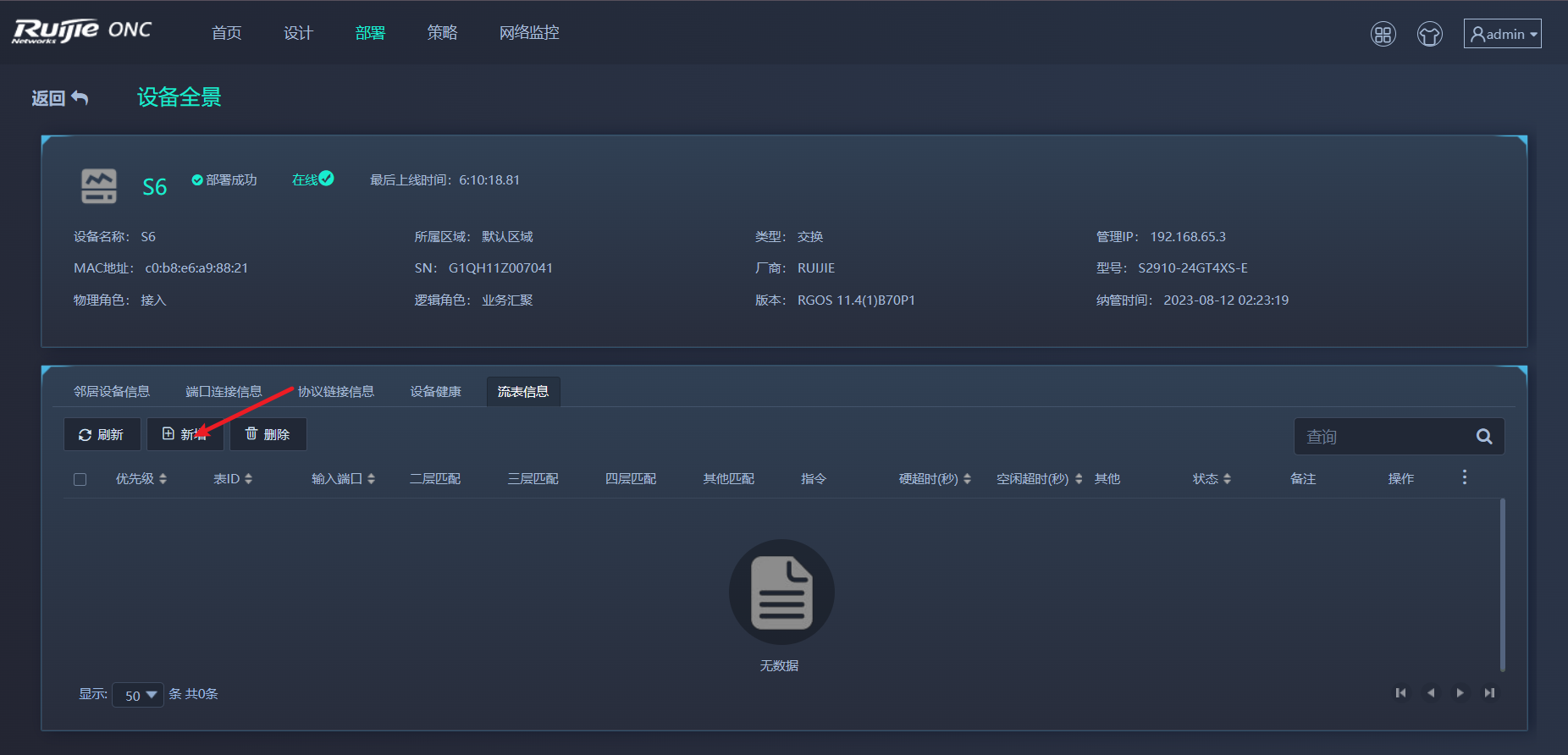
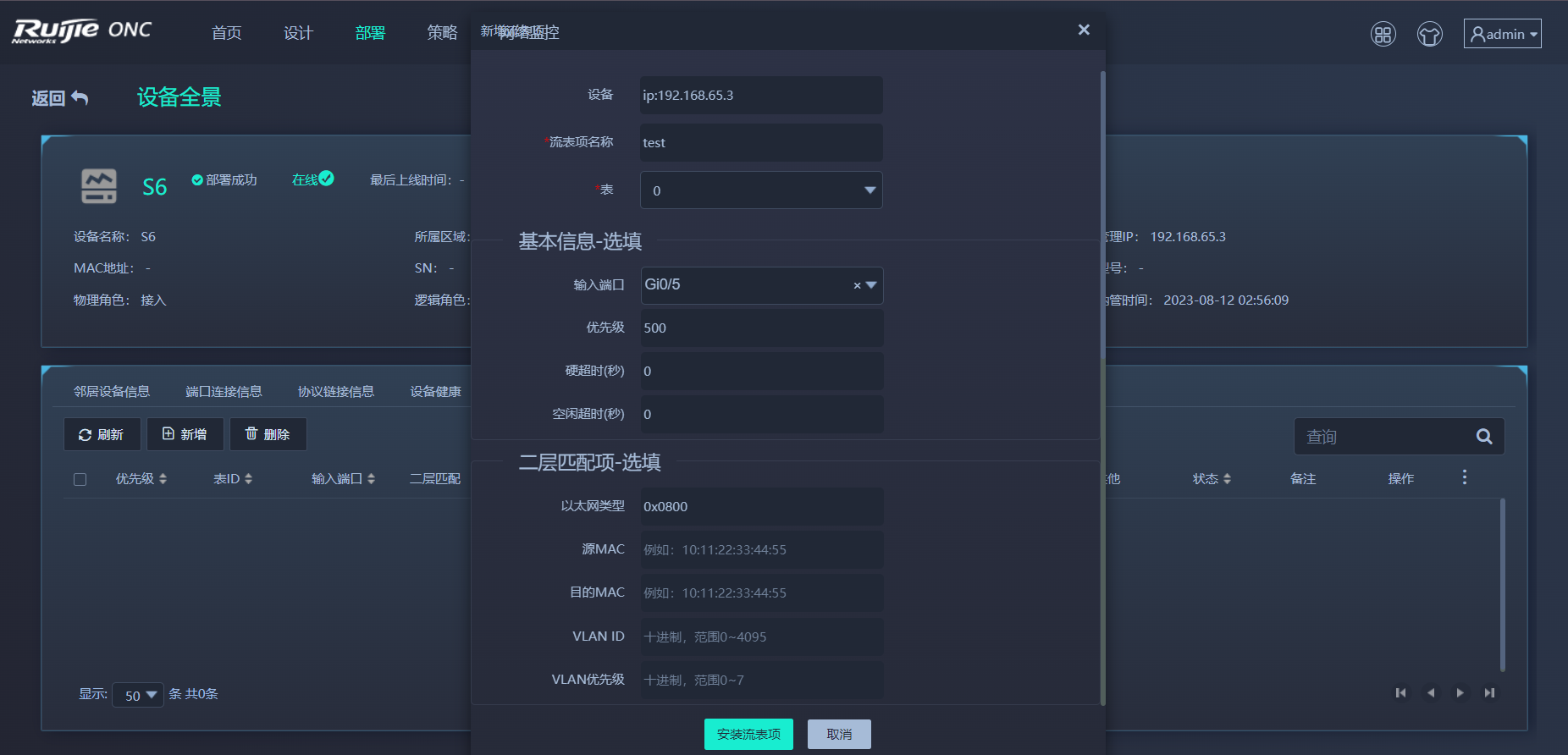
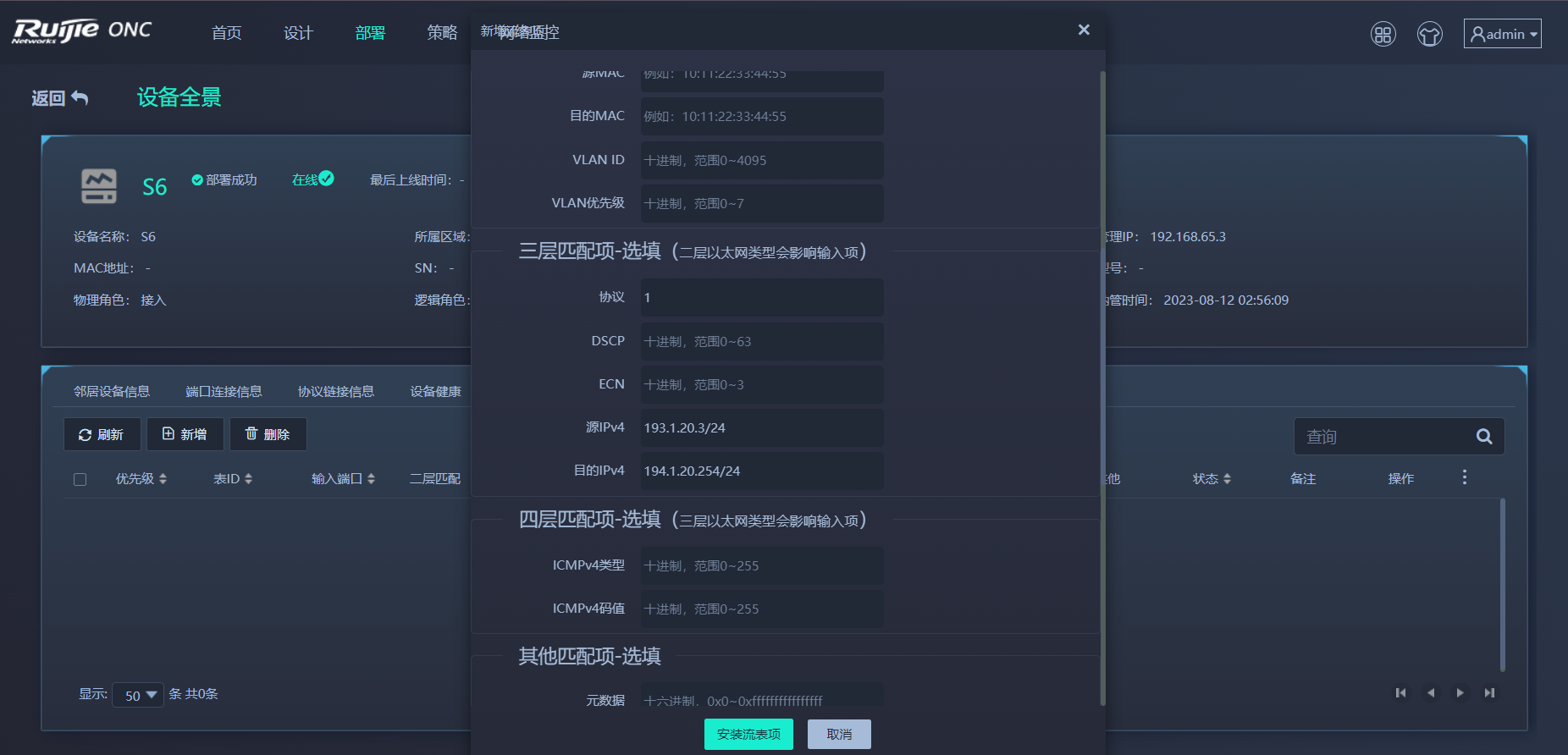
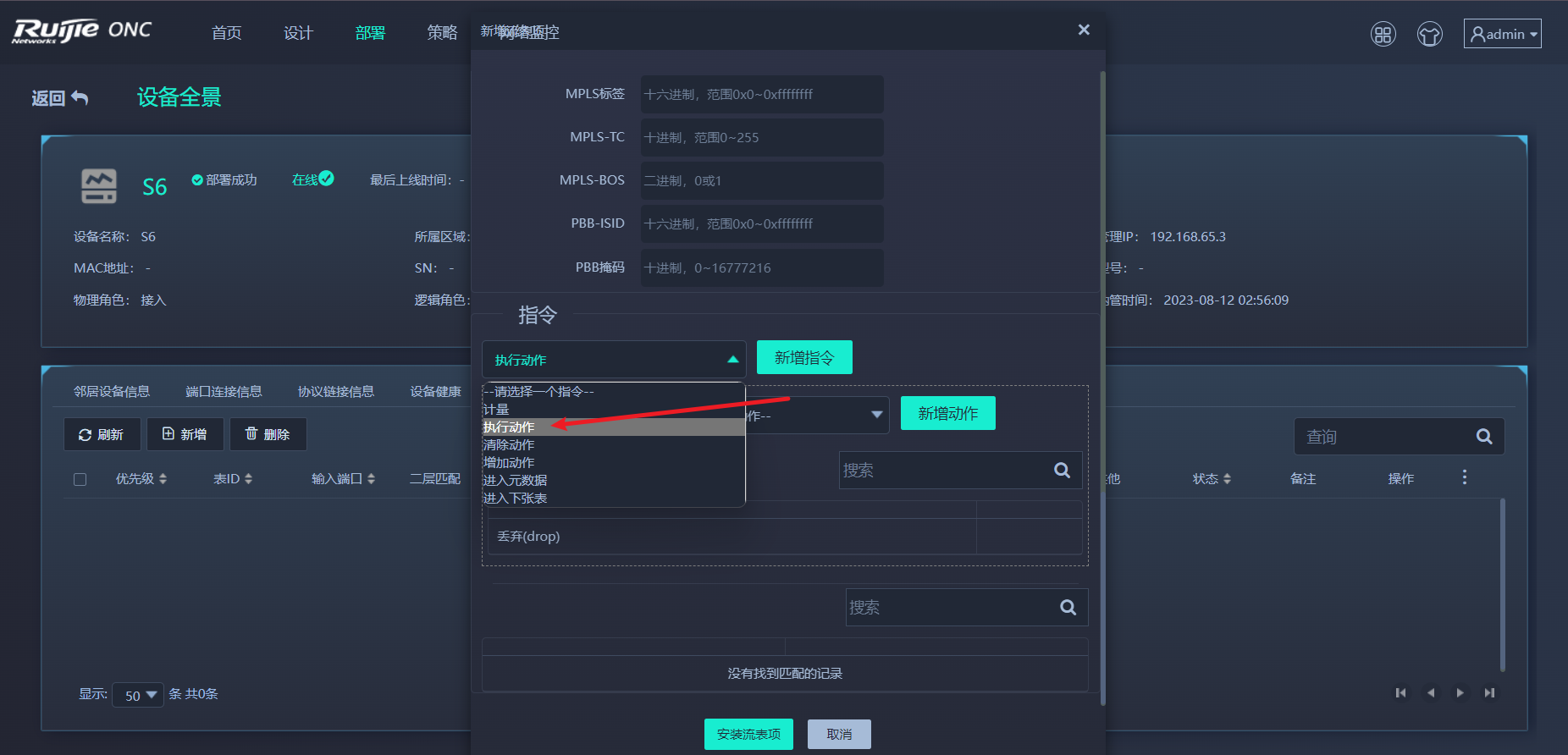
- ONC平台下发流表
操作演示
被纳管设备配置演示
SNMP
S6(config)#snmp-server community Public rw
讯享网
SSH
讯享网S6(config)#enable service ssh-server S6(config)#ip ssh version 2 S6(config)#username admin password ruijie123 S6(config)#line vty 0 4 S6(config-line)#login local S6(config-line)#transport input ssh S6(config-line)#exit S6(config)#enable password ruijie123 S6(config)#crypto key generate dsa Choose the size of the rsa key modulus in the range of 512 to 2048 and the size of the dsa key modulus in the range of 360 to 2048 for your Signature Keys. Choosing a key modulus greater than 512 may take a few minutes. How many bits in the modulus [512]: % Generating 512 bit DSA keys ...[ok]
openflow
S6(config)#of controller-ip 192.168.65.101 interface g0/23 S6(config)#of source-ip 192.168.65.3
ONC平台操作演示
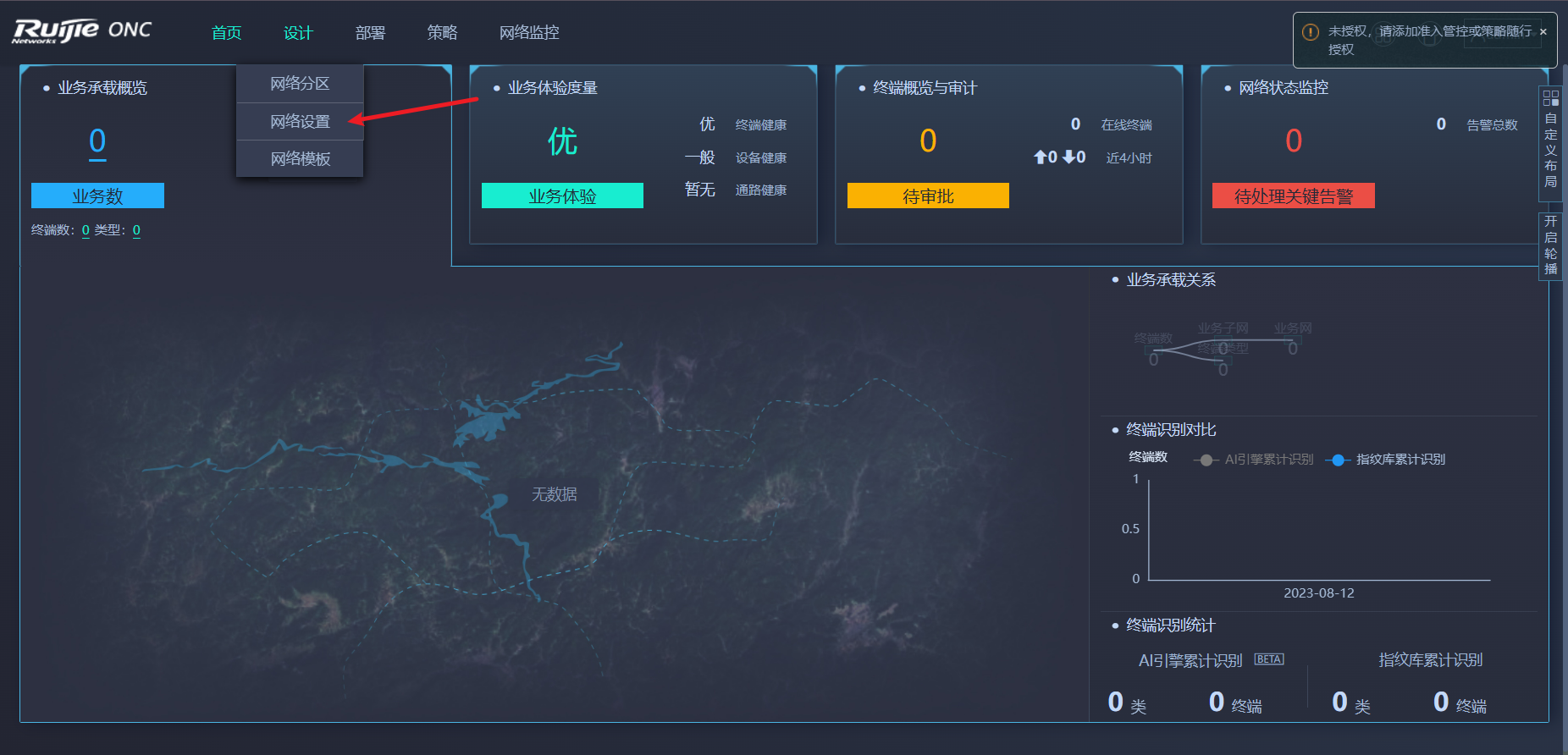
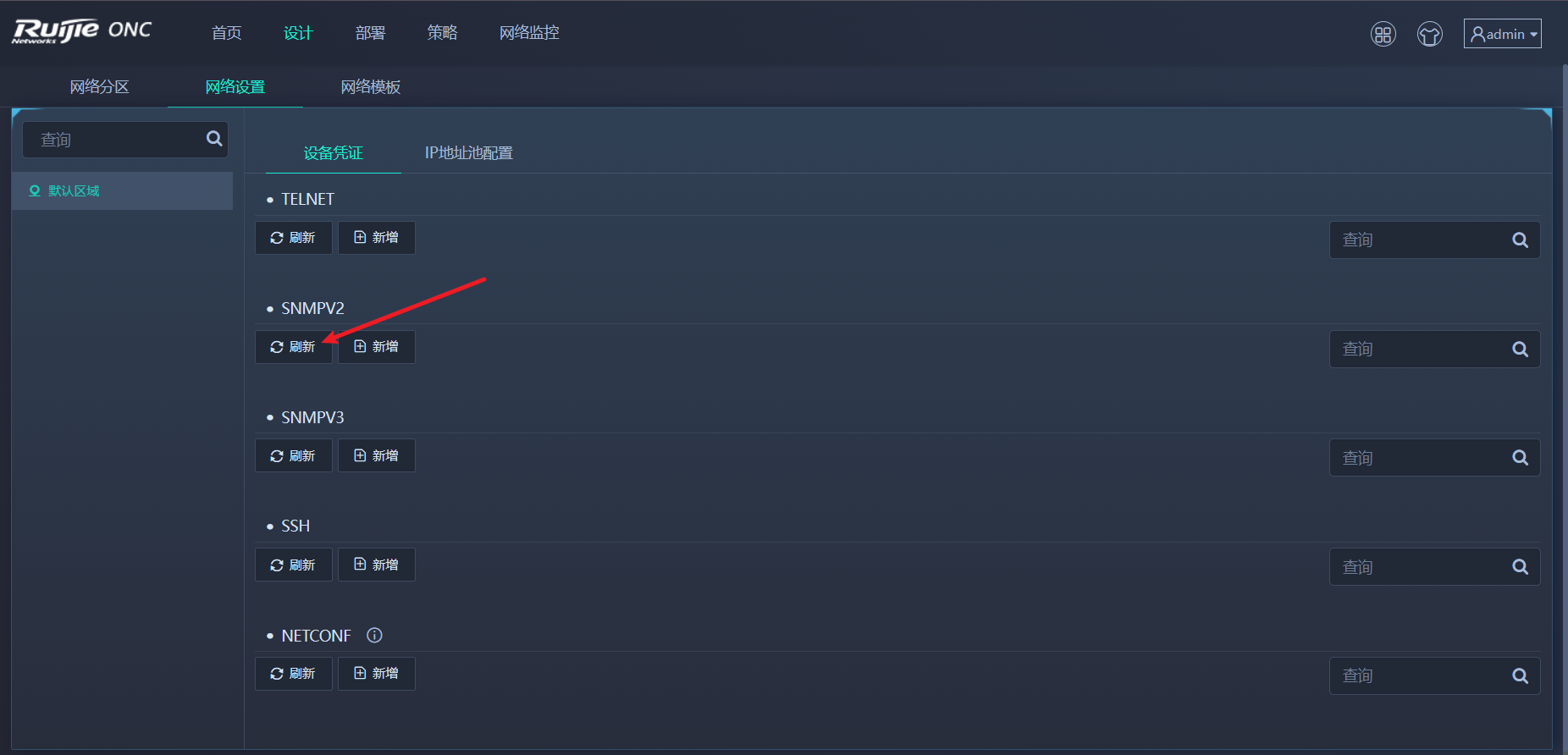
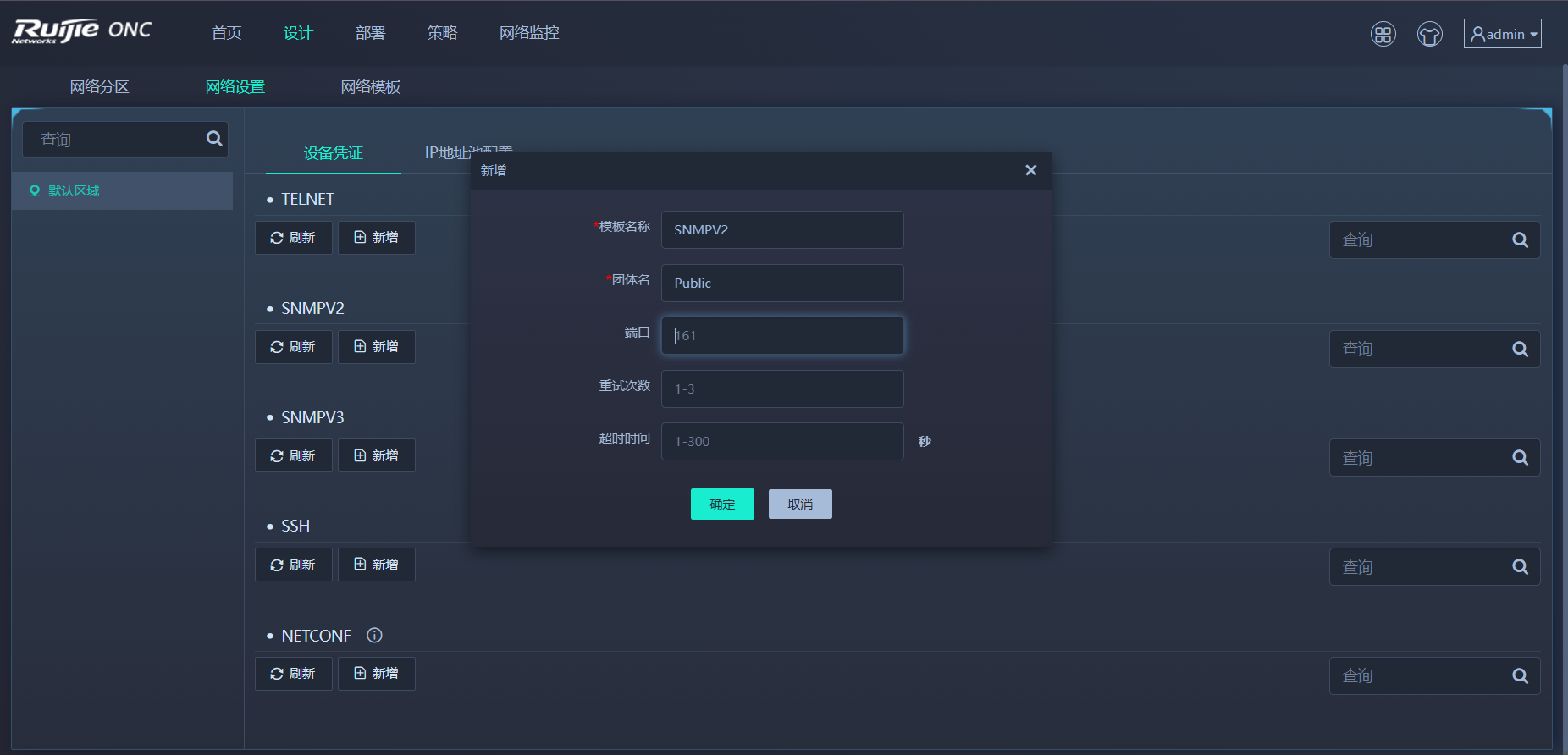
设计-->网络设置
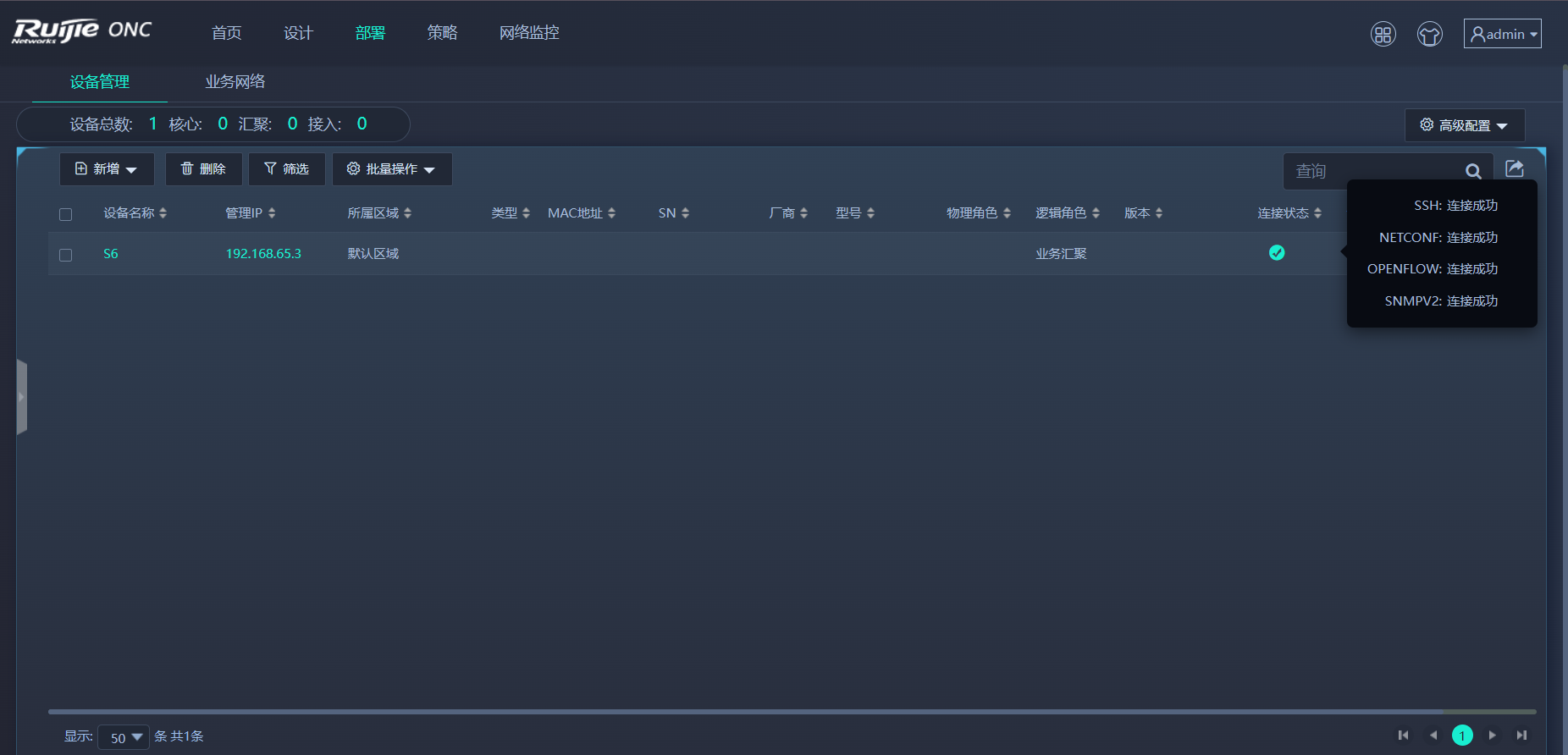
部署-->设备管理

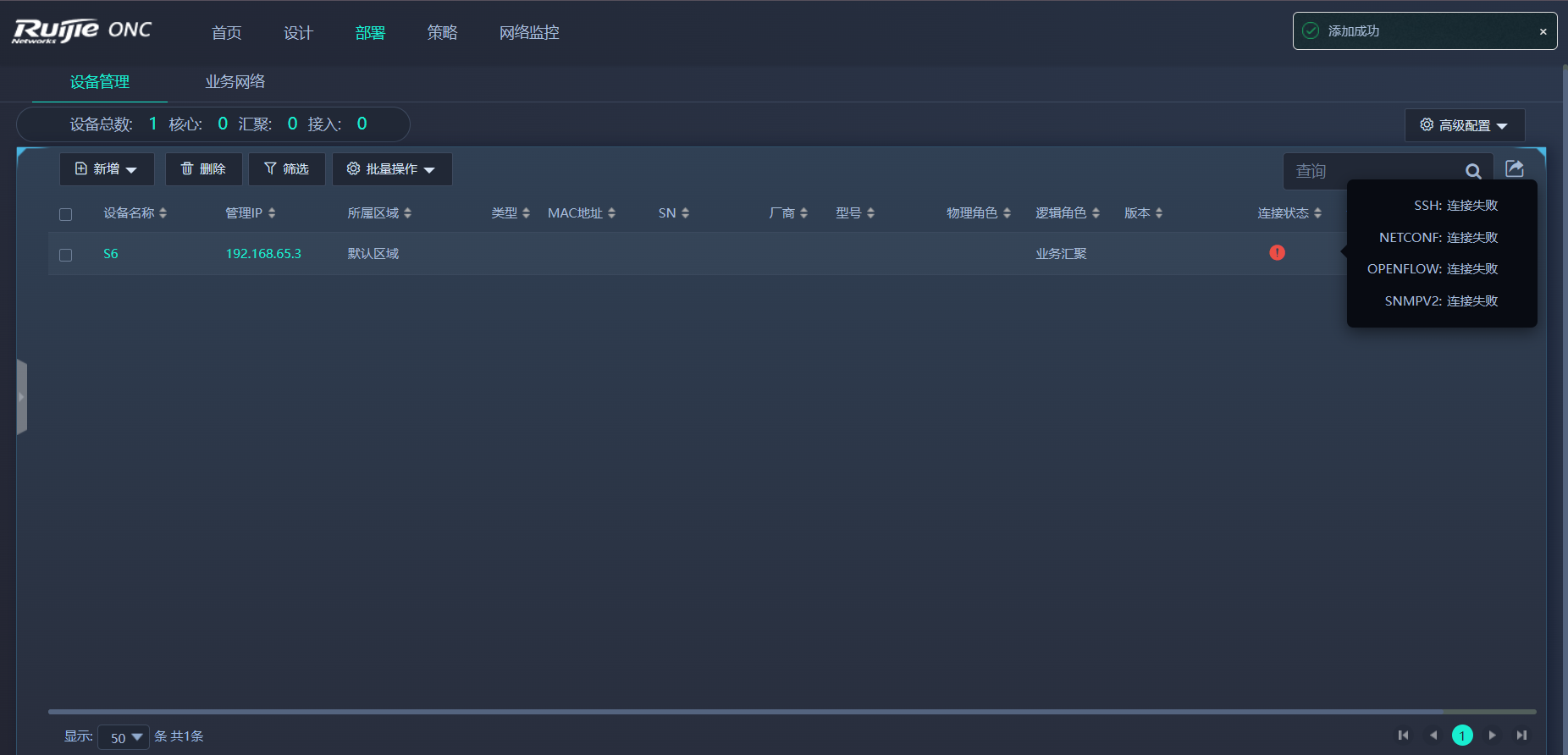
稍等一会......
下发流表
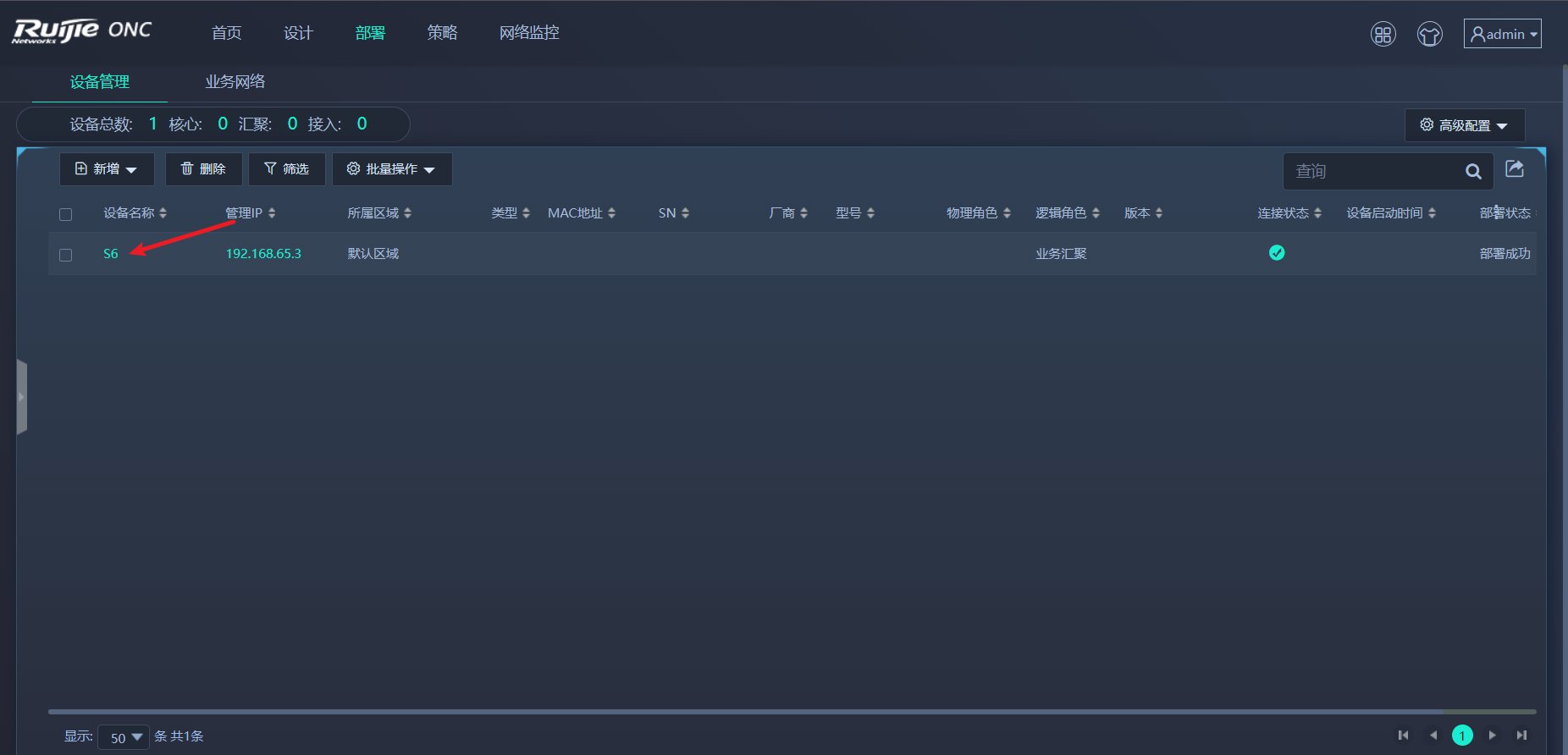
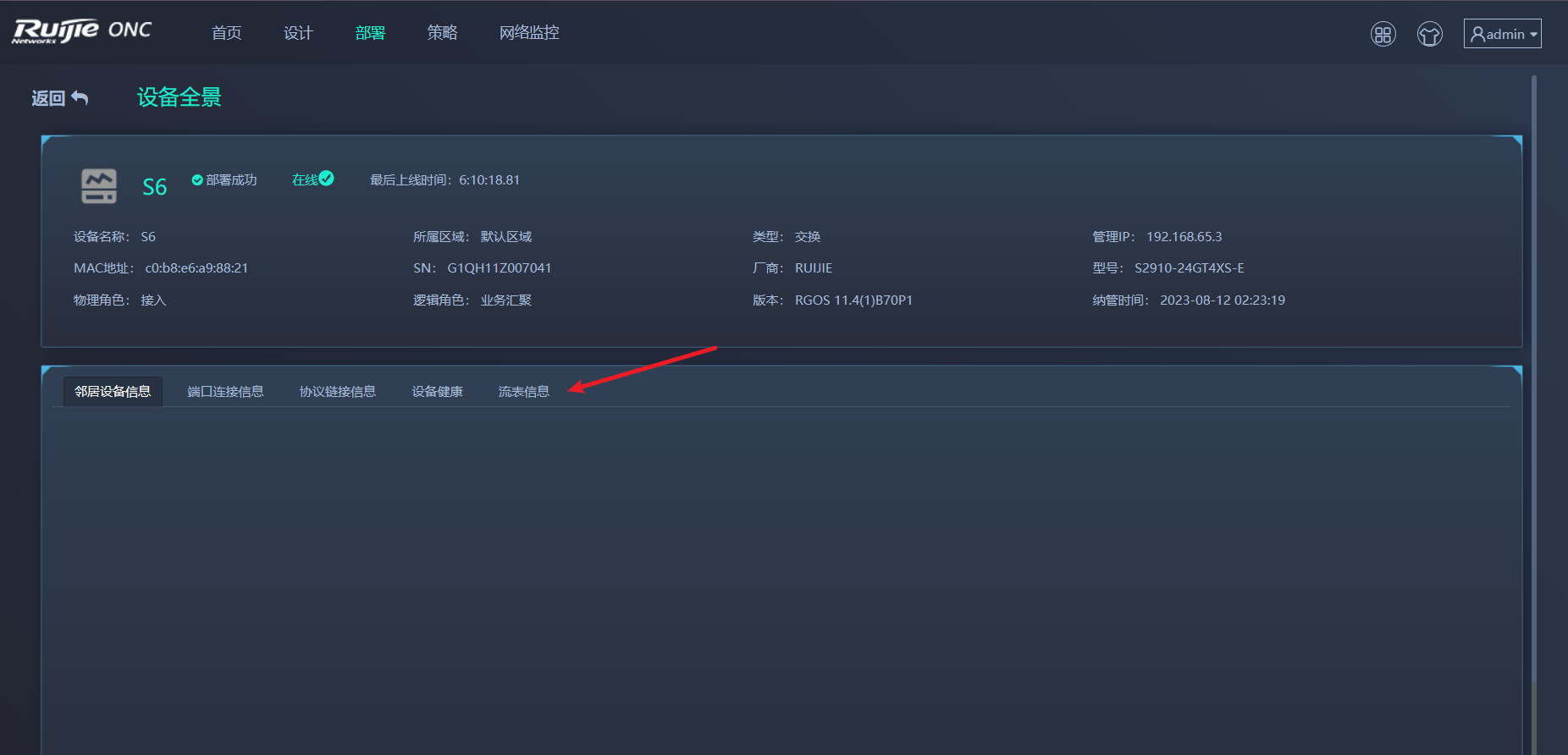
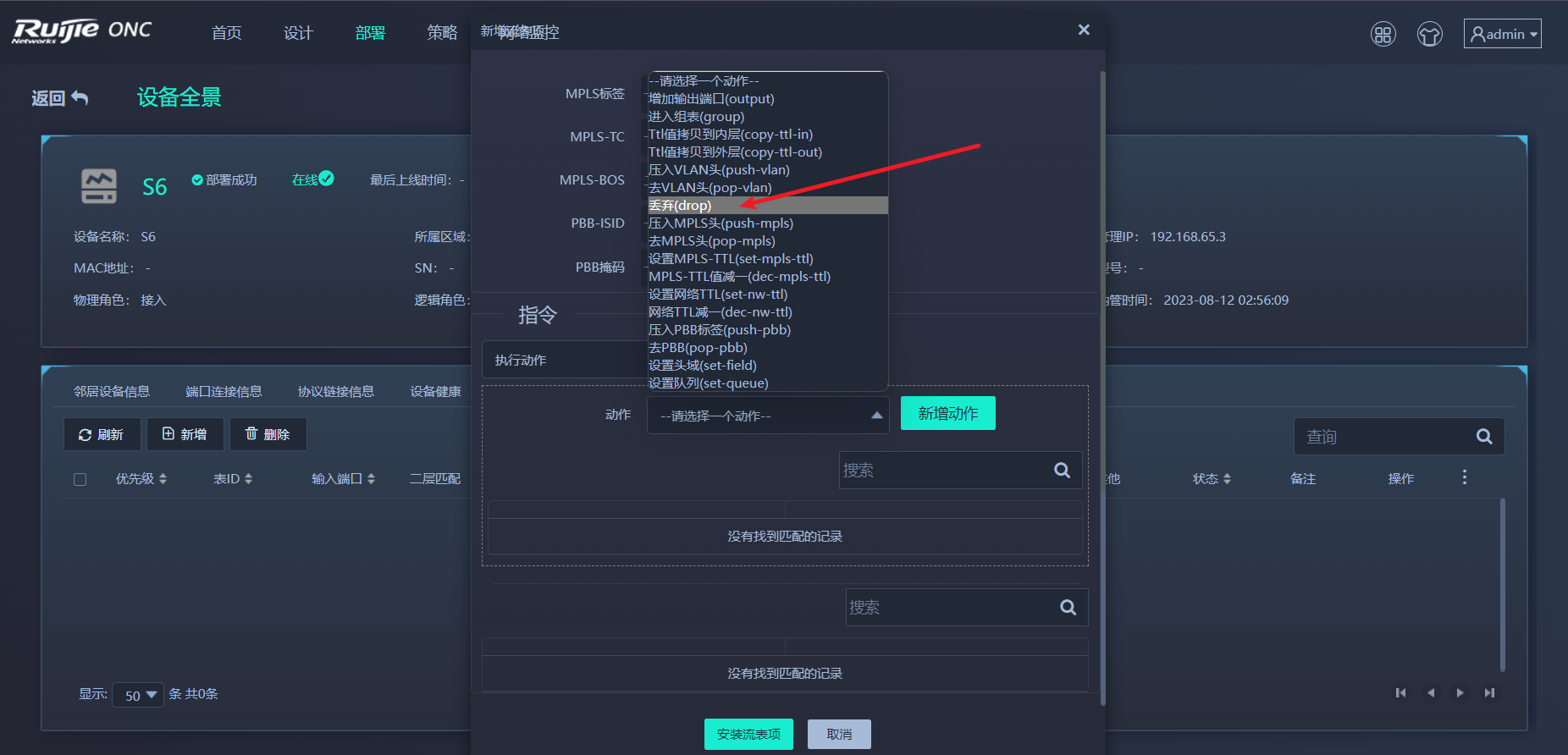
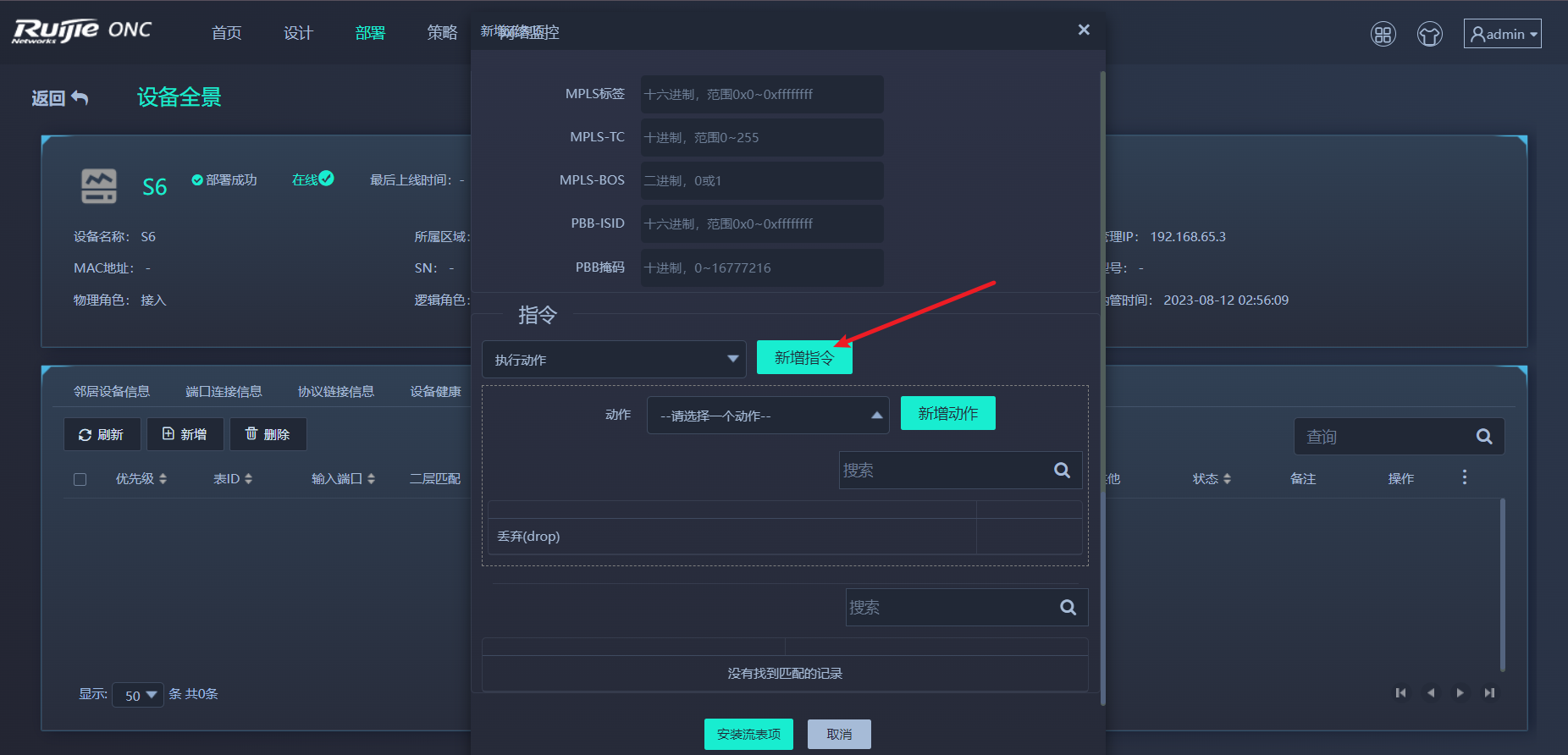
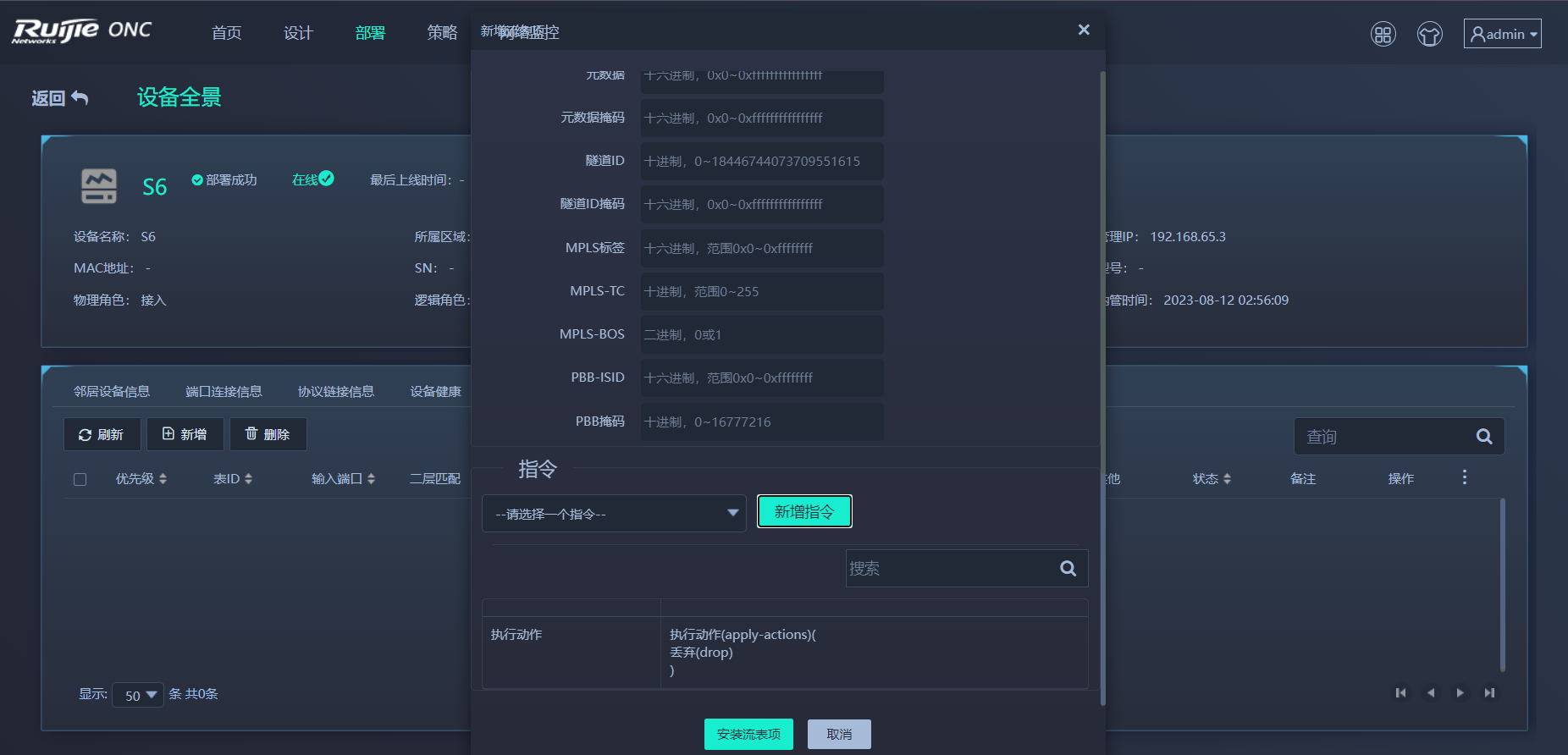
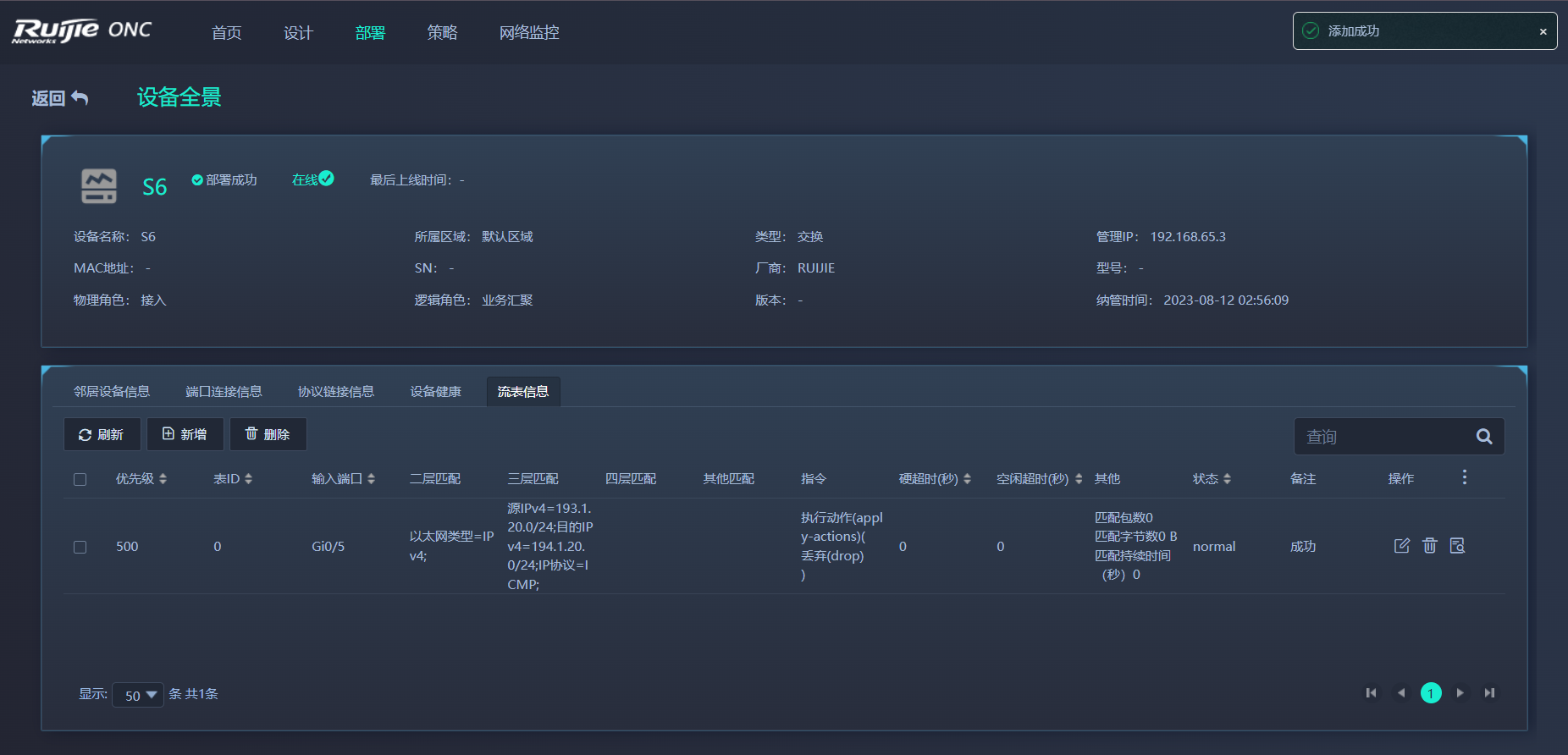
验证
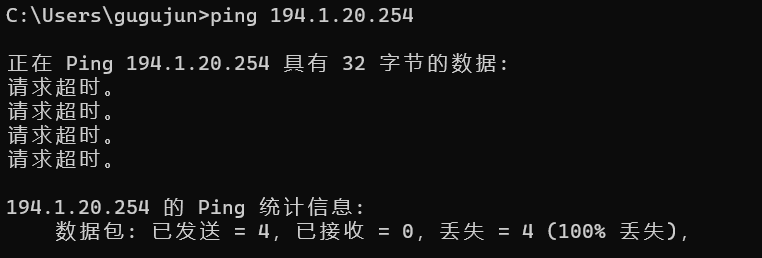
下发流表之前能够顺利ping通,下发流表后阻止了

版权声明:本文内容由互联网用户自发贡献,该文观点仅代表作者本人。本站仅提供信息存储空间服务,不拥有所有权,不承担相关法律责任。如发现本站有涉嫌侵权/违法违规的内容,请联系我们,一经查实,本站将立刻删除。
如需转载请保留出处:https://51itzy.com/kjqy/39639.html