
车牌识别predict全过程解析 目前代码解读还不算完善 后续会补充
车牌识别github链接
车牌识别github链接, 非本人代码, 可以直接查看作者github源码
车牌检测end2end实现过程
python detect_rec_plate.py --detect_model weights/yolov7-lite-s.pt --rec_model weights/plate_rec.pth --source imgs --output result # 车牌检测模型weights/yolov7-lite-s.pt # 车牌文字识别模型weights/plate_rec.pth # 车牌需要检测识别的图片imgs # 车牌识别存放结果的位置result 讯享网
讲解主程序
讯享网if __name__ == '__main__': parser = argparse.ArgumentParser() parser.add_argument('--detect_model', nargs='+', type=str, default='weights/yolov7-lite-s.pt', help='model.pt path(s)') #检测模型 parser.add_argument('--rec_model', type=str, default='weights/plate_rec.pth', help='model.pt path(s)') #车牌识别 +颜色识别 parser.add_argument('--source', type=str, default='imgs', help='source') # file/folder, 0 for webcam #predict的车牌照片文件夹 # parser.add_argument('--img-size', nargs= '+', type=int, default=640, help='inference size (pixels)') parser.add_argument('--img_size', type=int, default=640, help='inference size (pixels)') parser.add_argument('--output', type=str, default='result', help='source') #输出保存的位置 parser.add_argument('--kpt-label', type=int, default=4, help='number of keypoints') #kpt-label表示的是车牌检测上下左右四个点的坐标 device =torch.device("cuda" if torch.cuda.is_available() else "cpu") #使用gpu # device = torch.device("cpu") opt = parser.parse_args() print(opt) model = attempt_load(opt.detect_model, map_location=device) #加载detect模型 # torch.save() plate_rec_model=init_model(device,opt.rec_model) #加载recognition模型 if not os.path.exists(opt.output): os.mkdir(opt.output) file_list=[] allFilePath(opt.source,file_list) #遍历需要predict输出的所有图片 time_b = time.time() for pic_ in file_list: #遍历所有需要predict的图片 print(pic_,end=" ") img = cv_imread(pic_) #使用opencv读取图片  if img.shape[-1]==4: img=cv2.cvtColor(img,cv2.COLOR_BGRA2BGR) # img = my_letter_box(img) dict_list=detect_Recognition_plate(model, img, device,plate_rec_model,opt.img_size) #detect并recognition图片 ori_img=draw_result(img,dict_list) #奖结果画出来 img_name = os.path.basename(pic_) save_img_path = os.path.join(opt.output,img_name) cv2.imwrite(save_img_path,ori_img) print(f"elasted time is {
     time.time()-time_b} s")
车牌数据集的格式
车牌识别的数据集格式 label x y w h 就跟目标检测一样 右侧的8个点分别是车牌的左上tl、右上tr、左下bl、右下br label x y w h pt1x pt1y pt2x pt2y pt3x pt3y pt4x pt4y model = attempt_load(opt.detect_model, map_location=device) #加载detect模型(细节没弄清 以后补充)
plate_rec_model=init_model(device,opt.rec_model) #加载recognition模型
- 这个init_model很简单 就不介绍了
allFilePath(opt.source,file_list) #遍历需要predict输出的所有图片
- allFilePath()
讯享网def allFilePath(rootPath,allFIleList): fileList = os.listdir(rootPath) #获得文件下所有文件 for temp in fileList: #遍历 if os.path.isfile(os.path.join(rootPath,temp)): if temp.endswith('.jpg') or temp.endswith('.png') or temp.endswith('.JPG'): allFIleList.append(os.path.join(rootPath,temp)) #如果是图片 则添加到allFIleList else: allFilePath(os.path.join(rootPath,temp),allFIleList) #如果是文件夹 接着调用allFilePath
重点就是dict_list=detect_Recognition_plate(model, img, device,plate_rec_model,opt.img_size)
def detect_Recognition_plate(model, orgimg, device,plate_rec_model,img_size): conf_thres = 0.3 iou_thres = 0.5 dict_list=[] im0 = copy.deepcopy(orgimg) #原始图片 imgsz=(img_size,img_size) #检测模型输入的图片的尺寸[640, 640] img = letterbox(im0, new_shape=imgsz)[0] #将原始图片缩放到new_shape 具体代码详解见下 img = img[:, :, ::-1].transpose(2, 0, 1).copy() # BGR to RGB, to 3x640X640 # opencv读取的是bgr形式的 (h, w, 3) img = torch.from_numpy(img).to(device) # 转化为tensor, 使用cuda img = img.float() # uint8 to fp16/32 #unit8 -> img.half()=fp16 img.float()=fp32 img /= 255.0 # 0 - 255 to 0.0 - 1.0 if img.ndimension() == 3: #如果是一张图片, 扩维[3, 640, 640] -> [1, 3, 640, 640] img = img.unsqueeze(0) pred = model(img)[0] pred = non_max_suppression(pred, conf_thres=conf_thres, iou_thres=iou_thres, kpt_label=4,agnostic=True) for i, det in enumerate(pred): if len(det): #也就是将end_img 变回 orig_img # Rescale boxes from img_size to im0 size scale_coords(img.shape[2:], det[:, :4], im0.shape, kpt_label=False) # 具体代码详解见下 scale_coords(img.shape[2:], det[:, 6:], im0.shape, kpt_label=4, step=3) for j in range(det.size()[0]): xyxy = det[j, :4].view(-1).tolist() #车牌检测xyxy conf = det[j, 4].cpu().numpy() #车牌置信度 landmarks = det[j, 6:].view(-1).tolist() # landmarks: [tlx, tly, tlconf, trx, try, trconf, blx, bly, blconf, brx, bry, brconf] 四个点的坐标 # tlx: top-left-x tly: top-left-y tlconf: top-left-conf tr: top-right bl: bottom-left br: botton-right landmarks = [landmarks[0],landmarks[1],landmarks[3],landmarks[4],landmarks[6],landmarks[7],landmarks[9],landmarks[10]] class_num = det[j, 5].cpu().numpy() # 单层还是双层的置信度 # result_dict: 最终结果 具体代码详解见下 result_dict = get_plate_rec_landmark(orgimg, xyxy, conf, landmarks, class_num,device,plate_rec_model) dict_list.append(result_dict) return dict_list - letterbox()讲解
讯享网""" 为了更好的理解该函数的意思 现设置几个变量方便阐述 可以结合下面的例子进行理解 orig_img: 原始的输入图片 即img temp_img: orig_img经过resize后的图片 end_img: 最终的输出图片 pad_img: end_img - temp_img 即end_img中除了temp_img的边缘部分 使用color=(114, 114, 114)padding的部分 """ def letterbox(img, new_shape=(640, 640), color=(114, 114, 114), auto=True, scaleFill=False, scaleup=True, stride=32): # Resize and pad image while meeting stride-multiple constraints shape = img.shape[:2] # current shape [height, width] if isinstance(new_shape, int): new_shape = (new_shape, new_shape) # Scale ratio (new / old) r = min(new_shape[0] / shape[0], new_shape[1] / shape[1]) # 这个scaleup为True 代表图片的w h 都可以按照一个r的比例进行放大 # 如果scaleup为False r最大是1 也就是w, h最大的是w*1, h*1 if not scaleup: # only scale down, do not scale up (for better test mAP) r = min(r, 1.0) # Compute padding ratio = r, r # width, height ratios #new_unpad: 这个相当于temp_img 这个的大小就是temp_img的大小 new_unpad = int(round(shape[1] * r)), int(round(shape[0] * r)) #dw dh: 相当于pad_img 就是end_img - temp_img dw, dh = new_shape[1] - new_unpad[0], new_shape[0] - new_unpad[1] # wh padding # 如果是auto为True 代表的是最终的结果是在temp_img的基础上 添加一层padding 也就是pad_img 并且end_img的w, h会达到32的最小倍数 # 也就是使用这个dw dh 输出的图片不一定是完整的[640, 640]的shape 也可能是[352, 640]这样的shape if auto: # minimum rectangle dw, dh = np.mod(dw, stride), np.mod(dh, stride) # wh padding # 如果scaleFill为True: 不进行填充 直接将orig_img resize到[640, 640], 也就是orig_img到end_img的过程中会有变形 elif scaleFill: # stretch dw, dh = 0.0, 0.0 new_unpad = (new_shape[1], new_shape[0]) ratio = new_shape[1] / shape[1], new_shape[0] / shape[0] # width, height ratios dw /= 2 # divide padding into 2 sides dh /= 2 # 将orig_img resize到temp_img if shape[::-1] != new_unpad: # resize img = cv2.resize(img, new_unpad, interpolation=cv2.INTER_LINEAR) # 上下左右各填充一dw dh的一半 这个dw dh在除以2之前只能是int # 因此dw dh的小数位只能是0.5 或者 0, 当为0.5时top比bottom小1, left比right小1;当为0的时,都一样 top, bottom = int(round(dh - 0.1)), int(round(dh + 0.1)) left, right = int(round(dw - 0.1)), int(round(dw + 0.1)) # 将temp_img填充padding到end_img img = cv2.copyMakeBorder(img, top, bottom, left, right, cv2.BORDER_CONSTANT, value=color) # add border # 返回end_img ratio=r, r=min(end_img / orig_img) (dw, dh)左右上下填充的距离 return img, ratio, (dw, dh)
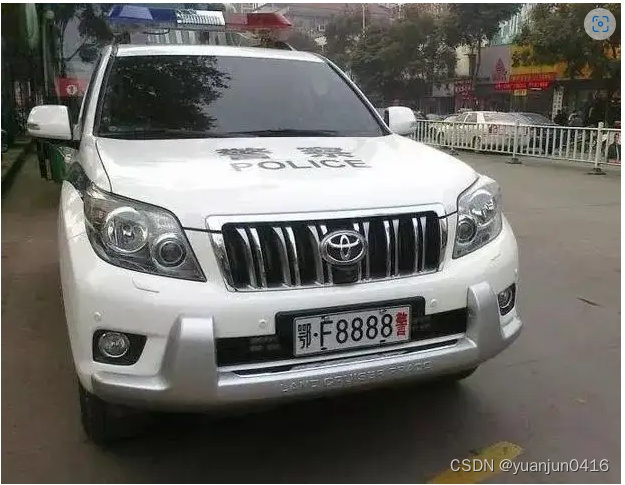
调用letterBox() 输入的img shape为(485, 625, 3)
讯享网
当scaleup为True时 r可以大于1 r=min(640/485, 640/625)=1.024, new_unpad即temp_img为(640, 497) 可以看出是对的625*1.024=640
经过resize后, temp_img为
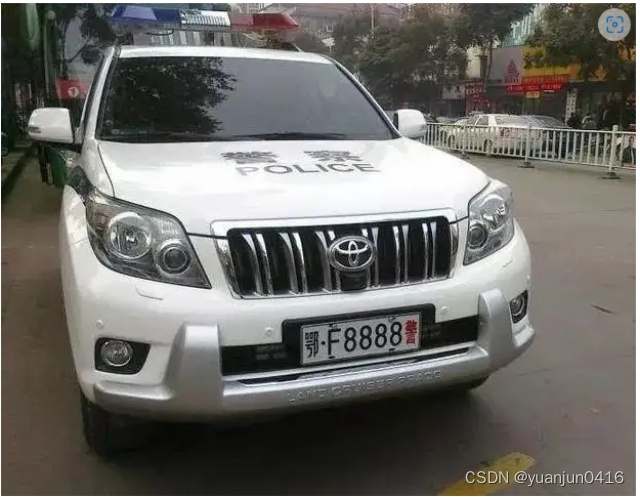
在进入auto if语句之前 dw, dh理论值为end_img-temp_img=(640-640, 640-497)
当auto为True时 dw=0 dh=(640-497) mod 32 = 15
在除以2后 dw=0, dh=7.5
因此, 最终的end_img的shape为(512, 640, 3) 512=497+15 640=640+0
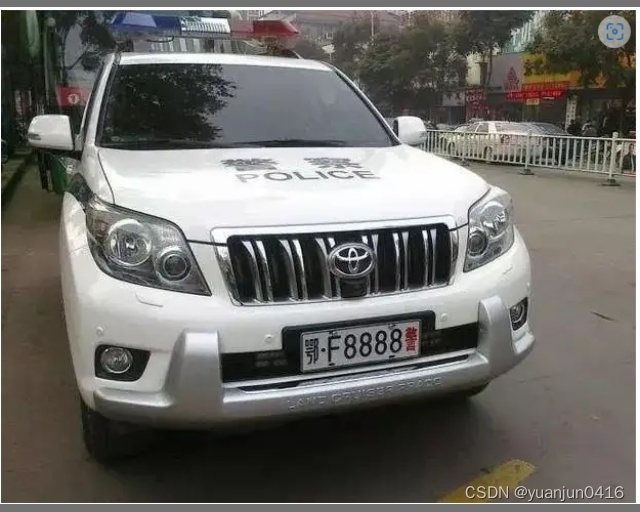
可以看到在图片的上方和下方有很浅的薄边

- scale_coords()详解
""" Args: img1_shape: torch.Size([512, 640]) coords: tensor([[270.45172, 296.54214, 365.97870, 348.31979]], device='cuda:0') img0_shape: (485, 625, 3) return: tensor([[293.25211, 303.81378, 413.12073, 354.53604]], device='cuda:0') """ def scale_coords(img1_shape, coords, img0_shape, ratio_pad=None, kpt_label=False, step=2): # Rescale coords (xyxy) from img1_shape to img0_shape if ratio_pad is None: # calculate from img0_shape gain = min(img1_shape[0] / img0_shape[0], img1_shape[1] / img0_shape[1]) # gain = old / new pad = (img1_shape[1] - img0_shape[1] * gain) / 2, (img1_shape[0] - img0_shape[0] * gain) / 2 # wh padding else: gain = ratio_pad[0] pad = ratio_pad[1] if isinstance(gain, (list, tuple)): gain = gain[0] # 目标检测的框的相对于end_img 到 orig_img的变化 coords为xyxy if not kpt_label: coords[:, [0, 2]] -= pad[0] # x padding coords[:, [1, 3]] -= pad[1] # y padding coords[:, [0, 2]] /= gain coords[:, [1, 3]] /= gain # coords的值必须在0-w 0-h之间 clip_coords(coords[0:4], img0_shape) #coords[:, 0:4] = coords[:, 0:4].round() # kpt_label 四个点的映射到orig_img上 else: coords[:, 0::step] -= pad[0] # x padding coords[:, 1::step] -= pad[1] # y padding coords[:, 0::step] /= gain coords[:, 1::step] /= gain clip_coords(coords, img0_shape, step=step) #coords = coords.round() return coords clip_coords代码详解
讯享网""" Args: boxes: tensor([[293.25211, 303.81378, 413.12073, 354.53604]], device='cuda:0') img_shape: (485, 625, 3) """ def clip_coords(boxes, img_shape, step=2): # Clip bounding xyxy bounding boxes to image shape (height, width) boxes[:, 0::step].clamp_(0, img_shape[1]) # x1 将x坐标限制在0-w之间 boxes[:, 1::step].clamp_(0, img_shape[0]) # y1 将y坐标限制在0-h之间
- get_plate_rec_landmark()
""" Args: img: shape: (485, 625, 3) xyxy: list:(4, ) [293.06, 303.125, 413.25, 354.56] conf: array( 0.92815, dtype=float32) landmarks: list: (8, ) [294.94, 316.69, 412.56, 303.44 411.25, 340.94, 294.31, 354.81] class_num: array( 0, dtype=float32) return: dict{} """ def get_plate_rec_landmark(img, xyxy, conf, landmarks, class_num,device,plate_rec_model): h,w,c = img.shape result_dict={
   } tl = 1 or round(0.002 * (h + w) / 2) + 1 # line/font thickness # 后续没用到这个 x1 = int(xyxy[0]) y1 = int(xyxy[1]) x2 = int(xyxy[2]) y2 = int(xyxy[3]) height=y2-y1 landmarks_np=np.zeros((4,2)) rect=[x1,y1,x2,y2] for i in range(4): point_x = int(landmarks[2 * i]) point_y = int(landmarks[2 * i + 1]) landmarks_np[i]=np.array([point_x,point_y]) class_label= int(class_num) #车牌的的类型0代表单牌,1代表双层车牌 roi_img = four_point_transform(img,landmarks_np) #透视变换得到车牌小图 代码具体详解见下 # cv2.imwrite("roi.jpg",roi_img) # roi_img_h = roi_img.shape[0] # roi_img_w = roi_img.shape[1] # if roi_img_w/roi_img_h<3: # class_label= # h_w_r = roi_img_w/roi_img_h if class_label : #判断是否是双层车牌,是双牌的话进行分割后然后拼接 roi_img=get_split_merge(roi_img) plate_number,rec_prob,plate_color,color_conf = get_plate_result(roi_img,device,plate_rec_model) #对车牌小图进行识别 result_dict['rect']=rect result_dict['landmarks']=landmarks_np.tolist() result_dict['plate_no']=plate_number result_dict['rec_conf']=rec_prob #每个字符的概率 result_dict['plate_color']=plate_color result_dict['color_conf']=color_conf result_dict['roi_height']=roi_img.shape[0] result_dict['score']=conf result_dict['label']=class_label return result_dict
roi_img = four_point_transform(img,landmarks_np) #透视变换得到车牌小图 代码具体详解见下
讯享网""" Args: img: shape:(485, 625, 3) landmarks_np: shape: (4, 2) return: shape(38, 118, 3) """ def four_point_transform(image, pts): #透视变换 # rect = order_points(pts) rect=pts.astype("float32") (tl, tr, br, bl) = rect widthA = np.sqrt(((br[0] - bl[0]) 2) + ((br[1] - bl[1]) 2)) widthB = np.sqrt(((tr[0] - tl[0]) 2) + ((tr[1] - tl[1]) 2)) maxWidth = max(int(widthA), int(widthB)) heightA = np.sqrt(((tr[0] - br[0]) 2) + ((tr[1] - br[1]) 2)) heightB = np.sqrt(((tl[0] - bl[0]) 2) + ((tl[1] - bl[1]) 2)) maxHeight = max(int(heightA), int(heightB)) dst = np.array([ [0, 0], [maxWidth - 1, 0], [maxWidth - 1, maxHeight - 1], [0, maxHeight - 1]], dtype = "float32") # 这段代码是用于计算透视变换矩阵的。具体来说,cv2.getPerspectiveTransform()函数接受两个参数:一个表示原始图像中的四个点(矩形区域),另一个表示目标图像中的四个点(通常是一个正方形)。 # 返回的值M是一个3x3的矩阵,表示从原始图像到目标图像的透视变换关系。这个矩阵可以用于将原始图像中的任意点转换为目标图像中的对应位置。 # 在YOLOv7模型中,这种透视变换通常用于将检测结果进行矫正,以便于在实际应用中更好地显示和使用。 M = cv2.getPerspectiveTransform(rect, dst) # 这段代码是用于执行透视变换的,即将原始图像根据给定的透视变换矩阵M转换为目标图像。 # 在这个过程中,image表示原始图像,而maxWidth和maxHeight则分别表示目标图像的宽度和高度。返回的值warped就是经过透视变换后的图像。 warped = cv2.warpPerspective(image, M, (maxWidth, maxHeight)) return warped
计算透视变换之前的orig_img
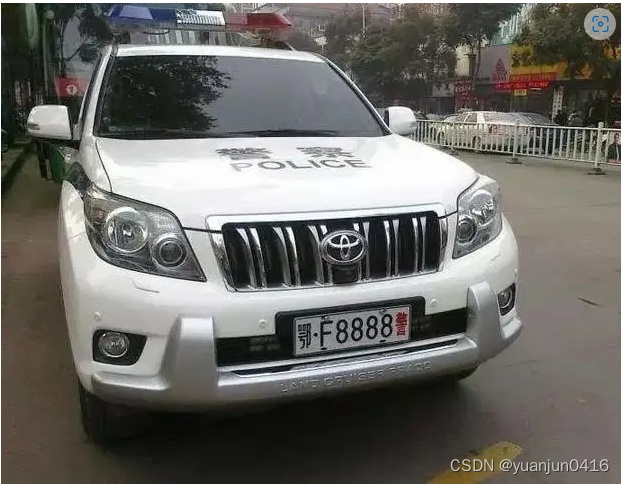
透视变换后的图片
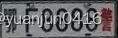
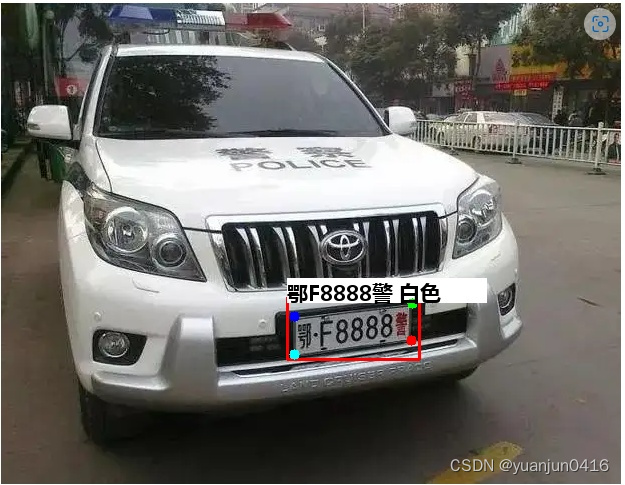
最终的效果图
版权声明:本文内容由互联网用户自发贡献,该文观点仅代表作者本人。本站仅提供信息存储空间服务,不拥有所有权,不承担相关法律责任。如发现本站有涉嫌侵权/违法违规的内容,请联系我们,一经查实,本站将立刻删除。
如需转载请保留出处:https://51itzy.com/kjqy/39507.html