
学习自狄泰软件学院唐佐林老师C语言课程,文章中图片取自老师的PPT,仅用于个人笔记。
实验1 :条件编译是什么
实验2 : 通过命令行 定义宏
情景1 :定义宏代表一个值
情景2:定义宏代表一个标识符是否存在。仅仅是定义一个宏,但是不给他赋值,宏和变量是不同的,宏可以代表一个值,他也可以仅仅表示一个标识符是否存在。
实验3:include 间接包含的时候
实验4; 使用条件编译解决 重复包含的编译错误
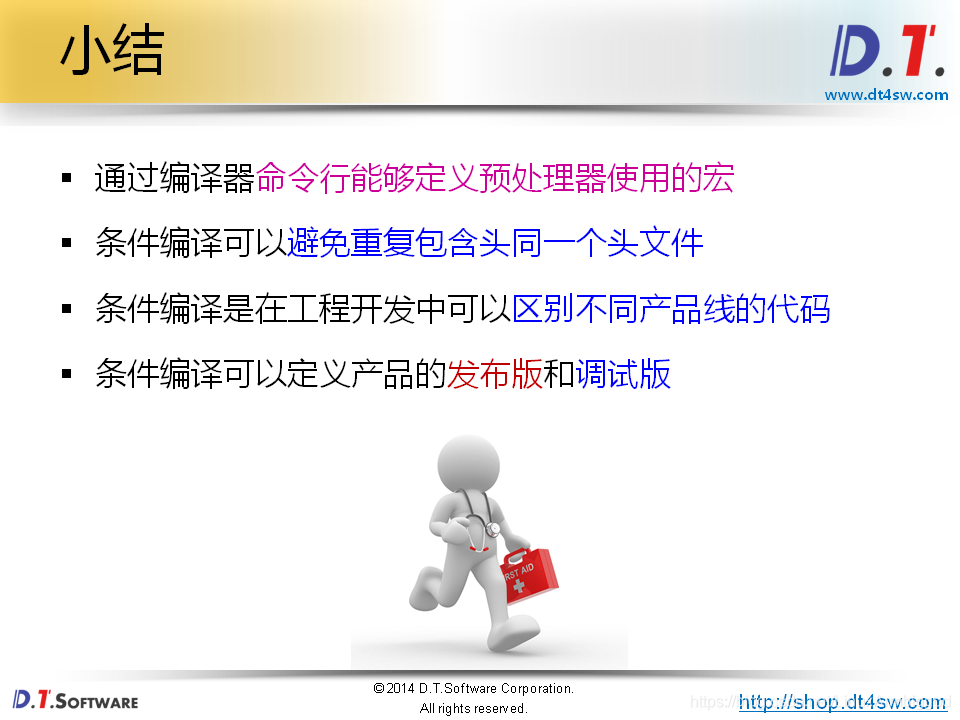
实验5 :综合,使用条件编译定义产品的发布版和调试版
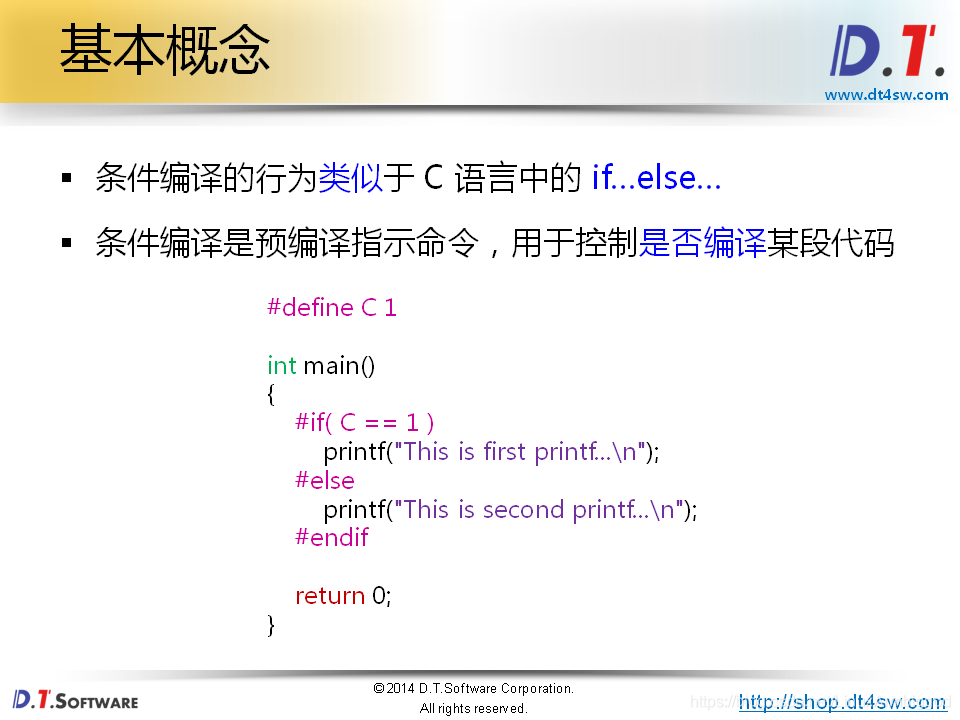
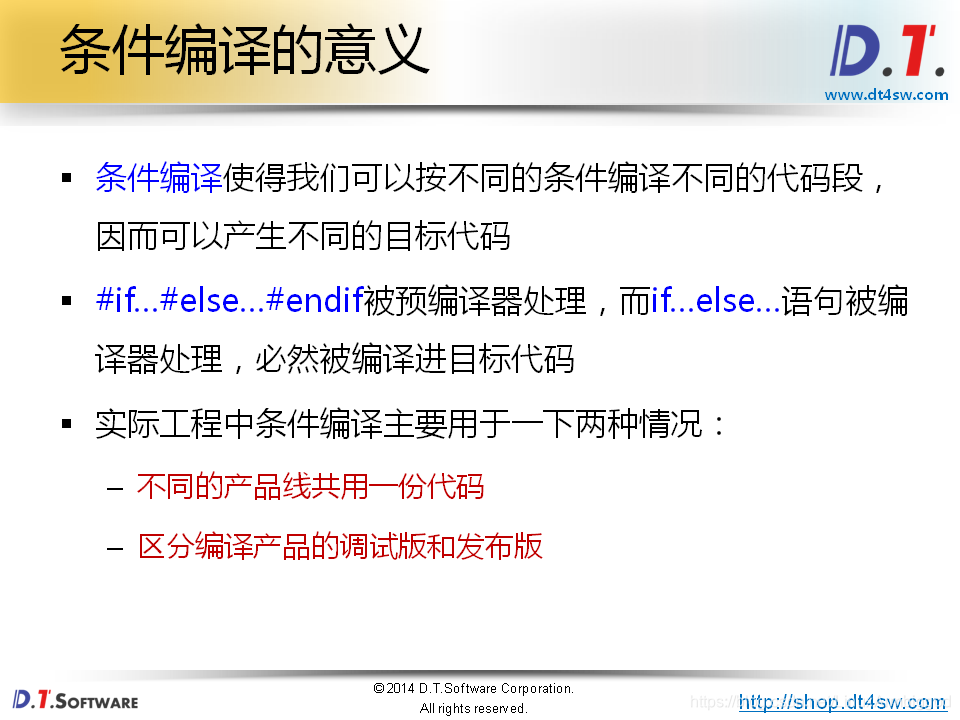
实验1 :条件编译是什么
// #include <stdio.h> #define C 1 int main() { const char* s; #if( C == 1 ) s = "This is first printf...\n"; #else s = "This is second printf...\n"; #endif // printf("%s", s); return 0; } mhr@ubuntu:~/work/C$ gcc -E 22-1.c # 1 "22-1.c" # 1 "<built-in>" # 1 "<command-line>" # 1 "/usr/include/stdc-predef.h" 1 3 4 # 1 "<command-line>" 2 # 1 "22-1.c" int main() { const char* s; s = "This is first printf...\n"; return 0; } mhr@ubuntu:~/work/C$ 讯享网
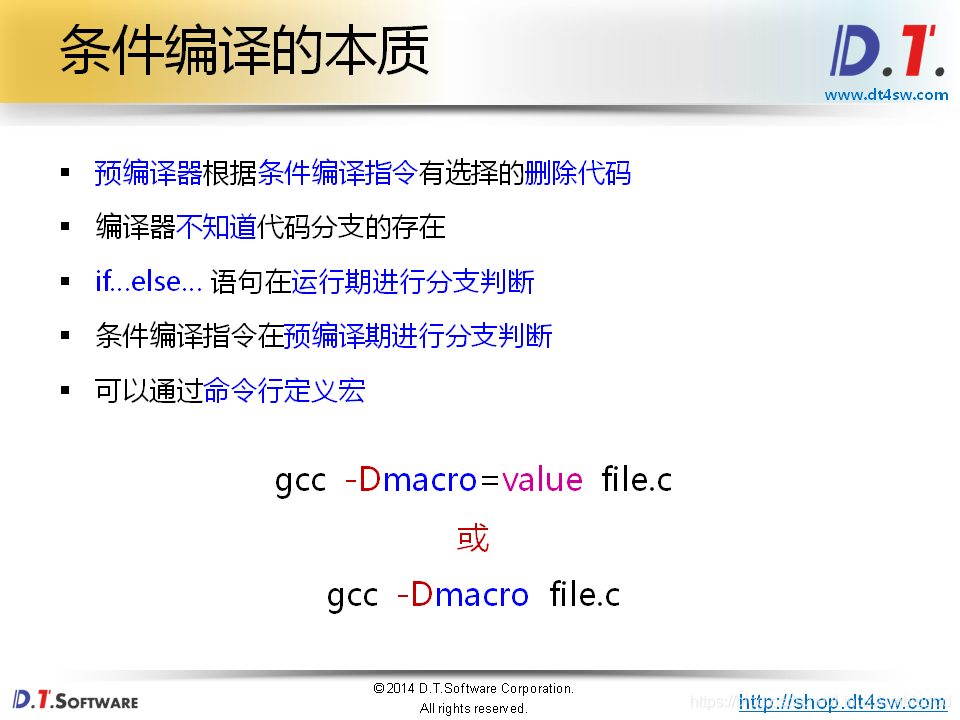
实验2 : 通过命令行 定义宏
情景1 定义宏代表一个值
讯享网// #include <stdio.h> int main() { const char* s; #if( C == 1 ) s = "This is first printf...\n"; #else s = "This is second printf...\n"; #endif printf("%s", s); return 0; } mhr@ubuntu:~/work/C$ gcc -DC=1 22-2.c 22-2.c: In function ‘main’: 22-2.c:13:5: warning: implicit declaration of function ‘printf’ [-Wimplicit-function-declaration] printf("%s", s); ^ 22-2.c:13:5: warning: incompatible implicit declaration of built-in function ‘printf’ 22-2.c:13:5: note: include ‘<stdio.h>’ or provide a declaration of ‘printf’ mhr@ubuntu:~/work/C$ mhr@ubuntu:~/work/C$ mhr@ubuntu:~/work/C$ ./a.out This is first printf... mhr@ubuntu:~/work/C$
情景2:定义宏代表一个标识符是否存在。仅仅是定义一个宏,但是不给他赋值,宏和变量是不同的,宏可以代表一个值,他也可以仅仅表示一个标识符是否存在。
//#include <stdio.h> int main() { const char* s; #ifdef C s = "This is first printf...\n"; #else s = "This is second printf...\n"; #endif printf("%s", s); return 0; } 单步编译 并通过命令行定义一个宏C
gcc -DC -E 22-2.c -o 22-2.i
讯享网# 1 "22-2.c" # 1 "<built-in>" # 1 "<command-line>" # 1 "/usr/include/stdc-predef.h" 1 3 4 # 1 "<command-line>" 2 # 1 "22-2.c" int main() { const char* s; s = "This is first printf...\n"; printf("%s", s); return 0; }
如果没有定义该宏 则会走另一个分支 :gcc -E 22-2.c -o 22-2.i

# 1 "22-2.c" # 1 "<built-in>" # 1 "<command-line>" # 1 "/usr/include/stdc-predef.h" 1 3 4 # 1 "<command-line>" 2 # 1 "22-2.c" int main() { const char* s; s = "This is second printf...\n"; printf("%s", s); return 0; } 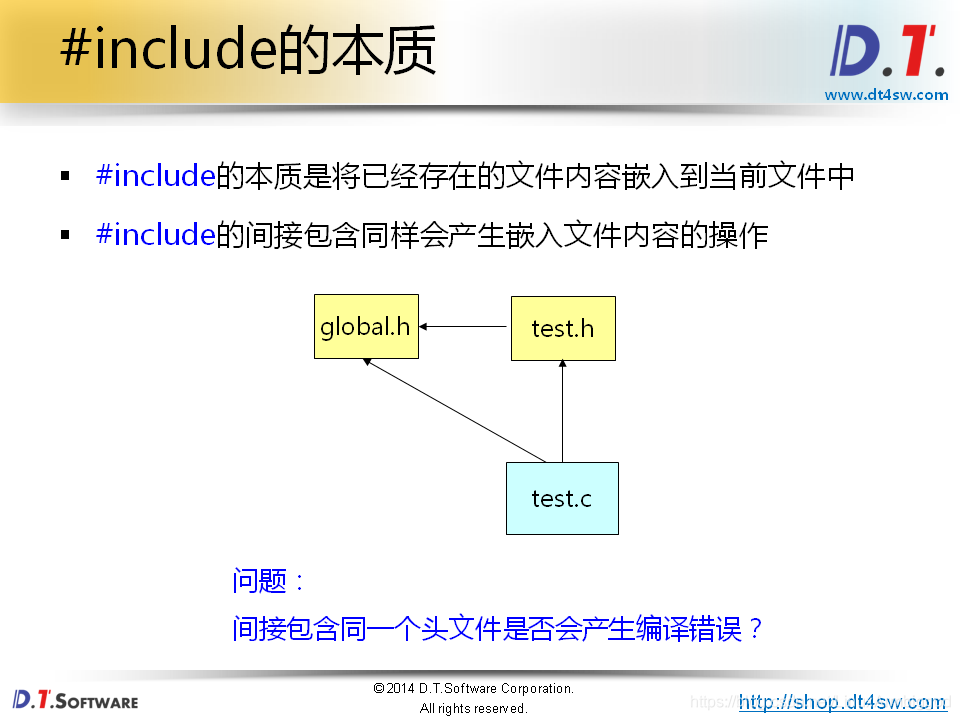
实验3:include 间接包含的时候
global.h
讯享网// global.h int global = 10;
test.h
#include "global.h" const char* NAME = "test.h"; char* hello_world(){ return "Hello world!\n"; } 22-3.c
讯享网 // #include <stdio.h> #include "test.h" #include "global.h" int main() { const char* s = hello_world(); int g = global; // printf("%s\n", NAME); // printf("%d\n", g); return 0; } mhr@ubuntu:~/work/C$ gcc 22-3.c In file included from 22-3.c:2:0: test.h:3:20: warning: extra tokens at end of #include directive #include "global.h"const char* NAME = "test.h";char* hello_world(){ return "Hello world!\n";} ^ In file included from 22-3.c:3:0: global.h:3:5: error: redefinition of ‘global’ int global = 10; ^ In file included from test.h:3:0, from 22-3.c:2: global.h:3:5: note: previous definition of ‘global’ was here int global = 10; ^ 22-3.c: In function ‘main’: 22-3.c:7:21: warning: implicit declaration of function ‘hello_world’ [-Wimplicit-function-declaration] const char* s = hello_world(); ^ 22-3.c:7:21: warning: initialization makes pointer from integer without a cast [-Wint-conversion] mhr@ubuntu:~/work/C$
因为 global 重复定义了,因为重复间接的包含了同一个同文件,里面的 global 被重复的复制到 .c文件中,产生重复定义的错误。
gcc -E 22-3.c -o 22-3.i
# 1 "22-3.c" # 1 "<built-in>" # 1 "<command-line>" # 1 "/usr/include/stdc-predef.h" 1 3 4 # 1 "<command-line>" 2 # 1 "22-3.c" # 1 "test.h" 1 # 1 "global.h" 1 int global = 10; # 4 "test.h" 2 # 3 "22-3.c" 2 # 1 "global.h" 1 int global = 10; # 4 "22-3.c" 2 int main() { const char* s = hello_world(); int g = global; return 0; } 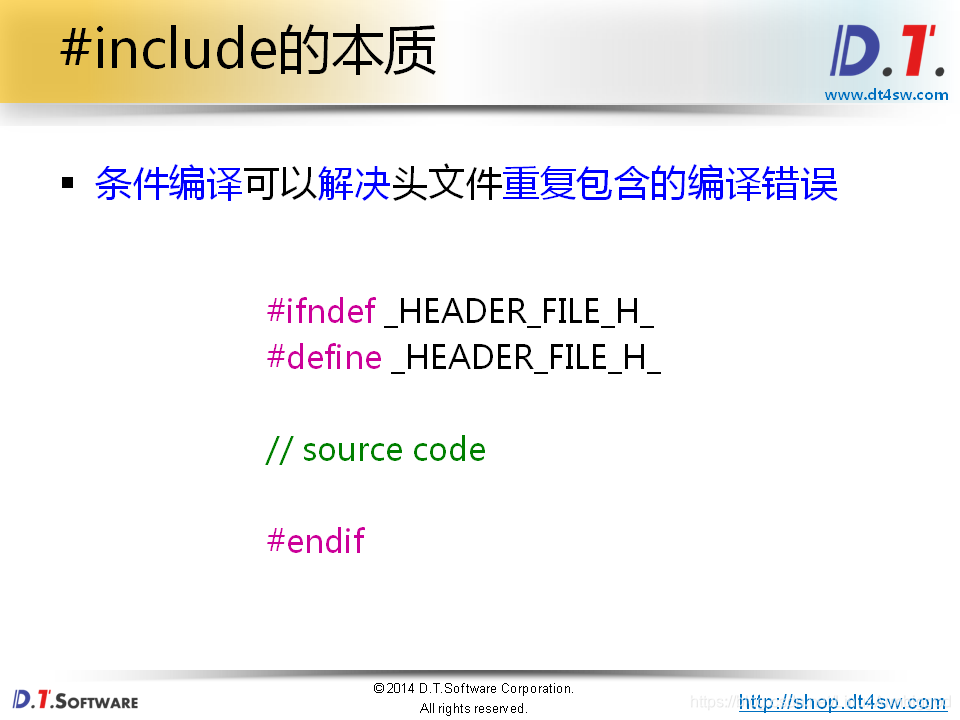
实验4; 使用条件编译解决 重复包含的编译错误
global.h
讯享网#ifndef _GLOBAL_H_ #define _GLOBAL_H_ int global = 10; #endif
test.h
#ifndef _TEST_H_ #define _TEST_H_ #include "global.h" const char* NAME = "test.h"; char* hello_world(){ return "Hello world!\n"; } #endif 22-3.c
讯享网 // #include <stdio.h> #include "test.h" #include "global.h" int main() { const char* s = hello_world(); int g = global; // printf("%s\n", NAME); // printf("%d\n", g); return 0; }
编译通过没问题
实验5 :综合
product.h
#define DEBUG 1 #define HIGH 1 .
讯享网#include <stdio.h> #include "product.h" #if DEBUG //是否定义了 DEBUG #define LOG(s) printf("[%s:%d] %s\n", __FILE__, __LINE__, s) #else #define LOG(s) NULL #endif #if HIGH //是否定义了 HIGH void f() { printf("This is the high level product!\n"); } #else void f() { } #endif int main() { LOG("Enter main() ..."); f(); printf("1. Query Information.\n"); printf("2. Record Information.\n"); printf("3. Delete Information.\n"); #if HIGH printf("4. High Level Query.\n"); printf("5. Mannul Service.\n"); printf("6. Exit.\n"); #else printf("4. Exit.\n"); #endif LOG("Exit main() ..."); return 0; } mhr@ubuntu:~/work/C$ gcc 22-4.c mhr@ubuntu:~/work/C$ mhr@ubuntu:~/work/C$ ./a.out [22-4.c:23] Enter main() ... This is the high level product! 1. Query Information. 2. Record Information. 3. Delete Information. 4. High Level Query. 5. Mannul Service. 6. Exit. [22-4.c:39] Exit main() ... mhr@ubuntu:~/work/C$
版权声明:本文内容由互联网用户自发贡献,该文观点仅代表作者本人。本站仅提供信息存储空间服务,不拥有所有权,不承担相关法律责任。如发现本站有涉嫌侵权/违法违规的内容,请联系我们,一经查实,本站将立刻删除。
如需转载请保留出处:https://51itzy.com/kjqy/33825.html