
1. 线程是什么
一个线程就是一个 "执行流". 每个线程之间都可以按照顺讯执行自己的代码. 多个线程之间 "同时" 执行着多份代码.
2.为啥要有线程
- 单核 CPU 的发展遇到了瓶颈. 要想提高算力, 就需要多核 CPU. 而并发编程能更充分利用多核 CPU资源.
- 有些任务场景需要 "等待 IO", 为了让等待 IO 的时间能够去做一些其他的工作, 也需要用到并发编程.
虽然多进程也能实现 并发编程, 但是线程比进程更轻量.
- 创建线程比创建进程更快.
- 销毁线程比销毁进程更快.
- 调度线程比调度进程更快.
最后, 线程虽然比进程轻量, 但是人们还不满足, 于是又有了 "线程池"(ThreadPool) 和 "协程"
(Coroutine)
3.进程和线程的区别
- 进程是包含线程的. 每个进程至少有一个线程存在,即主线程。
- 进程和进程之间不共享内存空间. 同一个进程的线程之间共享同一个内存空间.
比如之前的多进程例子中,每个客户来银行办理各自的业务,但他们之间的票据肯定是不想让别人知道的,否则钱不就被其他人取走了么。而上面我们的公司业务中,张三、李四、王五虽然是不同的执行流,但因为办理的都是一家公司的业务,所以票据是共享着的。这个就是多线程和多进程的最大区别。
- 进程是系统分配资源的最小单位,线程是系统调度的最小单位
4.Java 的线程 和 操作系统线程 的关系
线程是操作系统中的概念. 操作系统内核实现了线程这样的机制, 并且对用户层提供了一些 API 供用户使用(例如 Linux 的 pthread 库).
Java 标准库中 Thread 类可以视为是对操作系统提供的 API 进行了进一步的抽象和封装.
5.第一个多线程程序
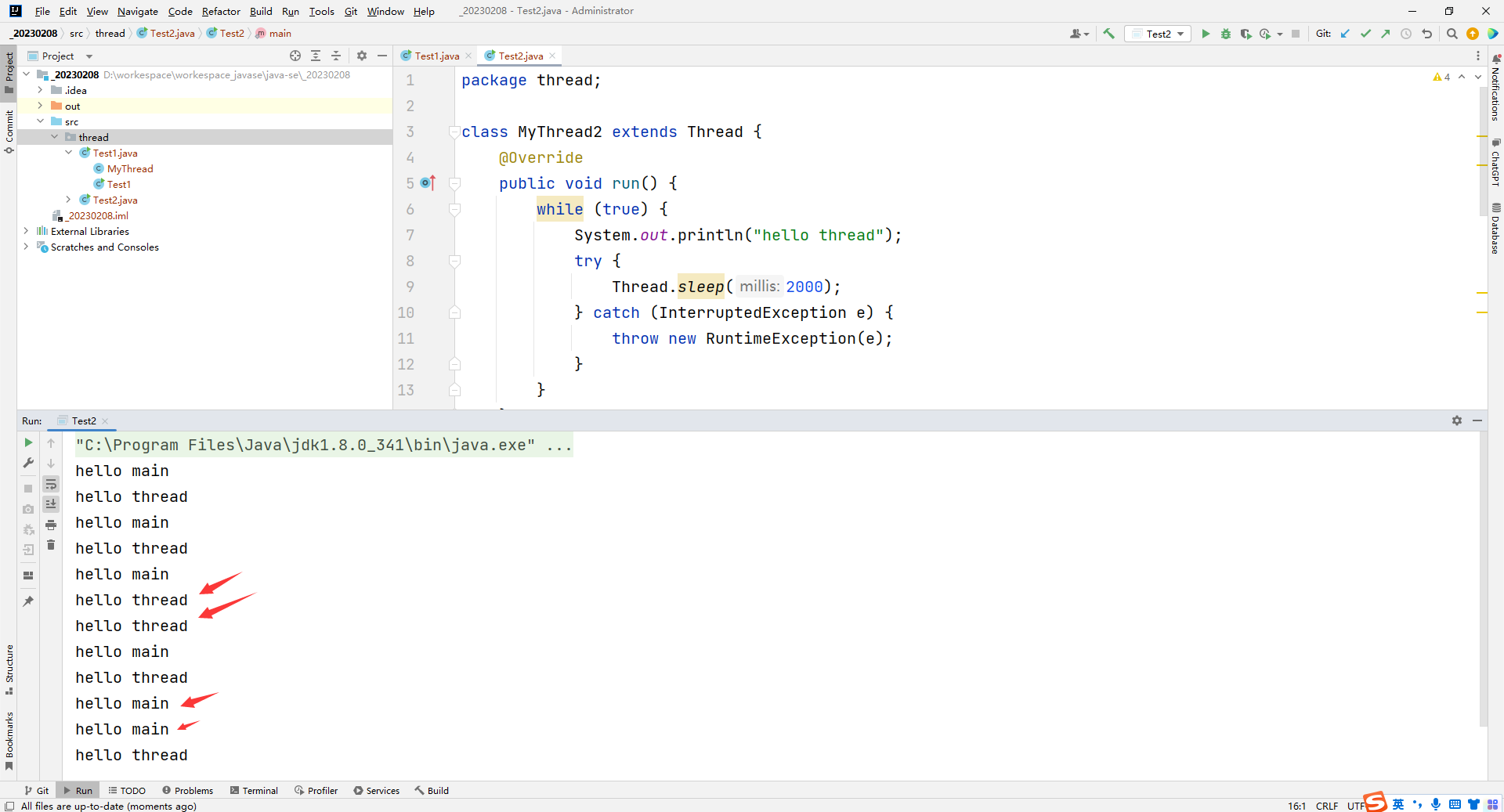
感受多线程程序和普通程序的区别:
- 每个线程都是一个独立的执行流
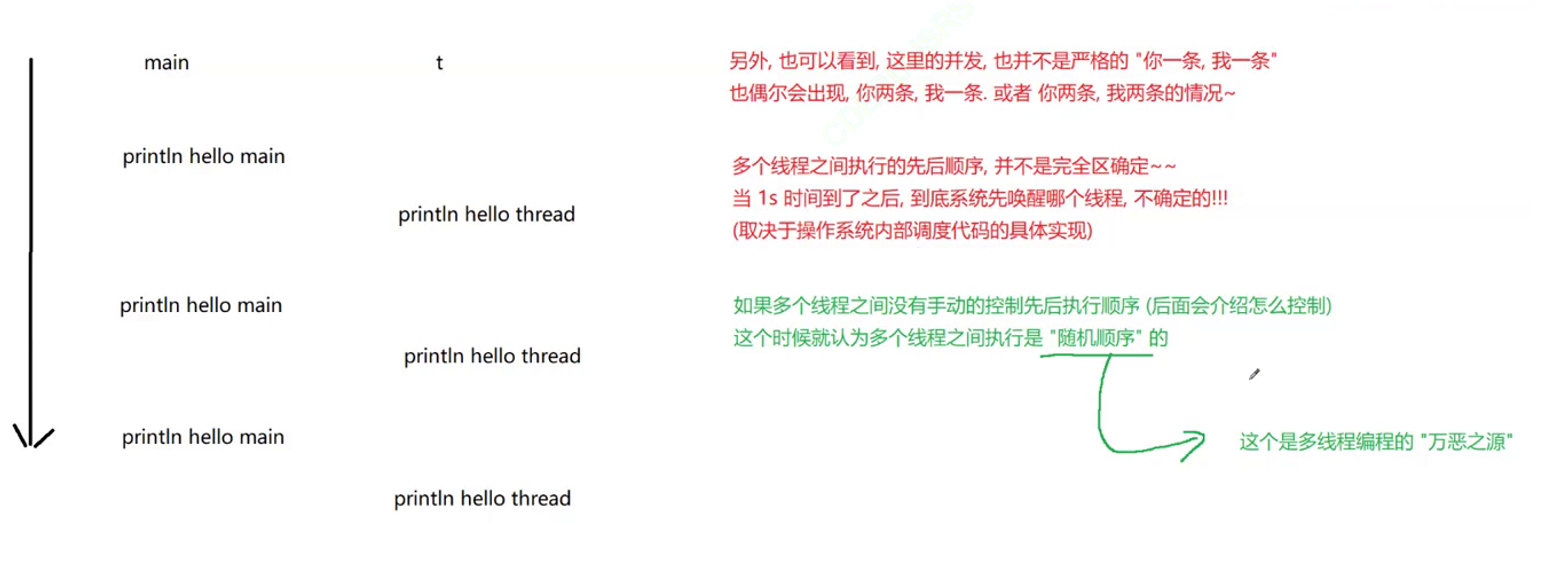
- 多个线程之间是 "并发" 执行的
package thread; class MyThread2 extends Thread { @Override public void run() { while (true) { System.out.println("hello thread"); try { Thread.sleep(2000); } catch (InterruptedException e) { throw new RuntimeException(e); } } } } public class Test2 { public static void main(String[] args) throws InterruptedException { MyThread2 myThread2 = new MyThread2(); myThread2.start(); while (true) { System.out.println("hello main"); Thread.sleep(2000); } } } 讯享网
运行结果:
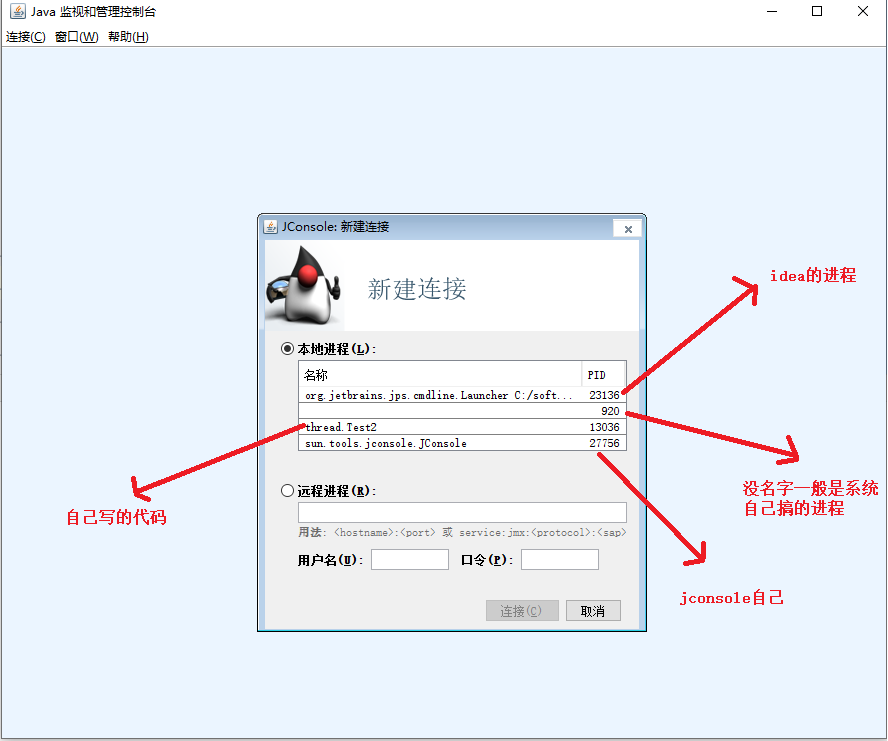
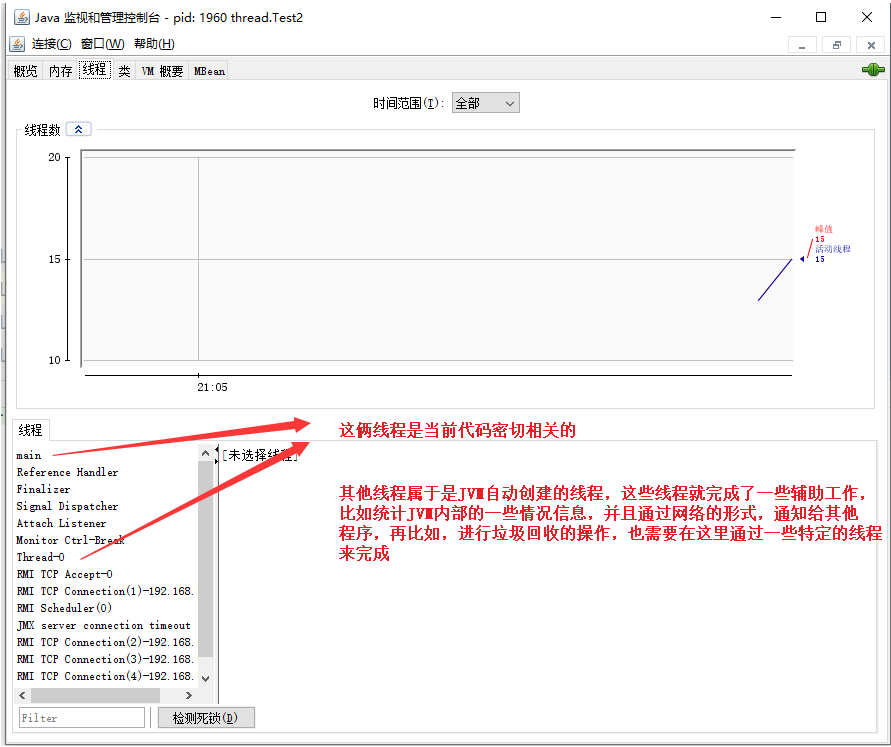
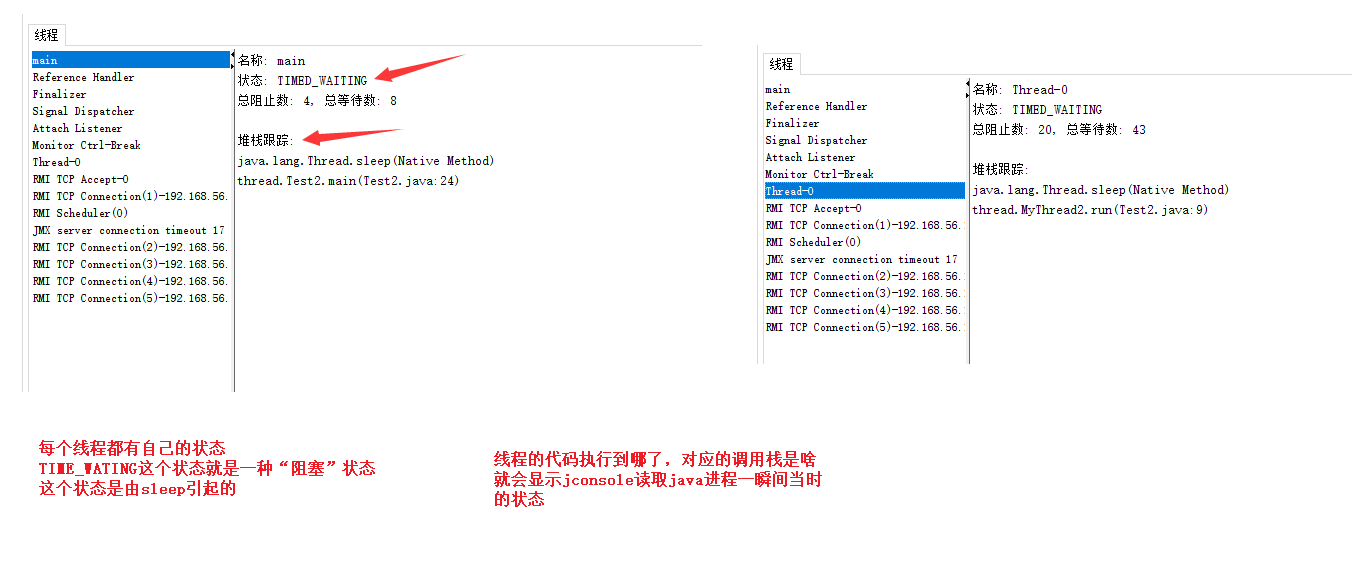
6.使用 jconsole 命令观察线程
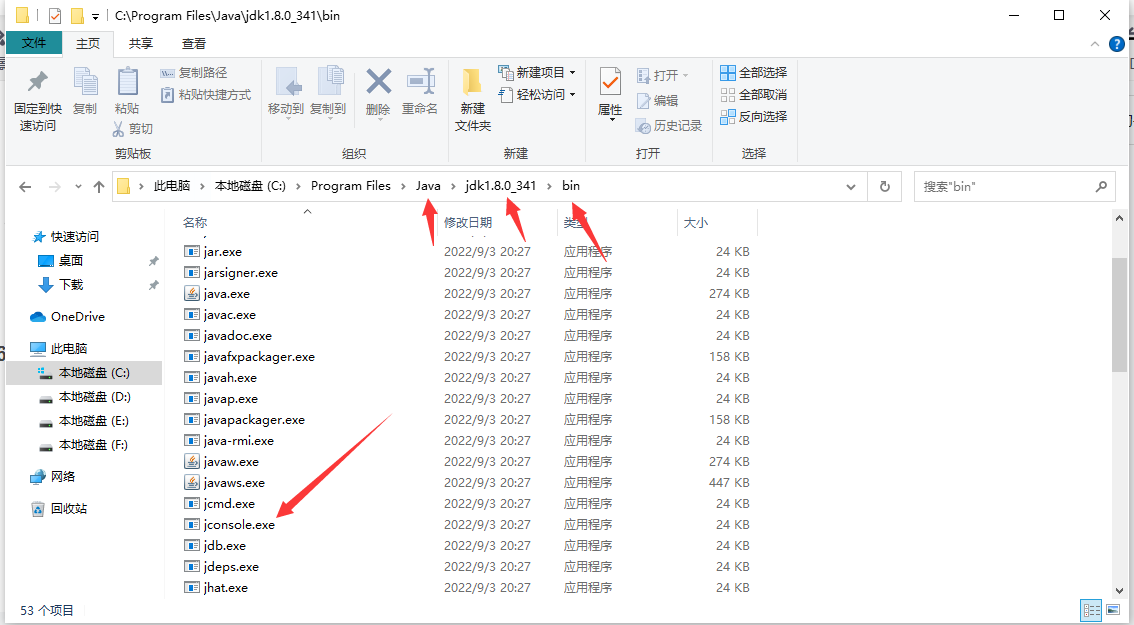
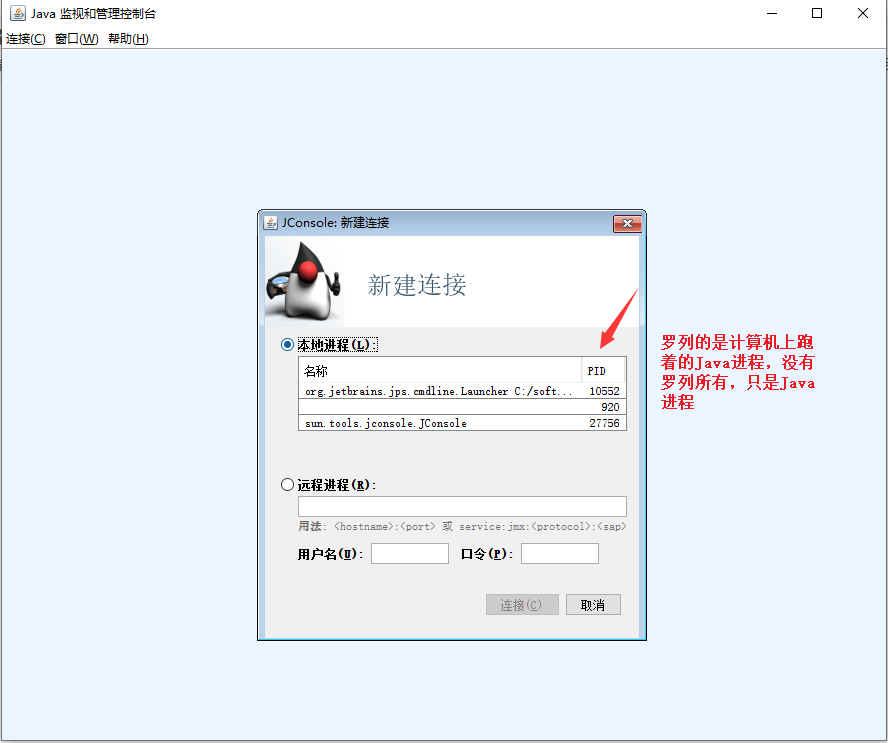
在jdk的bin目录里面有jconsole.exe可执行程序!
7.创建线程

方法1 继承 Thread 类
讯享网package thread; class MyThread extends Thread { @Override public void run() { System.out.println("hello"); try { Thread.sleep(2000); } catch (InterruptedException e) { throw new RuntimeException(e); } } } public class Test1 extends Thread { public static void main(String[] args) { MyThread myThread = new MyThread(); myThread.start(); } }
方法2 实现 Runnable 接口
package thread; class MyRunnable implements Runnable { @Override public void run() { while (true) { System.out.println("hello"); try { Thread.sleep(2000); } catch (InterruptedException e) { throw new RuntimeException(e); } } } } public class Test3 { public static void main(String[] args) { MyRunnable myRunnable = new MyRunnable(); Thread thread = new Thread(myRunnable); thread.start(); } }
其他变形方法
- 匿名内部类创建 Thread 子类对象
讯享网package thread; public class Test4 { public static void main(String[] args) { Thread thread = new Thread() { @Override public void run() { while (true) { System.out.println("hello"); try { Thread.sleep(2000); } catch (InterruptedException e) { throw new RuntimeException(e); } } } }; thread.start(); } }
- 匿名内部类创建 Runnable 子类对象
package thread; public class Test5 { public static void main(String[] args) { Thread thread = new Thread(new Runnable() { @Override public void run() { while (true){ System.out.println("hello"); try { Thread.sleep(2000); } catch (InterruptedException e) { throw new RuntimeException(e); } } } }); thread.start(); } } - lambda 表达式创建 Runnable 子类对象
讯享网package thread; public class Test6 { public static void main(String[] args) { Thread thread1 = new Thread(()-> { while (true){ System.out.println("hello thread1"); try { Thread.sleep(2000); } catch (InterruptedException e) { throw new RuntimeException(e); } } }); thread1.start(); Thread thread2 = new Thread(()->{ while (true){ System.out.println("hello thread2"); try { Thread.sleep(2000); } catch (InterruptedException e) { throw new RuntimeException(e); } } }); thread2.start(); } }
thread.start() 和 thread.run() 的区别
package thread; public class Test7 { public static void main(String[] args) { Thread thread = new Thread() { @Override public void run() { while (true) { System.out.println("hello thread"); try { Thread.sleep(2000); } catch (InterruptedException e) { throw new RuntimeException(e); } } } }; thread.run(); while (true){ System.out.println("hello main"); try { Thread.sleep(2000); } catch (InterruptedException e) { throw new RuntimeException(e); } } } } 运行结果:

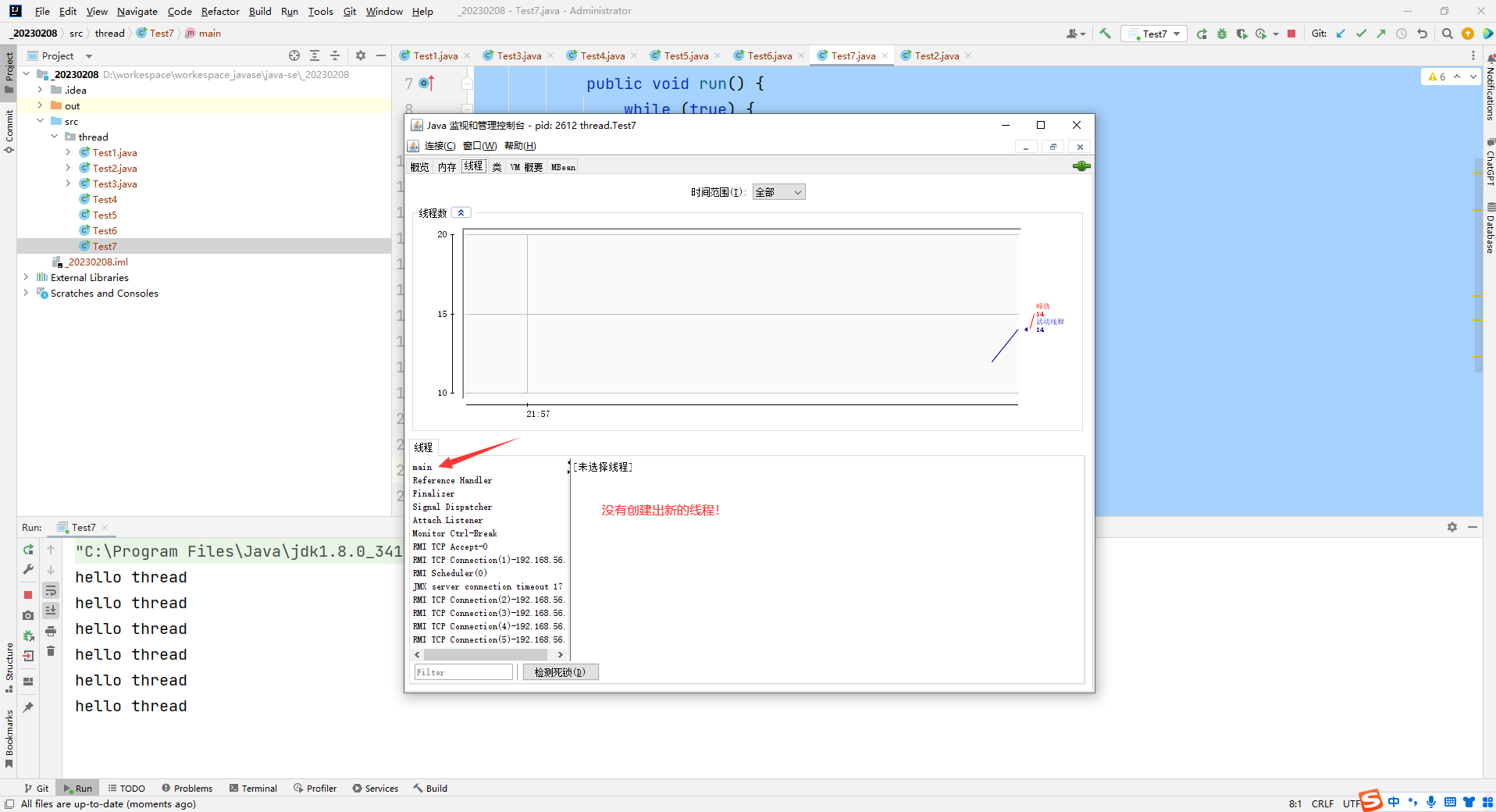
可以看到这个代码只是在执行打印hello thread,没有打印hello main
当前run只是一个普通方法的调用,此处没有创建出新的线程
当前代码只有一个main这样的线程
得是main线程执行完第一个循环,才能执行后续的循环代码
第一个代码是死循环,永远也执行不了第二个循环了
start这个方法,创建了新线程,新线程中执行run方法
run这个方法自身不具备创建线程的能力,仍然在旧的线程中执行的
必须得thread.start()才能创建线程。
8.多线程的优势
增加运行速度
可以观察多线程在一些场合下是可以提高程序的整体运行效率的
讯享网package thread; public class Test8 { //串行执行 private static void serial() { long beg = System.currentTimeMillis(); long a = 0; for (long i = 0; i < 10_0000_0000; i++) { a++; } long b = 0; for (long i = 0; i < 10_0000_0000; i++) { b++; } long end = System.currentTimeMillis(); System.out.println("消耗时间:" + (end - beg) + " ms"); } //并发执行 public static void main(String[] args) { serial(); } }
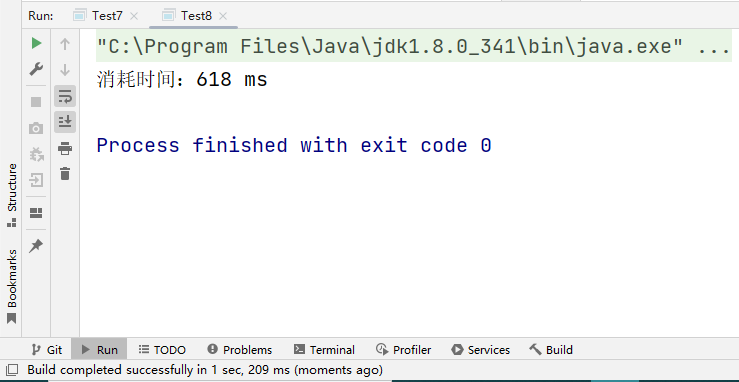
引入多线程:
package thread; public class Test8 { //串行执行 private static void serial() { long beg = System.currentTimeMillis(); long a = 0; for (long i = 0; i < 10_0000_0000; i++) { a++; } long b = 0; for (long i = 0; i < 10_0000_0000; i++) { b++; } long end = System.currentTimeMillis(); System.out.println("消耗时间:" + (end - beg) + " ms"); } public static void concurrency() throws InterruptedException { long beg = System.currentTimeMillis(); Thread thread = new Thread(() -> { long a = 0; for (long i = 0; i < 10_0000_0000; i++) { a++; } }); thread.start(); Thread thread2 = new Thread(() -> { long b = 0; for (long i = 0; i < 10_0000_0000; i++) { b++; } }); thread2.start(); //join的效果就是等待线程结束. thread.join意思就是等到thread执行完了,才会返回,继续往下走. //等上面的两个线程执行完,再进行计时 thread.join(); thread2.join(); long end = System.currentTimeMillis(); System.out.println("消耗时间:" + (end - beg) + " ms"); } //并发执行 public static void main(String[] args) throws InterruptedException { // serial(); concurrency(); } } 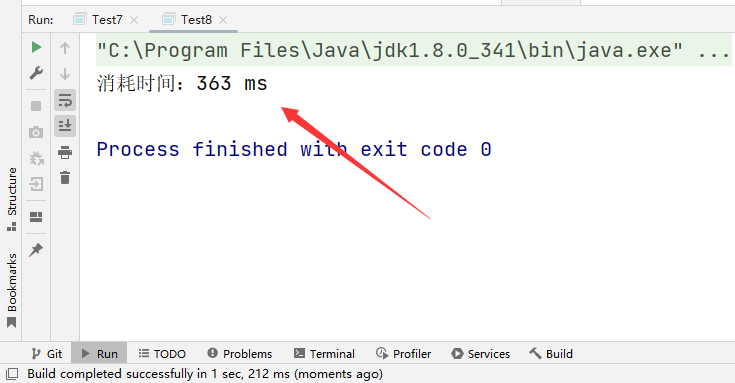
可以明显看到运行速度的提升!
使用场景:
在实际开发中,有的时候,如果执行任务时间太长了,就可以考虑能否使用多线程进行任务拆分,提高运行速度!
版权声明:本文内容由互联网用户自发贡献,该文观点仅代表作者本人。本站仅提供信息存储空间服务,不拥有所有权,不承担相关法律责任。如发现本站有涉嫌侵权/违法违规的内容,请联系我们,一经查实,本站将立刻删除。
如需转载请保留出处:https://51itzy.com/kjqy/30006.html