
# 进入项目根目录 mkdir -p .claude/skills/my-custom-skill cd .claude/skills/my-custom-skill touch SKILL.md最小 Skill 只需要一个目录 + SKILL.md,完整结构可扩展:
.claude/skills/your-skill-name/ ├── SKILL.md # 必需:技能元数据 + 指令 ├── scripts/ # 可选:可执行脚本(Python/Bash/JS) │ └── helper.py ├── templates/ # 可选:代码/文档模板 │ └── component.tsx ├── references/ # 可选:参考文档 │ └── api-spec.md └── examples/ # 可选:输入输出样例 └── usage.mdSKILL.md 分两部分:顶部 YAML 前置元数据 + Markdown 指令体Claude
Markdown 正文是Metadata之后的第二级细节信息。Claude 会在读取元数据之后,根据任务需要再去读取这部分内容。根据你的任务场景,Claude 可以访问 Skill.md 文件并使用这个 Skill。
- 先读 YAML 元数据(最上层)
name/description/user_command等- Claude 先靠这些快速判断:要不要启用这个 Skill
- 再读 Markdown 正文(第二层)
- 只有在确定要用这个 Skill 之后
- Claude 才会去读你写的具体步骤、规则、示例、命令等
Example Skill.md -- Brand guidelines skill
Metadata name: Brand Guidelines description: Apply Acme Corp brand guidelines to all presentations and documents Overview This Skill provides Acme Corp's official brand guidelines for creating consistent, professional materials. When creating presentations, documents, or marketing materials, apply these standards to ensure all outputs match Acme's visual identity. Claude should reference these guidelines whenever creating external-facing materials or documents that represent Acme Corp. Brand Colors Our official brand colors are: - Primary: #FF6B35 (Coral) - Secondary: #004E89 (Navy Blue) - Accent: #F7B801 (Gold) - Neutral: #2E2E2E (Charcoal) Typography Headers: Montserrat Bold Body text: Open Sans Regular Size guidelines: - H1: 32pt - H2: 24pt - Body: 11pt Logo Usage Always use the full-color logo on light backgrounds. Use the white logo on dark backgrounds. Maintain minimum spacing of 0.5 inches around the logo. When to Apply Apply these guidelines whenever creating: - PowerPoint presentations - Word documents for external sharing - Marketing materials - Reports for clients Resources See the resources folder for logo files and font downloads.1. 自动触发
Claude 根据对话内容 + description 关键词自动匹配并加载 Skill。
2. 手动触发(斜杠命令)
/my-custom-skill3.查看已加载 Skill
# 查看所有可用 Skill /skills list查看 Skill 详情
/skills info react-component-generator
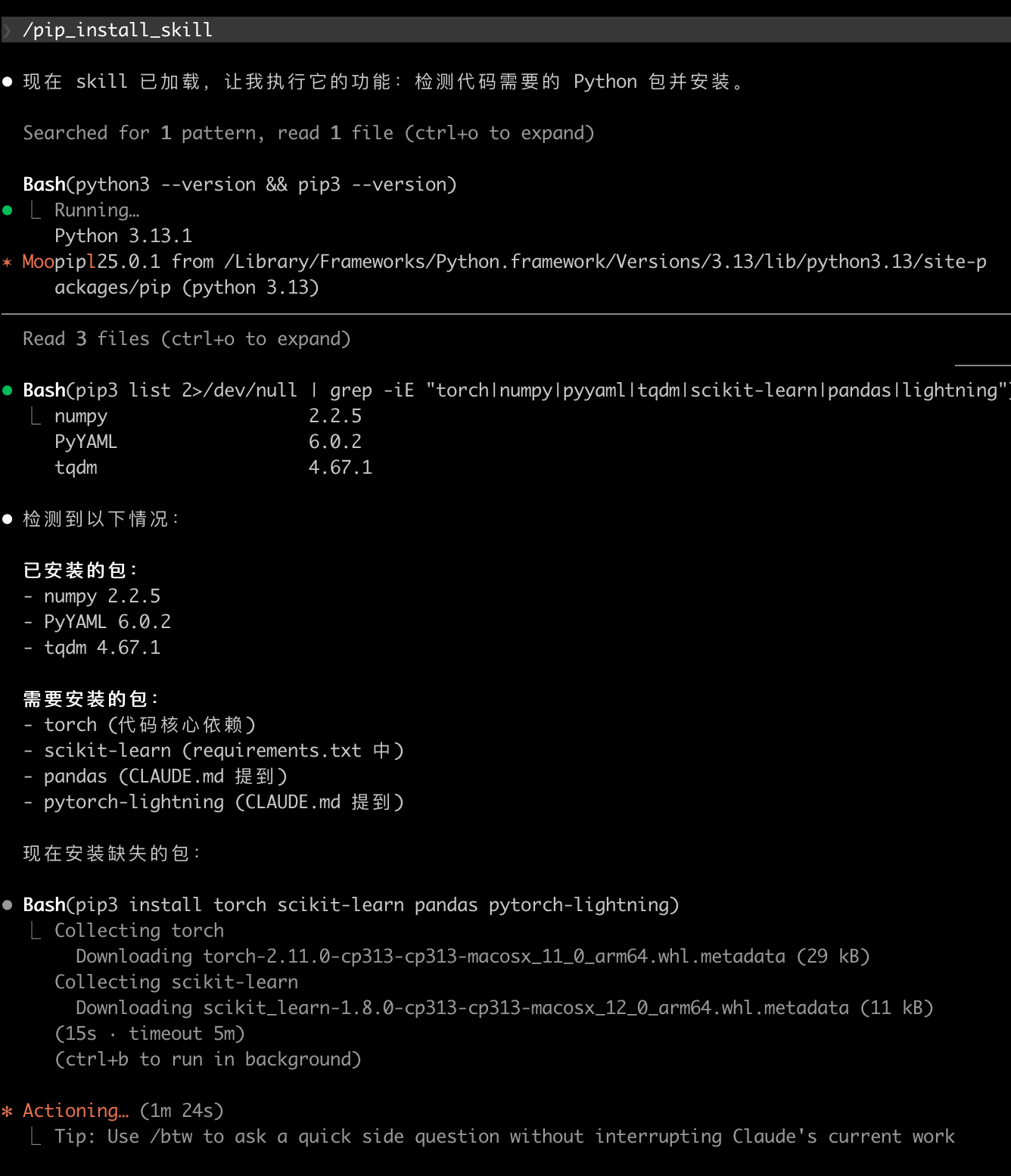
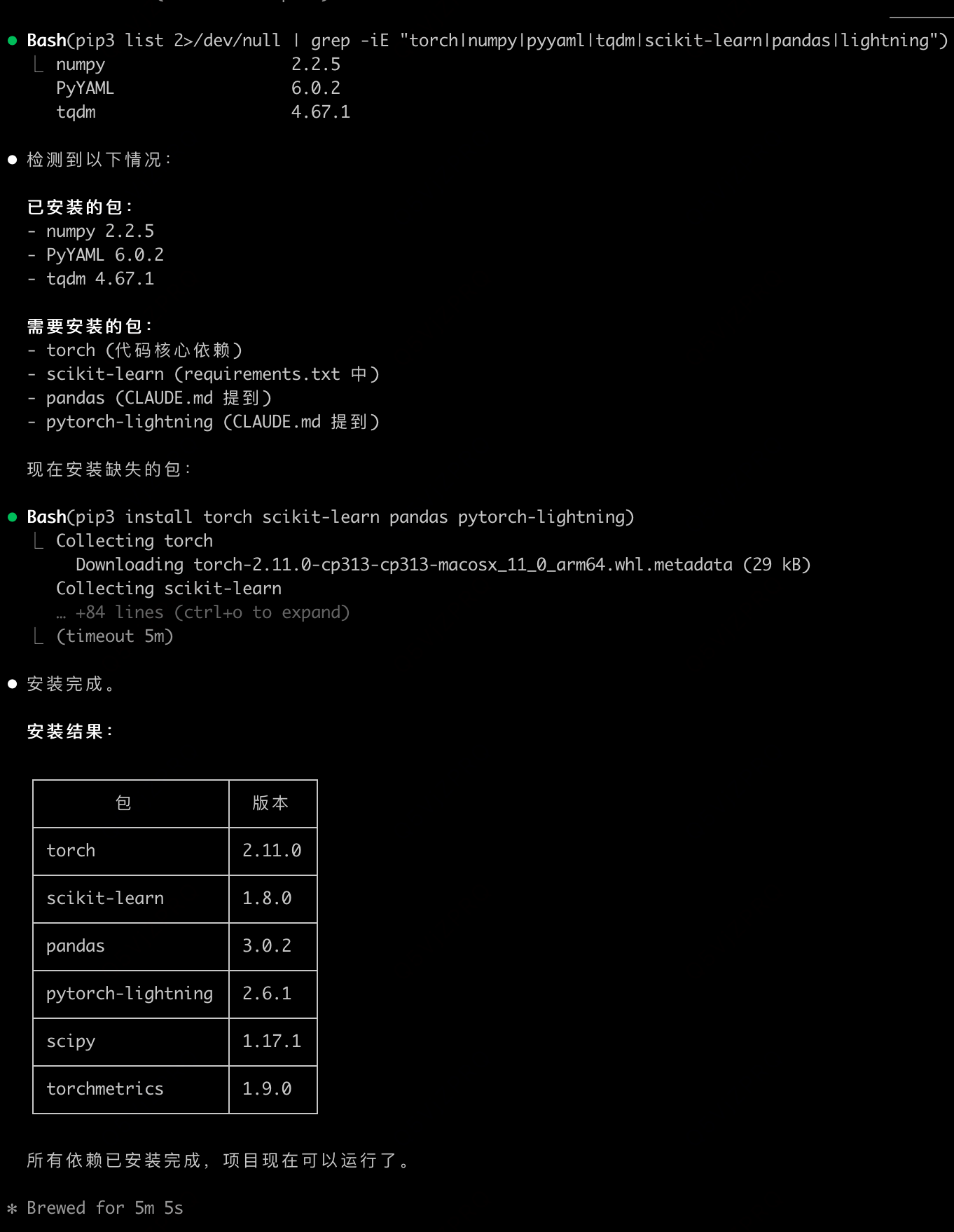
尝试写了一个检测当前python环境并根据当前代码安装不存在package的skill:
Metadata name: pip_install_skill description: 根据代码检测需要安装的python包,并根据当前环境进行pip安装 : 根据代码检测需要安装的python包,并根据当前环境进行pip安装Overview
根据当前代码检测需要的python包 获取当前python与pip环境 根据当前环境使用pip安装不存在的python包 可使用pip install xxx -i https://pypi.tuna.tsinghua.edu.cn/simples 加快下载速度
参考:https://support.claude.com/zh-CN/articles/-%E5%A6%82%E4%BD%95%E5%88%9B%E5%BB%BA%E8%87%AA%E5%AE%9A%E4%B9%89%E6%8A%80%E8%83%BD
版权声明:本文内容由互联网用户自发贡献,该文观点仅代表作者本人。本站仅提供信息存储空间服务,不拥有所有权,不承担相关法律责任。如发现本站有涉嫌侵权/违法违规的内容,请联系我们,一经查实,本站将立刻删除。
如需转载请保留出处:https://51itzy.com/kjqy/269159.html