
在 OpenClaw 中使用 MiniMax M2.7 模型。
登录MiniMax官网并注册:MiniMax官方网站(首购9折链接)
然后挑选模型套餐,进行订阅后执行后续操作。
在终端中运行以下命令安装(老用户同样可以用此命令更新):
macOS / Linux
curl -fsSL https://openclaw.bot/install.sh | bash Windows
iwr -useb https://openclaw.ai/install.ps1 | iex 安装完成后会自动进入配置引导。若没有自动开始,运行:
openclaw configure 选择认证方式开始配置:
OAuth 登录(推荐)
- 选择 Gateway 和模块
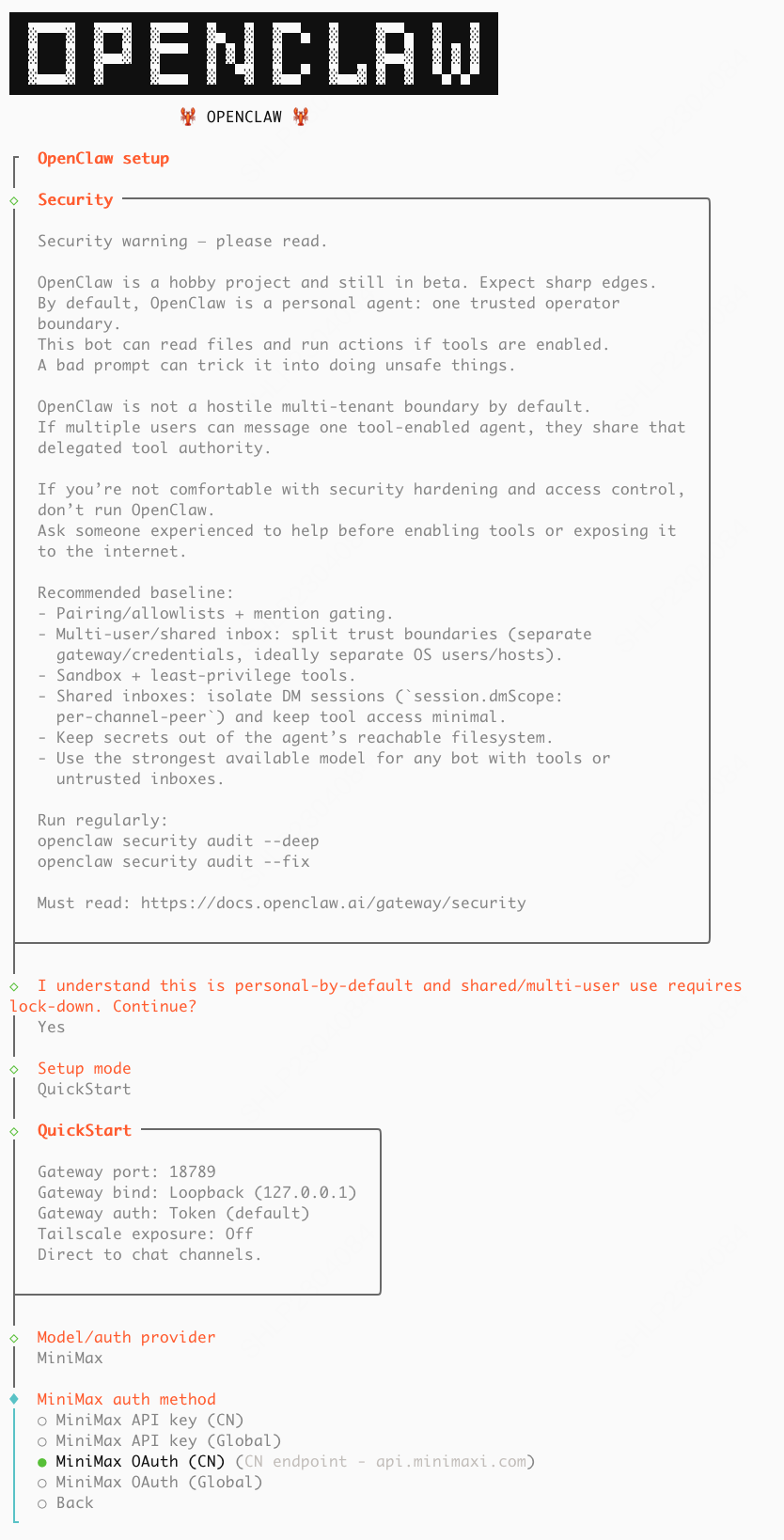
* Where will the Gateway run? → 选择 Local (this machine)
* Select sections to configure → 选择 Model
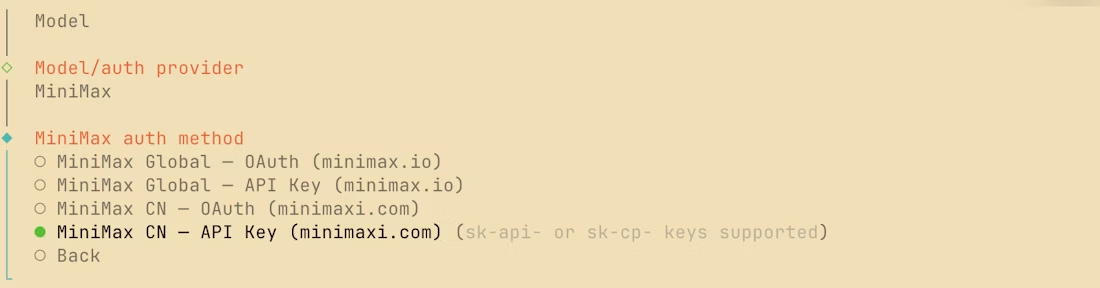
* Model/auth provider → 选择 MiniMax
* MiniMax auth method → 选择 MiniMax CN — OAuth (minimaxi.com)

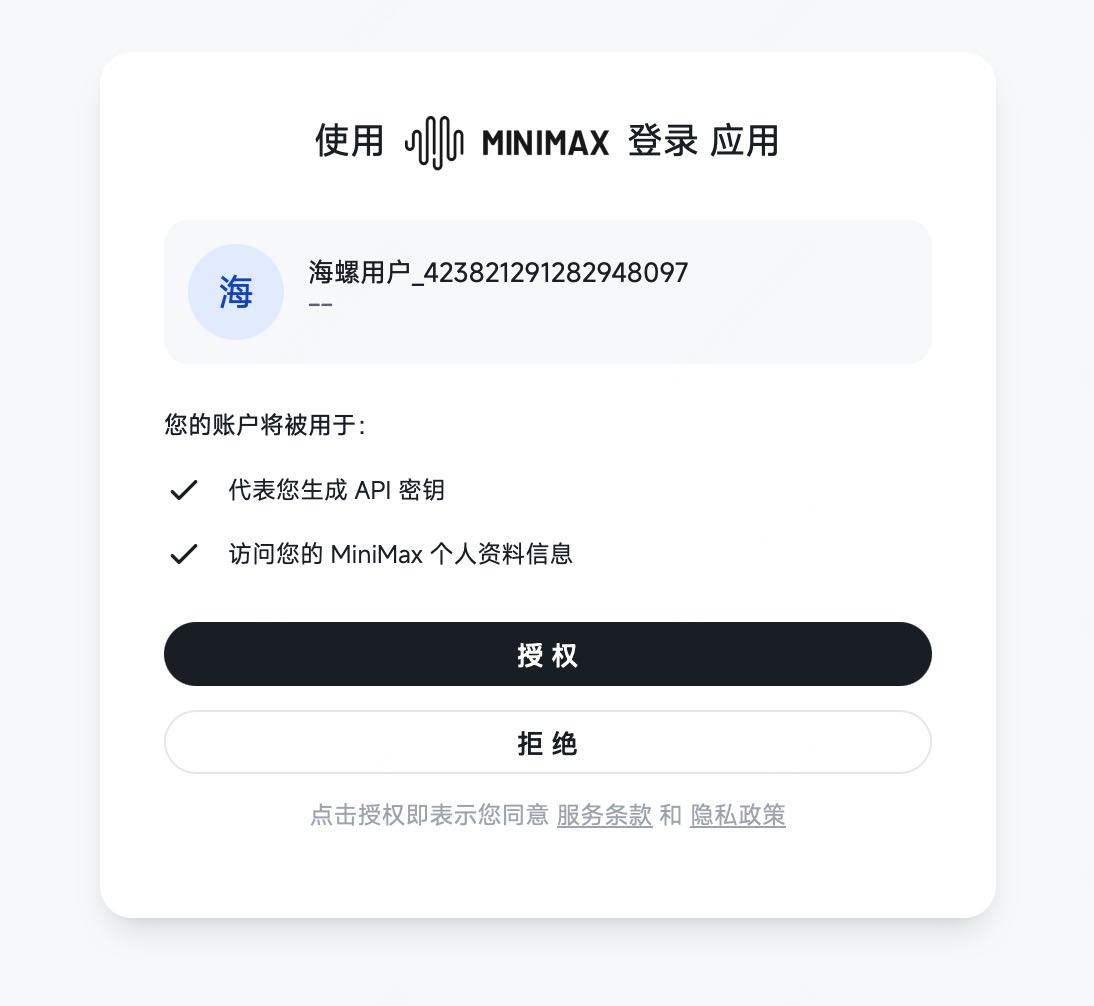
- 登录授权
自动弹出登录页,登录并授权。
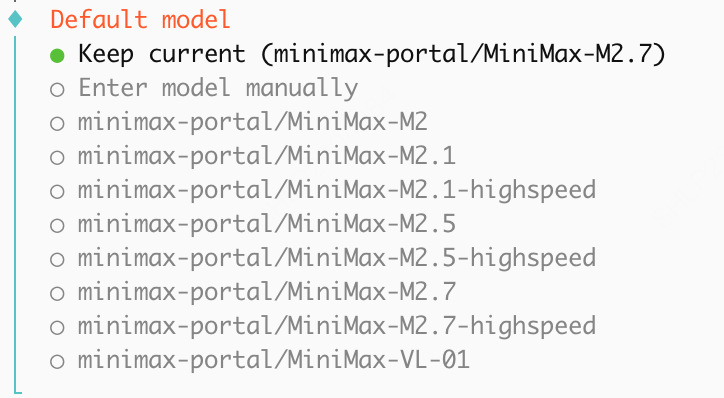
- 确认模型
系统默认勾选MiniMax-M2.5和MiniMax-M2.7,并将 M2.7 设为默认,直接回车确认即可。
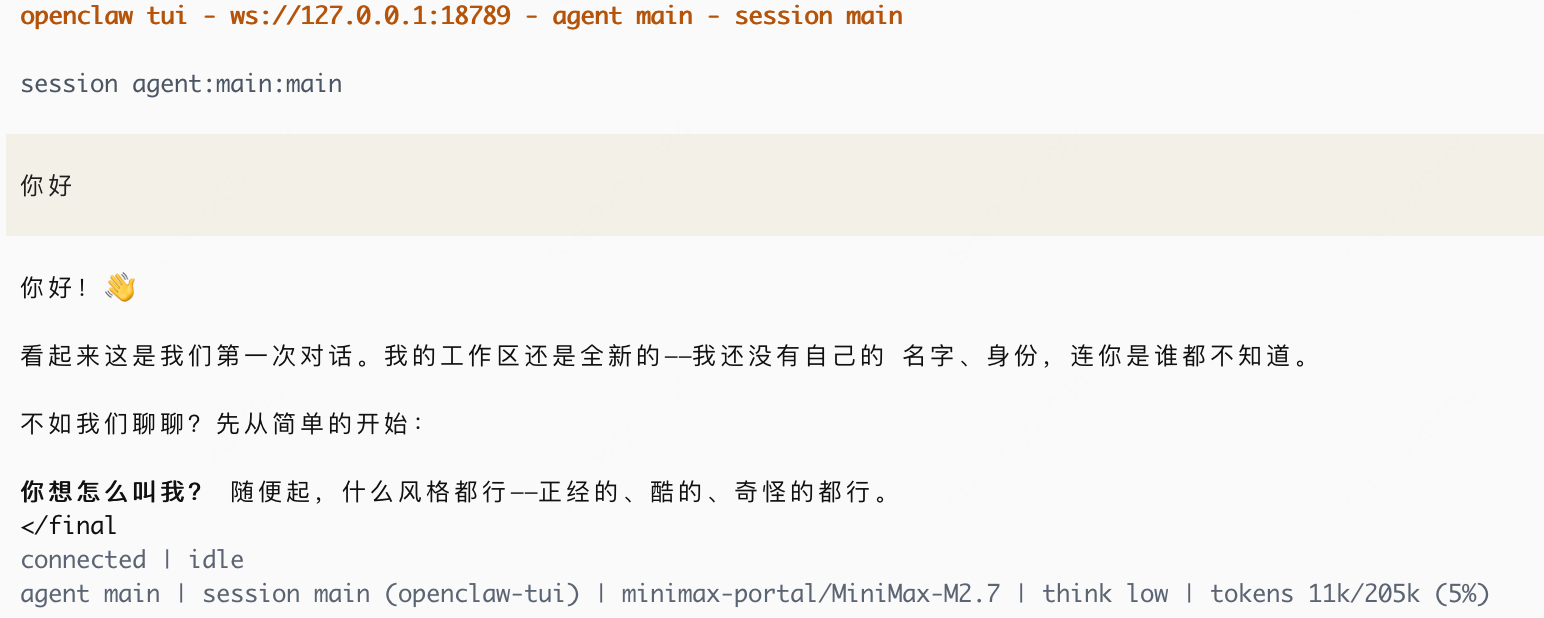
- 验证
输入openclaw tui,能正常对话即配置成功。
API Key 手动配置
- 选择认证方式
* Where will the Gateway run? → 选择 Local (this machine)
* Select sections to configure → 选择 Model
* Model/auth provider → 选择 MiniMax
* MiniMax auth method:
* 中国大陆用户 → MiniMax CN — API Key (minimaxi.com)
* 海外用户 → MiniMax Global — API Key (minimax.io)
- 填写 API Key
填入你的 MiniMax API Key,然后回车使用默认模型选项。
- 完成功能配置
按需配置以下选项:
* Channel:选择在哪个 App 中对话
- Skill:按需安装技能
- Hooks(可选):
- 💾 `session-memory`:执行 `/new` 时自动保存会话上下文
- 📝 `command-logger`:记录所有命令到日志文件
- 🚀 `boot-md`:网关启动时运行 BOOT.md
如果安装后无法使用 M2.7,可手动升级:打开配置文件
~/.openclaw/openclaw.json,将所有M2.5替换为M2.7,然后执行openclaw gateway start重启网关。详见 FAQ。
验证使用 MiniMax 作为模型提供商时,OpenClaw 的
image工具会自动接入 MiniMax 图像理解 MCP 服务,无需额外配置即可获得图像理解能力。
输入openclaw tui,能正常对话即配置成功。

版权声明:本文内容由互联网用户自发贡献,该文观点仅代表作者本人。本站仅提供信息存储空间服务,不拥有所有权,不承担相关法律责任。如发现本站有涉嫌侵权/违法违规的内容,请联系我们,一经查实,本站将立刻删除。
如需转载请保留出处:https://51itzy.com/kjqy/266368.html