
目录
1.openclaw部署
1.1前置准备
1.2安装openclaw
1.2.1一键安装脚本执行
1.2.2安装gateway
1.3安装后查看
1.3.1启动gateway
1.3.2启动dashboard
2.openclaw访问
2.1查看当前能够访问的设备
2.2配置nginx反向代理
2.3客户端访问
#升级系统及安装必要工具
root@ubuntu:~# apt update && apt upgrade -y
sudo apt install -y curl ca-certificates git sudo vim python3 make g++ libvips-dev
Pending kernel upgrade!
Running kernel version:
6.8.0-88-generic
Diagnostics:
The currently running kernel version is not the expected kernel version 6.8.0-107-generic.
Restarting the system to load the new kernel will not be handled automatically, so you should consider rebooting.
Restarting services...
Service restarts being deferred:
/etc/needrestart/restart.d/dbus.service
systemctl restart
systemctl restart systemd-logind.service
systemctl restart unattended-upgrades.service
No containers need to be restarted.
User sessions running outdated binaries:
root @ session #1: sshd[957]
root @ session #3: sshd[997]
root @ user manager service: systemd[962]
No VM guests are running outdated hypervisor (qemu) binaries on this host.
#添加nodesource仓库
root@ubuntu:~# curl -fsSL https://deb.nodesource.com/setup_24.x | sudo -E bash -
etched 2374 kB in 3s (681 kB/s)
Reading package lists... Done
Building dependency tree... Done
Reading state information... Done
All packages are up to date.
2026-04-13 14:06:47 - Repository configured successfully.
2026-04-13 14:06:47 - To install Node.js, run: apt install nodejs -y
2026-04-13 14:06:47 - You can use N|solid Runtime as a node.js alternative
2026-04-13 14:06:47 - To install N|solid Runtime, run: apt install nsolid -y
#安装node.js(包含npm)
root@ubuntu:~# apt install nodejs
Service restarts being deferred:
/etc/needrestart/restart.d/dbus.service
systemctl restart
systemctl restart systemd-logind.service
systemctl restart unattended-upgrades.service
No containers need to be restarted.
User sessions running outdated binaries:
root @ session #1: sshd[957]
root @ session #3: sshd[997]
root @ user manager service: systemd[962]
No VM guests are running outdated hypervisor (qemu) binaries on this host.
#验证node.js版本
root@ubuntu:~# node -v
v24.14.1
root@ubuntu:~# npm -v
11.11.0
#为了更好的效果,将npm切换成国内的源
root@ubuntu:~# npm config set registry https://registry.npmmirror.com
root@ubuntu:~# npm config get registry
https://registry.npmmirror.com
1.2.1一键安装脚本执行
它会自动安装Node.js等相关依赖,但还是建议自己提前安装好
root@ubuntu:# curl -fsSL https://openclaw.ai/install.sh | sudo bash
#安全免责声明确认,选择yes
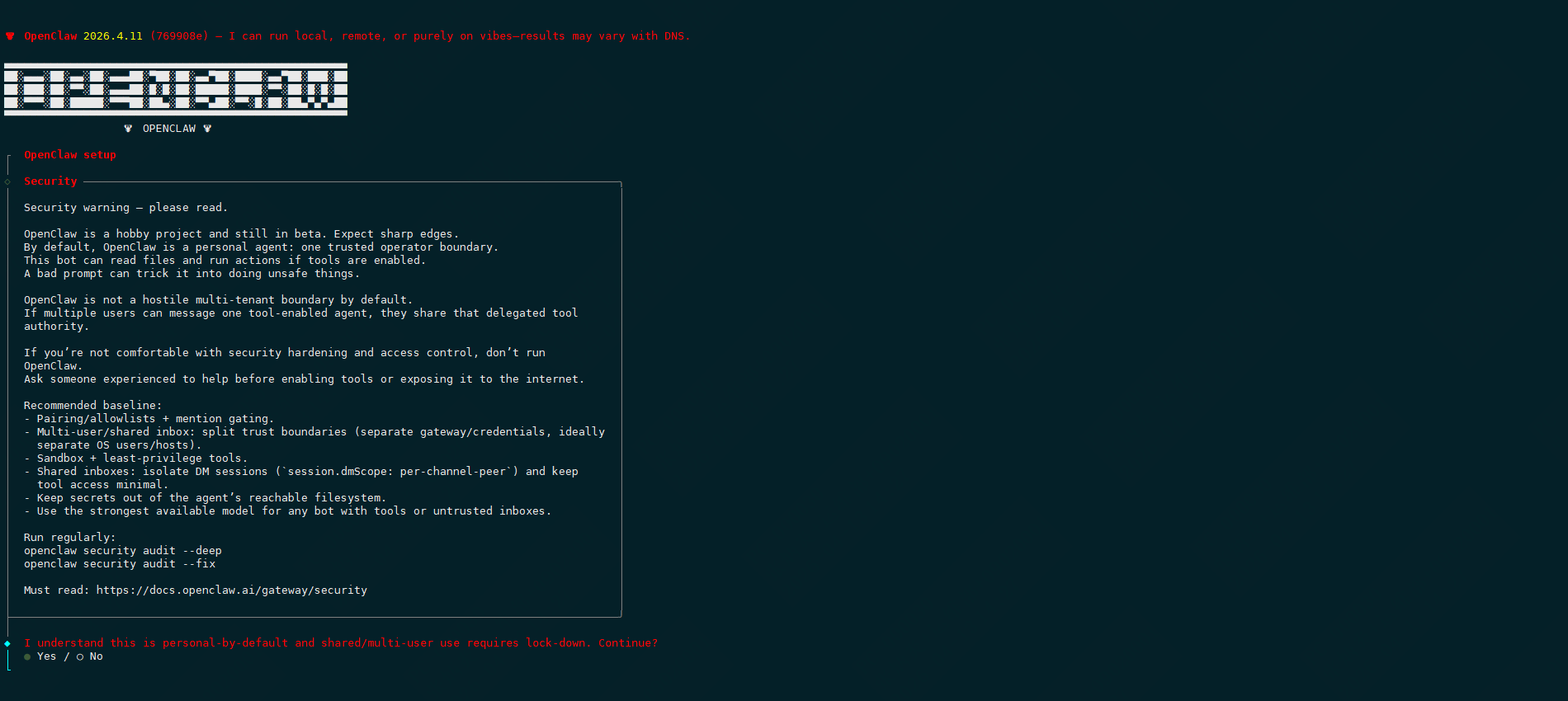
#选择快速安装模式

#选择大模型,本次选择千问qwen cloud
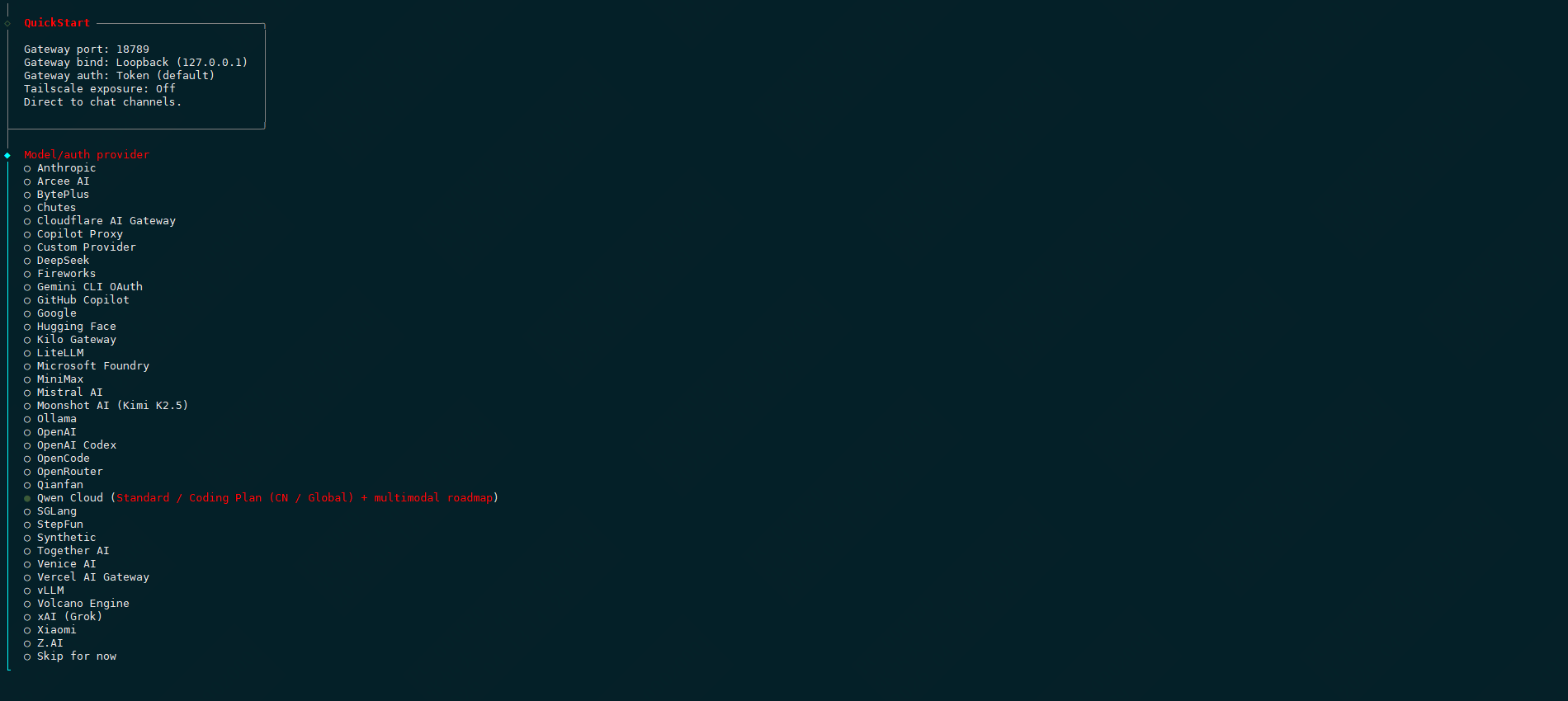
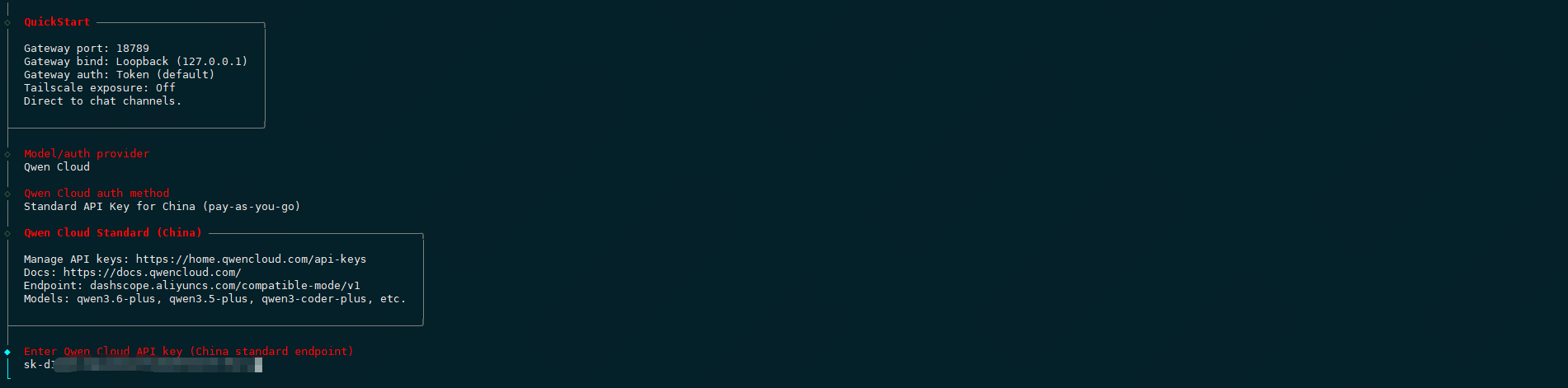
#配置大模型,选择国内标准api

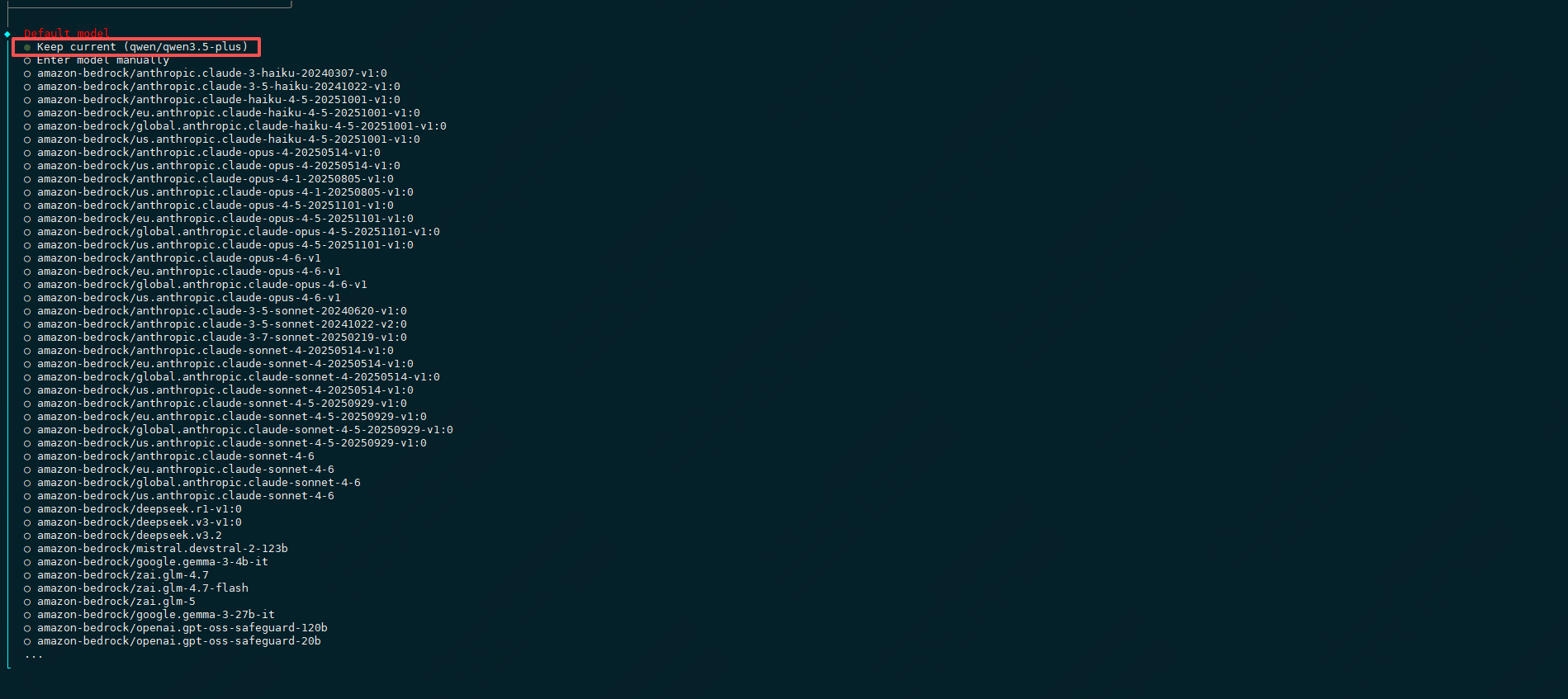
#保持qwen大模型
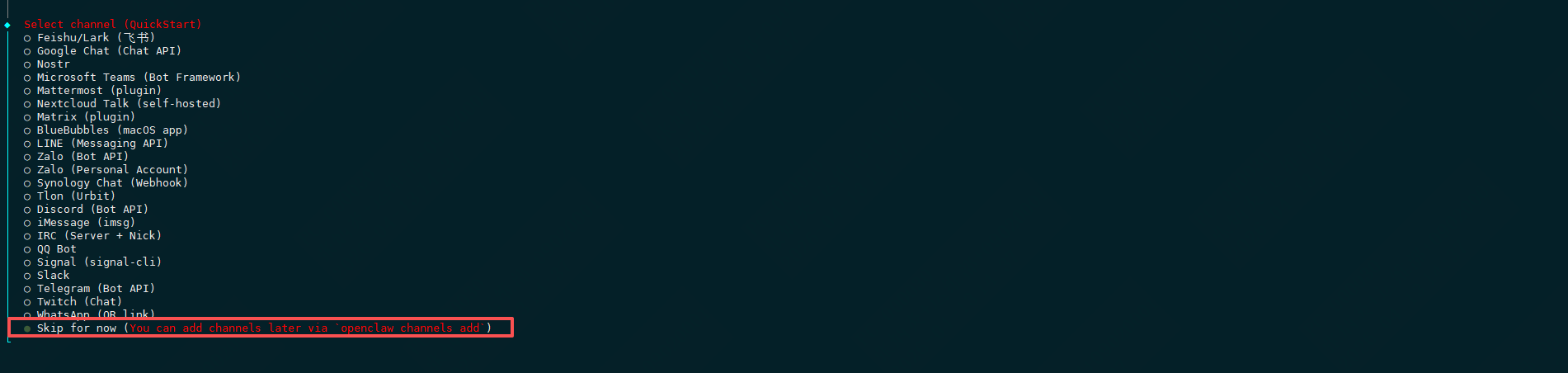
#选择对话渠道,先跳过,选择skip for now
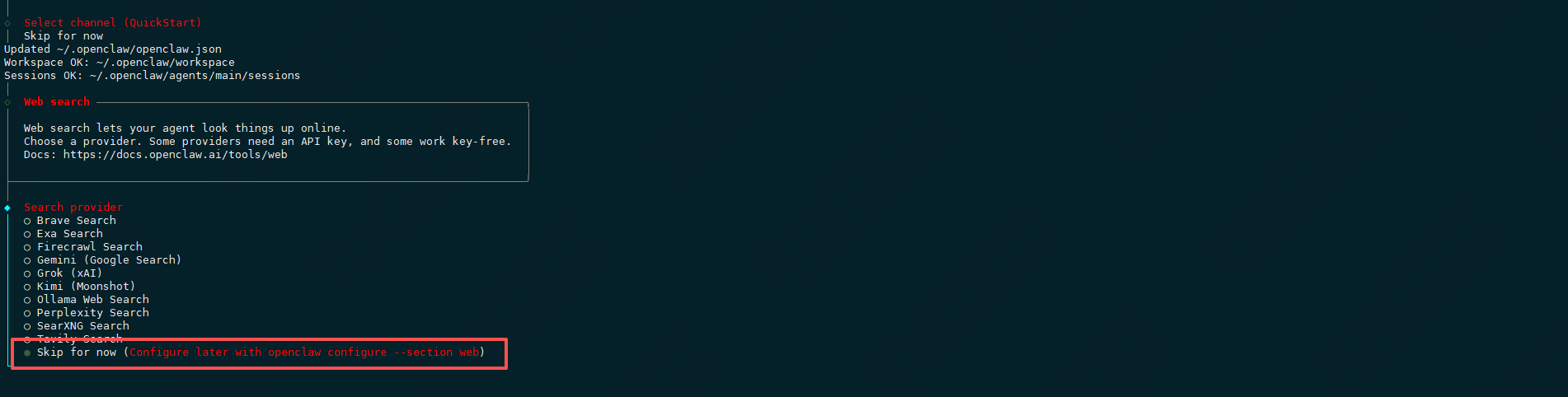
#选择web search搜索引擎,先跳过,选择skip for now
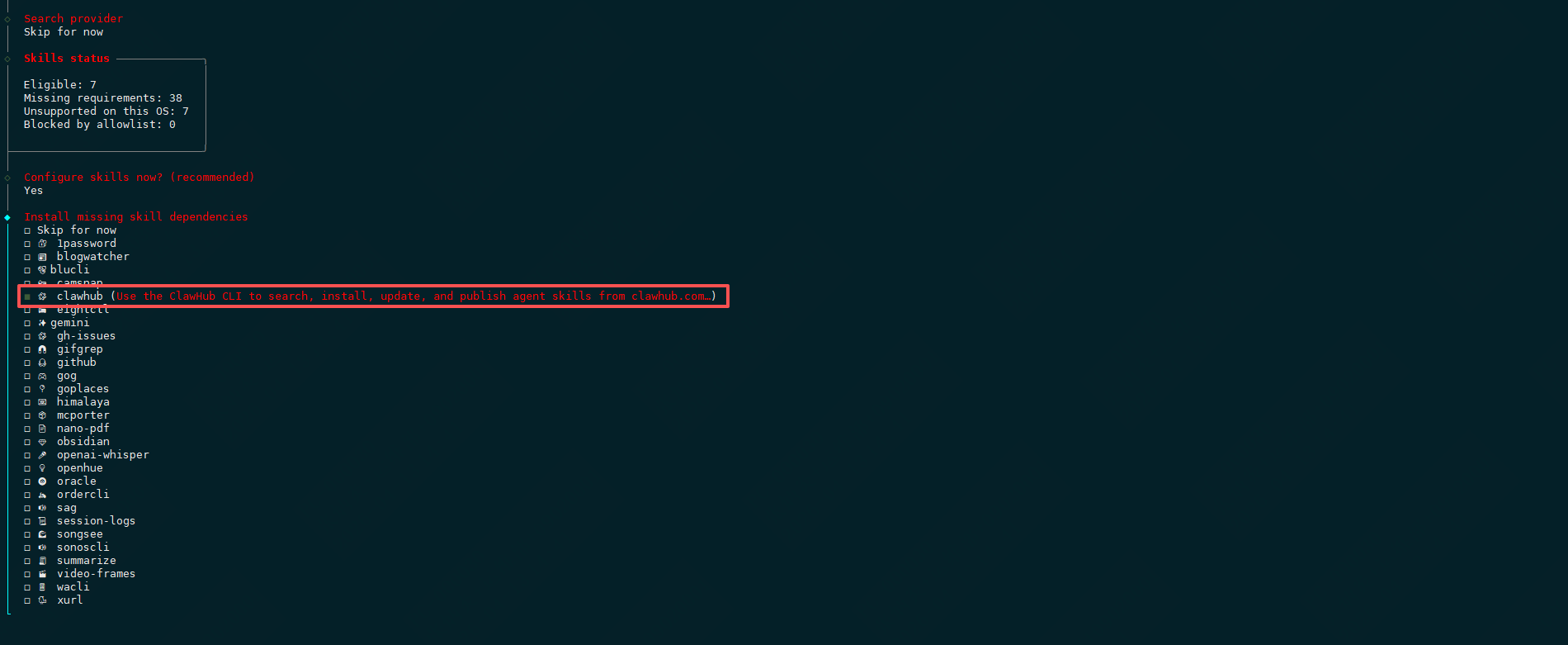
#配置skills,选择yes

#选择一个安装skill的工具
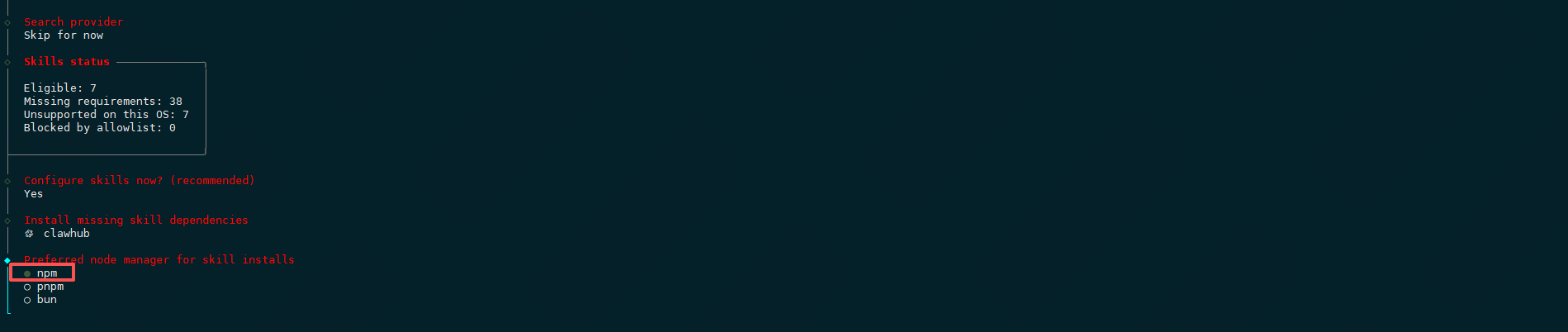
#选择npm安装方式
#接下来都是国外的api,全部选no

#暂不配置hooks,选择skip for now

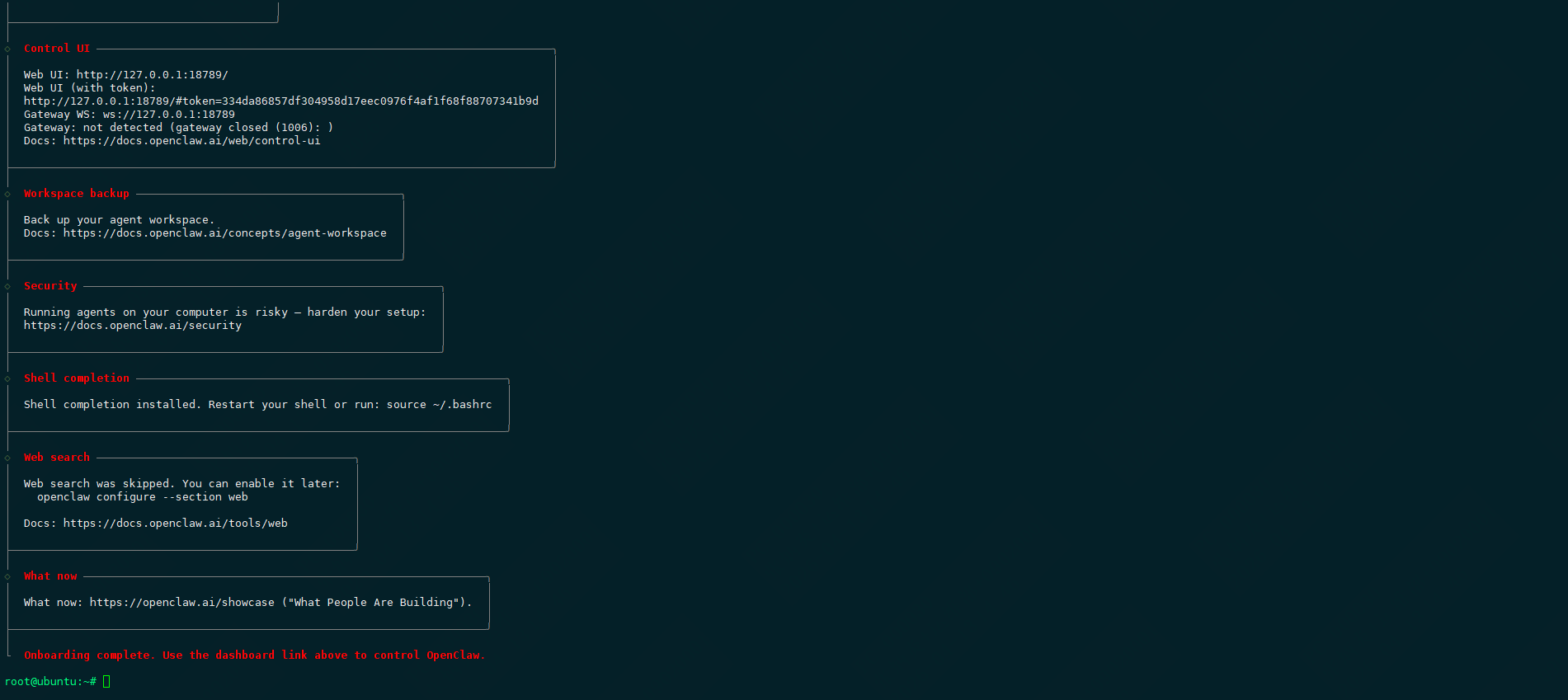
#安装完毕
1.2.2安装gateway
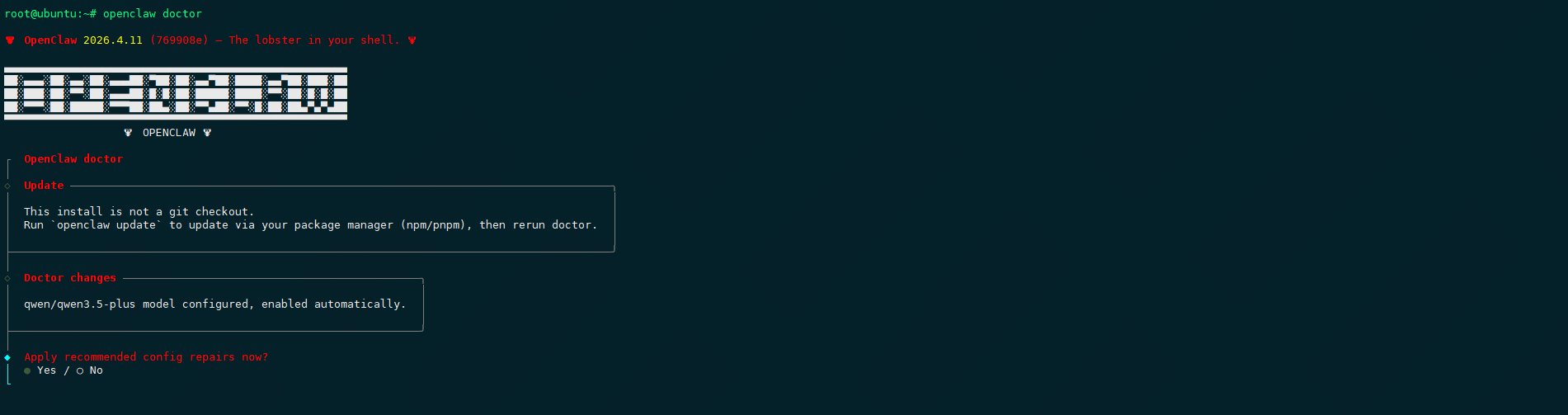
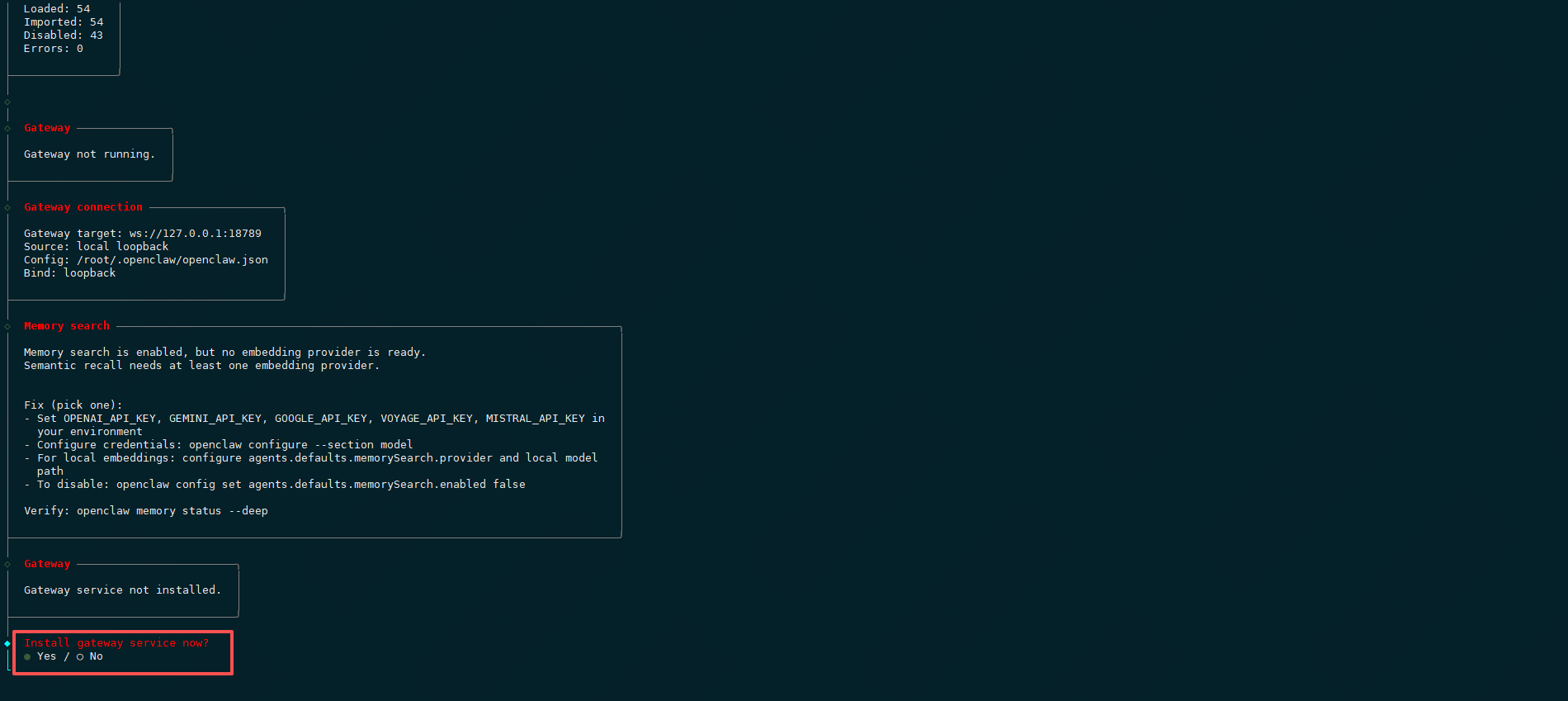
直接运行openclaw doctor,它将引导你配置完整,一路 yes完成。
root@ubuntu:# openclaw doctor

1.3.1启动gateway
root@ubuntu:# openclaw gateway start
🦞 OpenClaw 2026.4.11 (e) — I‘m the assistant your terminal demanded, not the one your sleep schedule requested.
Restarted systemd service: openclaw-gateway.service
#再次运行 openclaw doctor,把它提示的问题都修复。
root@ubuntu:# openclaw doctor
Doctor complete.
root@ubuntu:# openclaw gateway start
Restarted systemd service: openclaw-gateway.service
root@ubuntu:# netstat -ntlp
Active Internet connections (only servers)
Proto Recv-Q Send-Q Local Address Foreign Address State PID/Program name
tcp 0 0 127.0.0.53:53 0.0.0.0:* LISTEN 5798/systemd-resolv
tcp 0 0 127.0.0.54:53 0.0.0.0:* LISTEN 5798/systemd-resolv
tcp 0 0 127.0.0.1:6010 0.0.0.0:* LISTEN 957/sshd: root@pts/
tcp 0 0 127.0.0.1:18789 0.0.0.0:* LISTEN 24559/openclaw-gate
tcp 0 0 127.0.0.1:18791 0.0.0.0:* LISTEN 24559/openclaw-gate
tcp 0 0 127.0.0.1:26543 0.0.0.0:* LISTEN 24559/openclaw-gate
tcp 0 0 0.0.0.0:22 0.0.0.0:* LISTEN 1/systemd
tcp6 0 0 ::1:18789 :::* LISTEN 24559/openclaw-gate
tcp6 0 0 :::5201 :::* LISTEN 15380/iperf3
tcp6 0 0 ::1:6010 :::* LISTEN 957/sshd: root@pts/
tcp6 0 0 :::22 :::* LISTEN 1/systemd
1.3.2启动dashboard
root@ubuntu:~# openclaw dashboard
🦞 OpenClaw 2026.4.11 (e) — I’m like tmux: confusing at first, then suddenly you can‘t live without me.
Dashboard URL: http://127.0.0.1:18789/#token=334da86857df304958d17eec0976f4af1f68f88707341b9d
Copy to clipboard unavailable.
No GUI detected. Open from your computer:
ssh -N -L 18789:127.0.0.1:18789 root@10.9.254.72
Then open:
http://localhost:18789/
http://localhost:18789/#token=334da86857df304958d17eec0976f4af1f68f88707341b9d
Docs:
https://docs.openclaw.ai/gateway/remote
https://docs.openclaw.ai/web/control-ui
root@ubuntu:~# openclaw devices list --token=334da86857dfd17eec0976f4af1f68fb9d
此设备应为本机

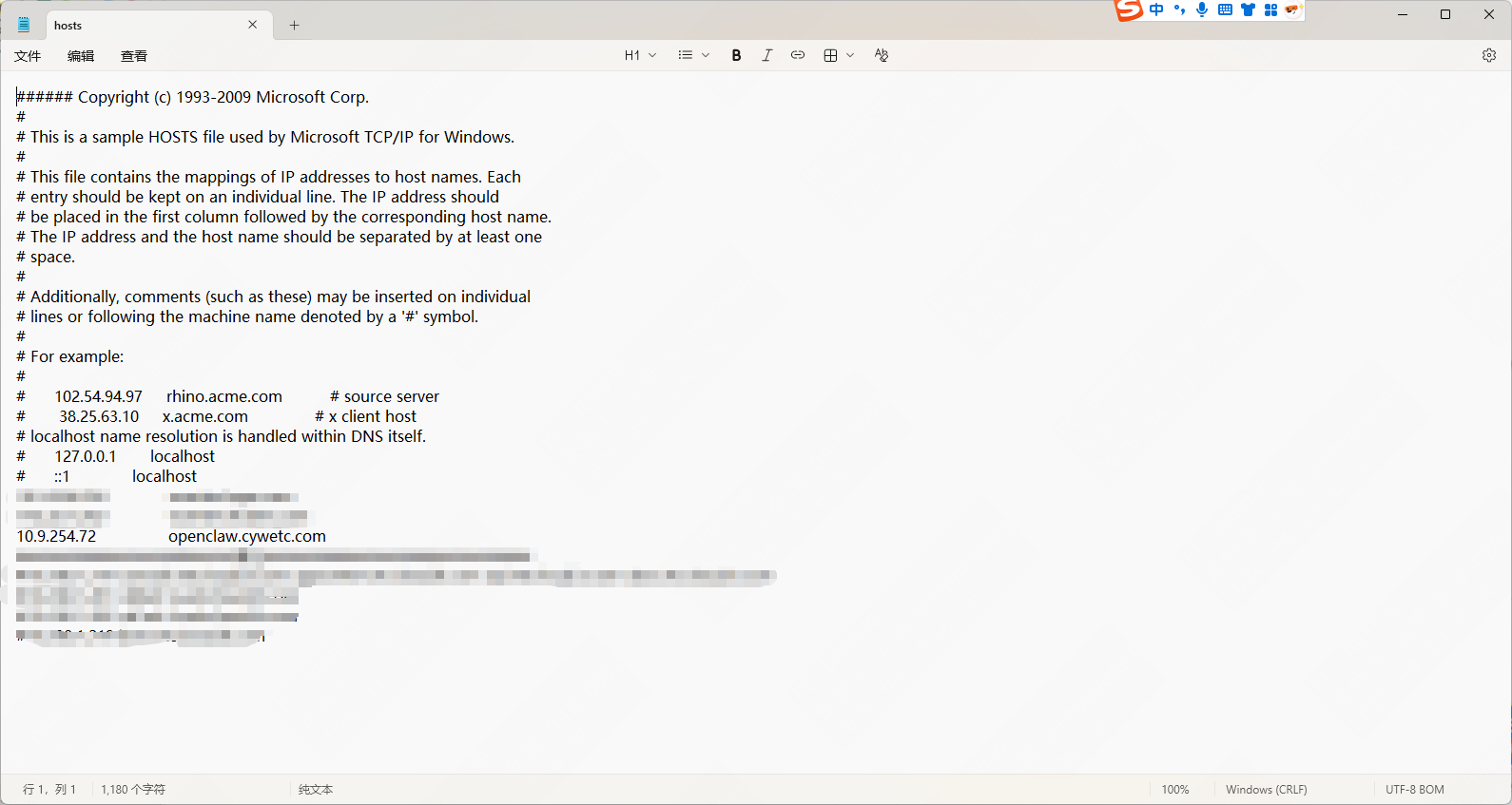
#添加域名解析
root@ubuntu:~# vim /etc/hosts
10.9.254.72 openclaw.cywetc.com
#安装nginx
root@ubuntu:~# apt -y install nginx
root@ubuntu:~# systemctl status nginx
● nginx.service - A high performance web server and a reverse proxy server
Loaded: loaded (/usr/lib/systemd/system/nginx.service; enabled; preset: enabled)
Active: active (running) since Mon 2026-04-13 15:16:01 CST; 25s ago
Docs: man:nginx(8)
Process: 24995 ExecStartPre=/usr/sbin/nginx -t -q -g daemon on; master_process on; (code=exited, status=0/SUCCESS)
Process: 24996 ExecStart=/usr/sbin/nginx -g daemon on; master_process on; (code=exited, status=0/SUCCESS)
Main PID: 25032 (nginx)
Tasks: 9 (limit: 19039)
Memory: 6.4M (peak: 14.6M)
CPU: 137ms
CGroup: /system.slice/nginx.service
├─25032 "nginx: master process /usr/sbin/nginx -g daemon on; master_process on;"
├─25035 "nginx: worker process"
├─25036 "nginx: worker process"
├─25037 "nginx: worker process"
├─25038 "nginx: worker process"
├─25039 "nginx: worker process"
├─25040 "nginx: worker process"
├─25041 "nginx: worker process"
└─25042 "nginx: worker process"
Apr 13 15:16:01 ubuntu systemd[1]: Starting nginx.service - A high performance web server and a reverse proxy server...
Apr 13 15:16:01 ubuntu systemd[1]: Started nginx.service - A high performance web server and a reverse proxy server.
#下载并解压域名证书
root@ubuntu:~# ll
-rw-r--r-- 1 root root 4943 Apr 13 15:24 _cywetc.com_nginx.zip
root@ubuntu:~# unzip _cywetc.com_nginx.zip
Archive: _cywetc.com_nginx.zip
Aliyun Certificate Download
inflating: cywetc.com.pem
inflating: cywetc.com.key
root@ubuntu:~# ll
-rw-r--r-- 1 root root 1679 Apr 13 15:20 cywetc.com.key
-rw-r--r-- 1 root root 5510 Apr 13 15:20 cywetc.com.pem
root@ubuntu:~# mv cywetc.com.pem /etc/ssl/certs/
root@ubuntu:~# mv cywetc.com.key /etc/ssl/private/
#修改nginx配置
root@ubuntu:~# vim /etc/nginx/conf.d/openclaw.conf
server {
listen 80;
server_name openclaw.cywetc.com cywetc.com;
# 强制跳转 HTTPS (建议)
return 301 https://$server_name$request_uri;
}
server
#健康检查端点
location = /health
}
root@ubuntu:~# nginx -t
nginx: the configuration file /etc/nginx/nginx.conf syntax is ok
nginx: configuration file /etc/nginx/nginx.conf test is successful
root@ubuntu:~# nginx -s reload
2026/04/13 16:22:40 [notice] 25895#25895: signal process started
root@ubuntu:~# systemctl restart nginx
添加域名解析
https://openclaw.cywetc.com/#token=334da86857df304958d17eec0976f4af1f68f88707341b9d
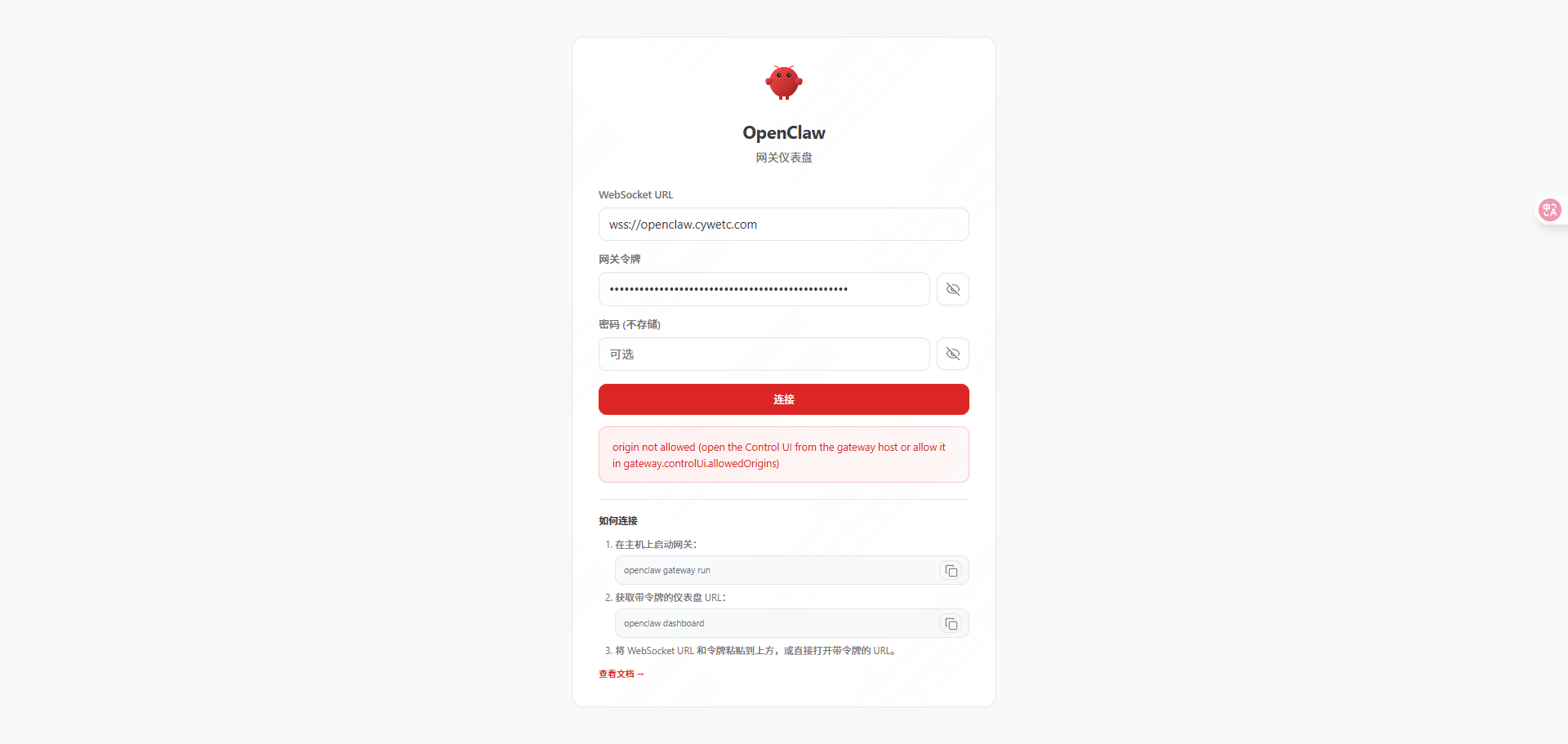
#服务端配置
root@ubuntu:# vim /root/.openclaw/openclaw.json
“gateway”: {
“mode”: “local”,
“auth”: {
“mode”: “token”,
“token”: “334da86857dfd17eec0976f4af1f68fb9d”
},
“port”: 18789,
“bind”: “lan”,
“tailscale”: ,
“controlUi”: {
“allowInsecureAuth”: true,
“allowedOrigins”: [“*”]
},
root@ubuntu:# openclaw doctor –fix
root@ubuntu:# openclaw gateway restart
🦞 OpenClaw 2026.4.11 (e) — I’ll do the boring stuff while you dramatically stare at the logs like it‘s cinema.
Restarted systemd service: openclaw-gateway.service
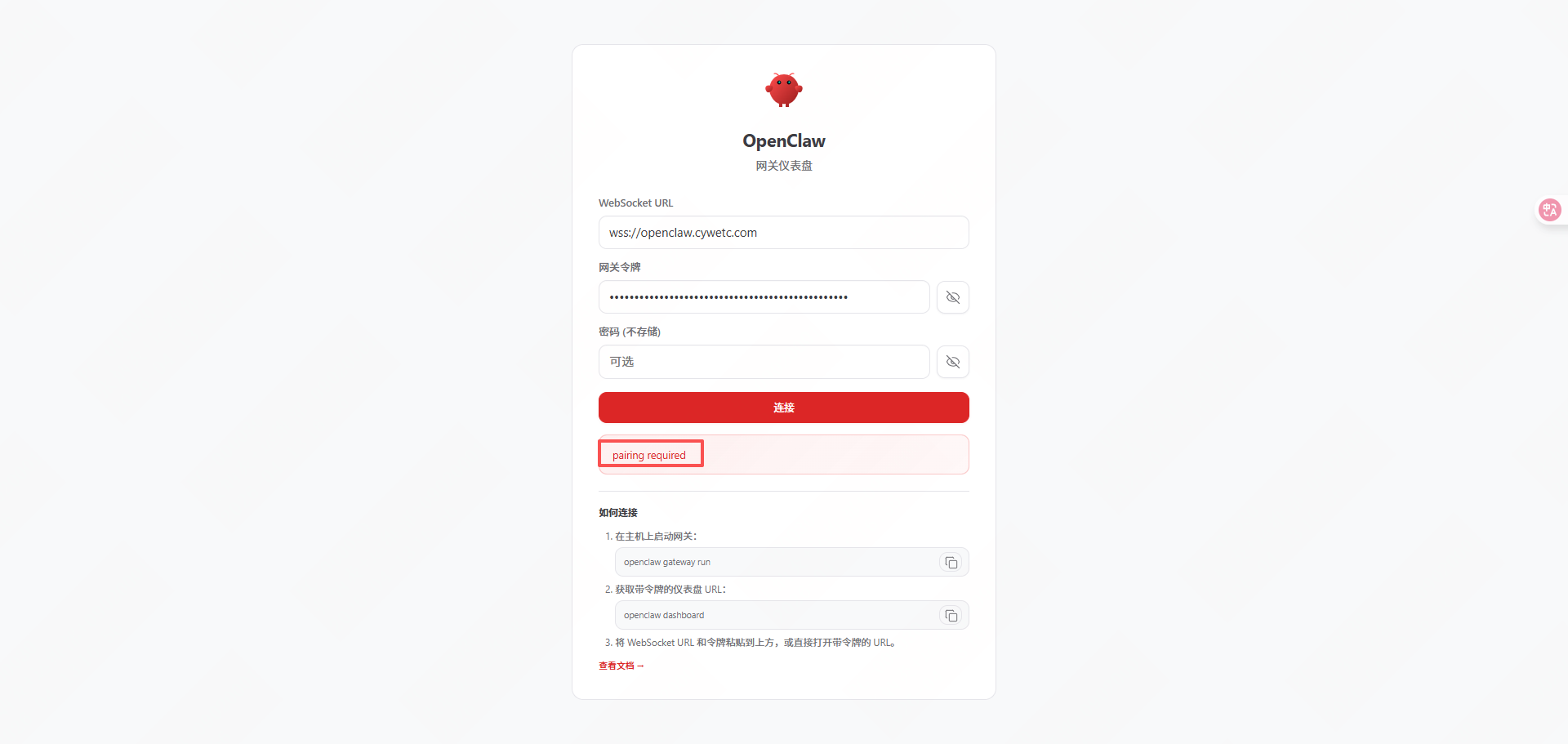
“Pairing required”是 OpenClaw 设备的配对安全机制提示,当新设备首次连接

root@ubuntu:# openclaw devices list –token=334da86857dfd17eec0976f4af1f68fb9d
root@ubuntu:~# openclaw devices approve 990eb8cc-ff42-4976-b1e9-cc9 –url=http://127.0.0.1:18789 –token=334da86857dfd17eec0976f4af1f68fb9d
🦞 OpenClaw 2026.4.11 (e) — I read logs so you can keep pretending you don’t have to.
│
◇
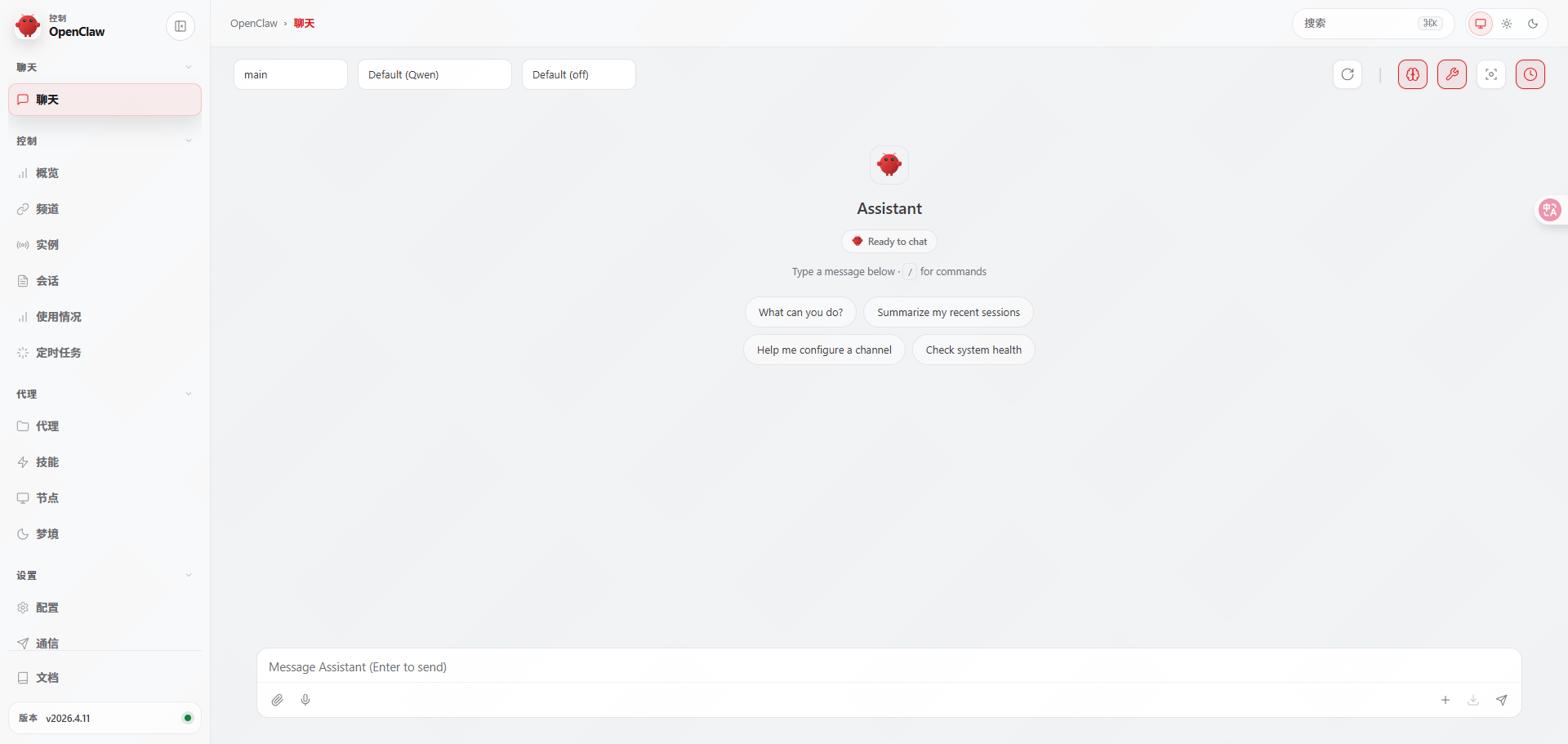
Approved cbd3d537ce2d61ee67ceb8041e19d77e6bbe23f9c9250f21a46daba72a (990eb8cc-ff42-4976-b1e9-cc9)
https://openclaw.cywetc.com/#token=334da86857df304958d17eec0976f4af1f68f88707341b9d
版权声明:本文内容由互联网用户自发贡献,该文观点仅代表作者本人。本站仅提供信息存储空间服务,不拥有所有权,不承担相关法律责任。如发现本站有涉嫌侵权/违法违规的内容,请联系我们,一经查实,本站将立刻删除。
如需转载请保留出处:https://51itzy.com/kjqy/260635.html