
1 概念
postman eolinker
接口测试工具/平台
2 eolinker介绍
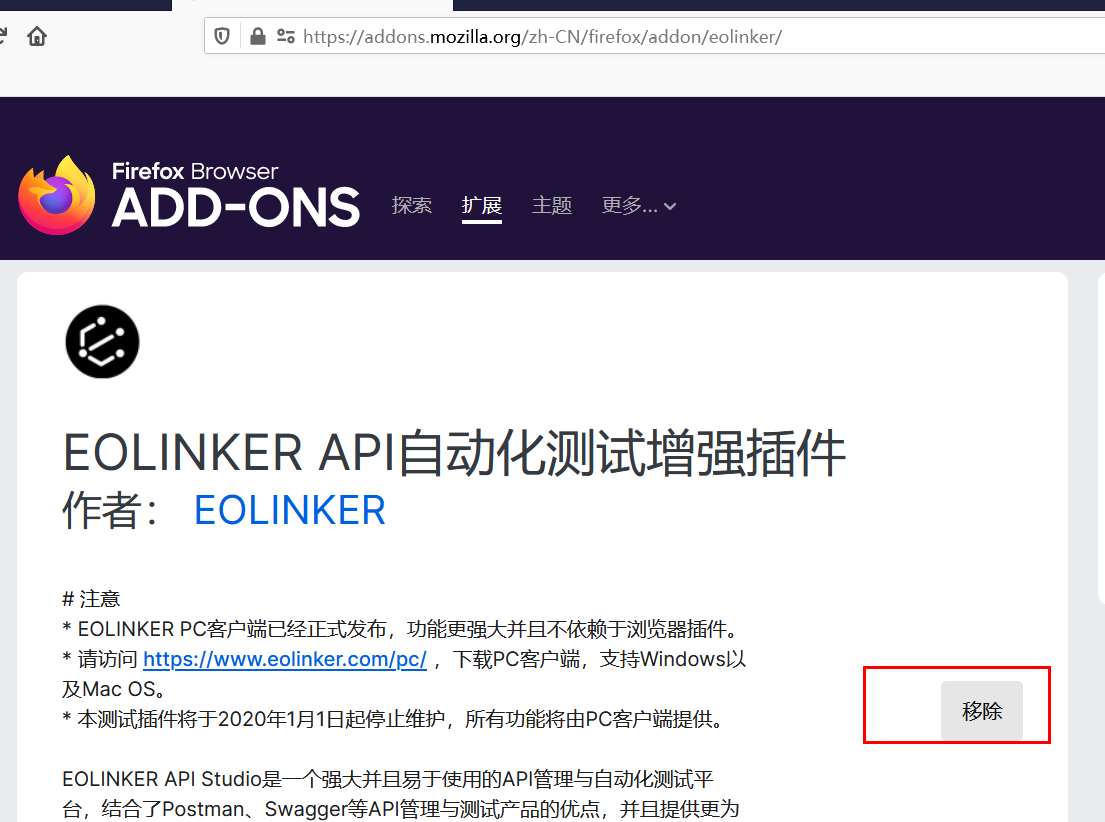
添加插件
eolinker是在线接口测试平台
使用时 需要firefox添加eolinker的插件
插件地址: HTTP://addons.mozilla.org/zh-CN/firefox/addon/eolinker/
添加后显示的移除 没有添加显示的是添加
注册登录
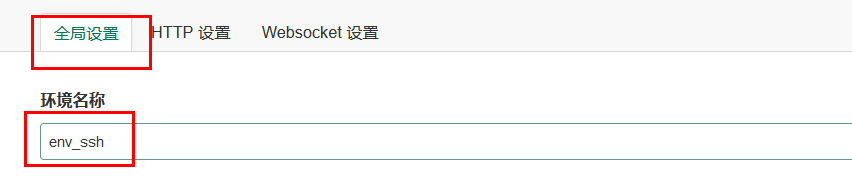
创建环境
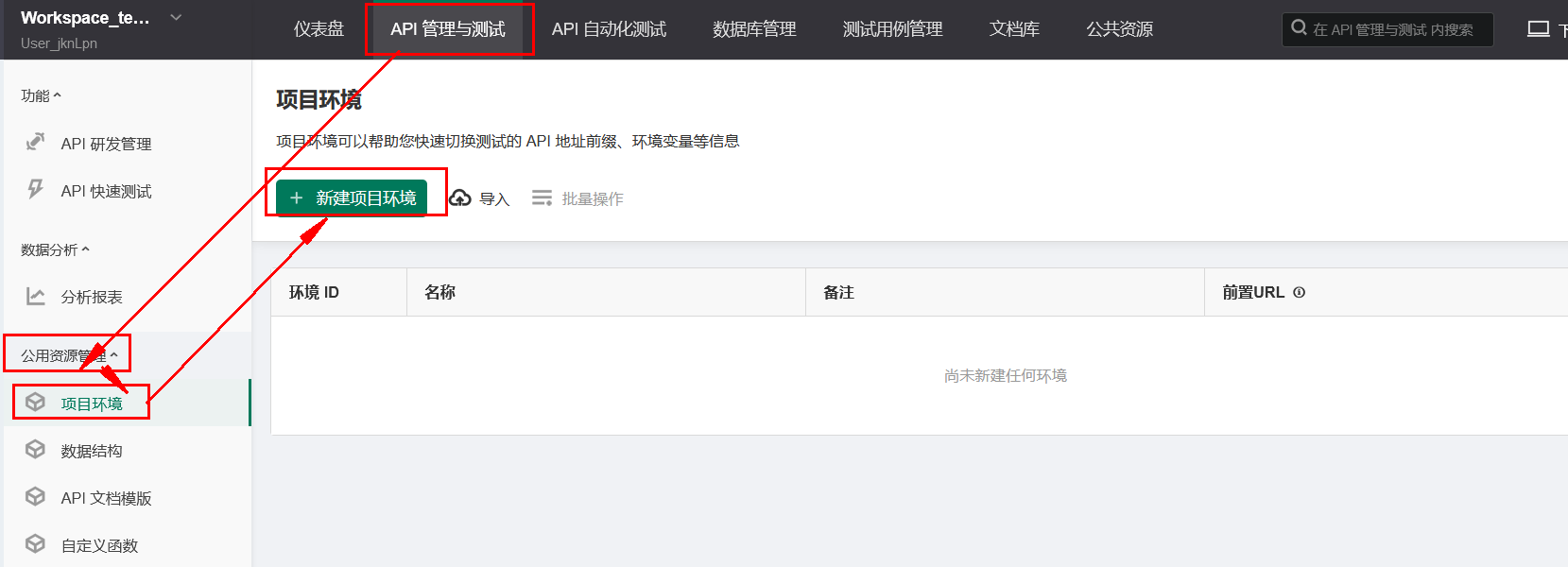

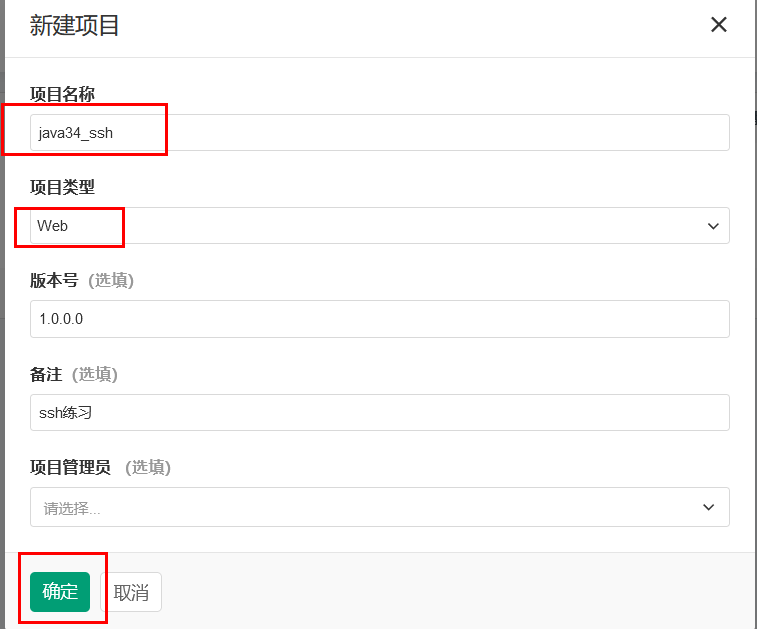
新建项目
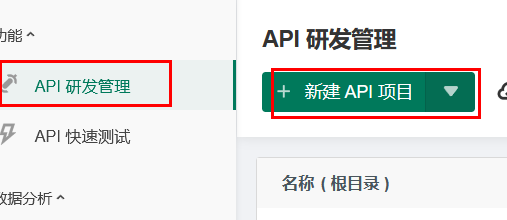
项目名称+类型
点击项目:进入项目管理目录
执行api测试
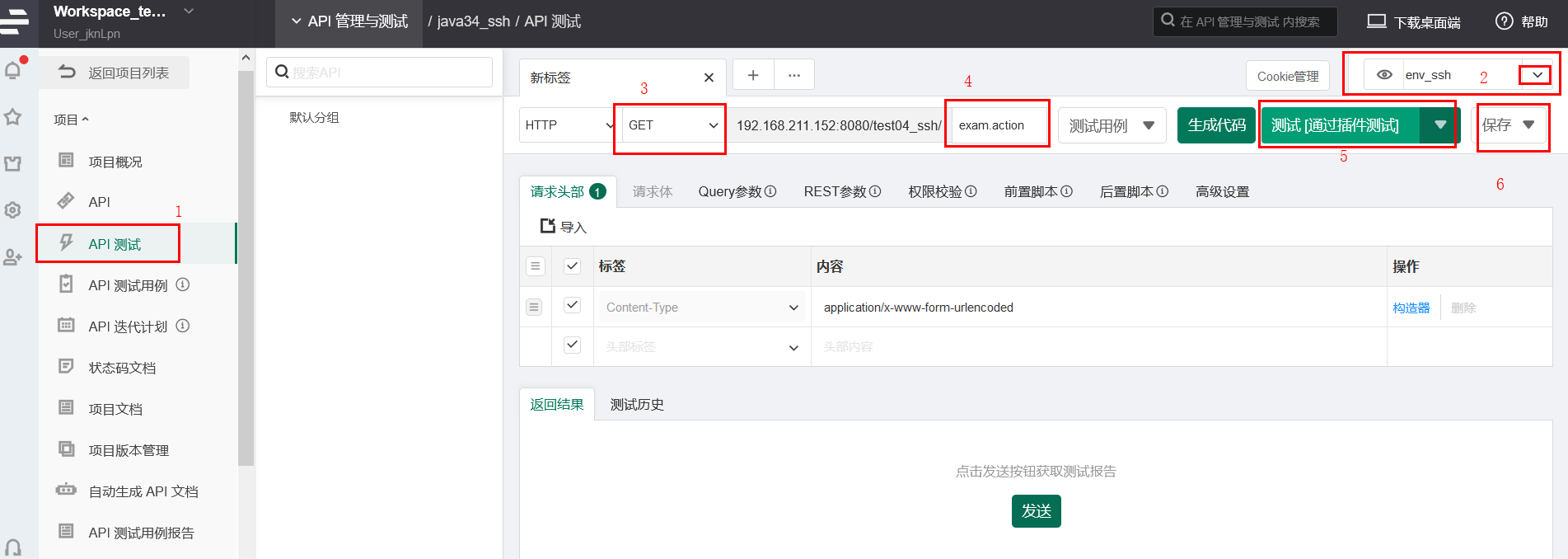

3 通过postman测试exam的所有请求
3.1 获取所有
//获取所有 @RequestMapping(value="/exam.action",method = RequestMethod.GET) @ResponseBody public ResponseVo<List<Exam>> getAll(){
    return new ResponseVo<>(null,200,examService.getAll()); }
讯享网
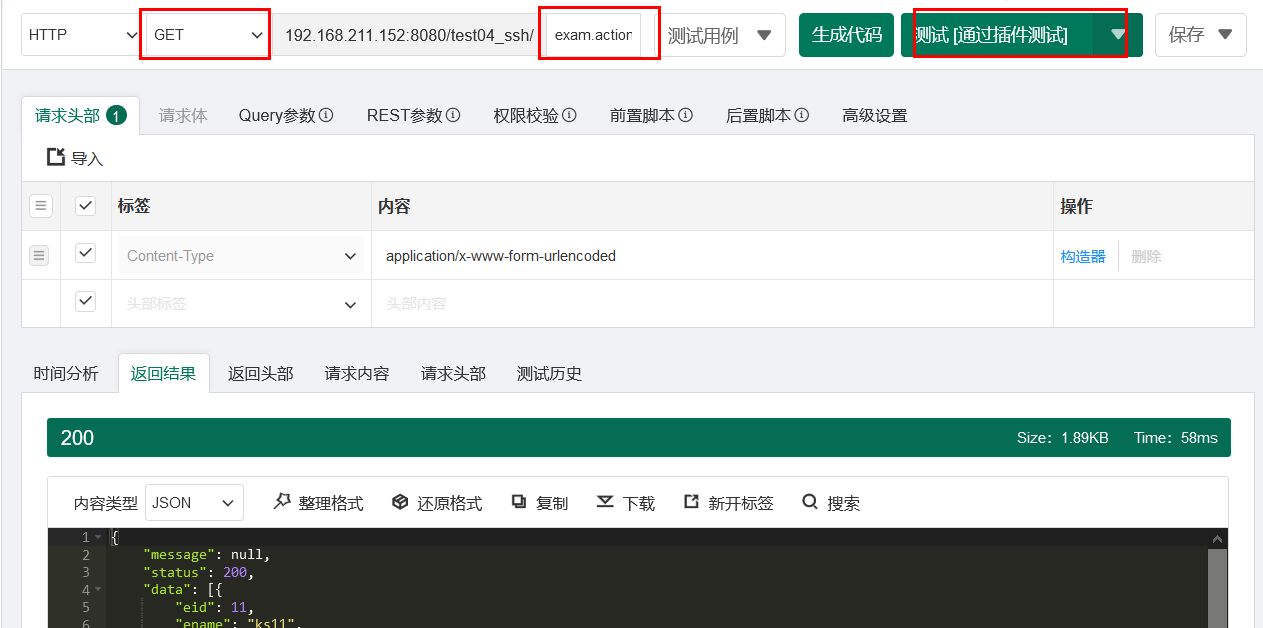
测试成功 点击保存 选择新建api文档— 以后的所有测试成功后都需要此操作

3.5 添加一个:拼凑json串
讯享网//添加一个 @RequestMapping(value="/exam_add1.action",method = RequestMethod.POST) @ResponseBody public ResponseVo<String> addOne1(@RequestBody Exam exam){
    examService.addOne(exam); return new ResponseVo<>("添加1_"+exam.getEname()+"成功",200,null); }
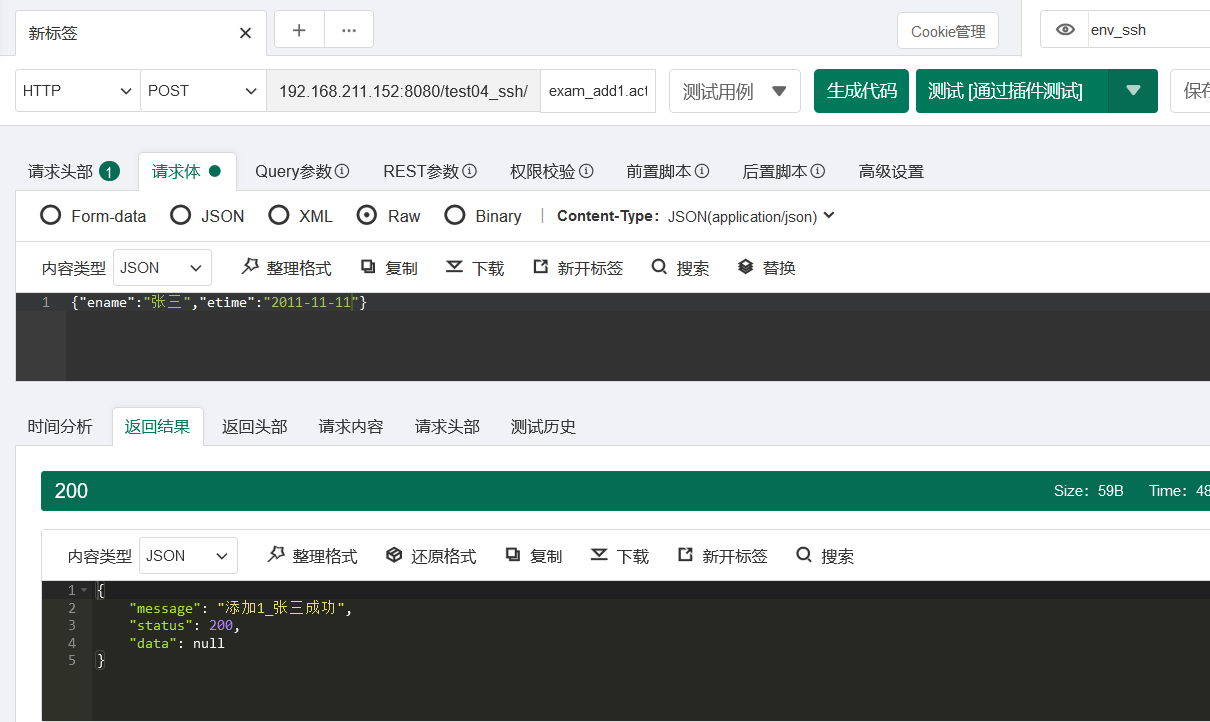
3.6 添加一个:通过FormData获取表单的字节数据
//添加一个 @RequestMapping(value="/exam_add2.action",method = RequestMethod.POST) @ResponseBody public ResponseVo<String> addOne2(Exam exam){
//接受fromdata类型的请求参数 不能加RequestBody System.out.println("exam="+exam); examService.addOne(exam); return new ResponseVo<>("添加2_"+exam.getEname()+"成功",200,null); } 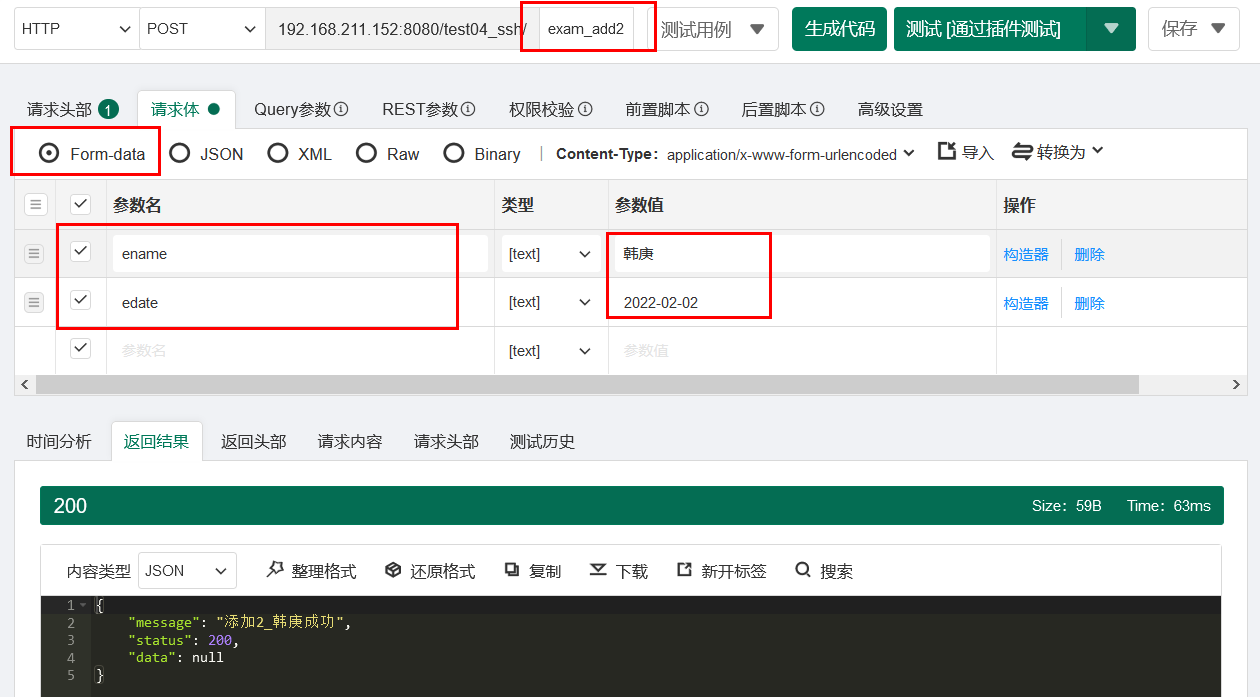
3. 7 添加一个:文件上传
讯享网//文件上传 @RequestMapping(value="/exam_add3.action",method = RequestMethod.POST) @ResponseBody public ResponseVo<String> addOne2(Exam exam, @RequestParam("photo") MultipartFile file, HttpServletRequest req) throws Exception{
   //接受fromdata类型的请求参数 不能加RequestBody //获取上传文件的md5值 String photoMd5= Md5Util.fileMd5(file.getBytes()); //判断此md5是否存在 Exam md5Exam=examService.getOneByPhotoMd5(photoMd5); if(md5Exam==null){
    //获取img的路径 String path=req.getSession().getServletContext().getRealPath("/img"); File muDiFile=new File(path,System.currentTimeMillis()/+file.getOriginalFilename()); file.transferTo(muDiFile); exam.setEphoto(muDiFile.getName()); }else{
    exam.setEphoto(md5Exam.getEphoto()); System.out.println("文件存在 不需要文件上传"); } exam.setPhotoMd5(photoMd5); examService.addOne(exam); return new ResponseVo<>("添加3_"+exam.getEname()+"成功",200,null); }
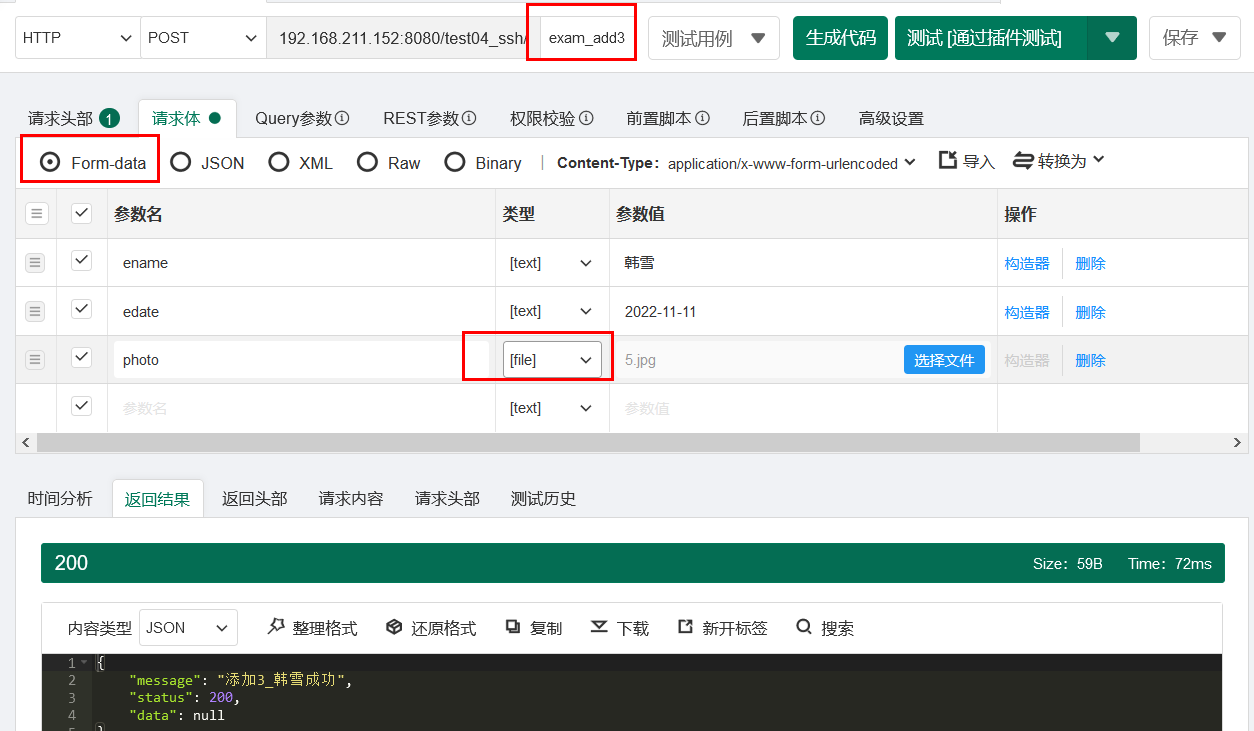
3.8 修改一个:不带文件上传
//修改一个 @RequestMapping(value="/exam.action",method = RequestMethod.PUT) @ResponseBody public ResponseVo<String> updateOne(@RequestBody Exam exam){
Exam dbExam=examService.getOneById(exam.getEid()); exam.setEphoto(dbExam.getEphoto());//保证图片不更改 examService.updateOne(exam); return new ResponseVo<>("修改"+exam.getEid()+"成功",200,null); } 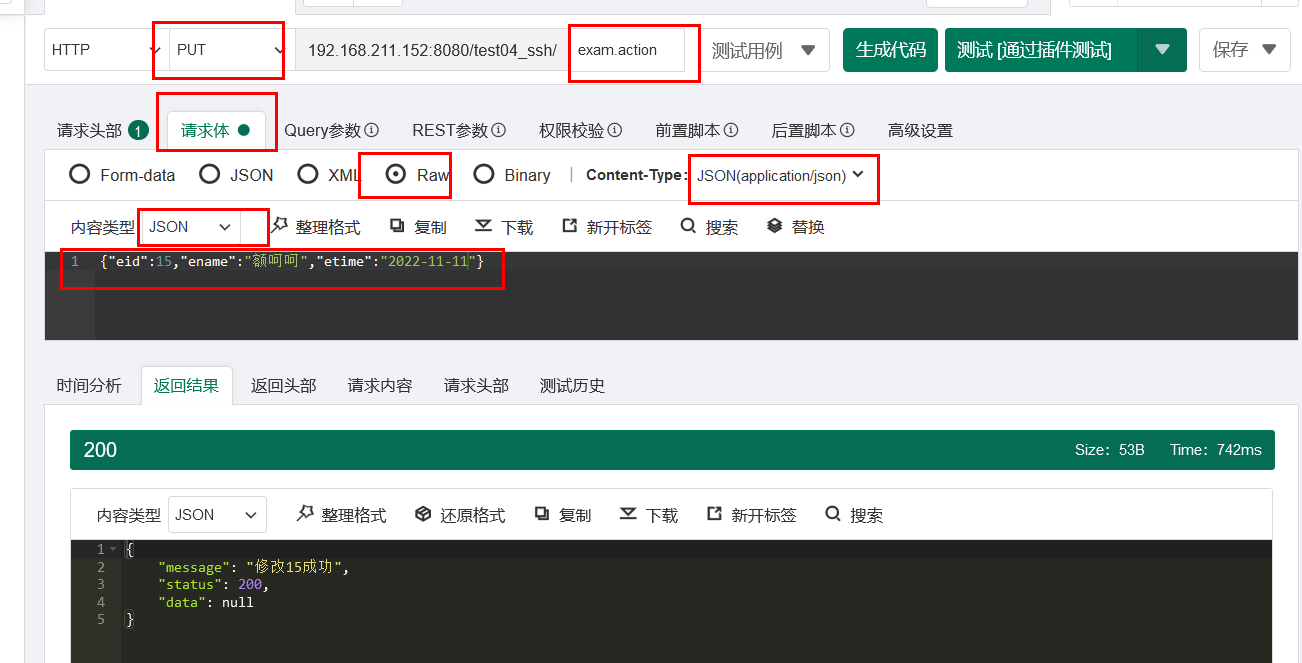
3.9 修改一个:带文件上传
文件上传:必须是post请求
如果postman一直在sending 就重启服务即可
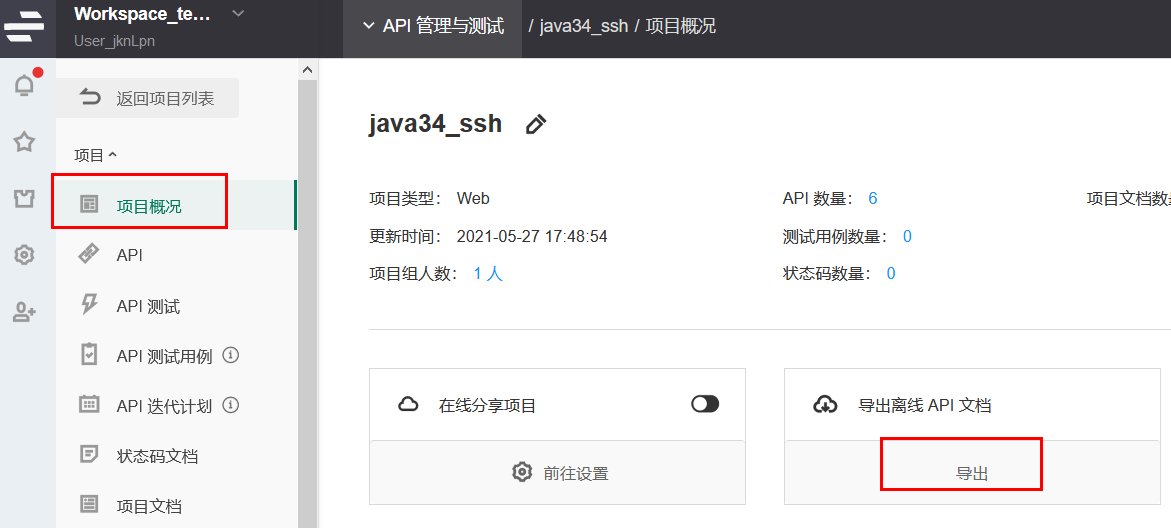
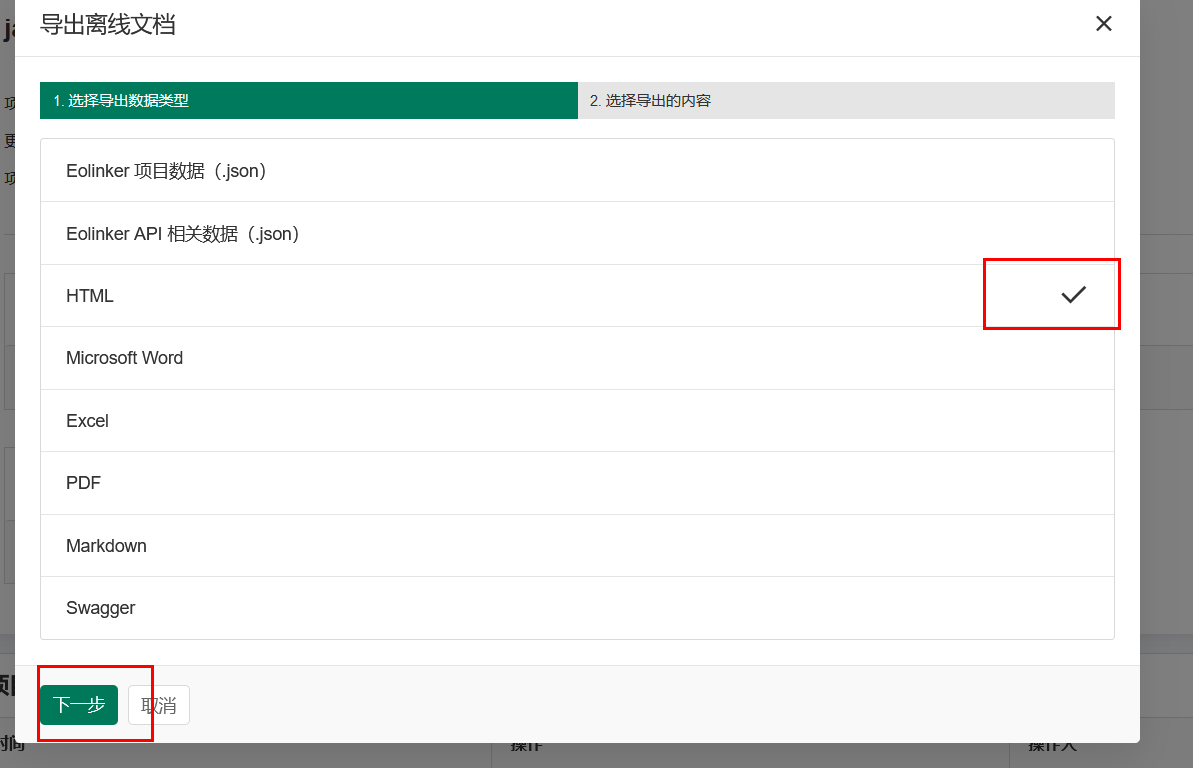
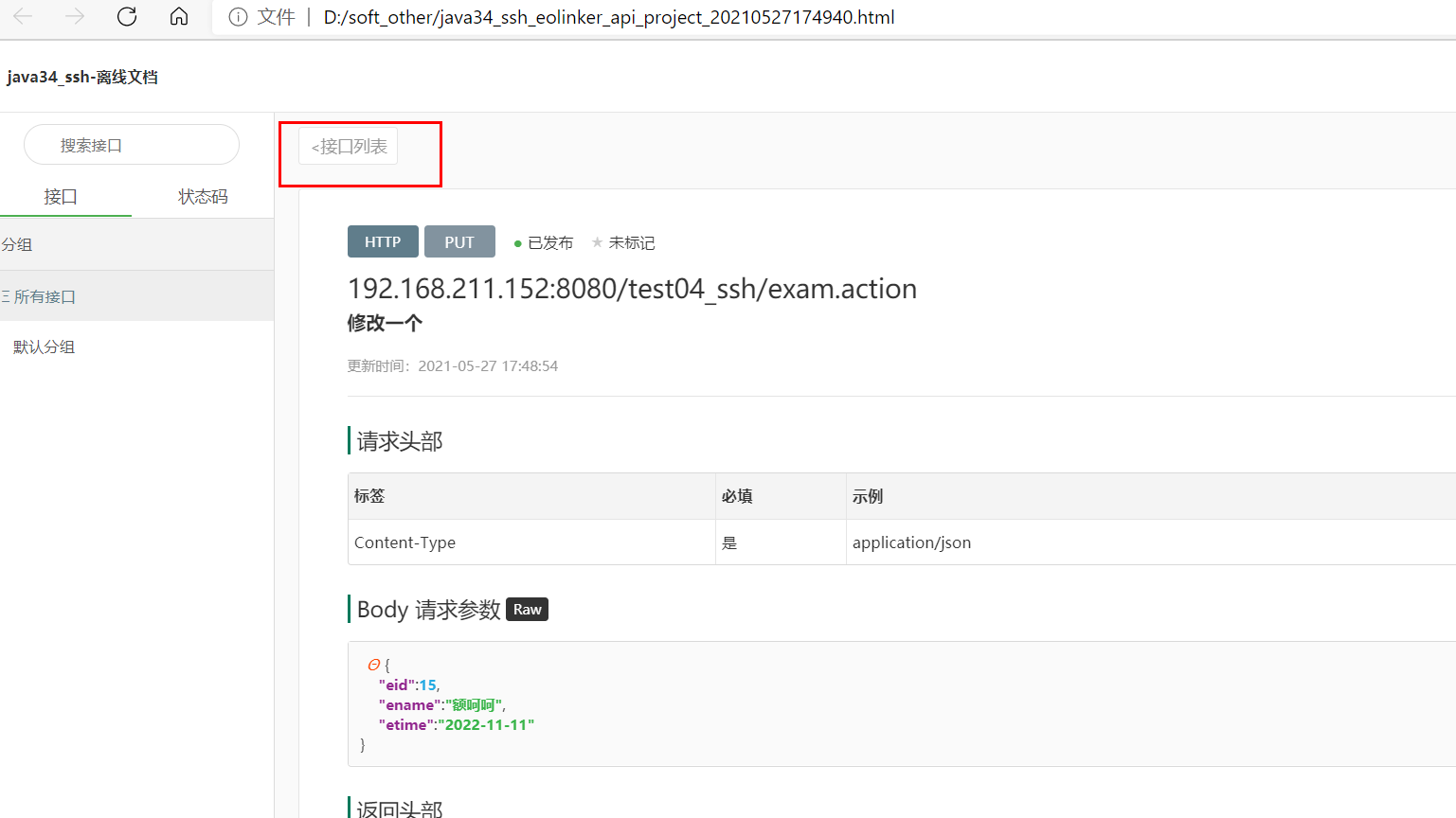
4 导出离线api文档
传:必须是post请求
如果postman一直在sending 就重启服务即可
4 导出离线api文档
[外链图片转存中…(img-skJQoGIP-69)]
[外链图片转存中…(img-qFzs8rkX-70)]
版权声明:本文内容由互联网用户自发贡献,该文观点仅代表作者本人。本站仅提供信息存储空间服务,不拥有所有权,不承担相关法律责任。如发现本站有涉嫌侵权/违法违规的内容,请联系我们,一经查实,本站将立刻删除。
如需转载请保留出处:https://51itzy.com/kjqy/25819.html