
本教程提供一键全自动安装脚本,适用于 Ubuntu 系统(本地或云端),覆盖基础依赖安装、Node.js 环境搭建、OpenClaw 源码拉取与构建、模型配置、网关启动及页面测试全流程。建议在 Docker 容器中运行以确保安全,Docker 安装可参考另一份教程。详细教程来源于“龙虾实验室”社区(longxialab.cn)。龙虾实验室包含大量入门教程和龙虾应用资源,是个很不错的龙虾资源聚合平台。
修改完成后,保存为 install.sh
#!/bin/bash # OpenClaw(龙虾)本地安装脚本 # 适用于 Ubuntu 系统(主机或 Docker 内) set -e HOME_DIR=$(eval echo ~) echo "当前用户 HOME 目录: $HOME_DIR" echo "=== [1/5] 安装基础依赖 ===" apt update apt-get install -y curl ssh vim gcc cmake build-essential git sudo echo "=== [2/5] 安装 Node.js LTS ===" curl -fsSL https://deb.nodesource.com/setup_lts.x | sudo -E bash - sudo apt-get install -y nodejs node -v npm -v npm install -g pnpm pnpm -v echo "=== [3/5] 下载 OpenClaw 源码 ===" mkdir -p "$HOME_DIR/project" cd "$HOME_DIR/project" if [ ! -d "openclaw" ]; then git clone https://gitee.com/fgai/openclaw.git || git clone https://ghfast.top/https://github.com/openclaw/openclaw.git || https://github.com/openclaw/openclaw.git fi cd "$HOME_DIR/project/openclaw" echo "=== [4/5] 安装依赖并构建 ===" pnpm install pnpm ui:build pnpm build echo "=== [5/5] 全局链接 OpenClaw ===" cd "$HOME_DIR/project/openclaw" pnpm setup PNPM_GLOBAL_BIN=$(pnpm bin -g) export PNPM_HOME="$HOME_DIR/.local/share/pnpm" export PATH="$PNPM_HOME:$PNPM_GLOBAL_BIN:$PATH" echo "PNPM_HOME 已设置: $PNPM_HOME" bash -c "source ~/.bashrc; echo 'bashrc 加载完成'" cd "$HOME_DIR/project/openclaw" pnpm link --global echo "=== 配置 openclaw.json ===" CONFIG_DIR="$HOME_DIR/.openclaw" CONFIG_FILE="$CONFIG_DIR/openclaw.json" mkdir -p "$CONFIG_DIR" # 备份已有配置 if [ -f "$CONFIG_FILE" ]; then cp "$CONFIG_FILE" "${CONFIG_FILE}.bak.$(date +%Y%m%d_%H%M%S)" echo "已备份原配置:${CONFIG_FILE}.bak.*" fi cat > "$CONFIG_FILE" << EOF { "models": { "mode": "merge", "providers": { "custom-001": { "baseUrl": "http://xxxxx/v1", "apiKey": "xxxxx", "api": "openai-completions", "models": [ { "id": "qwen-plus", "name": "qwen-plus (Custom Provider)", "reasoning": false, "input": [ "text" ], "cost": { "input": 0, "output": 0, "cacheRead": 0, "cacheWrite": 0 } } ] } } }, "agents": { "defaults": { "model": { "primary": "custom-001/qwen-plus" }, "models": { "custom-001/qwen-plus": {} }, "workspace": "$HOME_DIR/.openclaw/workspace" } }, "tools": { "profile": "coding", "web": { "search": { "enabled": true, "provider": "gemini", "gemini": { "apiKey": "sk-xxxxxxxxxx" } } } }, "commands": { "native": "auto", "nativeSkills": "auto", "restart": true, "ownerDisplay": "raw" }, "session": { "dmScope": "per-channel-peer" }, "hooks": { "internal": { "enabled": true, "entries": { "boot-md": { "enabled": true }, "bootstrap-extra-files": { "enabled": true }, "command-logger": { "enabled": true }, "session-memory": { "enabled": true } } } }, "gateway": { "port": 18789, "mode": "local", "bind": "loopback", "auth": { "mode": "token", "token": "" }, "tailscale": , "nodes": { "denyCommands": [ "camera.snap", "camera.clip", "screen.record", "contacts.add", "calendar.add", "reminders.add", "sms.send" ] } }, "skills": { "install": { "nodeManager": "npm" }, "entries": { "goplaces": { "apiKey": "sk-xxxxxxxxxxxxxx" }, "nano-banana-pro": { "apiKey": "sk-xxxxxxxxxxxxxxxxxxxxx" }, "notion": { "apiKey": "sk-xxxxxxxxxxxxxxxxxxxx" }, "openai-image-gen": { "apiKey": "sk-xxxxxxxxxxxxxxxxxxxxx" }, "openai-whisper-api": { "apiKey": "sk-xxxxxxxxxxxxxxxxxxxx" }, "sag": { "apiKey": "sk-xxxxxxxxxxxxxxxxxxxxx" } } } } EOF echo "=== 安装插件 ===" openclaw plugins install @wecom/wecom-openclaw-plugin@1.0.6 echo "" echo "=== 安装完成 ===" echo "配置文件已写入:$CONFIG_FILE" bash -c "source ~/.bashrc; echo 'bashrc 加载完成'" 运行上面脚本,命令为
chmod +x install.sh && ./install.sh 如果提示openclaw命令找不到,那么运行 source ~/.bashrc 即可。
# 前台运行,关闭窗口后会退出 openclaw gateway --port 18789 --verbose # 生产环境中,建议通过 nohup 将 OpenClaw 运行在后台,并将日志输出到指定文件,便于后续排查问题: nohup openclaw gateway --port 18789 > /tmp/openclaw-gateway.log 2>&1 & 步骤一:访问前端页面
步骤二:获取 token
步骤三:输入token
步骤四:聊天测试
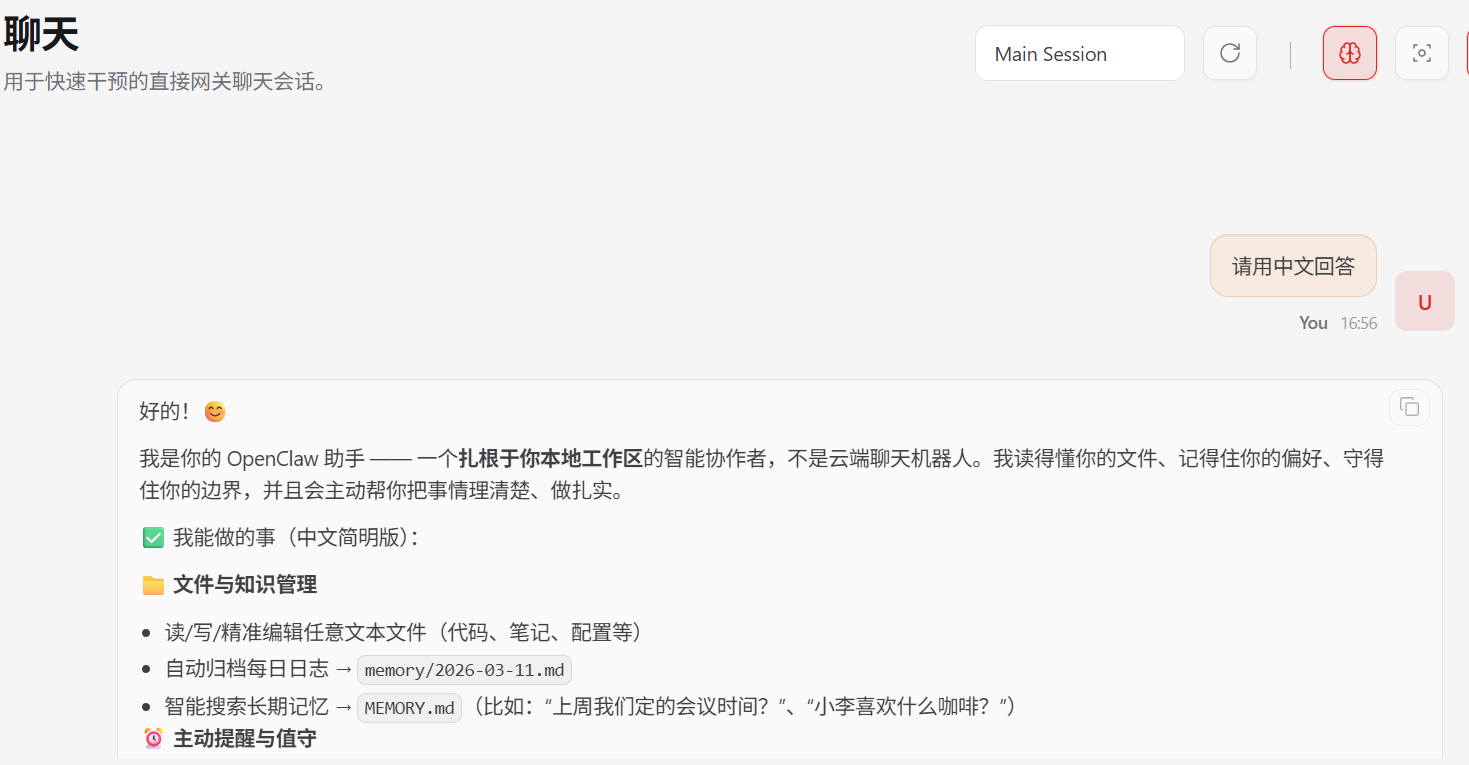
在聊天测试页面(http://localhost:18789/chat?session=agent%3Amain%3Amain)进行聊天,如果龙虾没有任何反馈或提示LLM request timed out.,很大概率是模型配置问题。请检查修改配置文件后重新启动龙虾。
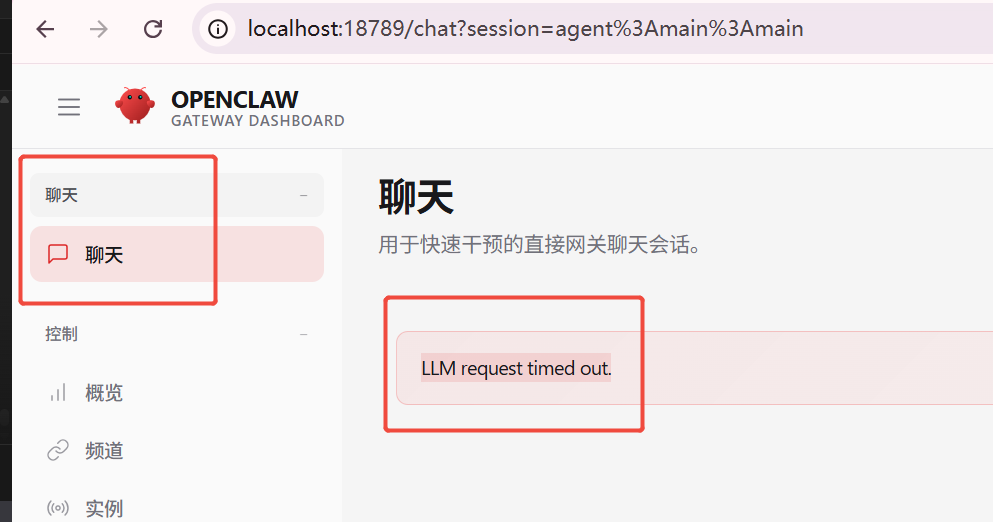
检查修改配置文件后重新启动龙虾。
版权声明:本文内容由互联网用户自发贡献,该文观点仅代表作者本人。本站仅提供信息存储空间服务,不拥有所有权,不承担相关法律责任。如发现本站有涉嫌侵权/违法违规的内容,请联系我们,一经查实,本站将立刻删除。
如需转载请保留出处:https://51itzy.com/kjqy/248563.html