
项目unity版本:2020.3.18f1
XIL版本:Commits on Oct 26, 2021
GameFramework版本:Commits on Sep 28, 2021
UnityGameFramework版本:Commits on Oct 28, 2021
StarForce版本:Commits on Aug 9, 2021
HFS版本:2.3
项目克隆:
StarForce克隆仓库:https://github.com/EllanJiang/StarForce
UnityGameFramework克隆仓库:https://github.com/EllanJiang/UnityGameFramework
GameFramework克隆仓库:https://github.com/EllanJiang/GameFramework
GameFramework使用手册看源码
StartForce源码配置
1.在StarForce\Assets\GameFramework放入UnityGameFramework
2.在StarForce\Assets\GameFramework\UnityGameFramework\Libraries,把dll换成GameFramework内容。此时会报错,缺少命名空间引用。右键Libraries目录Assembly Definition生成名为GameFramework的程序集,找到UnityGameFramework.Editor和UnityGameFramework.Runtime添加GameFramework程序集的引用,报错即可消失。
3.检查不安全代码的勾是否勾上。
模拟远程AB热更配置
HFS 虚拟文件服务器
HFS下载地址:HFS
AB配置
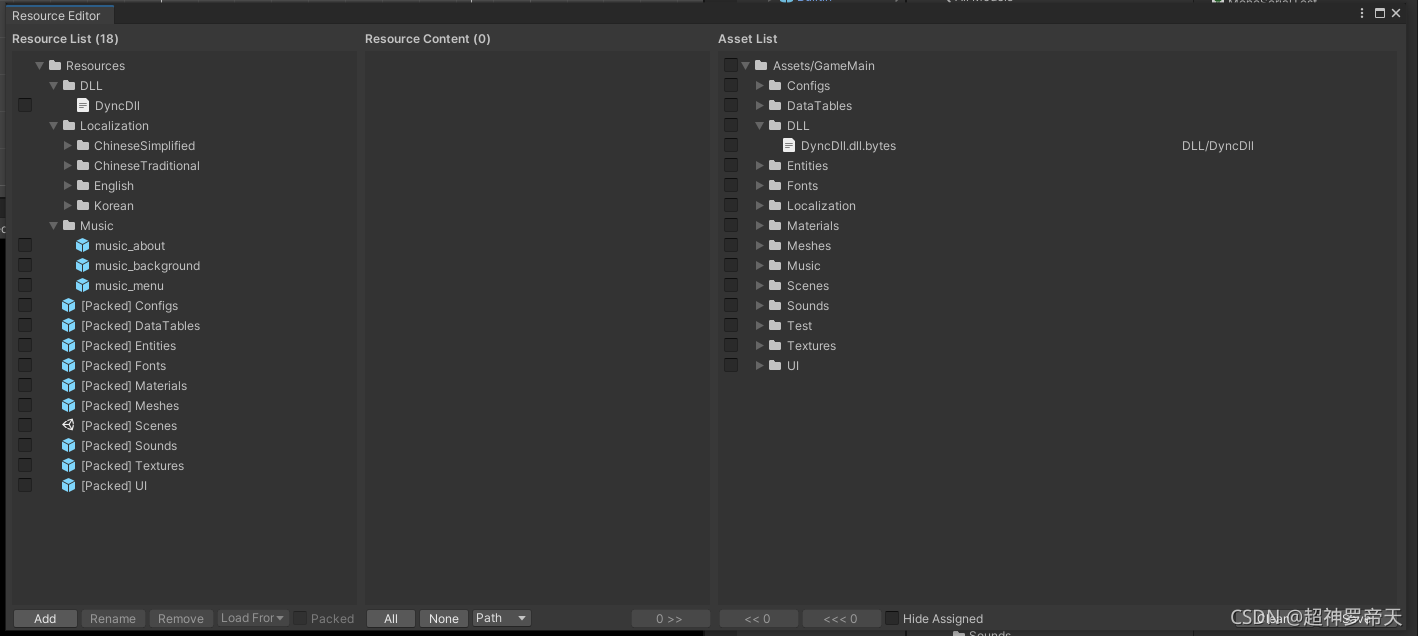
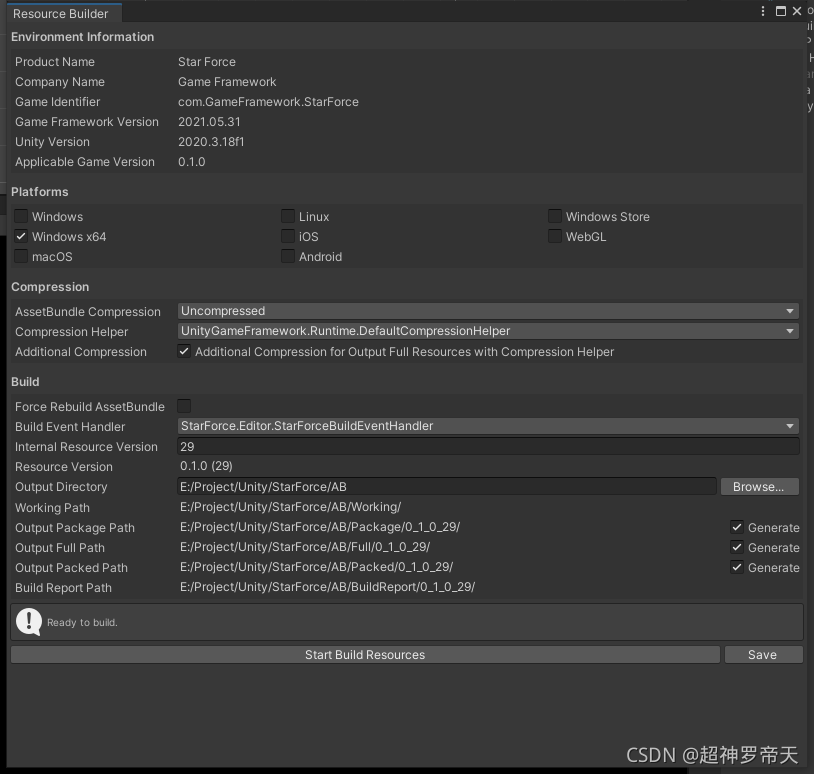
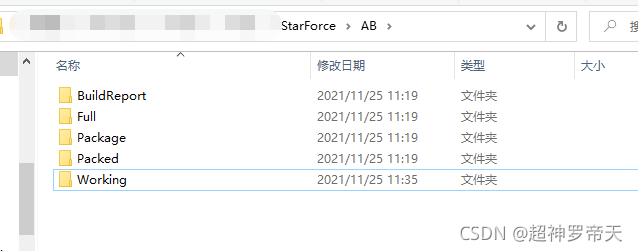
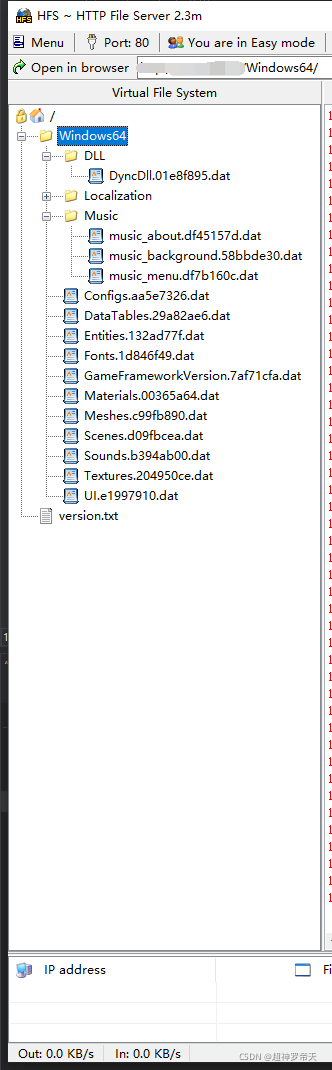
打包出来目录结构是这样子的
在AB目录创建一个名为version.txt的文件,以json协议检查AB配置,配置此文件最好打开VersiongInfo.cs脚本配合食用,毕竟不知道代码变更,如果只是抄我的字段,那此坑得填。
namespace StarForce {
    public class VersionInfo {
    // 是否需要强制更新游戏应用 public bool ForceUpdateGame {
    get; set; } // 最新的游戏版本号 public string LatestGameVersion {
    get; set; } // 最新的游戏内部版本号 public int InternalGameVersion {
    get; set; } // 最新的资源内部版本号 public int InternalResourceVersion {
    get; set; } // 资源更新下载地址 public string UpdatePrefixUri {
    get; set; } // 资源版本列表长度 public int VersionListLength {
    get; set; } // 资源版本列表哈希值 public int VersionListHashCode {
    get; set; } // 资源版本列表压缩后长度 public int VersionListCompressedLength {
    get; set; } // 资源版本列表压缩后哈希值 public int VersionListCompressedHashCode {
    get; set; } } }
讯享网
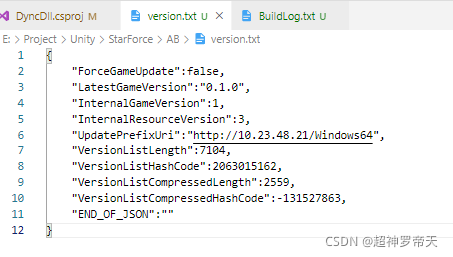
这里的VersionList数据根据StarForce\AB\BuildReport\0_1_0_XX\BuildLog.txt找到
讯享网{
    "ForceGameUpdate":false,//是否强制更新 "LatestGameVersion":"0.1.0",//最新的游戏版本号 "InternalGameVersion":1,//最新的游戏内部版本号 "InternalResourceVersion":3,//最新的资源内部版本号 "UpdatePrefixUri":"http://10.23.48.21/Windows64", //服务器资源更新地址 "VersionListLength":7104,//特指GameFrameworkVersion.xxxxx.dat文件的大小 "VersionListHashCode":,//GameFrameworkVersion.xxxxx.dat文件hash "VersionListCompressedLength":2559,//特指GameFrameworkVersion.xxxxx.dat文件压缩后的大小 "VersionListCompressedHashCode":-,//GameFrameworkVersion.xxxxx.dat文件压缩后的hash "END_OF_JSON":""//结束符 }
打开文件StarForce\Assets\GameMain\Configs\BuildInfo.txt
{
    "GameVersion": "0.1.0",//最新的游戏版本号 "InternalGameVersion": 0,//最新的游戏内部版本号 "CheckVersionUrl": "http://10.23.48.21/Version.txt",//服务器文件version.txt地址 "WindowsAppUrl": "http://10.23.48.21/Windows64",//win资源服务器 "MacOSAppUrl": "https://starforce.gameframework.cn",//macOS资源服务器 "IOSAppUrl": "https://starforce.gameframework.cn",//ios资源服务器 "AndroidAppUrl": "https://starforce.gameframework.cn",//android资源服务器 "END_OF_JSON": "" }
打开HFS.exe,往里面存放full目录下的Window64和version.txt文件
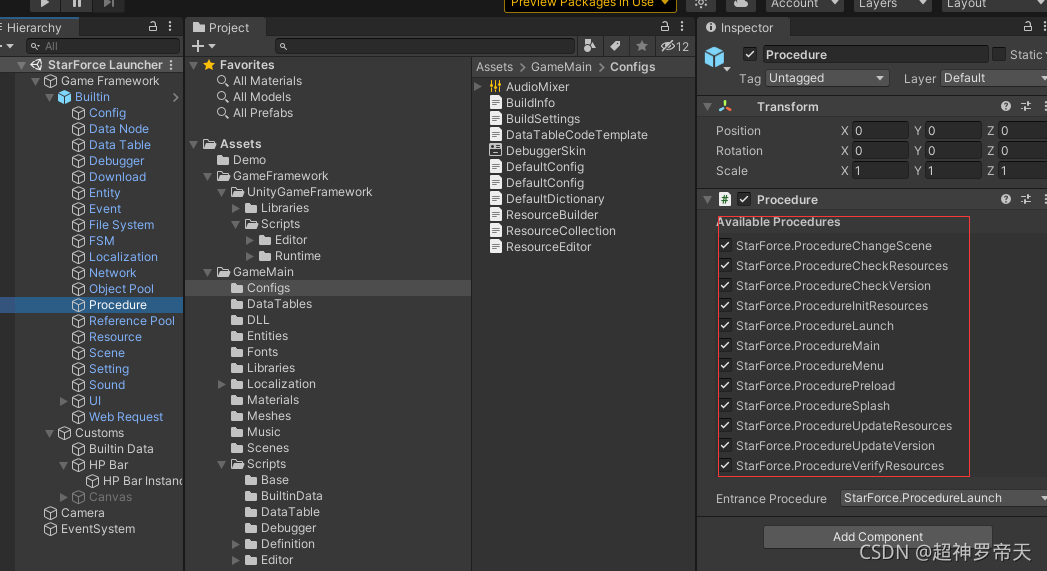
检查Procedure是否都勾上
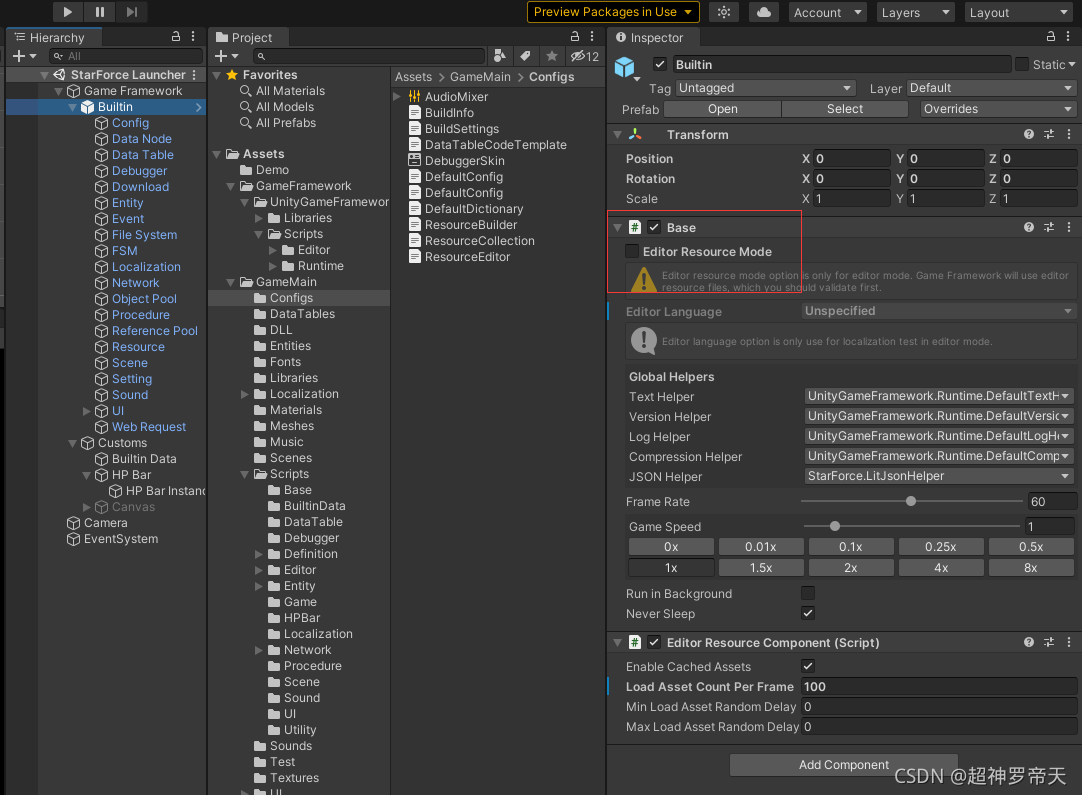
去掉Editor Resource Mode勾
打包运行。
代码热更
给StartForce配置XIL
1.把Demo、hotScripts、XIL三个目录放到StartForce/Assets目录下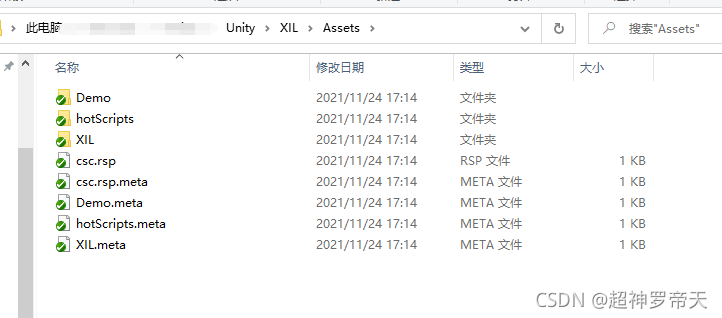
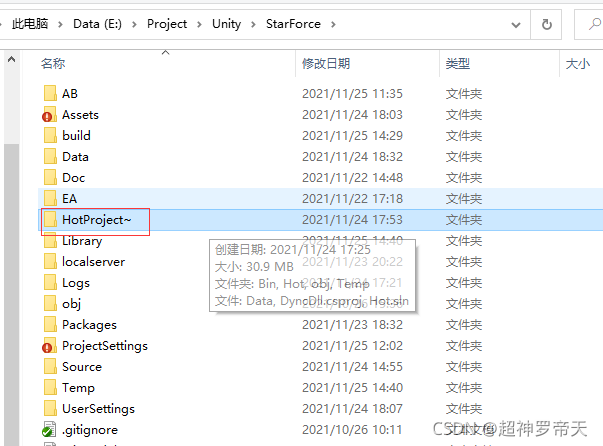
2.在StartForce目录下新建HotProject~放入XIL目录下的Hot目录、DyncDll.csproj文件、Hot.sln解决方案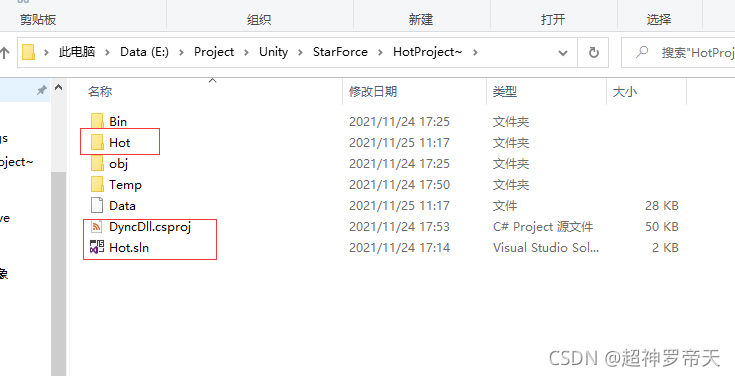
修复编译报错
1.Hot.sln解决方案,在解决方案看dll引用,如果报黄色警告都是需要修复,
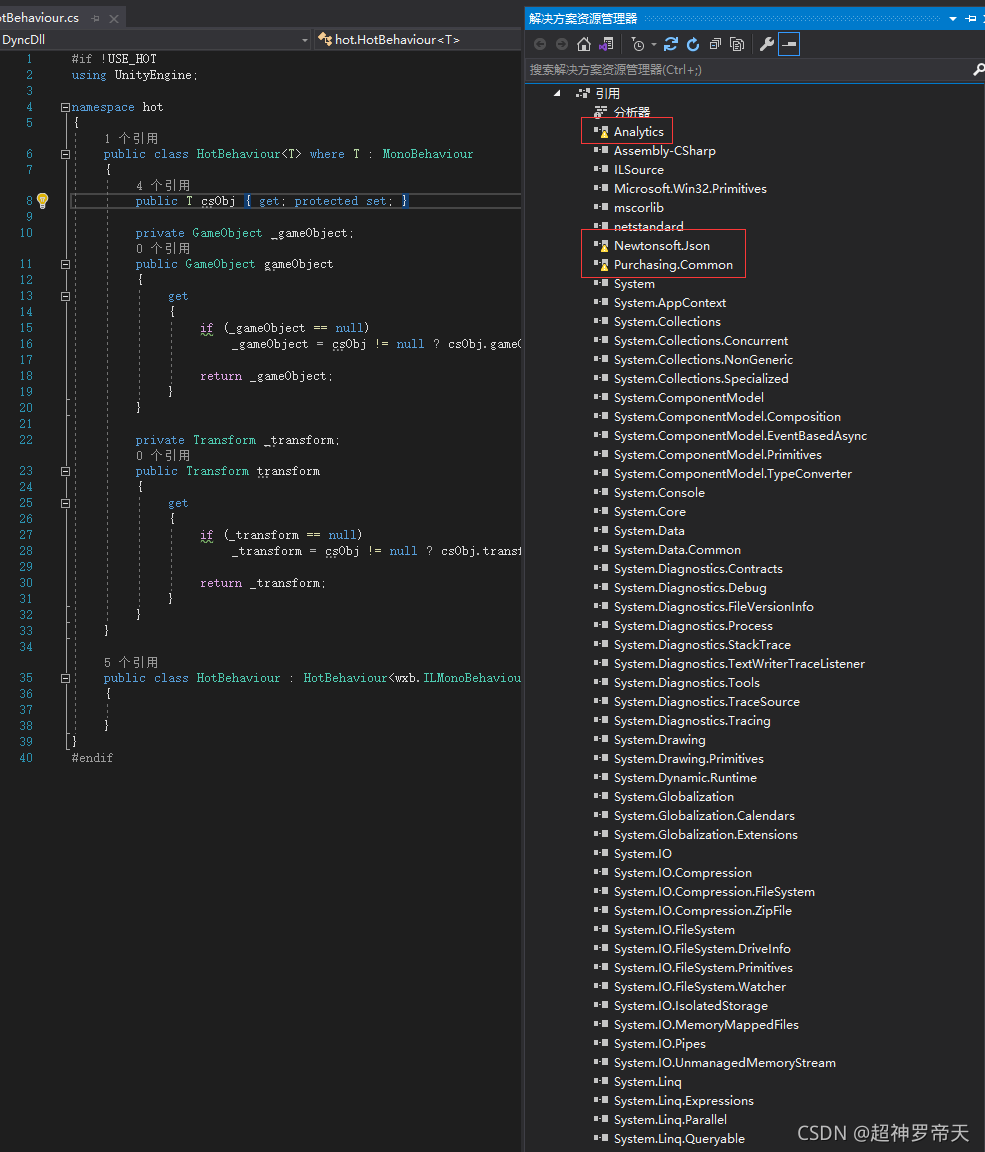
2.打开DyncDLL.csproj文件,修改依赖路径。
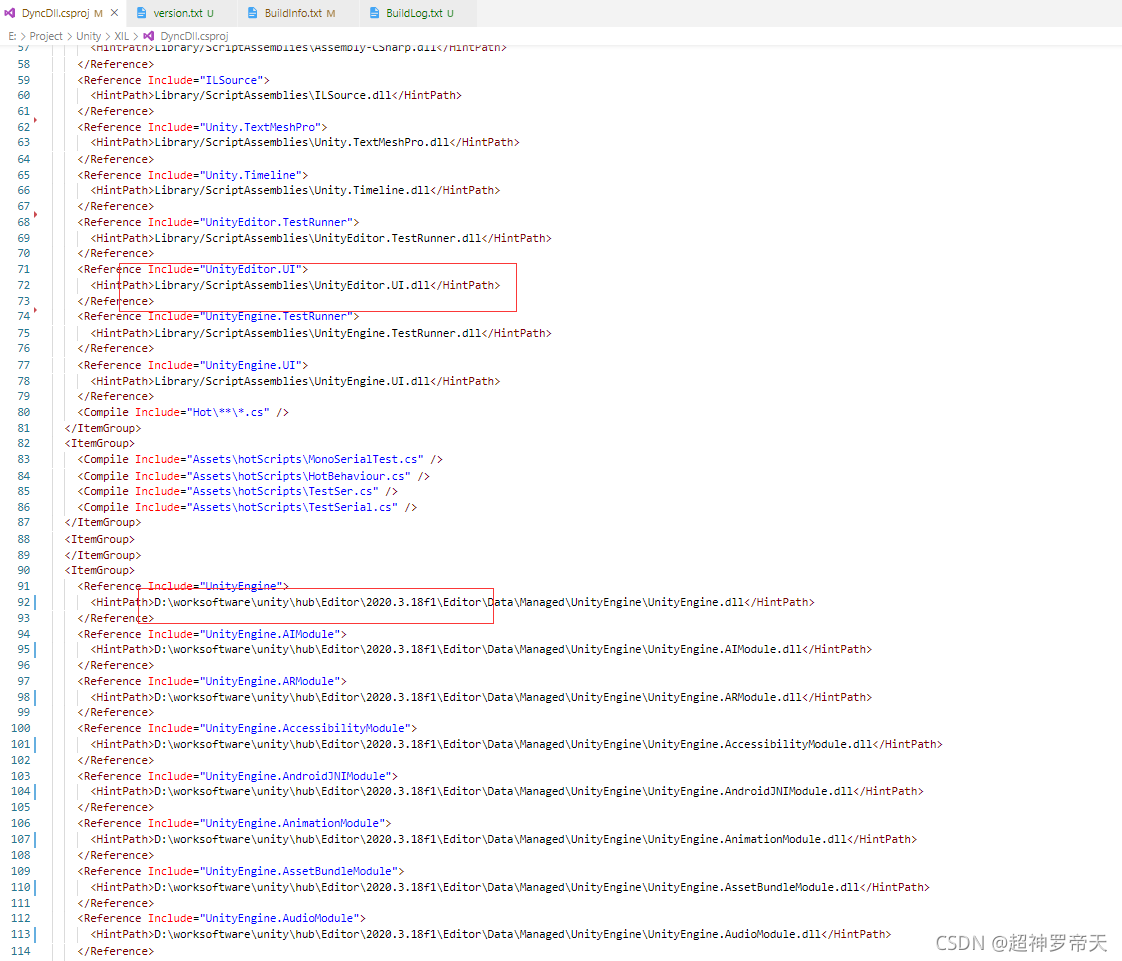
3.如何修呢,怎么知道哪些需要哪些不需要呢,我秉承一贯原则,有需要才加,像Analytics(Services玩家数据埋点接口)、Newtonsoft.Json(json工具)、Purchasing.Common、UntiyEngine.Purchasing(IAP内购支付接口)等我都直接删除.剩下些必要的就修改本机对应路径就行。
4.编辑器跑一下demo,修复奇奇怪怪的报错
5.测试热更前,做一下准备。
1.该在GF哪个流程加载dll?
ProcedurePreload.PreloadResource进行资源加载。
讯享网 private void PreloadResources() {
    // Preload configs LoadConfig("DefaultConfig"); // Preload data tables foreach (string dataTableName in DataTableNames) {
    LoadDataTable(dataTableName); } // Preload dictionaries LoadDictionary("Default"); // Preload fonts LoadFont("MainFont"); LoadDLL("DyncDll"); //GameEntry.Procedure.gameObject.AddComponent<HelloWorld>(); } private void LoadDLL(string dllName) {
    string dllAssetName = AssetUtility.GetDLLAsset(dllName, false); //Debug.Log(dllAssetName); GameFrameworkLog.Debug("dll:{0}",dllAssetName); m_LoadedFlag.Add(dllAssetName, false); GameEntry.Resource.LoadBinary(dllAssetName, new LoadBinaryCallbacks( (assetName, asset, duration, userData) => {
    m_LoadedFlag[dllAssetName] = true; GameFrameworkLog.Debug(asset); GameFrameworkLog.Debug(userData); GameFrameworkLog.Debug(duration); GameFrameworkLog.Debug(assetName); #if USE_HOT wxb.hotMgr.DLL = asset; wxb.hotMgr.isGF = true; #endif HelloWorld hellowrod = GameEntry.WebRequest.gameObject.AddComponent<HelloWorld>(); Debug.Log(asset); }, (assetName, status, errorMessage, userData) => {
    Log.Error("Can not load font '{0}' from '{1}' with error message '{2}'.", dllAssetName, assetName, errorMessage); })); }
2.dll以什么形式打AB包?
把DyncDll.dll改成DyncDll.dll.bytes
以Load From Binary形式进行打包和加载。
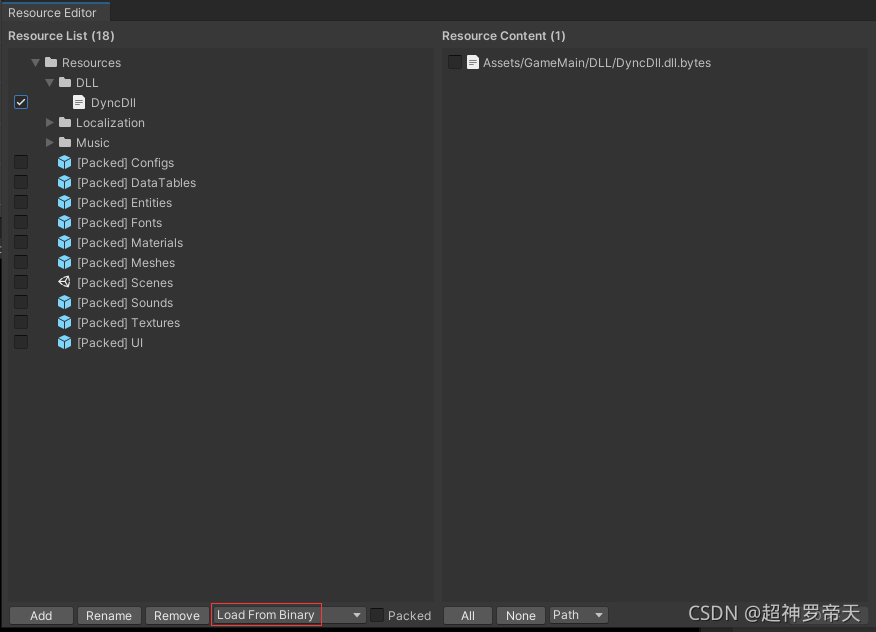
3.XIL现在能支持什么形式加载域?
demo里例子是支持文件加载。客户端打包exe的GF加载框架需要添加以byte[]加载适配。
 byte[] dll {
    get; set; } public EditorResLoadRuntime(byte[] dll) {
    this.dll = dll; } public Stream GetStream() {
    return new MemoryStream(dll); }
完整代码会上传到github仓库
仓库地址:GF-XIL
1.安装hfs,把打包的资源和version.txt放上去。
2.更改version.txt的UpdatePrefixUri为你自己的ip地址
3.更改BuildInfo文件里的ip为你自己的ip地址
4.把StarForce Launcher、Main、Menu场景放入BuildSettings里,打包出一个可以运行exe.运行即可.
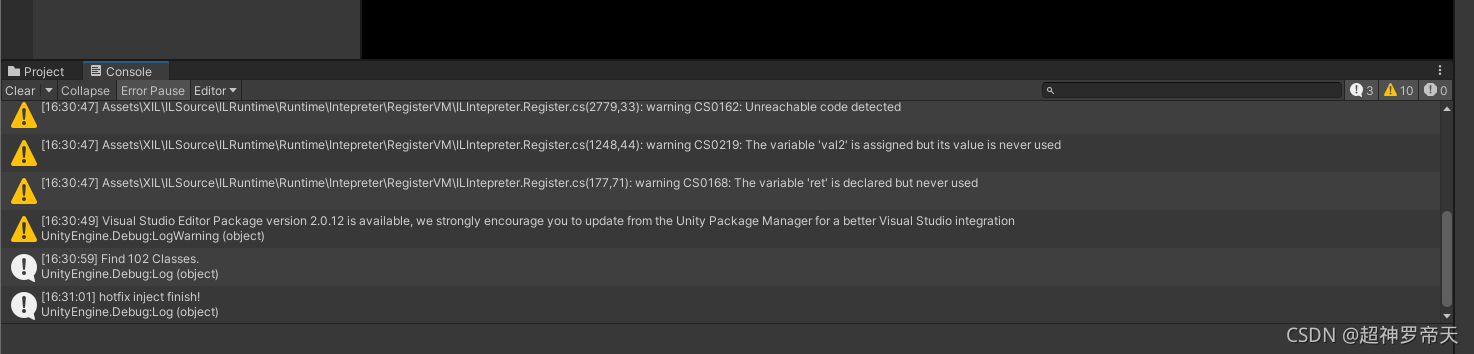
5.如果想要在编辑器运行demo,点击Hotfix inject in Editor即可。
StarFroce+XIL整合总结
跑起来。中间因为文档的缺少,不得不去啃源码。
还好加了群,大家回答都很热情。因为问和答有个时间差,还闹了低级错误,妄想直接给dll打AB包,
为此还改了配置和源码(unity不能给识别不出来的资产打包(也许改底层打包源码可以)),MD是我不配,哈哈哈。
总的来说,网上的文档详细的有可能有些细节就过时了,还是需要自己多多打断点跑源码。
版权声明:本文内容由互联网用户自发贡献,该文观点仅代表作者本人。本站仅提供信息存储空间服务,不拥有所有权,不承担相关法律责任。如发现本站有涉嫌侵权/违法违规的内容,请联系我们,一经查实,本站将立刻删除。
如需转载请保留出处:https://51itzy.com/kjqy/24824.html