
目录
一、国内镜像源
二、镜像源配置方法
1.使用格式
2.pycharm内部配置方法
3.永久配置镜像源方法

讯享网

一、国内镜像源
先分享一些比较好的镜像源:
- 清华大学(推荐):https://pypi.tuna.tsinghua.edu.cn/simple
- 阿里云:http://mirrors.aliyun.com/pypi/simple/
- 中国科技大学 https://pypi.mirrors.ustc.edu.cn/simple/
- 华中科技大学:http://pypi.hustunique.com/
- 山东理工大学:http://pypi.sdutlinux.org/
- 豆瓣:http://pypi.douban.com/simple

二、镜像源配置方法
1.使用格式
格式为:pip install 库名 -i 镜像地址(注意空格的存在)
如下列是安装pandas库的示例:
pip install pandas -i https://pypi.tuna.tsinghua.edu.cn/simple 讯享网
永久添加镜像的方法:
输入一次即可永久使用!!!
讯享网pip config set global.index-url https://pypi.tuna.tsinghua.edu.cn/simple/ pip config set install.trusted-host pypi.tuna.tsinghua.edu.cn
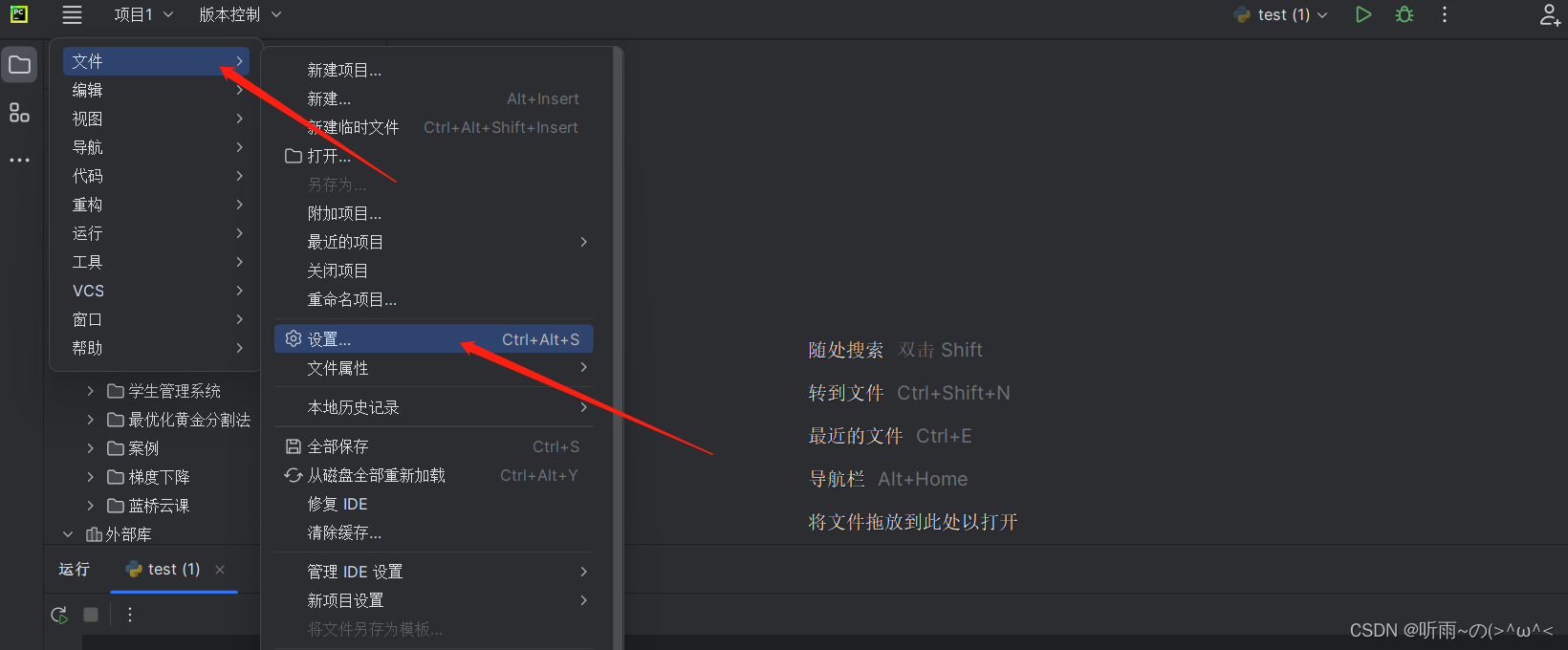
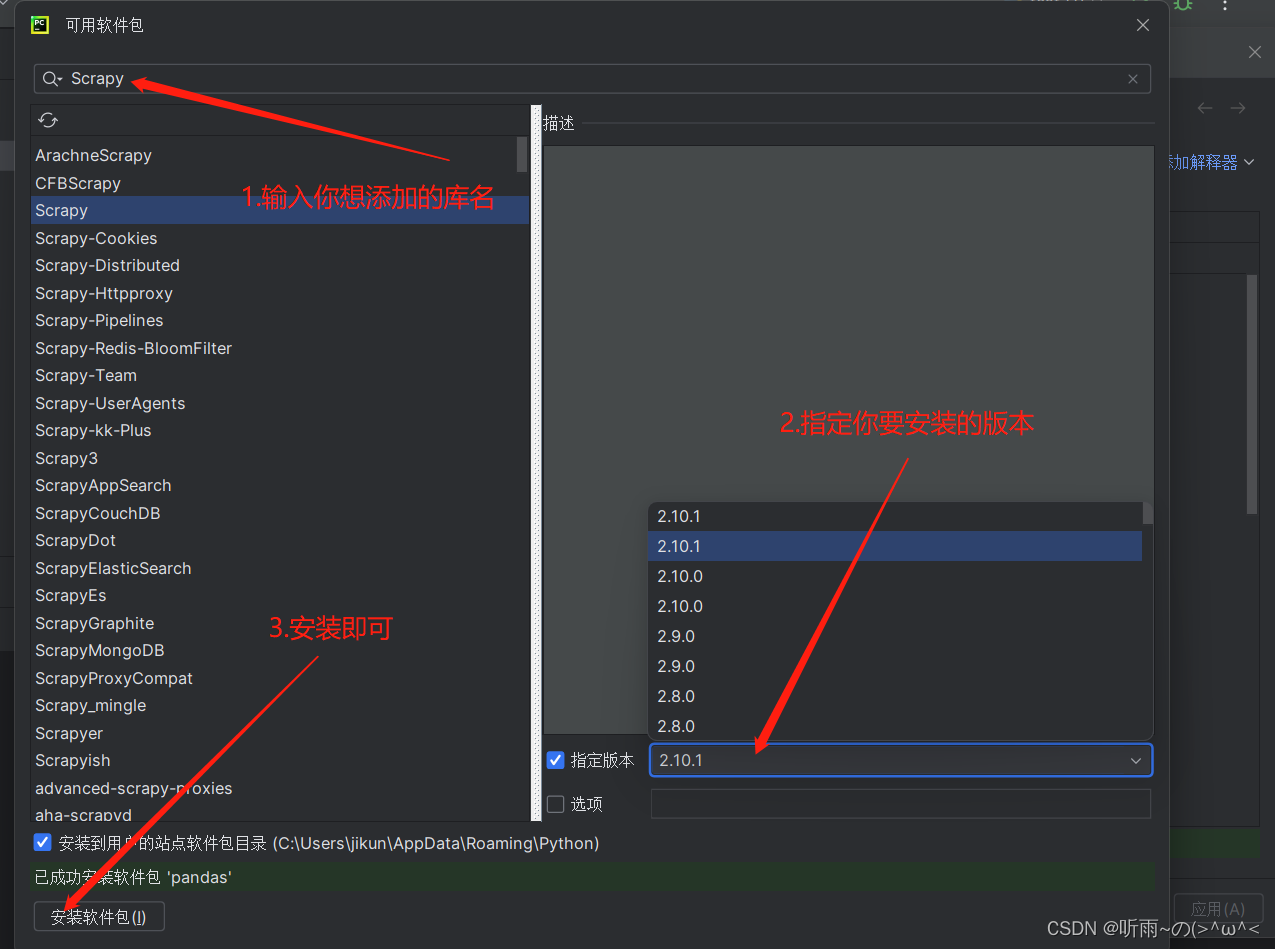
2.pycharm内部配置方法
第一步:
第二步:
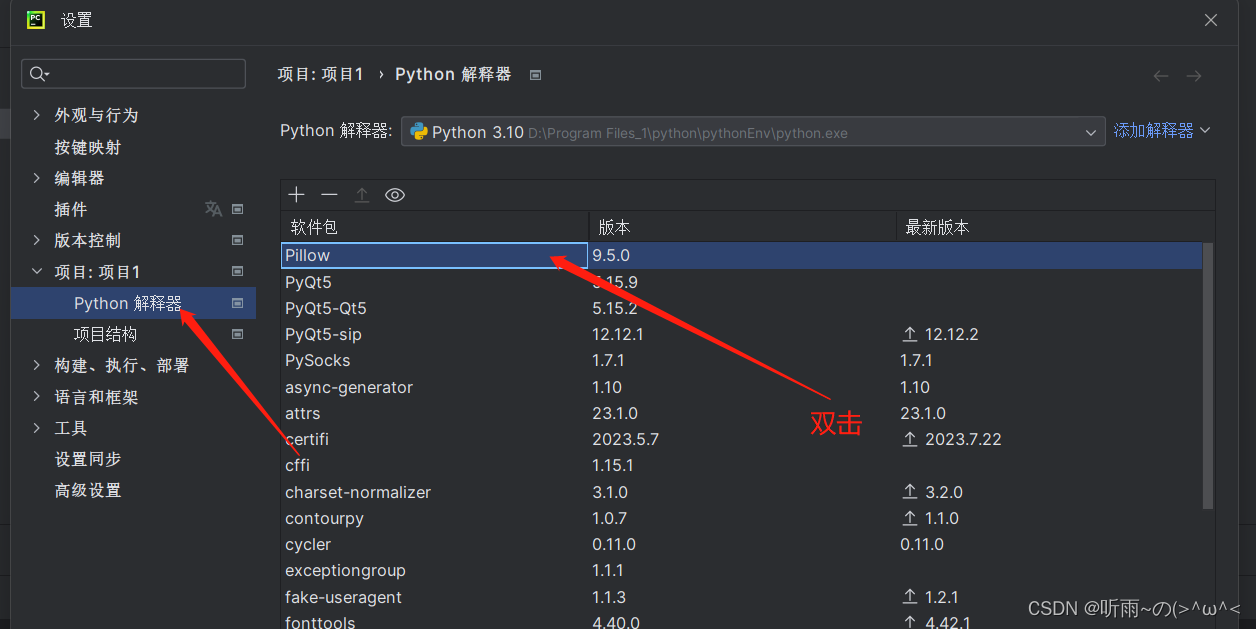
第三步:
3.永久配置镜像源方法
pip config set global.index-url https://pypi.tuna.tsinghua.edu.cn/simple/ pip config set install.trusted-host pypi.tuna.tsinghua.edu.cn
版权声明:本文内容由互联网用户自发贡献,该文观点仅代表作者本人。本站仅提供信息存储空间服务,不拥有所有权,不承担相关法律责任。如发现本站有涉嫌侵权/违法违规的内容,请联系我们,一经查实,本站将立刻删除。
如需转载请保留出处:https://51itzy.com/kjqy/23348.html